换一换
换一换 


在幕后,此次更新主要是为原版精选地图计划中的两张即将推出的地图添加功能,但同时也包含了各种不错的便利性改进:
视野质量平衡 不同视野质量设置的玩家现在将处于更公平的竞争环境中:
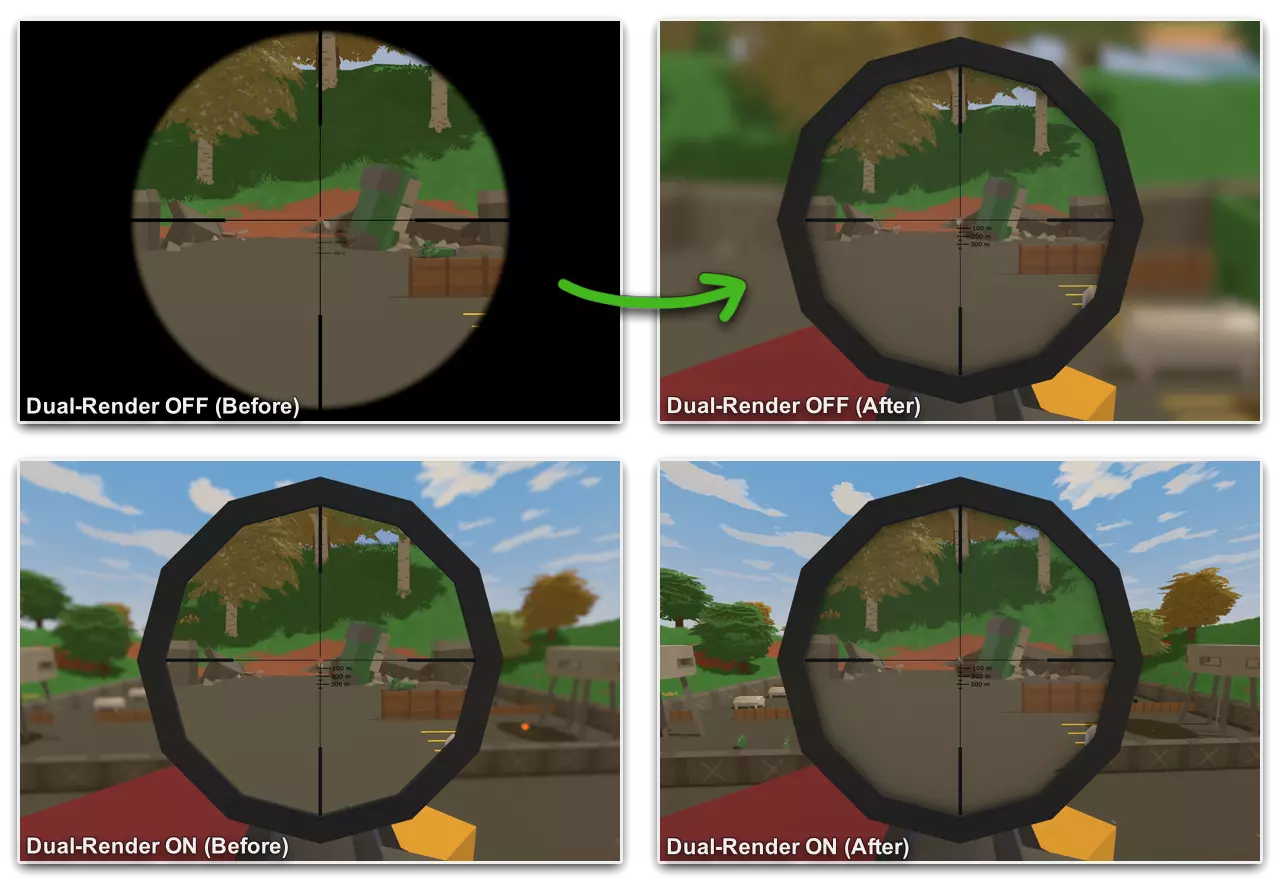
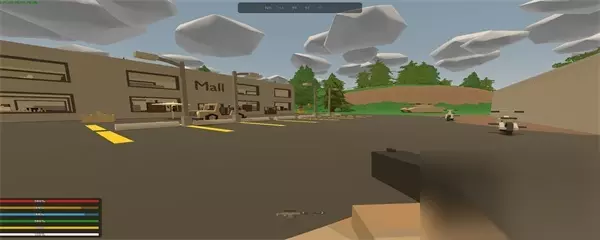
双渲染瞄准镜质量设置(此前标记为“瞄准镜质量”)会对游戏世界进行第二次渲染,以实现瞄准镜的放大效果。在本次更新前,关闭该设置会将3D瞄准镜替换为2D覆盖层。部分玩家利用这一点获得竞技优势,因为2D覆盖层不会受到跳跃、移动、濒死抖动等因素的影响。 更新后,关闭该选项在视觉效果上与开启时更为接近,同时仍保留不进行二次渲染的性能优势。游戏体验方面的权衡在于:关闭双渲染时,玩家能看到更多近距离的 peripheral(原词,指边缘视野)内容(但会模糊);而开启双渲染时,则能清晰保留周围环境的边缘视野。此外,瞄准镜现在还支持环境光遮蔽效果! 恢复更新前的瞄准镜游戏体验 编辑于2025-07-08:版本3.25.7.本次更新新增了“使用2D瞄准镜覆盖”游戏选项,可为服务器上的所有玩家恢复双渲染离镜效果。 我们为追求快节奏战斗的玩家和服务器主机引入了多项新的游戏选项: - **视角模型瞄准跳跃/落地倍率**:调整第一人称瞄准镜在瞄准及跳跃/落地时的移动幅度。将此值降至零可使角色在下落时保持瞄准居中。 - **视角模型瞄准偏移倍率**:调整第一人称瞄准镜在所有时刻(包括跳跃/落地时)的移动幅度。将此值从1降至0.1等较低数值,可使角色瞄准始终保持在目标上。 - **第一人称后坐力倍率与第一人称瞄准后坐力倍率**:调整第一人称视角下的后坐力和散布幅度。### 第一人称瞄准缩放后坐力降低: - **默认值为0时**,后坐力不受影响。 - **设置为1时**,后坐力会除以瞄准镜的缩放倍数。 - **设置为0到1之间的数值时**,使用瞄准镜射击会变得更加容易。 特别感谢所有在预览阶段就这项改动提供反馈的玩家——这是我们迄今为止在预览分支中看到的参与度最高的反馈之一! ### 房屋规划师制作功能 - **快速制作建筑物品**:在建造基地时,可以快速制作任何结构性物品! - **资源显示**:每个按钮会显示您 inventory(背包)中的物品数量,以及可从背包内材料自动制作的数量。
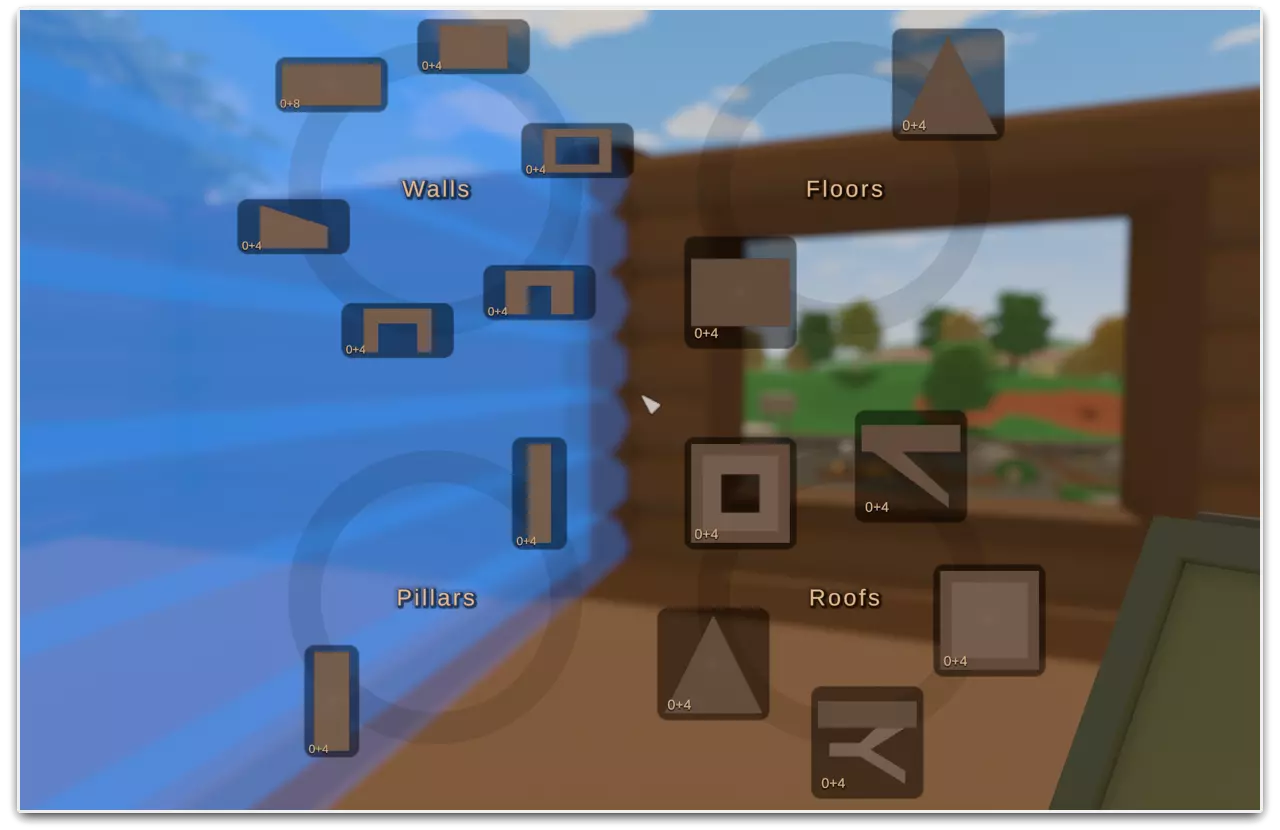
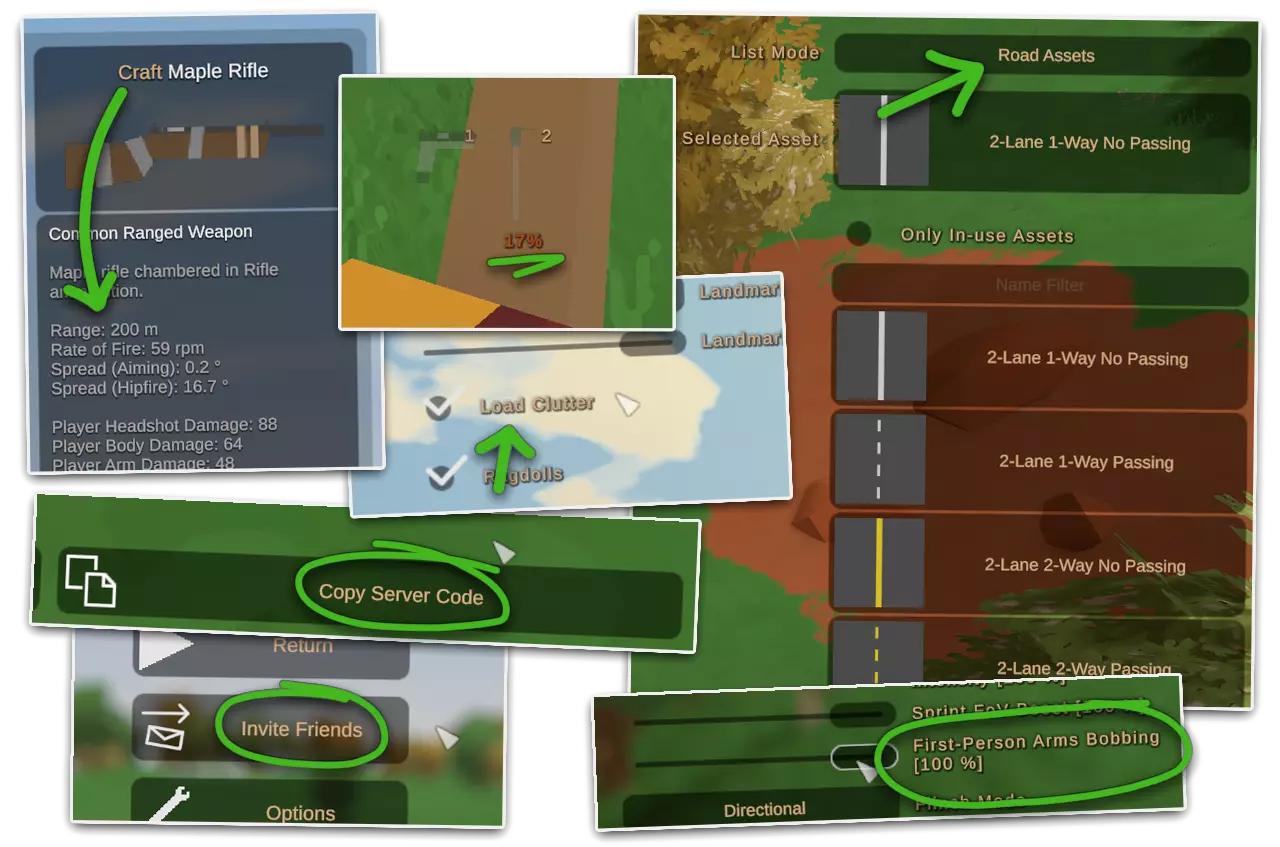
The Housing Planner (craftable from a GPS and Rangefinder) was first introduced to streamline base-building by quickly switching between items and speeding up salvaging. This update takes it a step further, thanks to the recent improvements to the crafting-related code, enabling it to automatically craft any structural item from the parts in your inventory. This includes automatically unpacking stacked supplies, crafting metal structures directly from scrap metal, and bypassing workstation requirements.Forum Closure After 8 years online, we'll be closing our official offsite SDG Forum later this year. Our sincere thanks to everyone who's participated in it over the years, from game feedback to helping each other to chaotic meta-discussion! The forum will be read-only mode by July 30th, before fully closing on November 1st. Over time, player feedback and support has become spread across many different platforms. We believe shifting resources from the SDG Forum elsewhere will better serve the majority of players. While the SDG Forum will no longer be available, you can still: Discuss the game and make suggestions in our official communities (Steam and Discord) or the community-run r/Unturned subreddit. Report bugs through our Issue Tracker on GitHub or the Support Helpdesk. Seek troubleshooting and other support through our Support Helpdesk.Changelog Gameplay Housing Planner can automatically craft structure items. Destroying or salvaging placed item stacks recovers the item stack. Hotbar shows equipped item's durability / quality. Graphics Replaced 2D scope overlay (when dual-render scope quality is OFF) with post-process effect copying main view into scope material. Added an option to prevent loading small clutter details. Note: requires per-map support by level creators. Water planar reflections use main camera's LOD settings. This reduces discrepancies between reflections and what's visible, but may decrease performance when planar reflections are enabled. Added "-Cinematic" command-line flag to turn off all level-of-detail features. (With an intense performance cost. Useful primarily for level promotional screenshots. Multiplayer Improvements Added server info screen and pause menu buttons to copy server code. Your friends can use this code in the Join Directly menu. While playing multiplayer, an "Invite Friends" button is available from the pause menu. This opens a Steam Overlay dialog to invite an online friend to your current server. Added support for server codes in rich presence join functionality. (E.g., joining LAN servers through Steam friends list.) Combined barricade and structure instantiation queues to prevent seeing into loading bases. Crafting Menu Blueprint details panel shows primary item's stats and extended description. Crafting tooltip mentions blueprint is ignored in reasons it cannot be crafted. Anti-Cheat Reduced available information about distant players. This makes ESP and radar cheats less useful. Significantly tightened server hit validation threshold, making the line-of-sight tests more effective. Server Config Added FirstPerson_RecoilMultiplier and FirstPerson_AimingRecoilMultiplier, similar to their third-person equivalents. Added FirstPerson_AimingZoomRecoilReduction to restore (quite old now) sniper recoil behavior. Added Viewmodel_AimingMisalignmentMultiplier and Viewmodel_AimingJumpLandMultiplier for reducing sway while jumping around scoped-in. Added Disable_Motion_Sickness_Options (more detail under Accessibility section). Accessibility Added First-Person Arms Bobbing slider for players experiencing motion sickness to reduce viewmodel sway while walking and turning. Added Disable Motion Sickness Options config for server hosts running realistic PvP combat to disable the First-Person Arms Bobbing, Explosion Camera Shake, and Damage Flinch options. A warning is shown on the server info screen if this option is active. Since these options affect game balance the intention is to improve support for servers negatively affected by their addition, while keeping most of the game more accessible by default. Level Creation Added road assets for sharing road textures between levels, and some new options like per-road physics material overrides. Added a tab in the roads editor to switch between per-level road textures and assets list. Added support for blending smoothly between ambiance volumes and per-volume falloff. Added "/DrawAudioReverbZones" command to visualize non-volume reverb zone falloff. Support placing decorative trees outside the max level bounds. Increased spawns editor contrast behind rarity-colored entries. Removed kill volumes from vanilla bunkers to make them more flexible for level designers. New Properties (Modding) Airdrop reward type for NPCs to call in an airdrop. Sentry properties to prevent targeting players, zombies, animals, and vehicles. Tactical attachment properties to override bayonet damage. Sight attachment properties to override aiming alignment space. Placeable item properties to override amount of items recovered when salvaged. Item properties for effects and NPC rewards when item reaches zero quality. Gun properties for significantly changing rechambering behavior. Gun property to scale zombie ragdoll force. Consumeable item property to turn off pitch randomization. Vehicle properties for more bumper damage control. Support hybrid rangefinder-laser tactical attachments. New Components (Modding) Airdrop Spawner component to call in an airdrop. Barricade Spawner, Item Spawner, and Vehicle Spawner components. Repeat component to replay an event multiple times. Music Audio Source component to mark audio sources as music. Barricade Destroyer component to clear barricades inside a sphere Plugin Development Added "-ModulesPath" command-line flag to override Modules directory. Enabled running "/LogMemoryUsage" locally to copy results to clipboard. Fixes Arrows, Missile, Rail, and Rocket not removed at zero amount. (Thanks Dobs!) Round farm growth percentage down rather than to closest integer. (Thanks PandahutMushy!) Default DeleteAmount behavior changed by search rewrite. (Thanks Dobs!) Potential cause of favorite blueprints button disappearing. (Thanks u/Dandelion07!) Server not registering end of melee swing. (Thanks prank0079!) Non-physical wheel rotation broken by previous update. (Thanks Kopfstroh!) Primary/secondary slot visual not cleared when item breaks. (Thanks JienSultan!) Editing deleted level. (Thanks Jdance!) Inconsistency between uGUI and IMGUI drawing debug text while HUD is hidden. (Thanks RBMKBlaze!) Blueprint primary item details not hidden when primary item indeterminate. (Thanks biedaktokox!) Barricades/structures in a broken state in singleplayer when moved with admin editor. (Thanks Molt!) Vending Machine hat misaligned mythical effects. (Thanks 桐生一航!) Keep nearby foliage loaded regardless of frustum checks. (Thanks DiFFoZ!) Missing mipmaps on scope render texture. (Thanks BoomViz!) Protect against menu accidentally becoming empty during special events. (oops) Reworked airdrop replication to exclude contents and landing position. Increased terrain fallback quality to reduce pop-in. Russia train tracks gravel was the wrong color. Support // comments in Commands.dat. Special thanks to Bananajoemcrandom, biedaktokox, BoomViz, CPL, KarmaWSYD, semtexexplosive, setaou, surv0013, and VTM for their help resolving a variety issues while this update was on the preview branch! Patch #1 Changelog Changes Added Darken Scope Peripheral graphics option underneath Dual-Render Scope Quality. When Dual-Render Scope Quality is Off, this option fades the area outside the scope to black instead of blurring it. Temporarily reverted player culling change until a bug related to teleporting is fixed. (Thanks WawaEgo!) Fixed an exception when placeable's item dropped on destroy isn't an item. (Thanks KtoemYsw!)