换一换
换一换 


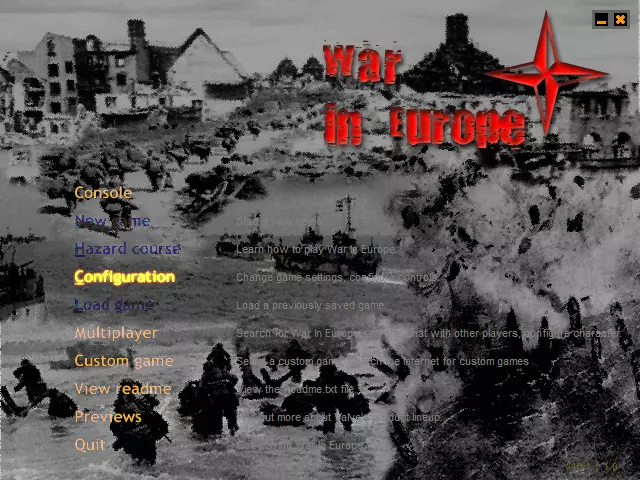
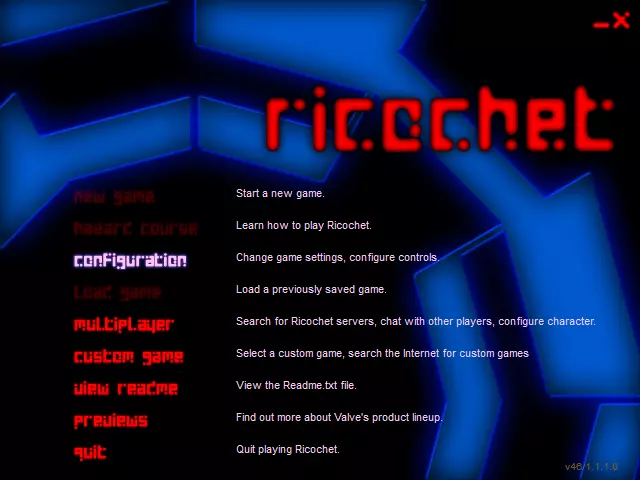
我为《反恐精英》特别重制了一系列WON(世界对手网络)时代的原版菜单样式,包含相同的字体、颜色以及几乎一致的效果。 简介 众所周知,Valve去年为纪念《半条命》25周年发布了一次重大更新。在我看来,他们没有忘记这款黄金作品并给予其应有的待遇,这非常棒。 我对WON时代原版标志性菜单的意外回归感到特别兴奋,但遗憾的是,《反恐精英》并未获得这一更新,因此我决定亲自重制所有这些菜单。起初,在今年四月,我完全是为了自己将其作为一个小爱好项目来做,但最近我觉得和大家分享会很不错,这样老派《反恐精英》粉丝以及WON时代/风格鉴赏家也能有机会体验它。 《反恐精英》测试版v1.0—2.1 以下是一些截图,向你展示我所取得的成果: 1. 原版WON菜单(点击可查看完整图片)
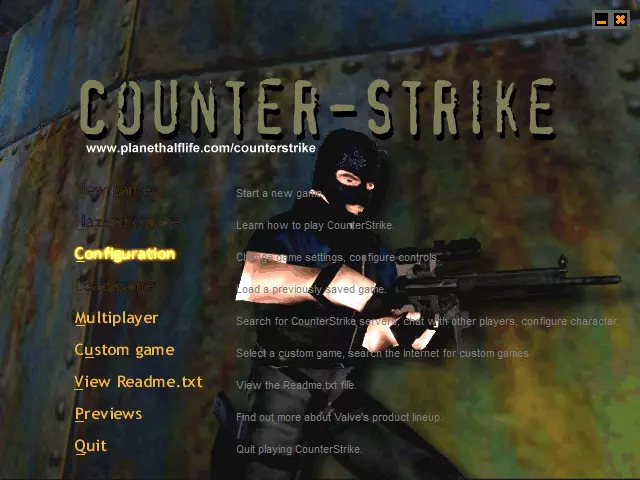
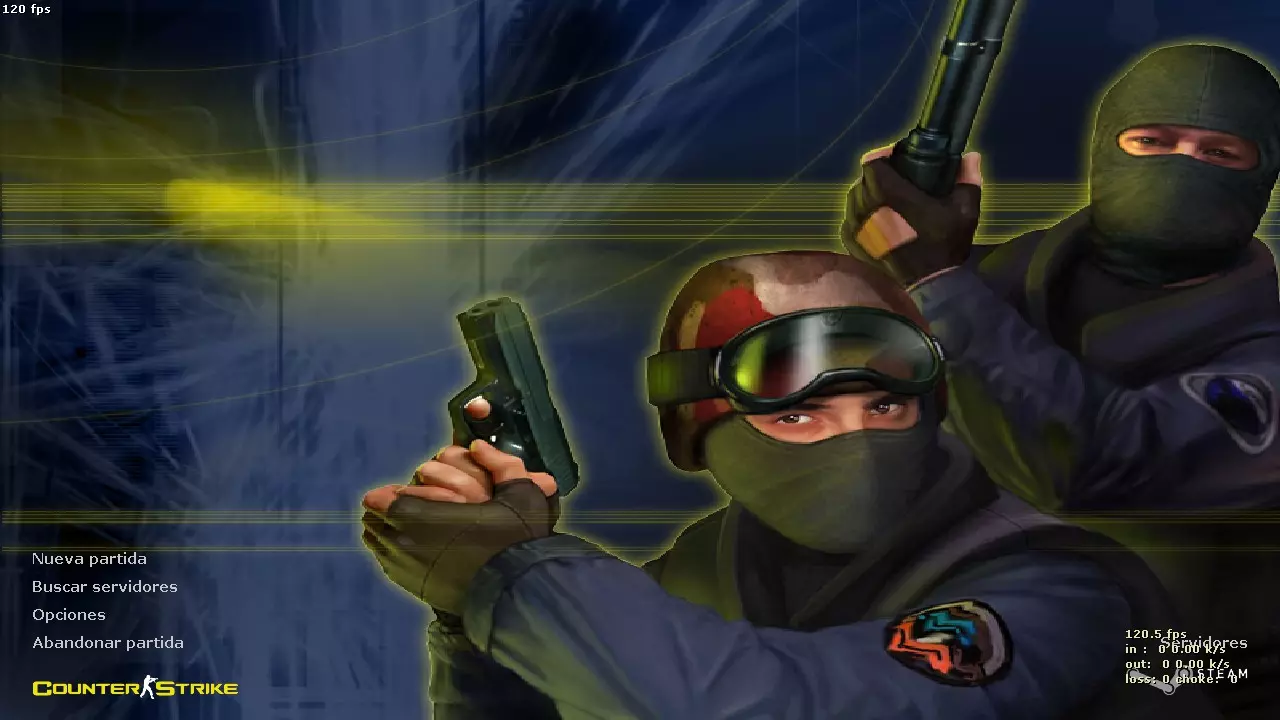
2. 我为低分辨率重新制作的版本(点击查看完整图片)——针对800x600及更低分辨率进行了优化,原始截图分辨率为640x480
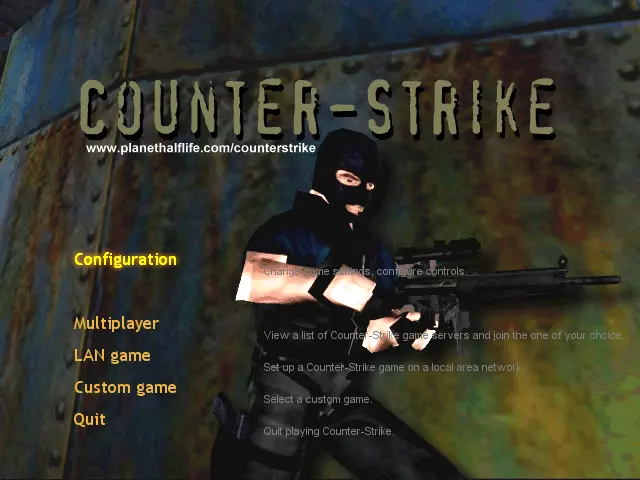
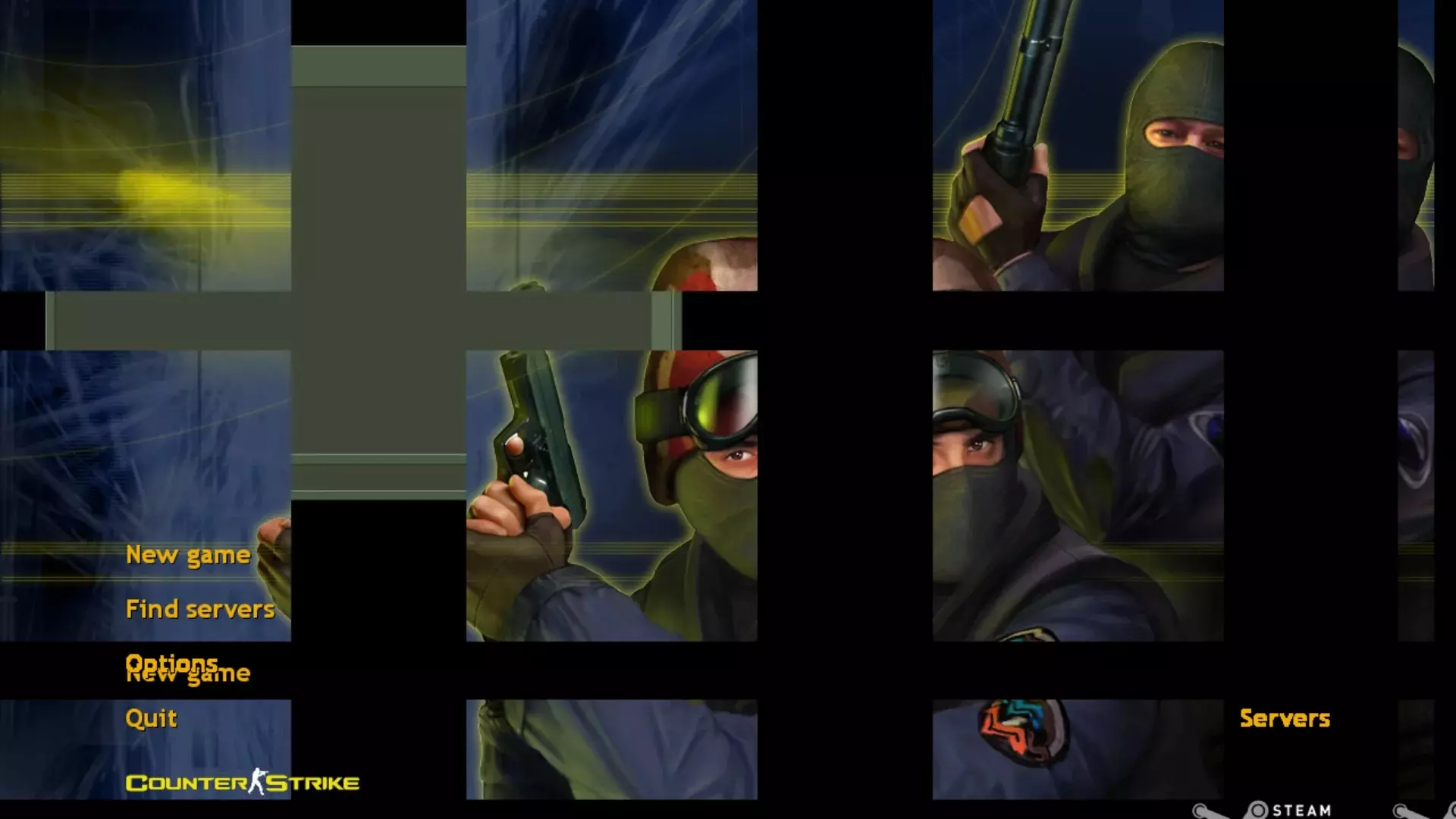
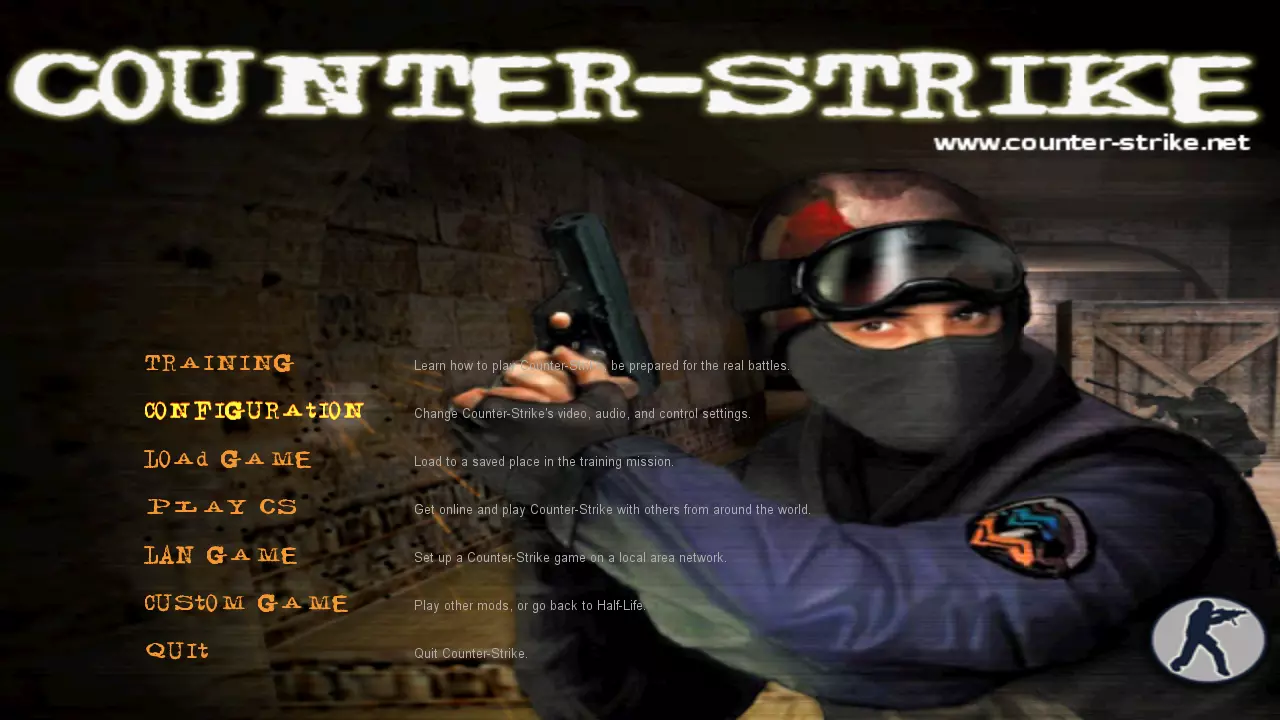
3. 我重新制作的高分辨率版本(点击可查看完整图片)——针对1024x768及任何更高分辨率(甚至4K)进行了优化,除背景外所有元素均可缩放,原始截图分辨率为1280x720
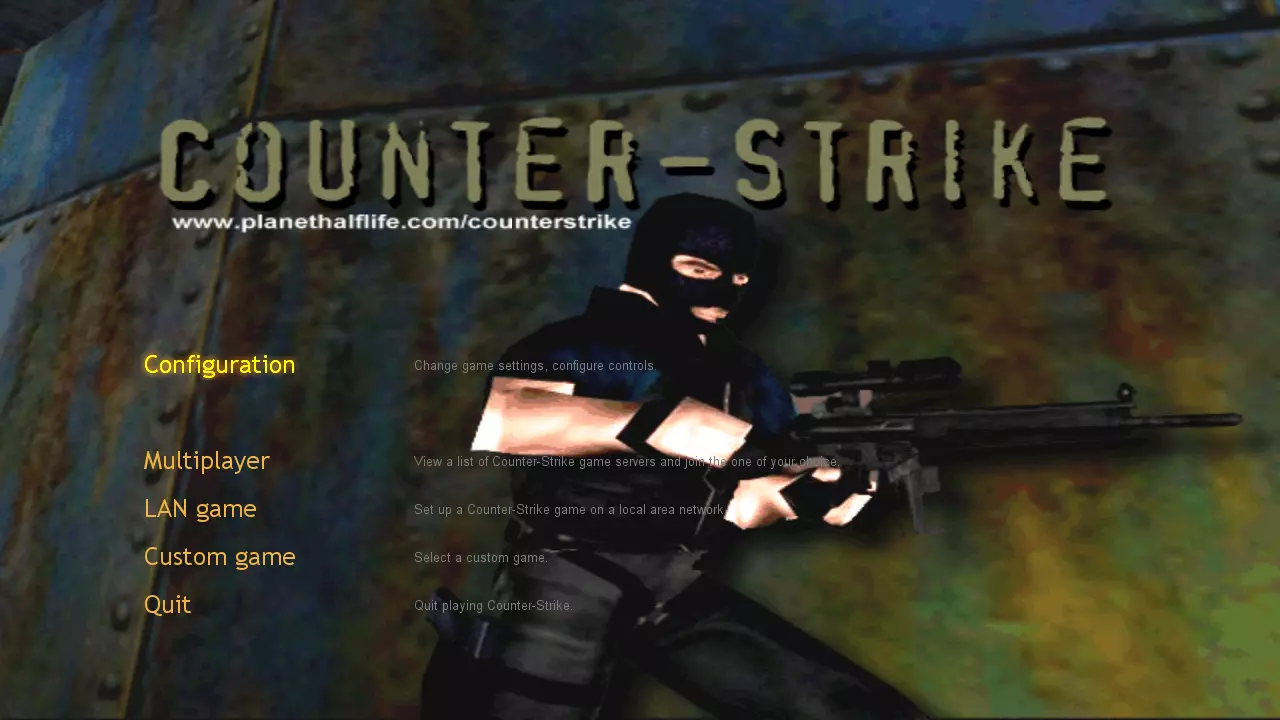
《反恐精英》测试版v3.0 - 3.1更新内容 1. 原版WON菜单(点击可查看完整图片)
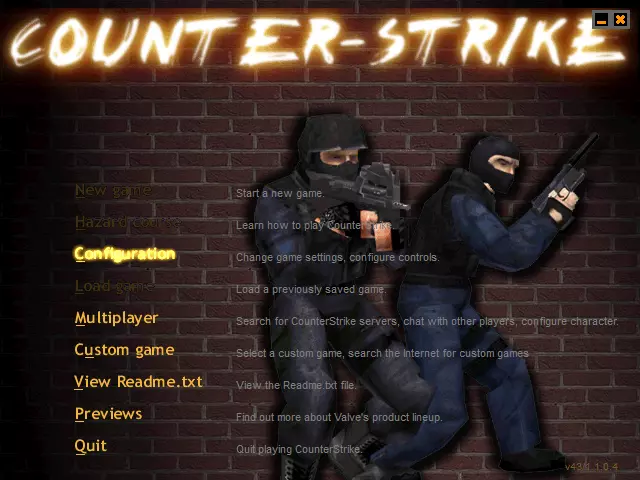
2. 我为低分辨率重新制作的版本(点击查看完整图片)——针对800x600及更低分辨率进行了优化,原始截图分辨率为640x480
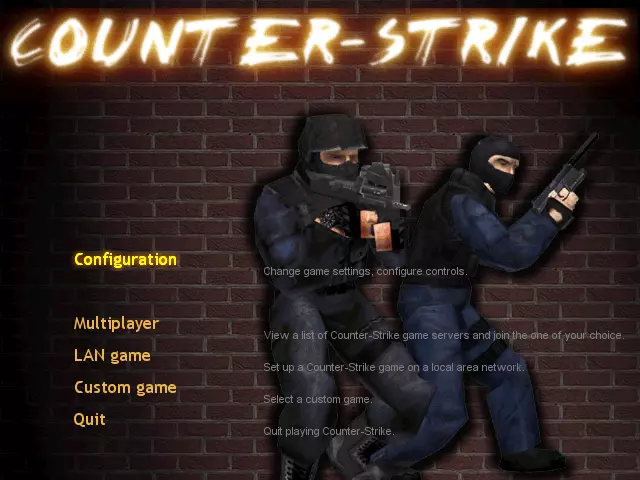
3. 我重新制作的高分辨率版本(点击可查看完整图片)——针对1024x768及任何更高分辨率(甚至4K)进行了优化,除背景外所有元素均可缩放,原始截图分辨率为1280x720
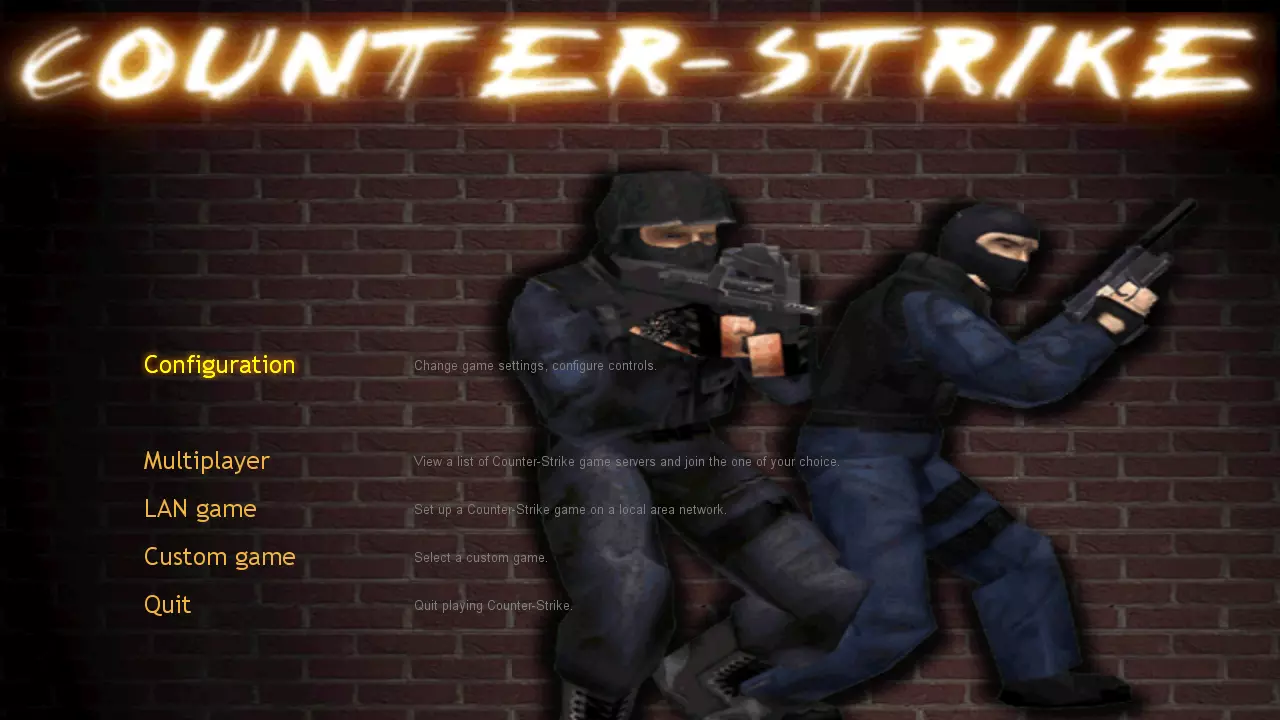
《反恐精英》测试版v4.0 - 4.1更新内容 1. 原版WON菜单(点击可查看完整图片)
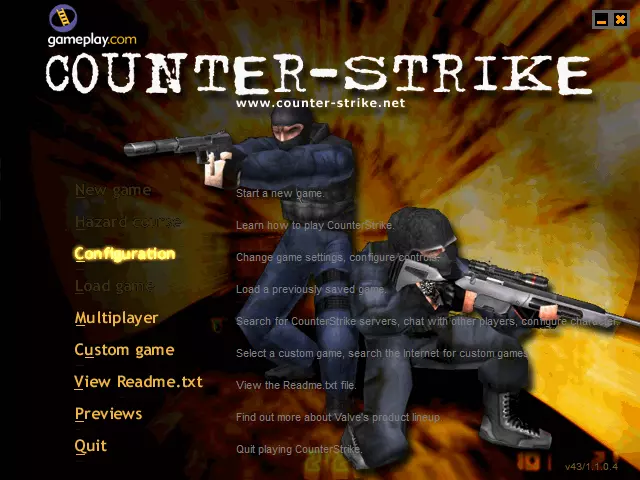
2. 我为低分辨率重新制作的版本(点击查看完整图片)——针对800x600及更低分辨率进行了优化,原始截图分辨率为640x480
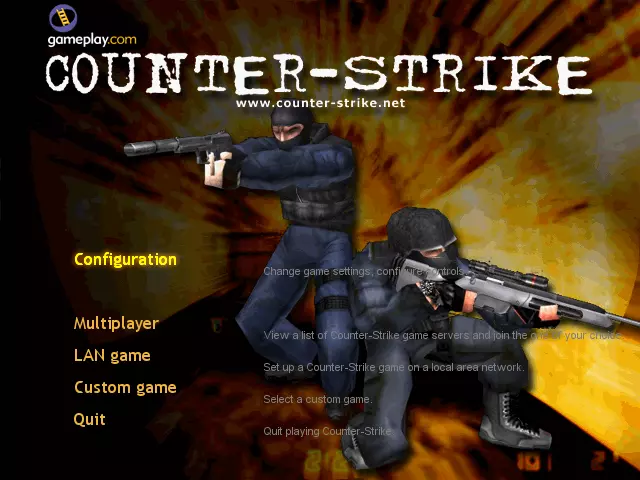
3. 我为高分辨率重新制作的版本(点击可查看完整图片)——针对1024x768及任何更高分辨率(甚至4K)进行了优化,除背景外所有元素均可缩放,原始截图分辨率为1280x720
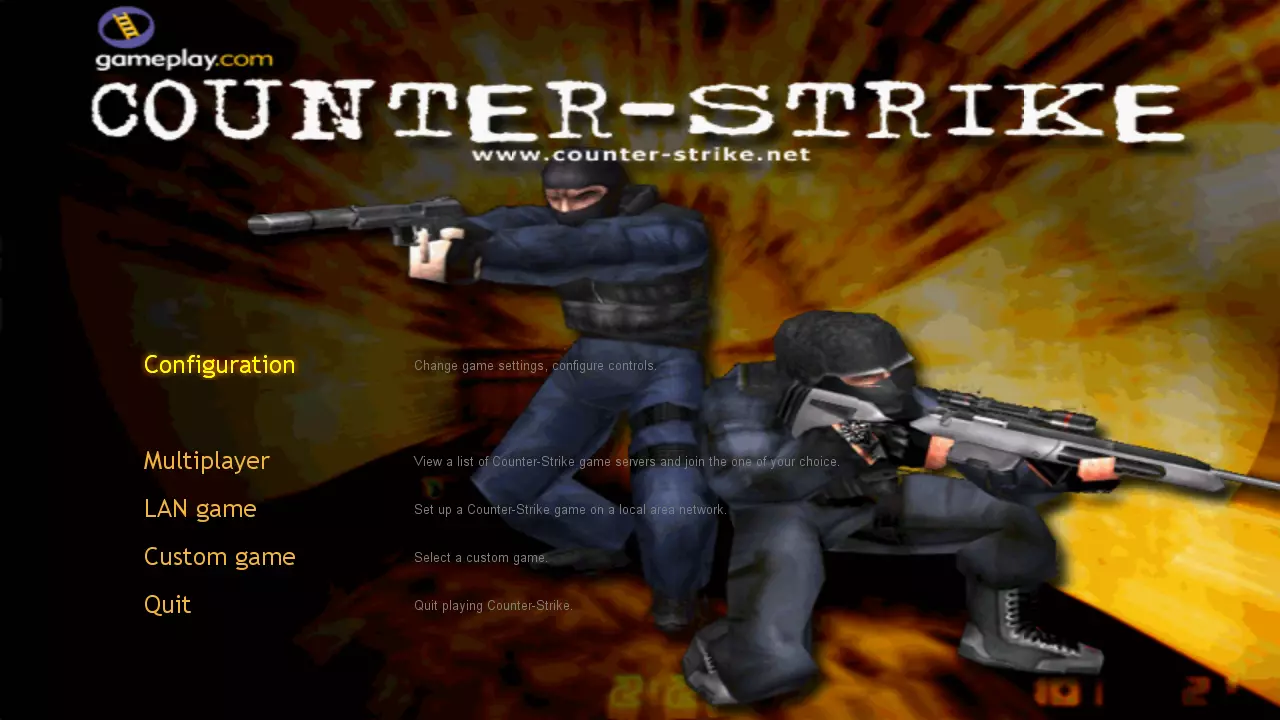
《反恐精英》测试版v5.0—5.2更新内容 1. 原版WON菜单(点击可查看完整图片)
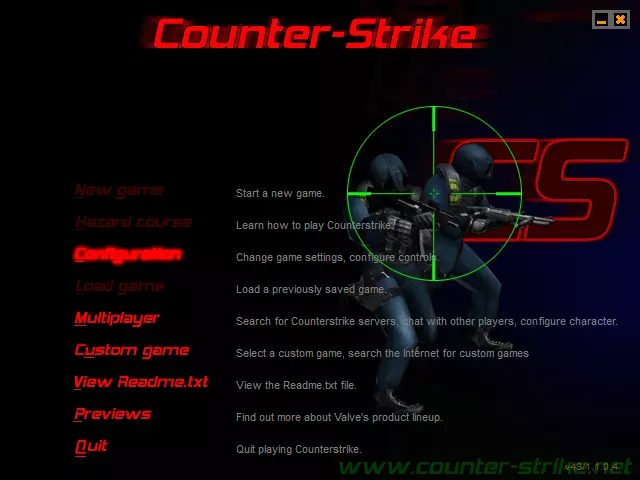
2. 我为低分辨率重新制作的版本(点击查看完整图片)——针对800x600及更低分辨率进行了优化,原始截图分辨率为640x480
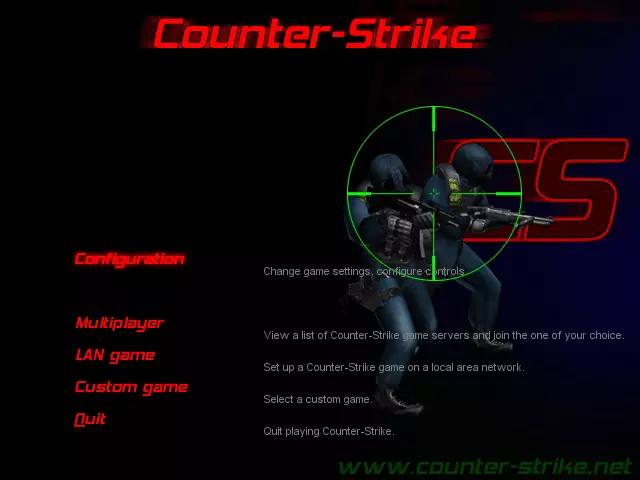
3. 我为高分辨率重新制作的版本(点击可查看完整图片)——针对1024x768及任何更高分辨率(甚至4K)进行了优化,除背景外所有元素均可缩放,原始截图分辨率为1280x720
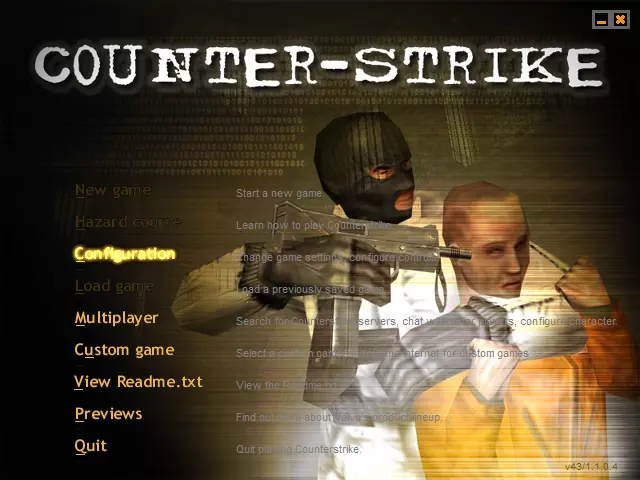
《反恐精英》测试版v6.0 - 6.5 1. 原版WON菜单(点击打开完整图片)
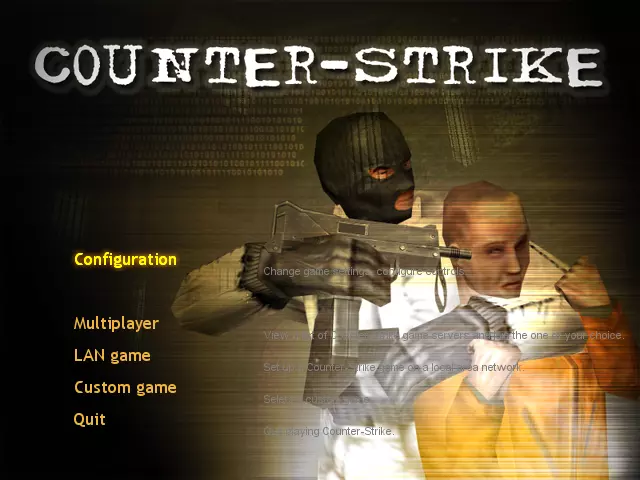
2. 我为低分辨率重新制作的版本(点击查看完整图片)——针对800x600及更低分辨率进行了优化,原始截图分辨率为640x480
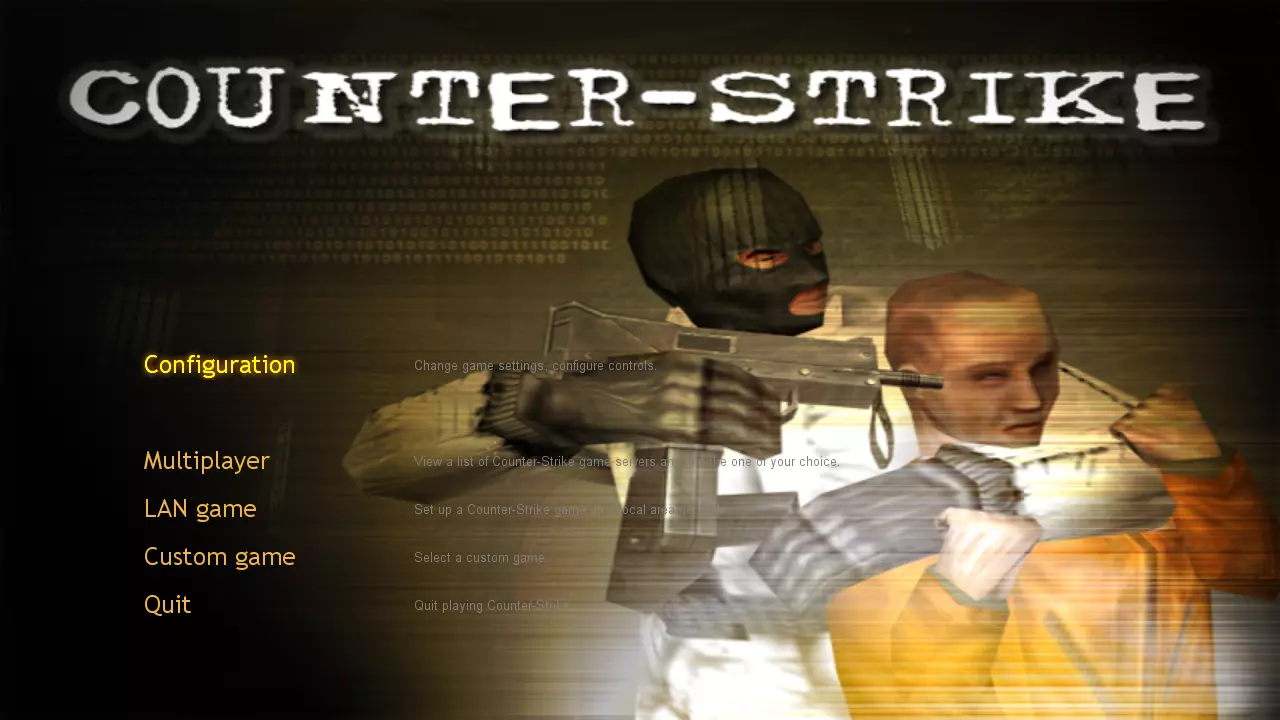
3. 我重新制作的高分辨率版本(点击可查看完整图片)——针对1024x768及任何更高分辨率(甚至4K)进行了优化,除背景外所有元素均可缩放,原始截图分辨率为1280x720
注意:如果您觉得原始菜单提示颜色对眼睛不好,或者与背景融合难以看清,请打开名为“Menu hints color”的文本文件,该文件位于此菜单样式的文件夹中(压缩包内的文件夹名为“Counter-Strike Beta v6.0 - 6.5”)。 该文件中包含如何更改菜单提示颜色以提高可见度的说明。 反恐精英 Beta v6.6 — 7.1 1. 原始WON菜单(点击可查看完整图片)
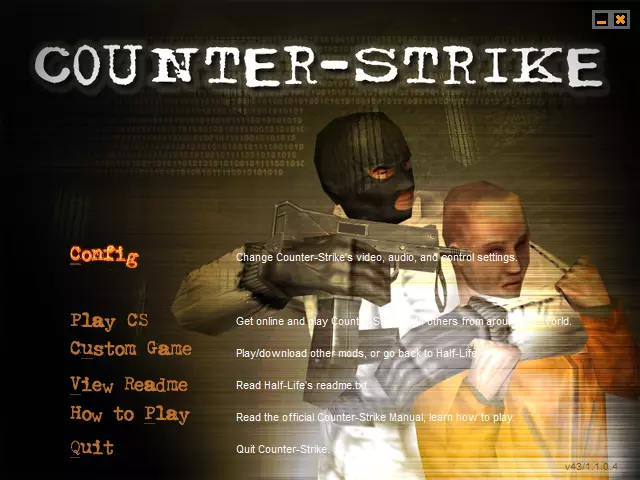
2. 我为低分辨率重新制作的版本(点击查看完整图片)——针对800x600及更低分辨率进行了优化,原始截图分辨率为640x480
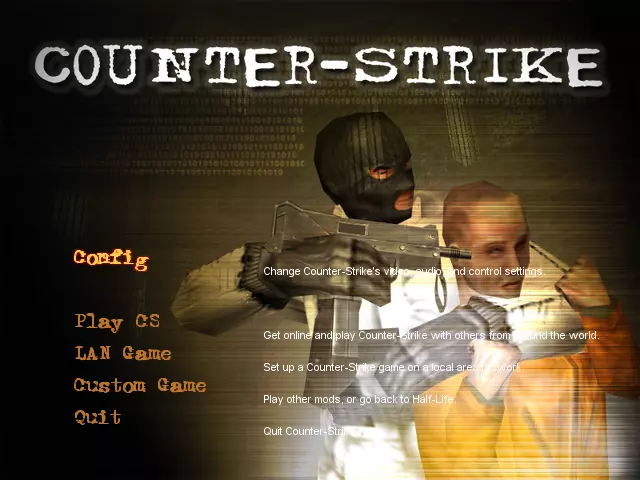
3. 我重新制作的高分辨率版本(点击可查看完整图片)——针对1024x768及任何更高分辨率(甚至4K)进行了优化,除背景外所有元素均可缩放,原始截图分辨率为1280x720
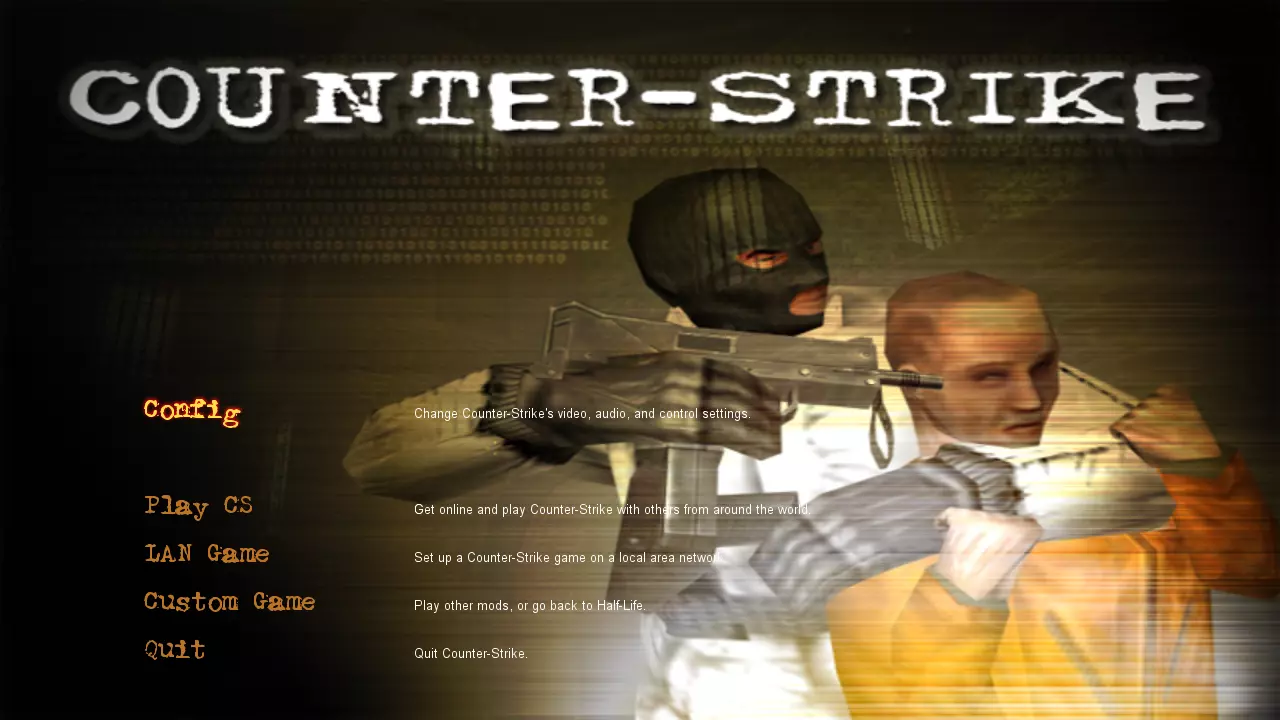
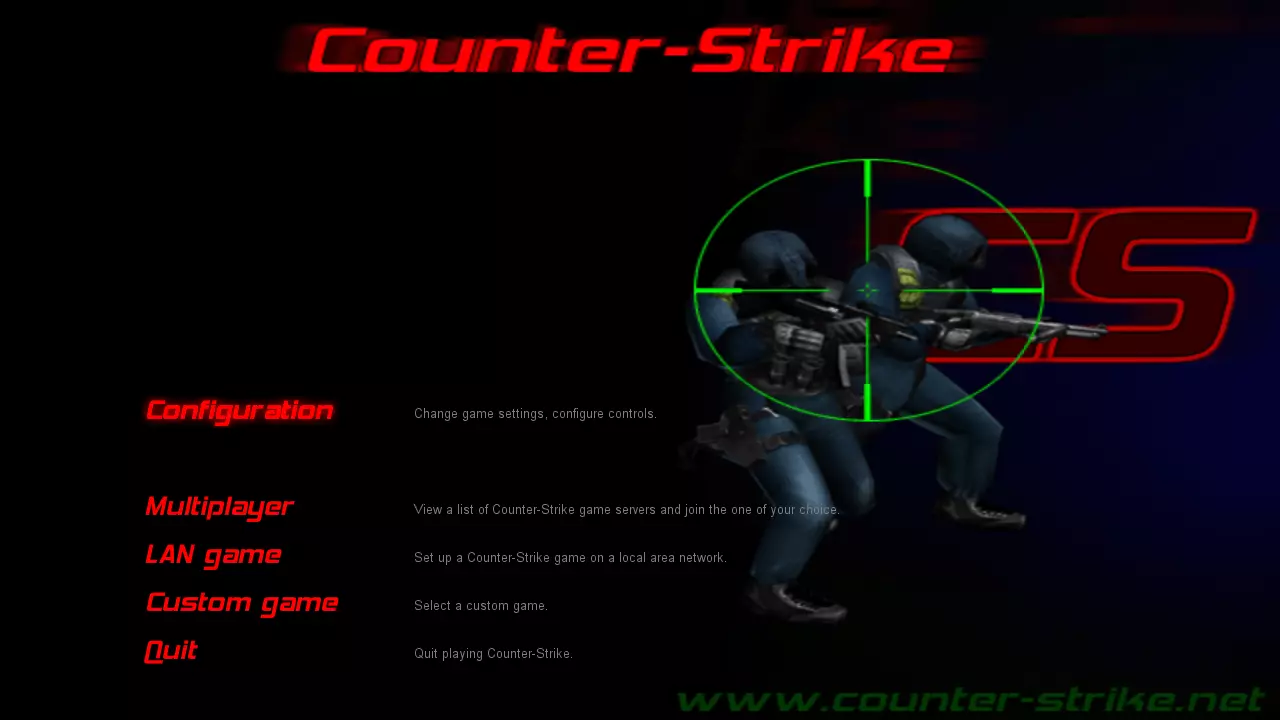
《反恐精英》v1.0(模组/在线版本) 1. 原版WON菜单(点击打开完整图片)
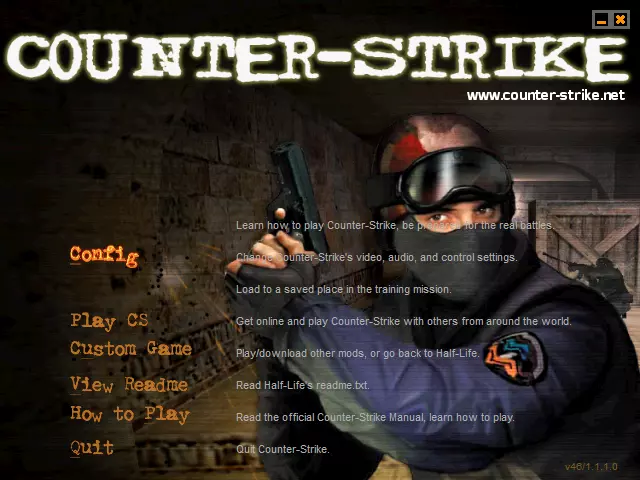
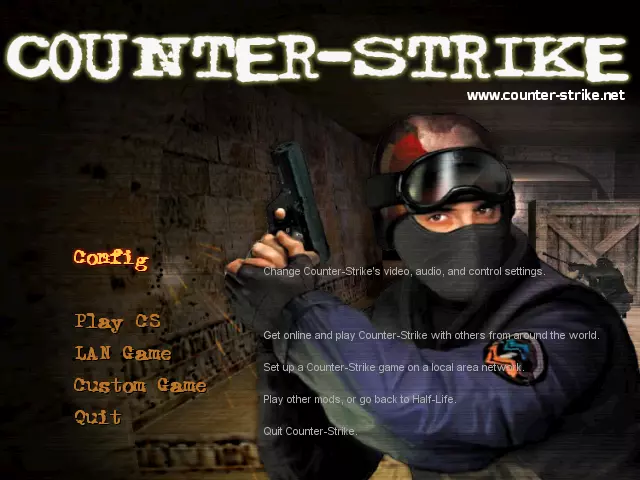
2. 我为低分辨率重新制作的版本(点击查看完整图片)——针对800x600及更低分辨率进行了优化,原始截图分辨率为640x480
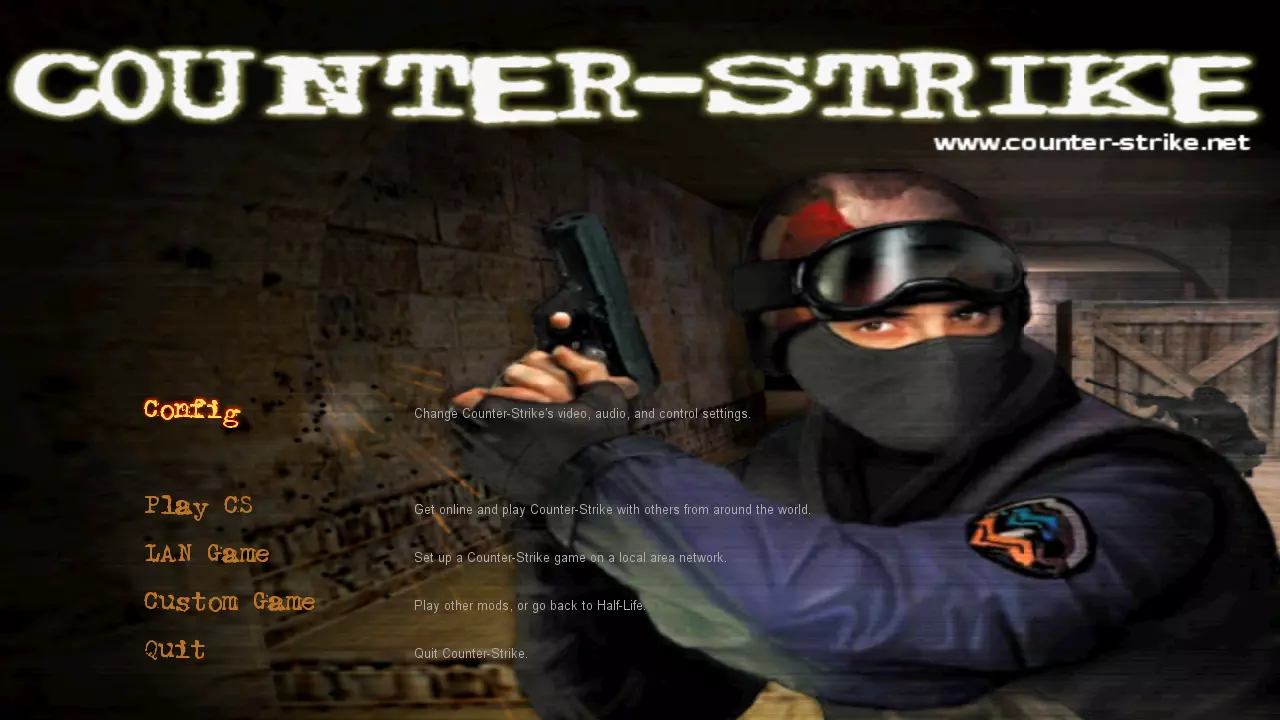
3. 我重新制作的高分辨率版本(点击可查看完整图片)——针对1024x768及任何更高分辨率(甚至4K)进行了优化,除背景外所有元素均可缩放,原始截图分辨率为1280x720
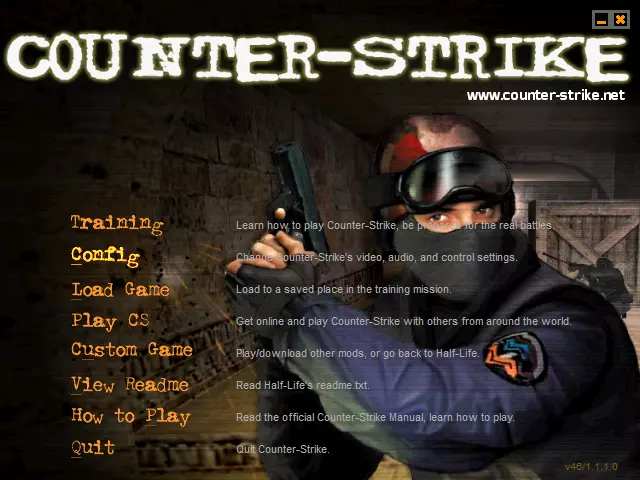
反恐精英v1.1—1.2(模组/在线版本) 1. 原版WON菜单(点击打开完整图片)
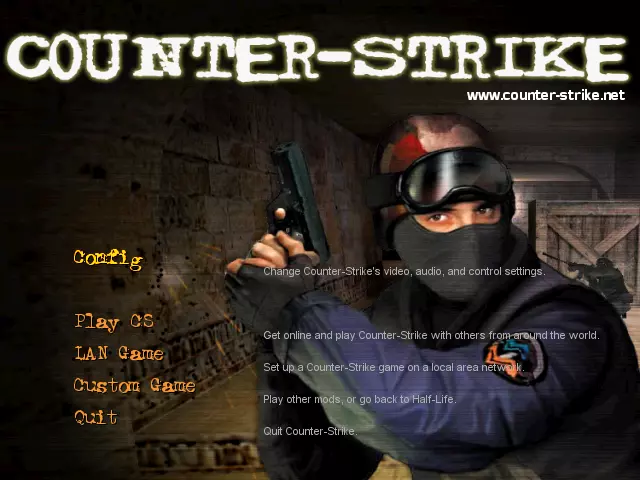
2. 我为低分辨率重新制作的版本(点击查看完整图片)——针对800x600及更低分辨率进行了优化,原始截图分辨率为640x480
3. 我重新制作的高分辨率版本(点击可查看完整图片)——针对1024x768及任何更高分辨率(甚至4K)进行了优化,除背景外所有元素均可缩放,原始截图分辨率为1280x720
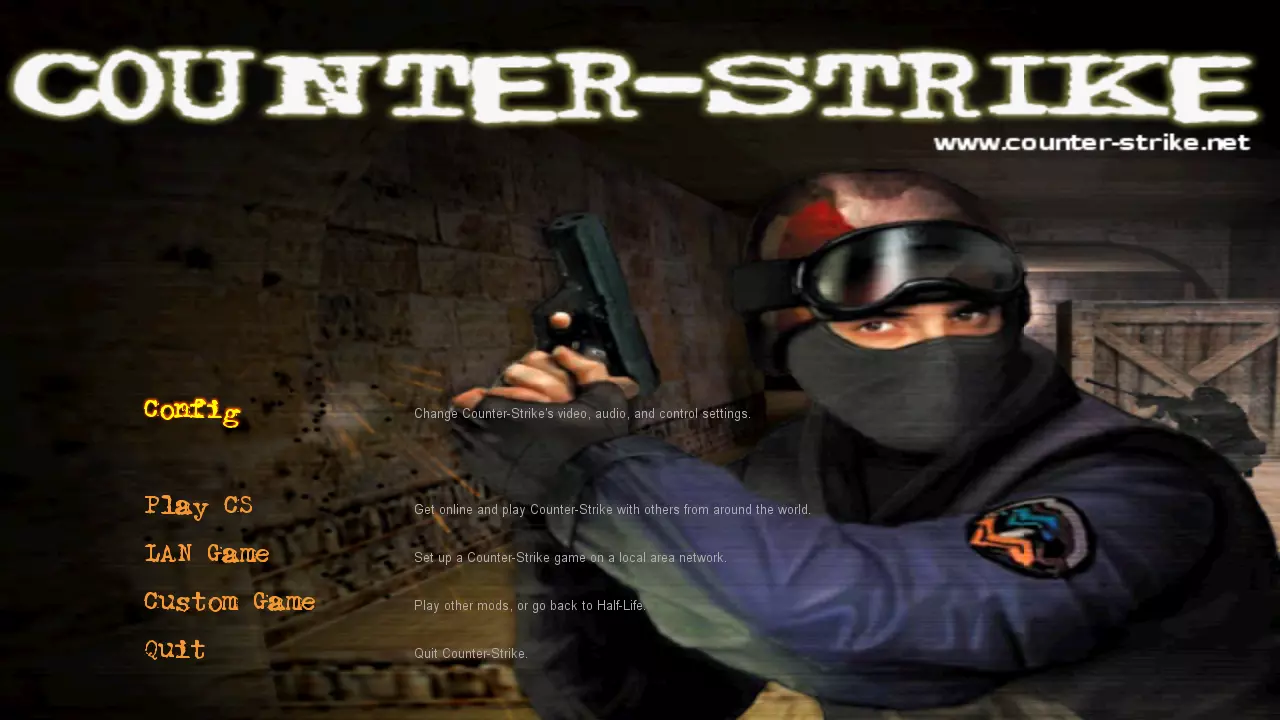
反恐精英v1.3—1.5(模组/在线版本) 1. 原版WON菜单(点击打开完整图片)
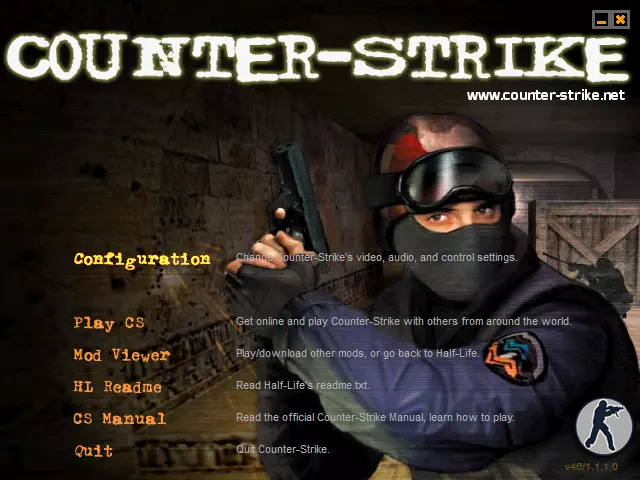
2. 我为低分辨率重新制作的版本(点击查看完整图片)——针对800x600及更低分辨率进行了优化,原始截图分辨率为640x480
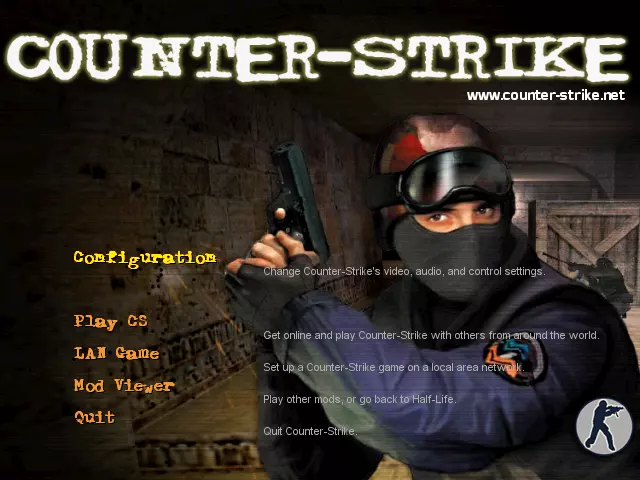
3. 我重新制作的高分辨率版本(点击可查看完整图片)——针对1024x768及任何更高分辨率(甚至4K)进行了优化,除背景外所有元素均可缩放,原始截图分辨率为1280x720
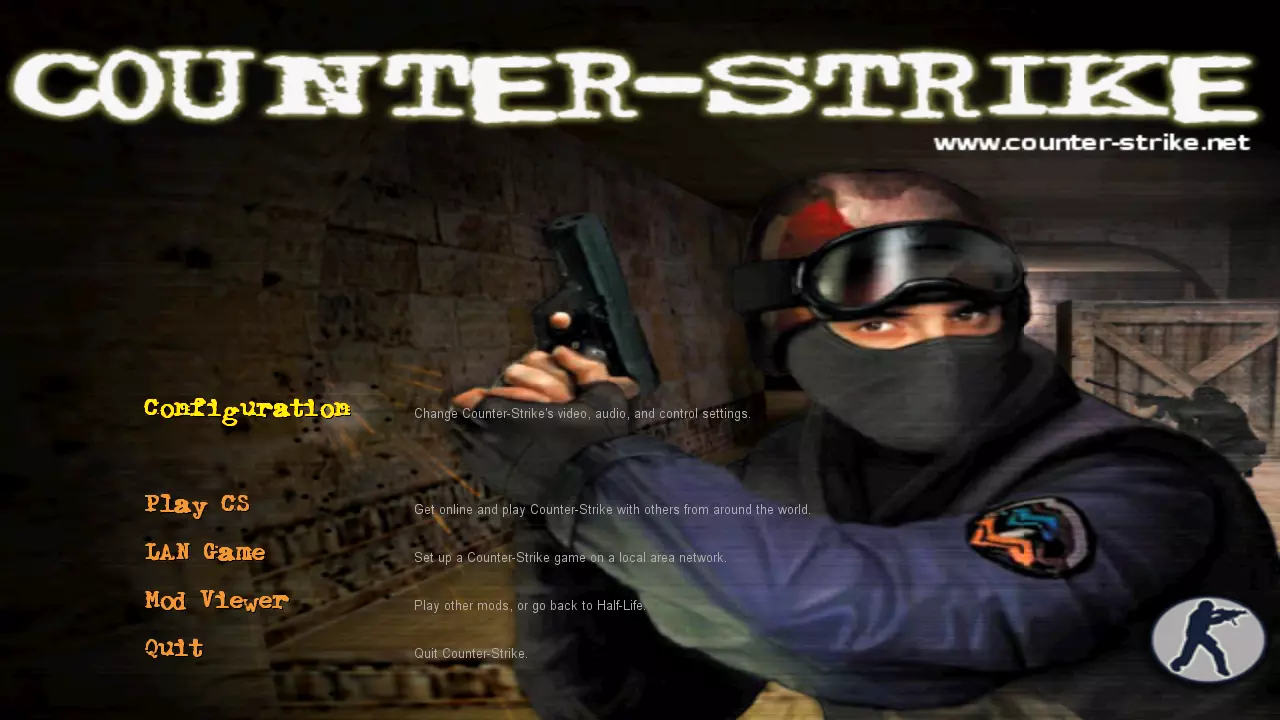
《反恐精英》v1.0-1.2(零售版) 并非所有人都知道,从《反恐精英》v1.0开始直到《反恐精英》v1.6的首个测试版,这款游戏存在两个不同的版本:MOD版(由开发者通过互联网免费发布,作为《半条命》的模组)和零售版(独立客户端,只能通过正版光盘安装)。 这两个版本非常相似,但存在一些差异。其中两个主要差异是不同的菜单风格,以及零售版独有的训练课程。我决定将训练课程与重建的菜单一起包含进来。需要说明的是,本训练课程最初是为《反恐精英》的旧版本开发的,因此在游戏的最新版本中无法完美运行。我已进行了一些修复,主要针对教程文本(未对其原始设计做任何改动),但由于我并非程序员或GoldSrc关卡设计师,可能会出现一些bug和游戏崩溃(仅在游玩训练模式时可能发生,不会影响常规多人模式)。崩溃的主要原因如下: 1. 加载之前训练会话的存档(游戏崩溃概率约为50%-70%) 2. 当人质跟随你时,进入人质无法到达的位置(游戏崩溃概率接近100%,尤其是当你处于比人质高很多的位置时) 因此,如果你不加载之前训练会话的存档,并且当人质跟随你时不进入他们无法到达的位置,一切应该会正常运行。 以下是一些截图: 1. 原始WON菜单
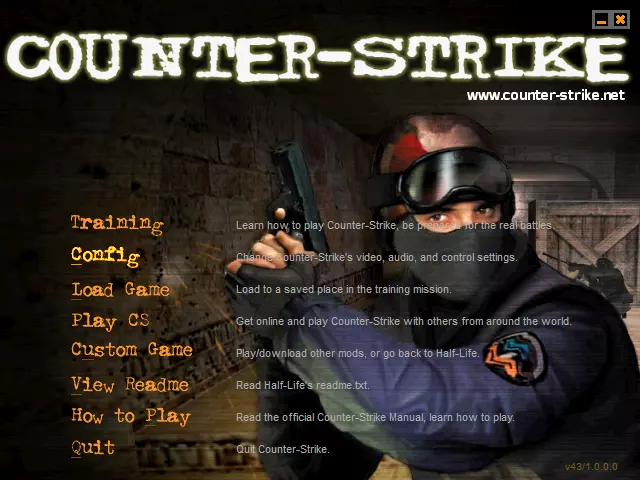
2. 我为低分辨率重新制作的版本(点击查看完整图片)——针对800x600及更低分辨率进行了优化,原始截图分辨率为640x480
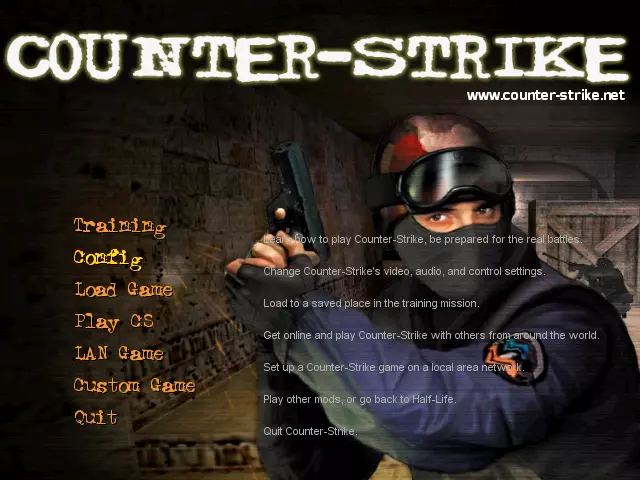
3. 我重新制作的高分辨率版本(点击可查看完整图片)——针对1024x768及任何更高分辨率(甚至4K)进行了优化,除背景外所有元素均可缩放,原始截图分辨率为1280x720
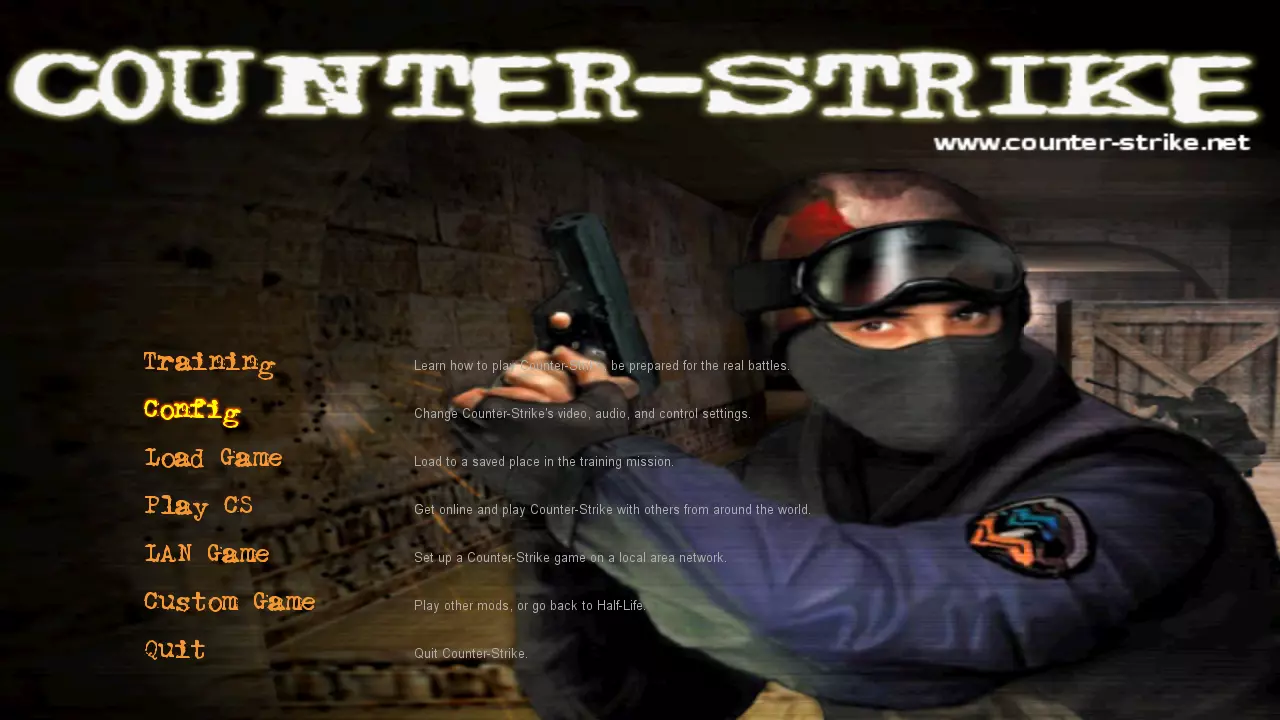
反恐精英v1.3(零售版) 1. 原版WON菜单(点击打开完整图片)
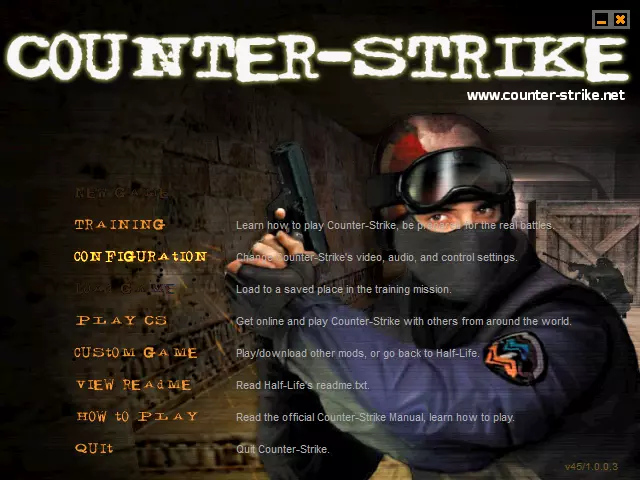
2. 我为低分辨率重新制作的版本(点击查看完整图片)——针对800x600及更低分辨率进行了优化,原始截图分辨率为640x480
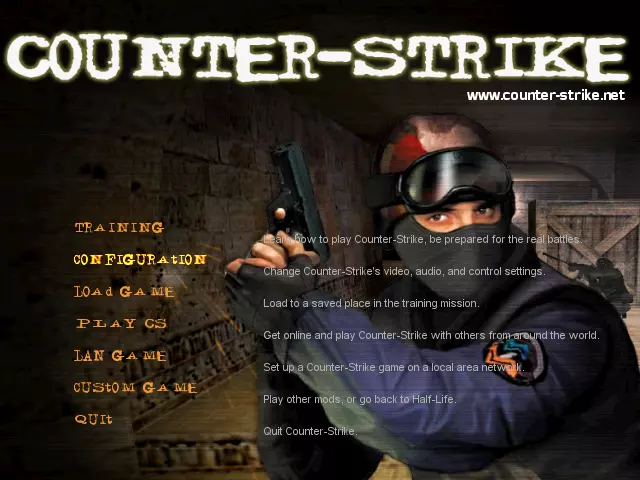
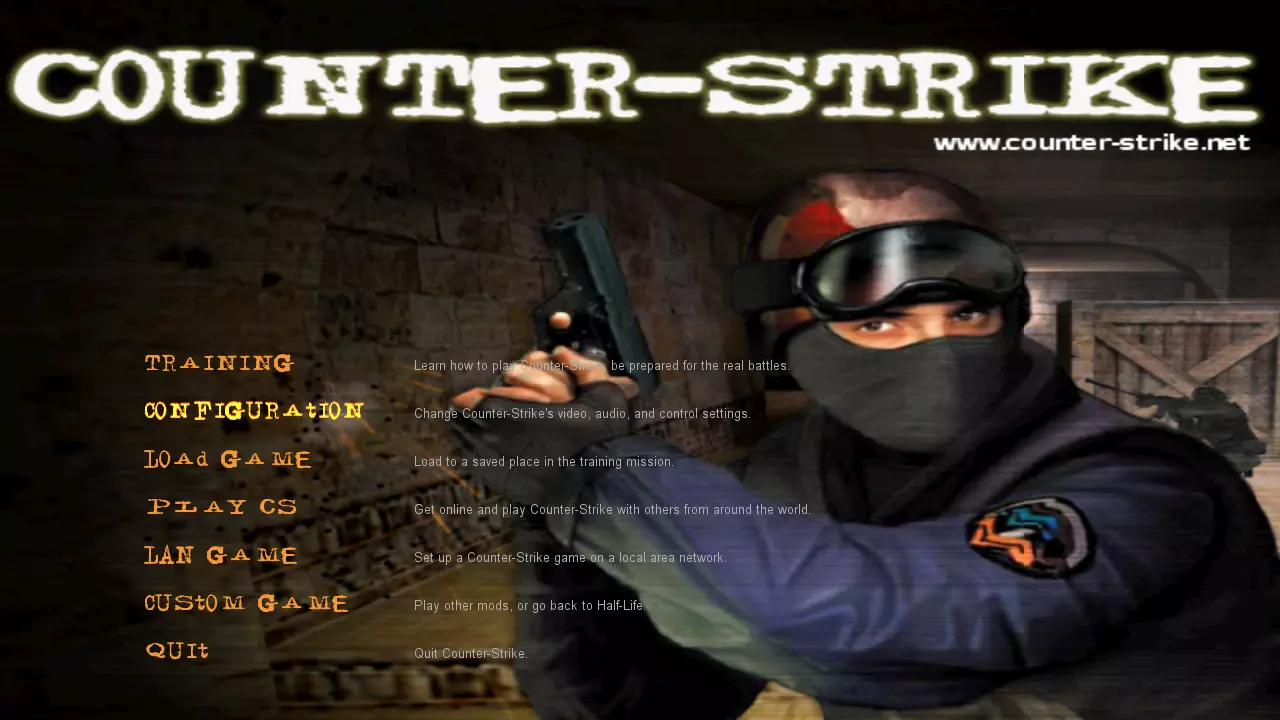
3. 我重新制作的高分辨率版本(点击可查看完整图片)——针对1024x768及任何更高分辨率(甚至4K)进行了优化,除背景外所有元素均可缩放,原始截图分辨率为1280x720
反恐精英v1.4—1.5(零售版) 1. 原版WON菜单(点击打开完整图片)
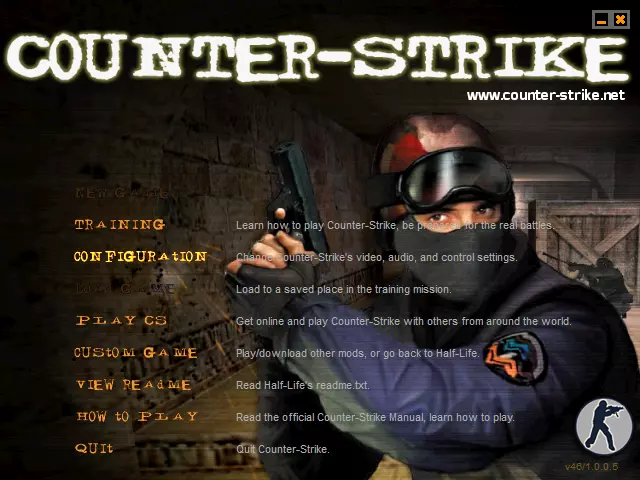
2. 我为低分辨率重新制作的版本(点击打开完整图片)——针对800x600及更低分辨率进行了优化,原始截图分辨率为640x480
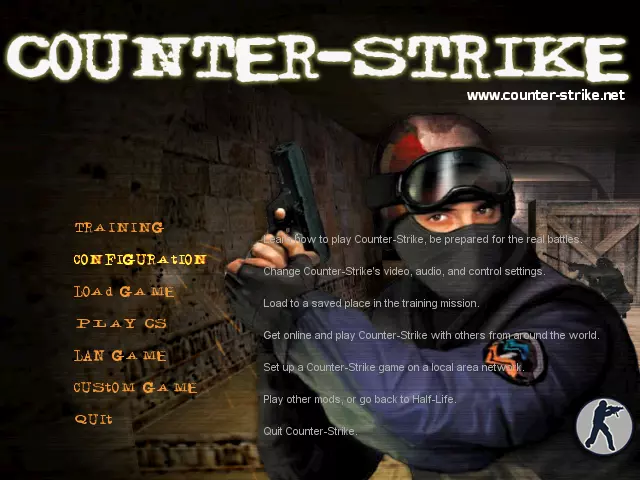
3. 我重新制作的高分辨率版本(点击可查看完整图片)——针对1024x768及任何更高分辨率(甚至4K)进行了优化,除背景外所有元素均可缩放,原始截图分辨率为1280x720
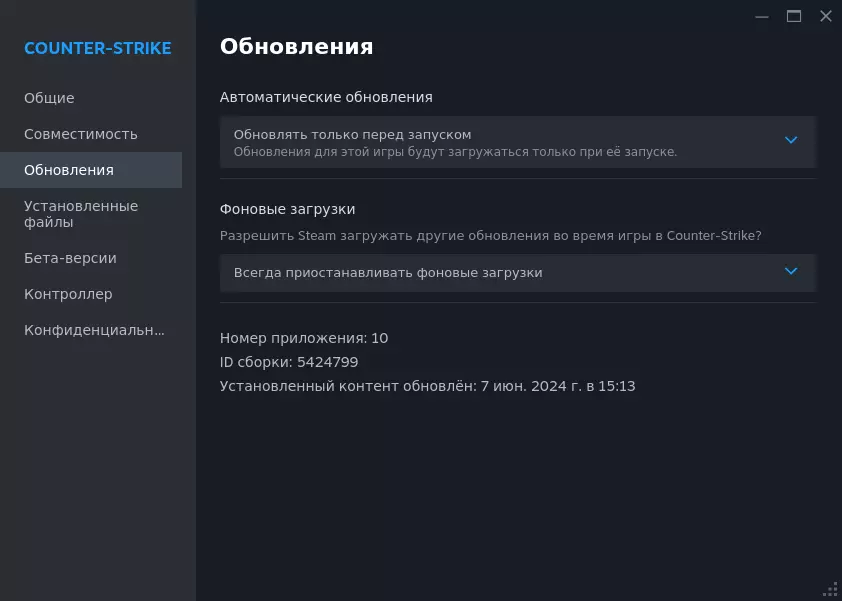
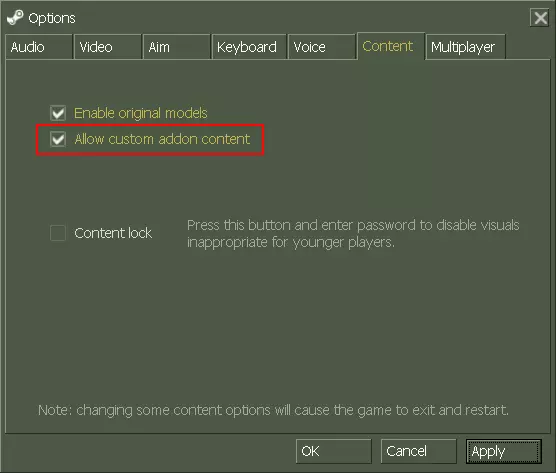
注意:如果你担心VAC封禁,那是没有必要的,因为此修改仅包含经过编辑的文本文件和图像,甚至不会替换原始文件,你可以自行检查以获得更多安心。 安装非常简单: 1.1. 打开你的《半条命》目录,该目录位于“Steam steamapps common”中,或者进入你的Steam库,右键点击《半条命》或《反恐精英》,将鼠标悬停在“管理”上,然后点击“浏览本地文件”。 2. 打开下载的压缩包。如果你游玩的分辨率为1024x768或更高,请打开名为“High Resolution”的文件夹;如果分辨率较低,则打开名为“Low Resolution”的文件夹。之后将名为“cstrike_addon”的文件夹拖入你的《半条命》目录。 3. 文件复制完成后,启动游戏,点击“选项”,进入“内容”选项卡,勾选“允许自定义附加内容”选项,如以下截图所示。然后按下【应用】,游戏将自动重启。
That's it, you've successfully installed the modification. Possible questions 1. Why is the background in such low resolution? Answer: I took this background from the original WON version of the game. In there menu and most of the user interface are a part of separate launcher, which has resolution 640x480 pixels and it cannot be changed. Ergo, this background has the same resolution, and when you're using higher resolution - it is getting scaled. I thought about trying to upscale the image, but I didn't want to spend a lot of time on research, since I was doing it only for myself. In the future I might change my mind, if I will find some good method, therefore, if you have something to share in this regard - I will appreciate it. 2. Why fonts in some of recreated menu styles are not as bold as in original WON menus? Answer: Unfortunately, you can't change font thickness in GoldSrc (Half-Life game engine) titles gradually, there's only an ability to choose between thin and bold versions. Bold version of some fonts is much thicker, which, in my personal opinion, looks worse and is very different in comparison to the original WON menu appearance. So, I believe that I've chosen the best and universal option from very few options I've had. 3. Why hints are not perfectly lined up with menu options in the version for low resolutions? Answer: I don't know the exact reason behind this issue, but it is also present in the original menu, which was recreated by Valve for 25th anniversary. The lower resolution, the smaller font size and gap between menu options are - the more visible and obvious it is. If you will look close enough, you will be able to see the same issue in the version for high resolutions as well, but not as obvious, because of higher resolution, larger font size and bigger gaps (better scaling in general). Also, current recreated menu by Valve isn't really optimized for very low resolutions, that's why I've created two versions, even though majority of the people nowadays are using higher resolutions. For instance, it wasn't like that in the original version of the game, but it had different GUI (Graphical User Interface). My assumption is that developers, who were responsible for this update, didn't have much time to polish their implementation of this idea with an old WON menu, because they needed to recreate everything from scratch and they had other tasks at hand related to other games and projects, so, it is what it is. 4. Why glowing effect is not perfectly the same as in the original WON menu? Answer: As I've said, current implemented menu by Valve and its capabilities are not copied directly from the original version of the game, but recreated from scratch in completely different fashion in terms of its implementation. For example, WON menu literally is using BMP images for its functioning and design, while in Steam version of the game VGUI (Valve's Graphical User Interface) is responsible for that. For this and other aforementioned reasons, this "glowing effect" and other things are working much differently, which creates quite strict limitations. In this case, if you increase value of this effect, it will add more blur and increase its range, but glowing density will be decreased and it will become more transparent, which, in my opinion, looks worse and far different from the original WON menu than current result. 5. Why didn't you use underlined characters, like it is in some original WON menu styles? Answer: Because I personally didn't like it too much and I consider it unnecessary. If you have any other questions - leave them in the comments and I will try my best to explain. Final words If this guide was helpful and you are satisfied with the results of my work, then I would appreciate if you give it a like and add to favorites, so it will be higher in the list of all guides and, therefore, easier for others to find. If you have any issues, questions or suggestions - share them in the comments and I will try my best to assist you. Also, I've recreated original WON menus for other Valve's games (because they didn't do it), so I highly recommend you to check this out: https://steamcommunity.com/sharedfiles/filedetails/?id=3354562601 https://steamcommunity.com/sharedfiles/filedetails/?id=3354589467 https://steamcommunity.com/sharedfiles/filedetails/?id=3350686658 https://steamcommunity.com/sharedfiles/filedetails/?id=3350824002 https://steamcommunity.com/sharedfiles/filedetails/?id=3350880061 https://steamcommunity.com/sharedfiles/filedetails/?id=3351316035 https://steamcommunity.com/sharedfiles/filedetails/?id=3354313731 https://steamcommunity.com/sharedfiles/filedetails/?id=3354062454 https://steamcommunity.com/sharedfiles/filedetails/?id=3354540497 https://steamcommunity.com/sharedfiles/filedetails/?id=3354527171 Have a good day.