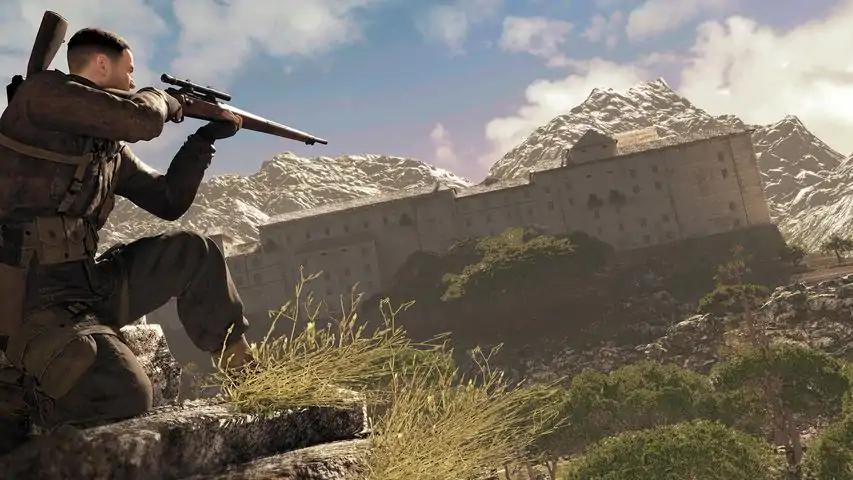
Sniper Elite 4


本指南介绍了所有收集品。 任务1 - 圣谢利尼岛
任务2 - 比坦蒂村 任务3 - 雷吉利诺桥 任务4 - 洛里诺港 任务5 - 阿布鲁察修道院 任务6 - 马加岑诺设施 任务7 - 乔维·菲奥里尼别墅 任务8 - 阿拉格里城堡 DLC - 任务【元首目标】 DLC - 任务【死亡风暴:开端】 DLC - 任务【死亡风暴:渗透】 DLC - 任务【死亡风暴:清除】

对于刚接触Rebellion游戏控制系统的玩家: 《狙击精英4》基础机制 我为从未玩过Rebellion游戏的玩家撰写了一份《狙击精英:抵抗》(即SE6)的基础机制指南。Rebellion的游戏与众不同。该指南中的几乎所有内容同样适用于《狙击精英5》,且绝大部分内容也适用于《狙击精英4》。 查看这份SE6指南,了解如何在《狙击精英4》中操控角色。 该指南还列出了如果你先玩过《狙击精英5》或《狙击精英6》,在游玩《狙击精英4》时需要注意的差异。 《狙击精英4》中没有的内容包括: 狙击入侵模式,该模式激活后,会有未知玩家入侵你的游戏并扮演敌方狙击手。SE6中引入的宣传挑战 所有武器新增特殊弹药选择,而非仅狙击步枪可使用的消音特殊弹药 更多差异如下: SE4拥有合作守望任务,而较新的游戏则没有 SE5和SE6的自定义难度设置比SE4更多样化/更细致(在SE4中,瞄准辅助在低于真实模式的难度下会关闭) SE4有真实增强难度等级,该难度下HUD甚至不会显示你拾取的物品——你必须使用Q键打开轮盘式物品栏进行查看一些按键绑定略有不同;例如,在《狙击精英4》中,若要将功能分配给滚轮上/下,就会影响缩放功能。《狙击精英4》中的炸药包是免费的,无需拾取。每张生存地图仅有一个行动区域,包含四个指挥哨所。但《狙击精英4》战役模式中最大的改变在于:画面(虽然很精美,但不如《狙击精英5》和《狙击精英6》)、武器拾取、搬运尸体、拆除地雷和搜索尸体都有独立按键,这比《狙击精英5》和《狙击精英6》使用两个互动键面对大量尸体、武器和可能存在的地雷时要方便得多。此外还有瞄准镜的风速计。《狙击精英5》和《狙击精英6》则有武器配件,以及特定配件下武器的明确声音传播范围。在SE4中,坦克可以通过射击驾驶员观察缝从正面摧毁。炮手也需要通过观察缝击杀。在SE5和SE6中,坦克可通过射击其背部排气管之间的位置来摧毁。 SE4中的卡车油箱被子弹击中即可爆炸。 风标 在SE4中,当风力影响子弹偏移时,瞄准镜顶部会显示一条小黑线,用于指示相对风速。你必须通过在射击场的经验和练习,自行判断该风力可能使子弹偏离瞄准镜中心线左右多少距离。不同步枪、射程以及常规弹药与消音/亚音速弹药之间的情况都会有所不同(不过在距离小于100米时,你肯定不会想用宝贵的亚音速弹药)。这种需要慢慢学习的额外技能,使得在《狙击精英4》中关闭瞄准辅助进行成功狙击,比在《狙击精英5》和《狙击精英6》中更有成就感。 可听范围 我认为《狙击精英4》中有明确的可听范围设定。但大多数情况下,如果没有消音器,就必须利用环境中的 loud 声源或回火发动机的声音来掩盖自身声响。否则,你会被听到(但除非你每开几枪后没有移动20多码,否则不会被定位)。


引用自 WOLF ® ★Bl@ckEagle★™:Although it’s hard to believe, the corruption of "User Profile" files and the loss of progress in game, in whole or in part, can happen anytime, to anyone. Which is the cause of this issue? A possible answer, here! I hope that this guide will save your time when you'll be in need.If Steam Cloud synchronization fails to recover your progress, that means that there are corrupted files also in Cloud. As I figured out from the Rebellion’s answer they sent me these days, the main issue seems to be the "slot0.sav" file corruption. I could not use the I-A and I-B paths because, unfortunately, I had already reinstalled the game. Before applying the following, it would be wise to make a backup copy of the game files, at least "PC_Profile Saves" folder, as I will describe below for ".sav" files. I - A. Easy way 1. In Windows 10 Pro: go to This PC / then, in Ribbon / View tab / check the "Hidden items" box 2. After that, go to C:/ Users / [your name] / Appdata / Local / SniperElite4 / PC_Profile Saves / folder with the long number. Here I have "slot0.sav" to "slot18.sav", except for "slot14.sav" 3. Right click on "slot0.sav" file and select "Restore previous versions" 4. After launching the game, when / if Steam Cloud will ask you what files to keep, those from your computer or those in the cloud 5. Select those from your computer OR: I - B. Other way 1. After I - A.1-2 2. Right click on "slot0.sav" file and select “cut”, then right-click on your desktop and select “paste” 3. Right click on “slot1.sav” file and select “rename”. Call it “slot0.sav” 4.Launch the game 5. You may see a “Corrupted Checkpoint” message 6. Pressing "Enter" several times, you will get past this IF: a. you have not achieved any results so far and b. you have the Sniper Elite 4 profile folder / files saved on another hard drive or on a second PC / laptop you've played before (as in my case) you should try steps II and III Even if you won't recover 100% of your losses , you'll recover much of the damage (depending on how old the files on the second PC / Laptop / HDD are). II - A. On your second PC / Laptop - with unaffected files 1. Go online in your Steam account 2. In „Steam” tab go to Settings / Cloud / uncheck „Steam Cloud synchronization ...” box – if you don’t do that, Steam Cloud, with the damaged files, will overwrite everything without asking you and you may lose the only files that could have save you if the steps I - A or I - B won't work 3. Play Sniper Elite 4 for a while, campaign or multiplayer, to make some progress so that the files on your computer to be newer than those in the Steam Cloud 4. In the „Games Library”, right click on Sniper Elite 4 / Properties / Local Files / Verify Integrity of Game Files, to validate them (I don’t know if this step is necessary, but I did it, for safety) 5. Now check „Steam Cloud synchronization ...” box and launch Sniper Elite 4 again 6. Steam Cloud will ask you what files to keep, the newest on your computer or the oldest ones in the cloud 7. Select the newest, from your computer 8. Close the game and sing out of Steam II - B. On your current PC / Laptop - with corrupted files 1. Go online in your Steam account 2. Launch Sniper Elite 4 3. Steam Cloud will automatically synchronize your PC / Laptop, if not, when you are asked which files to keep, select the newest from the cloud THAT’S ALL! P. S. I - B. worked great when I received the message "steam cloud can't sync files" or something like that, and I couldn't even access my Steam account. If this above can't be done, for various reasons, then follow the steps below: III - A. On your second PC / Laptop - with unaffected files 1. Proceed the same as I - A.1-2 2. Copy "slot0.sav" and "slot1.sav" files to a usb stick (other opinions say that the first 14 .sav files should be copied) 3. Now, you can turn off this PC III - B. On your current PC / Laptop - with corrupted files 1. Proceed the same as I - A.1 2. Copy "slot0.sav" and "slot1.sav" files from the usb stick to C:/ Users / [your name] / Appdata / Local / SniperElite4 / PC_Profile Saves / folder with the long number 3. Select „Replace the files in the existing folder” – something like that III - C. Final step Proceed the same as II - A If you skip the step II - A.2, you have to return to the step III - B.2 (this has happened to me) Good Luck!
温彻斯特1895:杀伤力和精准度几乎与莫辛纳甘步枪相当,射速足以完成补枪。滑动式枪机允许在需要时随时添加子弹(在硬核模式下,弹匣中剩余的子弹会在重新装弹时被抛出)。 没有最好的步枪,只有最适合特定游戏模式战斗任务的步枪!例如,如果你在没有菱形辅助标记的硬核模式下游戏,那么初始子弹速度较高的武器会更为顺手,因为这能提升命中率,减少需要修正的误差,从而提高精准度……在有菱形辅助标记的模式下,命中率就不那么重要了,可以忽略。所有对比均针对已升级的步枪……杀伤力,打击感,缩放1. 远程距离(硬核模式) - 莫辛纳甘(×6) - 卡尔卡诺(×6) - 温彻斯特(+射速,-瞄准镜(×4)) - 98K卡宾枪(×4) 2. 射速、杀伤力(中远程距离,硬核模式) - 温彻斯特(×4) - 罗斯马克(×6) - 李-恩菲尔德(枪机回转式弹仓10发(非弹匣)) - 曼利夏(+射速,+瞄准镜(×6),-稳定性) 3. 射速、大容量弹匣、易用性(中近距离) - SVT-38 - ZH-29


此视频指南将帮助你寻找“石鹰”。适用于主线剧情以及所有DLC。 ஐ════════════════════════════ஜ۩۞۩ஜ۩۞۩ஜ۩۞۩ஜ══════════════════════════ஐ 主线剧情 / The main company
DLC - 目标:元首 DLC - 死亡风暴 第一部:开端 DLC - 死亡风暴 第二部:渗透 DLC - 死亡风暴 第三部:歼灭