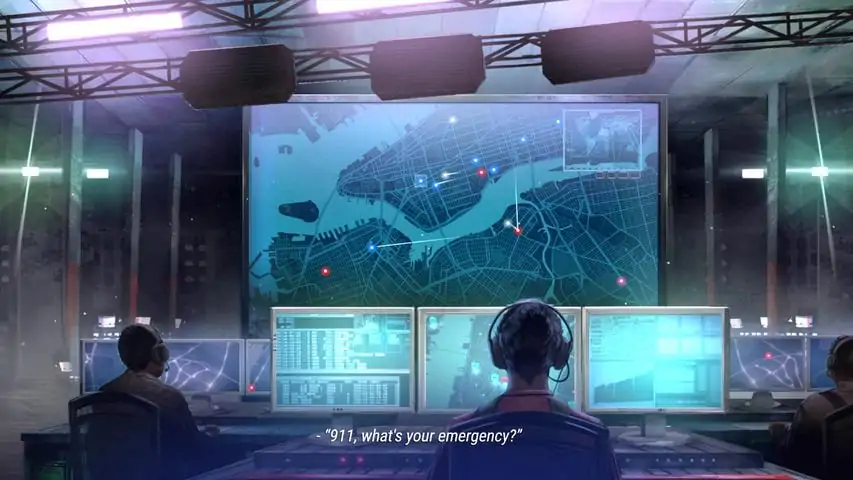
911 Operator


以下是Jutsu Games为《911接线员》提供的作弊码重新整理。所有功劳归于他们!感谢! 作弊码使用方法: 1. 按~键打开控制台(Mac用户也可使用F1键)。 2. 输入以下代码之一: - unlockallmaps:解锁生涯模式中的所有地图(仅在主菜单或生涯菜单中有效) - reputation:增加100点声望(仅在执勤期间或管理界面有效) - givemethemoney:增加1000000美元(在执勤期间或管理界面有效) - startcall <ID>:触发指定呼叫(需将<ID>替换为呼叫的ID名称,仅在执勤期间有效) 3. 按回车键确认。

如果你在专家模式中难以获得良好的声誉等级,以下是一些提升声誉分数的技巧: 1. 不要让单位仅用于单一用途 你不会指望警察从树上救下你的猫,对吧?但如果你没有多余的消防车呢?或者你需要救护车但所有救护车单位都无法使用时怎么办?让警车配备灭火器和急救箱,在需要时可以拖延时间,直到救护车或消防车到达。有时,配备急救箱和/或灭火器的警察和消防员,能够在消防部门或救护车到达之前解决问题。这样一来,你或许可以避免因单位到达现场前案件超时而损失声誉值。 2. 明智地使用你的单位 与第一点类似,为你的警察和消防员配备急救包,以便他们能够协助处理医疗呼叫。但当你接到医疗呼叫时,需要判断是否需要转运。 对于骨折或心脏病发作等情况,你肯定需要救护车。然而,如果救护车与事发地点距离较远,派遣一名配备急救包且靠近现场的警察或消防员可以加快响应时间。这样,当救护车到达时,他们就可以直接接走病人并立即送往医院。不过,只有在你有多余单位时才应这样做。 如果是像跌倒这类情况,你可能只需要配备急救箱的单位。尽量将救护车留给那些需要医疗转运的重伤员。 非医疗类呼叫怎么办?比如超速或逆向行驶,这类情况只能由警察处理。如果你有摩托车,就用它们代替常规警察单位,因为大多数时候违规者只会被罚款。这样可以腾出警察单位去处理可能需要逮捕的案件。 3. 分散部署你的单位 这一点应该很明显,是为了减少应急单位响应事件的时间。 4.直升机及其他快速响应车辆 对于那些有能力购买昂贵直升机的玩家,如何高效使用它们呢?先说说警用直升机,它在追捕行动中效果不佳,因为无法降落拦截地面车辆。警用直升机在执行搜索任务或紧急情况下更为有效。再来看医疗直升机,当地面救护车前往需要医疗转运的事故现场耗时较长时,医疗直升机的效果非常显著。 至于高速单位,何时使用最为有效?答案是追捕行动或紧急医疗呼叫。这能帮你避免因嫌疑人逃脱或呼叫超时而损失声誉值。 以上是我关于提高声誉值评分的一些技巧。祝你好运! 提示 1. 不要让单位只用于单一用途 2. 明智地使用你的单位 3. 分散部署你的单位 4. 直升机和其他高速反应单位

Learn how to add a correct translation to 911 Operator! BASICS: Game works with JSON .txt files, which you can be easily edited by Excel, notepad (e.g. Notepad++) or any other text editor software. First, you need to find your 911 Operator installation folder, for example: “C: Program Files Steam steamapps common 911 Operator” Official language files are placed in: 911_Data StreamingAssets Languages There you can find the default file called en-US.txt (english - american). Use this file for your modifications. FORMAT The JSON file is formatted in a following manner: "key.id": "<text>", Make sure you only replace the <text> part, leaving all the rest unchanged. EVERY LINE MUST END WITH A ", (a quote and a coma) except for the last line CREATING A NEW TRANSLATION Make sure you use the “contributor” beta (right click on 911 Operator in Steam client library -> betas -> “contributor”) Unofficial translations for Steam Workshop should be placed in: 911_Data StreamingAssets CustomLanguages To start, copy “en-US.txt” file to this folder and rename it for a correct language code. for example: “it-IT.txt” for Italian translation, which will be used in this tutorial. Then you can start to translate the .txt file. After saving it, you can launch the game and test commited changes. GENERAL RULES OF TRANSLATION HTML markups In some sentences, there are HTML markups, np <b> </b>. You have to put the markups in the same form . for example: <b>DO NOT THROW WATER OVER THE FIRE.</b> Adding water to burning oil will cause an explosion! <b>NIE POLEWAJ OGNIA WODĄ</b> Kontakt wody z płonącym olejem może doprowadzić do eksplozji! Curly braces with numbers (like {1}, {2} etc.) Those will be replaced with a name or a number. for example: afterActionReport.ticket_given {1} was given a ticket: ${2}. {1} otrzymał(a) mandat: {2}$. In game that lines will look like this: Jack Ronson was given a ticket $1000. Tom Monty otrzymał(a) mandat: 2000$. Curly braces { } in dialogues Curly braces in dialogues are short version of the full dialogue line. They should explain a meaning of the full sentence in a shorter way. Sort text should be no longer than 20 symbols! for example: {CALL OTHERS} You can try to get the other neighbours to start removing the rubble. {ZAWOŁAJ INNYCH LUDZI} Możesz spróbować zebrać resztę sąsiadów i razem z nimi rozpocząć usuwanie gruzu. Sentences in braces should be addressed to caller (interlocutor in game) for example: CORRECT: {WHAT’S YOUR NAME?} INCORRECT: {NAME} CORRECT: {I’LL SEND POLICE} INCORRECT: {SEND POLICE} [[ADDRESS]] and [[PLATES]] tag Those mustn't be translated and should be put in translated texts in exactly the same form. In game, that sign is replaced by generable address (e.g. “It’s [[ADDRESS]].” would be displayed as e.g. “It’s Roderick Street 231.”) Dots with spaces . . . . . . Those are important for syncing voices with the text. If it possible try to manipulate a number of dots to maintain a similar length of sentence. E.g. : We were going to get married in two months . . . . . . . God, please let it end now.... Zamierzaliśmy się pobrać za dwa miesiące . . . . . . . . Boże, niech to już się skończy. You should try to always translate words commonly used in the game (like unit, team member, caller) in the same way (especially if it’s a part of interface or a guide). In 911 Operator all the dialogues are organised in dialog tree. Bear in mind, that some of the sentences may be used in different context in the dialog. Especially, in case of short lines, answers and endings should be careful and checked with the previous line. TESTING First, for testing the formatting of JSON .txt file, we recommend www.jsonlint.com Secondly, choose your new language by going to the in-game Options window and choosing it from the drop-down list. You can also switch game languages in the game by pushing ~ button and entering the code: changelangto <language code> for example: changelangto en-US changelangto it-IT To quickly test a flow of a specific dialog, you can start a dialog by typing a code: startcall <id> During the DUTY MODE of the game For example: startcall 107 ADDING AN IMAGE If you want to include a FLAG for your workshop item, create a graphical file with the same name next to the .txt file For example: it-IT.png PUBLISHING Please follow these steps: make sure your translation is complete and tested, start the game and go to the options menu from the language drop-down menu, click “add” option next to your translation wait for the upload to finish. WARNING: When you successfully upload the file, it will be removed from the CustomLanguage folder and moved to the workshop folders, for example: C: Program Files Steam steamapps workshop content 503560 904977114 it-IT.txt CONTRIBUTING If you want to cooperate with others to create a translation, you must add those people to the contributors of the Workshop item. UPDATES After publishing the file you can still make corrections and additions to the file. Please follow these steps: edit the file in the workshop folder Start the game and click the “UPDATE” file in the language drop down menu. If you are the owner or contributor of the workshop, the language should be successfully updated.


本指南旨在帮助各位接线员们更好地完成成就,成为一名功勋卓著的著名接线员,同时也为各位接线员提供各类作弊码,以提升游戏体验和发掘有趣的地方。 前言&更新说明 本指南各章节均来自专栏内容。 更新说明: 2021/09/06 1.初版 911接线员控制台教程 1.按【~】键打开控制台。(F1同样有效) 2.输入作弊码之一。 3.按回车键。作弊码及呼叫代码大全 unlockallmaps(解锁所有生涯模式地图,仅在主菜单和生涯模式菜单中生效) reputation(增加+100声望,仅在值班期间或值班日前管理界面中有效) givemethemoney(增加+$1000000,仅在值班期间或值班日前管理界面中有效) startcall(开始一个呼叫,仅在值班期间生效) 注:格式为startcall ID,ID为呼叫代码 附呼叫代码列表如下 102 坏披萨 107 家庭入侵 131 骑自行车的人 287 倒塌的房子 288 裂缝中的汽车 289 触电 290 停电 291 被淹的公寓 53 秘密披萨 68 开发者来电 81 汽车起火 82a 建筑工地火灾 89 树上的猫 97 切断的腿 alb1 死去的女儿 alb2 关心的妻子 alb3 飞机失事 alb4 洗车行 bribe工厂事故 ch1 囚犯越狱 ch4 房间里的蝙蝠 chris 被困在车下 gen10 车祸 gen10_3 车祸 gen11 抢劫 gen11_2 抢劫 gen12 无效呼叫 gen13 失去知觉的人 gen13_2 失去知觉 gen14 厨房火灾 gen16 被盗的车 gen18 吵闹的邻居 gen19 腹痛 gen20 火灾 gen20_2 火灾 gen21 街头斗殴 gen22 违章停车 go90 堵车时分娩 ks300 无人机攻击 ks301 灌木丛中的熊 ksold3 被谋杀的妻子 ny1 严重的跌倒 ny2 持斧抢劫 ny3 运动迷斗殴 own24 找到孩子 own67 女儿失控 own79 数学问题 steve 歌手 wa1 碾过一条狗 wa2 有毒的信件 wa3 参议员自杀 wa_b1 被炸毁的汽车 wa_b2 炸弹威胁 wa_b3 炸弹威胁 wa_b4 炸弹 xmas 圣诞来电 成就大全 实地训练勋章:完成教程 紫心勋章:任意一名队员重伤勇气勋章:在同一座城市完成三次游戏并且不发生重大失误 功勋勋章:完成三十次游戏 社区警察勋章:在任意一个城市获得100声誉 救生勋章:提供正确的急救指导,帮助来电者生还 维护道路安全勋章:解决五十起交通事故 战术小队勋章:在开始射击前部署三支武装警察小队在事件现场 高级证书勋章:队伍中的任意一名队员升至七级 献身勋章:在一名队员牺牲的情况下抓住罪犯 荣誉勋章:通关生涯模式 微笑服务:接听电话时不要过于严肃 示范性医疗服务勋章:将五十名伤者送去医院 示范性消防服务勋章:解决五十起火灾或技术性案件 国际服务勋章:在至少十五座城市完成过游戏超越他人:以专家难度完成游戏 荣誉市民:完成单座城市模式游戏 事半功倍:不加班完成值班
所有情况和呼叫都将在此列出,并说明哪些部队最适合处理这些情况。 可忽略的情况 首先我们来看可忽略的情况,有许多情况完全不需要你关注;或者呼叫者可以自行解决的情况。本节将专门介绍此类情况。 【树上的猫】对于这种情况,你应该始终忽略,这不会带来任何声誉增减。 【吵闹的派对】这种情况可能意味着有人在使用毒品,但如果你忽略它,不会受到惩罚。它通常涉及大量嫌疑人,会浪费你的时间和资源。 【呼叫】【吵闹的公寓邻居】如果呼叫者感到受到威胁,你应该派遣警察单位,否则,直接忽略。公开饮酒:与“喧闹派对”类似,在美国,在公共场合饮酒是合法的。只要你没有开车或饮酒过量(喝醉)。 (来电)过度活跃的女儿:如果你接到关于一个14岁过度活跃的女儿在来电者家中到处跑的电话,你可以放心忽略,你可以建议来电者拨打儿童服务部门的电话,而不是911。 (来电)汽车冒烟:如果你接到关于汽车冒烟的电话,你可以告诉他们用后备箱里的灭火器自行灭火。 数学帮助:如果你接到孩子请求帮助做数学题的电话,你可以放心忽略,或者你可以配合一下以获得成就。“微笑勋章” 电脑游戏 如果有人打电话想做一款关于911调度员的游戏,你可以直接无视,或者让他们去办公室。 (电话)不说话,不按数字,是误拨 (+)骨折(2血) (+)行人被撞(2血) (+)药物过量(2血) (P)(+)入室抢劫(1血,多名嫌疑人) +P 殴打(1血,多名嫌疑人) (+)骨折(2血) 叛逆女儿(电话)(忽略) (+)心脏病发作(2血) (电话)可疑车辆(解决+3) (电话)有人打架,如果他们和平离开就忽略,如果他们上车,就追击!(呼叫)蝙蝠(不可忽略) (+)严重中毒(2点血) 非医疗紧急情况 (+)失去意识(1点血) 由于此情况并非重伤,可派遣其他单位(最好携带医疗包) (+)锐器伤(1点血) 此情况看似危险,但可派遣另一个单位(最好携带医疗包),只需记得及时救治,以免受到声誉惩罚。


A guide that will explain and review all the basics such as first aid, functions and call/incident handling Introduction Hello with all you dispatchers. I'm glad if you can find this guide to use and make the most of it. In this guide, I will explain basic first aid and handling of 112 calls, as well as a basic review of the game, which will include explicit reviews of game features. You may want to browse through the guide and find the heading you may need to find help or knowledge from. If you speak a language other than English, you can always use Google Translate to help The basic game functions Booting the game When you start the game up, you get three options: Continue Career Free GameThese three options can take you to different locations around the game based on your last game: Opens the gameplay you last played. Opens a menu of gameplays specially made for experience. Opens a menu where you can start another game no matter where you want to start it. Before the course starts Before the course starts, a menu opens, where you have an overview of three things: resources, squads and shops. Inside each category, you can create your own targeted team, which has mixed skills. Later in the game, you will be very dependent on how you have chosen to build your strength with transport, people and extra equipment. The first time you have to play a course, you have usually already received some extra manpower and some equipment that you can use limitedly. In addition to this, an emergency response force will already be set up, consisting of firefighters, rescuers and police. Resources Inside this category, you can see all your unused resources. I.e. transport options, crew and equipment. Note! In the category, there is only unused equipment. You can, therefore, make use of them by dragging the resources in the middle. To get resources into this category, you need to buy them. Transport To assign a new transport option to your strength, first press "NEW TEAM" which is in the center of the screen. After you click the button, a new space will be created in the center of the screen. You can, therefore, flip-down where you want to see a space where there is nothing in. Crew Once you have assigned a new vehicle to your force, the crew must also be assigned. Each vehicle has a limited number of seats and only crews dedicated to the vehicle can be allocated; policemen cannot be assigned to band cars. You can assign personnel by dragging it over from Resources and down to space where there is nothing in. Equipment Equipment is a privilege that is not necessary to assign to start a course. However, it needs to be assigned if it is to be a well-functioning force. It's only some equipment that you can assign to any crew, i.e. any equipment that you can assign to any crew. for example, the firefighters cannot carry a gun. Each man can have room for two pieces of equipment. You can assign equipment by dragging it down from Resources and leading it to the missing space. Squads Squads are the middle category. It's all your strengths that are there. For a more informative explanation, please read the category "Resources". Shops Shops are the category that is furthest to the right. That's where you can buy all your resources. You can see the price of the product you want to buy by looking at the right of it. To get more information about the thing you want to buy, you can hover your mouse over the picture, where on the thing you want to buy is. When you purchase a resource, it is automatically transferred to the Resources category. Read the above category "Resources" for a more informative text. Game time Inside a game; so, a course, you can see a city from above. Besides the city, there are two plates at the bottom where all upcoming calls and incidents can be seen. When a new event/event arrives, a red hexagon pops up with an exclamation point in it. When a new call arrives, a green circle pops up with a headset and an exclamation point. Time At the top of the screen, a circle can be seen as well as some speed symbols. The circle shows how much time is left of your guard. The more white the circle becomes, the closer you are to finishing your guard. Events and calls in progress Ongoing events and calls can be seen down the right side of the screen, there is a red button stating "INCIDENT". When you click the button, a small table comes up where you can see all events and calls and how long they've been going. If it takes too long for a team to arrive, the task disappears and you will receive minus. Preparedness You can see all your readiness if you click the red button on the right side of the screen that says "UNITS". When you click the button, a small table comes up where you can see all your preparedness and placed crew and equipment, in addition to this you can see the status of the vehicles. Customized Help When a new event occurs, it is marked in the city with a specific color and symbol. The selection shows the types of preparedness to be assigned to the event. Selections may also occur in which there are multiple colors and mixed symbols. At these events, several crews must be sent to the event. The grey symbols symbolize all the pre-hospital. The blue symbols symbolize the police and law enforcement. The red symbols symbolize all firefighters. The green symbols with a headset in symbolize calls The green symbols symbolize national strength. Limited space Police and ambulances etc. have a limited number of places for individuals. You can see all the seats above the specific vehicle. It is marked with a square. The square will turn white if space is filled. For the vehicles to empty their seats, they must reach a station. The police must go to a police station and the ambulances go to hospitals. These stations are marked on the map by pressing spaces. Positioning your strengths You can move your strengths by left-clicking a vehicle and then right-clicking a location on the map where you'd like to place your strength. To send a force to an event, left-click the force, and then right-click a selected event on the map. After a course After you complete a course, a menu appears that fills the entire screen. In the menu, you can see all the then events and calls that your force has received. You can also click on a scenario and receive more information about any changes you might want. improvements and other information. On the right side of the menu, you can see all your statistics and financial information. Statistics At the top, how many events and calls you've resolved will be written. It says in more detail information, which includes, among other things, the following: how many people have been put in prison. Financial information At the bottom, you can see how all your money has been spent. You can also includeyour income and your total profit. To return to your strength, press "BACK" up in the left corner. Basic first aid Ribcage The rib cage has vital organs such as the heart and lungs. They must be always prioritized, as complications with these organs can cost death. Therefore, quick help should always be sent out if there are symptoms of problems with the heart or lungs. Symptoms here can be coughing, pain when breathing, cold sweats, shortness of breath and pain in the chest or arms. Handling and treatment Before help has arrived, ask the person to breathe calmly and controlled. You may want to ask the person to sit up as it will make the space for the lungs better. If possible, the person should sit down to reduce the pressure on the heart. The stomach The stomach is full of organs. Large blows etc. can, therefore, lead to excessive internal bleeding. But since there are so many organs in the stomach, you must be able to assess how extreme it is. So, in the case of great pain, help may be needed from an ambulance. Other symptoms can also occur in the form of excessive vomiting and nausea. If the person has ingested something that could be toxic, an ambulance must be sent. Handling and treatment It is very difficult to treat internal problems in the stomach without equipment and knowledge. Therefore, ask the person to lie down unless problems with breathing after the person has settled, the person must raise their legs above the heart. Do not consume food or drink until proper help arrives. Hypothermia Cooling of the body can be life-threatening; people should therefore always try to maintain normal body temperature. You can, therefore, ask the person to take on extra clothes or make use of a blanket. Hot drinks can also work. Trauma Trauma is injuries by, for example, a car crash. As trauma covers problems with the whole body, action must be taken from a few points. If there are serious symptoms such as loss of consciousness, paleness, shortness of breath, chest tightness, extreme pain, missing sensations in e.g. arms, contact the ambulance immediately. Handling and treatment Stop bleeding with pressure and bandages, always steady the neck and avoid movements, keep in touch with the person and monitor the person's condition closely. Head, neck and back In the event of falls, major accidents, blows or jerks, major head, neck and back injuries may be caused. Symptoms of injuries can be seen in the form of decreased consciousness, paralysis, nausea and confusion. Avoiding the movement of the neck or back should always be a priority. Handling and treatment Avoid movement of the neck or back and keep in contact with the person. Only if life-threatening things occur, such as cardiac arrest or lack of breathing, should the person be moved, however, it must still be controlled and safe as possible. Cardiac lung rescue In the absence of unstable breathing or heart rate, a heart massage must be initiated. This is done by two blows followed by 30 pressures in the middle of the chest. This is done until the person wakes up or better help arrives. If the person is getting normal weather roughing but is still not conscious, the person should be in the recovery position. ABC principle The ABC principle is an algorithm that should help provide for a stable patient. Airways Breathing CirculationFirst, check the free airways (A) after checking after breathing (B) and check if the circulation is okay (C). Three main points of first aid The three main points of first aid are very important for maintaining a stable level of damage. Create security Give first aid Call for helpFirst, the place of damage must be secured, i.e. the site of the accident must be protected. that if there is a fire in a building, a person should come out immediately and not try to pick up others. After that, first aid must be given. It is given on the ABC basis. Once that's done, help needs to be called. It can be done by shouting at others or calling 112. Call handling An upcoming call When you receive a call, it can be seen in the middle of the bottom of the screen. A green circle and a series of bib tones appear. To answer the call, click the circle. Once you have answered a call, the answer will automatically be answered immediately "911 what's your emergency?". You may want to use a headset to make it more realistic. Note! Always remember to answer properly and don't be flippant or condescending. Answering a call When the automatic answer occurs, you'll be told what's happening to the caller. Be careful to listen to the person but also the background; is there noise? Are there shots? Once you've been told what happened, first ask for the address. After the address is available, find it on the map. Depending on the situation, secure the site of the damage and find out what forces are needed. Once you've figured it out, immediately start sending your forces toward the call. Customize help If you're told that someone's shooting at each other, it's probably not smart to send a police bike. You must choose which force to go to the site of the damage first. Get an overview Now it is important to find an overview of the site of the damage, i.e. an overview of the site of the damage. how many people were injured? Does anyone have guns? Once you have found a good overview, you need to assess how to give first aid. It's always a good thing to start by talking the characters calmly. Help over the phone Give instructions over the phone that can determine the fate of the situation. If there is a fire, consider how big the fire is and whether the person can extinguish it himself. It was just one example so use all your knowledge to help with. Unusual calls Unusual calls may occur, such as calls that you would have to make. deaf or mute people, telephone calls, etc. Always remember to create an overview, consider whether it is a prank call and how you should be able to communicate with disabled people. Note! It is a criminal offence to make prank calls, so you can choose to send a patrol to the site and give a fine to the caller. Complete a call After you have received all the important information and you have assessed the site of the damage and sent help, you need to complete a call. If it was a call where no help was needed, click a button at the bottom of the menu called "IGNORE". If it's a call to send help, just shut down the menu and wait until your forces complete their tasks. Handling incidents/events An upcoming event You can see an upcoming event at the bottom of the screen. A red hexagon will pop in with an exclamation point. The location is where the incident happened. For a better understanding read "The game's base features". To answer an event After you locate an event, start by viewing the symbol and colour of the selection. After you've seen it, if you click the selection, read the informative text that's on the menu. It is very important to receive all the information that you can get. This will include: Ensure that your strengths will work better. For a better understanding read "Basic game functions" and "Call Handling". Report Once the first of your forces have arrived at an event, you'll get more information. To find the information, click the selection of the event and read the report that will be made available. Development of the event You can follow the progress of the event by clicking the selection on the map. Once you've done that, you can hover your mouse over the images that are in the menu of the event. Complete an event After you have received all the important information and you have assessed the site of the damage and sent help based on the text and symbols provided, you must complete an event. If it was an event where no help was needed, click a button at the bottom of the menu called "IGNORE". If this is an event where help needs to be sent, just shut down the menu and wait until your forces have completed their tasks. Big events and disasters What is a big event? A big event is defined here, such as a day. it can be repeated bomb threats or explosions, it can also be a concert or a demonstration. Occurrence Big events can occur very suddenly and unexpectedly. Sometimes these can be agreed events. For example, it may be a big demonstration or concert that has been planned. What is a disaster? A disaster here is defined as a deadly, unexpected event. Here, examples can be extremely bad weather conditions, huge fires, terrorist attacks or other natural disasters, etc. Occurrence In many cases, disasters come unexpectedly and suddenly. For example, if it is something that has been expected, it may be a good thing that the European Union is not a good place to do so. For example, metrologists who have predicted hurricanes, blizzards, tornadoes, etc. Major events can also turn into a disaster. Dealing with major events or disasters Start by bringing people to safety and find out the seriousness and location of the situation. After that, all the basics must be disclosed, it can be things such as the number of injured, perpetrators, weapons, etc.. Send out the correct number of emergency vehicles to help end the situation as best as possible. You may want to use this list. Ensure security for everyone on site. Take control of the situation - not just through the phone. Actively observe the situation and trade from here.Remember! Always prioritize security for all individuals. Here you may want to read the above "Handling incidents/events", "Call Handling" and "Basic first aid". Extra Feedback If you have feedback in the form of findings of errors or questions, you can always contact me. It can be helpful to react to the guide with either an upturned thumb or a downward-facing thumb. Contact To contact me please write in the comment box or write a private message to me. I will always try to answer you as quickly as possible, but there can always be factors that make it take longer. Sources Den præhospitale Patient[munksgaard.dk], ♥♥♥♥♥♥♥♥♥♥♥♥ 1[♥♥♥♥♥♥♥♥♥♥♥♥.munksgaard.dk], ♥♥♥♥♥♥♥♥♥♥♥♥ 2[♥♥♥♥♥♥♥♥♥♥♥♥.munksgaard.dk], PHTLS NINTH EDITION[www.saxo.com].


你会知道按哪个倒霉的按钮可以打开这个控制台 按钮 按一下波浪号键(`) 结束
控制台新作弊码 作弊码 以下是我找到的所有命令作弊码。 unlockallmaps // 在主菜单使用,解锁所有地图。(太厉害了!) givemethemoney // 添加1000000美元 resolveall // 解决地图上的所有案件 startcall <ID> // 开始ID对应的呼叫 resetcamp // 锁定所有地图(在主菜单使用) preload // 预加载某些内容 clearall // (未测试)似乎会清除所有存档,我不会自己测试这个。 importloc // 重启本地化XML(或类似功能) selftalk // 允许以呼叫者身份说话 setdutytime XX // XX = 秒数 - 设置你的值班时间。享受超长值班吧!instantcalls // 启用/禁用执勤时的呼叫。 alwaysfight // 尚不明确,似乎是嫌疑人会主动与警察交战 saveprefs // 不确定保存的内容,可能是选项设置,但游戏本身已自动保存? changelangto XX // XX = fr-FR 代表法语 - 即时更改语言。 refreshscene // 重新加载当前页面/重启至团队管理界面 resetachiv // 成就已恢复 getachiv_X 显示是否已获得成就XY。 (感谢 LittleFreak92) setachiv // 尚不明确 getsubs // 尚不明确 reputation // +100 声望 addrep XX // 添加一个案件。id=1968725388 quickd // 跳过操作员语音 finishd // 完成任务 saveg // 保存游戏 loadg // 自己猜猜看:p resetl // 重置关卡(未测试) makebasesave // ?????????? startws // 开始华盛顿 startevent event_X // 未测试 downloadcity <ID> // 未测试 isileg // 不确定,总是为假...