
Steam Deck家庭共享

--

+关注

--

热度

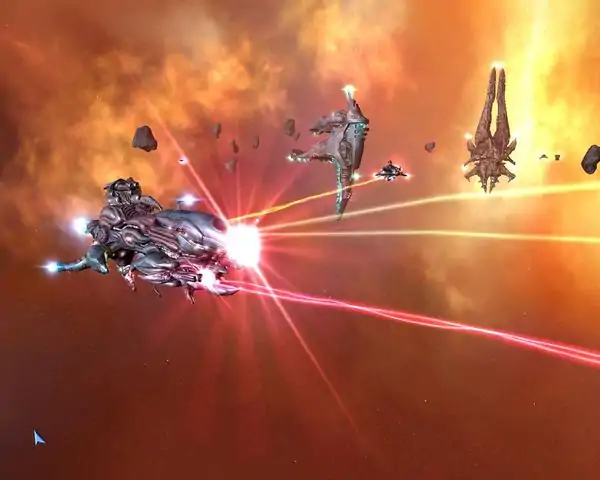
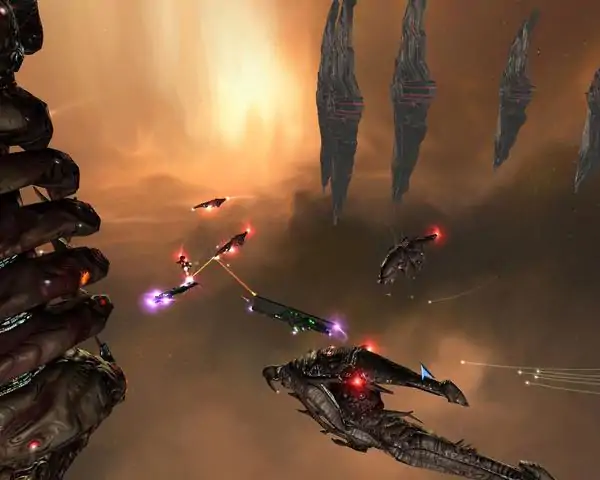
Three thousand years in the future, mankind has carved a bloody path towards domination of the known universe. Self-proclaimed as a divine race and beyond reproach as a species, they view all alien races as inferior. With fleets of organic starships genetically engineered for war, humanity sets out to conquer the last remaining independent galaxy - The Universal Heart. As Captain Iconah, you are commissioned to uncover the location and purpose of the Heart. Take command of a living fleet, altering your starship's DNA in real-time as you grant them new and powerful abilities. The Universal Crusade has just begun! Unique space real-time strategy gameplay that immerses you in an epic crusade with a rich back story. Non linear single player campaign comprised of over 30 branching missions. Scalable RTS gameplay: Resource gathering, technology upgrades and combat are scalable for even the most novice RTS players. Co-op mode allows two players to work together and control one fleet! Customize all 20+ gene based organic ships with over 50 different weapons and abilities, giving you thousands of possible combinations to choose from when constructing a fleet. Ship models morph in real time as genes are inserted, reflecting the choices that you make! Make alliances with the many other non-player character alien races to secure their support and technology--or purge their resources! Expand your genetic capabilities by invading enemy vessels, stealing unsuspecting technologies, and maximizing your gene bank's diversity. Gamespy Multiplayer featuring 12-player support and many multiplayer maps on which to flex your dominance!
游戏圈
共3条帖子
Mie
2026-04-02 07:00:37 · 发布在 「Genesis Rising」
如何修复Windows 11上的【画面放大】图形问题
要解决图形问题,需按照以下简单步骤操作: 如果你的笔记本电脑配备独立显卡,需进入图形设置。在Windows搜索栏中输入“图形”并选择该选项,然后在列表中找到《基因崛起》启动程序,点击展开设置,在第一个选项中选择“高性能”设置。 如果你的笔记本电脑没有独立NVIDIA显卡,请确保你的GPU受支持并跳过第一步;台式机没有独立GPU的情况也同样如此。 如果你的笔记本电脑或台式机使用AMD显卡,也请确保其受支持,因为大多数AMD显卡可能不受支持。现在你需要找到游戏所在的文件夹,你可以打开你的Steam库,右键点击游戏并选择属性,然后点击本地文件,再选择浏览,此时会弹出文件管理器窗口,显示游戏文件。现在进入bin文件夹,右键点击【GenesisRising】(游戏启动程序),然后点击属性,再点击兼容性,并选择以下选项: 第一个选项选择Windows XP(Service Pack 3)。 在列表的第二部分勾选【以管理员身份运行】和【禁用全屏优化】。 然后选择列表中的最后一个选项,即DPI设置,按照图片所示进行参数设置,操作就完成了。 现在启动游戏,忽略所有错误消息,你可以连续按回车键代替鼠标点击,错误消息会有很多。 现在游戏应该能正确渲染,你可以根据需要调整图形设置和分辨率。 附:抱歉我的英语不好
master
2026-04-03 01:00:24 · 发布在 「Genesis Rising」
启动问题解决方法
如果你启动《基因崛起》后遇到崩溃提示、游戏中缺少纹理、第二关无法生成单位等问题,下面将介绍解决这些问题的方法。这款游戏年代久远,虽然已内置最终补丁,但不知为何仍无法顺利运行。 创建游戏补丁: 1. 进入游戏安装文件夹。例如:C: Program Files Steam steamapps common Genesis Rising。 2.创建文件夹: replay temp save scripts 到文件夹 C: Program Files Steam steamapps common Genesis Rising data 大致就是这样。问题在于游戏没有地方存储临时数据。

下载233乐园APP

专心推荐好游戏

关于我们 · 联系我们 · 隐私政策 · 营业执照

侵权投诉 · 开发者中心 · 用户协议 · 免责声明

不良信息举报中心

纠纷处理及不良内容举报电话:

4006600910 (工作时间: 9:00-12:30,14:00-18:00)

北京市朝阳区启阳路4号院2号楼15层1803室

本公司产品适合10周岁以上玩家使用 未成年人家长监护

首页 / Genesis Rising

抵制不良游戏 拒绝盗版游戏

注意自我保护 谨防受骗上当

适度游戏益脑 沉迷游戏伤身

合理安排时间 享受健康生活

京ICP备18003564号-3

经营许可证编号:京B2-20181741

京公网安备:11010502052873

Copyright © 2026 233leyuan.com All Rights Reserved

北京龙威互动科技有限公司版权所有

热门游戏: 我的世界 | 三角洲行动 | 原神 | 王者荣耀 | 超自然行动组 | 蛋仔派对 | 和平精英 | 火影忍者 | 二重螺旋 | 英雄联盟 | 梦幻西游 | 明日方舟 | 斗罗大陆 | 光遇 | 鸣潮 | 无畏契约 | 模拟山羊3 | 樱花校园模拟器