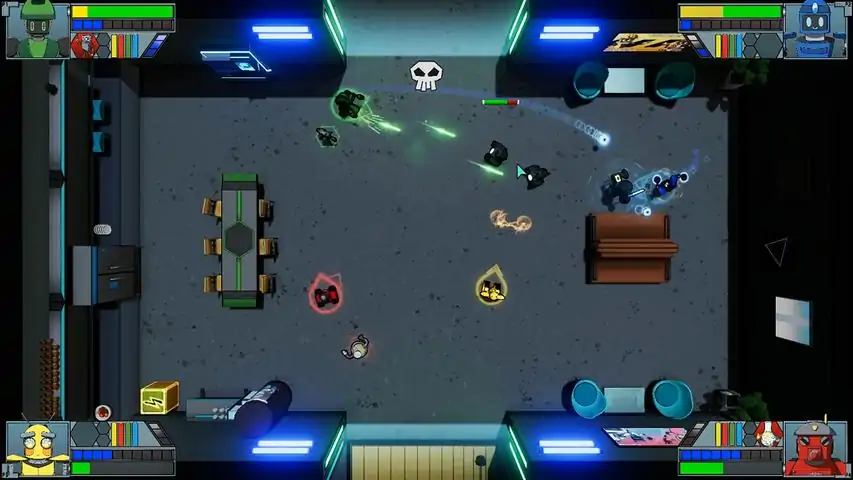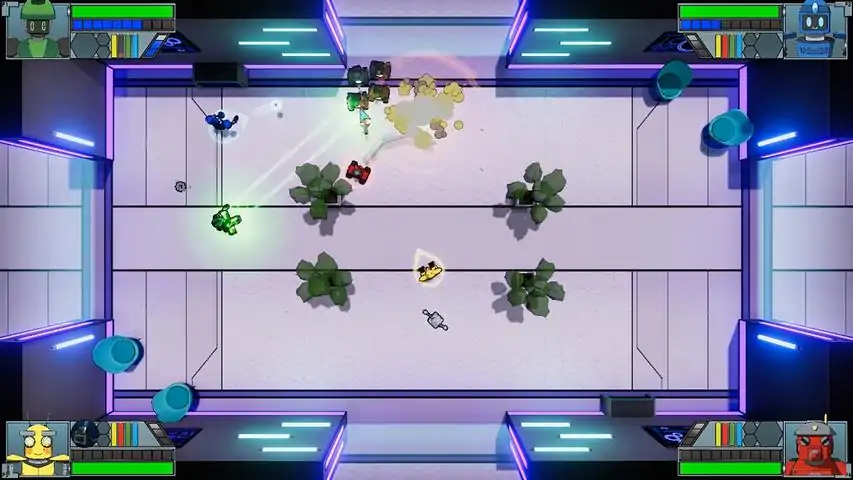
B.O.T.S. and the Robofriends is a top-down shooter rouge-lite with two games modes, a narrative based story mode, and an infinite mode known as "arcade" mode. Both game modes support up to 4 player cooperative gameplay, with 4 unique player characters to choose from. The game features classic top-down levels with updated mechanics such as procedurally generated maps, drop-in play for easy multiplayer at any time, and a cartoon sci-fi art style that decorates the world with a neon glow. Explore 12 different levels in story mode, and collect 20 different Robofriends with unique combat abilities. Gamers both young and old will enjoy the action packed combat, colorful cast of robot characters, and ability to play with friends remote or on the couch
需要一点帮助吗?有什么问题吗?我们来为你解答。
如何使用Steam的远程同乐功能?
启动《B.O.T.S. and the Robofriends》后,打开Steam界面(按Shift + Tab)。右键点击你的好友,选择“远程同乐”发送一起游玩和聊天的邀请。他们接受后,只需按一下手柄上的任意按钮,就能将手柄作为《B.O.T.S. and the Robofriends》的活动输入设备进行连接。
我尝试使用鼠标和键盘,但朋友总是移动我的光标!
在远程同乐的Steam界面中,你可以点击加入的玩家,禁用他们的鼠标、键盘或手柄输入。遗憾的是,你无法禁用主机的键盘和鼠标输入,因此如果你使用单个键盘和鼠标为朋友主持游戏,就需要格外小心!拔掉主机的鼠标或把它倒过来放置,确保不会有输入,这对非主机玩家使用键盘和鼠标帮助很大。
我和朋友可以都使用键盘和鼠标控制吗?
遗憾的是,远程同乐功能本质上允许你的朋友通过与你相同的键盘发送键盘输入,因此我们无法确定输入来自哪个用户。正因为如此,我们将【B.O.T.S. and the Robofriends】设计为仅支持1名键盘和鼠标用户。其余的输入设备必须是控制器。有两个住在一起的朋友?他们可以通过一个远程同乐会话连接各自的控制器!
我的朋友断开连接后,他们的角色卡在我的游戏里了!
别担心!远程同乐会按照添加玩家的顺序将他们重新加入游戏,所以你只需再次邀请朋友,并让他们按照之前的顺序加入,他们就能以原来的角色重新进入游戏。
我能自动跳过过场动画吗?
可以。在选项菜单中你可以关闭过场动画。这对速通很有帮助!
游戏太难了,我一直死!
《B.O.T.S. and the Robofriends》可能有点挑战性,但我们在选项菜单中加入了“无敌模式”,让你在想炸机器人时不用担心中失败。FAQ项目
这也是一个和孩子一起玩时开启的贴心功能,这样你就不用一直让你的弟弟活着了。
如何解锁日志条目?
日志条目通过完成街机模式的10层来解锁。当你到达第11层(或21层、31层等)时,你将获得一个成就,并且一个新的日志条目将可以在日志界面查看。
希望这对你有帮助,欢迎在评论中提出更多问题。我们会尽快回复!
- Meg、Don以及Game Grotto团队