Klondike Re-Imagined
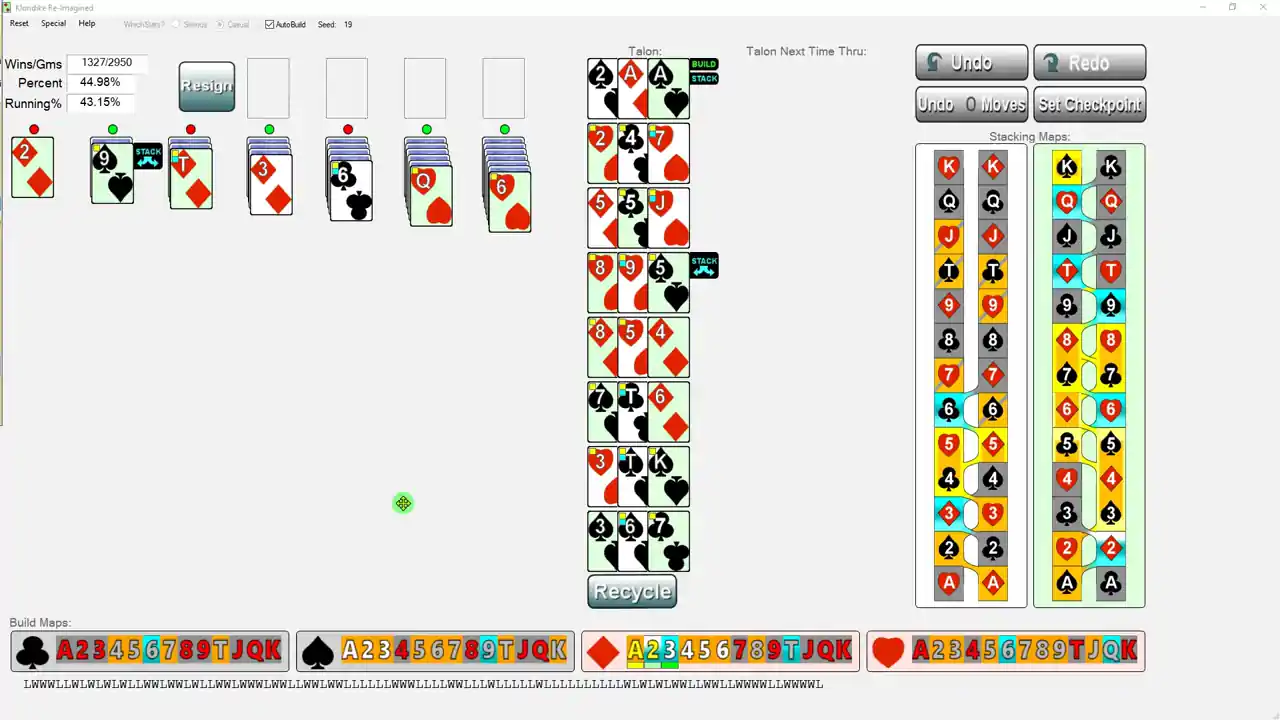
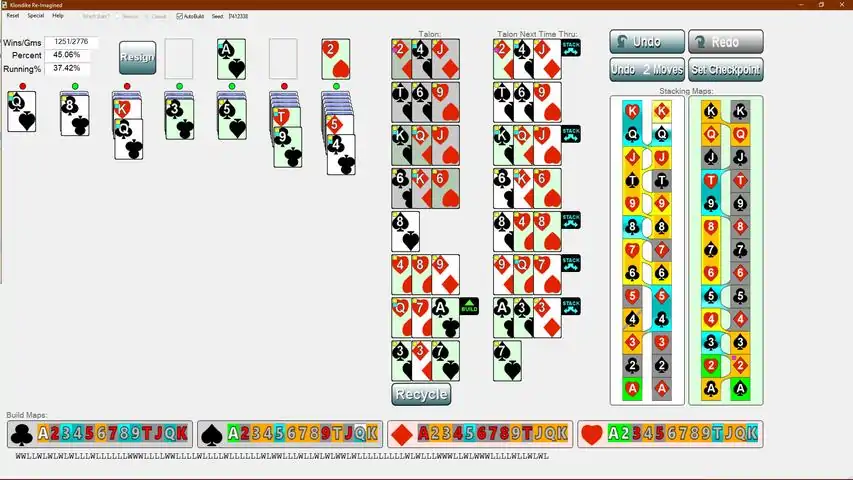
I started working on this app over twenty years ago. (They weren’t called “apps” back then.) I wanted a Klondike that displayed all the possible moves (without having to hit a hint key). So, I designed a Klondike app where all possible moves are shown as little flags attached to the moveable cards. To make the move, you just click on the flag. Then I was on to my other pet peeve. All Klondike programs made you go through the talon three cards at a time. If you are a serious player, you need to see them all. Why not display them all in a nice 3-by-x array. With the possible-move-flags attached! Easily done.I was happy. My program was way more enjoyable to play. But after a while I was bothered by how troublesome it sometimes was to find where a given card (the one you need) might be. So off to the side, I added a Card-Map showing icons for all the cards, color coded by location: grey for face-down cards, blue for face-up cards in the tableau, green for cards built to the foundation and orange for cards in the Talon. Additionally, if you click on the Card Map icon, the corresponding card gets highlighted (well, not the face-down cards, of course). Years later, I wondered if it was possible for the Card Map to let me know when a build situation occurs where it was possible to flip a face-down card. After much work, I had the algorithm. When the possibility arises, the Card Map highlights the needed builds. Cool. Would it be possible to do the same thing for stacking moves - if pulling certain cards out of the talon could facilitate flipping a down card, could I highlight them? This needed a pair of new card maps, Stacking Maps, showing all cards’ icons in stacking order (color coded as in the Build Maps). After months of work, I had the algorithm. This was really nice. Stacking Maps quickly became the center for strategy
下载233乐园APP
专心推荐好游戏
纠纷处理及不良内容举报电话:
4006600910 (工作时间: 9:00-12:30,14:00-18:00)
北京市朝阳区启阳路4号院2号楼15层1803室
本公司产品适合10周岁以上玩家使用 未成年人家长监护