
Steam Deck家庭共享在线合作

--

+关注

--

热度

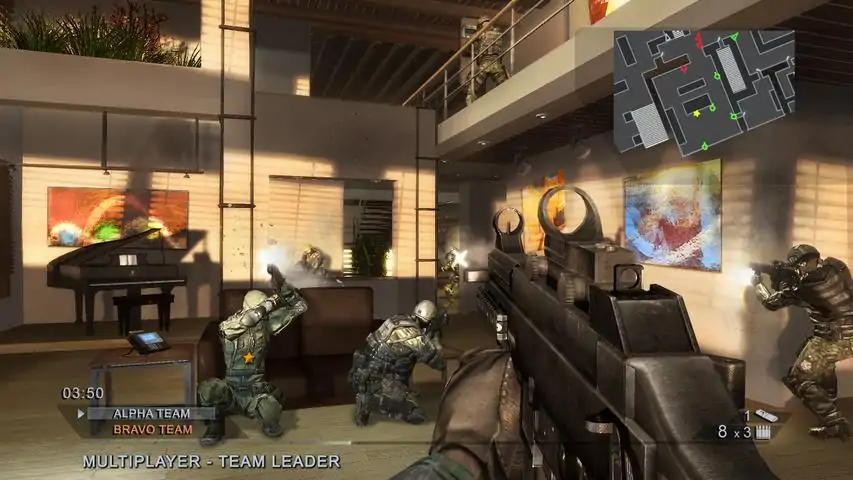
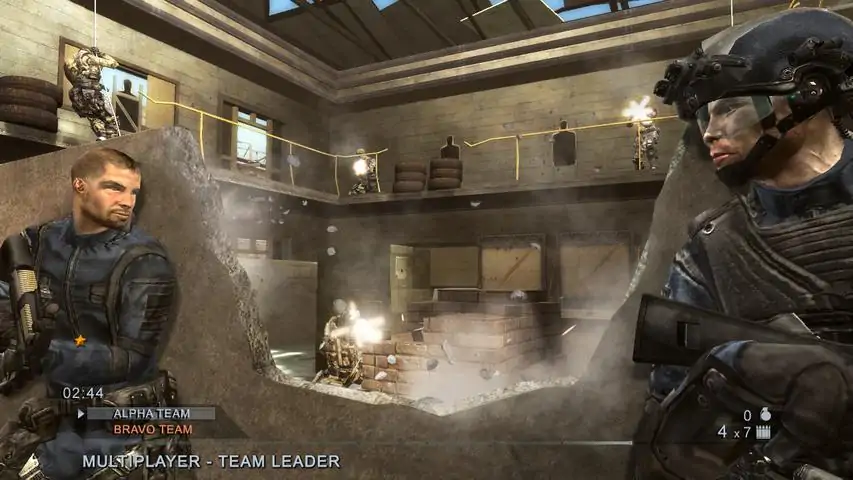
Tom Clancy's Rainbow Six® Vegas 2 - the sequel to the award-winning next-generation first-person shooter - returns to Sin City. Tom Clancy's Rainbow Six Vegas 2 is your last chance to rescue America's sexiest city from an escalating terrorist siege that will force you into heart-pounding action from beginning to end. The best are back and this time winner takes all. Recipient of numerous awards, including 2006 Best First Person Shooter and Best Online Game, Tom Clancy's Rainbow Six Vegas 2 pushes the top-selling franchise to new heights with new gameplay features. Ubisoft Montreal Returns - Rainbow Six Vegas 2 is back in the hands of Ubisoft's Montreal studio, creators of the award-winning and highly acclaimed Rainbow Six Vegas, to ensure that ending to the Vegas story is one you'll never forget. More Vegas - Sin City is back and bigger than before. Explore all new Vegas hot spots as the environment changes from dusk to bright daylight to dawn, creating a visual experience that is as challenging as it is breathtaking. Improved AI - AI is more challenging than ever. Now, the terrorists are equipped with thermal vision, night vision, and shields - not to mention a multitude of varying reactions - all of which are guaranteed to give you a new playing experience every time you go into battle. As you progress within the game, you'll only be able to outsmart your enemies by taking advantage of intel opportunities, such as thermal scanning, and tactical strategies, such as leapfrogging. New Weapons and Armor - Take down the terrorists more effectively using 11 new weapons. New camouflage, clothing and gear allow you to take customization to the next level.
游戏圈
共3条帖子
爱心小蛋糕
2026-04-04 04:00:27 · 发布在 「Tom Clancy's Rainbow Six® Vegas 2」
网络配置调整以解决枪械循环问题
各种EAX.dll文件和声音配置修复方法其实都没什么用。我现在还经常和孩子一起在局域网里玩这款游戏,解决烦人的枪声循环问题最有效的方法就是提高网络速率,并确保两台电脑上的设置一致。 《汤姆克兰西之彩虹六号:维加斯2》引擎配置文件BaseEngine.ini[引擎.玩家] 配置互联网速度=30000 配置局域网速度=30000 [网络驱动.Tcp网络驱动] 最大客户端速率=30000 最大互联网客户端速率=30000 网络服务器最大帧率=30 局域网服务器最大帧率=35 汤姆·克兰西的彩虹六号:维加斯2 凯勒游戏配置 PC凯勒引擎.ini[引擎.玩家] 配置互联网速度=30000 配置局域网速度=30000 [网络驱动.TCP网络驱动] 最大客户端速率=30000 最大互联网客户端速率=30000 网络服务器最大滴答速率=30 局域网服务器最大滴答速率=35
2026-04-04 01:00:18 · 发布在 「Tom Clancy's Rainbow Six® Vegas 2」
Xbox One 无线控制器兼容性指南
主要是为了我自己记录一下让《汤姆克兰西之彩虹六号:维加斯2》能原生支持Xbox One无线手柄的方法。 所需修改步骤: 1. 导航至游戏本地文件 > Rainbow Six Vegas 2 KellerGame Config PCKellerJoysticks.ini 2. 打开上述ini文件 3. 将Joystick 0修改为以下内容: [Joystick0] ProductName=XINPUT compatible HID device VendorID=1118 ProductID=767 UseXInput=true 说明:修改ProductName、VendorID和ProductID。 4. 然后在ProductID和后续的按键绑定之间添加新行。 5. 新行内容应为UseXInput=true 修改后应如下所示: [Joystick0] ProductName=XINPUT compatible HID device VendorID=1118 ProductID=767 UseXInput=true Joy1=XboxTypeS_A Joy2=XboxTypeS_B ...以此类推...这是专门针对Windows 10的,但应该也适用于Windows 7和8/8.1,因为微软放宽了对驱动程序可用性的限制。
星霜
2026-04-06 22:00:09 · 发布在 「Tom Clancy's Rainbow Six® Vegas 2」
轻松移除启动Logo
每次启动游戏时移除那些烦人的开场动画。 安装方法: 1. 打开你的Steam库,右键点击【彩虹六号:维加斯2】并选择【属性】。 2. 进入【本地文件】选项卡,点击【浏览本地文件】。 3. 这会打开文件资源管理器窗口,接着下载相关文件夹并解压,将其中的【Startup】文件夹拖入你的【KellerGame】文件夹。如果系统提示合并/替换文件,说明操作正确,请确认并替换所有文件。

下载233乐园APP

专心推荐好游戏

关于我们 · 联系我们 · 隐私政策 · 营业执照

侵权投诉 · 开发者中心 · 用户协议 · 免责声明

不良信息举报中心

纠纷处理及不良内容举报电话:

4006600910 (工作时间: 9:00-12:30,14:00-18:00)

北京市朝阳区启阳路4号院2号楼15层1803室

本公司产品适合10周岁以上玩家使用 未成年人家长监护

首页 / Tom Clancy's Rainbow Six® Vegas 2

抵制不良游戏 拒绝盗版游戏

注意自我保护 谨防受骗上当

适度游戏益脑 沉迷游戏伤身

合理安排时间 享受健康生活

京ICP备18003564号-3

经营许可证编号:京B2-20181741

京公网安备:11010502052873

Copyright © 2026 233leyuan.com All Rights Reserved

北京龙威互动科技有限公司版权所有

热门游戏: 我的世界 | 三角洲行动 | 原神 | 王者荣耀 | 超自然行动组 | 蛋仔派对 | 和平精英 | 火影忍者 | 二重螺旋 | 英雄联盟 | 梦幻西游 | 明日方舟 | 斗罗大陆 | 光遇 | 鸣潮 | 无畏契约 | 模拟山羊3 | 樱花校园模拟器