Tokavuh Stream Control
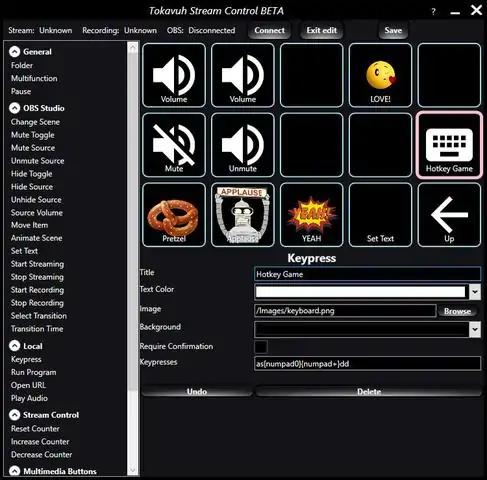
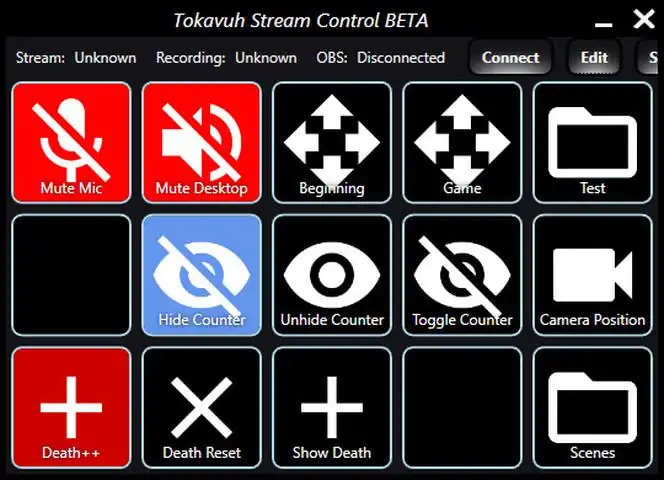
特色列表Available basic features at this timeControl streaming and recordingChange scenesMute sourcesHide sourcesSet transitionsControl volumesUse keyboard shortcuts to control all actionsAnd more...Enhanced functionalityMacros ("Multifunctions")Fade audioAnimate itemsAnimate full scenesChange texts, images, URLs, videos...General funtionsPlay soundsSend keypressesMultimedia keysRun programsOpen URLsCountersDual PC configuration for separate gaming and streaming PCFreely selectable grid sizesTwitch funtionsSet statusSet game nameSend chat messagesControl slow mode, followers/subs/emotes onlyStreamlabs functionsEmpty jarSpin the wheelPause notificationsMute notificationsTest notifications关于软件Have you always wanted an easy way to control your stream without complicated keyboard shortcuts? Easily change scenes, hide sources, and mute your mic when sneezing? Go from regular cross fades into full-scene animations? Have a nice sound board to enhance your commentary? Then this product is for you!Tokavuh Stream Control allows you to connect your mobile device to OBS Studio or Streamlabs OBS and control it as well as provide some missing functionality. Start and stop streaming, display death counters, animate items on screen, animated full scene switches, sound board, run applications, and much more! It's all available at your fingertips with no extra hardware, no waiting for delivery, with limitless upgrade possibility in the
下载233乐园APP
专心推荐好游戏
纠纷处理及不良内容举报电话:
4006600910 (工作时间: 9:00-12:30,14:00-18:00)
北京市朝阳区启阳路4号院2号楼15层1803室
本公司产品适合10周岁以上玩家使用 未成年人家长监护
下载233乐园APP
专心推荐好游戏
纠纷处理及不良内容举报电话:
4006600910 (工作时间: 9:00-12:30,14:00-18:00)
北京市朝阳区启阳路4号院2号楼15层1803室
本公司产品适合10周岁以上玩家使用 未成年人家长监护