
不支持家庭共享在线合作同屏/分屏

--

+关注

--

热度

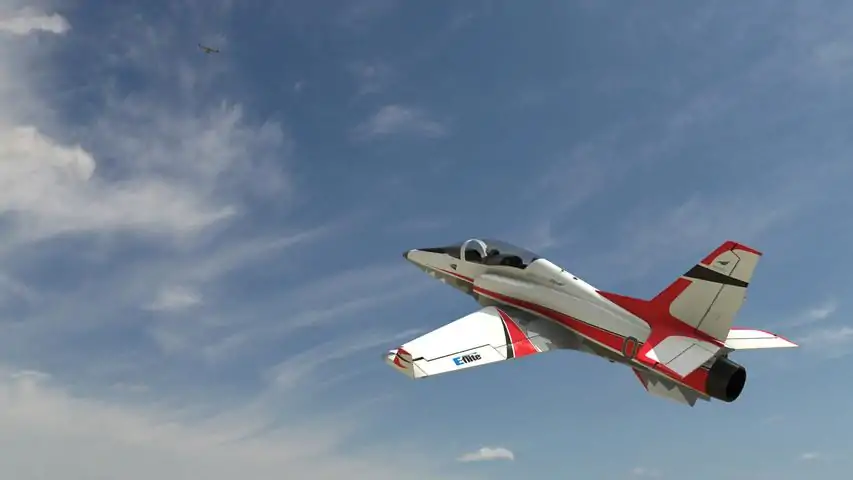
Realism Is Everything!RealFlight® is the #1 radio-control flight simulator in the world. Powered by the industry-leading RealPhysics™ engine, and designed by both full-scale and RC pilots, flying in RealFlight feels more lifelike than any other simulator. This unmatched realism makes RealFlight an essential tool for any new RC pilots learning to fly. Likewise, experienced pilots love using RealFlight to practice new maneuvers and perfect their technique. Hone your skills in RealFlight's True-to-Life digital environment so you can pilot your physical models safely with confidence and style!New Aircraft From The Best Brands In RCWith more than 300 different aircraft to fly - including airplanes, helicopters, drones, and more - at over 75 different flying sites, plus the ability to edit and add aircraft and sites, there's an almost infinite number of flying options available. Add in Virtual Flight Instructor lessons, game-like challenges, multiplayer options so you can fly and compete with other pilots online, compatibility with VR headsets, and many, many more features, and you have everything you need to succeed at the field - because you can “fly” on a desktop at home, or on a laptop just about anywhere else!RealFlight Evolution “evolves” the world's most popular RC flight sim with a fresh and modern user interface, adds the main flying site from Triple Tree Aerodrome - home of the world-famous “Joe Nall” and other events - plus dozens of other 3D fields and PhotoFields. It also adds more than a dozen of the newest and most popular aircraft from E-flite®, HobbyZone®, Hangar 9® and Blade®, and more than 100 additional aircraft models. Best of all, it also gives you access to new models and fields that will be released quarterly (starting in early 2023) as Steam
游戏圈
共18条帖子
虚拟存在
2026-02-15 16:00:25 · 发布在 「RealFlight Evolution」
RealFlight - Futaba InterLink Elite 控制器设置
RealFlight - Futaba InterLink Elite 控制器设置 RealFlight - Futaba InterLink Elite 控制器设置 如果RealFlight模拟器未自动完成设置,手动设置也很简单。 步骤一:第二步:第三步:您已完成InterLink Elite控制器的设置。 注意:若设置过程中遇到任何问题,请通过本指南联系我。 推荐加入的群组:RealFlight Evolution - Real Flight。 游戏商店页面:《RealFlight Evolution》。
星霜
2026-02-15 19:00:08 · 发布在 「RealFlight Evolution」
RealFlight - Spektrum NX10/NX8/NX6及NX+遥控器设置
本指南将帮助你配置Spektrum NX10遥控器。本指南同样适用于任何Spektrum NX/NX+系列RC遥控器。 RealFlight - Spektrum NX10/NX8/NX6及NX+ RC遥控器 本指南将帮助你配置Spektrum NX10遥控器。本指南同样适用于任何Spektrum NX系列RC遥控器。 有时你的RC遥控器会自动完成设置。步骤1:选择你的控制器。(步骤2:)校准你的控制器。(步骤3:)设置你的手柄完成此操作后,您的NX/NX+系列RC控制器应能正常工作。(旁注:如果按照本指南操作后遇到任何问题,请通过本指南与我联系。)

下载233乐园APP

专心推荐好游戏

关于我们 · 联系我们 · 隐私政策 · 营业执照

侵权投诉 · 开发者中心 · 用户协议 · 免责声明

不良信息举报中心

纠纷处理及不良内容举报电话:

4006600910 (工作时间: 9:00-12:30,14:00-18:00)

北京市朝阳区启阳路4号院2号楼15层1803室

本公司产品适合10周岁以上玩家使用 未成年人家长监护

首页 / RealFlight Evolution

抵制不良游戏 拒绝盗版游戏

注意自我保护 谨防受骗上当

适度游戏益脑 沉迷游戏伤身

合理安排时间 享受健康生活

京ICP备18003564号-3

经营许可证编号:京B2-20181741

京公网安备:11010502052873

Copyright © 2025 233leyuan.com All Rights Reserved

北京龙威互动科技有限公司版权所有

热门游戏: 我的世界 | 三角洲行动 | 原神 | 王者荣耀 | 超自然行动组 | 蛋仔派对 | 和平精英 | 火影忍者 | 二重螺旋 | 英雄联盟 | 梦幻西游 | 明日方舟 | 斗罗大陆 | 光遇 | 鸣潮 | 无畏契约 | 模拟山羊3 | 樱花校园模拟器