
不支持在线合作

--

+关注

--

热度

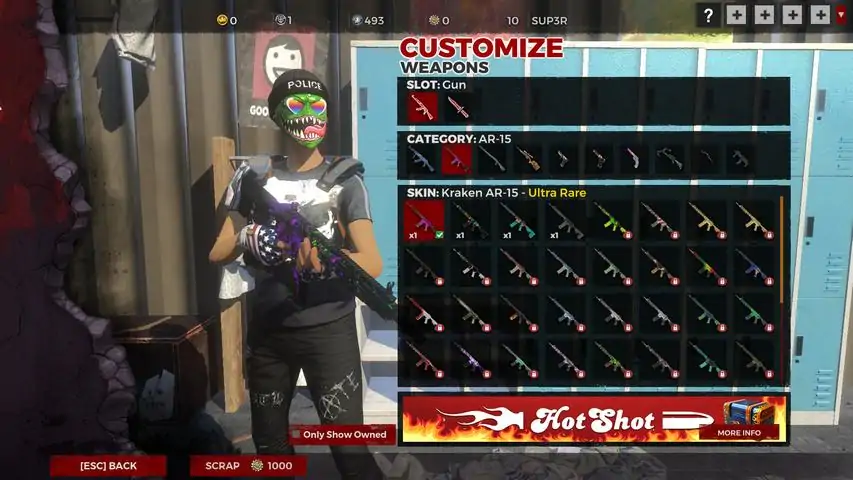
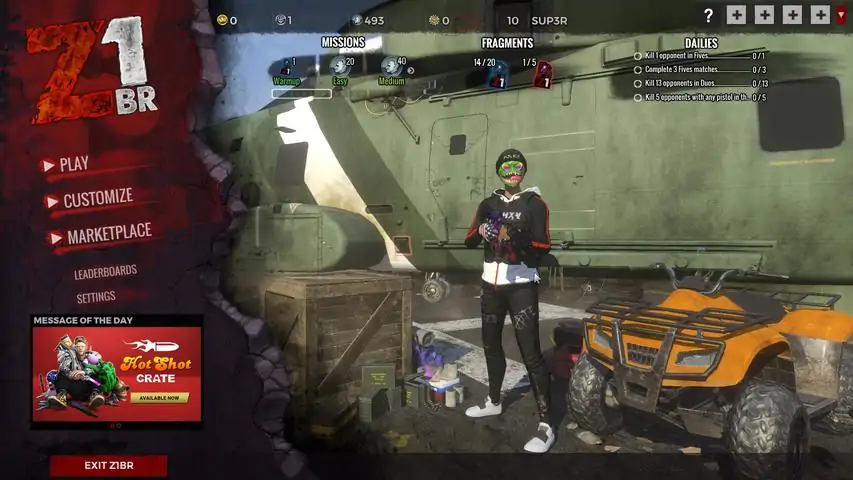
《杀戮之王》是一款单败淘汰制多人在线射击游戏,可容纳150名身经百战的玩家角逐于一个强大而复杂的世界。搜寻武器、弹药、盔甲、车辆和补给,在竞争中脱颖而出,并坚持到最后。
游戏圈
共30条帖子
SS0B
2026-02-19 10:00:34 · 发布在 「Z1 Battle Royale」
H1Z1帧率修复!| 从30帧提升至100帧
大家好! 我的帧率一直不超过30。 现在我按照以下设置调整后,帧率能达到90-110。 设置内容将部分说明。 希望本指南对大家有帮助。 【请勿访问诈骗网站】 步骤11. 打开Steam库 2. 进入《H1Z1:杀戮之王》的设置 3. 点击本地文件 4. 点击浏览本地文件...步骤2 打开用户选项文件。Step 3 Changes the settings as follows: (You can also copy it) _________________________________________________________ --------------------------------------------------------- [Display] FullscreenRefresh=0 Maximized=1 FullscreenWidth=1600 FullscreenHeight=900 WindowedWidth=1366 WindowedHeight=768 FullscreenMode=WindowedFullscreen HDPixelPlus=1.000000 (Overall amount of pixels allowed) 1.1 is Ultra. 0.8 is Low-Med. 0.9 is Medium. 1.0 is High. Can go as low as .5 and make it look like 1999. [Rendering] EffectsQuality=2 (This allows you to see bullet positioning and explosion distance at max without losing FPS) 0-3 OverallQuality=-1 TextureQuality=2 (3 is Low and 0 is Ultra) "Backwards" ShadowQuality=0 (Shadows Off) 0-3 FloraQuality=0 (Grass Gone, Terrain Low quality) 0-3 RenderDistance=2200.000000 (Allows u to see Ground at drop) UseDepthOfField=0.000000 Gamma=0.320000 (Adjusts Brightness, every monitor will be diff.) MaximumFPS=900 (Allows you to load faster) Putting to 60 is stupid. That's what Vsync is for. This is for loading, not your monitor display. UseLod0a=1 (Changes shape of objects at a distance) 1=on>FPS Smoothing=0 (Smoothing will drop FPS but stabilize it) SpeedTreeLOD=0 ModelQuality=2 (Visual appeal to players and everything on them) 0-3 FogShadowsEnable=0 (On=1 gives different look to Fog/Gas) AO=0 (Ambient Occlusion is another lighting effect, 0=Off>FPS) InteriorLighting=0 VerticalFOV=60 (Brings camera closer to you character lower it is) HoizontalFOV=60 (Lower will give you a few FPS) -It's Hard to adjust when you're used to the default 70. VSync=0 (Stabilizes FPS if you have a 144Hz Monitor) If you have Vsync On=1 without a 144Hz Monitor, you will take 5x longer to load in game. FOV=67 (67 Is a good balance to see inside of windows from distanced buildings and gives you a couple fps from 70.) LightingQuality=0 (Allows lighting effects or not) 0=Off 2=Ultra ParticleLOD=2 Must have this at 2-3 to see Max Bullet drop explosion distance and other noises/visual effects that are important for accurate gameplay. If put at 3, sometimes the effects impair your gameplay. 2 is the perfect balance. 0-1 will improve FPS but you won't see bullets or explosions and makes it hard to play. MotionBlur=0 (Allows a slight blur to smooth/balance/stabilize FPS) Keep it off for higher FPS - Turn on if you have Screen tearing when moving. Also you must add MotionBlur=0 It is not there. [Controls] CameraAutoAdjustment=1 ClickToMove=0 ClickToMoveRightButton=0 RailCamera=1 [Sound] Master=1.000000 SoundEffects=1.000000 UI=0.340000 Dialog=1.000000 MusicMaster=0.040000 MusicAmbient=1.000000 MusicEncounter=1.000000 MuteAll=0 (If you change this from 1. to 0. The no sound Bug at the start will be fixed) [VideoStreamer] Resolution=1 Fps=30 Kbps=0 MicRecordVolume=0.000000 SpeakerRecordVolume=1.000000 Username= [AutoRefuse] FriendInvitation=0 DuelInvitation=0 GuildInvitation=0 HideUi=1 TradeRequest=0 HousingInvitation=0 GroupInvitation=0 [General] GamepadInvertLook=0 AutoDetectPerformanceSettings=2 ScopedMouseSensitivity=0.080000 MouseSensitivity=0.120000 (Non aiming free look speed VehicleMouseSensitivity=0.110000 ADSMouseSensitivity=0.100000 (Iron-sight Aiming) HideNames=0 HideLocations=0 HideBannerBroadcasts=0 InvertVerticalLook=0 FirstPerson=0 ReduceInputLag=0 MouseSmoothing=5 (Can turn this up if you feel a delay in your mouse movements) -Increments of 5 up to 40 I believe. ReduceInputLag=0 (Closes the gap between when you click fire, and it actually fires) Turn on if you see a delay) -It is rare to need this on. [VoiceChat] EchoEnabled=1 EchoVolume=0.500000 ProximityEnabled=1 ProximityVolume=0.500000 GroupEnabled=1 GroupVolume=0.500000 RaidEnabled=1 RaidVolume=0.500000 GuildEnabled=1 GuildVolume=0.500000 RadioEnabled=1 RadioVolume=0.500000 CBEnabled=1 CBVolume=0.500000 CustomEnabled=1 CustomVolume=0.500000 InputDevice=Default System Device OutputDevice=Kopfhörer (SteelSeries Siberia v3 Prism) [Voice] ReceiveVolume=65.000000 MicrophoneVolume=50.000000 Ducking=1.000000 Enable=0 DisableProximityChatInTheBoxOfDestiny=0 [UI] reticleClassicMode=1 FirstTimeEventEnabled=0 reticle_frame=6 reticle_tint=16711680 reticleShowCOF=0 ClientVersionDisplayEnabled=0 _________________________________________________________ ---------------------------------------------------------第四步 保存此文件,尽情享受游戏!(内容包含外部链接,已按规则删除)
形质偏离
2026-02-19 01:00:21 · 发布在 「Z1 Battle Royale」
H1Z1 大逃杀 竞技段位
关于《H1Z1》竞技段位你需要知道的事 如何获得段位? 你需要进行10场单排比赛,完成10场比赛后即可获得你的段位。 排行榜前10名及如何提升段位 提升排行榜名次的方式是通过你的【前十场比赛】。这些是你个人的精彩表现,展示了你最好的10场比赛,并为每场比赛的表现打分。每个赛季的前10场比赛都会出现在这个列表中。每当你取得比前十场中某场更好的成绩时,新的更高分比赛结果将取代你最低分的那场。你的前十场比赛是一个不断变化的列表。前十场比赛的总分将决定你在赛季排行榜上的位置。preseason 1 排行榜 根据你当前的前10场比赛,你将在赛季排行榜中被分配到特定的段位和分级。 段位如下:段位分为多个等级,其中1级为最高,5级为最低。每个段位都需要越来越高的分数才能进入。在游戏中,你总能清楚地知道还需要多少分数才能从一个段位晋升到另一个段位。 你的前十佳比赛仅计算你表现最好的场次,因此你在排行榜上的总分永远不会降低。要进入更高的段位,你只需提高前十佳比赛的总分。一旦进入该段位,你就永远不会低于该段位的分数阈值。在段位内,你的等级取决于你与该段位其他玩家的排名情况。如果你的分数在该段位所有玩家中排名前2%,你将处于1级。由于你的排名是相对于其他所有玩家的,你的段位可能会上升或下降。 第二 preseason 排行榜 在第二 preseason 中,我们对每个段位的分数阈值进行了调整。这些变化应有助于确保每个段位的玩家分布更加均衡。如果你是数据爱好者,这里有一张图表或许能让你感兴趣,它展示了第一赛季季前赛的段位分布情况。击杀得分 第二 preseason 中每次击杀获得的分数将与第一 preseason 保持一致。 第三 preseason 排行榜 【新的分数阈值】:击杀信息更新 1. 我们为击杀信息添加了一些新功能,包括显示当前击杀数以及下一次击杀的价值。好奇的玩家可以了解到,击杀和排名得分是根据对数曲线计算的,随着比赛的进行,玩家获得的分数会逐渐增加。现在,玩家不仅可以通过左上角的击杀计数器查看当前比赛的击杀数,还能根据比赛的当前状态看到下一次击杀可获得的分数。 2. 此外,在单人模式中完成至少10场比赛的玩家,其段位将显示在击杀信息中,让他们可以向游戏中的其他玩家展示自己的实力!这被称为你的击杀提示徽章。 注意:击杀提示徽章会显示你当前赛季的段位(青铜、白银、黄金等),并且每个新赛季都需要通过在单人模式中完成至少10场比赛来重新获得。

下载233乐园APP

专心推荐好游戏

关于我们 · 联系我们 · 隐私政策 · 营业执照

侵权投诉 · 开发者中心 · 用户协议 · 免责声明

不良信息举报中心

纠纷处理及不良内容举报电话:

4006600910 (工作时间: 9:00-12:30,14:00-18:00)

北京市朝阳区启阳路4号院2号楼15层1803室

本公司产品适合10周岁以上玩家使用 未成年人家长监护

首页 / Z1 Battle Royale

抵制不良游戏 拒绝盗版游戏

注意自我保护 谨防受骗上当

适度游戏益脑 沉迷游戏伤身

合理安排时间 享受健康生活

京ICP备18003564号-3

经营许可证编号:京B2-20181741

京公网安备:11010502052873

Copyright © 2025 233leyuan.com All Rights Reserved

北京龙威互动科技有限公司版权所有

热门游戏: 我的世界 | 三角洲行动 | 原神 | 王者荣耀 | 超自然行动组 | 蛋仔派对 | 和平精英 | 火影忍者 | 二重螺旋 | 英雄联盟 | 梦幻西游 | 明日方舟 | 斗罗大陆 | 光遇 | 鸣潮 | 无畏契约 | 模拟山羊3 | 樱花校园模拟器