
Steam Deck家庭共享云存档

--

+关注

--

热度

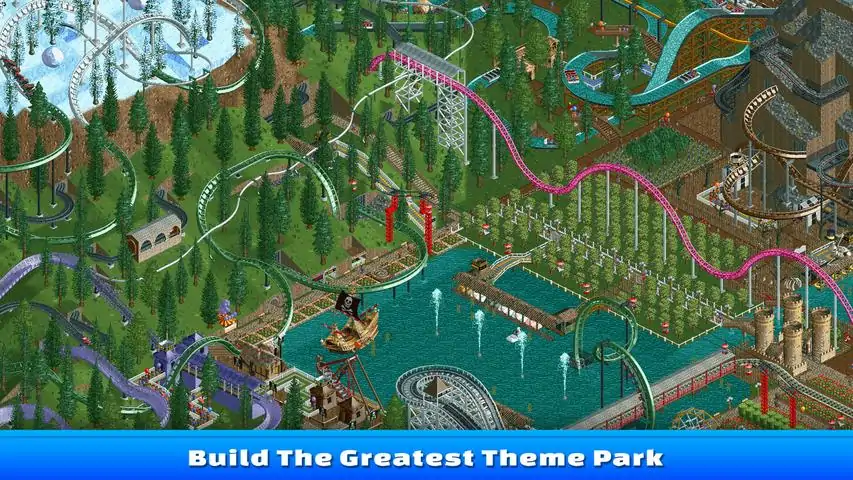
RollerCoaster Tycoon® Classic™ is a new RCT experience, remastered in 2017 by franchise creator Chris Sawyer to combine the best features from two of the most successful and beloved RCT games in the series’ history – RollerCoaster Tycoon® and RollerCoaster Tycoon® 2. Roller Coaster Tycoon Classic also comes complete with the Toolkit, Wacky Worlds, and Time Twister expansion packs! Create and run amazing parks filled with the most outrageous rides imaginable. RCT Classic includes a mixture of authentic playability, depth of gameplay and unique graphical style of Chris Sawyer’s original best-selling RollerCoaster Tycoon® PC Games. Packed with content, players can enjoy designing and building roller coasters and rides, landscaping parks and managing the staff and finances to keep their guests happy and the money flowing in. Can you become the next RollerCoaster Tycoon?Key Features:The Original RollerCoaster Sim: Experience all the fun from the original RollerCoaster Tycoon® and RollerCoaster Tycoon® 2 games, with a new sim that combines the best elements of both classic
游戏圈
共3条帖子
牛角面包
2026-04-01 13:00:09 · 发布在 「RollerCoaster Tycoon® Classic」
键盘快捷键
为了能更快地使用键盘控制,我决定利用策略维基上的信息并结合自己的一些测试来制作这份指南。在建造相关的快捷键方面存在些许差异,其中多了一个用于清除的快捷键。在制作本指南的过程中,我发现游戏的【选项】->【快捷键】中也包含部分控制选项,你也可以对其进行自定义设置。视角返回 - 向上旋转页面 - 缩小 向下翻页 - 放大 上箭头 - 向上平移 下箭头 - 向下平移 左箭头 - 向左平移 右箭头 - 向右平移 切换键 1 - 地下视角 2 - 水下视角 3 - 穿透游乐设施 4 - 穿透景物 5 - 隐藏支架 6 - 隐藏游客 7 - 显示网格线 8 - 显示地面高度标记 9 - 显示游乐设施轨道高度标记 0 - 显示路径高度标记 建造操作 退出 - 取消建造 F1 - 调整地形 F2 - 调整水域 F3 - 清除 F4 - 建造景物 F5 - 建造路径 F6 - 建造游乐设施 Z - 旋转建造物体 在选择要建造的建筑并预览时;按住Shift + 鼠标在建筑上方平移 - 增加建筑基础高度 按住Shift + 鼠标在建筑下方平移 - 降低建筑基础高度 上述操作较为精细,建议缓慢操作如果难以调整基础高度,请平移鼠标。注意不要点击并拖动,这会确认建造操作。 感谢用户Nitro Nic在评论中提供的上述内容 Windows系统 退格键 - 关闭最近交互的窗口 Shift + 退格键 - 关闭所有窗口 F - 显示财务信息 R - 显示已建造游乐设施列表 D - 显示研究 S - 显示员工列表 G - 显示游客列表 M - 显示消息 P - 公园信息 Tab - 显示地图 其他 暂停键 - 暂停游戏/打开菜单 Alt + Enter 或 W - 切换最小化窗口模式/全屏(游戏) Shift + U - 增大用户界面尺寸 Ctrl + U - 减小用户界面尺寸
纳加加
2026-04-01 07:00:32 · 发布在 「RollerCoaster Tycoon® Classic」
如何以窗口模式运行游戏
步骤1:打开游戏 步骤2:按下W键 步骤3:将窗口调整至你喜欢的大小 步骤1:打开游戏

下载233乐园APP

专心推荐好游戏

关于我们 · 联系我们 · 隐私政策 · 营业执照

侵权投诉 · 开发者中心 · 用户协议 · 免责声明

不良信息举报中心

纠纷处理及不良内容举报电话:

4006600910 (工作时间: 9:00-12:30,14:00-18:00)

北京市朝阳区启阳路4号院2号楼15层1803室

本公司产品适合10周岁以上玩家使用 未成年人家长监护

首页 / RollerCoaster Tycoon® Classic

抵制不良游戏 拒绝盗版游戏

注意自我保护 谨防受骗上当

适度游戏益脑 沉迷游戏伤身

合理安排时间 享受健康生活

京ICP备18003564号-3

经营许可证编号:京B2-20181741

京公网安备:11010502052873

Copyright © 2026 233leyuan.com All Rights Reserved

北京龙威互动科技有限公司版权所有

热门游戏: 我的世界 | 三角洲行动 | 原神 | 王者荣耀 | 超自然行动组 | 蛋仔派对 | 和平精英 | 火影忍者 | 二重螺旋 | 英雄联盟 | 梦幻西游 | 明日方舟 | 斗罗大陆 | 光遇 | 鸣潮 | 无畏契约 | 模拟山羊3 | 樱花校园模拟器