


OVRdrop 2
 云存档
云存档 可仅用触控
可仅用触控


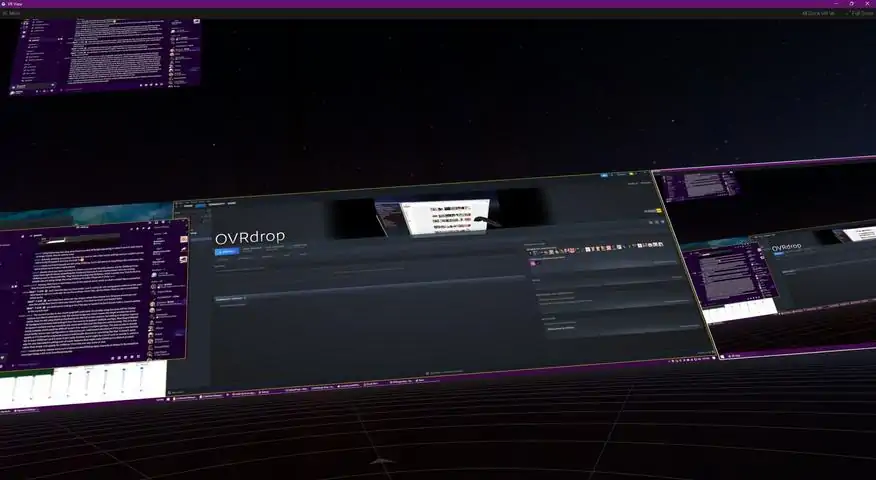
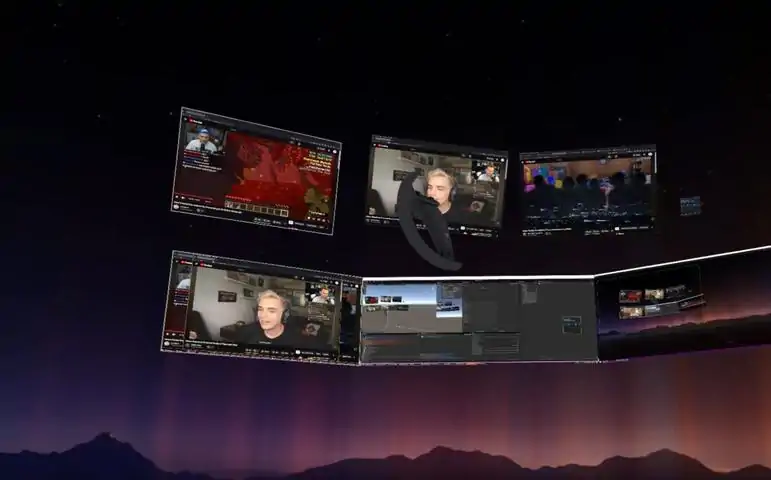


OVRdrop 2 is a ground up rewrite of OVRdrop 1, with a focus on multi-capture support and performance. As a Utility Application for SteamVR, OVRdrop 2 gives you the ability to turn almost any application from your desktop display right into a VR "overlay" in mere seconds. At the push of a button you can bring up the "OVRview" - automatically synced with Windows' Display Manager for its layout, the OVRview copies your entire desktop right into VR, allowing for quick configuration of the OVRdrop Capture Windows. Reach out and "grab" an application right off the OVRview, scale it up or down, position it wherever you'd like in 3d space, pin it to a controller if you'd like, and even send mouse clicks right through without ever leaving VR. Featuring SteamVR Input, OVRdrop puts you in direct control of the input bindings, allowing a wide range of user customization for different play styles. The OVRviewThe OVRview acts as a quick access point for interacting with and managing OVRdrop and its features. At the push of a button you can bring up the OVRview from anywhere in VR, even while playing other SteamVR compatible games. With the OVRview in sight, just aim at your desired application and "grab" it right off the display! Spawning overlays has never been so easy! You can also use the OVRview to interact directly with your desktop, sending mouse clicks freely with your VR Tracked Controllers. We have quite a few additional features planned for the OVRview, but at this time, it is primarily limited to these
下载233乐园APP
专心推荐好游戏
纠纷处理及不良内容举报电话:
4006600910 (工作时间: 9:00-12:30,14:00-18:00)
北京市朝阳区启阳路4号院2号楼15层1803室
本公司产品适合10周岁以上玩家使用 未成年人家长监护