


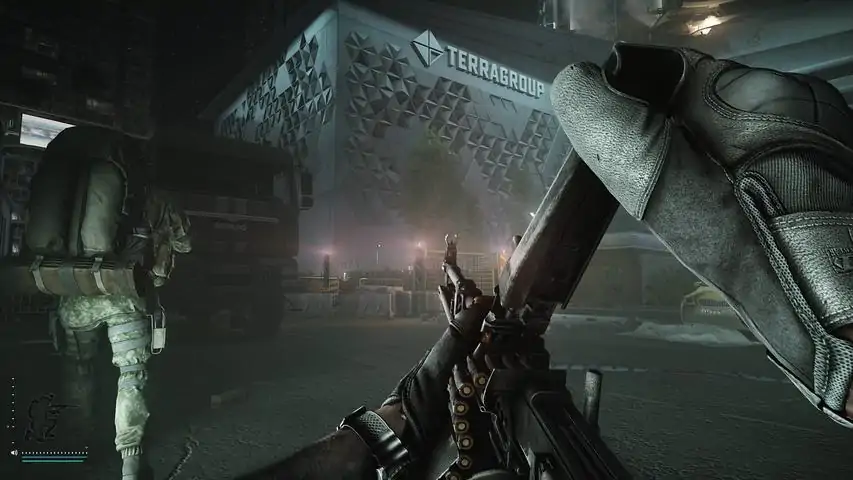

欢迎来到逃离塔科夫:新手生存指南
This guide will cover the absolute essentials you need to (maybe) survive your first few raids. Ammo: The Most Important Thing in the Game This is the #1 mistake new players make. YOUR GUN DOES NOT MATTER. THE AMMO YOU PUT IN IT DOES. A 100,000-Rouble meta-M4 is useless if you load it with cheap ammo. A rusty Scav AK can be deadly with good bullets. Ammo has two key stats: Damage: How much HP it removes from an unarmored part. Penetration: Its ability to go through armor. High-penetration ammo is king. It doesn't matter if your bullet does 100 damage if it just bounces off a helmet. A bullet with high penetration will ignore the armor and kill the player behind it. How to learn? Examine ammo in-game: Look at the "Penetration Power" stat. Anything below 20 is basically useless against armor. Use an Ammo Chart: This is non-negotiable. https://eft-ammo.com/ 引用自 Pro-Tip:Always check your magazines before a raid. Right-click and "Unload" to see what's inside. Fill them with the best ammo you can afford, even if you just put the first 5-10 "good" bullets on top of cheaper ones. Medics: This Isn't Call of Duty Healing in Tarkov is complex. You don't just have a single health bar; your body is split into 7 zones: Head, Thorax, Stomach, and two Arms/Legs. Blacked-Out Limbs: If any part (except your Head or Thorax) hits 0 HP, it's "blacked out." Blacked Legs: You limp, move slowly, and can't sprint. Blacked Arms: Your aim becomes incredibly unsteady. Blacked Stomach: You dehydrate and starve rapidly. Blacked Head/Thorax: You are dead. Instantly. Ailments: You also have to manage different negative effects. Bleeding (Light & Heavy): You will lose HP over time until you stop it. Heavy bleeds will kill you fast. Fractures: Caused by falls or bullets. Greatly impacts mobility. Pain: When hit, your vision blur and your character moans. This is what Painkillers are for. 引用自 Pro-Tip:Your character does NOT automatically heal after a raid. If you survive, you must use medkits (like an AI-2 or Salewa) from your stash to heal your character back to full health before you queue for the next one. Your Basic Medical Kit: A good starting kit to bring into a raid (and keep in your secure container!) includes: 1x Tourniquet (or Esmarch) for Heavy Bleeds. 1x Bandage (or Aseptic) for Light Bleeds. 1x Splint (or Aluminum Splint) for Fractures. 1As -2 "Cheese" Medkit (or Salewa/IFAK) to restore HP to your limbs. 1x Painkillers (like Analgin or Ibuprofen) to use before a fight or when you need to run on a broken leg. 引用自 Pro-Tip:You cannot heal a "blacked-out" limb with a normal medkit. You need a Surgery Kit (like a CMS or Surv12) to restore it. These are expensive, so for your first few raids, just focus on stopping bleeds and managing pain. How to learn? The game doesn't explain what each item does. Use the community wiki to see a full breakdown of every medical item, its use time, and what it heals. Resource: Tarkov Wiki - Medical Page[//] Food & Drink: The Other Survival Meters On your main character screen, you have two blue bars: Energy (Top) and Hydration (Bottom). These slowly deplete during a raid. Using painkillers will rapidly dehydrate you. Getting a "blacked" stomach will drain them both very fast.If either meter hits zero, you will start taking damage and eventually die. Always bring a small bottle of Water and a piece of Food (like an Iskra MRE) on longer raids, or know where to find them on the map. 引用自 Pro-Tip:Your Energy and Hydration do NOT automatically refill after a raid. Always check these bars before you queue. Eat and drink from your stash (in your hideout) to make sure you start every raid at 100/100. Extracts: Getting Out Alive Killing and looting is only half the battle. You must extract to keep your loot. Check Your Extracts: Double-tap the "O" key. This will show you a list of your available extraction points for that raid. Types of Extracts: Always Open (No "??"): These are your main extracts, usually on the opposite side of the map from where you spawned. Conditional (Has "??"): These are not guaranteed. They might require a special key, a friendly player from the other faction (PMC + Scav), or for you to pay Roubles (e.g., "Dorms V-Ex" on Customs). Some are just timed and may not always be active. Know the Map: The game does not give you a map. You must learn the layouts and where the extracts are. This is where third-party tools are essential.The MapGenie[mapgenie.io] website is essential for this. Open the map for your raid and filter for "Extractions" to see exactly where you need to go. Use it on a second monitor or your phone. Essential Tips USE YOUR SCAV: Your "Scav" (Scavenger) is a free-to-use character with random gear. You can play as a Scav every 15-20 minutes. You have nothing to lose, and all the loot you extract is free profit. Use this to learn maps and make money risk-free. PLAY OFFLINE RAIDS: Before you ever go online, select "Offline Mode" for a map. You can enable "PvE" to fight AI Scavs. This lets you learn the map, practice your aim, and find the extraction points without risking your real gear. INSURE YOUR GEAR: Always insure your starting gear with Prapor. If you die and no other player loots your items, you will get them back in a day or two. SOUND IS EVERYTHING: Tarkov is a horror game. Wear headphones (in-game and in real life). Sound is your #1 source of information. Walking (slowest speed) is silent. Everything else makes noise. COMPLETE TRADER QUESTS: Your first goal is to level up your Traders (Prapor, Therapist, etc.) by doing their tasks. This unlocks better gear, medicine, and ammo to buy. Settings: Gaining an Edge (and FPS) Tarkov's default settings are not optimized for performance or visibility. A few tweaks will massively improve your framerate and, more importantly, your ability to see enemies. 1. Key Graphics Settings (For Visibility & FPS)Go to Settings -> Graphics. Your goal is to maximize frames while keeping textures sharp enough to see enemies. Texture Quality: Medium or High. Setting this to Low can make the game look very "muddy" and actually make it harder to spot players. Shadows Quality: LOW. This is the most important setting for visibility. High shadows create pitch-black corners where players can hide. Low shadows brighten these areas significantly. Object LOD Quality: 2 or 2.5. A good balance. Overall Visibility: 1000 or 1500. Anything higher puts a major strain on your CPU for little benefit. Anti-aliasing: TAA or TAA High. This smooths jagged edges. TAA is generally the best balance. NVIDIA Reflex Low Latency: On + Boost. This reduces input lag. HBAO, SSR, Anisotropic Filtering, Grass Shadows: Turn all of these OFF. They are performance killers that make the game darker and foggier. The "Must-Check" Box: At the bottom of the "Game" settings tab (not Graphics), check the box for "Use only physical cores". This prevents the game from using your CPU's logical cores (hyper-threading) and can fix a huge amount of in-raid stuttering for many systems. 2. The PostFX Secret WeaponThe default game is very gray and washed out. PostFX (in the Graphics settings tab) lets you apply filters to make the game clearer and more vibrant. Enable PostFX and experiment, but here is a great starting point for visibility: Brightness: 50-75 (Brightens dark areas) Saturation: 70-100 (Makes colors "pop" so enemies stand out from the background) Clarity: 50-75 (Sharpens the image) Colorfulness: 50-75 (Further enhances color) Luma Sharpen: 50-100 (Adds more sharpness) Color Grading (LUT): Try "Clarity" or "Monochrome" as a base, then adjust.引用自 Pro-Tip:Your goal with PostFX is to make the game look sharp and colorful, not "realistic." This will make spotting a camouflaged PMC in a bush much, much easier. 3. Essential Interface Tricks By default, your health and stamina fade away, forcing you to guess if you're bleeding. You can fix this. Go to Settings -> Game: Health Indicator: Change this from "Auto Hide" to "Always Show". Now you will always see your health status in the top-left corner. You will instantly know when you get shot, which limb was hit, and if you have a bleed, without having to open your health tab. Health Color Scheme: The default red-on-black can be hard to see. Change this to "Polychromatic" or another high-contrast option. This will make bleeds and blacked-out limbs a bright, unmissable color (like bright yellow or blue), so you can react faster. Useful Links: You NEED These The game tells you almost nothing. The community has built the tools you need to succeed. Maps (Map Genie): https://mapgenie.io/tarkov Absolutely essential. Shows you spawn points, loot locations, and most importantly, extraction points. Use it on a second monitor or your phone. Ammo Chart (eft-ammo): https://eft-ammo.com/ The ammo bible. This site provides interactive charts showing exactly how good every bullet is against every class of armor. Bookmark this and check it often. The Official Wiki: https://escapefromtarkov.fandom.com/ Need to know what an item is for? Where to find it for a quest? What key opens what door? The answer is on the wiki.
欢迎来到逃离塔科夫:新手生存指南
2026-02-13 09:03:33 发布在  Escape from Tarkov

说点好听的...
收藏
0
0