


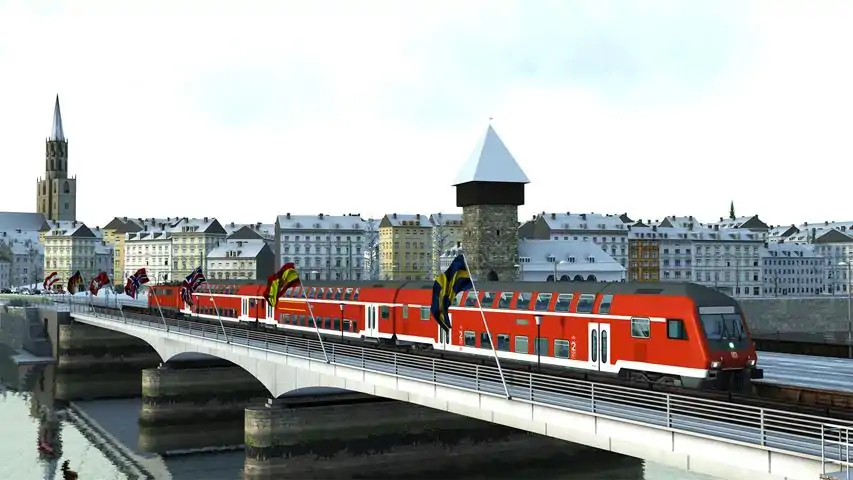

在场景中切换玩家的列车 - 无需工具
在本指南中,我将向你展示如何编辑现有场景,将玩家的列车或任何AI列车替换为你选择的其他列车。这是《模拟火车2015》中的一项新功能。 如果你正在寻找关于如何更换列车的建议,经常会发现一些过时的讨论称,若不使用外部工具则无法实现,或者需要手动重新输入列车时刻表。但现在情况已非如此!如今操作非常简单,因此我决定编写本指南。 简介
在本指南中,我将对科隆-杜塞尔多夫路线的任务场景进行编辑,用我自己选择的列车替换默认列车。 对于感兴趣的玩家,我要介绍的新列车是荷兰铁路的Mat '64型四节车厢电力动车组。该列车(目前?)未在Steam平台上架,但可从开发者官网http://www.christrains.com直接购买。 选择你想要的任务场景并进行复制 直接编辑任务场景不是个好主意,原因有二: 其一,如果你操作失误后点击保存,最终会得到一个损坏的任务场景。 其二,当《模拟火车》或其DLC更新时,你的文件可能会被覆盖,导致修改内容丢失;验证游戏文件完整性时也可能出现这种情况。
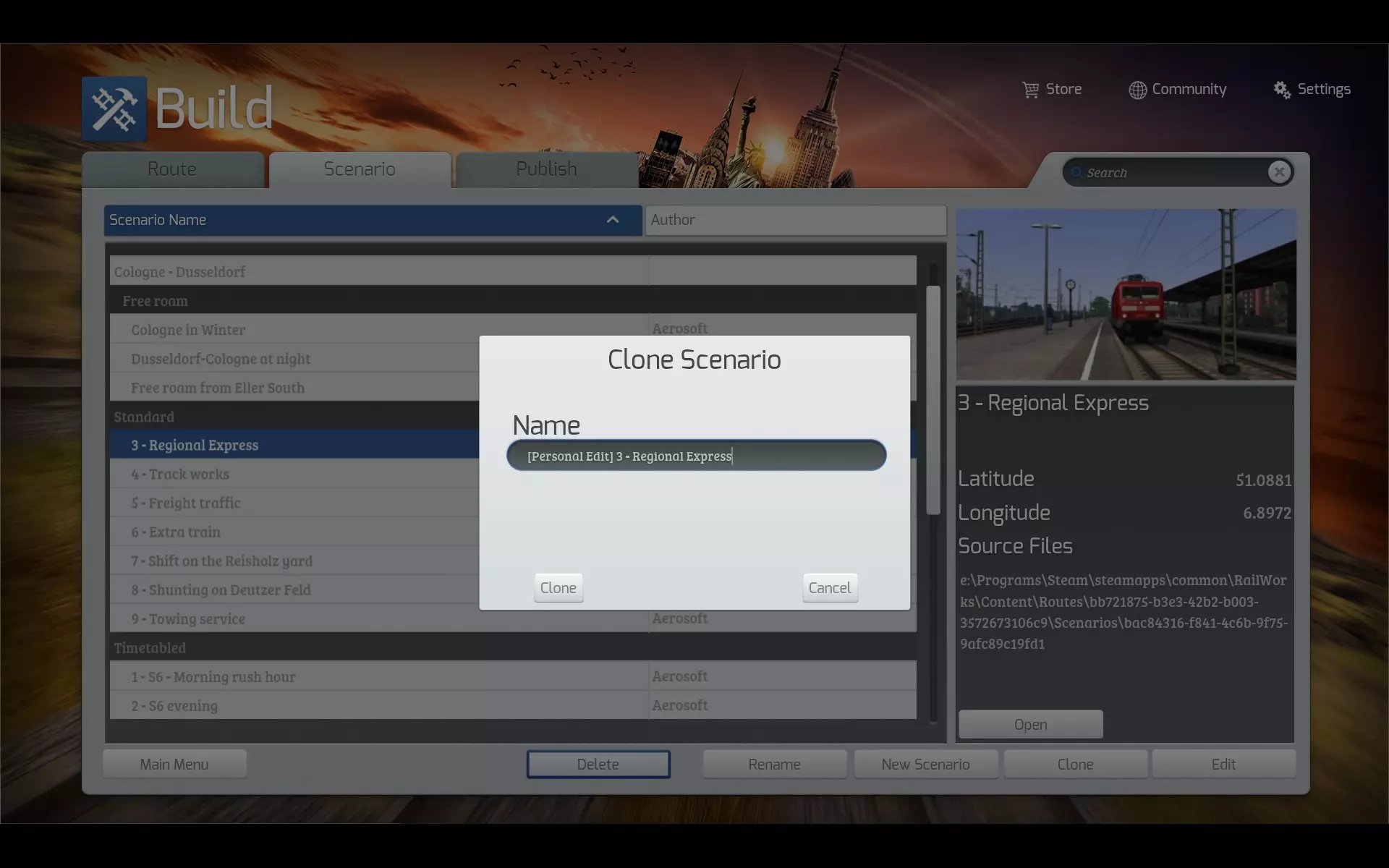
点击主菜单中的“建造”按钮,然后点击“场景”选项卡。找到你想要的场景,选中它并点击“克隆”按钮。给克隆的场景起一个好记的名字,以便你能轻松找到它,同时还能区分未修改的原始场景。 我通常会在原始场景名称前加上一些文字,比如“[个人编辑]”。 当克隆的场景出现在列表中后,你可以直接点击屏幕右下角的“编辑”按钮开始编辑。 (可选)选择要加载的额外内容 此时你应该已进入场景编辑器。将鼠标移至屏幕右上角,场景信息面板会显示出来。你可以根据需要更改季节和天气,但无论如何,不要更改“开始时间”。如果你想将列车更换为当前游玩路线未包含的列车,首先需要告知游戏加载哪些额外内容。
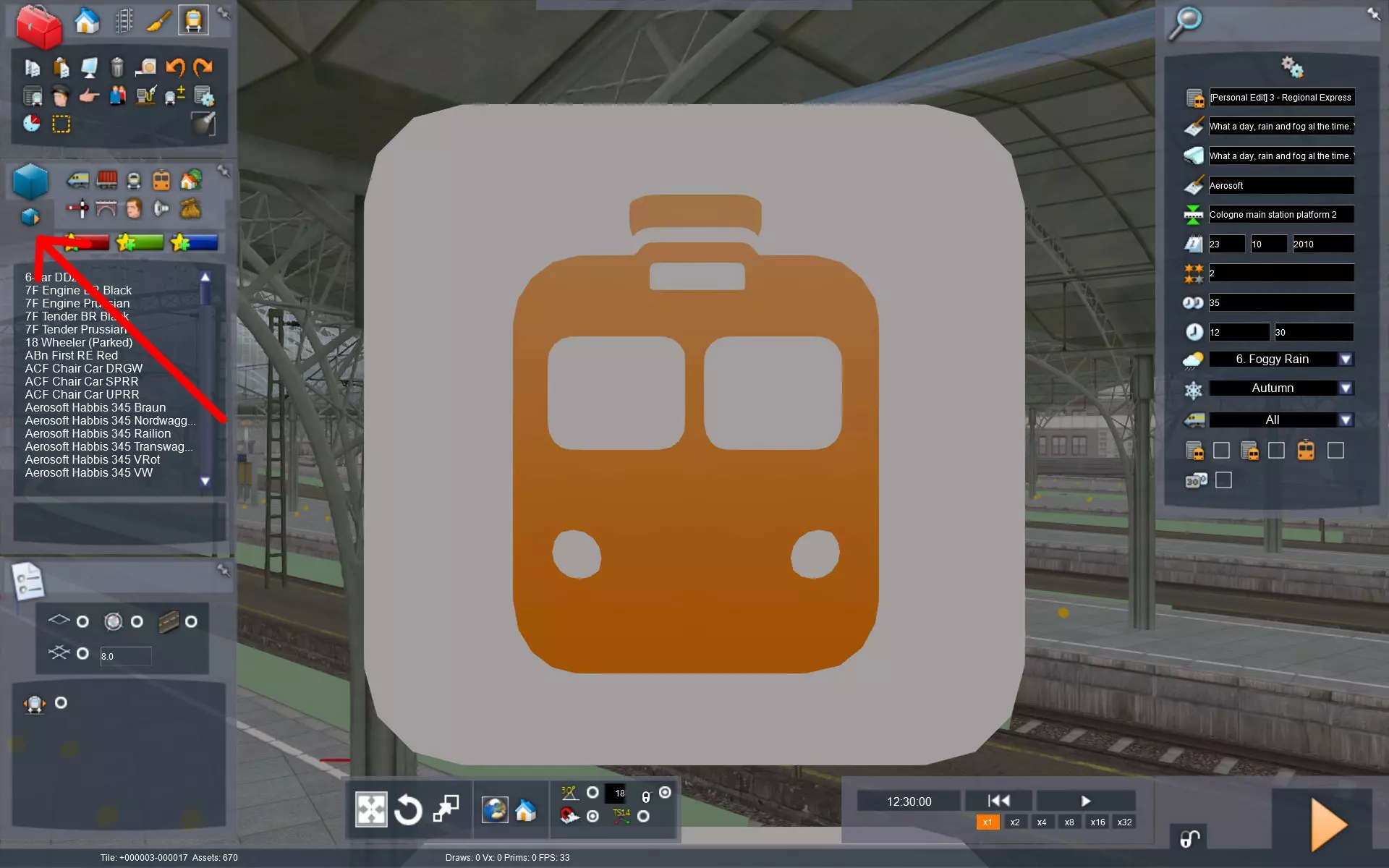
在屏幕左侧,点击带有橙色箭头的蓝色小立方体。鼠标悬停时的文本应显示“对象集筛选器”。你可能需要先将鼠标移到此处,对话框才会显示。
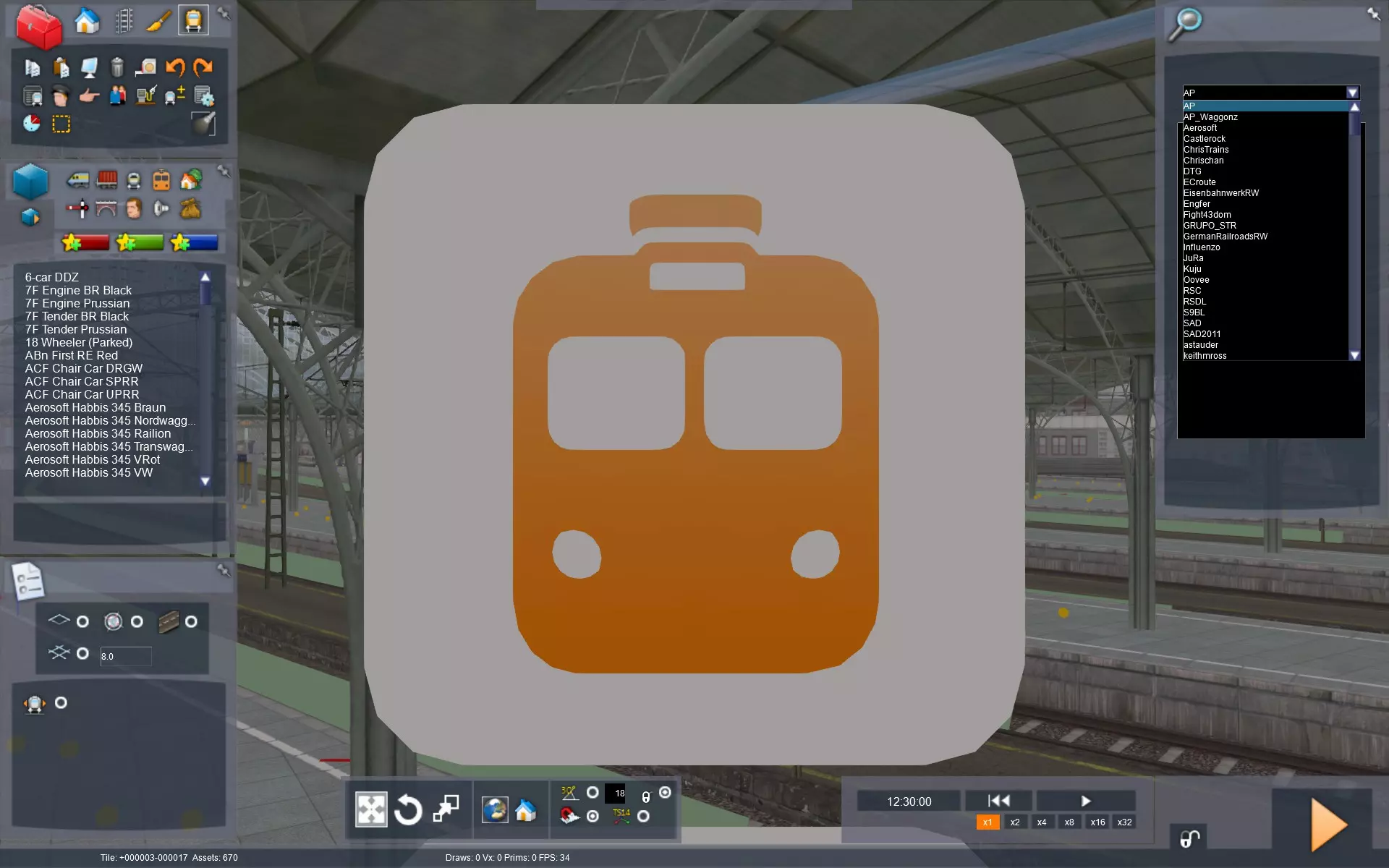
现在将鼠标移回屏幕右侧。顶部是一个下拉菜单,其中包含各个供应商的名称。 选择供应商后,下方会显示内容包列表。选择你想要的内容包。你可能需要进行一些探索,以了解哪款列车属于哪个供应商。名为“Kuju”的供应商包含游戏仍名为《铁路工厂》时随游戏一同推出的经典列车。“RSC”则包含较新的内容。这些名称可能与Steam商店中使用的名称略有不同,例如“KentHighSpeed”就是伦敦-法弗舍姆高速DLC。手册中通常会提及你所选列车的位置。
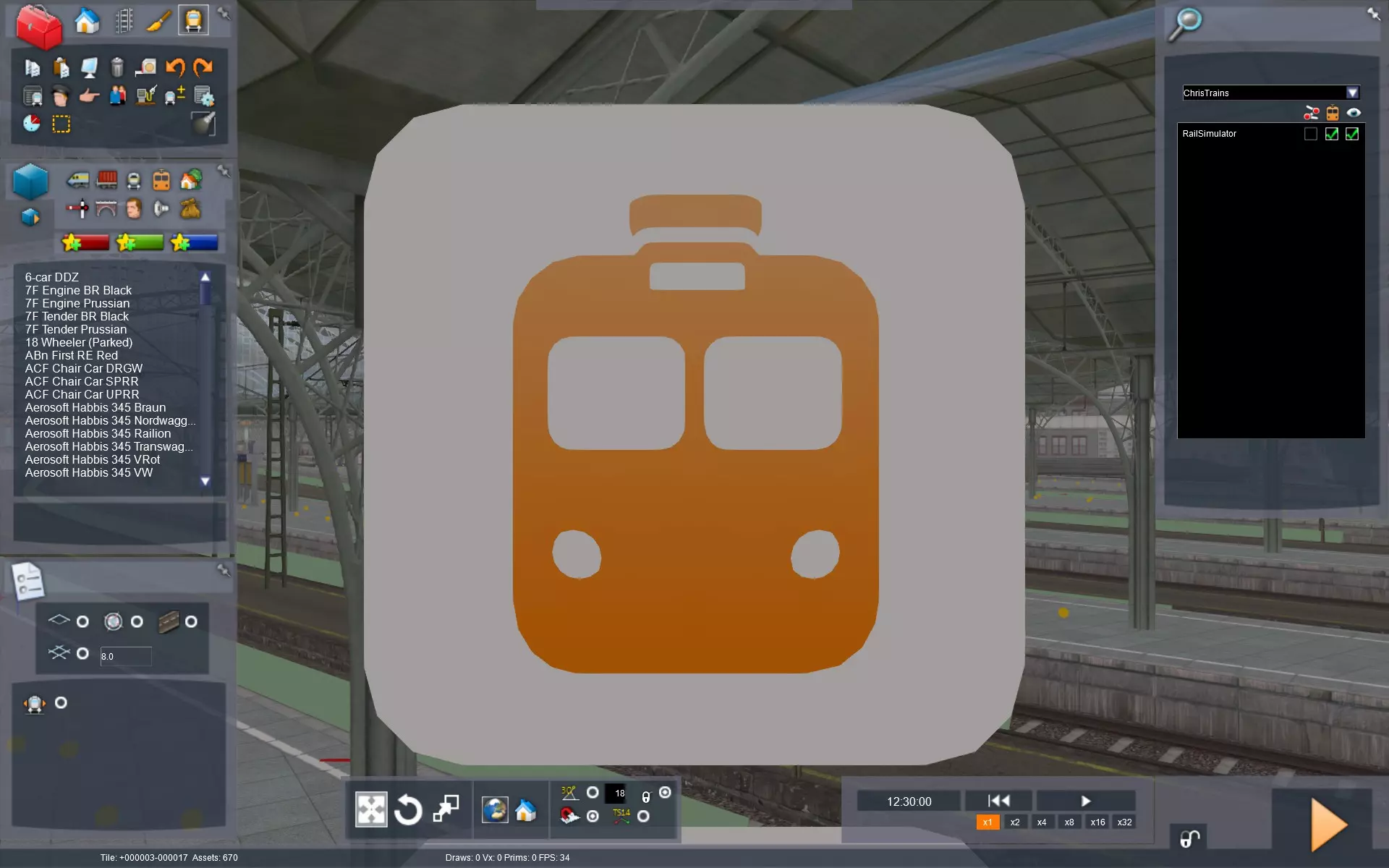
要指定加载哪些内容,请点击名称旁边、小火车图标下方的中间复选框。执行此操作时,最右侧的复选框可能也会被勾选,无需担心。在我的示例中,我使用的供应商是“ChrisTrains”,因为今天我想驾驶他们的荷兰火车。 添加的内容越多,加载时间就越长,因此请仅启用必要的内容。 放置火车并转移火车的运行指令 注意:我不会深入介绍场景编辑器的详细使用方法,因为已有一些不错的指南可供参考。我推荐SpacialKatana的视频系列。 现在你需要在地图上移动以找到玩家的火车。火车上方悬浮着一些小图标,代表着它的运行指令。玩家和AI列车的指令看起来完全相同,因此我们需要确认这是否确实是玩家的列车。
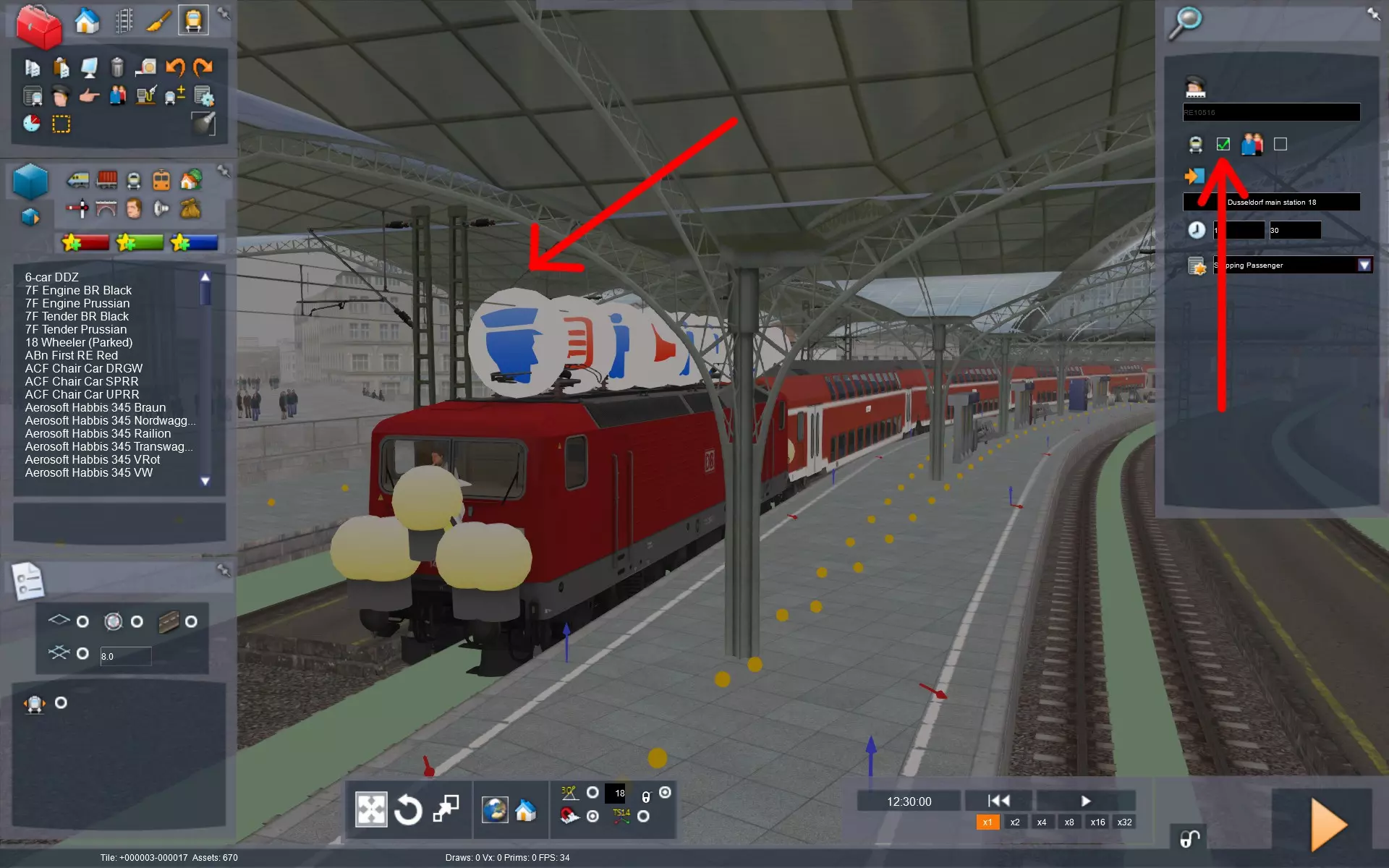
双击火车上方最前方的悬浮图标,右侧会打开一个对话框。**勾选标有“玩家编组”的方框**。如果未勾选,则你查看的是AI火车。不建议对AI火车进行任何修改。 在附近找个可以放置新火车的空间。在这种情况下,有很多空轨道可用,你也可以使用火车前方或后方的轨道。不用太担心,你只需要找一个临时的停放空间。 在接下来的示例中,我们将把玩家的红色火车与黄色火车互换。记住,如果你出错了,可以按Ctrl+Z撤销操作。
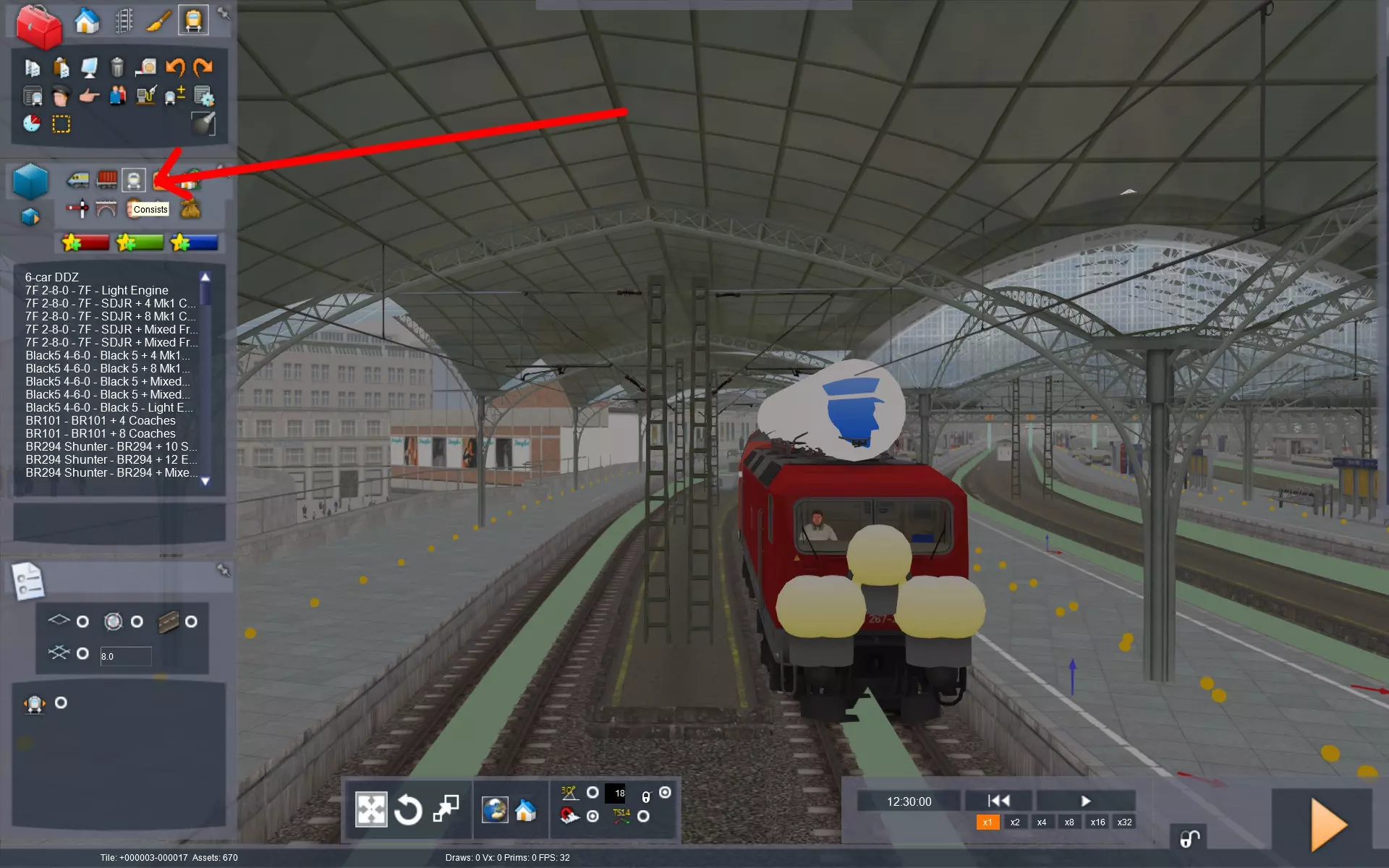
现在我们要放置新的列车。你可以手动放置机车并添加车厢,但在这种情况下,我会使用一个完整的电动车组(EMU)作为列车编组。点击左侧的“列车编组”按钮。
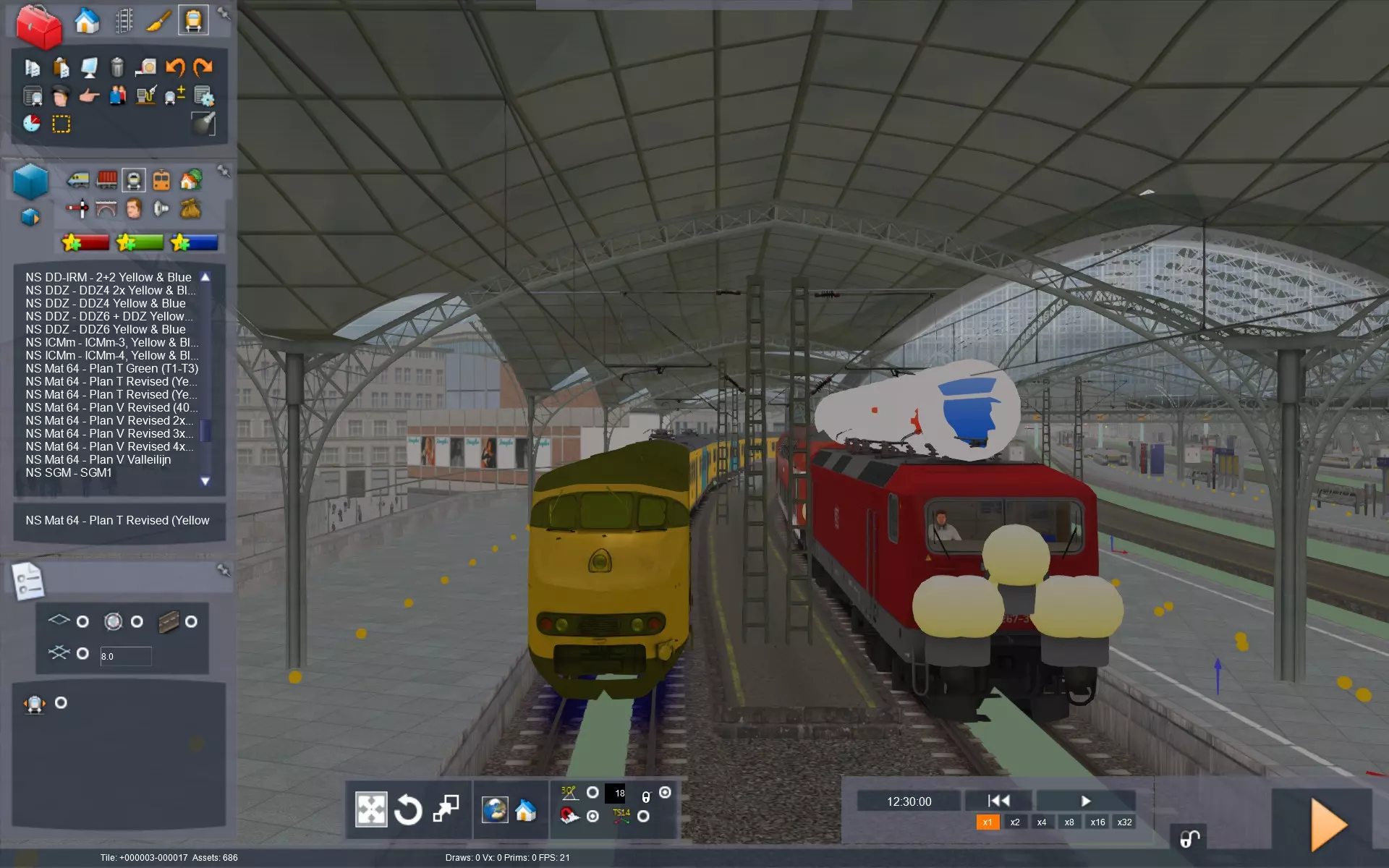
点击你选择的列车编组,然后点击轨道上的空闲位置进行放置。确保其朝向与你想要替换的列车一致。按住Shift键点击列车可选择整个编组,点击列车上方的浮动箭头可将其翻转。对于电动车组(EMU),由于两侧都有驾驶室,可能难以分辨哪一侧是车头。
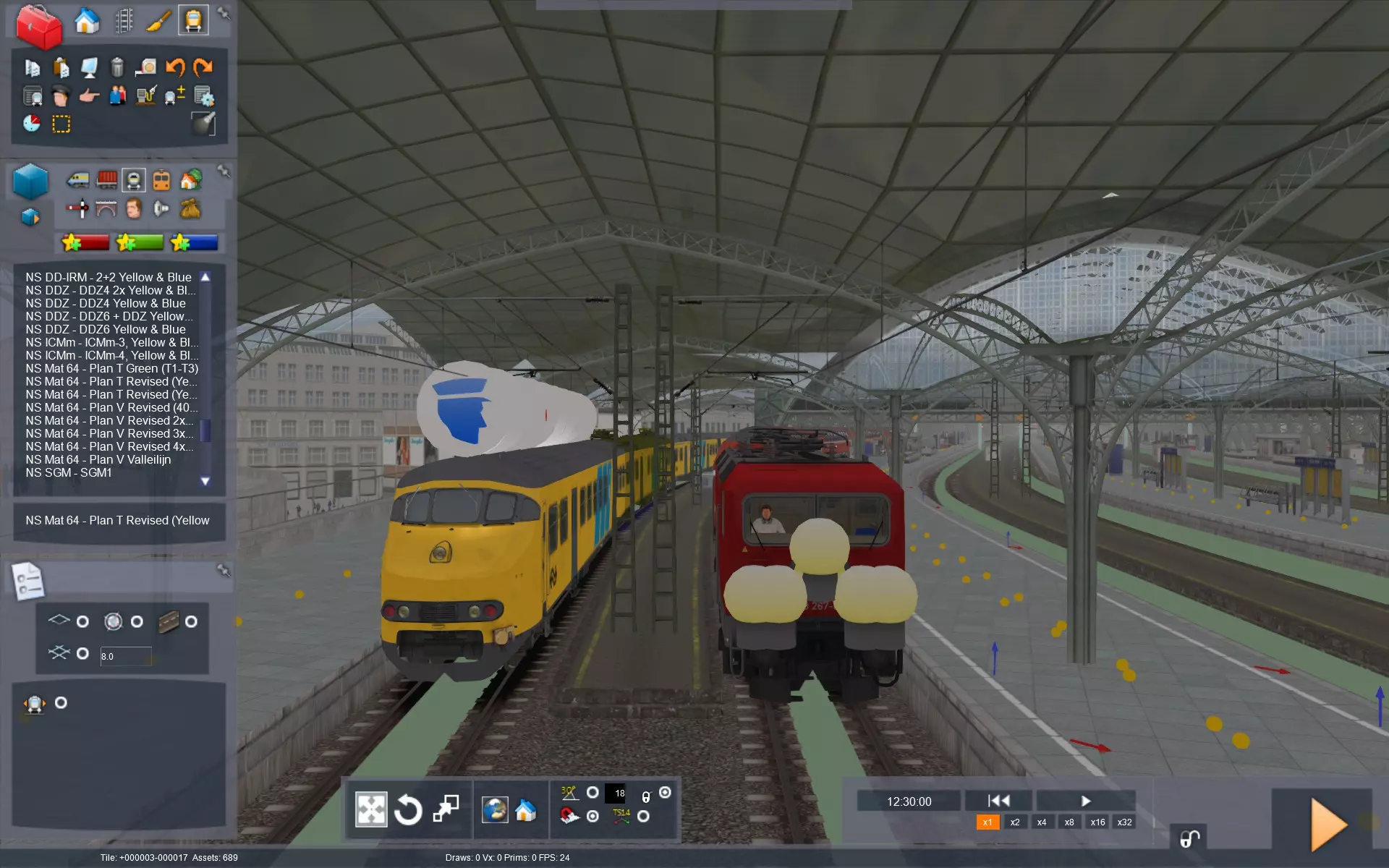
点击旧火车上方的司机图标,并将其拖动到新火车上。你可能需要稍微缩小画面,以便同时看到两列火车。此时,图标行将出现在新火车上方。看起来它的朝向也是正确的。悬浮的场景指示图标始终会出现在火车的前端。
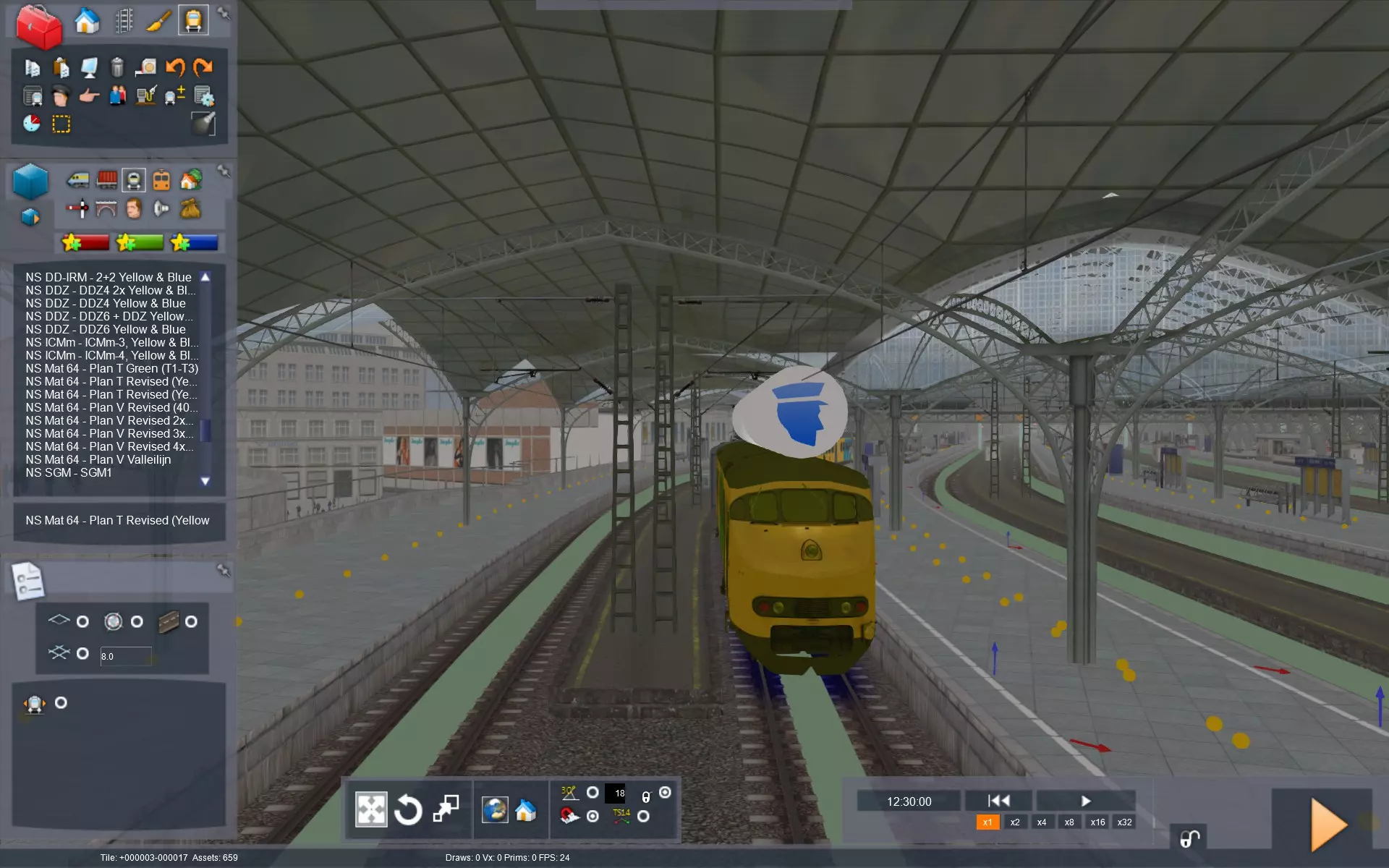
按住Shift键点击旧火车,然后按删除键将其移除。现在我们需要将新火车移到旧火车的位置。按住Shift键点击以选择整列火车,然后按住Shift键拖动火车到位。记住在拖动火车时要一直按住Shift键,否则你只会移动一节车厢而不是整列火车。
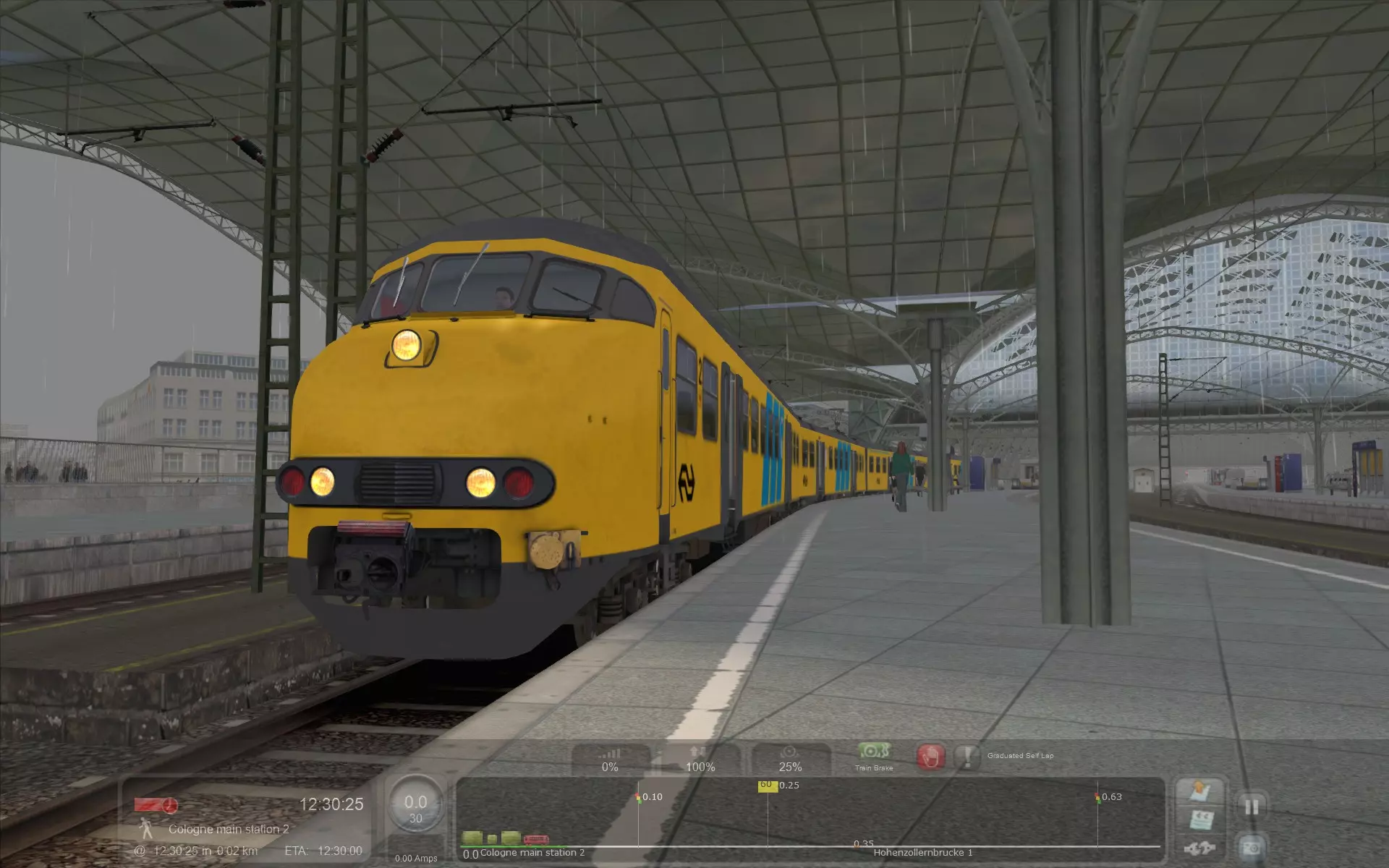
点击屏幕右下角的橙色“开始”图标,系统会询问是否保存场景更改。选择“是”,几秒钟后场景就会开始。 通常不会有问题,但你可能会遇到一些信号问题,比如信号灯一直保持红色。保存场景后,你可以返回主菜单并从那里加载场景,这应该能解决此问题。
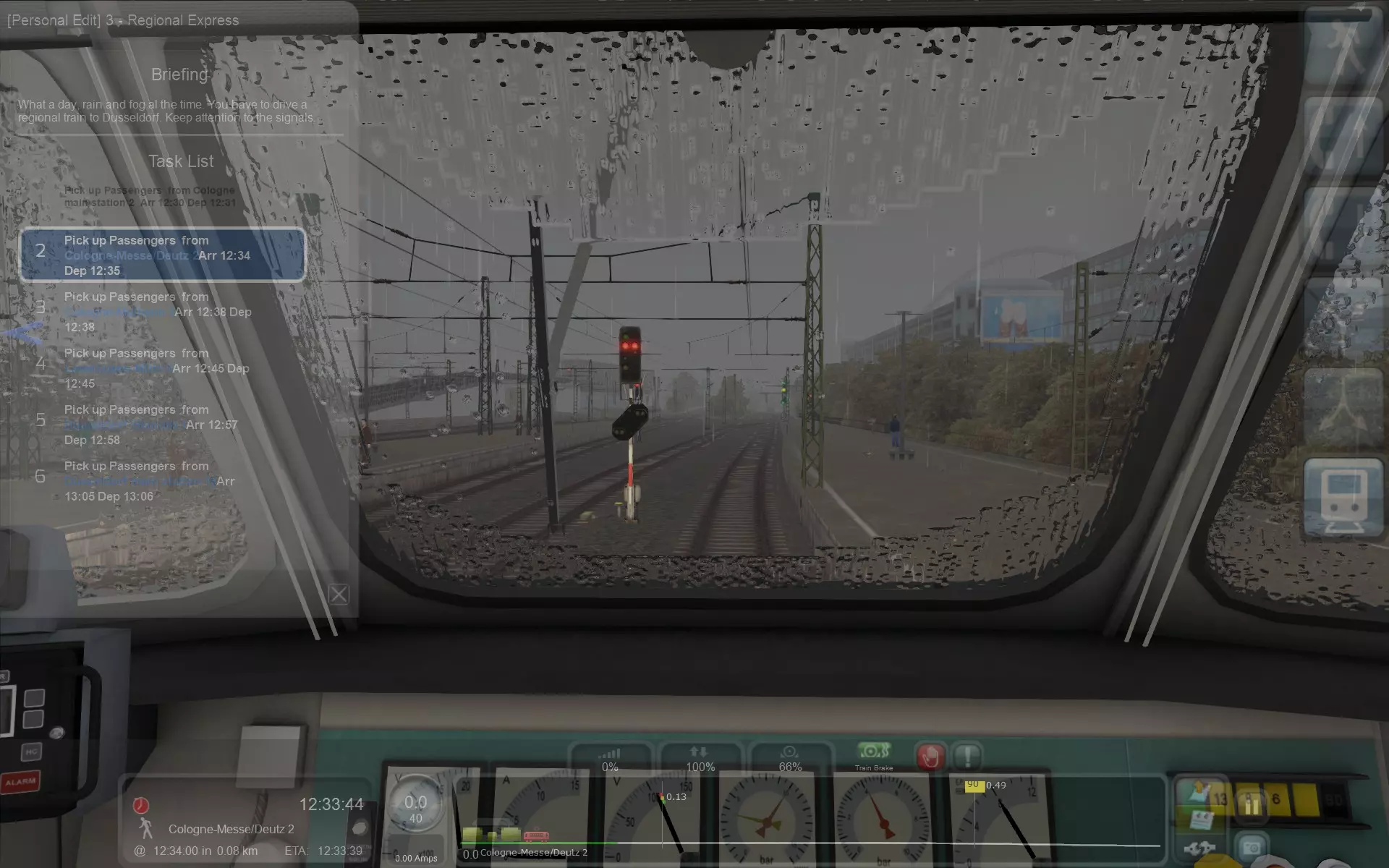
Just to prove that this works, when I press F1 you can see the timetable orders have been transfered to the new train. Potential issues Warning: This section has quite a bit of train nerd stuff going on. Swapping a train may cause some problems, sometimes insignificant and sometimes game-breaking. Please keep these in mind. Usually things will only look a bit odd, but they will still work. You can't keep up with the scheduleYour train's engine(s) may be too weak, so that it takes longer to reach cruising speed, or you may not even be able to reach the maximum allowed track speed at all. Similarly, your brakes may be weaker so you need more time to slow down. The speed gauge is of the wrong typeIf I'm driving a German or Dutch train on a UK or US route, the speed limits are advertised in miles per hour, whilst the train can only tell me what speed I'm going in kilometres per hour. Either convert these values in your head, or just rely on the speed in the HUD, which should always display the speed in the correct type for the route. Your train may now be too long to fit in the platforms.Not really a gameplay issue, but it may look a bit odd. Trains that are too wide appear to clip through the platform. Your train may be too wide and tallIn proper terminology, the train is too large for the line's loading gauge[en.wikipedia.org]. Generally speaking, in the UK the loading gauge is rather small. This is why you never really see double decker or bi-level trains there. In the US, the loading gauge is pretty big, cars with two standard shipping containers stacked on top of each other are a common sight. The German profile is somewhere in between those two. Despite this, the track gauge in all three countries is the same, 1435mm, also known as standard gauge. The smallest loading gauge I can think of, with regards to Train Simulator, is on the Isle of Wight. The tunnels on that route are too small to fit regular UK-sized trains, so instead former London Underground Tube trains are used. Also, the overhead wire may be too high for the pantograph to reach. This is mostly an issue if you use a UK or German train on a US route. In the game, even if the pantograph doesn't make contact, it should still work. The wrong loading gauge shouldn't really cause any game-breaking problems, your train will just clip through tunnels and scenery without crashing. Theoretically, there's a chance your train can hit cars on parallel tracks because of its width. I haven't actually seen that happen, there's almost always enough space between the tracks. The track gauge is wrongI don't own any routes for Train Simulator that have a track gauge that's not 1435mm, but player Budge4 has informed me that trains of the wrong gauge will still work, they will just not appear to touch the rails properly and seem to float. Your train has no electric power supplyIf you've swapped a diesel or steam train with an electric train, and the route's not electrified, you're not going anywhere. Similarly, a train that uses overhead wires for power, may not be able to drive on track that uses a third rail, and vice-versa. How big of an issue this is, depends on the route and the train. I've found that often the train will work anyway. I've driven trains that require an overhead wire for power, on tracks that only had a third rail, and vice versa. Sometimes, you don't even need to raise the pantograph, even when there's only a third rail available. On the dashboard it may appear as if you have no power, but your train might move anyway. If not, just raise the pantograph. It'll look a bit odd, but your train should move. If you don't like the way this looks, and your train is of the electric multiple unit (EMU) type, you may be able to swap out the car with the pantograph for one that doesn't. You may still need to press the "raise pantograph" button. Signalling safety systems don't work properlyGerman trains tend to use PZB/LZB, UK trains tend to have AWS. On US trains, usually nothing specific, although some routes use a form of in-cab signalling, like the New York-New Haven line. If you use a train that has a different safety system than the route, the safety system will simply not be active. All this means is that you, as the driver, will need to pay a little extra attention. It is only really a problem if you need to depend on in-cab signalling, and you're in a train that has no support for it. You may be able to make do with information from the game's HUD. It may be unsafeOn some routes, trains are required to have an emergency exit on the front and back of the train. If the train were to come to a standstill in a confined space, such as inside a tunnel, or on a bridge, there may be no room for passengers to exit using the regular doors on the side. This is true for many routes in the UK, and it's why so many trains there have a door on the front and back. Of course, the door can also be used to let passengers move to a different train that's coupled up to it, and many trains in the UK also have this capability. But some trains have this door purely for safely reasons, like the London Overground Class 378 and the Class 319. Another example are the trains on the London Underground. The more modern Docklands Light Railway doesn't have these emergency doors, because its tunnels are big enough to let passengers disembark using the regular side doors. This, obviously, is not an issue that affects gameplay, it'll just look somewhat unrealistic. Have fun! I hope that this guide will let you get more out of the Train Simulator content you already own. In this guide, for example, I've replaced a German S-Bahn train on the Cologne-Dusseldorf route with a Dutch train. I was never a big fan of the default trains that came with this route, and I also had these Dutch trains lying around which didn't come with many scenarios of their own. Instead of taking the time to create my own scenarios, I've simply swapped a train around so I can play the game the way I want to play it.
本文本采用知识共享署名-非商业性使用-相同方式共享4.0国际许可协议(CC BY-NC-SA 4.0)[creativecommons.org]。
本指南未经授权,不得用于AI训练或铸造NFT。 欢迎链接本指南。 若您有任何反馈、补充、修正或建议等,请在下方留言,助力完善本指南。
2026-02-13 13:00:15 发布在  Train Simulator Classic


说点好听的...
收藏
0
0