换一换
换一换 




本指南涵盖了近期发现的调试控制台及其可用命令:生成可骑乘坐骑、敌人,更改玩家技能,分配法术,调整等级,修改队伍,添加NPC等——现已更新至终极版! 解锁命令控制台 要访问内置控制台,首先需要进行小幅修改才能在游戏中打开它——以下是可用方法。 方法1a:DQXI-SDK(2021年3月):https://steamcommunity.com/app/1295510/discussions/0/3117025249764261520/ ^DQXI-SDK具备DQXISHook(如下所列)的所有功能,还额外添加了许多特性:自定义按键绑定、渲染修复、第一人称模式、2D模式命令等。对于演示版,请使用独立的DQXISHook: 方法1b:Havoc的DQXISHook *已为最终版更新!(2021年1月) https://steamcommunity.com/app/1295510/discussions/0/3004430047203117046/ 注意:如果使用国际键盘——旧版DQXIHook v0.4中添加的非英语键盘控制台键绑定代码在新版本(DQXISHook 0.6a)中未更新。若要使用控制台,建议暂时将键盘配置切换为“EN_US”。 你也可以使用“[”键打开命令控制台,或者通过在Input.ini底部添加以下部分来更改命令控制台的绑定键: [/script/engine.inputsettings] ConsoleKeys=P 方法2: 通用UE4解锁器[UUU]版本3.0.0 - 3.0.9 https://framedsc.github.io/GeneralGuides/universal_ue4_consoleunlocker.htm 3.0.9版本之后的UUU无法在《勇者斗恶龙11 S 寻觅逝去的时光 决定版》中使用,你可以通过此链接[cdn.discordapp.com]获取3.0.2版本。
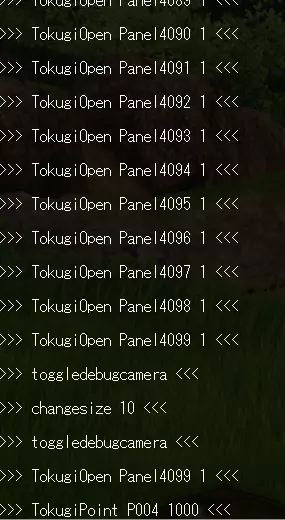
安装这些修改模组后,你可以在游戏中按下波浪键(~)或左方括号键([),此时屏幕底部会弹出控制台。再次按下该键,控制台将完全展开: <-----\n 再按一次即可关闭控制台。 ### 添加/更换队友、临时NPC 如你(可能)所知,游戏中有许多场景会有角色暂时加入你的队伍,他们会在大地图上跟随你,在战斗中也会自主行动。现在,我们提供了一种随时将他们加入队伍的方法!但需要注意:你的队伍一次最多只能有2名成员。
以下是命令语法:GuestNpcJoin <访客ID> <访客ID>名称--------------<访客ID>名称GN00001桑迪GN00015斯诺里GN00002杰玛GN00016亨德里克GN00003埃里克(兜帽)GN00017高僧GN00005康妮GN00018西尔万多(游行)GN00006维罗妮卡GN00019儿子GN00007瑟琳娜GN00020厚夫GN00008西尔万多GN00021亨德里克(骑士)GN00009戴夫GN00022埃里克GN00010文斯·范奎什(综合格斗)GN00023狗(赫利俄多)GN00011拉布GN00024达GN00012洁德GN00025欧文GN00013康妮GN00026文斯·范奎什GN00014凯GN00027瑟琳娜(新发型)★注意★★28-43为DE新增内容★★★★★★★★★★★★★★★★★GN00028野兽男孩#1(首领)GN00036笨蛋GN00029野兽男孩#2(副首领)GN00037瞌睡牧师GN00030野兽男孩#3(训练中)GN00038治愈利亚(治疗史莱姆)GN00031马戏团新手GN00039TheGN00032 尽职鼓手 GN00040 灰姑娘 GN00033 杂技师 GN00041 金童 GN00034 植物学家 GN00042 西尔万多 GN00035 武术大师 GN00043 文斯·凡奎什 示例:让杰玛和桑迪加入队伍 GuestNpcJoin GN00002 GuestNpcJoin GN00023 移除临时NPC:GuestNpcLeave <GuestID> 修改永久(主要)队伍成员:FriendJoin <角色ID> <角色ID> Name P001 勇者 P002 埃里克 P003 维罗妮卡 P004 塞蕾娜 P005 西尔万多 P006 洁德 P007 拉布 P008 亨德里克 示例:让洁德在八边形竞技场前加入队伍 FriendJoin P006 **注意:使用FriendJoin添加的任何角色都会重置为1级(包括已在队伍中的角色)!从队伍中移除角色: FriendLeave <角色ID> 保留其装备物品: FriendLeaveKeepItems <角色ID> *《勇者斗恶龙11 S 寻觅逝去的时光》新增功能:现在可以将主角(P001)从队伍中移除 切换世界地图操控角色 《勇者斗恶龙11 S 寻觅逝去的时光》新增功能,使用此命令可更改在世界地图中操控的队伍角色。 SetControlledCharacterType <角色ID> <角色ID>名称P002埃里克P003维罗妮卡P004塞妮娅P005西尔万多P006洁德P007拉班P008亨德里克 示例:将西尔万多设为队伍领队 SetControlledCharacterType P005 注意:带有删除线文本的角色仅能有限度使用,尚未完全实装,进入下一个加载区域后可能会遇到问题。生成可骑乘坐骑 请谨慎骑行。
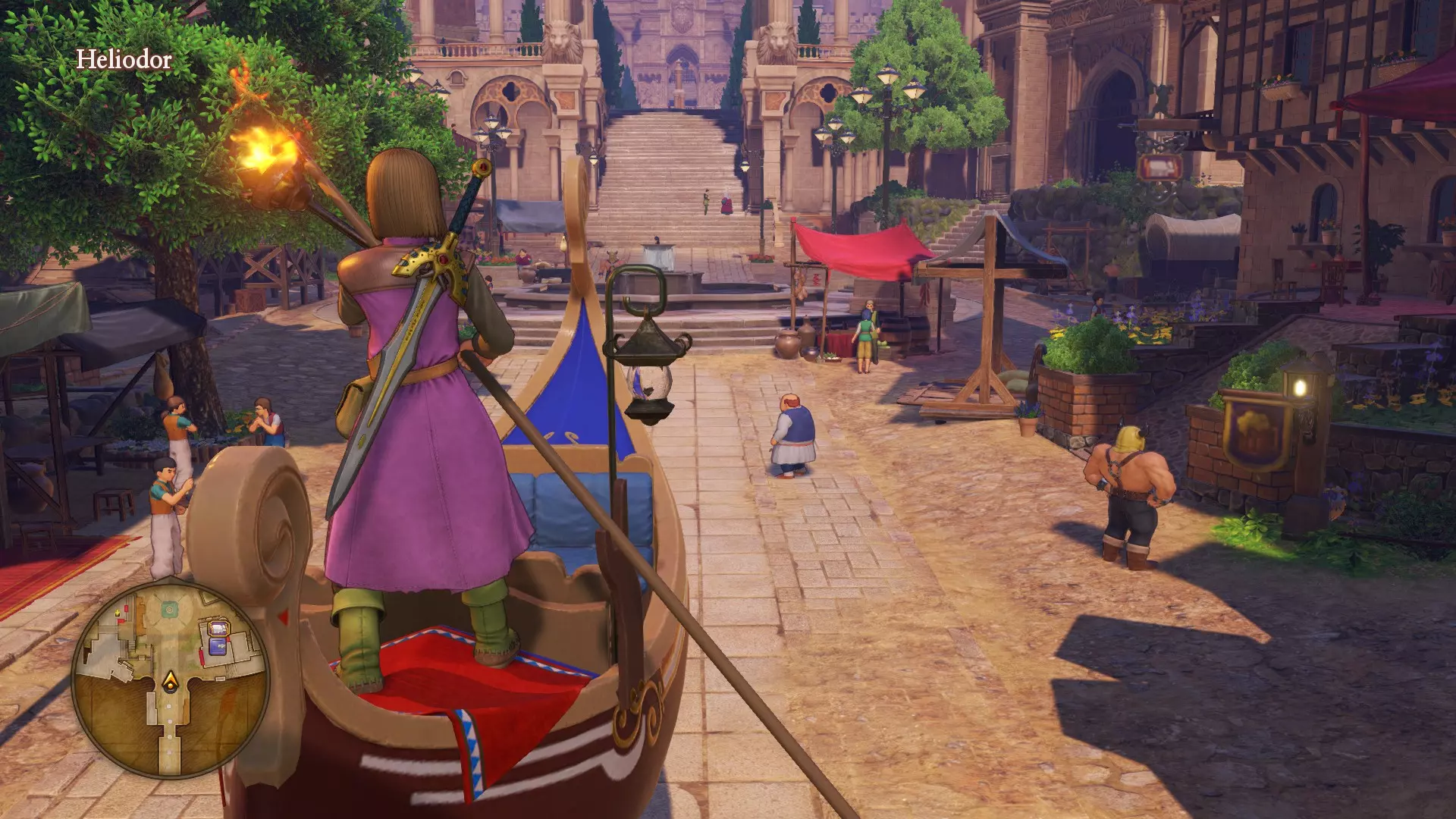
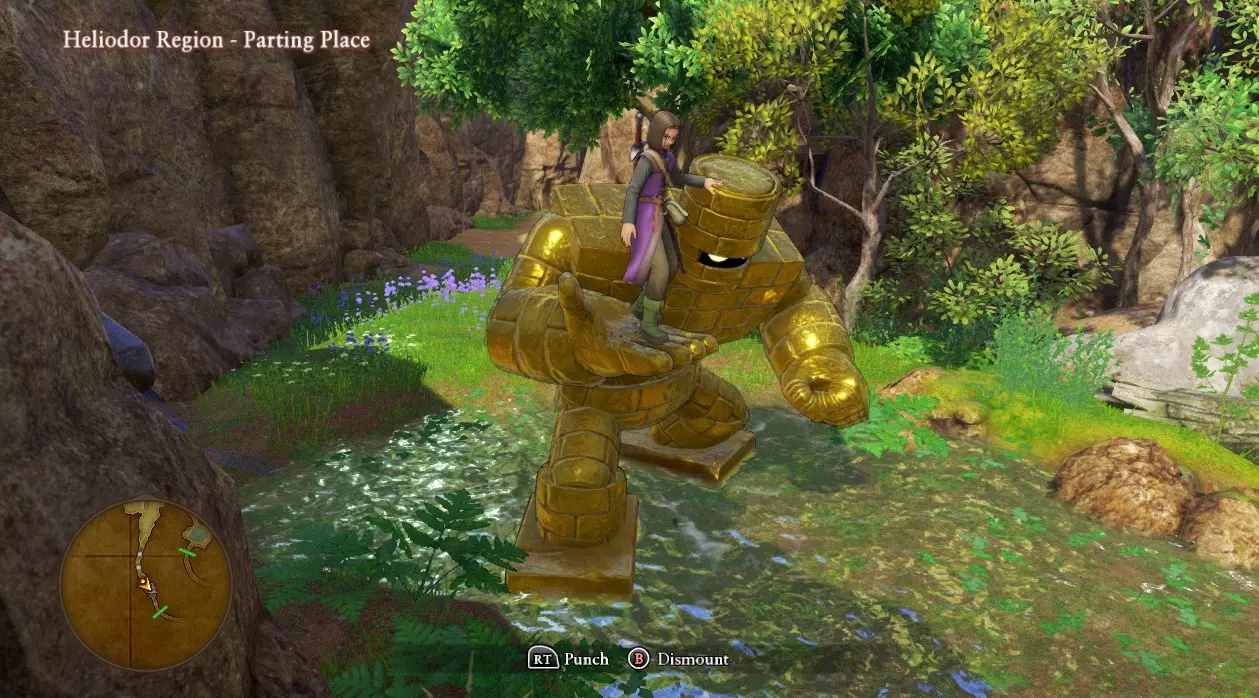
命令语法:VehicleSpawn <载具ID> <载具ID> 坐骑名称 - 颜色 -------------------------- <载具ID> 坐骑名称 - 颜色 V001_E001 马 - 棕色 V103_E001 大黄蜂 - 黑底黄条纹 V001_E002 马 - 白色(默认) V103_E002 大黄蜂 - 紫底浅蓝色条纹 V001_E003 马 - 红色/栗色 V103_E003 大黄蜂 - 深绿/浅绿色条纹 V001_E004 马 - 赤褐色 V103_E004 大黄蜂 - 红底黑条纹 V001_E005 马 - 浅棕色 V104_E001 骷髅骑士的战马 - 白色 V001_E006 马 - 加洛波利斯赛马装备 V104_E002 骷髅骑士的战马 - 金色 V101_E001 帝王(Kaiser) - 蓝色 V104_E003 骷髅骑士的战马 - 紫色 V101_E002 帝王(Kaiser) - 紫色 V105_E001 龙骑士(Dragooner) - 蓝色 V101_E003 帝王(Kaiser) - 青绿色 V105_E002 龙骑士(Dragooner) - 紫色 V102_E001 蛋骨(Eggsoskeleton) - 金色配红色腿部 V105_E003 龙骑士(Dragooner) -redV102_E002 蛋骨怪 - 银色带金色镶边 V106_E001 大型(装甲)马 - 紫色 V102_E003 蛋骨怪 - 紫色顶部/青绿色底部 V106_E002 大型(装甲)马 - 黑色 V102_E004 蛋骨怪 - 紫色带红色圆点 V106_E003 大型(装甲)马 - 红色 V012 贡多拉** ---->(你必须使用“缩放”才能出去) 注意:以下条目为终极版新增内容 V201_E001 吉娃娃 wyrm V203_E002 黑暗剑齿猫 V201_E002 施皮茨火犬 V203_E003 银色剑齿猫 V201_E003 拉布拉多龙 V204_E001 史莱姆骑士 V202_E001 铁处女 V204_E002 金属史莱姆骑士 V202_E002 钢铁女妖 V205_E001 魔像 V202_E003 黄金女孩 V205_E002 石魔像 V203_E001 巨型剑齿猫 V205_E003 黄金魔像 V205_E004 冰川魔像 示例:生成一只紫色龙 载具生成 V105_E002 更改角色技能/法术(开发中) 许多人特别有玩家希望在第三章中能“唤醒”瑟琳娜,他们遗憾于她为了更强大的治疗能力而失去了法师/贤者技能。现在,我们有了解决这个问题的方法。
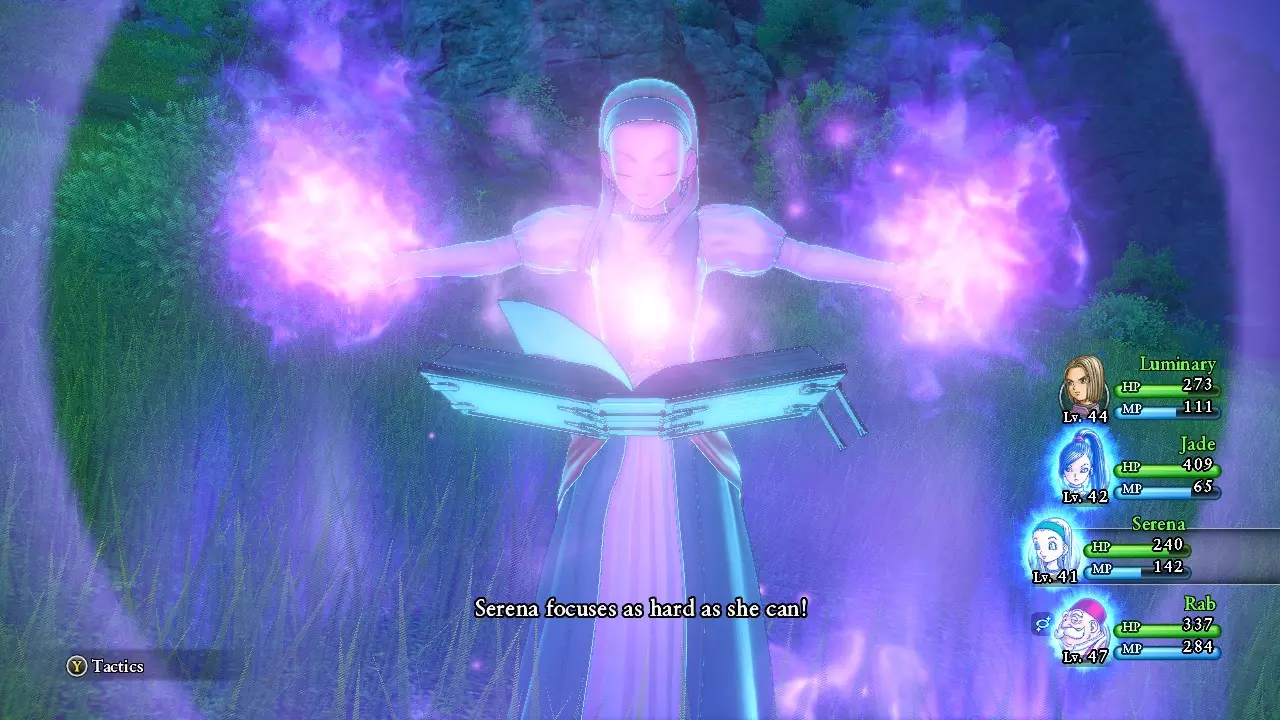
. We have a couple commands for this: "SetFlag" and "ActionLearn". SetFlag has a lot of potential for altering not only player states, but game states as well. Much of this we are still learning about. ActionLearn can be used to give any player character any ability or spells in the game (including monster-exclusive spells/abilities). However, if that player character does not have any animation assigned for that skill, they will stand there and do nothing (effectively wasting a turn). For spells, see the corresponding section below. For our example, let's go ahead and "reawaken" Serena: SetFlag "System" "/Player/SkillPanelState_P004" 1 ActionLearn P004 Io ActionLearn P004 Iora ActionLearn P004 Ionazun ActionLearn P004 Iogurande ActionLearn P004 Hyado ActionLearn P004 Hyadaruko ActionLearn P004 Mahyado ActionLearn P004 Bomie ActionLearn P004 Bomiosu ActionLearn P004 Mera ActionLearn P004 Merami ActionLearn P004 Merazoma ActionLearn P004 Meragaia ActionLearn P004 Medapani ActionLearn P004 Medapanima ActionLearn P004 Rukani ActionLearn P004 Rukanan ActionLearn P004 MagicBarrier ActionLearn P004 Madante ActionLearn P004 Gira ActionLearn P004 Begirama ActionLearn P004 Begiragon ActionLearn P004 Giragureido ActionLearn P004 Baikiruto ActionLearn P004 Mahotora ActionLearn P004 Mahoton ActionLearn P004 Mahokanta ActionLearn P004 Manuha ActionLearn P004 Henatosu Changing a character's skill pointsTokugiPoint <CharacterID> <SkillPoint#> <CharacterID>Name P001 HeroP002ErikP003VeronicaP004SerenaP005SylvandoP006JadeP007RabP008Hendrik <SkillPoint#> can be 1 - 1000 (this is the total number of skill points, including those already allocated to skills) Example: Give Rab 600 skill points TokugiPoint P007 600 Spell names (used with ActionLearn):ActionLearn <CharacterID> <ActionID> <ActionID>Spell Name█<ActionID>Spell Name█<ActionID>Spell Name█<ActionID>Spell NameMeraFrizz▓DeinZap▓HoimiHeal▓KiariSquelchMeramiFrizzle▓RaideinZapple▓BehoimiMidheal▓KiarikuTingleMerazomaKafrizz▓GigadeinKazap▓BehoimuMoreheal▓KiararuDefuddleMeragaiaKafrizzle▓DorumaZam▓BehomaFullheal▓ZamehaC@ck-a-Doodle-DooHyadoCrack▓DorukumaZammle▓BehomaraMultiheal▓ManuhaDedazzleHyadarukoCrackle▓DorumoaKazam▓BehomazunOmniheal▓BahaInsulateMahyadoKacrack▓DorumadonKazammle▓ZaoraruZing▓FubahaInsulatleMahyadedosuKacrackle▓ZarakiThwack▓ZaorikuKazing▓PioraAccelerateGiraSizz▓ZarakimaKathwack▓MegazaruKerplunk▓PiorimuAcceleratleBegiramaSizzle▓NifuramuPoof▓RukaniSap▓BaisionOomphBegiragonKasizz▓MeganteKamikazee▓RukananKasap▓BaikirutoOomphleGiragureidoKasizzle▓MadanteMagic Burst▓HenatosuBlunt▓SukaraBuffBagiWoosh▓MahotoraDrain Magic▓BomieDecelerate▓SukurutoKabuffBagimaSwoosh▓ZibariaRubblerouser▓BomiosuDeceleratle▓DevineSpellAnathematiseBagikurosuKaswoosh▓ZibarikaBoulderbringer▓MahotonFizzle▓MahokantaBounceBagimutyoKaswooshle▓ZibarinaMountainmover▓ManusaDazzle▓MagicbarrierMagic BarrierIoBang▓ZibarunbaRidgeraiser▓MedapaniFuddle▓AsutoronKaclangIoraBoom▓RihoimiReheal▓MedapanimaKafuddle▓RuraZoomIonazunKaboom▓RibehoimiRemidheal▓RarihoSnooze▓RiremitoEvacIogurandeKaboomle▓RibehoimuRemoreheal▓RarihomaKasnooze▓ToherosuHoly Protection▓ZakiWhack▓MahosuteSnub▓InpasuPeep Example: Teach Jade both 'Kazing' and 'Kamikazee' ActionLearn P006 Zaoriku ActionLearn P006 Megante Skill names (used with ActionLearn): https://sites.google.com/view/dqxi-commands/id-lists/skillsspellspep-powers/skills-and-spells
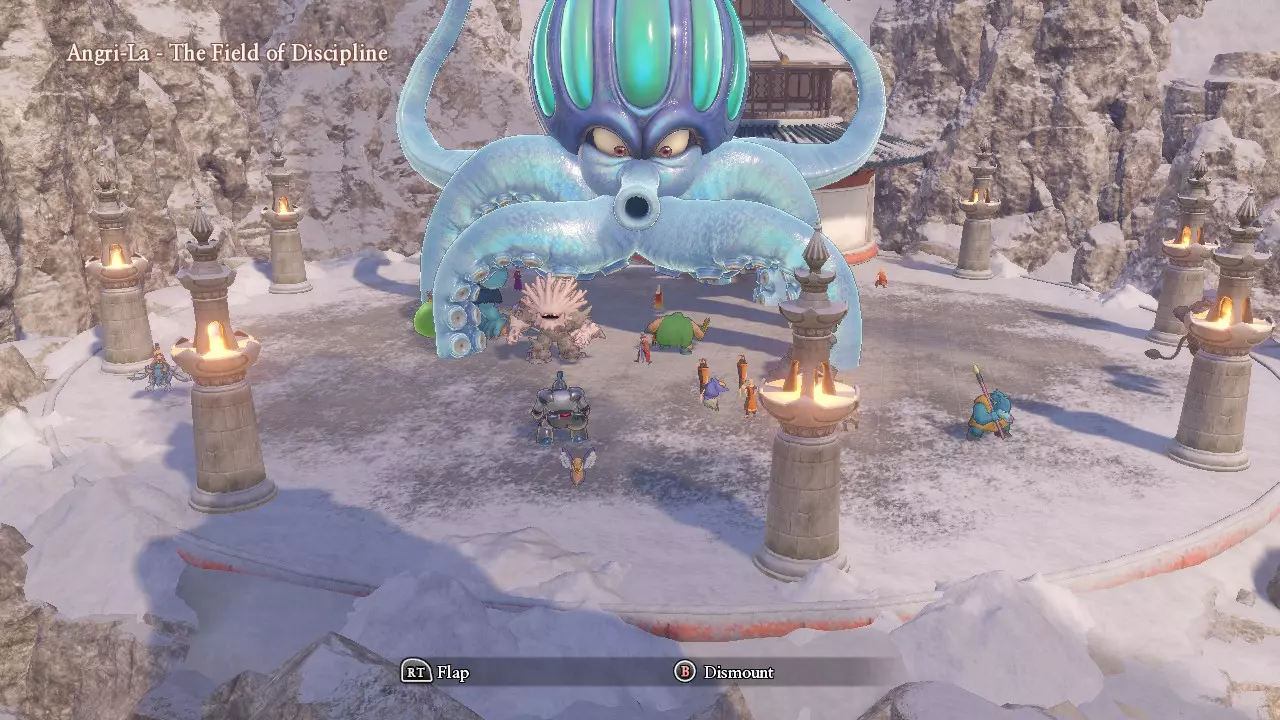
Outdated skill names list: https://pastebin.com/QPn45Brm How to FORGET any learned skill or spellTo undo any learned skill or spell from above, simply use this command: JumonForget <CharacterID> <ActionID> Example: Make Jade forget 'Kamikazee', which we taught her above JumonForget P006 Megante Unlocking Zoom Locations Just like in the last section, we're going to use ActionLearn and SetFlag to unlock Zoom locations. Normally the game sets these flags when you first visit a location so you can warp back, but now we can unlock all areas right from the get-go (and enable some major sequence breaks in the game as a result). Let's make sure our character(s) know the Zoom spell first: ActionLearn <CharacterID> Rura <CharacterID>Name P001 HeroP002ErikP003VeronicaP004SerenaP005SylvandoP006JadeP007RabP008Hendrik Now let's unlock the locations: Unlock all locations: RuraShowAll SetFlag "System" "/Rura/RuraXXXX" 1 "XXXX"Location Name--------------------------"XXXX"Location Name-----------------------------"XXXX"Location Name0001Heliodor City0016Heliodor Region (Campsite)0031Havens Above0002Heliodor Castle0016_HHeliodor Region (Campsite) (Act 2)0031_HHavens Above (Act 2)0002_HHeliodor Castle (Destroyed)0017The Emerald Coast (Campsite)0031_NDrustan's Labyrinth - Trial Isle0003Hotto0018The Warrior's Rest Inn0032Luminary's Landing0004Lonalulu0019Dundrasil (Campsite)0033Nautica0005Gallopolis0019_ZDundrasil (Campsite) (Act 2)0034Yggdrasil0006Gondolia0020The Snaerfelt (Campsite)0035Heliodor City - Downtown0007Octagonia0021The Arborian Highlands (Campsite)0036North of Gallopolis0007_SOctagonia (Act 2)0021_HArborian Highlands (Campsite) (Act 2)0037Grotta della Fonte0008Cobblestone0022Champs Sauvage - North (Campsite)0038Champs Sauvage - South (Campsite)0008_S1Cobblestone (Destroyed)0022_ZChamps Sauvage - North (Act 2)0038_ZChamps Sauvage - South (Act 2)0008_HThe Last Bastion0023Heliodorian Foothills - Church0039The Eerie Eyrie (Campsite)0009Puerto Valor0023_ZHeliodorian Foothills - Church (Act 2)0040Sniflheim City (Campsite)0010L'Acadamie0024The Manglegrove (Campsite)0041Mount Pang Lai - Summit (Campsite)0011Mount Pang Lai (Campsite)0024_HManglegrove (Campsite) (Act 2)0042The First Forest - Summit (Campsite)0012Phnom Nonh0025Viking Hideout0043The Battleground (Campsite)0013Sniflheim0026The Hotto Steppe0044The Strand0014Angri-La0027South of Gallopolis (Campsite)0045Gondolia - Sea0015Arboria0028Laguna di Gondolia (Campsite)0046Zwardsrust - Sea0015_HArboria (Act 2)0029Costa Valor (Campsite)0047Lonalulu - Sea0030The First Forest - Base (Campsite)0048Angri-La - Field of Discipline Example(s): Teach "Zoom" to Erik, unlock "Nautica" and "The Last Bastion" Zoom locations ActionLearn P002 Rura SetFlag "System" "/Rura/Rura0033" 1 SetFlag "System" "/Rura/Rura0008_H" 1 Other warp points / shortcuts / "inaccessible" locations RuraJump <MapID> <MapID>LocationS27_Yogensya_CS_B060_010Seer's SanctuaryS30_Hikari_IN01Seer's "White Room"C05_Jounai_IN01Dundrasil Castle (past)D14_Jounai_IN02GyldenhallRS_D09_Point_000_BossAreaThe Other SideRS_D11_Point_000_SetugenThe HekswoodS17_Meifu_CS_B030_080The Void (Grandmaster Pang)Ship_F81_000_FieldInsula AustralisS31_Casino_IN01Puerto Valor CasinoM06_Mura2F_IN03Octagonia Arena Waiting Room (go upstairs to Arena)M09_Turibito_CS_B010_070Nautica (under Blue John's boat)C02_IdoUnderground Well (Gallopolis Desert) S35_Shobatsu_IN01 Limboo B010050_Zeranda_CS_B010_050b (Normally) out-of-bounds area in Arborian Highlands S26_Shinden_IN01 Altar of Ages D14_BossArea_IN01 Gyldenhal Throne Room S01_H_RouyaB1_IN01 Heliodor Dungeons CS_Memories Cutscene Viewer
传送至先知圣所 RuraJump S27_Yogensya_CS_B060_010
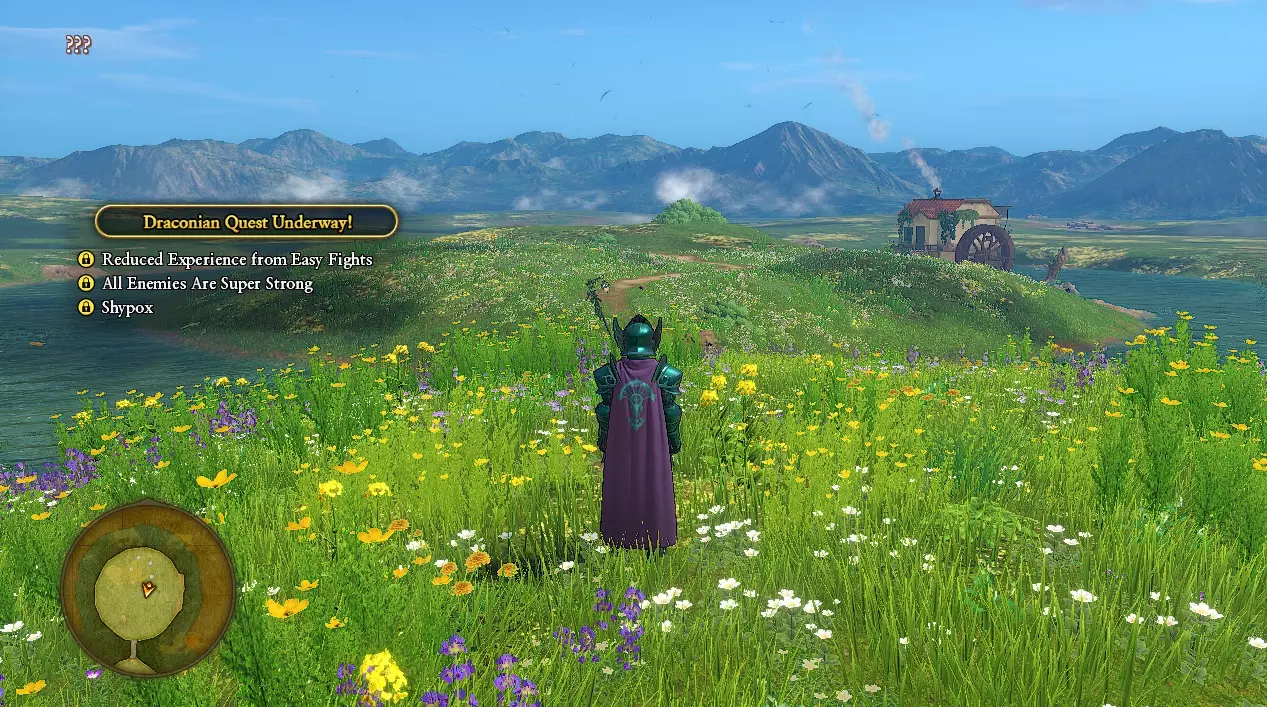
修改角色等级 与“修改角色技能”部分类似,你也可以修改角色的等级(关于修改角色成长属性的研究仍在进行中,请保持关注)。语法如下: LevelSet <角色ID> <等级> <角色ID>名称 P001 主角 P002 埃里克 P003 维罗妮卡 P004 塞蕾娜 P005 希尔瓦多 P006 洁德 P007 拉布 P008 亨德里克 <等级> 可以是 1 - 99 示例:将维罗妮卡设置为42级 LevelSet P003 42 获取物品/装备(开发中) ForceGetItem <物品ID> <物品数量> 示例:获取游戏中所有物品各12个 ForceGetItem All 12 ---------------------------------- 我们正在制作一份详细的物品ID列表:https://sites.google.com/view/dqxi-commands/id-lists/equipmentitemsrecipes/item-ids 示例:获取50个力量种子 ForceGetItem I_USE_032 50 示例:获取25把+3的圆石剑 ForceGetItem W_SWD_3001 25 *注意:任何物品的+1/+2/+3变体,只需在物品ID上加上1000/2000/3000即可! 自定义战斗 是否曾希望能在游戏后期重新挑战某个Boss,或者更好的是:体验Boss rush模式?现在你可以实现了!
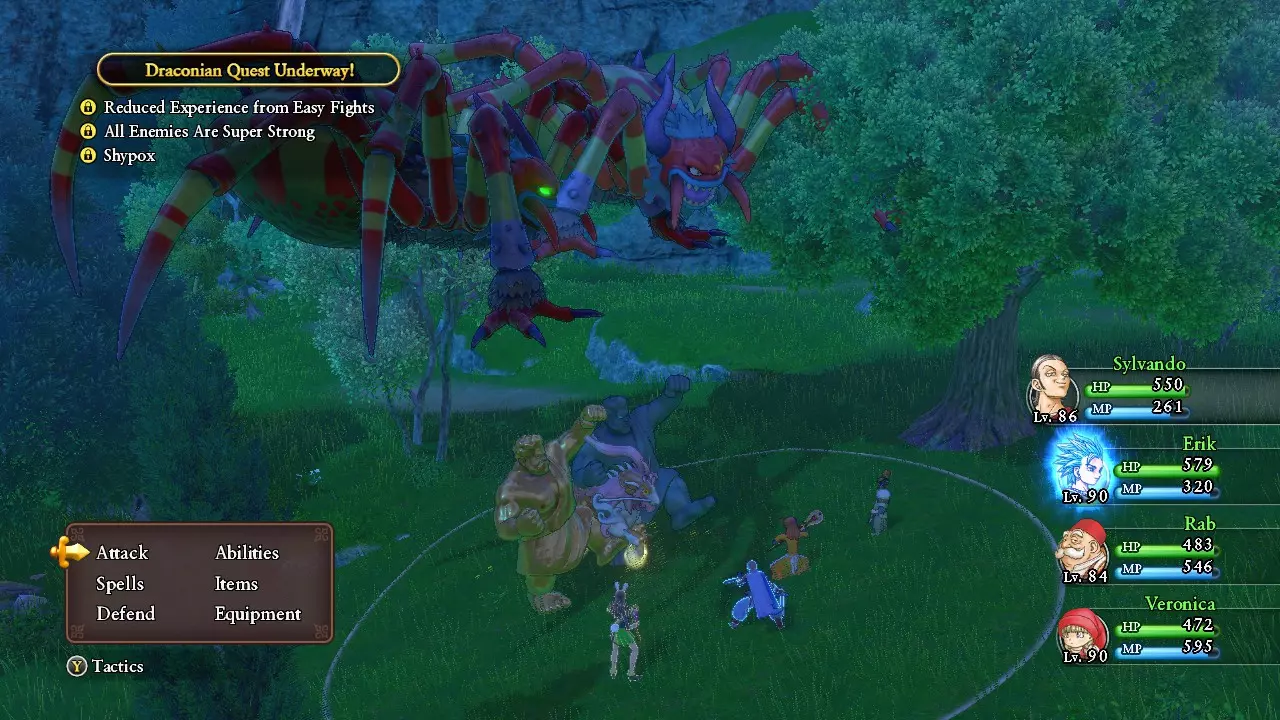
首先,你可以在任何地方生成任何敌人(甚至在城镇里!),但除非它们处于游戏指定的“战场”或野外区域,否则你无法与它们战斗。相反,这些敌人会表现得很友好,而城镇居民甚至不会对它们的存在多看一眼。
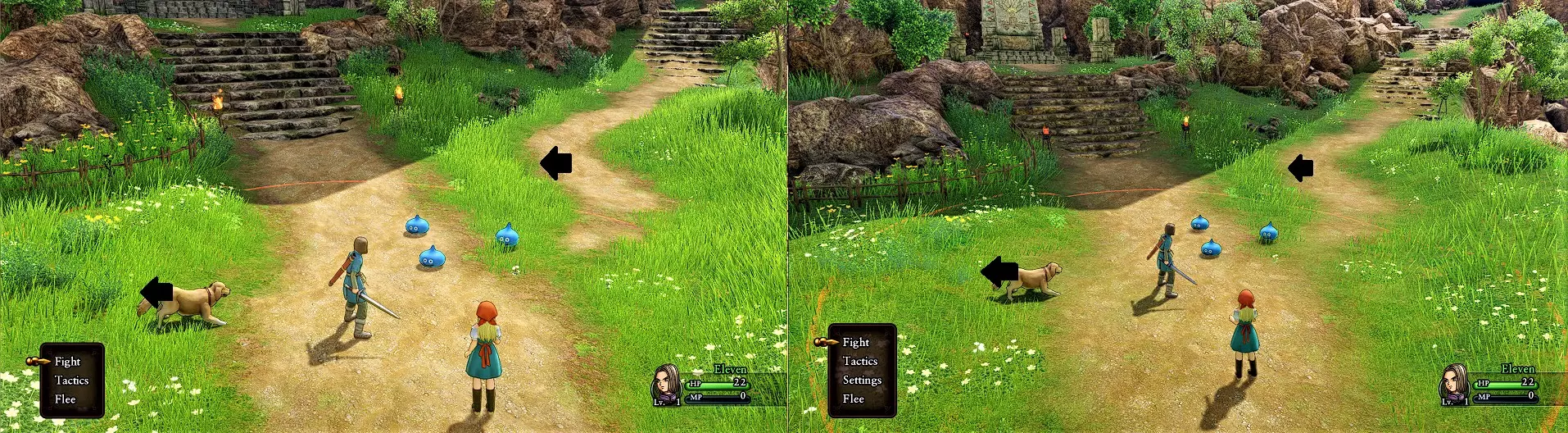
To spawn in the overworld: MonsterSpawn <MonsterID> To spawn another enemy during an active battle: BattleMonsterSpawn <MonsterID> Boss Monster IDs:<MonsterID>Name█<MonsterID>Name█<MonsterID>NameM131_E004_S01Arachtagon▓M605_E001_S01Krystalinda▓M706_E001_S01VinceM131_E094_S01Malicious Arachtagon▓M606_E001_S01Mordegon▓M707_E001_S01UnderdiggerM148_E006_Q01Robbin 'Ood▓M607_E001_S01Jasper Unbound▓M707_E091_S01Malicious UnderdiggerM504_E004_S01Jarvis▓M607_E081_S01Overweening Pride▓M708_E001_S01Abominable ShowmanM510_E001_S01Tricky Devil▓M611_E001_S01Dora-in-Grey▓M708_E091_S01Malicious Abominable ShowmanM527_E004Spirit of Mt Huji (Atsuo&Atsuko)▓M614_E001_S01Tyriant▓M709_E001_S01SinderellaM536_E004_S01Auroral Serpent▓M614_E001_S02Tyriant's Shadow▓M709_E091_S01Malicious SinderellaM536_E094_S01Malicious Auroral Serpent▓M614_E081_S01Blind Hatred▓M710_E001_S01WhambelinaM540_E003_S02Tentacular (weakened by cannon)▓M614_E081_S02Blind Hatred's Shadow▓M710_E091_S01Malicious WhambelinaM542_E002_S01Headless Honcho▓M615_E001_S01Gyldygga▓M712_E001_S01Golden BoyM548_E093_S01Malicious Grey Gordon▓M615_E081_S01All-Consuming Greed▓M712_E091_S01Malicious Golden BoyM553_E004_S01Booga▓M616_E001_S01Lord of Shadows▓M713_E001_S01Heliodorian GuardM553_E084_S01Sheer Decadence▓M617_E001_S01Mordegon's Staff▓M714_E001_S01Heliodorian SoldierM560_E004_S01Jormun▓M619_E001_S01Darkling▓M715_E001_S01Sterling SylvaM560_E094_S01Malicious Jormun▓M620_E001_S01Alizarin▓M716_E001_S01Rab (Training w/ GM Pang)M563_E005_S01Slayer of the Sands▓M620_E081_S01Unfathomable Anger▓M716_E001_S02Rab's ShadowM567_E004_S01Gloomnivore▓M701_E001_S01Jasper (I)▓M717_E001_S02Jasper (Dark Power)M567_E094_S01Malicious Gloomnivore▓M702_E001_S01Jade▓M718_E001_T01GrandMaster Pang (Blizzybody/RedMist/Flamethrower)M601_E001_S01Lord of Shadows▓M703_E001_S01Jinxed Jade▓M718_E001_T02GrandMaster Pang (Octopot/Khalamari/Squid)M601_E001_S02Shadow of Shadows▓M704_E001_S01Rab (Octagonia)▓M718_E001_T03GrandMaster Pang (Filcher/Poppet/Clockwyrm)M602_E001_S01Mordragon▓M705_E001_S01Restless Knight▓M718_E001_T04GrandMaster Pang (Phoenix/Abracadabrer)M603_E001_S01Calasmos▓▓------------------------------------------ Click here for a complete list of all enemy Monster IDs[pastebin.com] The full list will be updated for new enemies in Definitive Edition------------------------------------------ Definitive Edition Enemy IDs (New Bosses) <EnemyID>Name M95_E001_S01Boodiful Sootbonce M95_E002_S01Boodiful Smogbonnet M148_E002_S01Boodiful Hoodlum M228_E001_S01Boodiful Wizard M513_E002_S01Boodiful Hocus Poker M031_E001_S01Boodica's Right-Hand Man M031_E001_S02Boodica's Left-Hand Man M565_E005_S01Boodica M216_E007_S01Indignus (Dragon Armor) M722_E002_S01Dark JasperM607_E002_S01Dark Jasper (Unbound) M723_E001_S01GrandMaster Pang (Fights you herself) M723_E001_T01GrandMaster Pang (Secret Trial -- much harder!)M616_E002_S01TimewyrmM602_E002_S01Timewyrm's Tail Draconian Quests For those looking to activate Draconian Quest options mid-playthrough, there's also a command for that: ForceSetSibariPlayFlag <Type> <bFlag>and ForceSetSibariPlayDisplayFlag <bFlag> Type: 1- "No Shopping" 2- "No Armour" 3- "Super Shypox" 4- "Shypox" 5- "Party Wipes if Protagonist Perishes" 6- "All Enemies Are Super Strong" 7- "Reduced EXP from Easy Fights" 8- "Townsfolk Talk Tripe" For example, to activate "Stronger Monsters": ForceSetSibariPlayFlag 6 1and ForceSetSibariPlayDisplayFlag 1 The second command activates the window which states which Draconian Quests are active. If you do not want the gold window on the left to appear (i.e. the Draconian settings will still be on, but the yellow window won't clutter the UI): ForceSetSibariPlayDisplayFlag 0 Weather Change the overworld weather using this command: ce SetDebugWeather <WeatherType> <WeatherType>Name0ClearAndSunny1Sunny2Cloudy3LightRain4Rain5HeavyRain6Thunderstorm7Snow8SnowStorm9Fog10HeavyFog11MAXNote: MAX will make it such that lighting and shadow effects are really strong. This will make bright areas brighter and dark areas darker. Looks cool for the most part but be forewarned that it's a bit much at times. Example: Make it snow ce SetDebugWeather 7or ce SetDebugWeather Snow
想要无需在每个地方都使用指令就能改变所有区域的天气?——使用天气模组[www.nexusmods.com] 想要全面的冬季天气大修,包括树木覆雪效果?——使用“圣诞树与结霜 foliage”[www.nexusmods.com]模组 其他杂项 以下是我们目前遗漏的一些小功能: - 航行时禁用随机遇敌:输入指令“SetEncountEnabled 0” - 提高世界地图冲刺速度:输入指令“TestPlayerDash 3000” - 三倍游戏速度(所有事物都会变快,包括怪物!):输入指令“Slomo 3” - 修改主角姓名(无需创建新存档!)——同时会更改存档中的姓名。新姓名可以任意长度并包含任何字符。SetPlayerName <玩家名称> 将你的金币设置为<金币数量> Gold <金币数量> 将你的角色生命值设置为<生命值数值>(角色ID请参见上文) HPSet <角色ID> <生命值数值> 将你的角色魔法值设置为<魔法值数值>(角色ID请参见上文) MPSet <角色ID> <魔法值数值> 立即更改游戏内时间,无论你身处何地,无需营地或旅馆! ForceSetWorldTime <小时> <分钟> <秒> <重置NPC>示例: ForceSetWorldTime 12 0 0 0 --> 设置时间为正午 ForceSetWorldTime 24 0 0 1 --> 设置时间为午夜并重置NPC 使敌人更难躲避(缩短敌人从你周围生成的距离) r.JackMonsterViewDistanceScale 0.03 调试相机(可将相机移动到任意位置,在移除第一人称视角后非常实用)DebugGameCamera 禁用小地图(部分玩家觉得小地图碍事)SetMiniMapVisible 0 禁用自动保存(若想增加游戏难度可使用此功能 - 游戏通常在每个加载区后自动保存)ToggleAutoSaveEnabled 随时随地保存游戏(0-8对应常规存档槽1-9)SaveGame <0-8> 注意:此处可使用8以上的数字,但这些存档不会显示在文件选择菜单中,必须通过下方命令加载 立即加载任意存档槽(0-8对应常规存档槽1-9)LoadSavedGame <0-8> 清除世界地图中的所有怪物(仅在当前所在区域生效)MonsterGeneratorEnabled 重置所有怪物在该区域生成刷新怪物部署(RefreshMonsterDeploy) 完全治疗并复活所有队员(RecoverAll) 设置神圣庇护(降低海上随机遇敌率)(SetToherosu) 设置圣水(降低海上随机遇敌率)(SetSeisui) 立即播放游戏内任意过场动画(通过过场动画ID[sites.google.com]) cs BatchCsPlay <CutsceneID> 注:过场动画结束后,你将停留在动画所定义的地图中 - 若要离开此地图,建议使用以下两个命令之一 重置返回标题界面(在软锁时有用)(disconnect) 立即重置返回上一个自动存档(在软锁时同样有用且速度更快)(cs ReturnToAutoSave) 退出游戏(exit) 其他功能2(超宽屏修复)
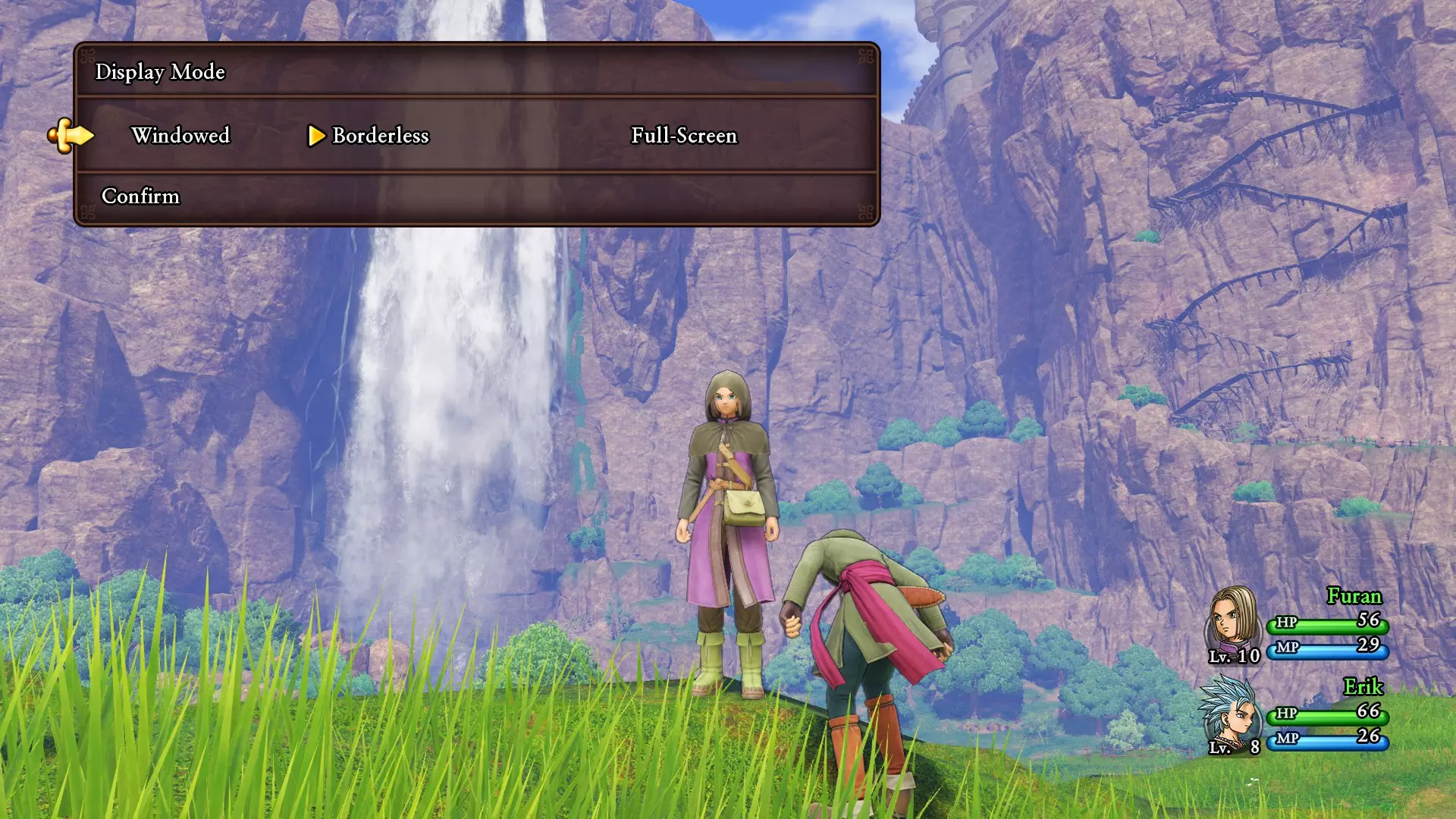
接上文,我们有几个命令可让你调整分辨率和视野(FOV)以适应你的设备。首先,如果你想使用超宽屏或其他非16:9的宽高比,需要进行一些小调整来确保游戏兼容。以下是你的选项: 选项A(推荐)- 超宽屏补丁:https://www.nexusmods.com/dragonquestxisdefinitiveedition/mods/169 选项B- 使用“解锁命令控制台”部分下列出的方法2。将UUU附加到游戏后,它将实现与上述补丁相同的功能,并解锁显示缩放。 更改分辨率: r.setres <resX>x<resY> 例如:将分辨率设置为3440x1440 -- r.setres 3440x1440 更改视野: fov <数值> 例如:将视野设置为85——fov 85 INI参数调整 调试控制台也可用于测试INI参数调整。有关更多详细信息,请参阅ZombiePlasticClock撰写的指南:https://steamcommunity.com/sharedfiles/filedetails/?id=2312807086 2D模式命令 若要使用2D模式命令,必须使用“解锁命令控制台”下列出的方法1a。 大多数2D模式命令与3D模式命令的语法相同,只需在命令名称开头添加前缀“Triple”。例如:“TripleRuraShowAll”“TripleGold”“TripleFriendJoin”等。与3D模式对应命令功能完全相同的命令在此不单独列出,只需使用与之前相同的命令/语法,并确保在开头添加“Triple”即可。增加(或降低)角色移动速度:TripleRunRate <倍率> 设置天气:TripleWeatherSet <天气ID> <天气ID>对应天气类型: 0 晴朗 1 晴天(?) 2 小雨 3 小雪 4 中雪 5 暴雪 6 雾 7 大雨 8 流动雾 9 大雪 切换时间段(早晨→中午→下午→夜晚):TripleTimeZoneMoveToNext 常见问题 问:“这会禁用Steam或游戏内成就吗?” 答:不会禁用成就。相反,这也意味着如果不小心,你可能会一次性意外解锁多个成就。例如: ForceGetItem All 12——将立即解锁所有与物品相关的成就 Gold 500000——将立即解锁所有“持有X数量金币”的成就 致谢、 credits 与资源 大部分此类发现的功劳归于 KomodoXeno[www.nexusmods.com] 和 mike9k1[www.nexusmods.com](来自《勇者斗恶龙XI》模组社区) 可在以下网址获取更多信息和资源: https://sites.google.com/view/dqxi-commands <-- 你可以在那里找到完整的指令列表。该列表会随着对游戏内部结构、各种资产 ID 等更多数据的挖掘而定期更新 更新(11/22):上述网址已添加更多指令,许多实用指令(尚未)在此处列出此外还添加了宏功能(详情如下)。 ——仅面向高级用户—— 标志列表:https://sites.google.com/view/dqxi-commands/id-lists/flags 语法:SetFlag <类别> <标志名称> <数值> 宏列表:https://sites.google.com/view/dqxi-commands/id-lists/macros 语法:RunMacro <调试命令宏>(宏可编写游戏脚本以按顺序一次性运行多个命令。另有宏扩展[www.nexusmods.com]可进一步扩展此功能)