换一换
换一换 


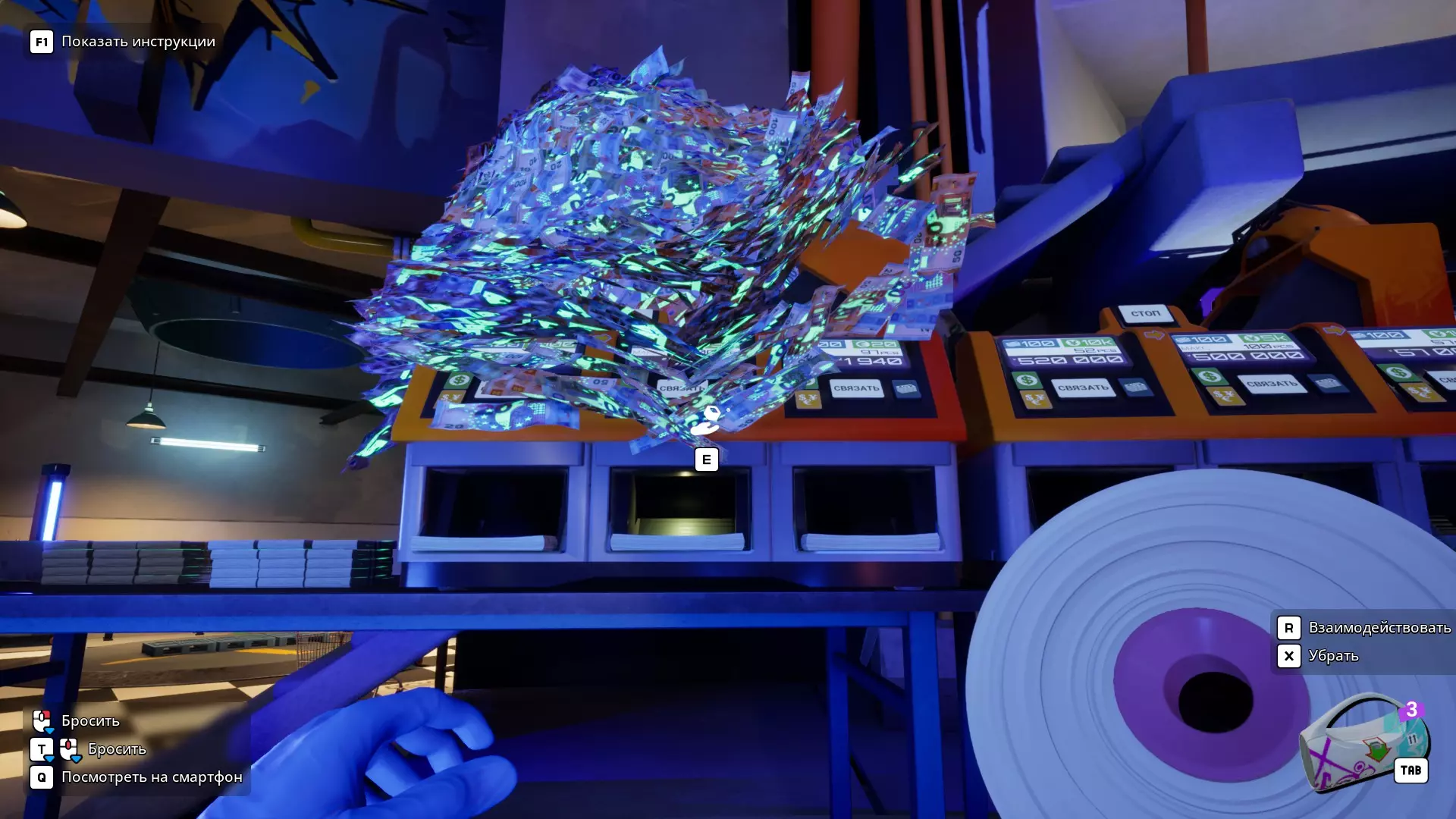
核心机制与功能使用技巧,助你简化日常流程 简介 大家好!我已经玩了这款精彩的游戏大约70小时,积累了一些实用技巧想和大家分享。有些机制我是在游戏50小时时才发现的,如果能早点知道,我就能节省很多时间,也能更享受游戏。总之,我希望分享这些知识,帮你减少那些令人厌烦的重复操作或不便行为带来的困扰。 目前本指南为文字形式,之后我会补充带有案例演示和机制说明的短视频。抓起无限数量的钞票并揉成一团 你可能已经注意到,当你从一大堆钞票中抓取钞票时(通过F键),手中的钞票会变成一个由300张钞票组成的球。如果你按下鼠标右键将这个球移开,并将其靠在其他任何单张钞票上(无论是在另一堆中还是单独放置的),你手中的钱球就会吸收所有的单张钞票。这对于将大量钞票从一个地方拖到另一个地方非常方便(例如,在烘干机中洗完钞票后)。你可以用一个小球收集散落的钞票,或者将大堆钞票合并成更大的堆。
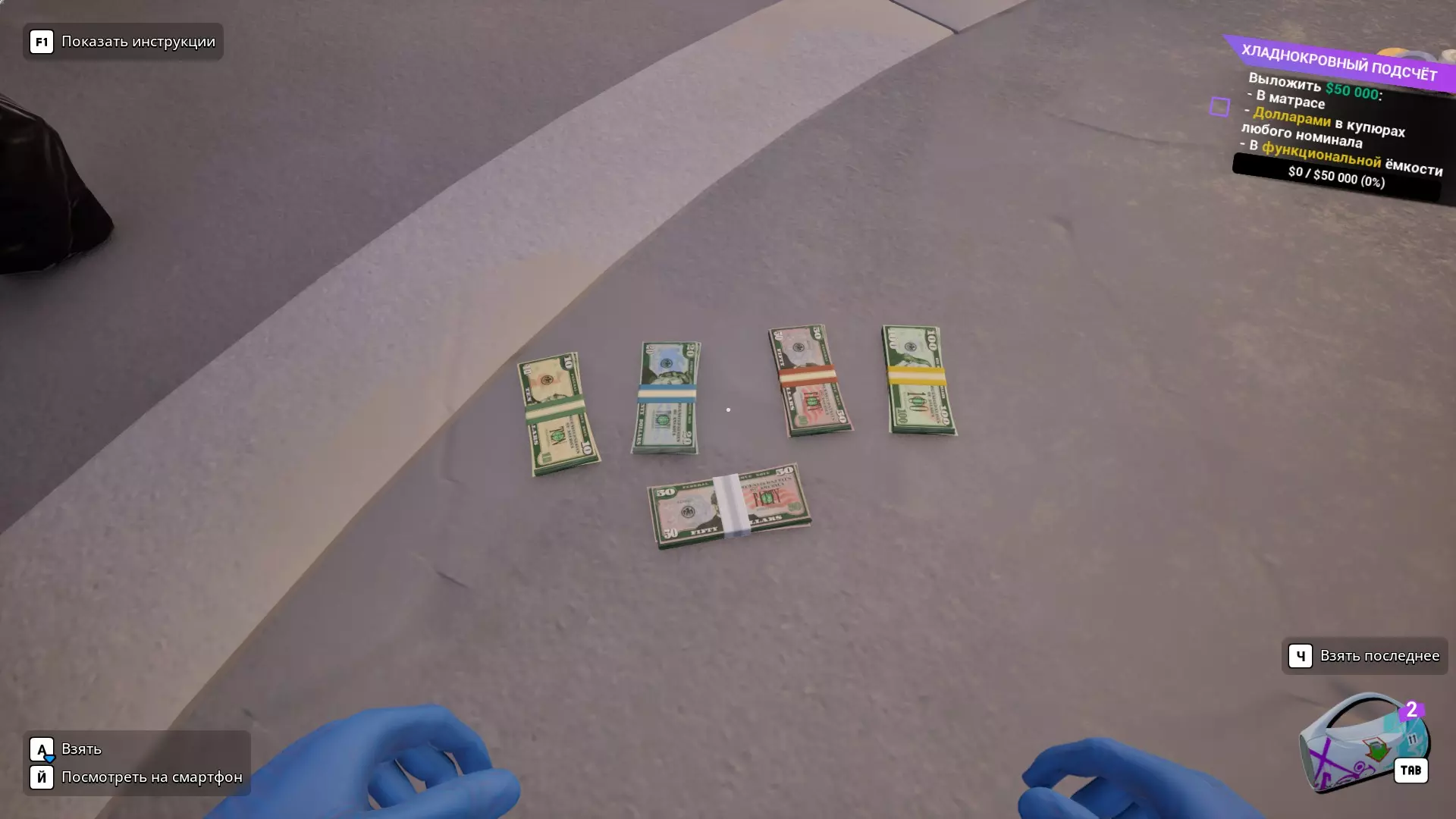
The money ball as a filter It is worth taking advantage of a key feature of the money ball mechanics - it grabs bills. This is very useful when you need to sort out a pile of stacks, bills, coins and trash. Pass the ball on the desired pile and voila - he as a vacuum cleaner will pull in all the bills, leaving everything else. Further sorting of the pile into bundles and garbage is already easier - grab any bundle and without letting go of the LKM drive on the pile until the block of bundles or bundles in the pile will not end. Garbage or coins is easiest to grab through the F button (it has a much larger radius of action than the capture of a single target) and then already throw this good in boxes. Ways of rejecting marked bills There are currently no convenient ways to reject marked bills in the game, but in an upcoming update, the developer has promised to add a machine specifically for that. For now, it's available in user testing mode—if you want to try it out, launch the game in that mode. Instructions on how to do this can be found in the game's community discussions. But there are a couple of ways to deal with this problem. 1. Money Gun This isn't just a tool for flexing, it's also a convenient way to scatter bills across a wide area in loose, spaced-out rows, which provides excellent visibility for spotting marked bills. Set up a large UV lamp in the center of the main hall, or arrange smaller lamps around the perimeter aimed toward the center. Approach the pile of money with the money gun in hand, point the cursor at it, and after a short delay, an indicator will appear above the cursor showing that you can press E to load the gun. Press E, and the gun will be filled with 300 bills. Then, spray the bills evenly across the floor and start collecting any marked ones. This method only works well at night, since during the day the marks aren’t visible. If it's currently daytime, just sit on the couch—night falls at 7 PM. Just make sure you're not working on a time-limited task when you do this. 2. Workbench This method is generally no more or less convenient than using the money gun, but it definitely has its place—thanks to one key feature: the stash. The workbench can hold any number of bills, but I recommend pulling out exactly 100 from a pile (by walking up to it and pressing **LMB**). Then, to load money onto the workbench, use the item distancing mechanic (**RMB**)—point at the surface, and your bundle will spread out into a neat scatter across the table, which is very convenient. Turn on the UV lamp (Left Shift), grab the stash, and now you can click on individual bills you want to remove from the pile. To be extra thorough, I usually gather the remaining bills and throw them onto the workbench again. This rearranges them, making it easier to spot any marked notes that might have been hidden underneath others the first time. You can also double-check the sorted bills by taking them out of the stash and inspecting them again, just in case of a misclick or something you missed. 3. Overdrawing the hundreds You've probably noticed that when you place an unbound bundle of 100 banknotes on a surface, it falls apart like an accordion. This is very convenient for sorting small amounts of bills, or when you spot a marked note in an already tied bundle and need to remove it. The method is simple: place the bundle directly under a UV lamp (works especially well at night), and the marks will glow bright red. At that point, you have a few options. If there are only a few marked bills, you can simply hover your cursor over the specific one and pick it up individually. Alternatively, you can start collecting the bills into your hand using LMB, and as soon as a marked bill ends up in your hand, place the whole bundle down, remove the marked note, set it aside, and continue sorting the rest. It’s also convenient when the bills are spread out in a way that allows the cursor to automatically move from the top bill to the next one underneath (instead of jumping to the middle of the stack). That way, you can keep selecting bills directly from the surface without having to pick up the bundle. Fast bundle taping Sorting machines have a built-in feature to insert a strap and bind stacks, but you've probably noticed it's not exactly fast. When you press the "bind" button, the stack is still lying in the tray and prevents the machine from continuing to sort, since the stack needs to be removed. In short, for the sorter to continue working, you need to perform 2–3 actions. I suggest a method that requires only one! Place the sorting machines so that the output tray is flush with the edge of the table—this way, the bound stacks immediately fall to the floor and don’t get in the way. Put the strap into your inventory, start the sorter, and as soon as one of the trays fills up with the maximum number of bills, click on the full stack with the strap in hand. It binds and falls off the tray in just one click! This really speeds up the sorting process for large piles of money, especially when dealing with 10,000–20,000 bills. Fast Loading of the Sorting Machine The large sorting machine holds up to 1,000 bills, while grabbing money from a pile using the F key gives you up to 300 bills in your hands. This means you have to place bills into the machine's loading area 3–4 times to fully load it. But there's a relatively simpler way—if you use the “money ball” mechanic to grab the entire pile at once and bring it to the machine's loading zone, the machine will automatically take only 1,000 bills, and the rest will stay piled up on top of the machine. You can then easily pick up that leftover pile and set it aside again. However, there's an annoying downside—if the remaining pile on top of the machine has fewer than 100 bills, they’ll scatter. And yes, that’s frustrating. So, when you’re nearing the end of a pile that needs to be sorted, it’s better to grab and load 300 bills at a time for better control. You can check the number of bills in a pile by scanning it with the scanner. No drying needed! In many tasks, you have to wash money. For those unfamiliar with the money ball mechanic, drying might seem like something incredibly time-consuming. But in most cases, you can actually skip drying altogether. Even if you have a huge pile of 30,000 bills lying on the floor, they'll dry on their own. I'm sure you're sorting another pile of money during that time anyway, so this one has plenty of time to dry :) But this doesn’t apply to bundles — those still need to be dried. Cutting up bundles Some of us are perfectionists (like me), and we need all the money to be sorted by denomination and in stacks of exactly 100 bills. The money from clients comes in bundles with uneven amounts, so to get things in order, all those bundles need to be cut! There are two pretty decent ways to turn tape-bound bundles into piles of single bills: 1. Knife method: Grab a knife and start stabbing all the bundles you can target with your cursor, aiming to trigger the bundle interaction. But pretty quickly (by the third bundle), the bills will pile up and block your view of the remaining bound bundles, making it hard to reach them with the knife. You can use the money ball mechanic to separate bills from bundles and set that pile aside, then continue cutting the rest. But you’ll have to repeat this process a few times. For small batches, this method works fairly well. 2. Washing method: Did you know that if you throw bound bundles into the washing machine, they’ll separate into single bills after the wash? Considering how many bundles the washer can hold, this saves a ton of time. Then you just collect the pile using the money ball mechanic and let it dry off to the side (or throw it in the dryer if you’re in a hurry). Washing off ink Let me start by saying: there’s currently no convenient way to clean ink-stained money in the game. However, the developer has promised a feature in an upcoming update that will allow us to wash ink-stained bills using chemicals. Right now, the only way to clean ink-stained bills is with the workbench and the sponge. Washing bills one by one is a nightmare — I wouldn’t wish it on anyone. Here's how I did it: I loaded about a hundred bills onto the workbench (hold the bundle, walk up to the bench, and press E). That places a neatly stacked pile in the center of the table. You can then carefully spread it into 4–5 neat rows. Take the sponge and wipe over several bills at once. I cleaned in sections: starting from the top left corner, moving right, then snaking down. You’ll know a bill is fully cleaned when it sparkles visually and you hear a chime. I kept scrubbing until every bill gave that chime. To help track progress: when cleaning a stained bill (there are 5 levels of staining), ink droplets will appear around the sponge. These don’t appear over clean bills. Important: if a bill is still in a bundle, no matter how much you scrub it, it won’t get cleaned — you need to separate them first. In general, I highly recommend always using a knife on cash-in-transit bags, because cleaning even a thousand bills like this is exhausting. I spent about an hour and a half on a pile like that once — never again. Until the chemical-cleaning update is released, I suggest just storing these stained bills in an XXL box, pallet, or separate stash in your warehouse. Trash I already explained how to conveniently sort trash from money in the "Money Ball as a Filter" section, but there's one important detail. During the story, there will be two missions where you’ll need to hand over trash for analysis: any 50 pieces of trash and 50 used shell casings. Personally, I find stuffing trash into bags very inconvenient — you have to precisely target a casing that’s rolling off into the abyss, which is sometimes tricky. And then, you have to cut the bags open with a knife to get the trash out for the mission. On top of that, I find it really annoying that even picking up two pieces of trash separately causes them to auto-merge into a bulky bag. To solve all this hassle, it’s way easier to use the wide pickup mechanic (F key) and store all the trash in a box. I use an XXL box for this — very handy. If you aim the trash pile at the box opening using right-click and crouch so that the pile "lands" on the hitbox surface of the box, it won’t scatter all over the place and will usually stack neatly inside. This works the same for coins and bills too. Scanner The scanner is an incredibly useful tool. You can point it at a box, bag, or pile to get detailed stats like the number of bills, denominations, total sums, and more. I mainly use it to see which currency dominates a pile — dollars, euros, yen — and decide which machine to sort it with to save time. But the scanner also has other uses. Here are the main ones: 1. For collecting collectable bills: If you haven’t yet completed your collection of decorated collectible bills (the display is to the right of the workbench), the scanner is essential. Just scan everything that comes in from clients. If you see the yellow message: “Collectible bills found!”, you know to search through the bags, piles, or bundles to find them. Collectibles can come with any order and may repeat — so you’ll eventually complete your set, even if you accidentally sent one to the conveyor (since the counter treats them as regular bills). 2. For the lazy ones :) Sometimes orders are as simple as transferring money from one container to another, leaving a bit for yourself. If you're too lazy to cut bundles and count them manually, the scanner is your best friend. Note: bundles with a single currency and denomination are tied with colored bands (hundreds = yellow, fifties = red, twenties = blue, tens = green), and mixed ones have white bands. You can pre-select the neat colored bundles and toss them into the container. Use the scanner to see the total value, calculate what’s missing, and top it off from your stash or the mixed bundles. 3. Checking for marked/wet/dirty/fake bills: Some missions require clean bills (e.g., no marked bills). If you, like me, care about the purity of your money, you can scan not just the delivery box, but also any other containers, bags, or piles to check for marked bills. Unfortunately, outside such missions, the scanner won’t warn you about marked/fake bills in a pile — it only does that during specific quests. Little Tips Here are some small but helpful gameplay observations: 1. Under the delivery X marker, place a pallet (or multiple). Everything will drop right into it, and you can move the whole pallet at once with a cart. 2. If a loaded cart won’t move into the second room due to the floor slope, turn around and push it backwards. That usually works. Just be careful not to smash into anything. 3. Place three large UV lamps: one in the center, and two at the sides (I placed mine at the warehouse entrance and the old burn room). One lamp isn’t enough to cover the whole area when you’re spraying bills with the rejection gun — some marked bills may get missed. 4. Using pallets for bill storage caused huge lag for me — the system had to render and calculate thousands of objects. I switched to just using piles — way more efficient and smoother. 5. I fed fake/marked/inked bills to the piggy bank. It didn’t care. I got the needed amount by around reputation level 70. 6. Sorting yen is awful. That currency has way too many zeros. How do they live like that? Total chaos. 7. Marked bills almost never come bundled from clients. So if you find a pile of loose bills in a container, check them at the workbench or under UV if it’s night. Otherwise, you might get stuck with a nightmare when a mission requires “no marked bills” and you have 1–3 sneaky ones hiding. If a bundled batch does contain marked bills (e.g., spotted under UV), assume the whole bundle is marked — they show up in the warehouse and under the tree at the story’s end. Don’t accidentally mix them in with clean bills! 8. Tired of the weird Italian opera on the radio? Buy the very last speaker on the darknet. The rest still sing opera... Conclusion That’s it! I hope this helped you learn something useful and makes your gameplay experience more enjoyable. I’ll try to add some more videos and screenshots to this guide later on.