换一换
换一换 


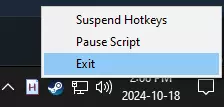
This is a guide (and script) to add keybinding via AutoHotkey until the devs actually add it. How To I was inspired to do this because of a) someone in the forum mentioned losing the use of their dominant hand and thus needing keybindings. The idea is originally from: https://steamcommunity.com/sharedfiles/filedetails/?id=447835974 The following code is an ahk-script. All it does is rebind keys when the active window is powerwash.exe. #Requires AutoHotkey v2.0 #SingleInstance ;This ensures that the remapping only happens in PW2 #HotIf WinActive('ahk_exe PowerWash Simulator 2.exe') /* IMPORTANT: The syntax is: ChangeMe::LeaveMeAlone - so you change the left key and leave the other alone. I have not done any presets, instead, if using this as is, you'd have the normal keybind. So for example: If you want to press k to move left, you'd have "k::a" as the keybind for "Left". If you want to have a key act like scrolling the mouse wheel down, you'd have "b::WheelDown" (assuming you want to bind it to "b"). For a list of available keybinds and their names, see: https://www.autohotkey.com/docs/v2/KeyList.htm Note: If you change a keybind, the original key still does the same, unless you also use it for a new keybind. So, changing "a::a" to "j::a" would make both j and a move left, unless you use a somewhere else. Limitations: This cannot change the displayed keys ingame. You have to remember your keybindings. This does not do is offer a rebind for looking around by moving the mouse because that's not a keybind. */ /*Mouse bindings*/ ; Left click LButton::LButton ; Right click RButton::RButton ; Wheel click Mbutton::MButton ; Scroll Wheel down (towards you) WheelDown::WheelDown ; Scroll Wheel up (away from you) WheelUp::WheelUp /*Movement*/ ; Up w::w ; Left a::a ; Down s::s ; Right d::d ; Sprint LShift::LShift ; Toggle Stance LCtrl::LCtrl ; Jump Space::Space /*Washer*/ ; Washers 1::1 ; Nozzles 2::2 ; Extensions 3::3 ; Rotate Nozzle/Refill Soap r::r ; Toggle free aim mode c::c /*Menus/Misc*/ ; Open/Close game menu Esc::Esc ; Open task list Tab::Tab ; Dirt Highlight q::q ; Interact e::e To run this, download and install Auto Hotkey 2 (official download: https://www.autohotkey.com/download/ahk-v2.exe). AHK is at its base a text replacement program, but it is capable of A LOT - changing keybinds is only a weak example. This method is usable for pretty much all games with small adjustments, but this specific script has all the keys used by PW2. Copy this and paste it into a text editor. Save with the ending ".ahk" and double click the file to start the script. You'll have a small green H in your notification area, because it runs in the background immediately. To edit, just open the file in a text editor. If the script is running, you have to reload it by either starting it via the file again or by right-clicking the taskbar symbol and selecting "Reload script". Instructions for changing the keybindings are in the script itself, but basically: Change the thing on the left of "::" to what you want to press and PW2 believes you've pressed the key the devs assigned. For a list of available keybinds and their names, see: https://www.autohotkey.com/docs/v2/KeyList.htm This does not change the displayed keys ingame (duh) nor replace the mouse movements for looking around. Hope this helps!
如何使用AutoHotkey进行按键绑定

导读
本文介绍了如何使用AutoHotkey v2.0为《PowerWash Simulator 2》(冲就完事模拟器2)设置按键绑定,提供了专属脚本,说明脚本仅在该游戏窗口激活时生效,还讲解了修改按键绑定的语法、操作步骤及脚本的局限性,也提及该方法经调整可用于多数游戏。


评论
共0条评论

工具辅助100%游戏完成(AutoHotkey)
本指南将介绍如何使用AutoHotKey(一款软件)来几乎完全自动完成游戏,同时不会遗漏任何奥格(Auger)且不会中断联系。 AutoHotKey是一款免费的…
2026-04-04 22:000赞 · 0评论

用于自动完成每日任务的AHK脚本
Firestone IDLE RPG的AHK脚本 功能 1)完成公会远征 2)升级部队 脚本从激活到停用期间会循环执行这些操作。 这是用于持续AFK升级的最简单…
2026-02-20 07:000赞 · 0评论
星球大战 【帝国大清洗💦】《冲就完事模拟器2》X《星球大战》扩展包宣传片|PS5
准备好你的(水)枪,我们有任务在身! 《冲就完事模拟器2》X《星球大战》,带你前往遥远的银河系✨
2026-05-16 16:060赞 · 0评论
4K 【冲就完事模拟器2】4K 单手 最高画质 全关卡 powerwash simulator 2
!!
2026-05-06 07:330赞 · 0评论
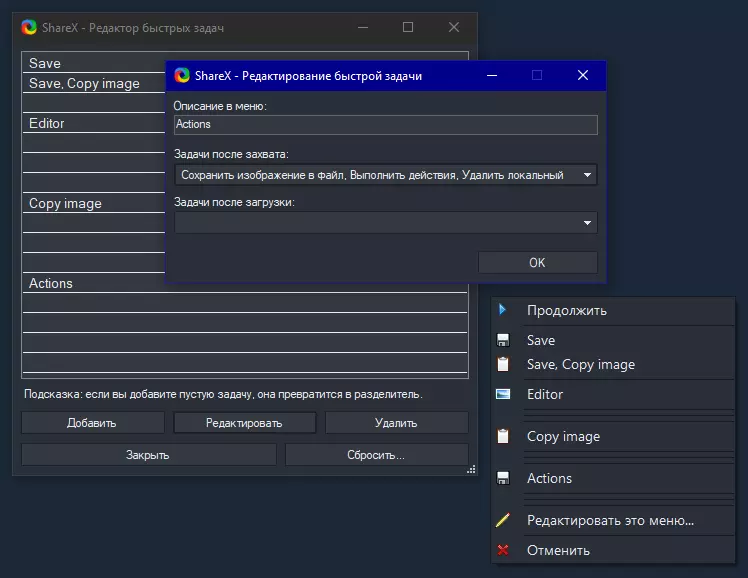
将Greenshot的功能整合到ShareX中
目前ShareX无法在快捷菜单中便捷使用多个命令行操作,所有命令会依次执行,无法进行选择。是的,您可以为命令行操作分配单独的热键,但不得不承认,为每个应用程序单…
2026-02-18 19:000赞 · 0评论
Whack-A-Potato AHK脚本 - 无需设置 - 确实有效
1. 安装AutoHotkey(AHK) 2. 右键点击->新建->AHK脚本 3. 编辑文件 4. 粘贴以下文本(信息包含在代码内) 4a. 不想仔细查看?1…
2026-02-19 04:000赞 · 0评论
WASD + 拉伸全屏 AHK 脚本
将以下代码内容保存为.ahk文件,并安装AutoHotkey即可使用。 #SingleInstance, Force #MaxThreadsPerHotkey …
2026-03-26 22:000赞 · 0评论
如何在聊天中使用西里尔字母。
游戏内聊天无法输入西里尔字母,以下方法可帮助解决此问题。 此方法并非本人原创,早在2011年就已有人实现。 安装与使用步骤: 1. 下载工具【AutoHotke…
2026-02-18 16:000赞 · 0评论

即将到来的更新:多人游戏问题及其他内容
各位清洁大师们,我们正在为《PowerWash Simulator 2》制作首个补丁,力求尽快发布。对于那些在联机游玩时遇到困难的玩家,我们深表歉意。 此次更新…
2026-02-13 09:000赞 · 0评论
《神力科莎:清洁模拟 2》修复与更新
各位清洁大师们! 我们有一些关于当前更新和补丁的最新进展要与大家分享。 一个补丁正在进行全平台测试和提交流程,我们希望能在未来几周内将其推送给大家。该补丁将包含…
2026-02-13 09:000赞 · 0评论
暂无更多
最新更新
- 《冲就完事模拟器2》星球大战包 — 准备好你的(水)喷射器,我们有活儿要干了!《星战》即将联动《冲就完事模拟器2》✨
- 探险时光开发日志04 | 冰王城堡 — 各位皇家糖果清洁工们!🎺 我们再次带来《探险时光》扩展包中的另一个关卡——寒冰王城堡的介绍!👑 上次我们参观了披萨萨西餐厅!
- 探险时光开发日志03 | 披萨萨西的故事 — 大家好,糖果清洁工们! 我们再次带大家探秘《探险时光》扩展包中的一个关卡,这次我们来看看在萨西披萨店周围能发现些什么。
- 《冲就完事模拟器2》探险时光包现已推出! — 各位清洁大师们! 是时候清洗掉欧奥世界的黏糊糊了! 《冲就完事模拟器2》探险时光DLC现已推出!
- 探险时光开发日志02 | 糖果王国清洁工 — -皇家号角声- 为你介绍……【糖果王国清洁工】。 由糖果王国的科学家、发明家和统治者——泡泡糖公主创造。皇家清洁工由各种甜蜜的糖果制成,融合了甜点的所有精华——…
- 《冲就完事模拟器2》公告 — 《冲就完事模拟器》新篇章公布:《与泥共舞》是该游戏的首款衍生作品,在这款游戏中,你不再是清理污垢,而是选择拥抱它。
- 探险时光开发日志01 | 树屋客厅 — 各位糖果清洁工们! 随着《探险时光》DLC的即将上线,是时候带大家提前了解一下在糖果王国中可以期待的内容了! FuturLab的各位优秀开发者们为这些关卡投入了…
- Steam春季特卖 - 《冲就完事模拟器2》享15%折扣! — 各位清洗工们!Steam春季特卖再度开启,3月19日至26日期间,《冲就完事模拟器2》可享15%折扣优惠!
- 欢迎来到坚果镇! — 各位清洁小队成员! 上周我们发布了1.2版本更新,其中包括自定义按键绑定、可堆叠家具、一系列bug修复以及首个免费的卡尔德拉编年史任务【微型村庄】!
- 《冲就完事模拟器2》1.2版本及【迷你村庄】现已推出 — 《冲就完事模拟器2》1.2版本更新内容 1.新增功能 2.修复漏洞 3.推出首个火山纪事关卡【微型村庄】