
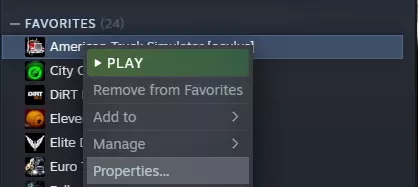
《美国卡车模拟》/《欧洲卡车模拟2》VR运行与体验优化指南:包含常见问题解决方案 简介 VR支持目前处于测试阶段。这意味着对于只想玩游戏的普通用户而言,其技术层面尚不完善和成熟,但游戏本身已经非常出色,具备可玩性,并且受到了许多玩家的喜爱。 不必因本指南的篇幅而却步。要让游戏在VR模式下运行,只需阅读“设置”部分的内容即可。其他所有内容均为可选,可在之后进行调整。 流畅运行游戏的最低配置要求与Valve公布的通用VR最低配置相同: - 四核或更高级别的CPU - Nvidia GTX 970/GTX 1060或Radeon R9 290/RX 580显卡 - 与电脑连接的VR头显分辨率高于HTC Vive/Oculus Rift CV1的头显,如Vive Pro、HP Reverb G2和Varjo Aero,将需要更强大的最低配置硬件。 设置步骤: 要在VR中运行《欧洲卡车模拟2》或《美国卡车模拟》,你需要选择加入Oculus测试版。 首先,在你的库中右键点击《美国卡车模拟》或《欧洲卡车模拟2》,然后选择属性。
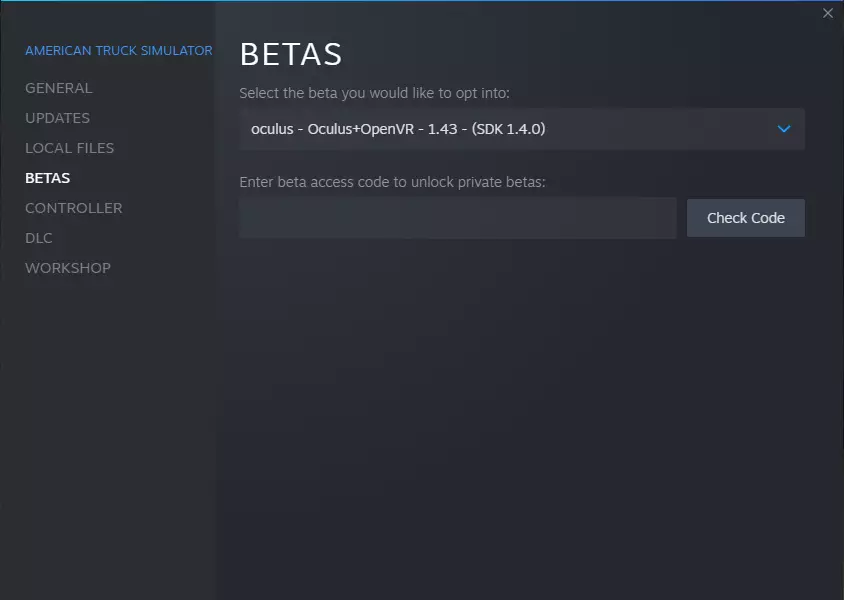
然后点击测试版并选择最新测试版。
然后设置启动选项。
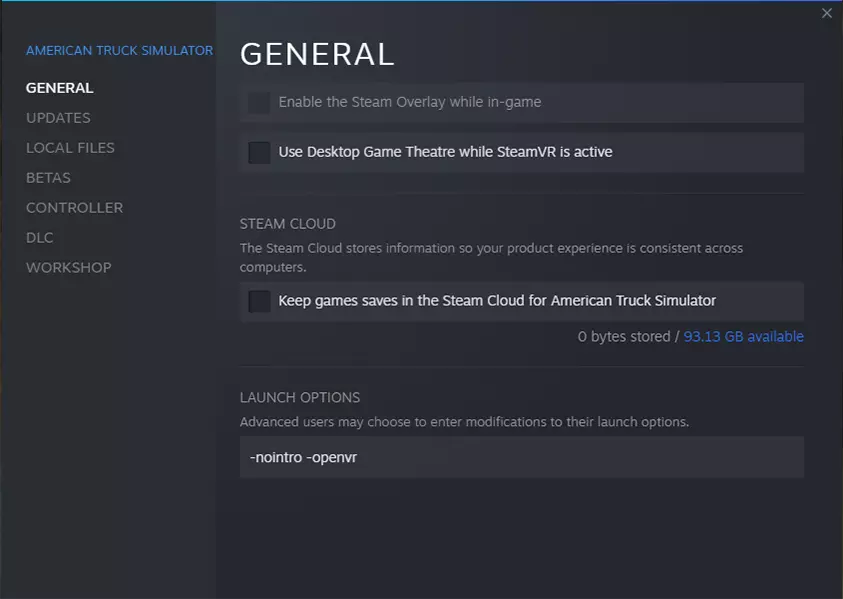
对于HTC Vive及其他基于SteamVR的头显:若遇到卡顿问题,可尝试使用OpenXR选项。部分Valve用户反馈,将设置从OpenVR切换为OpenXR后,帧率有所提升。 - OpenVR:适用于Reverb G2及所有使用Windows混合现实的头显(自1.50版本起)。 注意:有未经证实的报告显示,Quest 2和3也应使用此设置。 - OpenXR 对于Oculus Rift: - Oculus 如果之前未操作过,你可能需要在Oculus软件的常规设置中勾选【未知来源】选项。 启动游戏后,游戏将在头显中运行。若发现游戏在显示器上运行,可按F11键在显示器和头显之间切换。 小贴士:若尚未操作,请在Steam客户端设置中禁用【VR家庭影院】。部分Windows混合现实头显可支持低于90Hz的帧率,但请注意,你的眼睛可能需要适应较低的帧率,因为你可能会注意到屏幕闪烁,类似于观看运行在60Hz的老式电视机。不过,这是一个能让游戏运行更流畅的选项。 自1.55版本起,测试版中新增了使用VR的选项:【Experimental_VR】。 使用此选项存在一些注意事项,且效果可能因设备而异。你必须选择OpenXR作为渲染器。 为获得更好体验进行调整: 此部分需要编辑游戏配置文件。
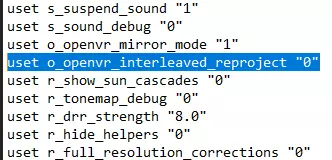
You can find it here C: Users -username- Documents Euro Truck Simulator 2 config.cfg 1. Dealing with framerate.Theory:you can skip to Practice, if you just want solution Since game is quite GPU hungry and can't maintain native 90 frames on most GPUs on the market, we need to use frame generation technics to maintain comfortable 90 FPS for VR. Configuration depends on which technics available for your GPU and HMD. Game has homebrew timewarp and reprojection, that were build before Valve and Oculus introduced own solutions. They are still useful and only solution if you have HTC Vive and Radeon video cards older than 4xx or using Windows 7/8.1. AMD atm has asyncronous reprojection support only for Win10 and 4xx+ GPUs. For all other cases disable them. Practice:a) In general case. For owners of Nvidia GPUs. For owners of Oculus Rift and Radeon GPUs. For Owners of OpenVR headsets and Radeon 4xx GPUs or newer running Windows 10: You need to set uset o_openvr_interleaved_reproject "0"in C: Users -username- Documents Euro Truck Simulator 2 config.cfg Then go in SteamVR settings, enable asyncronous reprojection and disable interleaved reprojection. Or set asyncronous timewarp/spacewarp if you're an Oculus owner. b) If you have OpenVR headset and Radeon video card older than 4xx, or OpenVR HMD and any Radeon GPU running Windows 7/8.1. You need to set uset o_openvr_interleaved_reproject "1"in C: Users -username- Documents Euro Truck Simulator 2 config.cfg Then go in SteamVR settings, disable asyncronous reprojection and disable interleaved reprojection. You need to enable Interleaved reprojection back for any VR game except ETS/ATS. 2. Configure in-game options.Disable depth of field in game settings(this effect is bad for stereo3d). Disable in-game anti-aliasing(it's only bluring image) Set in-game Scale to 100%(it doesn't affect VR resolution). For Supersampling/antialiasing configure supersampling below. 3. Setting Supersampling(Anti-Aliasing). MUST HAVE OPTION!In-game Scaling option doesn't affect VR version at all. If you want Supersampling for VR you should set it in SteamVR dashboard, or edit game config file uset r_manual_stereo_buffer_scale "1"in C: Users -username- Documents Euro Truck Simulator 2 config.cfg For example I'm using 290x(aka 390/480) min-spec VR card. Nvidia analogues would be 970 and 1060. I've set Supersampling to uset r_manual_stereo_buffer_scale "1.75" If you find that framerate is not comfortable, you can try to lower Supersampling for better frames. Note. SteamVR calculate Supersampling multiplier by increase of number of pixels. While in-game SS multiplier using increase in screen resolution, multiplying both height and width of the screen. Akin to DSR/VSR Downsampling E.G. 8k screen would be 2x resolution multiplier in config file and 4x number of pixels in SteamVR dashboard. Notes for Newer Headsets Headsets like the Reverb G2 and newer are being released with higher and higher native resolutions. Use supersampling with caution as too high settings can cause major fps lag. Please note that as SCS continues to update the game and scenery, it does appear that a lot of these "Updates" seem to cause lower and lower performance in VR. As the game is not optimised for VR, nor written for VR this is an unfortunate side effect of progress. Common problems and solutions. If you have problems with the game, and have mods installed, try to remove mods. If you don't see game in the headset - press F11. As of version 1.5 the VR menu is now angled downward. If you don't like this new position you will need to edit your config.cfg in your ATS/ETS 2 save folder. Find these 2 lines and change the angle from the default to "0' or any angle you are comfortable with. uset r_manual_stereo_ui_pitch_game uset r_manual_stereo_ui_pitch If you want to move the adviser from being right in front of your forward view you could also try changing the follow config line to force the menu to the side. uset r_manual_stereo_ui_yaw_game How to change in-game HUD window position. You may have more comfortable placement of in-game HUD inside VR. Here is premade solution/mod by FateOfNorns. https://steamcommunity.com/sharedfiles/filedetails/?id=2562138763 How to capture VR for streaming/show what I'm seeing in VR on my monitor. It's called mirroring. There are three ways of enabling it: Use built-in game mirroring mode by adding uset o_oculus_mirror_mode "1"To the C: Users -username- Documents Euro Truck Simulator 2 config.cfg Run game with -openvr key and enable mirroring in SteamVR settings. Oculus users can use Oculus Mirror Software to mirror the game. You can find it here: ... Oculus Support oculus-diagnostics OculusMirror.exe See for yourself, which one suits you the most. Also you might want to modify and crop the captured mirror image with your streaming software. Remove one of the eyes and stretch the image for proper aspect ratio. If your streaming software doesn't have this feature - you might try OBS. It's free and provides such option. If you are making a video recording you may want to apply stabilizing filter to the image, so camera would be less wobbly for the viewers. Because viewing direct headset image capture is not very comfortable to watch, it makes viewer feel motion sick. You should also know, that mirroring is additional rendering and it has impact on game's performance. Use it only while needed, and don't forget to check your game performance with mirroring enabled. It might be necessary to lower your game settings in order to maintain comfortable framerate. Extra: How to use Steam Controller as Steering Wheel You can use Steam Controller as a Steering Wheel. Here is how it looks like(ETS2 at 16:20):
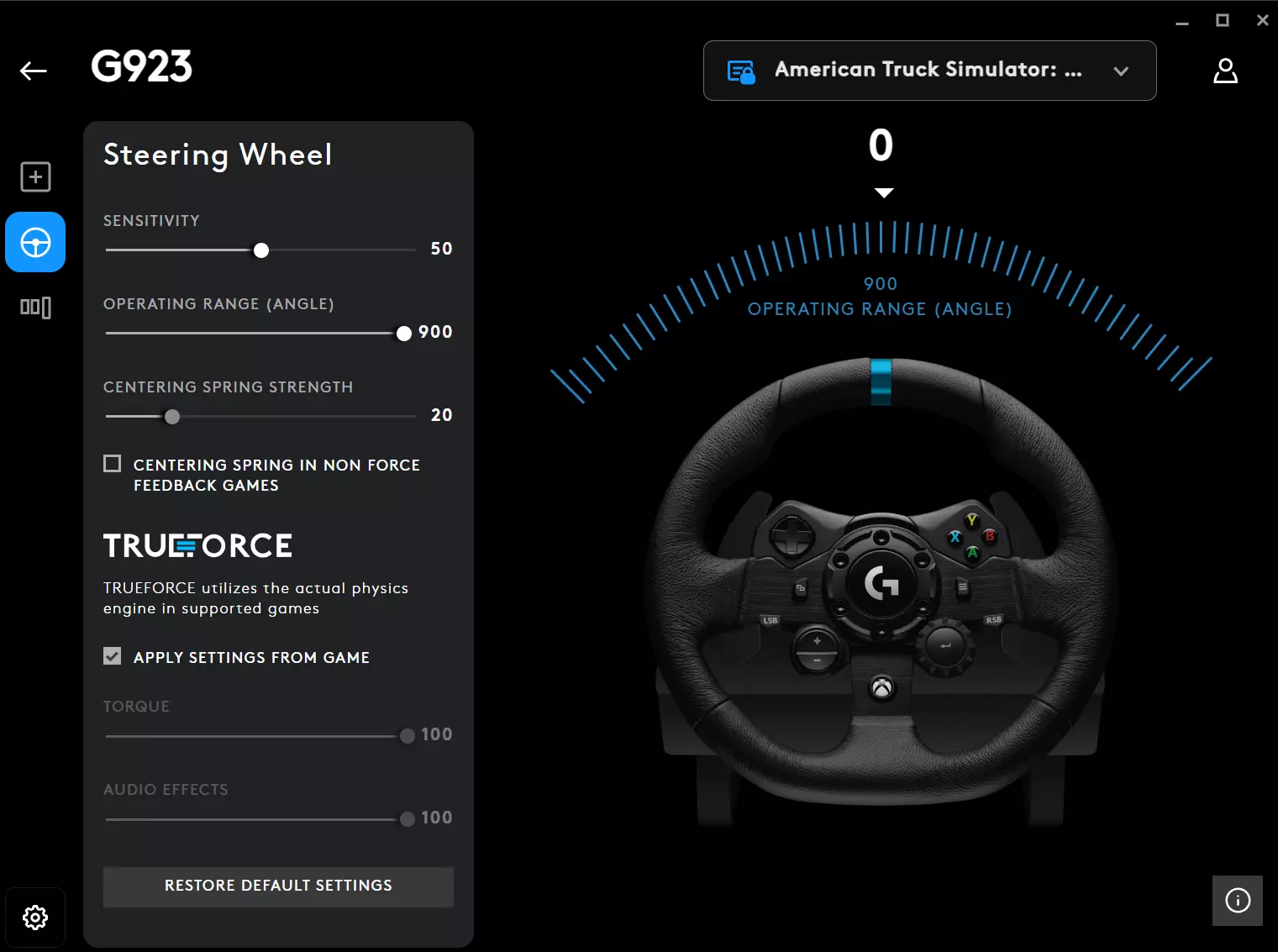
以下是我的预设配置。你需要通过Steam发送消息来激活链接。(没错,无限测试版,Valve时间)或者你可以在《欧洲卡车模拟2》的社区按键绑定中手动找到我的配置。 游戏内设置: 1. 选择自动变速箱。 2. 选择键盘+方向盘作为输入设备。输入设备显示应为键盘+Xinput1。 3. 根据个人喜好设置方向盘灵敏度(默认即可)。 4. 将方向盘非线性设置为0。 常见问题1: 我可以在VR中运行《欧洲卡车模拟2》/《美国卡车模拟》的模组吗?当然可以。VR测试版与最新游戏版本同步,绝大多数模组都能正常运行。我强烈推荐你尝试像ProMods和RusMap这样的地图扩展模组(运行它们需要地图扩展DLC)。许多VR玩家喜欢安装汽车模组,用普通汽车代替货运车辆进行行驶。真是异端! 在极少数情况下,部分模组可能会导致立体3D失真问题。这种情况下,建议向模组开发者报告该问题。由于《欧洲卡车模拟2》是3D游戏,此类失真是模组开发者的失误造成的。 如何禁用向后看时相机跳出卡车的问题?你需要在C: Users -username- Documents Euro Truck Simulator 2 config.cfg中设置g_hmd_no_artifical_movement "1"。如果此方法无效,请尝试编辑另一个文件:C: Users -username- Documents Euro Truck Simulator 2 profiles <your profile> config.cfg。 常见问题第二部分:如何在多人模式下玩《美国卡车模拟》/《欧洲卡车模拟2》VR版。 SCS官方的组队多人模式支持VR!它开箱即可使用,无需额外设置。 主要特点: - 一局游戏最多支持8名玩家,未来可能支持更多。 - 跨平台多人游戏,VR用户和普通屏幕用户可以一起游玩。 - 你的游戏你做主,自定义规则。 - 支持模组。 - 目前采用点对点连接方式,开发者未来可能会增加专用服务器托管功能。 关于TruckersMP:遗憾的是,TruckersMP非官方多人模式不支持VR。相反,TruckersMP的开发者对VR社区的请求毫无理由地表现出敌意。但如果你仍想碰碰运气,可以通过TruckersMP开发者论坛或官方Discord服务器咨询他们。 附言 如果本指南对你有帮助,请指出其中的错误并在下方评论中提出关于本指南应补充内容的建议。