Steam Deck家庭共享支持手柄

--

+关注

--

热度

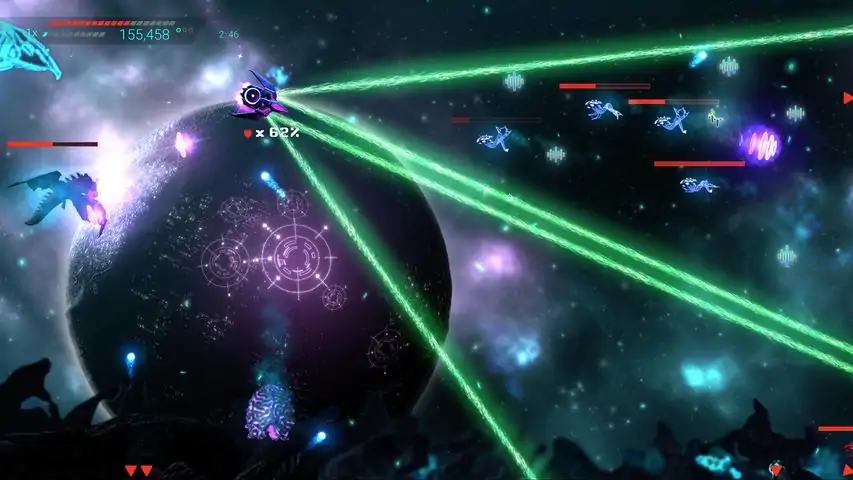
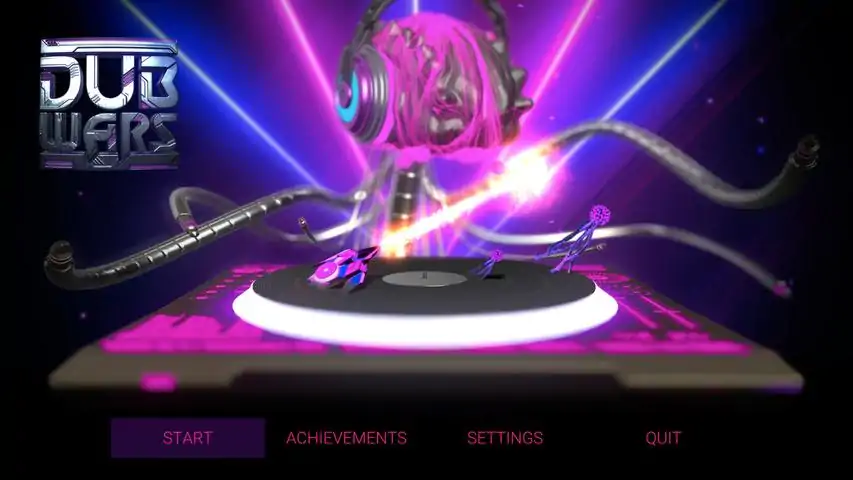
RecommendedWe recommend the use of a Steam Controller, Xbox controller, or PS4 controller when playing our game.关于游戏DubWars is an action-packed arcade shooter that successfully combines music and gaming in a way never seen before. We've collaborated with incredible EDM and Dubstep artists to create a game that synchronizes the energetic music with fun and exciting gameplay. The music becomes your weapon as they fire in sync to the rhythm of the song, each beat firing a unique weapon. Listen to the bass, up beats, climax, and the drop of each song in order to progress through each level's difficulty. Analyze the risk and reward of collecting Wubs from destroyed enemies in order to upgrade, or just try to frantically survive the song!10 custom-built levels with amazing visuals and effects!Discover and support both up-and-coming musicians and your favorite established artists!Learn about the artists and where you can follow them, as well as download their other musicProgress through three difficulty modes by mastering the music and upgrading your shipComplete objectives and Steam achievements, collect Trading Cards, and top the leaderboards!Tracklist:Omni - Urban Me
游戏圈
共1条帖子
爱心小蛋糕
2026-03-31 19:00:19 · 发布在 「DubWars」
游戏运行方法
如何让游戏在(部分)现代电脑上运行 免责声明 这仅适用于WINDOWS系统,且不保证能解决所有问题。但对我来说有效,或许对你也值得一试。至少尝试一下不会有任何损害。 我是偶然发现这个方法的,因为我多年来一直想玩的另一款游戏《Windlands》也存在同样的问题。幸运的是,那款游戏的玩家已经找到了解决方法,我只是将他们的发现复制到这里,以便仍在寻找解决方案的玩家参考。 运行游戏的方法 解决步骤主要是设置一个Windows环境变量: 将OPENSSL_ia32cap设置为以下值: ~0x200000200000000 如果你知道如何操作,那就太好了!设置后,你应该就能正常游戏了。如果不知道,请继续阅读以下分步指南。如何设置环境变量 打开设置并导航至“系统”选项卡 一直向下滚动并点击“关于” 如果“设备规格”下拉菜单处于关闭状态,请将其打开 在“设备规格”底部附近有一个“相关链接”部分,从中点击“高级系统设置” 点击刚刚打开的窗口底部的“环境变量...”按钮 在“系统变量”(新窗口的下半部分)下,点击“新建...” 输入“OPENSSL_ia32cap”(不带引号)作为变量名 输入“~0x200000200000000”(不带引号)作为变量值 点击确定、确定、确定,然后关闭设置以关闭所有打开的窗口 尝试开始游戏!!!一份视觉指南 我实际上并没有视觉指南,也不想制作一份,而且我找到的这份已经过时了(适用于Windows 10)。但核心思路完全相同。你可以通过我之前描述的方法,或者在Windows任务栏中搜索“编辑系统环境变量”来打开“高级系统设置”面板。然后,你可以按照该视觉指南的其余步骤进行操作。祝你使用愉快!

下载233乐园APP

专心推荐好游戏

关于我们 · 联系我们 · 隐私政策 · 营业执照

侵权投诉 · 开发者中心 · 用户协议 · 免责声明

不良信息举报中心

纠纷处理及不良内容举报电话:

4006600910 (工作时间: 9:00-12:30,14:00-18:00)

北京市朝阳区启阳路4号院2号楼15层1803室

本公司产品适合10周岁以上玩家使用 未成年人家长监护

首页 / DubWars

抵制不良游戏 拒绝盗版游戏

注意自我保护 谨防受骗上当

适度游戏益脑 沉迷游戏伤身

合理安排时间 享受健康生活

京ICP备18003564号-3

经营许可证编号:京B2-20181741

京公网安备:11010502052873

Copyright © 2026 233leyuan.com All Rights Reserved

北京龙威互动科技有限公司版权所有

热门游戏: 我的世界 | 三角洲行动 | 原神 | 王者荣耀 | 超自然行动组 | 蛋仔派对 | 和平精英 | 火影忍者 | 二重螺旋 | 英雄联盟 | 梦幻西游 | 明日方舟 | 斗罗大陆 | 光遇 | 鸣潮 | 无畏契约 | 模拟山羊3 | 樱花校园模拟器