Steam Deck家庭共享

--

+关注

--

热度

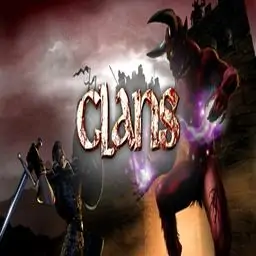
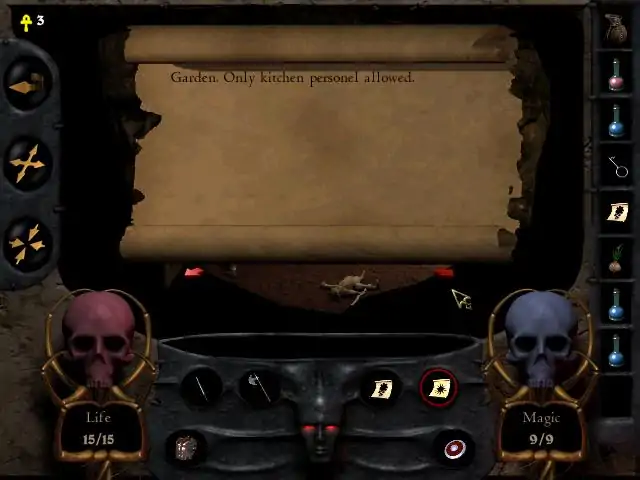
Your goal is to confront and destroy the Demon and locate the lost Crown of Peace. You will roam your once-beautiful land, routing out the Demon's hateful minions, solving the mysteries of the fortress, and moving ever closer to your final encounter with the Demon. Summon your courage and raise your sword for a fight to the death. Features: 7 Levels: At the Gates; Underdark, a cavern realm of molten lava; Chambers of Torment, the dungeons of the fortress; The Commoners Quarters; Garden of Eternity, the fortress courtyard; The King's Quarters; The Dragon's Den Wage war with swords, axes, magic, and explosive weaponry through nine quests, seven levels and five sublevels of the ultimate hack-and-slash action. Fight for your clan and your world as one of four unique characters each possessing distinct skills and abilities. Casts spells, unravel puzzles, interact with extraordinary characters and destroy evil incarnate. When you launch Clans, you will see a window pop up: "Please insert the CLANS CD! Hit OK when done, or Cancel if you don't want any music." This is an olde school Diablo type game, back in the days when games were run with the CD inserted. The interesting feature of this particular game is that the contents of the original CD contained only the music for the game. What this means is that you can put ANY music CD into your CD player and the game will play it! If you don’t want to have music playing, simply hit ‘Cancel’ and the game will launch. Have fun! The original CD audio has been added to the game files. If you want to hear the original soundtrack, you will have to navigate to your Steam directory where the game files for Clans reside. You will find a folder called "Clans music", and the audio files are in there. Then you will have to burn an audio CD and put into your CD drive.
游戏圈
共2条帖子
会长天下第二
2026-04-06 01:00:09 · 发布在 「Clans」
用音乐畅玩《Clans》,无需光盘
这份小指南是为了能够循环播放游戏音乐,只需使用名为_inmm238的CD包装程序。 步骤1: 下载并安装_inmm238,这是用于播放游戏音轨的工具。 步骤2: 前往“C: Program Files (x86) _inmm”并找到_inmmcnf.exe文件。先不要运行它,保持该窗口打开,进入下一步。 步骤3: 将Clans.exe可执行文件拖到_inmmcnf.exe上(会询问是否要修补clans.exe,选择是)。这样可执行文件就准备好了,现在来创建音轨列表。 步骤4: exe,会出现一个配置窗口,进入最后一个_inmm选项卡。打开ini文件,点击“add”。添加你在游戏《Clans》文件夹中找到的9个mp3格式音频轨道,点击“sort”对它们进行排序,以确保每个轨道都在正确的位置,最后点击“save”将该ini文件保存在Clans的安装目录:C: Program Files (x86) Steam steamapps common Clans。最后提示:这样我们就都准备好了,你可以打开我们创建的ini文件,确认其路径对应《Clans》音乐的存放位置,并且记住该ini文件必须与Clans.exe可执行文件位于同一文件夹中。现在只需测试游戏即可。
视力下降
2026-04-01 01:00:26 · 发布在 「Clans」
Win 8修复/自定义分辨率修复(俄文/英文)
1. 若游戏无法启动,且通过可执行文件运行时出现0x0000022错误 2. 若游戏能够启动,但出现640x480分辨率错误 0x0000022错误修复方法: 需启用DirectPlay:依次进入【程序和功能】-【打开或关闭Windows功能】-【旧版组件】-启用【DirectPlay】 640x480分辨率错误修复方法:使用640x480分辨率: 1. 打开游戏文件夹:C: Program Files (x86) Steam steamapps common Clans 2. 右键点击clans.exe文件,选择属性,进入兼容性选项卡 3. 勾选以下选项: - 以640x480分辨率运行 - 高DPI设置时禁用显示缩放

下载233乐园APP

专心推荐好游戏

关于我们 · 联系我们 · 隐私政策 · 营业执照

侵权投诉 · 开发者中心 · 用户协议 · 免责声明

不良信息举报中心

纠纷处理及不良内容举报电话:

4006600910 (工作时间: 9:00-12:30,14:00-18:00)

北京市朝阳区启阳路4号院2号楼15层1803室

本公司产品适合10周岁以上玩家使用 未成年人家长监护

首页 / Clans

抵制不良游戏 拒绝盗版游戏

注意自我保护 谨防受骗上当

适度游戏益脑 沉迷游戏伤身

合理安排时间 享受健康生活

京ICP备18003564号-3

经营许可证编号:京B2-20181741

京公网安备:11010502052873

Copyright © 2026 233leyuan.com All Rights Reserved

北京龙威互动科技有限公司版权所有

热门游戏: 我的世界 | 三角洲行动 | 原神 | 王者荣耀 | 超自然行动组 | 蛋仔派对 | 和平精英 | 火影忍者 | 二重螺旋 | 英雄联盟 | 梦幻西游 | 明日方舟 | 斗罗大陆 | 光遇 | 鸣潮 | 无畏契约 | 模拟山羊3 | 樱花校园模拟器