
Steam Deck家庭共享在线合作

--

+关注

--

热度

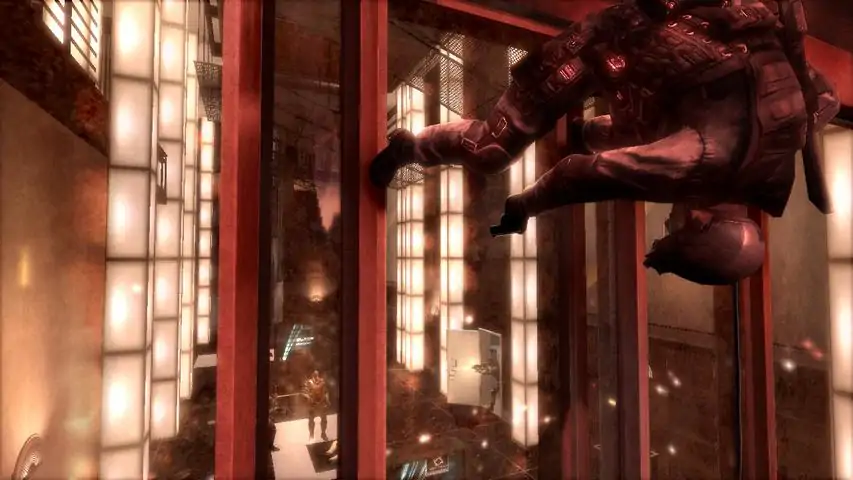
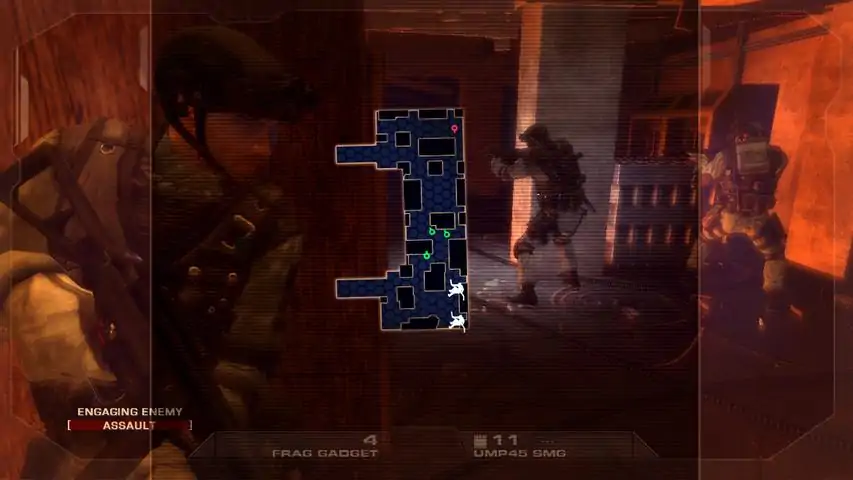
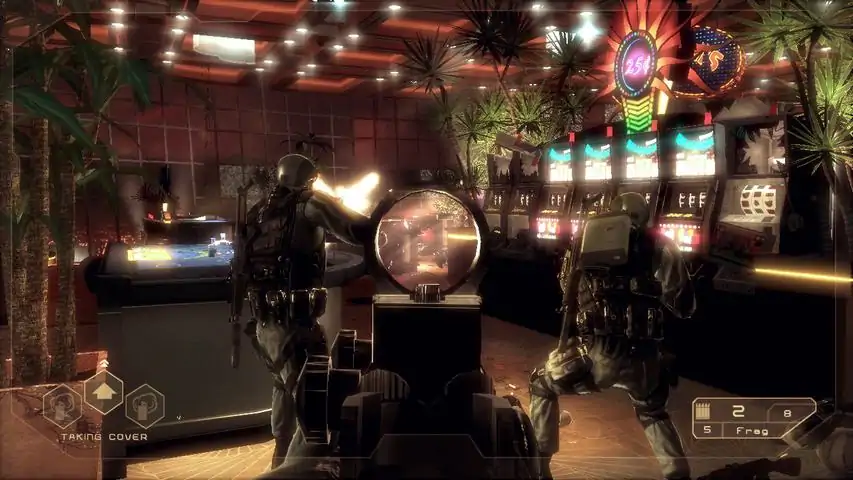
Tom Clancy's Rainbow Six makes its next-generation hardware debut in the most dramatic installment of the renowned first-person shooter franchise to date. Rainbow operatives take to the chaotic streets of Las Vegas as an escalating terrorist siege in 'Sin City' threatens to take world terrorism to new, uncontrollable heights. The future of global security hangs in the balance as you battle to defend classic Vegas locations and environments like Fremont Street, the Strip, and casinos. Experience Las Vegas like never before - through revolutionary next- generation technology as you work against the clock to keep one of the world's most recognizable cities from utter devastation. New Leader, New Team - Team Rainbow ushers in a new breed of heroes. With a new team comes added responsibility. Tactics play a MAJOR role in your team's success, as each member comes equipped with his own skill set: Logan Keller, team leader and recon expert; Michael Walter, heavy weapons and demolition expert; and Jung Park, long range and electronics specialist. Special Order Location - Experience a new level of squad-based realism as your teammates, Michael and Jung, offer you real-time tactical suggestions like busting through walls or hacking computers, all in a race against time to locate the heart of the terrorist cell. Observe - Plan - Assault - Use tactical planning to maneuver through multiple-path Vegas environments, while utilizing high-tech equipment such as snake cams to strategically 'tag' terrorist targets to your teammates, prior to entering a room. Real-Time Immersion - Prepare yourself for a new level of in-game immersion with real-time mission briefings, all in the midst of the most intense combat ever played. Advanced Gameplay Animations - Motion-captured assault and recon techniques such as fast roping, rappelling, window entry, blind-cover fire, and more. All captured by an experienced Hollywood animation expert. Next-Generation Artificial Intelligence - Next-generation technology brings a higher level of artificial intelligence to Rainbow Six. As you get past the grunts and advance closer to the center of the terrorist cell, encounter deadlier, more skilled enemies who work together as a group to counter every move you make. Customizable Multiplayer Experience - Create your own multiplayer character that evolves as you play online, unlocking new equipment and achievements as you go. Ubisoft Montreal Returns - Rainbow Six is back in the hands of Ubisoft's Montreal studio, creators of the award-winning and highly acclaimed Rainbow Six 3.
游戏圈
共11条帖子
牛角面包
2026-03-26 10:00:27 · 发布在 「Tom Clancy's Rainbow Six® Vegas」
视野修复!(感谢jdodger415)
这是一个基于jdodger415指南制作的简单视野修复补丁,适用于不想使用十六进制编辑器的玩家。 修复方法: 下载文件并将其移动至“(游戏路径)Rainbow Six Vegas KellerGame Content CookedPc”文件夹,出现提示时替换所有文件。 视野已设置为85,这会导致手臂模型略微错位,但其他一切功能似乎正常。 注意:执行此操作可能会导致鼠标移动失灵,解决方法是按下Alt+Tab键切出游戏,然后重新进入即可。
Mie
2026-04-02 04:00:14 · 发布在 「Tom Clancy's Rainbow Six® Vegas」
如何解决:游戏无法启动及加载时冻结的问题
本指南旨在帮助那些无法运行游戏或游戏启动后在加载时立即冻结的玩家。 游戏无法启动(即启动时崩溃) 首先请注意,本方法可能并不适用于所有人。请自行承担风险操作。 有几种可能的方法可以修复游戏启动时崩溃的问题。你可能不需要尝试所有这些修复方法: 在进行任何操作之前,请检查游戏缓存的完整性(在Steam库中右键点击游戏)。 确保游戏与你的Steam应用程序安装在同一文件夹中。 此修复方法同样适用于《彩虹六号:维加斯2》。 例如,如果你的游戏安装在C: Rainbow Six 2文件夹中,而Steam安装在F:驱动器中,只需剪切游戏文件夹并将其粘贴到F: Steam SteamApps common文件夹中。当你尝试通过Steam启动游戏时,可能会显示无法找到文件。在你的库中,右键点击游戏并选择【卸载】,这实际上不会删除任何内容。然后,再次将其安装到你的F:盘或Steam的安装目录。由于文件已存在,不会重新下载整个游戏。 尝试运行游戏,看看是否能正常启动。 如果仍然无法运行,你可以尝试以下操作: 前往【...Rainbow Six Vegas Binaries】文件夹,找到【runme.dat】文件。 使用记事本++等文本编辑器打开【runme.dat】,将其中的【R6Vegas_Launcher.exe】替换为【R6Vegas_Game.exe】。 注意:如果之后验证游戏缓存,此修改可能会被恢复为默认设置。再次尝试运行游戏,看是否能正常启动。 如果仍然无法运行,尝试以管理员权限启动游戏(右键点击游戏的可执行文件,选择“以管理员身份运行”),或者尝试以管理员权限启动Steam。这对部分玩家可能有效。 如果以上方法都不奏效,可尝试ChinMediaHD提供的以下修复步骤: 1. 打开我的文档中的程序文件,找到Steam文件夹。依次进入Steam > Steam Apps > Common > 彩虹六号:维加斯 > Direct X,然后向下滚动找到DXSETUP。运行DXSETUP并确保完成安装。 2. 安装完成后,打开Steam客户端 > 库 > 游戏 > 右键点击彩虹六号 > 属性 > 本地文件 > 验证游戏文件的完整性。请等待验证更新完成。 3.打开我的文档中的程序文件,然后在程序文件中找到Steam。依次进入Steam > Steam Apps > Common > 彩虹六号:维加斯 > Binaries。你需要删除启动器,并将R6Vegas_Game重命名为R6Vegas_Launcher。 4. 最后,你还需要检查Windows更新。进入控制面板 > 搜索Windows Update > Windows Update,然后安装所有可用更新。如果你已安装所有更新,可能就没问题了,但系统可能会要求你重启。如果提示重启,请务必重启,因为这样才能确保更新完全生效。 游戏启动时(加载过程中)冻结 游戏启动后冻结
0770
2026-04-01 16:00:08 · 发布在 「Tom Clancy's Rainbow Six® Vegas」
《彩虹六号:维加斯》终极指南
如何运行游戏、更改游戏语言(是的,我们说的是语音)或下载新地图 我的游戏无法加载! 该游戏需要管理员权限,如果你的游戏无法加载,请按照以下步骤操作: 关闭Steam 右键点击快捷方式 以管理员身份运行 通过你的库启动游戏 然后……就能正常运行了! 如何更改语言 Steam可能显示该游戏只有英语或法语,但你可以使用以下语言进行游戏: 德语 -> deu 西班牙语 -> esp 法语 -> fra 英语 -> engl 意大利语 -> ita 日语 -> jpn 波兰语 -> pol 俄语 -> rus 操作方法:前往游戏目录(类似“C: Steam SteamApps common Rainbow Six Vegas KellerGame Config PC”) 编辑文件:KellerEngine。在第21行,你会找到“Language=int”。将“int”更改为你的语言代码(查看顶部)。保存并运行游戏,语音将变为所选语言! 新地图:前往相关资源页面下载(选择你喜欢的镜像),包含10张多人游戏地图。注意:文件大小为650MB,下载可能需要一段时间。下载完成后,安装文件即可,你将获得10张免费新地图!

下载233乐园APP

专心推荐好游戏

关于我们 · 联系我们 · 隐私政策 · 营业执照

侵权投诉 · 开发者中心 · 用户协议 · 免责声明

不良信息举报中心

纠纷处理及不良内容举报电话:

4006600910 (工作时间: 9:00-12:30,14:00-18:00)

北京市朝阳区启阳路4号院2号楼15层1803室

本公司产品适合10周岁以上玩家使用 未成年人家长监护

首页 / Tom Clancy's Rainbow Six® Vegas

抵制不良游戏 拒绝盗版游戏

注意自我保护 谨防受骗上当

适度游戏益脑 沉迷游戏伤身

合理安排时间 享受健康生活

京ICP备18003564号-3

经营许可证编号:京B2-20181741

京公网安备:11010502052873

Copyright © 2026 233leyuan.com All Rights Reserved

北京龙威互动科技有限公司版权所有

热门游戏: 我的世界 | 三角洲行动 | 原神 | 王者荣耀 | 超自然行动组 | 蛋仔派对 | 和平精英 | 火影忍者 | 二重螺旋 | 英雄联盟 | 梦幻西游 | 明日方舟 | 斗罗大陆 | 光遇 | 鸣潮 | 无畏契约 | 模拟山羊3 | 樱花校园模拟器