Steam Deck抢先体验家庭共享

--

+关注

--

热度

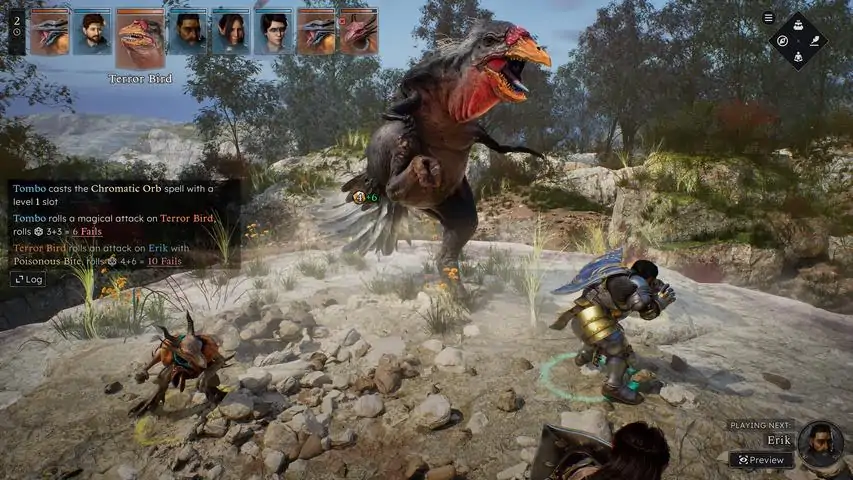
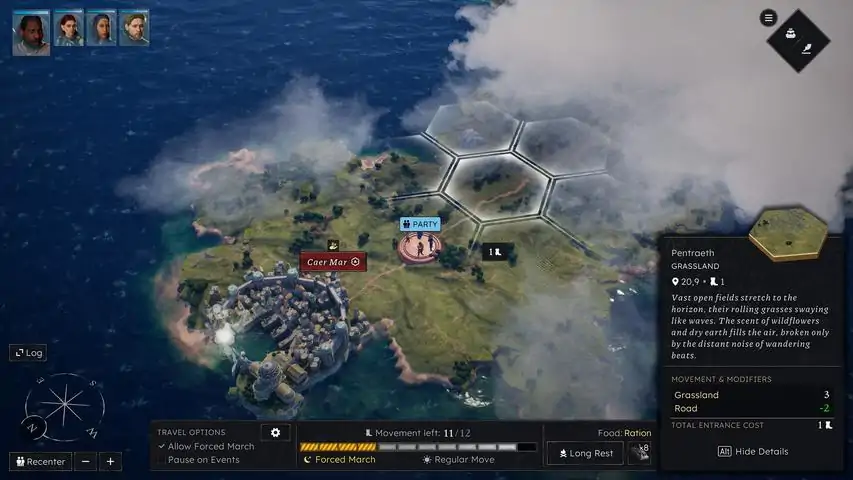
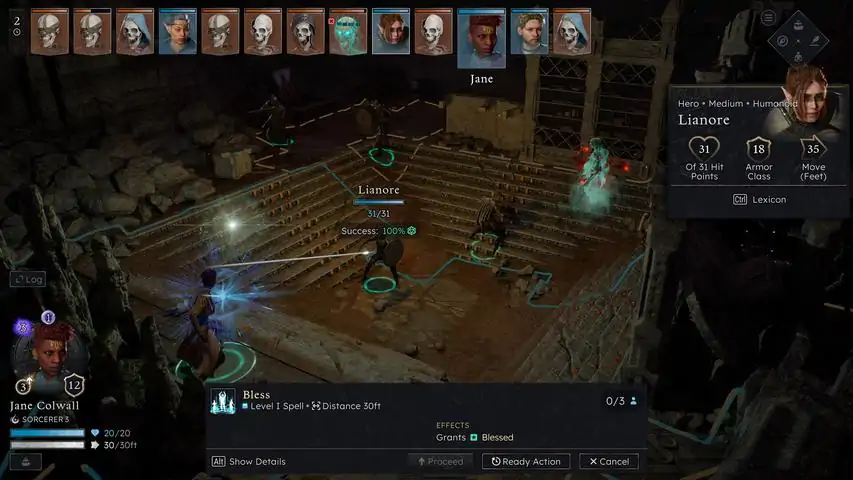
From the creators of Solasta: Crown of the Magister comes another intriguing tactical RPG faithful to the world's most popular TTRPG's ruleset. Create and guide your party of 4 adventurers as they head to the faraway continent of Neokos in a quest driven by their family legacy. In the face of the threat by the ancient and enigmatic Shadwyn, what choices will you make to push back the impending tide of corruption?Solasta II is a grand sequel to Solasta: Crown of the Magister, a much beloved Tactical RPG known for its faithfulness to the Tabletop experience. Decades after defeating the Sorak menace, a new flegdling party of heroes travels to distant lands in search for redemption. Solasta II remains true to its promise to deliver gameplay based on the world's most popular TTRPG. Prepare your spells, land that sneak attack, smite this monster - bathe in the familiarity of your Tabletop experience. But that's not all Solasta II will have to offer. This new opus will also allow you to freely roam the lands of Neokos, to explore and uncover the map as you will. Whether you stick to familiar roads, or head off into the wilderness... The choice is yours. Just be careful - because as we've always said...You make the choices, dice decide your destiny.
游戏圈
共9条帖子
杀死女巫
2026-04-06 13:00:18 · 发布在 「Solasta II」
如何诊断系统崩溃 - Windows
我注意到一些玩家在Steam论坛上遇到了崩溃问题,因此想为那些从未使用过.dmp文件来识别游戏问题的玩家制作本指南。本指南适用于导致崩溃的程序。 在哪里可以找到.dmp文件? .dmp文件可通过导航至%USERPROFILE% AppData Local Solasta 2 .sentry-native reports文件夹找到。在其中你会看到一份与你遇到游戏崩溃时间相对应的报告。 如何查看.dmp文件? Windows操作系统内置了名为【Windbg】的内存调试器。它应该在每个Windows 11系统中默认安装。不过,如果你没有【Windbg】,则需要通过相关方式安装。 安装好该程序后,打开它即可。现在,在文件资源管理器中,你需要将.dmp文件拖到Windbg窗口上,它会导入该.dmp文件并显示一些信息。如何查看哪个程序出现问题? 要查看哪个程序出现问题,您需要先输入.ecxr命令,这将显示遇到的错误。你应该会看到故障期间遇到的内存地址列表。接下来,你需要运行!analyze -v命令。此过程大约需要5分钟,因为整个文件是二进制格式,所以请耐心等待。不过,第一个进程(通常是相关程序)可以迅速识别出来。就我的情况而言,这属于RTSSHooks64.dll,它是微星Afterburner(MSI Rivatuner)的相关动态链接库文件。你可以在互联网上快速搜索,或者使用类似ChatGPT的工具来确定你所看到的动态链接库文件。 为了确认,请等待整个进程完成。当该过程完成后,你需要向下滚动到显示【FAILURE_BUCKET_ID:】的位置。这里会显示具体的故障原因,可能是渲染器(以我为例,由于Rivatuner与游戏冲突,故障出在directx)。 如果你不清楚相关的.dll文件,可以下载Process Explorer查看该.dll文件关联的程序。

下载233乐园APP

专心推荐好游戏

关于我们 · 联系我们 · 隐私政策 · 营业执照

侵权投诉 · 开发者中心 · 用户协议 · 免责声明

不良信息举报中心

纠纷处理及不良内容举报电话:

4006600910 (工作时间: 9:00-12:30,14:00-18:00)

北京市朝阳区启阳路4号院2号楼15层1803室

本公司产品适合10周岁以上玩家使用 未成年人家长监护

首页 / Solasta II

抵制不良游戏 拒绝盗版游戏

注意自我保护 谨防受骗上当

适度游戏益脑 沉迷游戏伤身

合理安排时间 享受健康生活

京ICP备18003564号-3

经营许可证编号:京B2-20181741

京公网安备:11010502052873

Copyright © 2026 233leyuan.com All Rights Reserved

北京龙威互动科技有限公司版权所有

热门游戏: 我的世界 | 三角洲行动 | 原神 | 王者荣耀 | 超自然行动组 | 蛋仔派对 | 和平精英 | 火影忍者 | 二重螺旋 | 英雄联盟 | 梦幻西游 | 明日方舟 | 斗罗大陆 | 光遇 | 鸣潮 | 无畏契约 | 模拟山羊3 | 樱花校园模拟器