


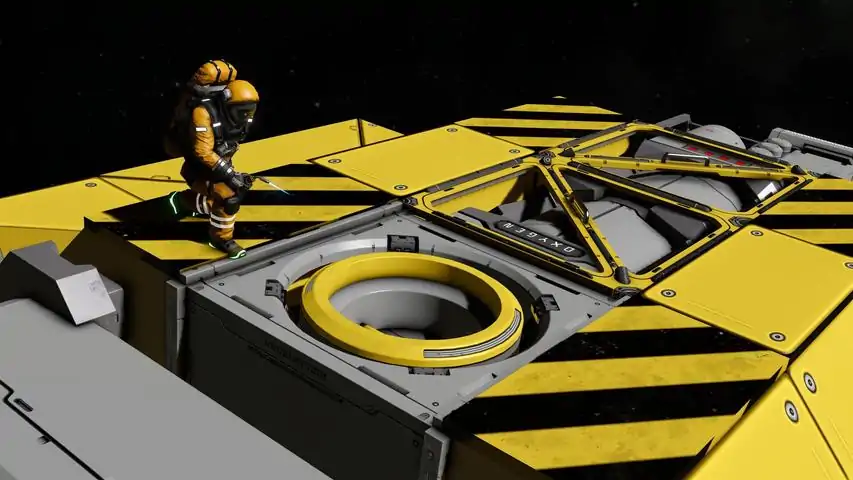

室内设计指南
在本指南中,我将向你展示如何让大型飞船或空间站的内部变得更加有趣和细节丰富。 简介
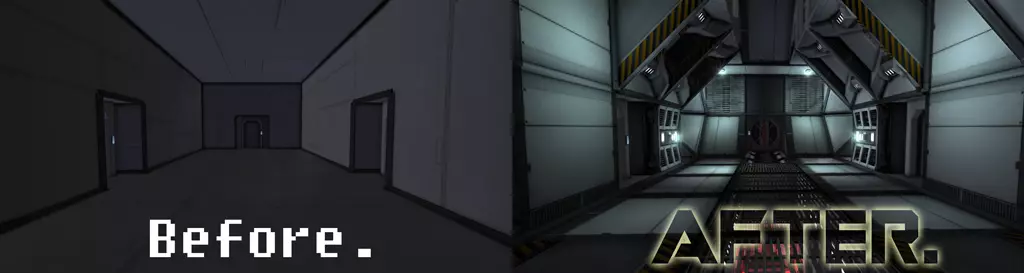
在本指南中,我将向你展示如何改进大型飞船或空间站的内部。打造美观内饰的关键在于添加细节:通过色彩、纹理、结构(立柱、格栅、窗户等)、照明和模组。我建造了这条简单的走廊作为示例:
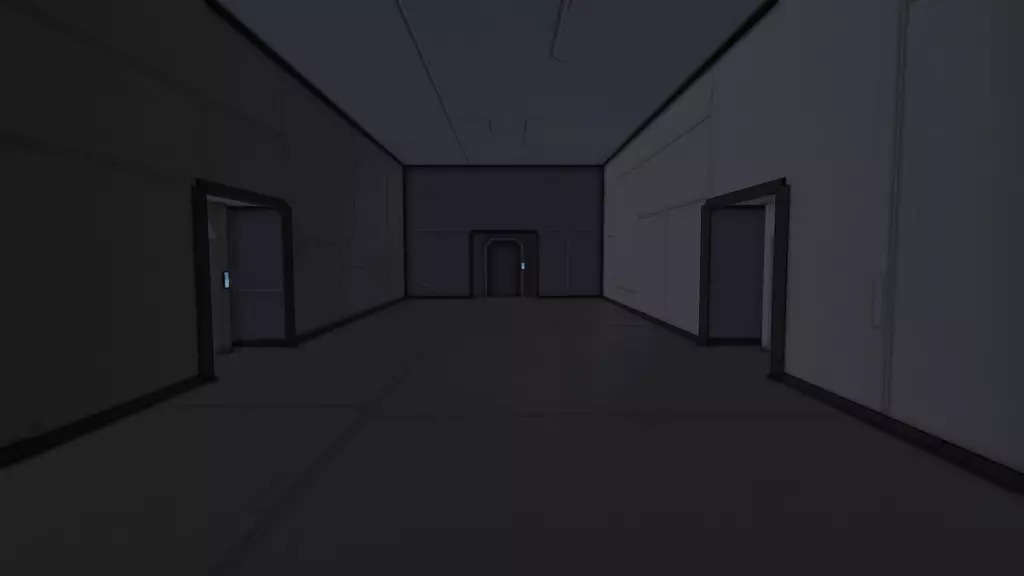
这条走廊平淡又乏味。在接下来的章节中,我会向你展示一些基础技巧,让走廊在不完全改变其形状的情况下变得更有趣。 颜色 增添细节最简单的方法就是运用颜色。颜色的一大优点是完全不需要资源或空间,所以即使在极简的生存场景中也能使用。 添加彩色条纹或某种棋盘格图案通常效果不错。我倾向于在一面墙上最多使用3种颜色: 主色:用于给大部分方块上色。我通常会选择白色、灰色或棕色这类中性色。 辅助色:基本上就是条纹的颜色。对我来说,大多数时候要么是更显眼的颜色,比如深红色或蓝色,要么是更柔和的颜色,例如当我选择浅灰色作为主色调时,(搭配的)深灰色。 tertiary color(第三色):一种可选的、少量使用的颜色,用于突出某些特别有趣的区域。这通常是非常吸引眼球的颜色,例如橙色。 以下是我们应用了一些颜色的走廊:
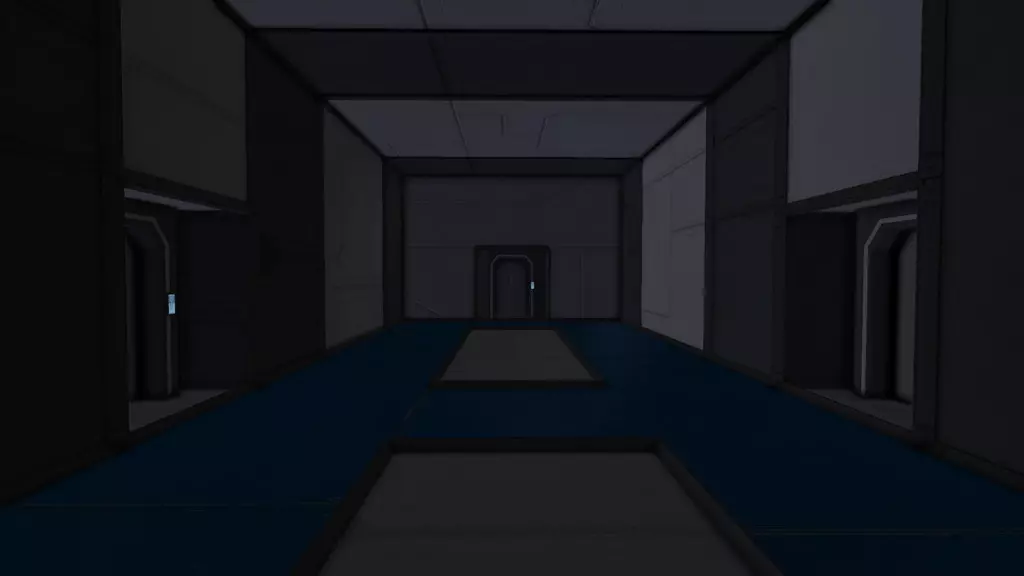
这走廊看起来不怎么样,就像我最喜欢的那位视频博主常说的“怎么看都不太行”。不过至少比原版略有改进。 小提示:选中任意方块时,按[SHIFT]+\n可以吸取现有方块的颜色作为当前颜色。 另外,如果相邻方块的颜色哪怕只有细微差异,太空工程师(Space Engineers)也会在它们之间绘制分隔线。这里有个修改后的例子,我让相邻方块的白色略有不同:
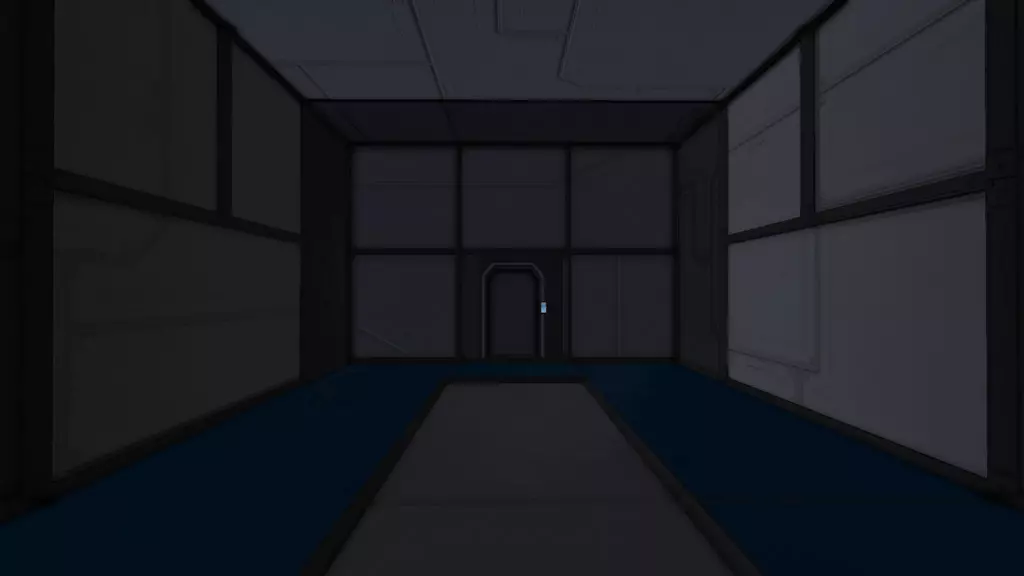
分隔线确实会给那些还不知道【CTRL】+颜色选择器的玩家的创作带来麻烦。不过,这种效果也可以被有意利用,来创造出有趣的色彩图案。 纹理 纹理本质上是贴在游戏物体表面的图像。如果游戏设计师想要呈现一面砖墙,他通常不会把每一块砖都作为单独的物体添加进去,因为那样会极大地影响游戏性能,效率极低。相反,一张砖墙照片会被专门处理成纹理,并应用在一个非常简单的3D模型上,比如立方体。 作为《太空工程师》玩家,你只有一种方式为你的造物添加纹理:放置那些恰好带有纹理的方块。例如,轻型装甲方块带有显示螺栓和焊接缝的细微纹理,重型装甲则带有迷彩图案。 在纹理方面最有趣的方块是内墙方块:其各面具有完全不同的纹理,这意味着你可以通过旋转它来获得想要放置的纹理。 在本指南的其余部分,我将把这种方块称为“多纹理方块”。 以下是我们应用了部分纹理的走廊:
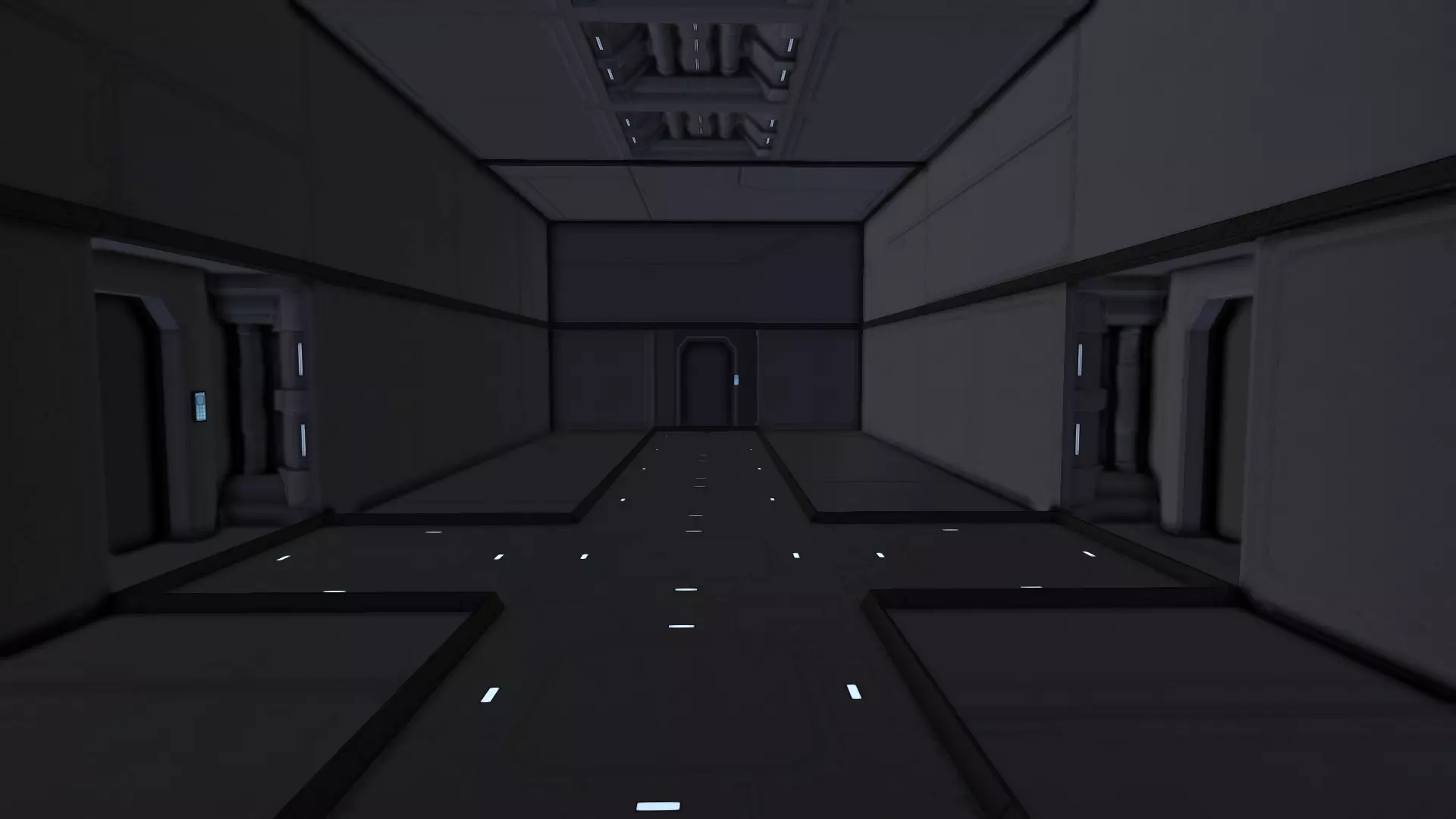
我为不同应用场景选择了不同的纹理面:地板部分我使用了一些内部方块,并在顶部采用了“小灯”纹理。我还添加了一些展示“管道部件”面的内部方块。墙上也放置了一些方块,展示的是“金属板”面。这个面相当不明显,与轻型装甲方块的区别不大,但在游戏中还是很容易注意到的。 遗憾的是,原版游戏中只有一种真正的多纹理方块,即内墙方块,而且它的外观也不太理想。(不过你可以在Steam创意工坊中找到许多很棒的墙壁方块模组,其中一些已在本指南的“模组”章节中列出。) 多纹理方块的另一个问题是,你可能只想在某一侧显示纹理,而不是另一侧。例如,你可能希望完全用内墙来建造室内墙壁,但又不想让它们暴露在外部。解决这个问题的唯一方法是在外部放置第二层方块,比如用轻型装甲覆盖内墙。猫道方块非常适合遮盖不想要的方块侧面,因为它们不占用任何空间,并且具有完全中性的纹理(如果有的话)。 结构 另一种改善室内的方法是让结构更有趣:例如,添加支柱、倾斜墙壁等。这种方法在处理较大房间时效果更好,对于1x1宽的走廊你无能为力,即使是这个3x2的走廊,可能性也相当有限。 以下是一些思路: 斜坡。使用一些斜坡通常比只用90度垂直墙壁看起来更好。 支柱。用类似支柱的结构装饰你的室内。我指的不是名为“Interior Pillar”的方块,它在大多数场景下不太实用,而是指用轻型装甲方块作为装饰。 外部窗户。用玻璃方块替换部分墙壁来展示外部景色通常效果不错(除非你还在用无聊的默认天空盒……),而且当它们朝向太阳时,还能产生不错的光照和阴影效果。 内部窗户。也可以是格栅(见模组部分)或墙上的一个洞。如果当前房间旁边有个有趣的房间,就开个小窗户展示一下吧!例如,如果你的飞船是航母,你可以在合适的地方添加能看到机库的窗户,让内部更有趣。 你的飞船很大,有不止一层甲板?太棒了!在上层甲板的地板上添加一些玻璃块或格栅,这样玩家就能在某些位置看到两层甲板。这能让你的飞船看起来大得多,而无需增加实际尺寸。 如果没有更好的东西可展示,你仍然可以在玻璃/格栅方块后面安装一些陀螺仪或反应堆。反正你也需要它们,为什么不展示出来呢? 这里有一个例子,展示了其中一些想法:
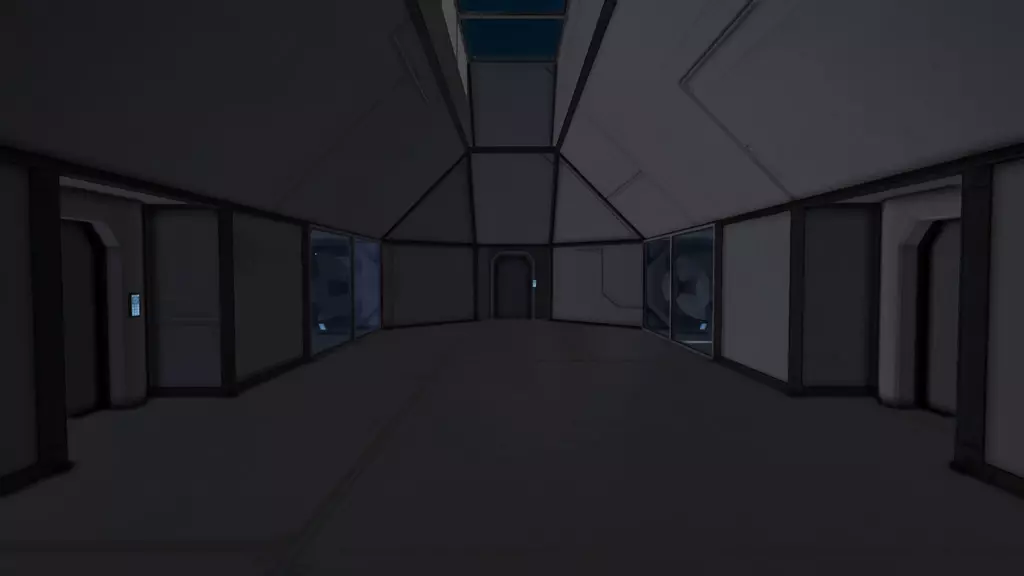
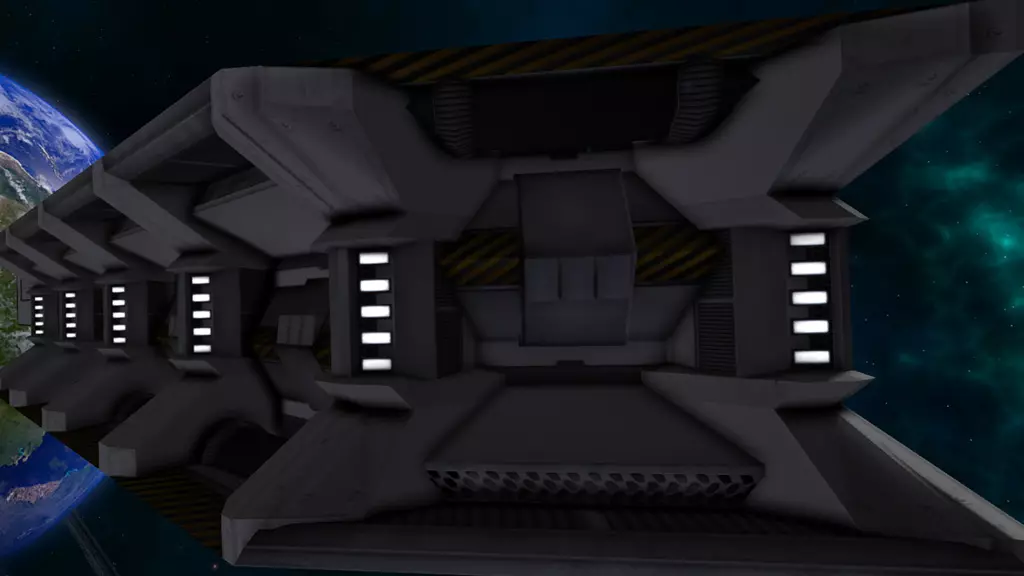
注意倾斜的天花板、窗户以及展示陀螺仪的内部窗口。此外,部分模组方块已内置一些结构。例如,这个(可在此处获取):
光照 除非你使用像“漆黑”天空盒这样的模组,否则你的世界其实并不需要额外添加光源。游戏中的标准环境光设置会照亮所有物体,从实际角度来说,(聚光)灯基本已无必要。游戏中不存在真正的黑暗。 [2015年7月注]:现在情况已不完全如此。如果你使用DX 11模式,环境会变得非常黑暗,此时房间内的照明就变得至关重要了。由于灯光的最大射程相当短,仅为10米(在游戏中仅相当于4个大型方块的长度),要为机库这类非常大的房间提供合适的照明实际上颇具挑战。不过,在机库的地板和天花板上安装灯光通常就能解决问题。 但无论如何,灯光作为装饰用途依然非常出色。又是我们这条无聊的老走廊,这次灯亮着。
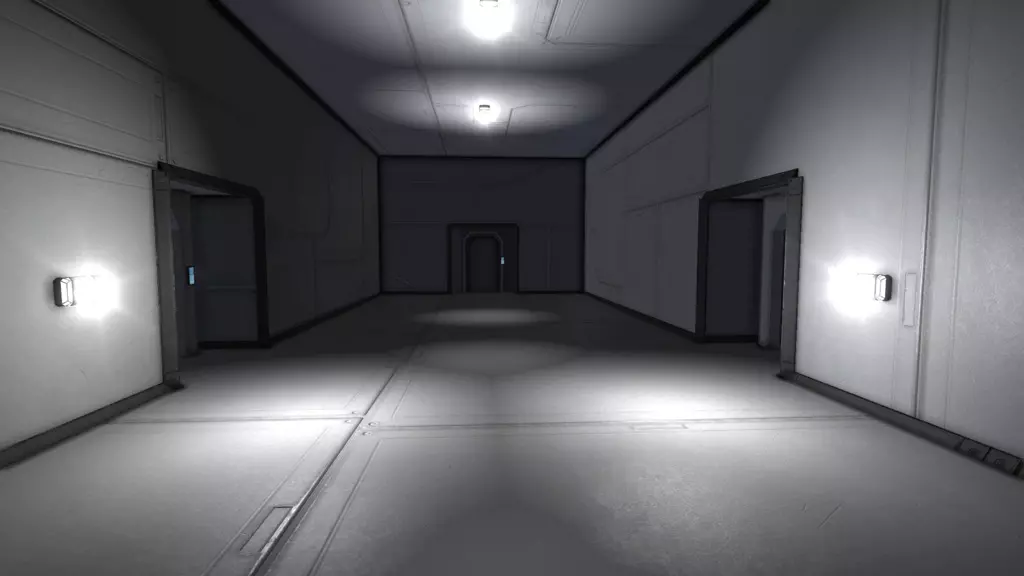
我甚至没有更改灯光的标准设置,房间看起来仍然比没有灯光的版本好十倍。 亮度 亮度设置决定灯光的明亮程度。请注意,如果亮度设置过高,并且你还使用了彩色灯光,你的飞船会开始看起来像迪斯科舞厅。 通常0.8到1.5之间的值比较合适。 不过,在某些情况下你仍然需要高亮度设置: 你想让你的飞船看起来像迪斯科舞厅;) 白色或接近白色的灯光在较高亮度下看起来仍然不错 将灯光设置为最大亮度、某种颜色和最小半径,可以制作出很棒的外部位置灯。由于半径小,只有很小的区域会被照亮。特殊灯光(如警报灯)的亮度可以高于普通灯光。 半径与衰减 半径指灯光能够照射的距离。衰减值越高,灯光在最大半径处的亮度衰减就越明显。设置合适的半径还取决于灯光的位置:如果将灯光安装在非常高的天花板上,若想让灯光照亮地面,就需要设置较大的半径。 当房间的部分区域被照亮而其他区域处于阴影中时(如前所述,本游戏中没有真正的黑暗,但你懂我的意思),能获得最有趣的灯光效果。 如果能只照亮房间中更有趣的部分,效果会更好。上面示例图片中的灯光效果相当不错,我甚至都不用调整灯光设置。在更复杂的房间里,你可能需要通过调整灯光颜色来改变房间的氛围。灯光颜色可以设定房间的氛围。黄色光是我们人类眼中最舒适的灯光颜色,阳光和大多数人造光源(除了一些特殊灯具和部分劣质旧款节能灯具外)都是黄色的,或者更准确地说,是带有一些黄色调的白色。这种颜色非常适合船员宿舍或整艘飞船。棕色和橙色灯光效果也不错。蓝色光给人冰冷且富有科技感的感觉,是舰桥或科学实验室的绝佳选择。红色光很适合维修通道。绿色光看起来相当刺眼。我有时会在我的反应堆室里使用它,让反应堆呈现出放射性/毒性的外观。不过,用它来照亮整艘飞船是个糟糕的选择,看起来真的很奇怪。 总结一下 上面章节中的例子看起来都至少比原来光秃秃的走廊要好一些。然而,要获得最佳效果,你必须结合上述所有技巧(颜色、纹理、结构和照明)。 这里有一个例子,通过运用上述所有技巧,我把这条枯燥的旧走廊变成了这样:
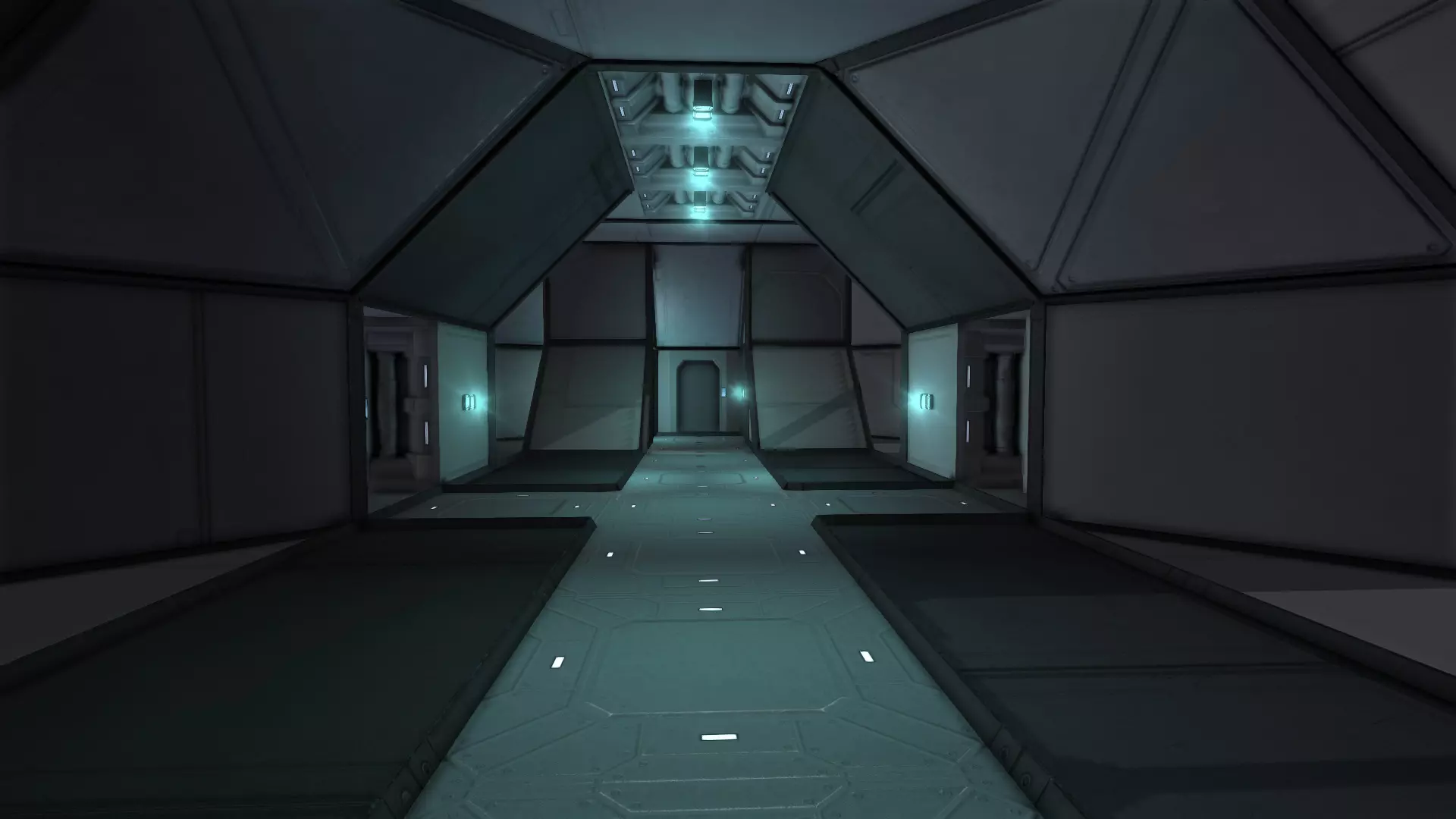
模组 运用色彩、纹理、结构和光照是重要的基础,但要打造真正令人印象深刻的室内场景,你还需要模组。 没有模组的话,你的纹理选择会非常有限,而且目前原版方块的视觉效果也一团糟。有些方块的纹理细节很丰富,比如轻型和重型装甲方块以及推进器方块。但也有些方块完全没有纹理,例如大型飞船驾驶舱或大型反应堆。 当然,这款游戏仍处于测试阶段,我推测低质量的模型(或其纹理)会逐渐被外观更好的模型所取代。 要想现在就拥有美观的室内场景,你需要能提供更多纹理选择和家具的模组。 这是我用一些模组升级后的走廊:
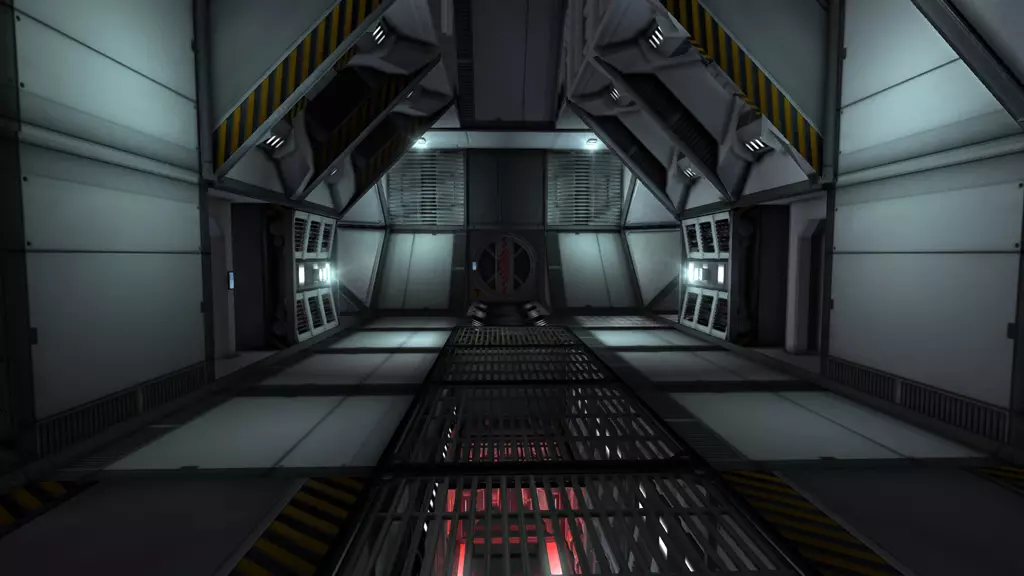
如你所见,这里有用于新墙体方块的模组。有些模组会添加功能性方块,比如门或驾驶舱,它们的功能与原版方块相同,但外观要好看得多。还有些模组会添加非常实用的装饰性家具,例如床、架子、栏杆、标牌等。上图使用了以下模组:Hammerman Decorations(大部分墙体、部分地板,以及悬挂在门上方的超细节1x1斜坡);Kolt16 Grated Floors(用于格栅地板。我在站立的走廊下方安装了一个走廊的副本,这样玩家就能透过格栅看到一些有趣的东西)。如果你想装饰一艘拥有多层甲板的飞船,这是个非常棒的效果——只需在上方甲板的地板上安装一些格栅,两层甲板都会显得更加宽敞有趣。 对接环 用于走廊尽头的气闸门。 推荐模组 我创建了一个Steam合集,里面包含了所有我喜欢的模组,其中大部分都围绕室内设计展开。 这些模组都很棒,而以下是我最爱的几个: 墙体方块 Hammerman Decorations(由Shaostoul维护) 包含一些细节极其丰富的走廊方块,包括1x1斜坡。其中一个1x1斜坡看起来科技感十足,我经常用它来模拟复杂的机械装置,完全超出了其原本的走廊使用意图。所有方块均为多纹理方块,与游戏原版的室内墙壁相同。
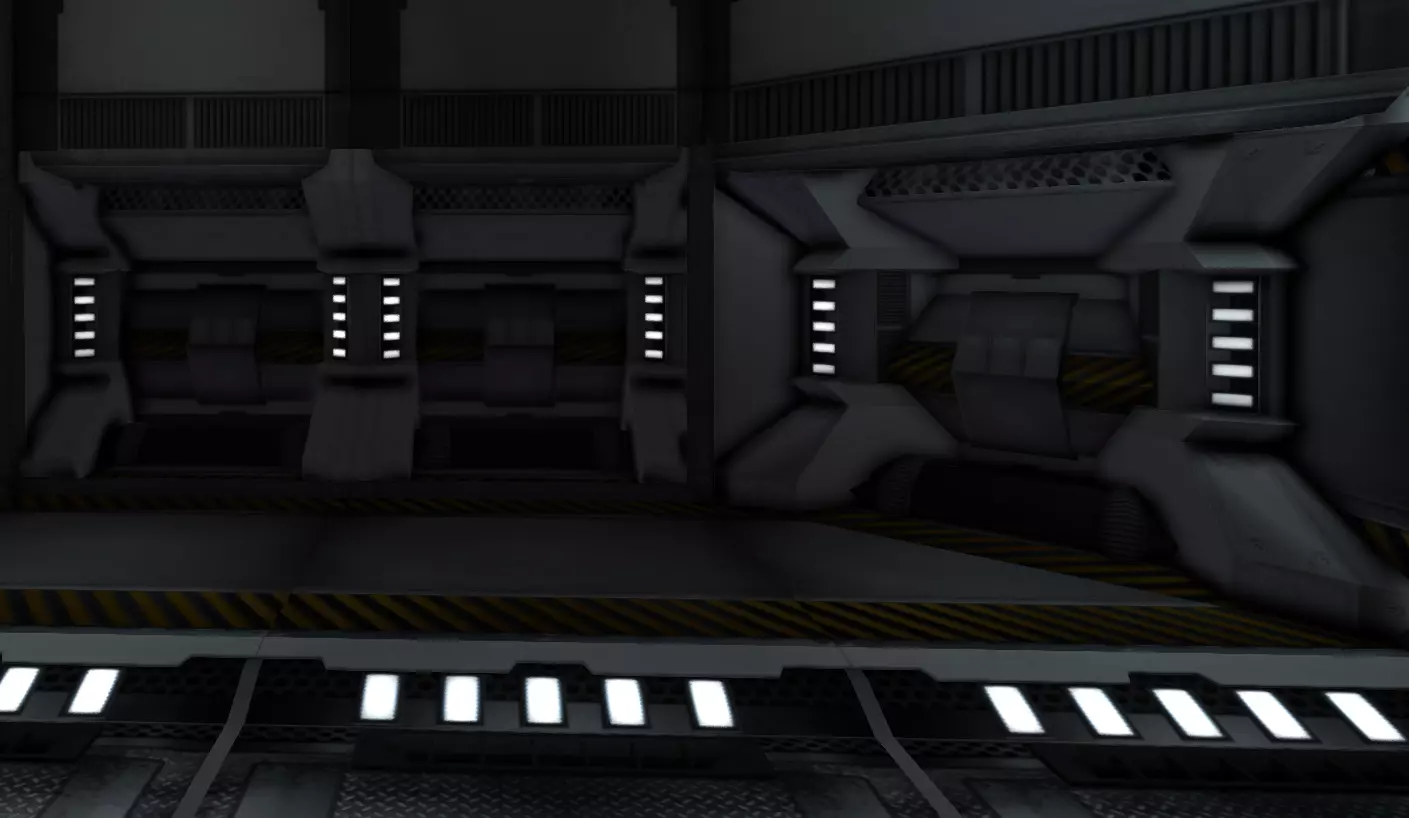
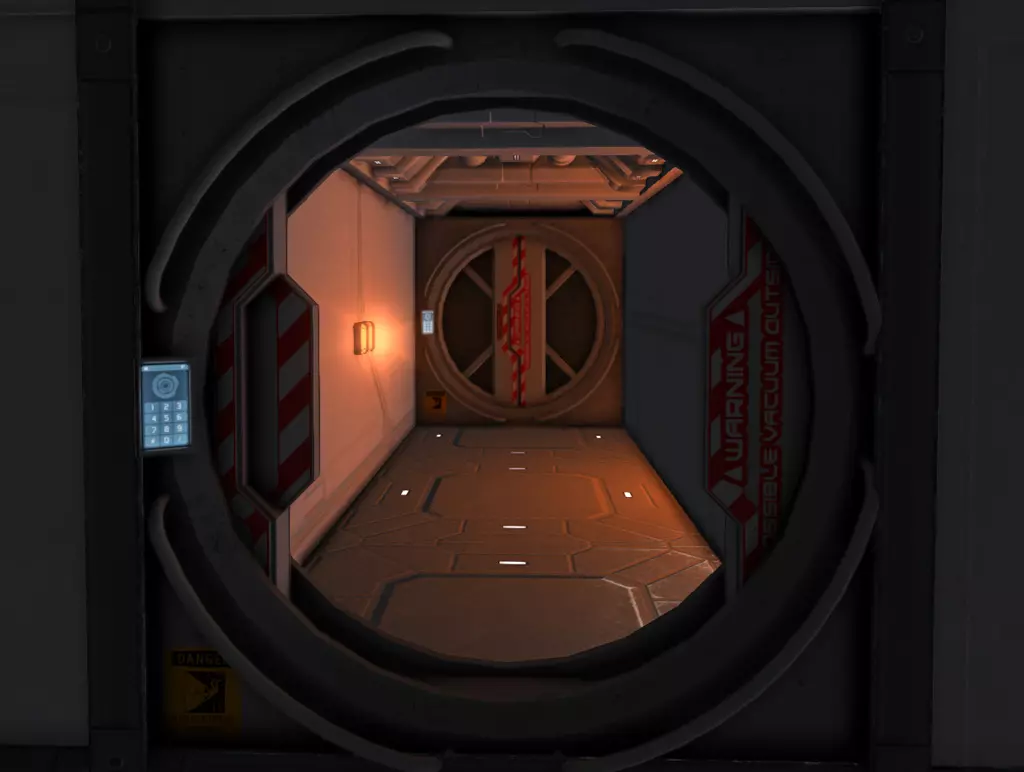
风格:高科技 Ripptide的CW与EE扩展 这是一组出色的室内墙壁方块,包含标准墙壁和带控制台的墙壁。 该模组最棒的一点是:这些墙壁也有薄墙版本,类似于原版游戏的通道方块。 你可以将它们贴在普通墙壁上,且不会占用额外空间。这非常棒,因为你可以用它们来隐藏厚重的装甲墙壁。我个人实在无法忍受飞船内部出现大型厚重装甲墙壁的外观,但放弃厚重装甲的保护或额外建造一层轻型装甲方块并非总是可行的选择。 甚至还有一些集成了玻璃窗户的薄墙,非常适合建造内部窗户。风格:高科技 Kolt16 格栅地板(已清理、调试并修复,适用于Steam创意工坊) 包含多种格栅变体。其中2种可像原版走道方块一样放置,且部分透明。非常适合装饰传送带。在拥有2层或更多甲板的飞船上,我常将其中几个用作上层甲板的地板,这样玩家可以部分看到下层甲板。这能让飞船内部看起来更大气磅礴,而无需增加飞船的实际尺寸。 风格:经典 环境墙体 一组细节丰富的工业风格墙体方块,还包含几种门的变体。所有墙体方块均为多纹理方块。遗憾的是无法更改它们的颜色,因此只能使用默认的黄灰色外观。非常适合工业/旧飞船主题。 风格:工业 对接环 我其实从未真正使用过对接环或夹具,但它有一个超酷的气闸门,看起来非常坚固,上面甚至还有“警告:外部可能为真空”的标识。现在我所有通向太空的门都用它。至于内部门,我仍然使用原版或其他模组的门,这样气闸门就能更显眼。
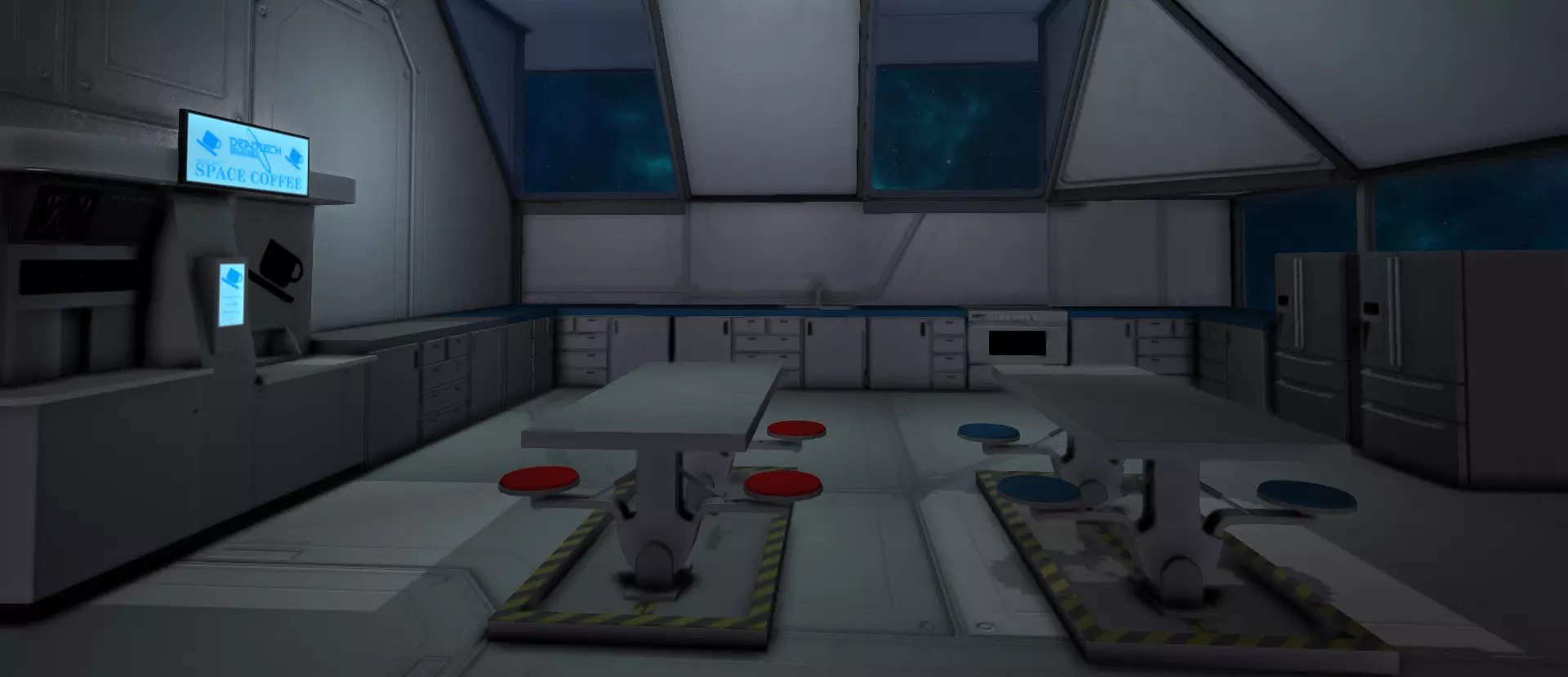
风格:高科技 家具 Ripptide's CW & EE Continued (again) Ripptide 的模组还包含一张精美的工作台以及两种星图桌。放置在舰桥或科学实验室中效果出色。 风格:高科技 Kolt - Command Console Pack 提供大型舰船驾驶舱,外观比原版更加出色。此外还有可 ceiling 安装的显示器和多种开关。 同时,包含一些可安装在墙上或地面的简单单按钮方块。虽不如大型控制台那般引人注目,但极为实用:非常适合用作电灯开关或电梯控制。 风格:高科技 DeadTech - MessHall Pack 包含一台大型咖啡机、一张餐桌以及一整套厨房用具。
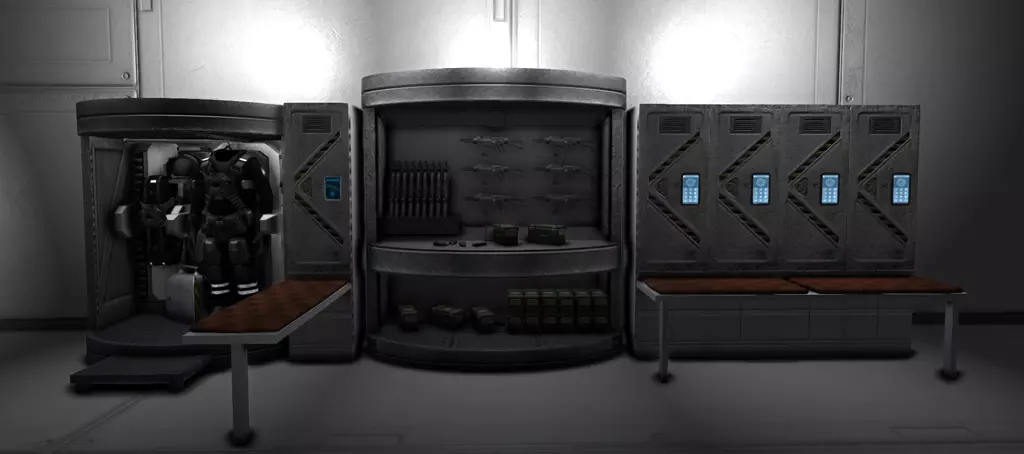
风格:经典/高科技 Eikesters 装饰包 内含大量家具,包括沙发、盆栽蕨类植物、台球桌、架子、马桶等…… 撰写本文时,Eikester 仍在为该包添加更多家具。部分道具带有复古风格,例如“太空侵略者!”街机。不过,包内也包含足够的经典家具,适用于高科技风格的项目。 风格:经典/复古 Hammerman 准备站(由 Shaostoul 维护) 包含普通储物柜、一些太空服储物柜和一个军械库储物柜。我特别喜欢太空服储物柜,非常适合装饰气闸舱。
Furniture: designing rooms that make sense I assume you have downloaded and tried out some furniture packs by now. But before you go and place furniture randomly all over your ship: before placing a furniture block, you should always wonder "would anyone place this here if it was real life"? For example, adding a shelf full of tools to a fighter hangar? Makes perfect sense, the engineers maintaining the fighters need to store their stuff somewhere. Adding a book shelf to the same hangar? Makes a bit less sense, although one could assume those books are mainteance instructions for the fighters or something. Adding a couch and tv set inside of the fighter hangar? Makes no sense at all. Noone would do this in real life, the people watching tv could get into the way of landing fighters and your hangar is typically exposed directly to space, meaning your guys would have to wear space suits just to watch TV. Silly! Of course we are always wearing space suits in SE, but pretending we need airlocks and everything makes for more believable interior design IMO. Instead, you could place the couch and tv set in a little extra room, with a window showing the hangar. This would be the ready room of your pilots. Room ideas Here are some ideas that might help you if you have still plenty of room left on your huge ship/station and don't know how to fill it out. Bridge. About the only room that is required for all ships. The bridge can range from a single cockpit to a massive collection of cockpits, consoles, monitors and starmap tables, featuring a epic view through its huge glass hull. For millitary ships placing the bridge deep inside the ship, with no exterior windows, probably protected by many extra layers of armor, is a more reasonable solution. On huge millitary ships you can always have two bridges: a impressive bridge with external windows for the everyday bussiness of the ship, and a smaller, way more protected combat bridge in a protected position. Engineering Bay / Reactor room. A huge ship needs loads of reactors and gryscopes. You can either hide them behind walls, never to be seen again, or you can display them in your engineering bay. Aside from the reactors & gryoscopes, engineering bays typically feature many consoles. Also shelfs and cargo containers so the engineers can store their tools and construction components. Partially covering up large reactors in armor or other blocks can compensate for their poor textures (if you use vanilla reactors, that is). Putting some lights with a small radius and high intensity next to the reactor provide a interesting glow effect to them. Mainteance shafts. Also know as Jefferies tube in Star Trek Terminology. Pretty much the same idea as the engineering bay, you are displaying your (small) reactors, gyroscopes and conveyor tubes here. Unlike the engineering bay, which is usually designed as a rather large room, mainteance shafts are narrow 1x1 corridors. You can design them like a maze, running through the entire ship. You can build them as their own little deck: below, above or between the deck(s) with your main room. Mainteance shafts don't need to look impressive, they are supposed to like narrow, cramped and full of machines. Corridor. In smaller ships it might be ok if the player has to walk through the entire crew quarter to get from bridge to engineering bay, but for larger ships you should build a proper corridor to connect the rooms. Probably even a network of corridors on huge ships. Hangar Bay. For a carrier, the hangar bay is its sole reason of existance, but all huge ships can have hangars of some kind. A battleship might still have a single fighter wing or squadron, for scouting, maybe also a construction drone (small ship with welders and remote control) for repairing hull damage after battle. Industrial ships might have a small fleet of construction & mining drones or ships. A huge freighter might have smaller transport ships to transfer goods between itsself and other ships/stations. A passenger liner might have some small, aerodynamic ships for transporting the passengers from the ship to a planet and back. Factory. A collection of assemblers and refinerys. For industrial ships, they might be the sole reason of existance. You can also build much smaller factorys on non industrial ships, for example the existance of a single refinery & assembler pair on a huge battleship can be easily justified by its need to produce its own spare parts and ammo during long missions. Medbay. In survival you will need a medical room anyway, so why not add a few beds, monitors and a work desk for the doctor around it. Airlocks. You can simulate airlocks by building 2 doors behind each other, instead of just building one door to space. Maybe place some space suit lockers next to it. Storage Room. Every SE ship needs some cargo container, if only for storing uranium or ammunition. A room full of small cargo containers, with some narrow corridors through it is both useful and looks believable. Don't forget to connect the containers to your conveyor network. Crew Quarter. You might want to have several of them, depending on your ships size. They might come in different qualitys, for example you can design a large, comfortable one for your captain and smaller, less comfortables ones for the rest of the crew. Crew quarters should have at least beds. Optionally couches and work desks. Maybe lockers/shelfs for the personal possessions of your crew members. Potted plants and other decorations can make the rooms look more lived in. Bathroom. Eikesters Decoration Pack now also has a shower, a toilet and a sink. The most logical place for a bathroom is next to the crew quarters. Cantina. A kitchen plus some tables. Probably some vending machines or coffe machine. Recreation Area. With Pool Tables, a TV Set, whatever you have in your mod collection. Armory. Hammermans Prep Station has a weapon locker in it. Life support room. not7CD's - Advanced Life Support Systems has a oxygen generator,a water recyling systems, bioreactor, hydroponics and food processor. Together, they can produce food that you can carry around in your inventory. Right now the food does nothing, but with time and extended mod support this mod might very well turn into the realistic survival mode that many players desire. Shops. Not very useful for most ships, but a good idea if you build a trade station or a huge passenger liner. You can use Darth Biomechs Letters mod for building a shop sign and the kitchen counter from Dead Tech Messhall Pack as a shop counter. Garden. If you have a extremly large station or ship you might try building a arboretum or garden in it. Here is a mod containing Trees Bonus Tip: Grinding down blocks for more structures To get some interesting "bonus blocks" out of the vanilla blocks, just grind them down to something like 20% integrity and leave them in this incomplete stage. For example: Light armor blocks are excellent steel girders if grinded down to 20% integrity. Using partially built light armor blocks can also help you to save resources in survival. Unlike fully built armor blocks incomplete blocks can't deform when damaged, they will just vanish once enough force is applied to them. Window blocks also look like steel girders, just in 2D. They also lack the textures of the armor blocks and therefor look much worse. They might still be useful sometimes as you can place them on existing blocks without losing any space, just like you can with completed windows. Interior Walls aquire a very interesting, complex structure when grinded down. More complex blocks like refinery, beacons, thrusters mostly look like incomplete versions of themselves. You might get some interesting results by only displaying one part of the blocks and covering up the rest, or by placing them behind grates. Be aware that most of this blocks are heavy and also expensive in survival. Here is a random mess of incomplete blocks, showing off some of the possibilities. All of them are vanilla blocks, no mods used.
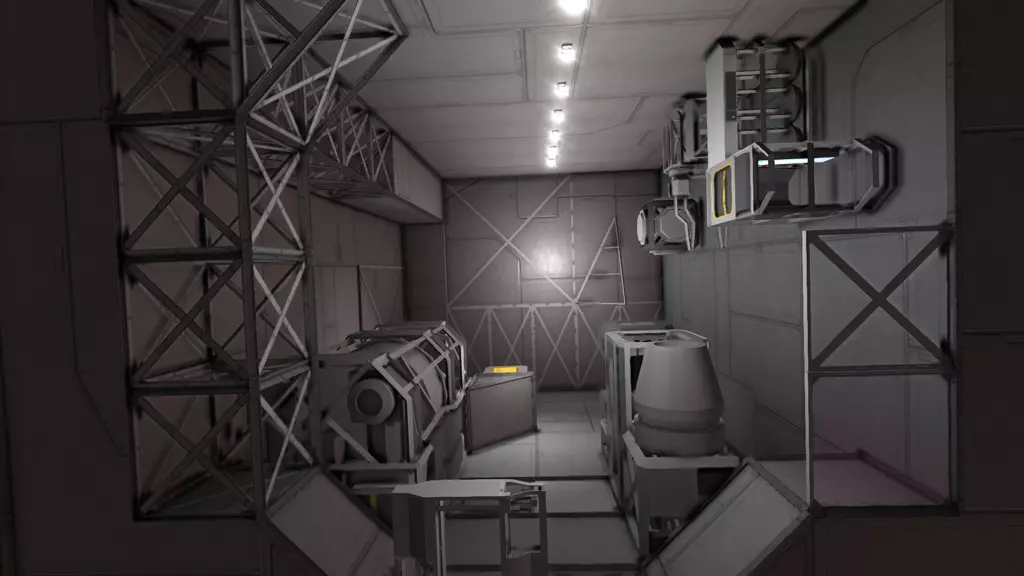
在你的飞船上使用未完成的模块是完全安全的。当然,它们的抗伤害能力不如完整模块,但也不会仅仅因为飞船移动或转向就散架。 打磨模块方块时,可能会出现以下三种情况之一: - 该模块从未针对生存模式进行优化:方块即使在1%完整度时看起来仍完好无损,在0%时会直接消失。 - 该模块已针对生存模式优化,打磨时你会看到不同的建造阶段,就像原版方块一样。 - 该模块在打磨过程中会显示略有不同的版本。这让模组作者能在“G”菜单中仅使用一个槽位就提供更多变体。这是艾克斯特装饰包的搁板方块示例,处于不同的建造阶段:
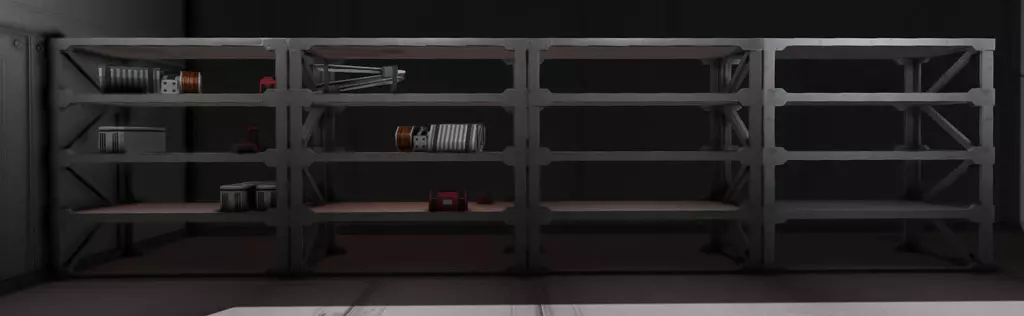
左侧是100%完整度版本。在打磨过程中,架子上的工具会被重新排列,然后被删除。最终阶段是无法再上色的灰色版本。 当然,这只是一个例子,还有许多其他模组也能提供类似这样的效果。阅读你所使用模组的描述,或者直接开始打磨并观察会发生什么。 示例 以下是我使用上述列出的模组所设计的一些室内场景示例。如果你想在游戏中查看它们,它们都包含在我的“亥伯龙神号”旗舰舰内。
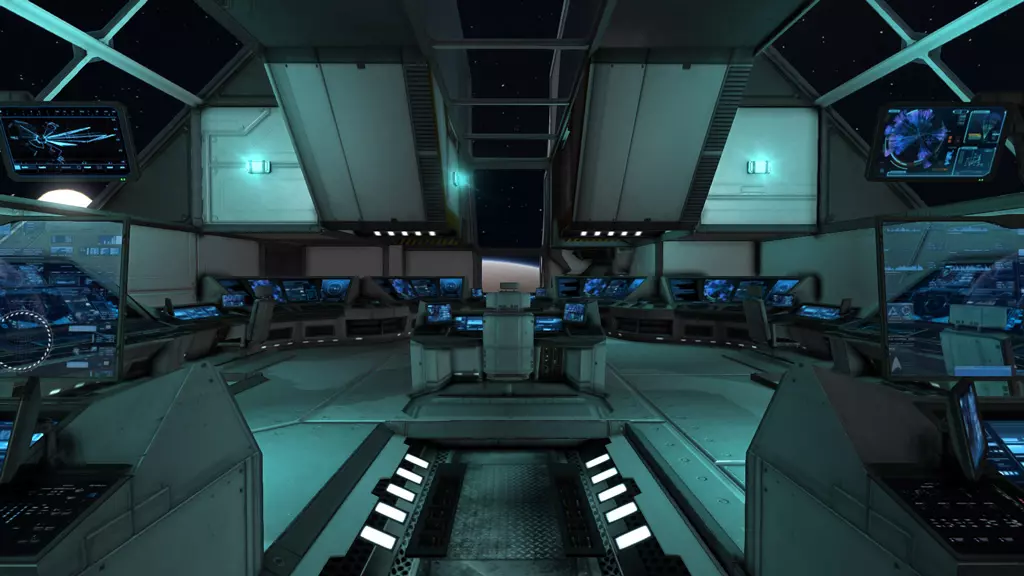
舰船舰桥。正如我们对科幻舰桥的预期,这里布满了控制台。蓝色灯光营造出一种冰冷的科技感。
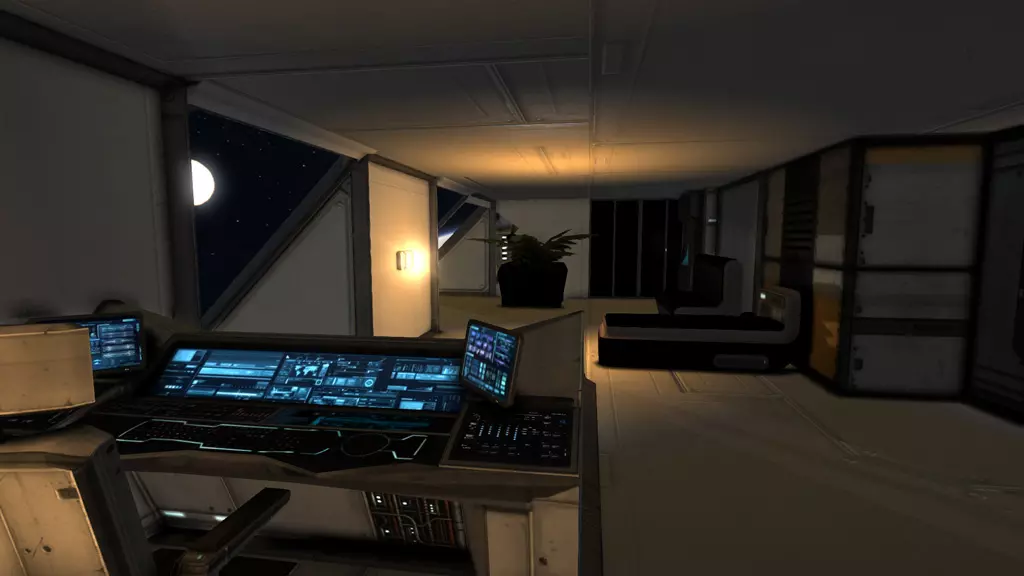
船长室。里面有一张工作台、一张床和一张沙发。所有船员舱室均使用黄色灯光,营造出温馨的氛围。
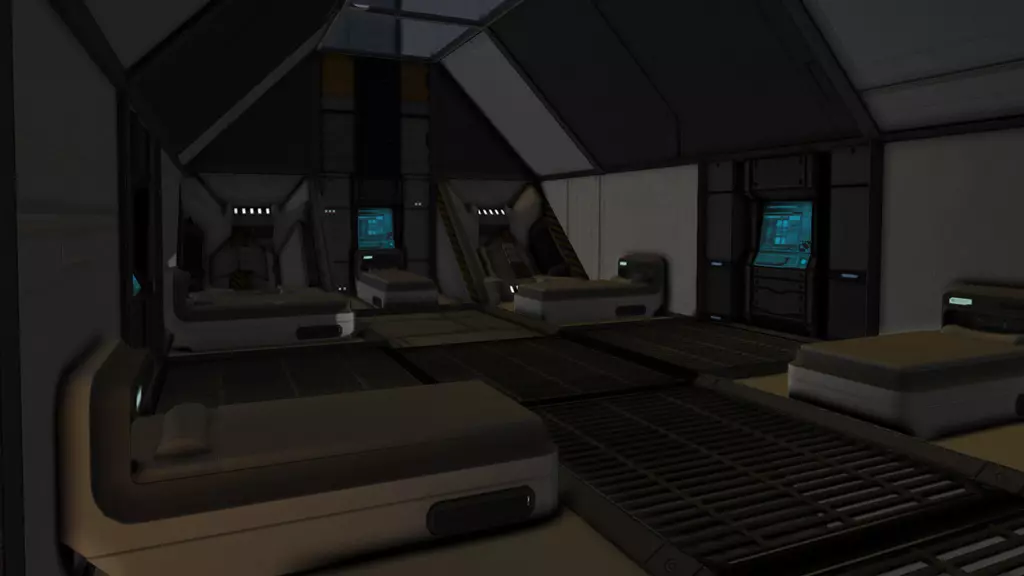
军官的船员宿舍。他们的空间和隐私不如船长,但至少每个人都能使用自己的信息终端。
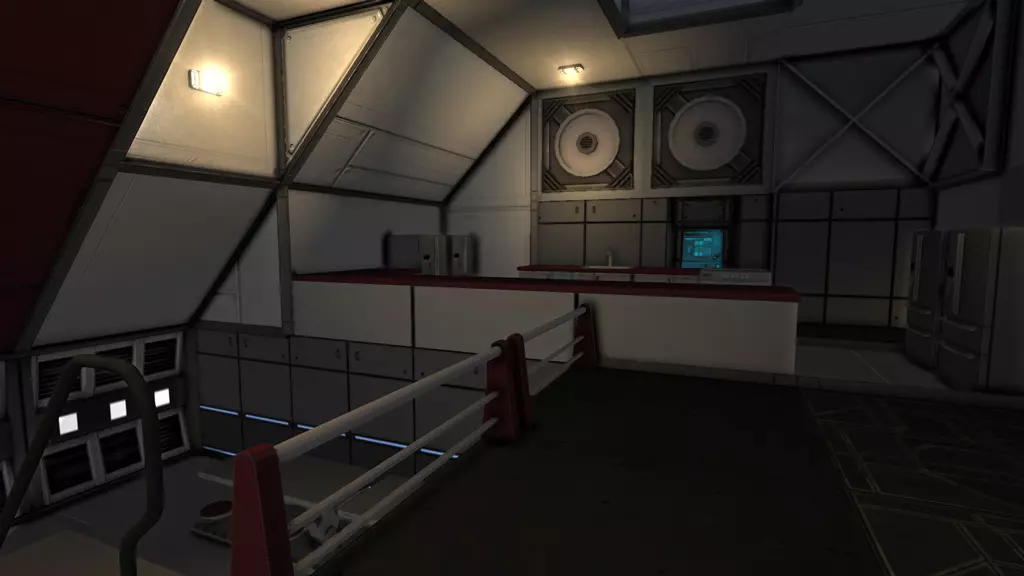
船上的厨房和食堂
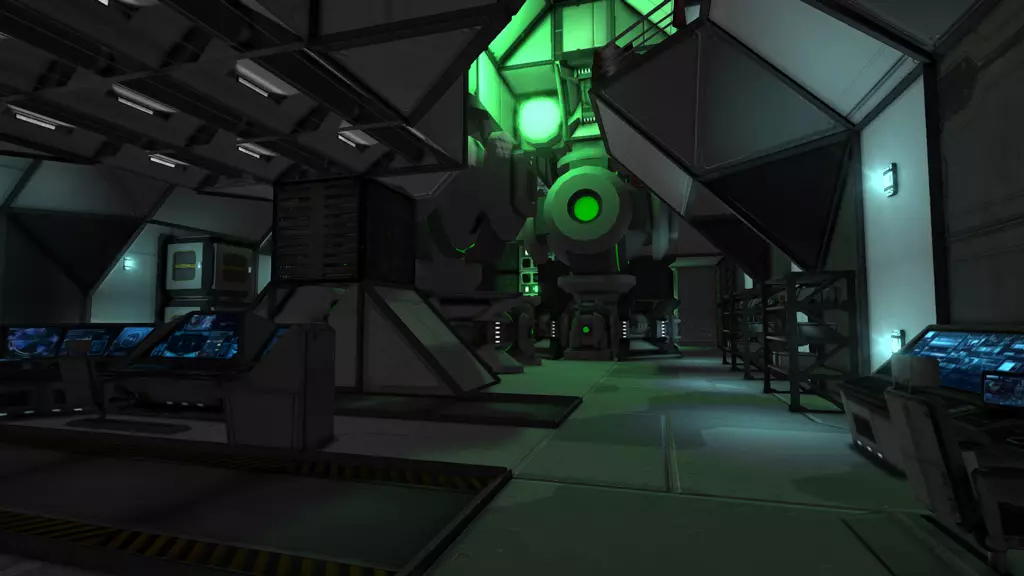
工程舱/反应堆室。我用了一些绿色灯光,让反应堆看起来带有放射性。我还在大型反应堆上装饰了一些来自Hammerman decorations的高科技风格方块,以弥补反应堆缺失的纹理。
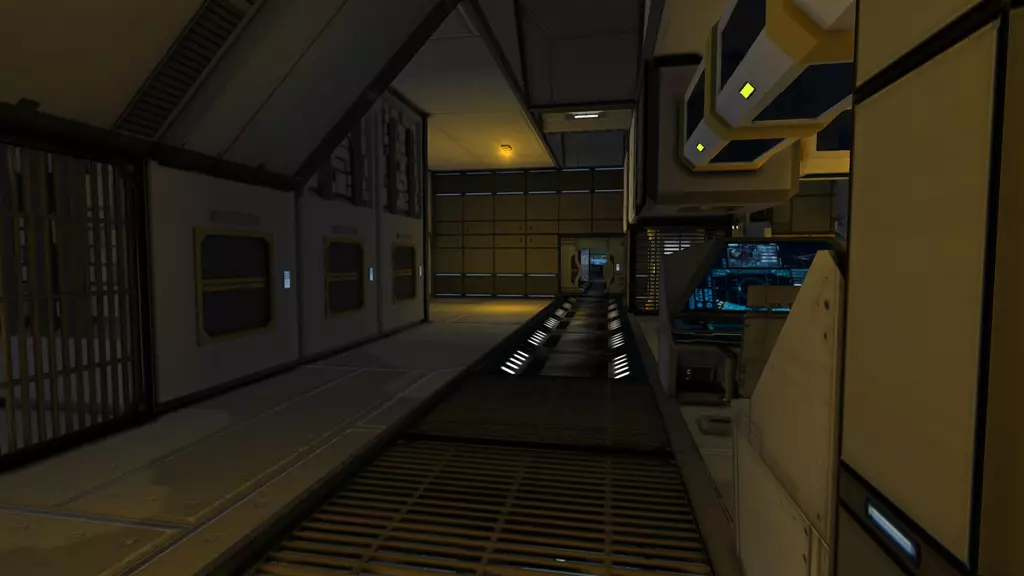
工厂区域:大量的装配机、回收机,还有我特意没有用其他方块遮盖的传送带管道——这些管道有助于营造更浓厚的工业氛围。我采用了与船员宿舍类似的黄色灯光,但将黄色调得更浓郁,灯光也更昏暗。这种设计似乎很适合这个区域。 官方“社区创作”子论坛中关于本指南的讨论[forums.keenswh.com] 将本指南介绍给官方论坛成员后,引发了一场极具趣味性和深度的讨论,涵盖了许多额外话题。强烈推荐阅读,欢迎参与讨论。更新历史 2014-10-05:新增章节“房间创意” 2014-10-12:新增章节“额外提示:磨碎方块以获取更多结构”(由Nick_ST建议) 2014-10-19:新增章节“外部链接”
2026-02-13 09:03:35 发布在  Space Engineers







说点好听的...
收藏
0
0