换一换
换一换 


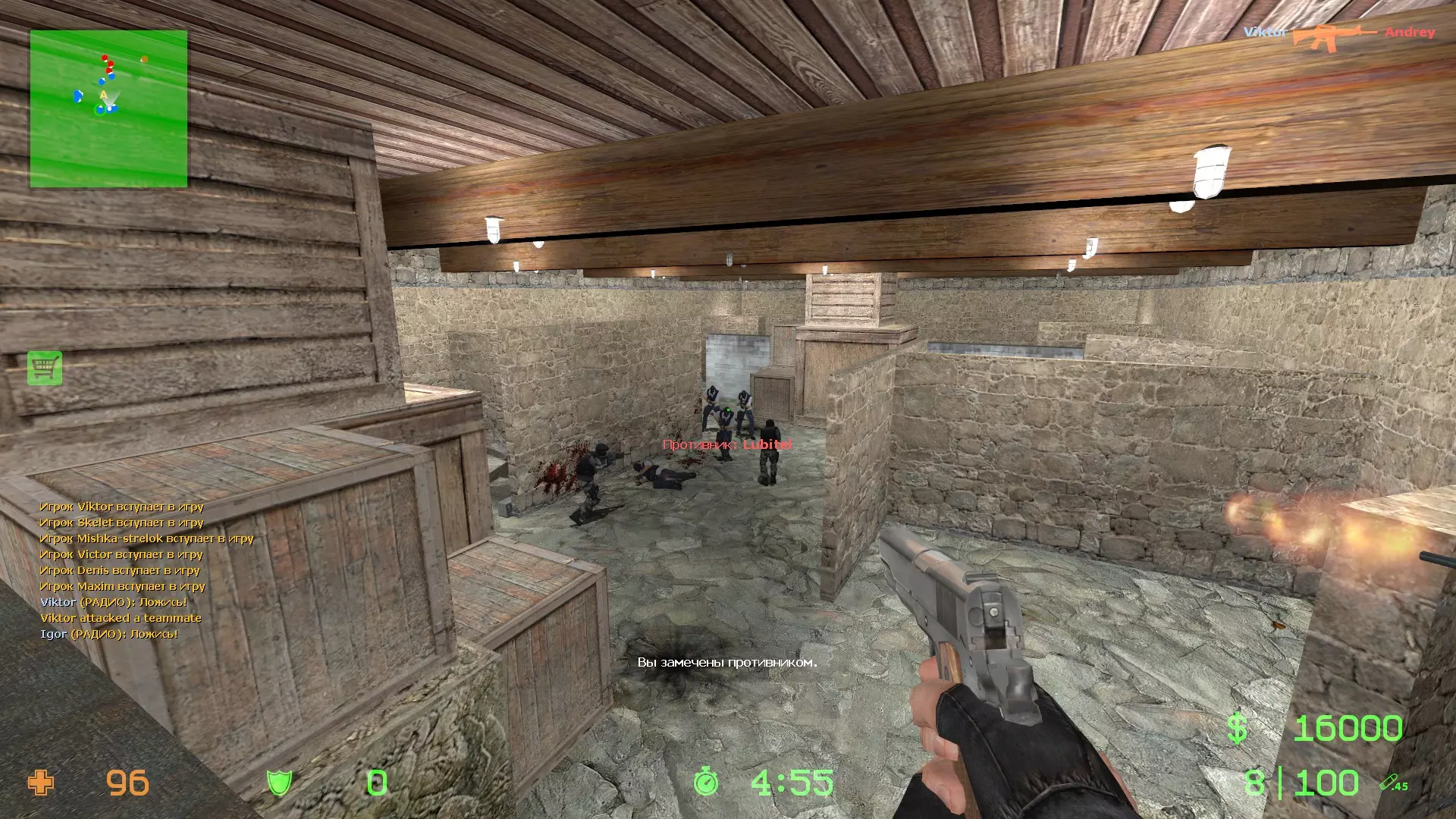
A complete guide to using console commands for managing bots in Counter-Strike: Source. Learn how to add, remove, control, and customize bots to enhance your gameplay or practice sessions. Section 1 Command(s) Value Flag(s) Description bot_add cmd ct> <type> <difficulty> <name> - Adds a bot matching the given criteria. bot_add_ct cmd bot_add_ct <type> <difficulty> <name> - Adds a Counter-Terrorist bot matching the given criteria. bot_add_t cmd bot_add_t <type> <difficulty> <name> - Adds a terrorist bot matching the given criteria. bot_all_weapons cmd Allows the bots to use all weapons. bot_allow_grenades 1 , “sv”, “rep” If nonzero, bots may use grenades. bot_allow_machine_guns 1 , “sv”, “rep” If nonzero, bots may use the machine gun. bot_allow_pistols 1 , “sv”, “rep” If nonzero, bots may use pistols. bot_allow_rifles 1 , “sv”, “rep” If nonzero, bots may use rifles. bot_allow_rogues 1 , “sv”, “rep” If nonzero, bots may occasionally go “rogue”. Rogue bots do not obey radio commands, nor pursue scenario goals. bot_allow_shotguns 1 , “sv”, “rep” If nonzero, bots may use shotguns. bot_allow_snipers 1 , “sv”, “rep” If nonzero, bots may use sniper rifles. bot_allow_sub_machine_guns 1 , “sv”, “rep” If nonzero, bots may use sub-machine guns. bot_auto_follow 0 , “sv”, “rep” If nonzero, bots with high co-op may automatically follow a nearby human player. bot_auto_vacate 1 , “sv”, “rep” If nonzero, bots will automatically leave to make room for human players. bot_chatter 0 , “sv”, “rep” Control how bots talk. Allowed values: “off”, “radio”, “minimal”, or “normal”. bot_crouch 0 , “sv”, “cheat” bot_debug 0 , “sv”, “cheat”, “rep” For internal testing purposes. bot_debug_target 0 , “sv”, “cheat”, “rep” For internal testing purposes. bot_defer_to_human 0 , “sv”, “rep” If nonzero and there is a human on the team, the bots will not do the scenario tasks. bot_difficulty 1 , “sv”, “rep” Defines the skill of bots joining the game. Values are: 0=easy, 1=normal, 2=hard, 3=expert. bot_dont_shoot 0 , “sv”, “cheat”, “rep” If nonzero, bots will not fire weapons (for debugging). bot_eco_limit 2000 , “sv”, “rep” If nonzero, bots will not buy if their money falls below this amount. bot_flipout 0 , “sv”, “cheat”, “rep” If nonzero, bots use no CPU for AI. Instead, they run around randomly. bot_freeze 0 , “sv”, “cheat” bot_goto_mark cmd Sends a bot to the selected nav area (useful for testing navigation meshes). bot_join_after_player 1 , “sv”, “rep” If nonzero, bots wait until a player joins before entering the game. Section 2 Command(s) Value Flag(s) Description bot_join_delay 0 , “sv” Prevents bots from joining the server for this many seconds after a map change. bot_join_team 0 , “sv”, “rep” Determines the team bots will join into. Allowed values: “any”, “T”, or “CT”. bot_kick cmd ct> <type> <difficulty> <name> - Kicks a specific bot, or all bots, matching the given criteria. bot_kill cmd ct> <type> <difficulty> <name> - Kills a specific bot, or all bots, matching the given criteria. bot_knives_only cmd Restricts the bots to only using knives. bot_loadout 0 , “sv”, “cheat” Bots are given these items at round start. bot_mimic 0 , “sv” Bot uses usercmd of player by index. bot_mimic_yaw_offset 180 , “sv”, “cheat” bot_pistols_only cmd Restricts the bots to only using pistols. bot_prefix 0 , “sv”, “rep” This string is prefixed to the name of all bots that join the game. <difficulty> will be replaced with the bot's difficulty. <weaponclass> will be replaced with the bot's desired weapon class. <skill> will be replaced with a 0-100 representation of the bot's skill. bot_profile_db 0 , “sv”, “rep” The filename from which bot profiles will be read. bot_quota 0 , “sv”, “nf”, “rep” Determines the total number of bots in the game. bot_quota_mode 0 , “sv”, “rep” Determines the type of quota. Allowed values: “normal”, “fill”, and “match”. If “fill”, the server will adjust bots to keep N players in the game, where N is bot_quota. If “match”, the server will maintain a 1:N ratio of humans to bots, where N is bot_quota. bot_randombuy 0 , “sv”, “cheat” Should bots ignore their prefered weapons and just buy weapons at random? bot_show_battlefront 0 , “sv”, “cheat” Show areas where rushing players will initially meet. bot_show_nav 0 , “sv”, “cheat”, “rep” For internal testing purposes. bot_show_occupy_time 0 , “sv”, “cheat” Show when each nav area can first be reached by each team. bot_snipers_only cmd Restricts the bots to only using sniper rifles. bot_stop 0 , “sv”, “cheat”, “rep” If nonzero, immediately stops all bot processing. bot_traceview 0 , “sv”, “cheat”, “rep” For internal testing purposes. bot_walk 0 , “sv”, “rep” If nonzero, bots can only walk, not run. bot_zombie 0 , “sv”, “cheat”, “rep” If nonzero, bots will stay in idle mode and not attack. Section 3 Command(s) Value Flag(s) Description nb_command cmd Sends a command string to all bots. nb_debug cmd Debug NextBots. Categories are: BEHAVIOR, LOOK_AT, PATH, ANIMATION, LOCOMOTION, VISION, HEARING, EVENTS, ERRORS. nb_debug_climbing 0 , “sv”, “cheat” nb_debug_filter cmd Add items to the NextBot debug filter. Items can be entindexes or part of the indentifier of one or more bots. nb_debug_history 1 , “sv”, “cheat” If true, each bot keeps a history of debug output in memory. nb_debug_known_entities 0 , “sv”, “cheat” Show the “known entities” for the bot that is the current spectator target. nb_delete_all cmd Delete all non-player NextBot entities. nb_force_look_at cmd Force selected bot to look at the local player's position. nb_goal_look_ahead_range 50 , “sv”, “cheat” nb_head_aim_resettle_angle 100 , “sv”, “cheat” After rotating through this angle, the bot pauses to “recenter” its virtual mouse on its virtual mousepad. nb_head_aim_resettle_time 0 , “sv”, “cheat” How long the bot pauses to “recenter” its virtual mouse on its virtual mousepad. nb_head_aim_settle_duration 0 , “sv”, “cheat” nb_head_aim_steady_max_rate 100 , “sv”, “cheat” nb_ladder_align_range 50 , “sv”, “cheat” nb_last_area_update_tolerance 4 , “sv”, “cheat” Distance a character needs to travel in order to invalidate cached area. nb_move_to_cursor cmd Tell all NextBots to move to the cursor position. nb_path_draw_inc 100 , “sv”, “cheat” nb_path_draw_segment_count 100 , “sv”, “cheat” nb_path_segment_influence_radius 100 , “sv”, “cheat” nb_player_crouch 0 , “sv”, “cheat” Force bots to crouch. nb_player_move 1 , “sv”, “cheat” Prevents bots from moving. nb_player_move_direct 0 , “sv” nb_player_stop 0 , “sv”, “cheat” Stop all NextBotPlayers from updating. nb_player_walk 0 , “sv”, “cheat” Force bots to walk. nb_player_walk 0 , “sv”, “cheat” Force bots to walk. nb_saccade_speed 1000 , “sv”, “cheat” nb_saccade_time 0 , “sv”, “cheat” nb_select cmd Select the bot you are aiming at for further debug operations. nb_stop 0 , “sv”, “cheat”, “rep” Stop all NextBots. nb_stop 0 , “sv”, “cheat”, “rep” Stop all NextBots. nb_warp_selected_here cmd Teleport the selected bot to your cursor position. simple_bot_add cmd Add a simple bot. End Notes NextBot is an AI system used by several multiplayer Source games. The system can be used for not only bots, as its name implies, but it can also be used for entities which are not controlled by the player. First game to use the Source engine. Remake of Counter-Strike. Hidden Path Entertainment alongside Valve worked on the May 7, 2010 update, which upgraded the game's engine from Source 2006 to 2009 (MP version, later renamed to Source MP), and added 144 (now 146) achievements, a new domination and revenge system similar to Team Fortress 2, player stats and more. Hidden Path Entertainment also worked on the unreleased Xbox 360 port of CS:S, which would later become Counter-Strike: Global Offensive after Valve saw the opportunity during its development to turn the port into a new game. Mac version of the game was later release in June 2010, and Linux in 2013. Reference: Valve Developer Community > List of Counter-Strike: Source Console Commands and Variables