换一换
换一换 




以下是一些能帮助你上手这款游戏的小贴士,不会泄露任何影响游戏核心主题——探索与发现——的内容。制作于抢先体验版0.5.0.55(2025年12月14日)(已更新至06.0.6版本,2025年12月28日) 我是鲍勃
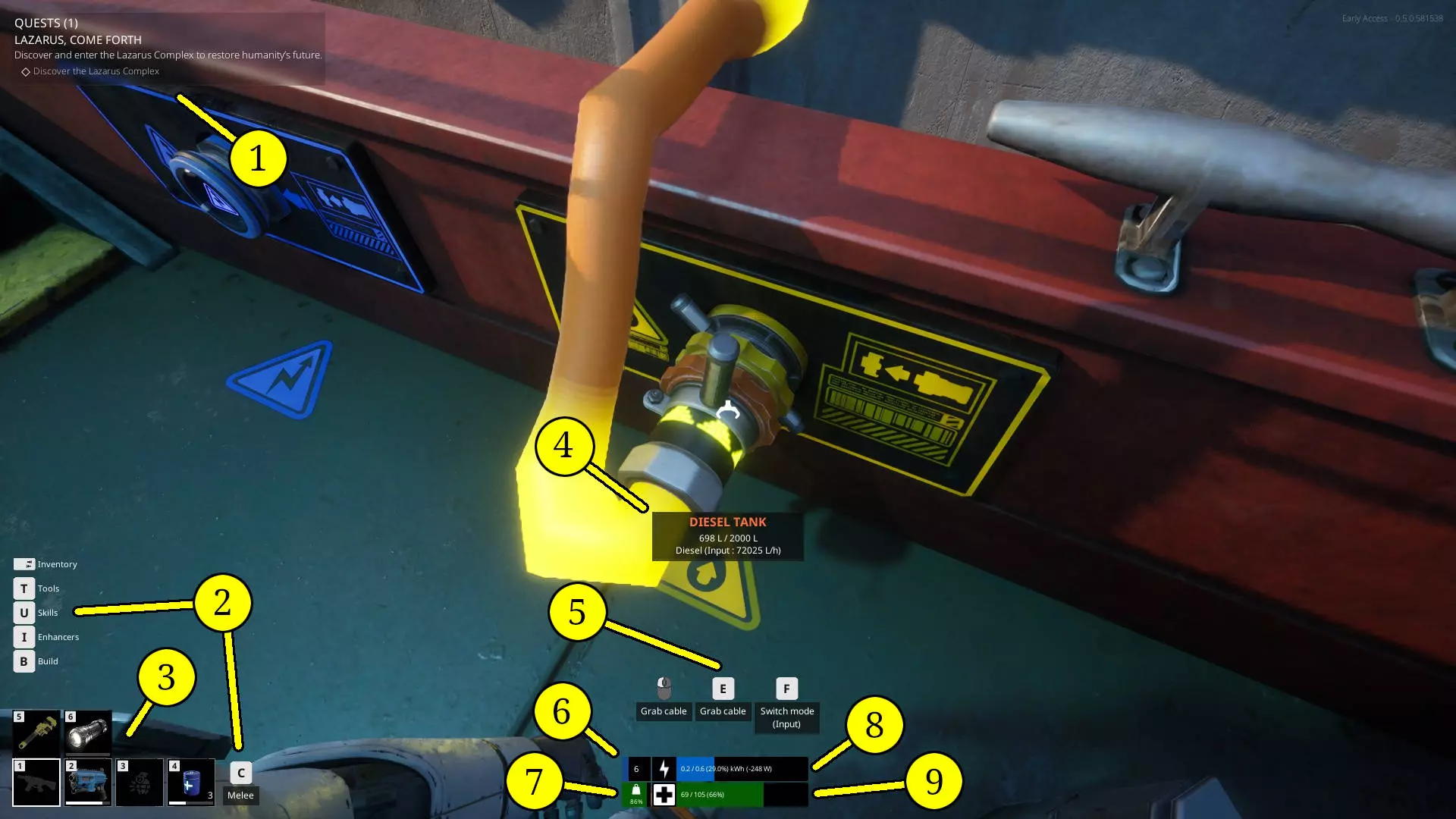
Bob has been with me since the beginning. These are the things Bob has been trying to tell me since the start. I ignored Bob. Many months later I curse Bob for not getting me to listen earlier. Bob is a smart guy. Listen to Bob. Bob even ordered this in order of importance to less so to anecdotal. Bob is smart, but sometimes not great at spelling. Bob doesn't like talking about stats or build choices as so far Bob has found that most anything works. Bob also said that there's many advanced tips but they could also ruin the spirit of the game and Bob has incredibly high integrity in letting people enjoy and experience their own games. Solar panels are the only thing you need (S importance) If you lost every other thing on your ship, a solar panel would be the only thing you need to get you somewhere to get more stuff to progress. I'll cover this more in the another topic further on but before you go anywhere in your ship make sure you have at least two solar panels on your ship to power your engines and recharge yourself. At this point in the game air turbines are very nice, but they also break down and if you find yourself without resources to repair them you will be in trouble. They are absolutely a go to when you're flush with resources but a solar panel and maybe a medium placeable battery will make sure you always get to where you're going even if you have nothing. If you have the space, increase the frequency of your autosaves. (S importance) The game automatically backs up your autosaves. You can find out how to access them by looking at the pinned steam discussion post called Troubleshooting. These backups as far as I've seen can get be between 2 and 11 MBs each. If you have extra space I would recommend changing how often then happen from the default to 10 or even 5 minutes. The reason being is The Last Caretaker is still in early access and you will encounter bugs that will make you want to throw your keyboard if your last save was half an hour ago. It will change your experience from "I'm never playing this game again" to "Lol, boat fly to space. RELOAD" I'd also recommend just knowing where the backups are saved so you can clear them up from time to time. It was saving mine since I started playing the game. The Sanctuary is a tutorial, but this game doesn't hold your hand. (S importance) Before you leave the sanctuary I'll only tell you this. Make sure you understand how resources and wires work. Make a disassembler. Understand how scrap works with the recycler. And make sure your ship can power itself (see above point) You'll save yourself a dozen deaths doing this and possibly throwing your keyboard. Don't use dock moorings (A importance) Currently there is a bug which can permanently stick you to a dock for unknown reasons. It's much better to use the anchor function and "dock" yourself a jump away from the dock to avoid getting stuck on the dock. Edit for December 28th 2025 06.0.6 update This issue seems to be somewhat fixed now. Should you happen to get stuck on a dock though try the following: 1. Use a dissassembler to remove all the tire bumpers around the dock. 2. Look around your ship for anything that you built that is moving independently from your ship and (unfortunately) dissassemble it. Once you do that. Use the backup machine on your ship to save the game. Close to desktop. Reload and you should be free. If you're still stuck recheck your ship for bugged builds. This seems to happen less using the anchor and jump method instead of using dock moorings. Don't recycle bio items that you find (B importance) Edited for December 28th 2025 06.0.6 update Without going into spoilers I can't say why, but know that you won't need them until you know you do. Instead I'd say try putting one 1 of each in a soilforge so you at least know what they make. For the soilforge to compost bio items you need to turn the machine on and then there's a larger lever on the side of the machine that you need to grab and press W or S (Not A or D as the prompt says) in order to compost bio materials. Backpacks fundamentally change weapons (B importance) Backpacks can be plugged directly into weapons and for some weapons are required. They can drastically change the effectiveness of some weapons. Make sure when equipping a weapon and wielding a weapon of the same type to check to see if they can be attached. Navigation stations require charging (B importance) Edited for January 2nd for 06.0.6 update (thank you to Soviman in the comments) Navigation charge percent now shows in tasks in the HUD as well as the Nav station monitors This may not make sense until you find one. But just know that navigation stations require you to hook up power and won't work immediately once you do. When you do find one and hook it up, look on the monitor of the station to see how charged it is to know how close you are to it working. You can see how much power a solar panel or wind turbine is generating (C importance) If you are curious about how much power each wind turbine or solar panel (from now on called collectors) are generating you can see exactly how much they are generating at any given time. All you need to do is make sure they are connected to something that is drawing power, a battery works great, and then mouse over the cable connection that is plugged into the collector. Of course power will be detemined by two things: 1. How much sun/wind is getting to the collector at any given time. 2. The durability of the collector The last thing to know is if for some reason your boat is not outside, such as in a hangar, it won't collect any wind or solar power. Solar panels can block each other (C importance) Shading in this game seems to be very spot on and solar panels know this. Make sure when placing down solar panels you take into account the possible shade they may under including from other solar panels. Keep whatever lootable petrol canisters you find (C importance) If you get to the point where you know what this means trust me, you'll be happy you did. Just stash them on your ship until you need them. They're the red ones.