换一换
换一换 




本指南旨在为《数字战斗模拟世界》(DCS World)的新手提供帮助。这并非飞行教程,而是一些可能对学习和应对游戏不熟悉所带来的挑战有用的通用信息。内容将侧重于了解游戏的一些基本信息、任务编辑器的相关知识,以及用户界面、控制设置和熟悉飞机基础操作的技巧。这些都是我很久以前自己摸索学会的东西,通过本指南,你或许能花更少的时间掌握它们。 《数字战斗模拟世界》(DCS World)是一款高度通用且逼真的现代战斗模拟器,拥有丰富的内容,而且免费提供。我称其为战斗模拟器,是因为虽然它主要是一款飞行模拟游戏,但游戏内容的多样性和场景编辑器的功能远远超出了飞行范畴。本指南主要面向那些希望驾驶飞行器的玩家,不过对于装甲战爱好者而言,任何购买了【联合武装】并获得免费【数字战斗模拟世界】的玩家也可能会觉得本指南有用。
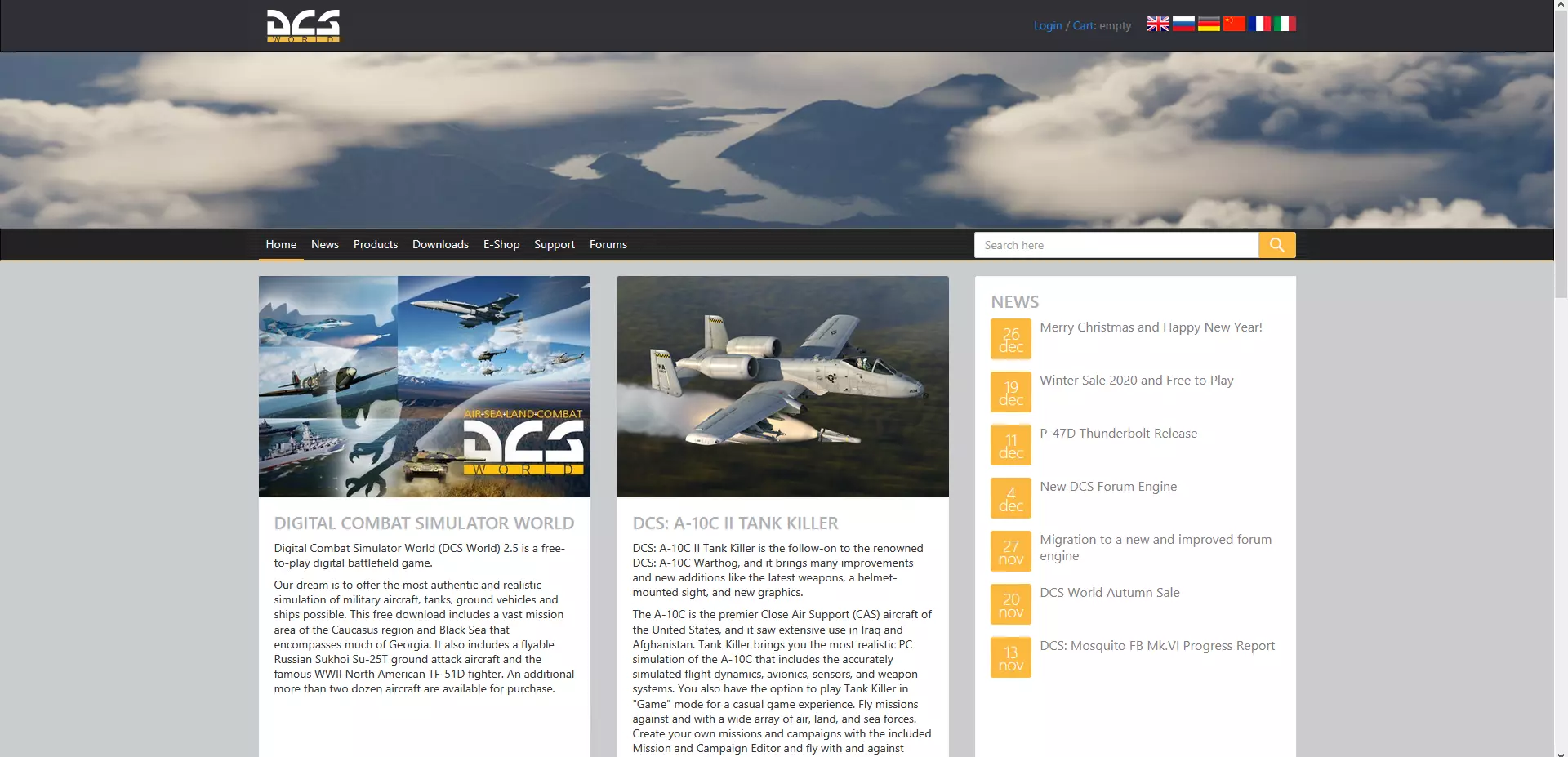
不过基础部分我不会过多展开细节。我们先从启动《数字战斗模拟世界》开始。 如何生成: 首次启动《数字战斗模拟世界》时,你的主屏幕看起来会有点像这样:
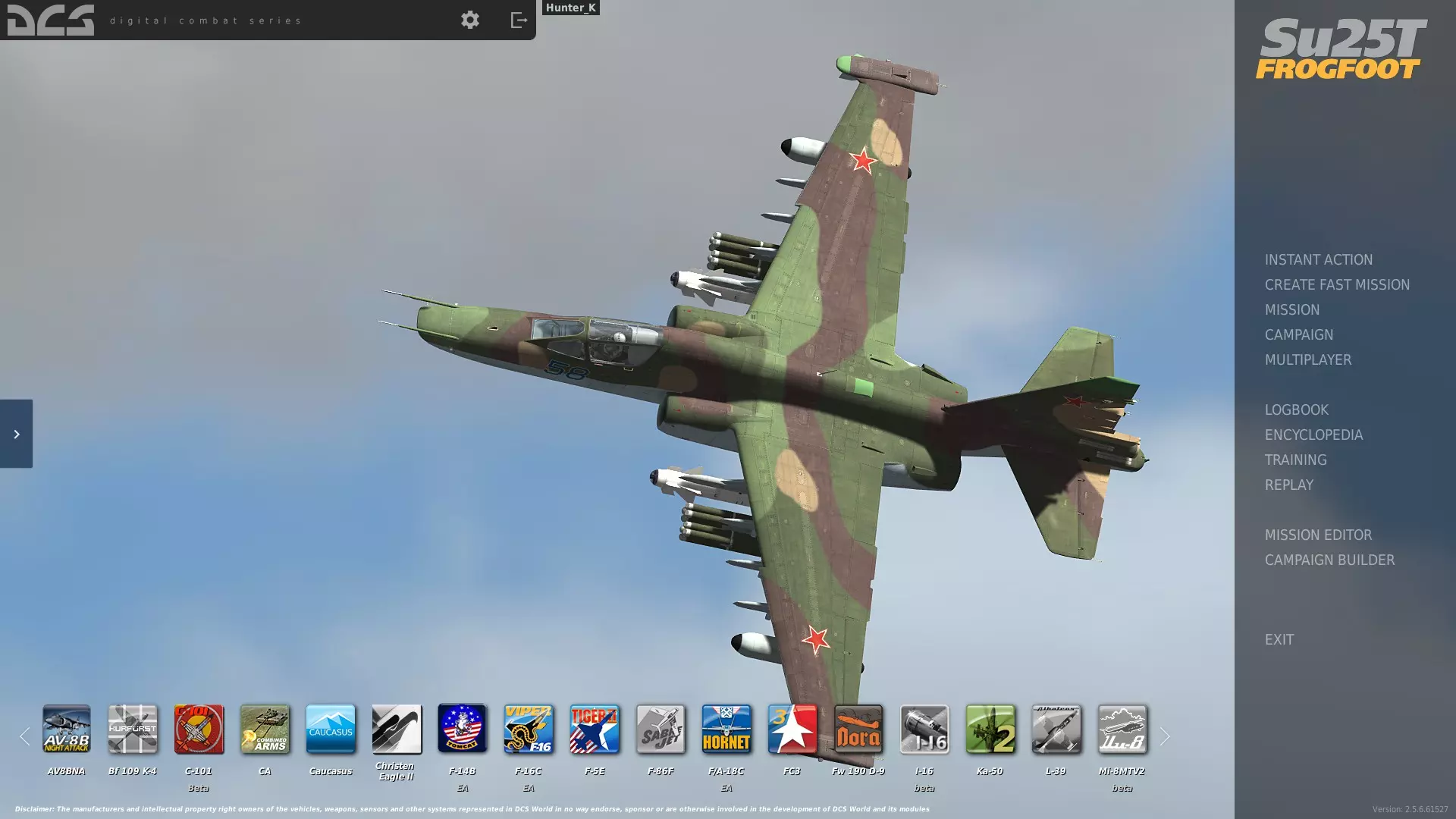
记住顶部中央小齿轮图标的位置。如果你开始任务或地图时,游戏让你的CPU和GPU像用火焰喷射器一样相互“争斗”,你可以在那里找到视频设置来让它们“冷静”下来。需要注意的是,许多常规游戏和图形设置只有从主菜单才能进行设置或更改。 在进行任何操作之前,如果你没有摇杆,请准备一个USB接口的Xbox或PlayStation手柄并连接。你不需要【HOTAS(双手操控油门和摇杆)】,但确实需要某种控制器。在《数字战斗模拟世界》中,你不能像在《战争雷霆》或其他飞行模拟游戏中那样用鼠标控制飞机。没有控制器的话,你将只能用键盘飞行,用鼠标环顾四周。如果你打算向坦克投掷一枚1000磅的弹头,键盘是无法胜任的;但即便是最便宜的摇杆也能让你在整个游戏中得心应手。相信我,我用摇杆和键盘以某种形式玩这款模拟器大概已经超过十年了,而且我没有任何抱怨。 如果你连接了某种控制器,我建议选择【任务编辑器】开始游戏。该编辑器最能体现游戏内容的广度,但需要花些时间探索才能熟练使用。 在左上角,选择【文件】并点击【新建】。这会提示你选择地图和阵营,默认情况下无需调整这些设置。界面看起来可能与此类似,但阵营设置不同,背景为空白。
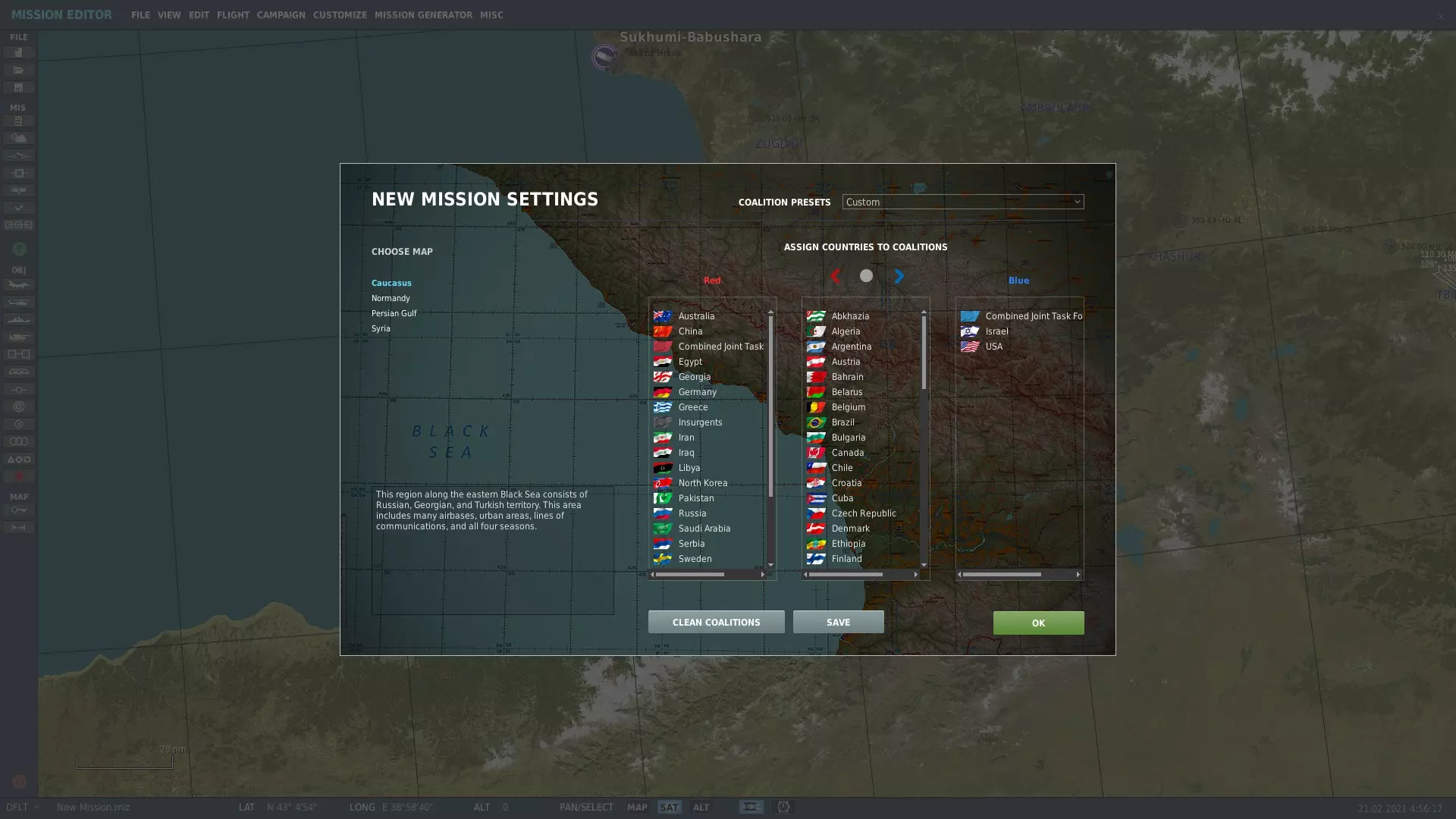
只需点击“确定”,你就能看到一张高加索地区的地图。它看起来会有点像这样:
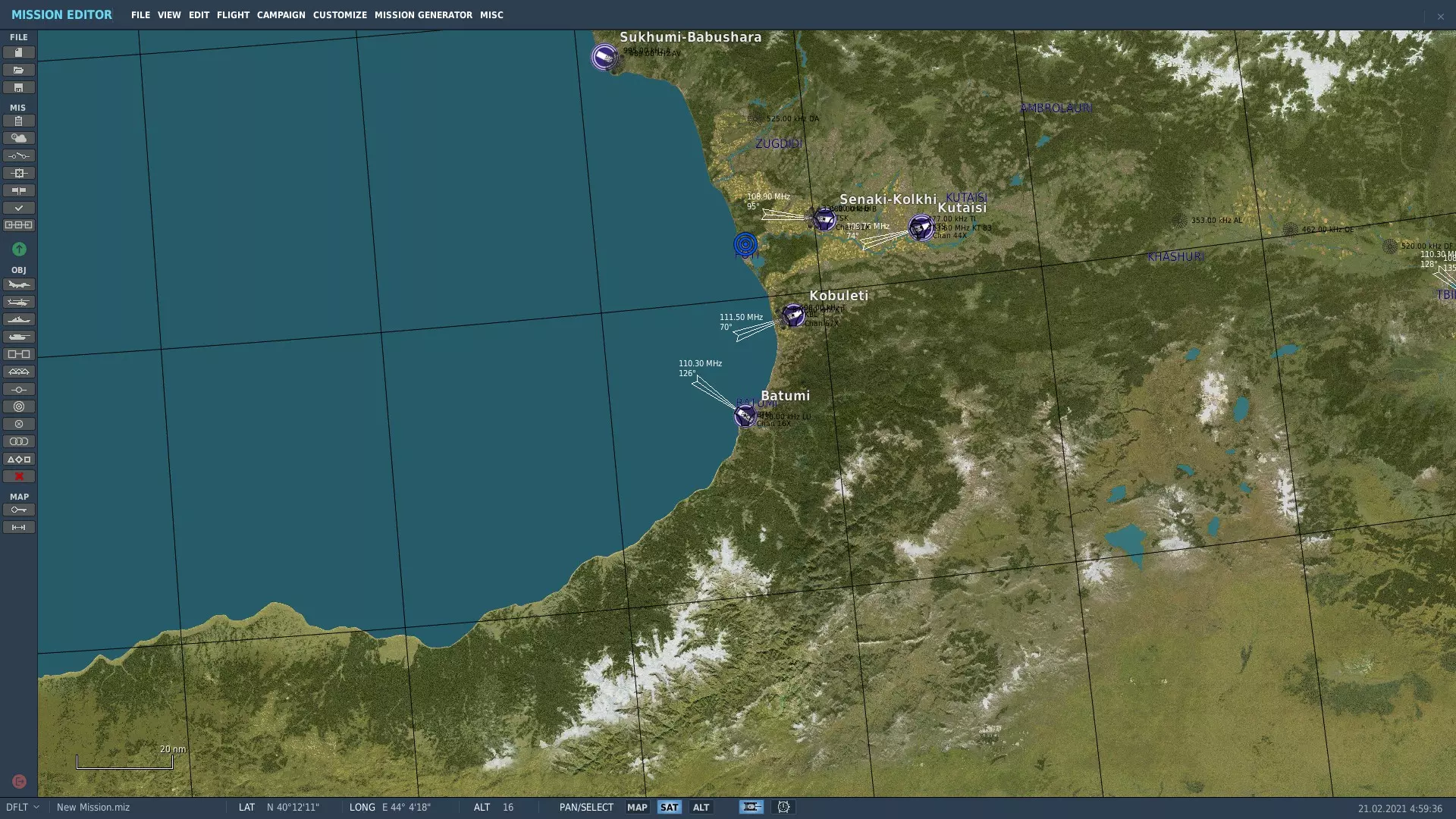
左侧绿色按钮的下方,有一个类似F-16侧视图的小飞机图标。点击该图标,右侧会显示一些数据(暂时忽略这些数据)。接下来点击的位置,将会生成一架飞机。请在机场附近放置一架飞机。 注意:如果在任何时候误点导致已生成的飞机被取消选择,只需再次点击该飞机即可重新选中它。 现在,你的界面应该会显示类似这样的内容:
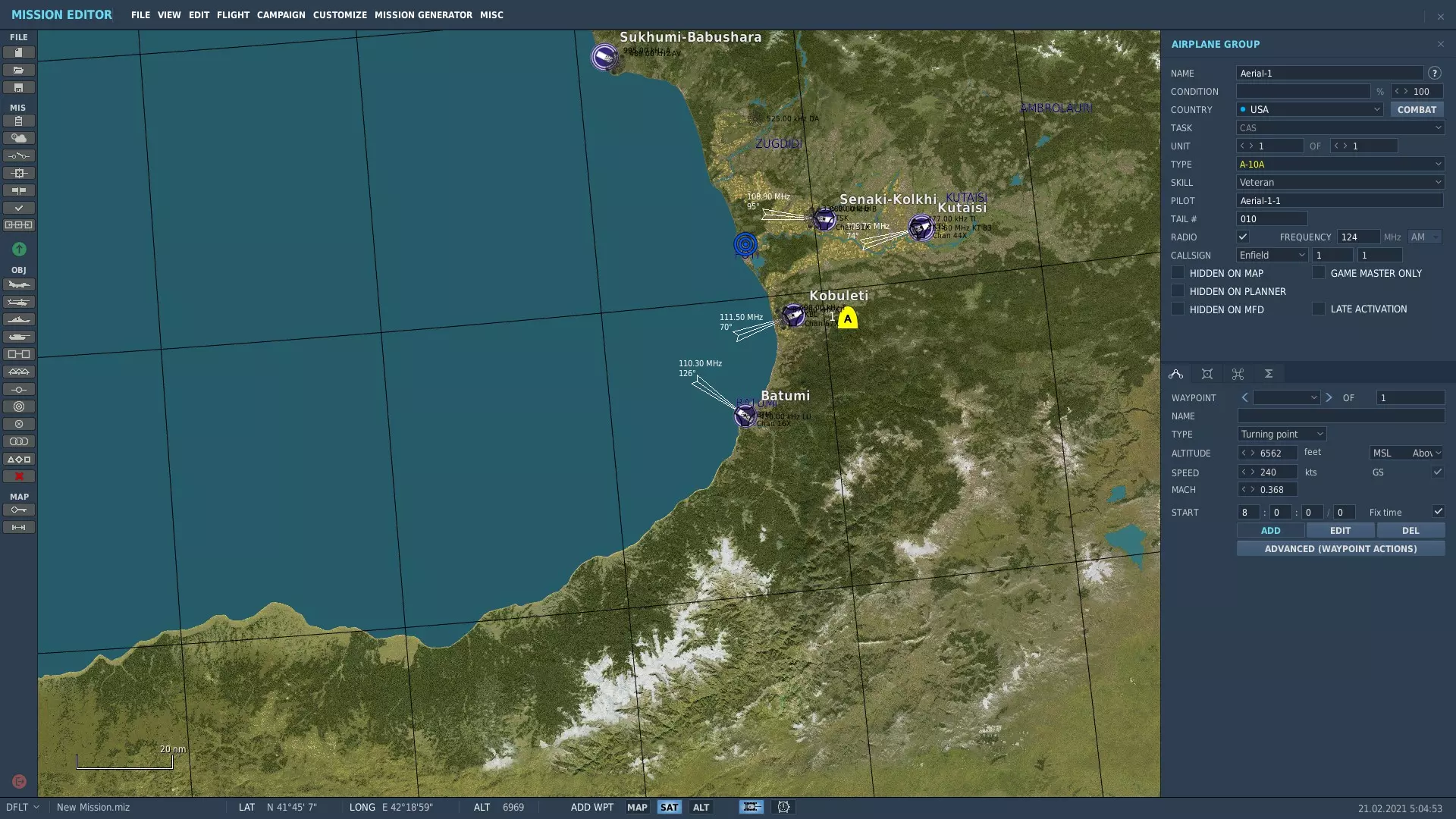
默认情况下,右侧数据菜单的下半部分会选中【添加】选项。如果你点击地图上的任意其他位置,将会为你生成的飞机放置一个航点。如果不小心创建了航点,连续按【删除】键可以将其移除。就我们的操作而言,要确保没有带连接线的小圆圈连接到飞机,飞机图标应仅处于高亮状态。 接下来,你需要查看右侧菜单中关于你飞机的所有数据。使用下拉框确保其显示以下内容(点击下拉框并选择正确选项进行编辑): 国家:俄罗斯 类型:Su-25T(在下拉框列表中应显示为黄色的可驾驶飞机) 技能:玩家(此选项也应显示为黄色) 接下来,你需要再次查看该数据菜单的下半部分。确保选中那个看起来像两端带有圆圈的V形图标。在“航点”字样下方,选择“类型”下拉框并点击“从停机坪起飞”。
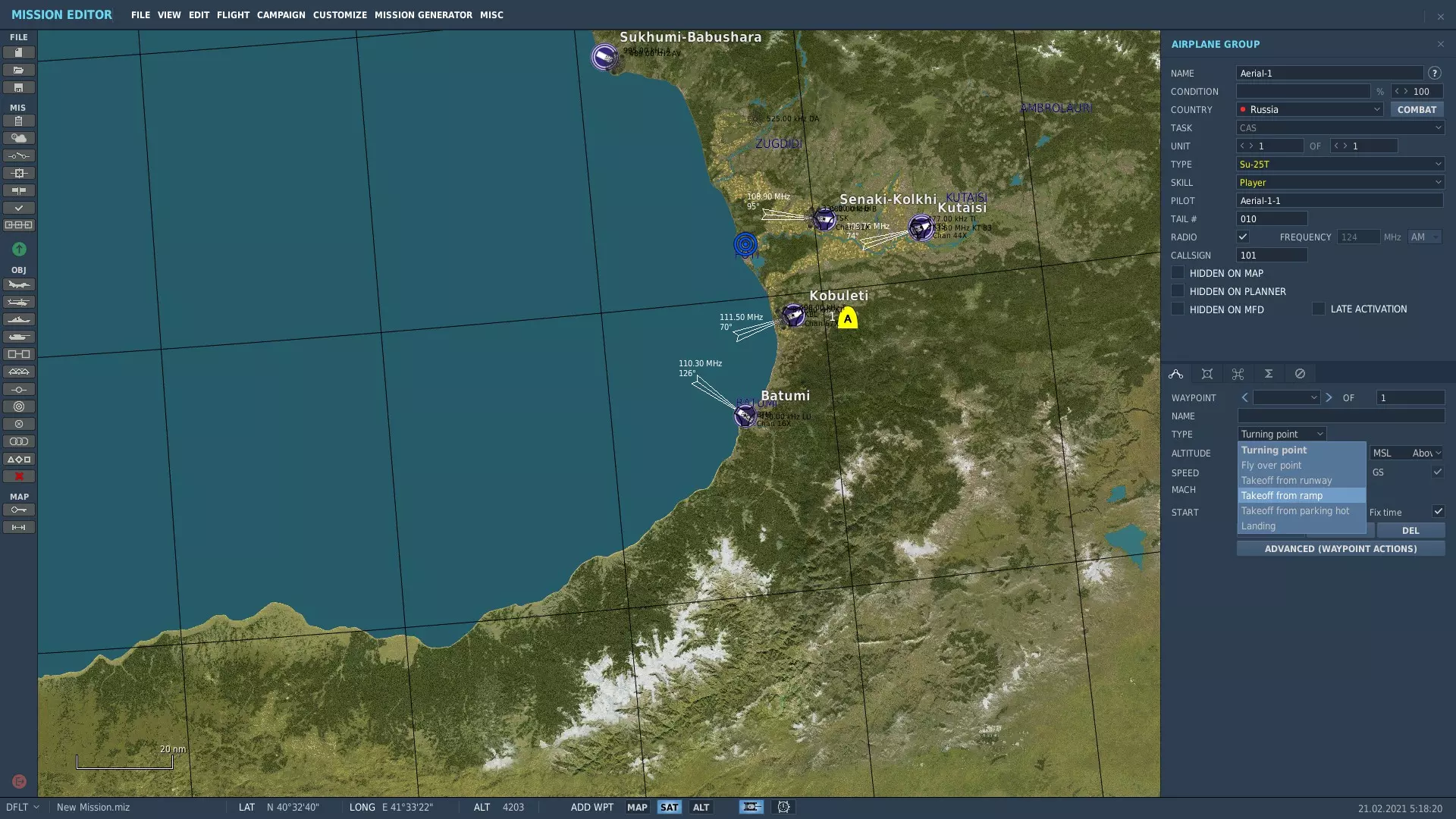
这应该会将飞机图标吸附到最近的机场。接下来,在左上角依次点击文件->另存为->然后将任务命名为你喜欢的名称。完成后,点击左侧菜单中央的绿色圆圈。此时应该会弹出一个类似这样的界面。
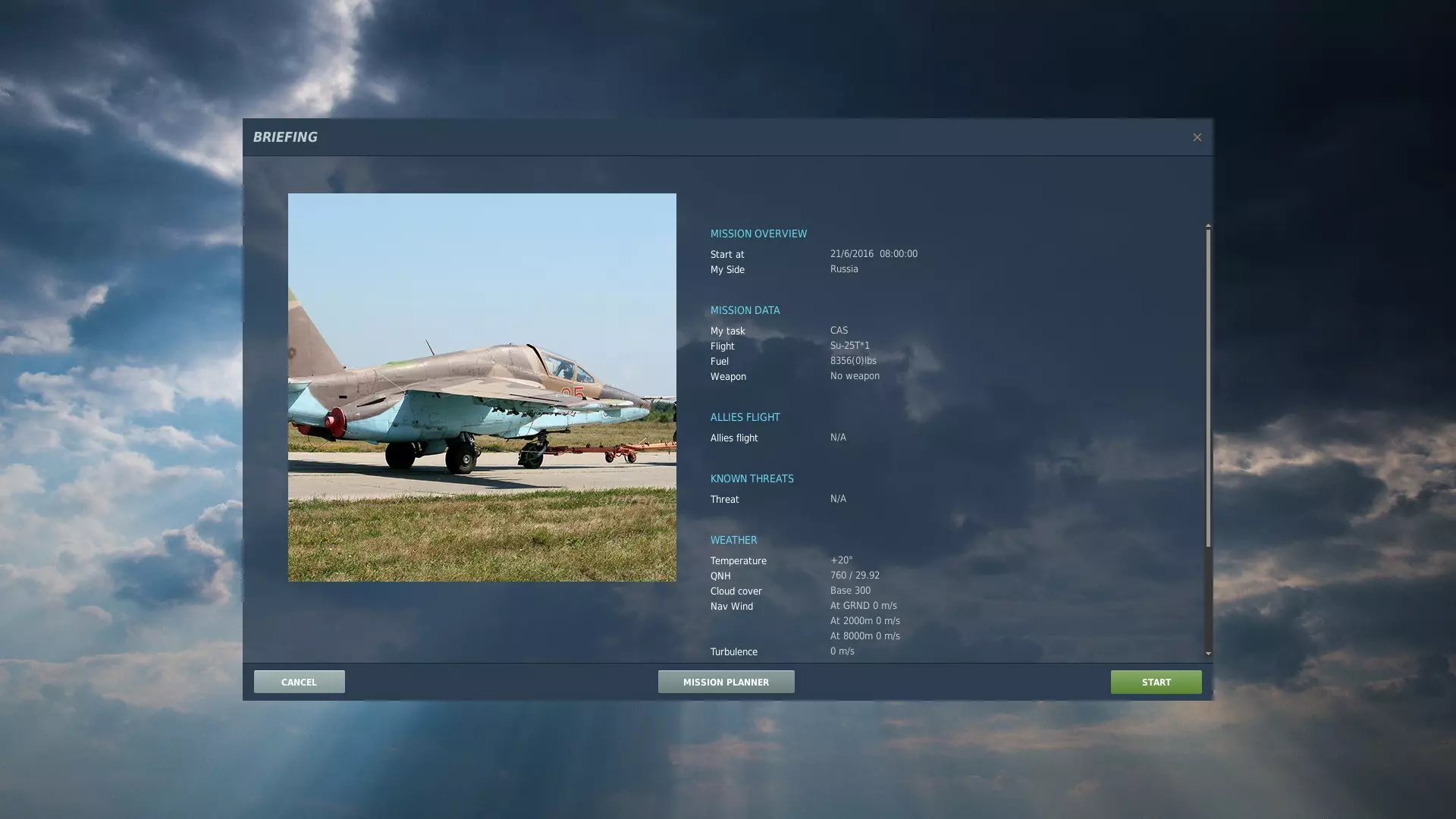
如果“任务概览”下方的“任务数据”中,“flight”右侧未显示Su-25T,或者显示的是类似飞机平视显示器的随机图像,那么任务开始时你将不会在飞机里。如果一切显示正常,点击开始即可。 设置基本飞行控制 游戏加载完成后,你应该会在苏霍伊飞机的驾驶舱内,看到任务简报。只需点击“FLY”。 我建议首次飞行通过编辑器进行的原因是,它能介绍生成实体的基础知识,并让你有充足的时间和条件进行调整,也能在需要时快速重启。 我建议首先按Esc键,然后选择“调整控制”。默认列表是“全部”列表,其长度可能会让人望而生畏。幸运的是,我们不仅可以对控制项进行分类,还能使用搜索功能!
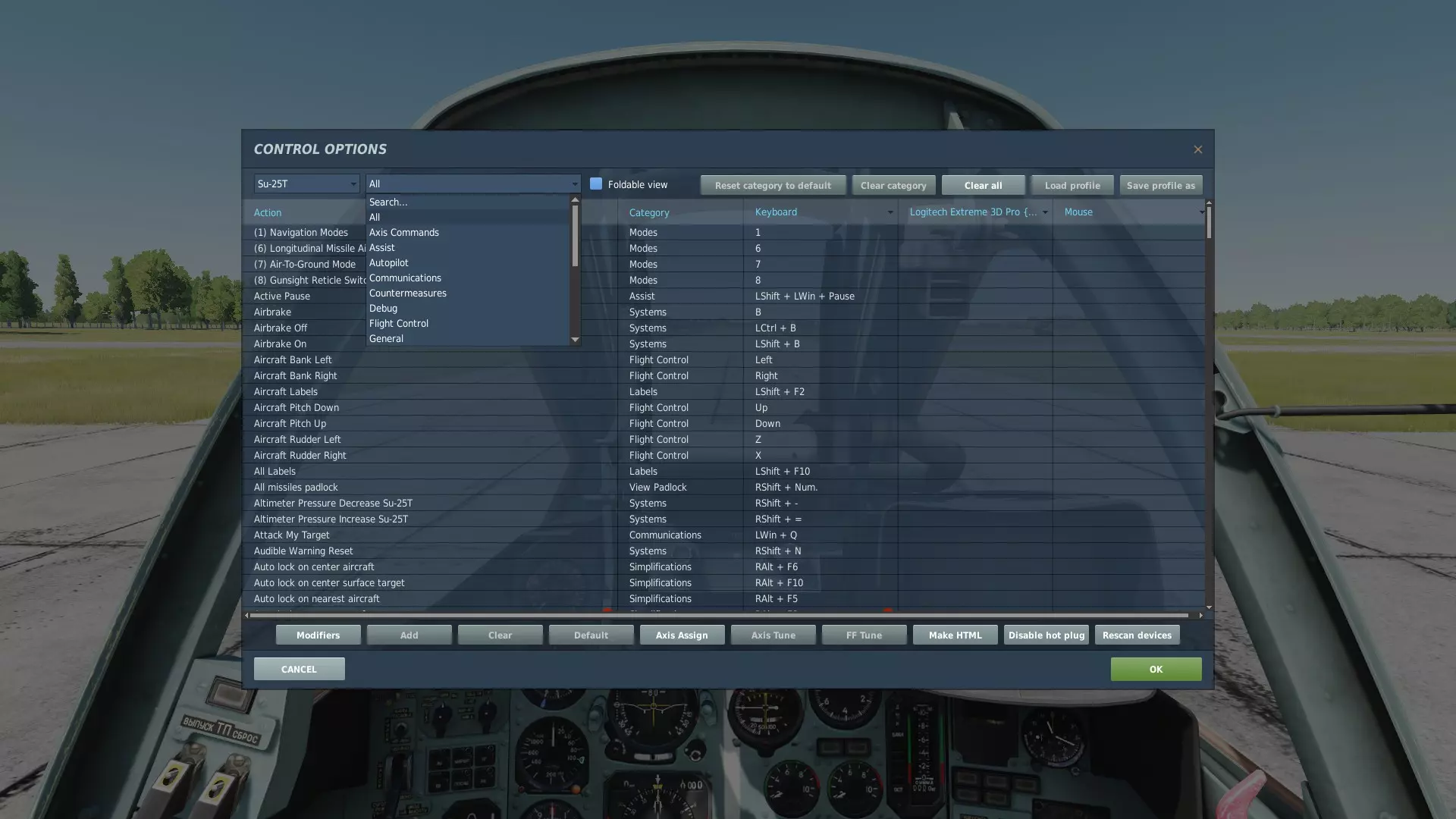
使用第二个(更宽的)下拉菜单,你可以找到分类和搜索功能。例如,如果你搜索“start”,就能轻松找到默认按键为右Shift和Home的【引擎启动】键位绑定。 苏-25T以及其他“怒火危崖”系列机型的一大特色就是操作简便。要使用执行战斗任务所需的所有系统,你实际上只需知道如何切换武器(一个键位)、切换枪炮模式(一个键位)、开启瞄准系统(几乎所有情况下为一个键位)、移动十字准星并锁定目标(理论上五个键位,但实际上更像是一个区域和一个键位),以及发射武器(一个键位,包括枪炮则为两个)。实际上,要了解如何使用和发射苏-25T的所有武器(除了雷达制导导弹,这类导弹使用场景有限,且只需额外一到两个按键),你需要知道十个按键绑定,或者六个按键绑定加上一个按键组(四个类似方向键的按键)。而且这些绑定在所有“怒火危崖”系列机型中基本通用。 不过,我建议读者参考像YouTube上的“Grim Reapers”这类资源,他们在武器和系统操作方面似乎很有心得,可以学习武器使用方法。而现在,尤其是如果你使用手柄,强烈建议从前面提到的下拉菜单中选择“轴命令”选项。你需要重点关注“俯仰”“横滚”和“方向舵”控制选项。这里可以看到我的控制设置页面
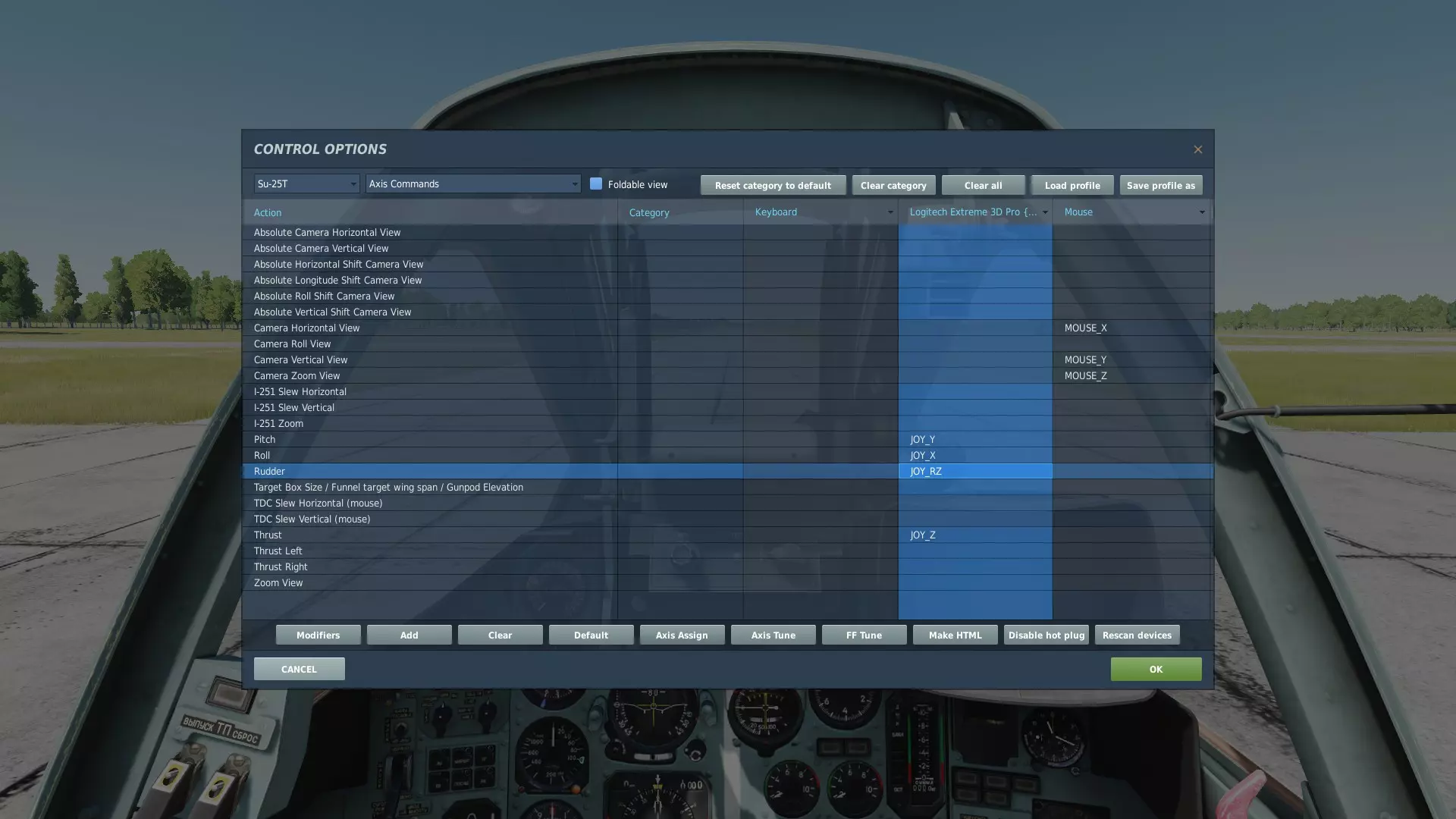
如果DCS识别到你的控制器,绑定设置会显示在键盘快捷键列的右侧,该列会标有你的控制器名称。设置控制轴时,我强烈建议进行两项操作:轴分配和轴调校。首先,如果你已有DCS能识别的摇杆,可能无需绑定轴,这会让操作简单很多。如果你使用的是手柄,游戏可能会以不同方式读取控制轴,你可能需要按以下步骤尝试不同的轴来找到正确的那个,因为手柄的轴在编程中标注方式与摇杆不同,相对摇杆而言标注不规则,这是由于手柄的轴数量更多。要绑定轴,请在相应的控制器列中选择你想要绑定的轴控制,然后选择控制调整窗口底部中央的灰色【轴分配】按钮。该按钮会有下拉选项,列出你的控制器的所有轴。 再次说明,使用主机控制器时,你需要进行一些试验才能把所有设置调整好。实际上,你需要能用一只手操控飞机(至少能控制机翼滚转和机头俯仰),这样另一只手就可以操作键盘。如果你切换到F1(驾驶舱)视角,你的控制器操作应该会对应到座位前的操纵杆上。 一旦将轴分配到你想要的位置,请重复此过程以重新找到轴命令。这次,当你选择一个控制项时,不要点击【轴分配】,而是点击其右侧的【轴调校】。它看起来应该类似这样(除了线条会是直的和对角线)。
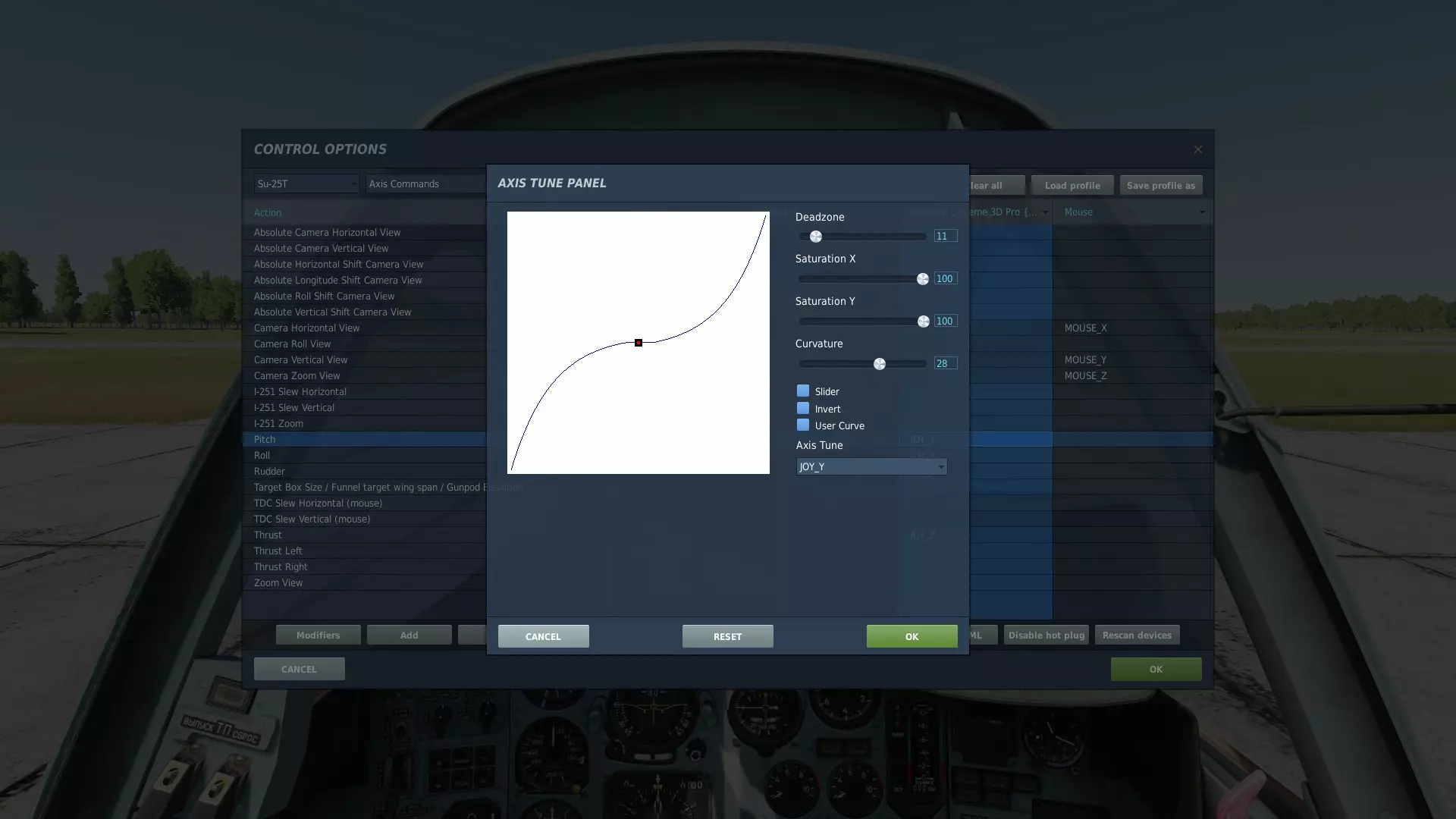
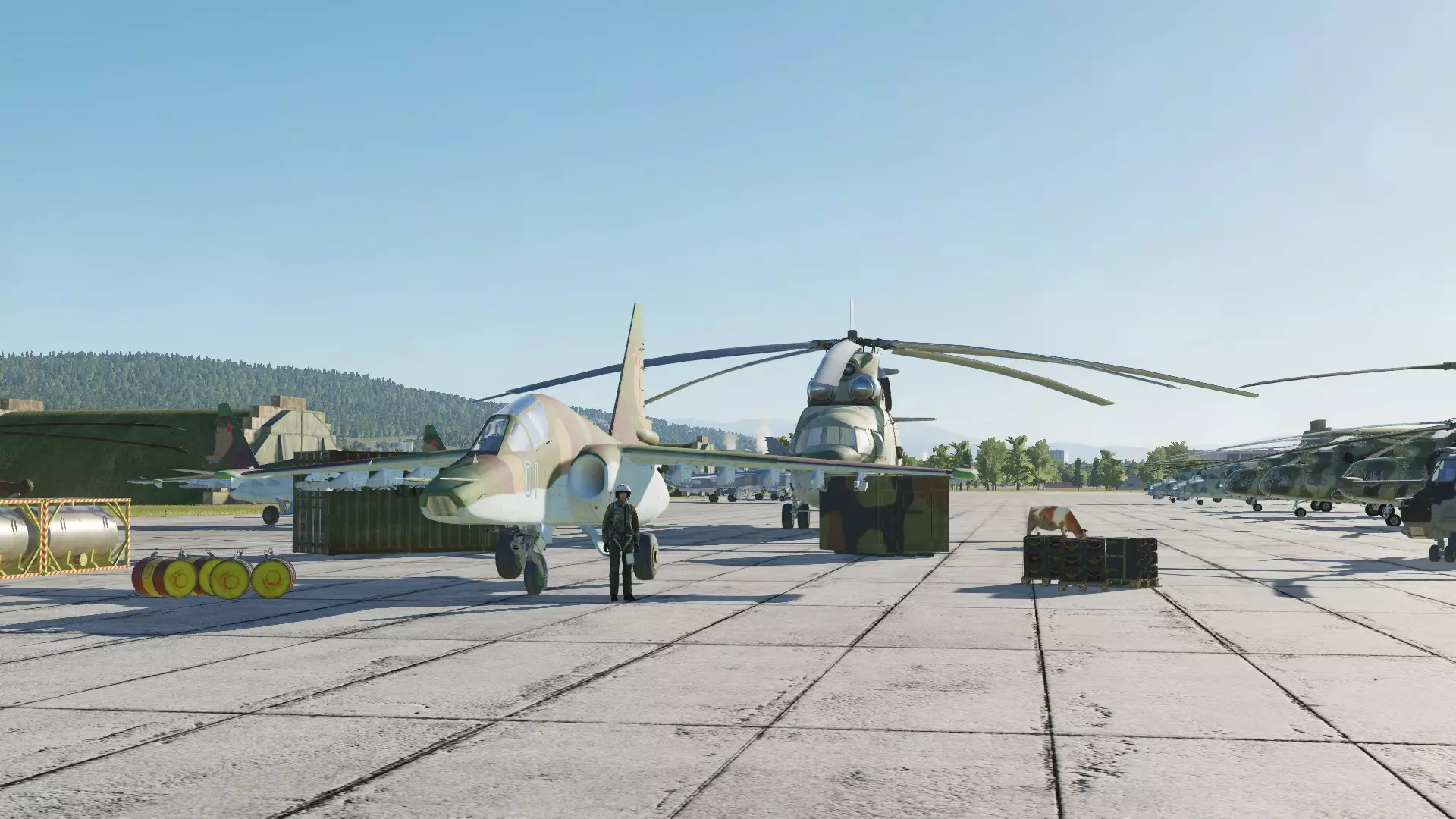
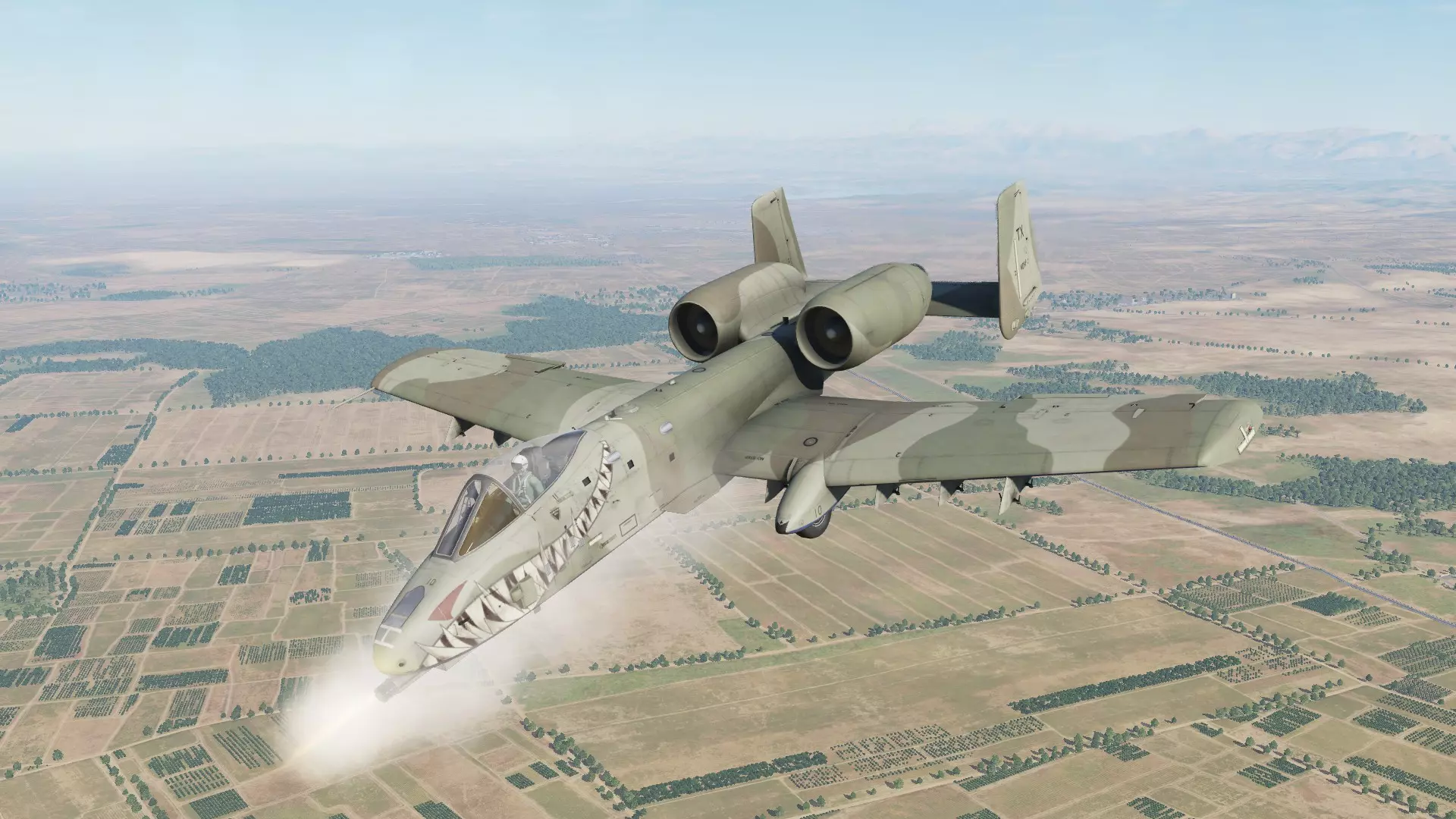
死区功能会阻止控制面移动,即使你操作了控制器。饱和度设置会让你在将控制器移动到最大偏转位置之前,就达到轴的最大限制。曲率设置会影响控制器移动对轴位置变化的指数级影响程度,使其增强或减弱。我的轴在当前配置下有一个小死区,这样即使我碰到操纵杆,飞机也不会做出反应;同时设置了曲率,使得操纵杆的小幅移动对轴的影响较小,而大幅移动对轴的影响较大。 了解油门绑定、襟翼绑定和起落架绑定(默认分别为PGUP/PGDN、F/左Shift+F和G)后,你就准备好飞行了。如果你不想每次都启动飞机,可以回到编辑器,将飞机的起始航点从“从停机坪起飞”切换为“从热停机位起飞”。需要注意的是,对于苏-25T以及其他“怒火危崖”系列机型,只有在发动机关闭且双发转速为零时,才能通过无线电菜单(按空格键,在选项中找到地勤人员,使用功能命令进行重新装弹/加油,通常顺序为F11、F8和F1)进行重新装弹。 苏-25新手通用技巧 ED为玩家提供了一款战斗机型选择,对于新玩家和刚接触飞行模拟游戏的人来说,有时可能会觉得有些棘手。该机型较重,速度相对较慢(尤其是在满载战斗载荷时),在飞行中在一定程度上容错率较低。以下是一些可能有用的技巧。在开火前先熟悉她 在《数字战斗模拟世界》中学习新飞机有点像学习一种新乐器,而苏-25T就像长笛。它操作简单,但能产生与其他飞机相似的效果。你不必成为乐器专家就能吹出几个音符,但知道该把手指放在哪里才能让演奏不至于难听(比如你成功用机炮炸毁了一辆卡车,自己的机身却一头栽到地上)确实很有用。花点时间在不携带任何武器的情况下进行起飞、降落、盘旋、机动等操作,感受一下她的飞行特性。苏-25T在低速急转弯或机翼挂载较重时,有强烈的滚转倾向。学会进行有计划的平稳操作,以便在飞机出现颠簸时给自己足够的时间进行修正,并感受在不同速度下可以做出哪些转弯动作、着陆时失速前的最低速度是多少、使用半襟翼和全襟翼时飞机喜欢的起飞速度等。 使用游戏本体提供的教程 虽然DCS的教程在低逼真度模型中往往容错率较低,且对某些内容的说明较为简略,但Su-25的教程实际上相当不错。你可以通过主菜单右侧、任务编辑器上方的部分,选择【训练】来找到它们。
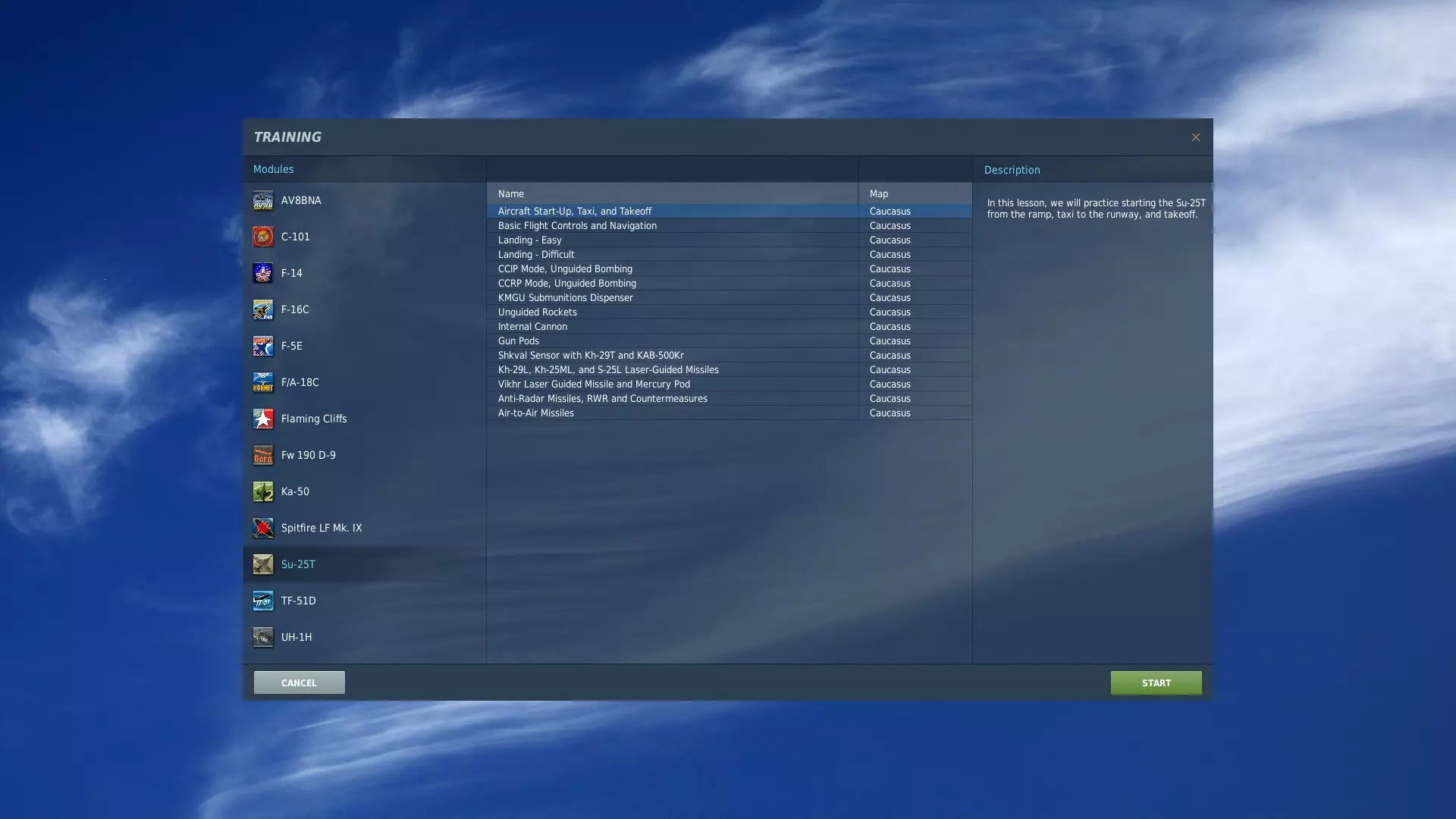
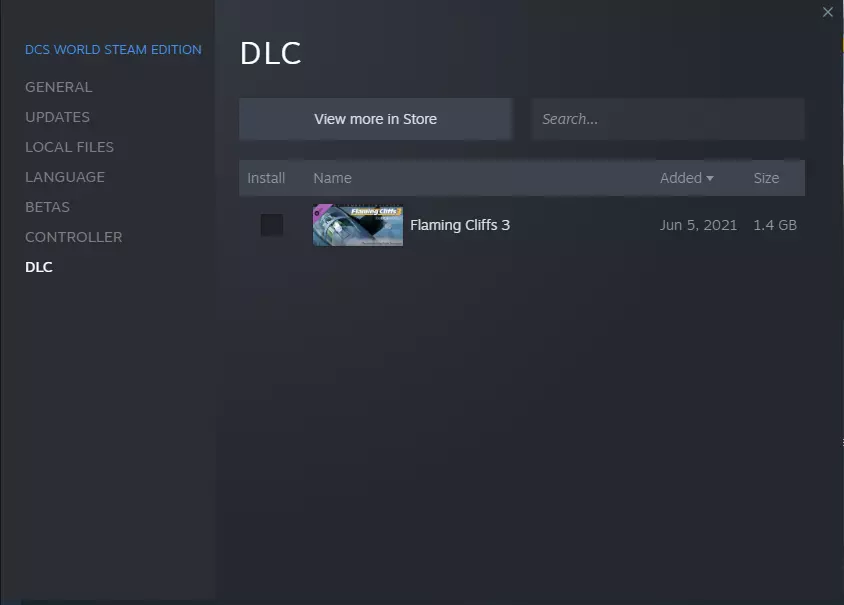
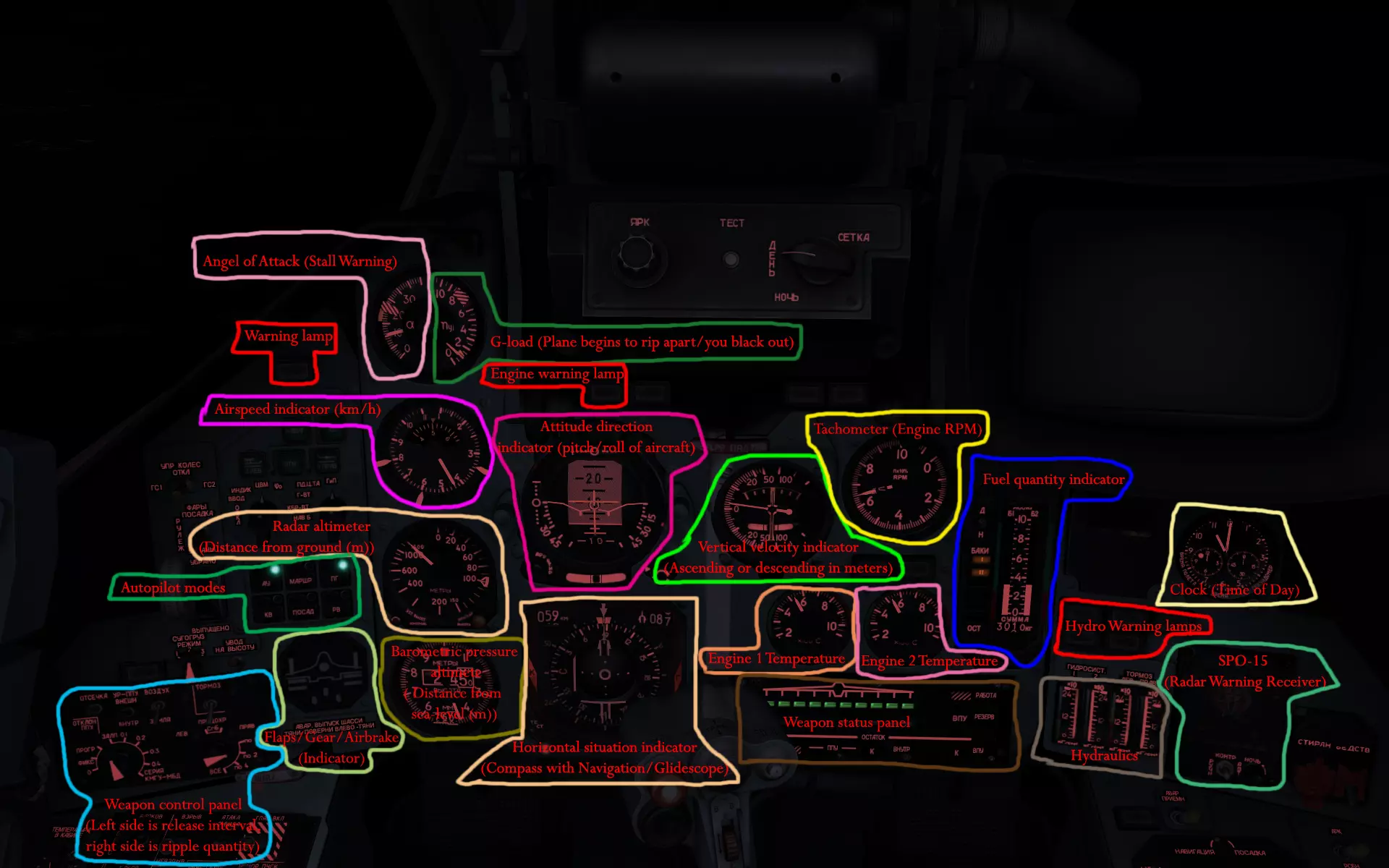
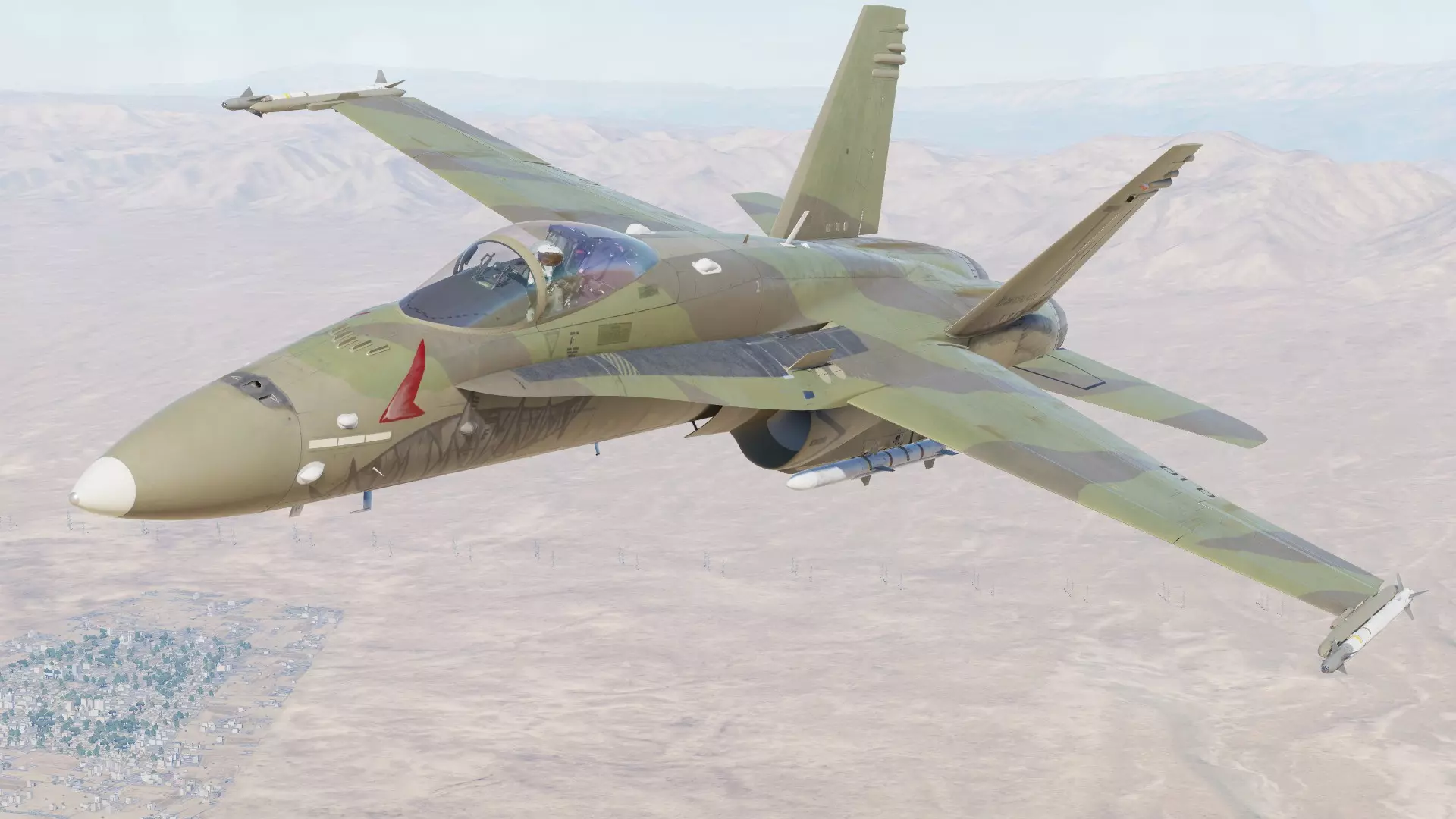
In addition, I may have mentioned before that the Grim Reapers on YouTube have an immense array of tutorials that can be somewhat fast-paced but easy to follow and replicate. Practice Landing The Su-25T can be tough to land for someone who is just learning, so take it easy and don't worry too much if you overshoot the runway or plant the nose into the fence ahead of the runway a couple times. I would recommend finding a speed just above stall speed and try to hold it until you are really low over the runway, kill the throttle, and try to keep the plane from touching the ground as long as you can. THE Su-25T DOES NOT LIKE TO LAND ON UNPAVED SURFACES WITH THE GEAR DOWN. The gear will catch in the dirt and you will find yourself little more than a burning wreck. Learn Weapons in Descending Order of Complication and In Total I would recommend starting your knowledge base of weapons in the Sukhoi starting with weapons like the Vikhr Missiles and guided missiles before using dumb bombs, guns or rockets. Once you find that they aren't very difficult to learn, the unguided weapons will be easy as pie. Once you get used to the weapons I also recommend learning the ins and outs like gun burst modes, missile salvo modes, rocket ripples, etc. Learn Miscellaneous Bindings You have a variety of tools on hand that can assist you if you know the buttons for them. Some of the most useful tools would be the airbrakes, landing drag chute (Don't deploy it too early!) chaff/flares, an IR missile jammer, and launch authorization override (Literally always use this with A/G weapons). All of these things can be searched in the control adjustment menu. Moreover, if you want the plane to do something you don't know how to do it, or you aren't sure what to search in the control adjustment menu (i.e. change HUD brightness and color, open the radio menu, navigate with waypoints and land in a thick fog, turn the aircraft electrical power on/off, adjust the lights, eject, etc), there are extensive tutorials on effectively every function of the Su-25T and other models out there on the eentornet. Take it a Step at a Time If I had to guess, DCS World doesn't come as quickly to new players as the latest in the CoD series. It can take some time to get used to. I would honestly recommend enjoying the flight simulator itself for what it is and playing around with the mission editor and taking flight information as it comes if memorizing everything gives you a hard time. Also be aware that aviation con sort of become a second language. With enough time, there will be acronyms you either don't need to think about to know, or even acronyms of which you understand the function but not what the individual acronym letters mean. There will be gauges and symbols in the cockpit in Russian that you can't read but you can decipher because you know what the gauge is. You will likely become familiar with what all of the different weapons look like and what they do. I actually highly recommend using this guide for that purpose and for a boatload of general information that can be really useful for someone looking to build up some expertise. Just be aware that there is a ton of information, you don't actually need all of it to have fun, and it can take some time to naturalize the knowledge into experience. Go at your own pace. General Tips Just a general list of recommendations: Get a friend to fly with you. It makes a world of difference. If you are both new, you'll have a lot of fun watching one another explode. You can host multiplayer servers by port forwarding. It can be a tedious process, but it is an option. Setting aircraft skill to "Client" in the editor can be used to choose different roles on mission start and is required to be able to choose a slot in multiplayer missions. To get better screenshots, you can hide the menu bar in third person and vehicle labels both in mission settings and with the default bindings 2x LCtrl+Y and LShift+F10 respectively. You can also enhance screenshots with Time of Day, Season, and Weather settings in the editor and by using external view zoom commands. Most of the F1-12 cameras have variants that you can find in the keybind lists. Get familiar with everything out of the game in the main menu and submenus. There is a model viewer, instant action, many general settings to toy with, campaigns, missions, and more. There reall is a LOT. Friendly fire isn't. You lose a lot of score if you teamkill AI in campaigns and missions (all of it, actually). Get Flaming Cliffs 3. Once you know one, you know them all. There are joint task force red and blue coalitions that allow you to make any vehicle from any country either Red or Blue. If you want to fly an Su-25 alongside a friendly A-10A, that's an easy go to. In singleplayer, you can slow down and speed up the time, but you may have to rebind any default NVIDIA overlay activation bindings. If you get a high fidelity model, make the first one the F-18. There are extensive tutorials for this aircraft on YouTube and it is both very fun and very flexible. F-18 best module. Don't look at the infantry models. You will want to bleach your eye holes. The fuselage is not supposed to be a weapon, but it a hell of a last ditch effort. You can tell AI wingmen what to do in the radio menu. You can bully AI into taking SAMs for you so you can find out where enemy air defenses are. If you fly a few feet off the ground, you can sneak up on long range radar missile sites. Most guns are only really very effective on light armor. You can rearm a plane by landing at a firendly airbase. Neutral airbases act like they've been abandoned for the apocalypse. You can download mods and skins from the internet. You can create your own custom skins. But trust me because I have made five. It is an extraordinarily tedious process so only do it if you REALLY want to.
如果我想到其他内容,可能会编辑这份列表并添加一些额外提示。如果你已经看到指南的这里,希望它对你有所帮助,也祝你拥有愉快的DCS体验! 附:顶级AI会飞行,但它们真的很笨。在空对空作战中,你可以通过规划机动来智取任何AI。