换一换
换一换 


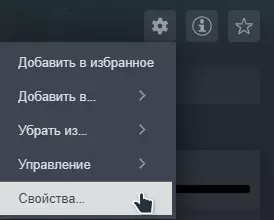
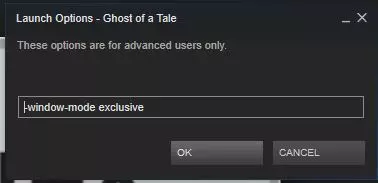
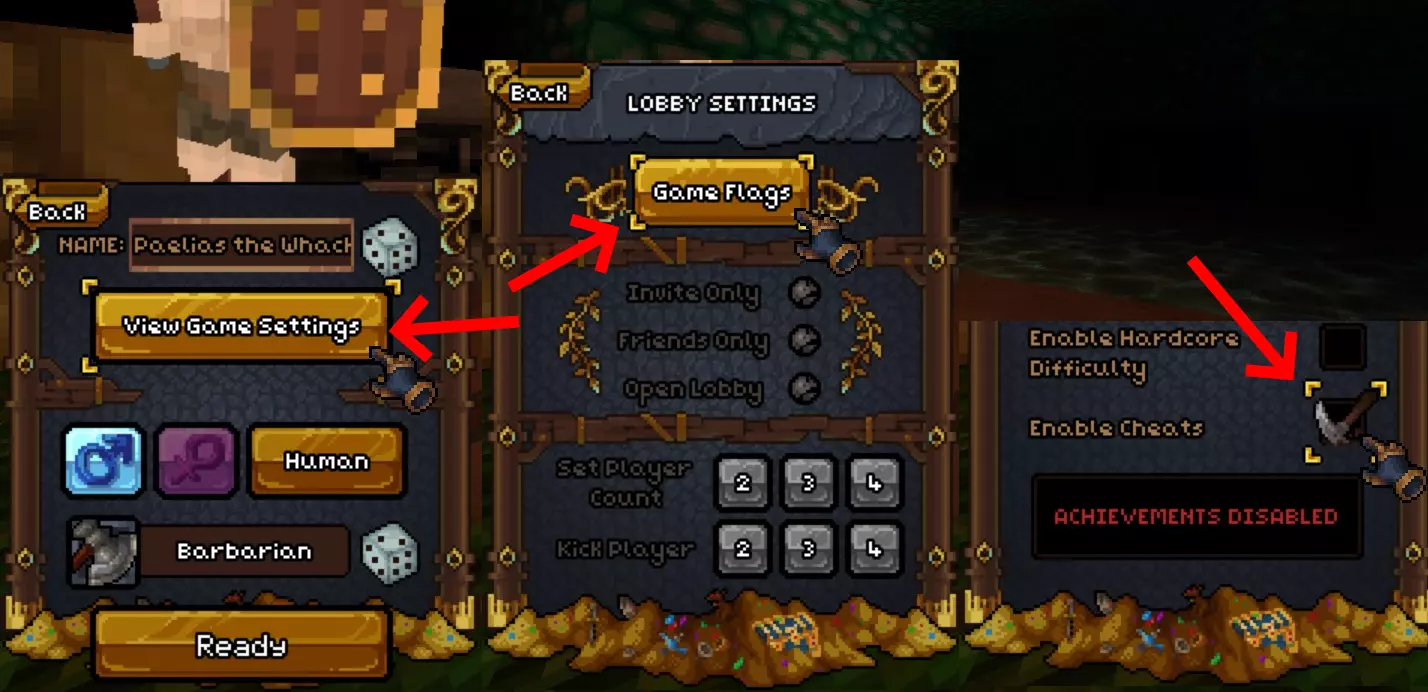
这是《巴罗尼》中使用的控制台/作弊命令。 你可以在游戏文件夹内的Readme.txt文件中找到部分命令。其余命令是从源代码中提取的。 最后更新自提交版本:bce2305(2023年11月16日) 游戏启动参数 在启动《巴罗尼》前,可以输入游戏启动参数来强制游戏直接加载到特定状态。这些命令可以实现从更改分辨率到强制加载特定地图等各种功能。 修改游戏启动参数的方法: 1. 在你的游戏库中找到《巴罗尼》 2. 右键点击,选择属性,然后点击设置启动选项...请从以下列表中输入您想要的命令。如需了解更多信息,请阅读Steam指南。 以下是游戏可用命令,引用自游戏文件中的Readme.txt(略有编辑): 参数: -windowed - 强制游戏以窗口模式启动。 -size=???x??? - 设置显示分辨率。 -map=??? - 启动时选择地图,而非读取levels.txt。 -gen=??? - 启动时生成一个地牢。 -config=??? - 启动时选择要执行的配置文件。 -quickstart=??? - 以指定职业启动游戏。 -datadir=???- 游戏所在目录 示例: game -windowed -size=960x600 -map=test -quickstart=barbarian 上述命令会以窗口模式启动游戏,窗口大小为960x600,并以野蛮人身份快速开始地图“test.lmp”。 信息控制台/作弊命令 部分控制台/作弊命令及其说明可在游戏目录下名为Readme.txt的文件中找到。 该文件已过时,因为多年未更新。 若要获取所有最新的控制台/作弊命令,请查看源代码。 激活这些命令/作弊的方法是在游戏内聊天框中输入它们。 所有控制台命令/作弊均以“/”开头。 部分命令需要在存档中启用“作弊”功能。 这将禁用该存档的Steam成就。
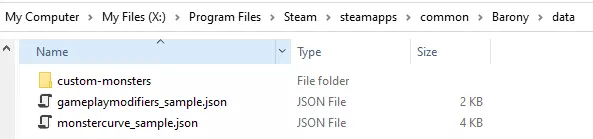
Tip for this guide: Use CTRL + F to search for stuff easily Player/Cheats These console commands change the players attributes and some are considered cheats /startfloor ? Changes the floor the player starts at when creating a new game. (Question mark is replaced with level) /savemap ??? Saves the current map as a file. (Question mark is replaced with savefile's name) /lastname ??? Uses your previous-character's name. (thx Lyiusa Eterna) /pos Specifies the current camera position and orientation. /exit Quits the whole game without confirmation. /dowse Specifies the locations of all exit ladders on the level. /thirdperson Toggles thirdperson mode (detaches camera from player). /friendly Makes the enemies less likely to attack you. /poison Poisons the player, making him lose HP. /nummonsters Counts the number of monsters still left on that map. /die Kills the player. /flames Lights the player on fire. /cure Cures a poisoned player. /drunky Makes the player drunk. /brawlermode Only punches and throwing potions allowed. /spawnitem ??? Spawns an item with the name given in '???' at the player's feet. If the full name is not entered, the first closest match will be spawned. /spawnbook ??? Spawns a readable book with the title given in '???' /nextlevel Moves all players to the next level. /noclip Toggles flight. /mana Fills magic to the maximum. /heal Fills health to the maximum. /god Makes the player invincible. /buddha Leaves the player at 1 HP. /damage ? Damages the player a specific amount. (Question mark is replaced with amount of damage) /maxout2 Works in multiplayer, gives player fullset of steel gear, gives level 35 - does not increase stats. (thx Lyiusa Eterna) /jumplevel ? Skips levels, letting you teleport between them. (Question mark is replaced with level 1-30) /maxout3 Same as Maxout2 but sends you to Mystic Citadel. (thx Lyiusa Eterna) /levelskill ? Levels a specific skill 10 times. (Question mark is replaced with skills 1-13) /maxout4 Gives you everything + fullset steel gear, does not level stealth. (thx Lyiusa Eterna) /gold ???? Gives the player a specific amount of gold. (Question mark is replaced with amount) /dropgold ?? Drops gold from players pocket. (Question mark is replaced with amount) /maxskill ? Maxskill have values 0 - 15, 0 being "locks" and 13 being "shield" with 2 reserved slots -- Negative values work. (Warning: beyond -233 crashes the game) (thx Lyiusa Eterna) /maplevel Reviels the whole map for the player. /spawncursed ??? Spawns a cursed item in front of the player. (Variables, all items) /spawnblessed ??? Spawns a blessed item in front of the player. (Variables, all items) /levelup Levels up the player immediately. /hunger ??? Sets the player's hunger level to the number given in '???'. /levelmagic Increases the player's magic skills. /allspells Command to learn every spell /gimmepotions Give out 10 random potions /killmonsters Kills all monsters on the level. /togglesecretlevel Command to force toggle the level/secretlevel.txt lists on next map change. /lastcharacter Loads the last created class/sex/appearance. /setmapseed ??? Set the next mapseed /greaseme Makes you drop items you care /gimmearrows Gives you arrows /gimmescrap Gives you random crap /gimmerobots Gives you robot parts /gimmebombs Gives you bombs /gimmegoblinbooks Gives you goblin books /toggletinkeringlimits Command for removing tinkering bot limits Enemies & summoning These console commands are to spawn items/characters/enemies /atkspeed ? Changes the speed of attack enemies can deal. (Replace question mark with speed in positive/negative numbers, e.g. 0.5) /minotaurlevel Will make the current level a Minotaur level, making it spawn after a while. /minotaurnow Spawn the Minotaur. /summonall Will spawn all human AI's. /summonchest Spawns a random chest in front of the player. /summon ? Spawns any character. (human, shopkeeper, rat, skeleton, ghoul, spider, scorpion, scarab, minotaur, slime, troll, crystal golem, cockatrice, gnome, goblin, kobold, insectoid, goatmen, demom, imp, succubus, incubus, vampire, shadow) /levelsummon Command to increase summon ally level by 1 /spawnitem ??? Spawns an item with the name given in '???' at the player's feet. If the full name is not entered, the first closest match will be spawned. /spawnbook ??? Spawns a readable book with the title given in '???' /gold ?? Gives the player a specific amount of gold. (Replace question mark with amount) /spawncursed ??? Spawns a cursed item in front of the player. (Replace question mark with item name) /spawnblessed ??? Spawns a blessed item in front of the player. (Replace question mark with item name) Settings/Options These console commands changes the settings in-game /res ???x??? Sets the screen resolution to the given number. (eg 1280x720) /rscale ??? Sets the rscale variable to the number given in '???'. (unused) /smoothlighting Toggles smooth lighting. /fullscreen Toggles fullscreen. (not applied immediately) /shaking Toggles camera shaking. /bobbing Toggles camera bobbing. /sfxvolume ??? Sets the sound effects volume to the number given in '???' /musvolume ??? Sets the music volume to the number given in '???' /bind X Y Binds a key given in X to an action given in Y. For examples, see the included default.cfg file. You can refer to this list for SDL's decimal value for a given key: https://wiki.libsdl.org/SDLScancodeLookup /mousespeed ??? Sets the mouse speed to the number given in '???' /reversemouse Toggles the inversion of all vertical mouse movement. /smoothmouse Toggles the mouse smoothing feature. /noblood Toggles the blood option. /gamma ??? Sets the gamma to the number given in '???' /capturemouse Toggles the capture of mouse input. /nolightflicker Toggles light flickering. /colorblind Toggles colorblind mode. /showgametimer Shows a timer in the upper right corner. /lang Lets you change into a different language file. /nohud Toggles the HUD's visability. /disablemessages Toggles the visibility of all in-game messages. /disablehotbarnewitems Toggles if new items automatically should be added to the hotbar. /autosortcategory Toggles to auto sort items depending on category. /quickaddtohotbar Toggles the option to automatically add items to the hotbar or not. /locksidebar Locks the player proeffecienies/paty stats. (thx Lyiusa Eterna) /autoappraisenewitems Toggles the game to automatically appraise new items. /right_click_protect Makes right clicking items not automaticlly weild them. /svflags Toggles all server flags. (thx Lyiusa Eterna) /disableMultithreadedSteamNetworking Option to disable steam multithreaded networking. /hideplayertags Hides the playertags over players. /uiscale_hotbar ? To scale the hotbar. (variables numbers) /uiscale_chatbox ? To scale the chatbox. (variables numbers) /uiscale_playerbars ? To scale the playerbars. (variables numbers) /uiscale_charsheet ? To scale the character sheet. (variables numbers) /uiscale_skillsheet ? To scale the skill sheet. (variables numbers) /hidestatusbar Hides the log in the bottom. /iscale ? To scale the interface. (variables numbers) /muteping Mutes the map pings. /vsync Toggles the vsync option. /broadcast Toggles to show the IP-adress or not in the serverlist. /muteaudiofocuslost Toggle audio setting to mute sounds/music if window focus is lost. /showskillvalues Toggle menu option to show skill values rather than descriptions. /hidestatusicons Option to hide status effect icons /muteplayermonstersounds Setting to mute player-monster noises ControllersConsole commands to bind the controller, this can also be changed in the options menu. /gamepad_deadzone /gamepad_trigger_deadzone /gamepad_leftx_sensitivity /gamepad_lefty_sensitivity /gamepad_rightx_sensitivity /gamepad_righty_sensitivity /gamepad_menux_sensitivity /gamepad_menuy_sensitivity /gamepad_leftx_invert /gamepad_lefty_invert /gamepad_rightx_invert /gamepad_righty_invert /gamepad_menux_invert /gamepad_menuy_invert /joybind Developer These console commands are for developers and testing purposes /showfps Toggles a frames-per-second (fps) counter at the top left corner. /testsound ??? Plays the sound stored at index '???' (variables numbers) /numentities Reports the number of entities in the level. /usemodelcache Use the stored models in the file models.cache to load the models faster to avoid waiting for models 0-680 to load. /disablemodelcache Reverts to reloading models each launch. /fov ??? Changes the field-of-view in-game. (variables numbers) /fps ??? Changes the frames-per-second the game should produce. (variable 60-144) /pathmap Show the accessibility of the player's current tile by enemies. /spam Spams the message box until /spam is written again. /logobstacle Count enemies checking for collisions per second /showfirst Shows the first message in the log in the bottom. /loadmodels Will reload all models. (useful if some are changed mid-game) /loadmodels ? ? Reload models into the cache with the ? being start and end index to reload specific models. /segfault Crashes the game. /mapseed Tells the current map seed you're playing. /reloadlang Reloads the current language file. /reloadlimbs Reloads all limbs.txt files. (effects when map is reloaded) /animspeed Changes the speed of animation for enemies. (Variables negativ & posetive numbers, e.g. 0.5) (thx Lyiusa Eterna) /nummonsters2 Shows the monster count on the map. /nummonsters Counts monsters on map. /verifycreaturelist "Checks" the creaturelist for valid enemies and creatures to generate. (thx Lyiusa Eterna) /numgold Counts and display current gold player has. /splitscreen Unimplemented feature. (MIGHT MESS UP THE RESOLUTION) /seteffect x Command to inflict a status effect on the player for debugging, x is the numerical index of the status effect. (Variables 0 - 24) (thx Lyiusa Eterna) /loadmod ? To load mods in Workshop/in the mods folder. (Replace question mark with mod name) /hungoverstats Debug command to print out relevant timers. /debugtimers Command to track main loop timings, not fully implemented /tickrate ? Set a new tickrate for the game, default is 2 /entityfreeze Freezing models for de-bugging. /disablenetcodefpslimit Option to disable FPS improvements with netcode for slower PCs. /showhunger Shows the current hunger stats on your character /unsetdlc2achievements Remove achievements from DLC 2 /setdecoyrange ??? Set a decoybox range /disablemouserotationlimit Option to disable mouse rotation limits for left/right spinning /dumpnetworkdata Network debugging information /lightupdate Smooth lightning test /rangermode Rangermode for server/singleplayer /usecamerasmoothing First pass at framerate-tied camera/player movement /borderless Boarderless window mode /jsonexportmonster Add monster curve/custom monsters from json /jsonexportfromcursor To export a monster to json