


fpsVR
 Steam Deck
 家庭共享
家庭共享


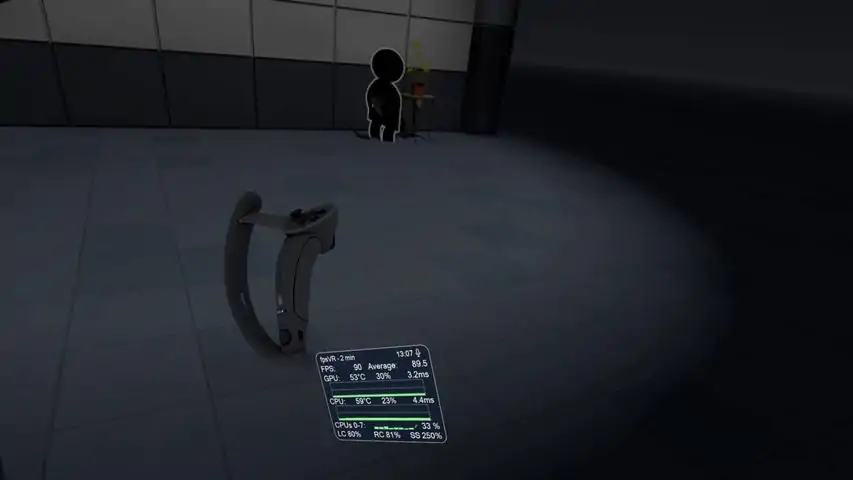


Supported VR headsets and APIsAbout supported headsets and APIs see forum topic "fpsVR Q&A"Please read before buying!关于软件Utility for SteamVR for keeping track of FPS, frame time and other performance metrics in the in-game overlay. Easily change SteamVR settings in the fpsVR settings overlay in the SteamVR dashboard. Headset cable twist tracking and other useful features. Features include:Display of the current FPS and the average FPS for VR sessionDisplay of the GPU & CPU usage (and Max CPU/Thread Usage - the maximum instantaneous usage among all threads/cores in the system)Display of the GPU MEM & RAM usageDisplay of the GPU & CPU frametimes Display of the GPU temperature and CPU temperature (Experimental feature)Display of the Ratio of reprojected frames to presented frames, Display of the number of dropped framesDisplay of the current time and duration of the VR sessionDisplay the batteries charge of the controllers (and Vive trackers) in percentages. Ability to set default playback and record devices, ability to mute/unmute the microphone using VR headset proximity sensor, ability to change Steam VR audio settingsSteamVR Supersampling settings & Motion Smoothing settingsСable tracking
下载233乐园APP
专心推荐好游戏
纠纷处理及不良内容举报电话:
4006600910 (工作时间: 9:00-12:30,14:00-18:00)
北京市朝阳区启阳路4号院2号楼15层1803室
本公司产品适合10周岁以上玩家使用 未成年人家长监护