换一换
换一换 


🚀 First Co-op Beta Playtest Releasing to Players After months of testing and iteration, we’ve reached a version of the co-op mode that, while not perfect, is stable enough to be shared with players. This marks a huge milestone for the project — and your feedback and bug reports have played a critical role in getting us here. Thank you. This release is available as a public_testing beta playtest, and we encourage all notified players interested in multiplayer to give it a try. It’s still a work-in-progress, but we believe it’s good enough to start real gameplay and stress testing. We are already working on a hotfix update that addresses some of the most urgent known issues. We’re also preparing the next version of the update with more content and deeper systemic changes. This build doesn’t include everything we originally planned — it’s a compromise between overall stability and the need to finally get co-op into your hands. Over the last two years, 1,510 co-op–related tickets have passed through our tracker — covering bugs, suggestions, and task implementations. What you see in this devlog is only a small slice of what separates the last public version from this current co-op beta. In parallel, we’ve also worked through a large number of general improvements unrelated to multiplayer — including crash handling, graphics quality, stability, performance and other foundational systems. Many of those additional tasks are still in progress. Some of the things we’re building now won’t be visible until a month, two, or three from now. Thank you for your trust, feedback, and ongoing support. Let’s keep pushing this mission forward — together. The Occupy Mars Team 🔧 How to Join and Host Co-Op Sessions To access the Co-op Beta, you need to switch your game branch to public_testing on Steam. Important: If you haven’t previously signed up for the beta or participated in pre-EarlyAccess playtests, the co-op mode will not be working for you unless you sign up for the Occupy Mars: Co-Op Playtest button. How to activate the first co-op playtest:[olist] Open Steam and go to your Library. Make sure the product Occupy Mars: Co-Op Playtest is visible in your game library. Right-click on the main game - Occupy Mars: The Game and select Properties. In the left-hand menu, click the BETAS tab. In the dropdown labeled “Select the beta you would like to opt into”, choose: public_testing - public testing version Close the Properties window — Steam will automatically download the beta version. Once updated, the game should display [public_testing] next to the title in Steam.[/olist] If you don't see the beta tab: Make sure you're online in Steam. Try restarting the Steam client. If you launched the public_testing don't have the co-op buttons active in the game's main menu: Wait for the next batch of playtest invites as we scale up and let more martians in. 🧭 Starting and Joining Co-op Games After launching the game, go to Start Game → Multiplayer (or click Online CoOp (Beta)). To host a game: Click Create Game. While most settings are currently locked, you can: Choose the starting location. Select a save to continue from. Copy the join code to share with other players. To join a game: Use Search Game in the Multiplayer menu, or: Choose Join Game and paste the lobby code provided by the host. If you're the host, you'll see a notification with the nickname of any player requesting to join. ⚠️ Current Limitations of Co-Op Beta The following features are not yet available in this build: Kicking or banning players Vote-to-kick system Password-protected lobbies Text or voice chat (chat is enabled in lobby only) Custom game names Weather events Rover and Mars Truck Some buildings and technologies Antennas, drop events and pendrives Most of these features will be introduced in upcoming updates. 💾 Saving and Hosting Notes The lobby creator is the host. Host acts as the server. If the host quits without saving — and no other player saved — progress will be lost. Any player can create a save, and you can resume the game from any previously saved co-op session from any player (not only from the host). 👥 Inviting Friends via Steam If you’re already in the game, you can invite your Steam friends through the overlay:[olist] Press Shift + Tab to open the Steam overlay. Open a chat with the friend you want to invite. Click the arrow near the message field and choose Invite to Game. Alternatively, paste the session code directly into the chat.[/olist] This method works only if you’re hosting or already in a multiplayer lobby. 🛠️ Troubleshooting Multiplayer Issues If you're experiencing crashes, desync, save/load issues, or connection problems, please follow these steps:[olist] Send log files to: eracolonisthelp@gmail.com Logs are located at: C: Users %USERNAME% AppData LocalLow PyramidGames OccupyMars Player.log Logs are overwritten with each game launch. Send them immediately after the issue, before restarting. If you forgot once, there's a copy of previous log in Player-prev.log file. The game stores logs from the current and previous session. Please identify which log is from the host (contains the most data) and which from the clients. If the issue is tied to a save, attach it: Save location: C: Users %USERNAME% AppData LocalLow PyramidGames OccupyMars SaveData Zip the entire folder of the affected save and send it to the email above, along with a short description. Describe the issue clearly: What happened? When? What were the host and each player doing at the time? Can the issue be reproduced? Where to report: Steam Community Co-Op Playtest Bugs & Issues Discord Mars Coop Discussions Email (recommended for anything that requires attachments) eracolonisthelp@gmail.com[/olist] ✨ New Features & Improvements in v0.226 General Content Added dirty variants for Outpost decorations to enhance realism. Added dust accumulation on loot found in Outposts. Improved build bounds handling for interior structures. Improved visual quality of weather effects. Improved general responsiveness of in-game interactions. Prepared additional models for interior and exterior decorations. Co-op Specific Features & Improvements Added multiplayer online Co-op game mode Implemented player inventory synchronization for improved stability. Added new ID system to ensure consistent player handling in co-op sessions. Introduced Playfab Party integration for a more reliable multiplayer backend. Enabled connection status messages for players joining co-op sessions. Added synchronization for oxygen usage from buildings, backpacks, and life support systems. Enabled synchronization of bottle filling from control panels. Integrated synchronization systems for the battery rack and heavy suit. Implemented co-op support for centrifuge mechanics. Deployed shared loot mechanics for co-op players. Rolled out global loot spawning system for Outposts. Introduced synchronization for cable animations. Integrated unlock conditions for decorations and tech tree elements in co-op. Introduced co-op version of the technology tree. Enabled automatic decoration unlocks at co-op game start. Developed enhanced authority management system for co-op sessions. Added essential co-op information panel/pop-up for players. Implemented new, more friendly UI for co-op and other game modes in the main menu. Implemented handling for various network disconnection scenarios (e.g., cable unplug, router restart). Added support for keyboard and gamepad navigation in the co-op lobby. Introduced synchronization of avatars for non-friend players (WIP). Applied refined design updates to sleeping panels. 🛠️ Fixes & Changes 🛠️ High Priority Fixes Fixed problem with disappearing tracker’s colours. Fixed issue where dust devils could affect the player even when inside a warehouse. Fixed bug where assembling Rocket A Kit caused the player’s hand to become bugged. Fixed miner allowing to unload resources into a container that was already full. Fixed several crashes cases that occurred during game launch. 🔧 Normal Priority Fixes Optimized LODs and fixed missing materials in cracks. Fixed issue with clothing items duplicating unexpectedly. Fixed issue with double rock spawning caused by terrain generation system. Fixed weather effects being visible while the player was inside. Fixed issue with night vision not turning off properly. Fixed missing home button on the tablet interface. Fixed incorrect estimation of sleep duration. Fixed edge case where player had access to night vision despite not unlocking it. Fixed missing rock drilling particles from other players. Fixed issue where some rocks lacked physics. Removed small levitating object from the environment. Fixed inventory box requiring double ESC press to close. 🧹 Low Priority Fixes Fixed incorrect slot numbering for workshop structures. Fixed missing black backpack in player customization. Improved visibility of PCB parts on zoom screen. 🐞 Known Bugs ⚠️ Major Issues Resource amount desynchronization (water, oxygen, electricity) may sometimes occur when players use tanks or batteries separately — especially when refilling suits manually from sockets. (We have a fix ready, but it affects core systems and requires extended testing.) Players may still experience issues with joining, rejoining, being disconnected, kicked to lobby, or game crashing — both during game launch and active sessions. Plant state issues during replanting — either by hand or using crates — especially when stacking previously separate plants. (Hotfix is ready and will be included in the first minipatch.) Items may occasionally disappear from inventory boxes, refrigerators, or storages. (Likely fixed — patch coming in the first minipatch.) In single-player mode, centrifuge only works while the player is actively looking at its panel. (Hotfix already prepared — included in the first minipatch.) Some clients may load into the skybox or spawn far from the base after reconnect. Rare cases of invisible or partially loaded player models. 🛠️ Other Known Issues Temperature, oxygen level, or UI indicators may desynchronize between players. Differences in plant states between host and clients (e.g., wilted vs. healthy). Character appearance may differ from selected setup (e.g., wrong hairstyle or color). Deathboxes may appear under terrain or in unreachable locations. Grinder or tool interactions may trigger "null" errors on certain objects. Rejoining players may spawn hundreds of meters from the intended respawn point. Shared use of fridges, printers, or panels can lead to UI glitches or lag. Vehicle controls or camera may behave erratically in some situations. In rare cases, players fall under the terrain, lose movement, or get stuck. Lobby host may occasionally switch unexpectedly. (Rare)* 💬 We're Listening We hope you enjoy playing together on Mars. As always, we’re monitoring feedback actively on both Steam Community and our Discord server — don’t hesitate to reach out if you run into issues or want to share your thoughts. Happy testing, Colonists!
开发日志 #103:合作模式 Beta 测试启动及更新日志

2025-08-01 11:08:48

导读
《占领火星》团队发布开发日志,宣布合作模式Beta测试启动,玩家可通过Steam切换至public_testing分支参与。本次测试版本虽未包含全部计划内容,但已实现多人联机、物品同步等核心合作功能,同时还有画面、稳定性等通用优化,团队也公布了问题反馈渠道及后续更新规划。

评论
共0条评论

开发日志 #105:合作与单人模式更新日期
《Occupy Mars!》更新内容 各位拓荒者, 我们激动地宣布,将于2025年11月7日发布《Occupy Mars!》的更新!这是游戏开发过程中的重要里程…
2025-10-31 22:350赞 · 0评论

《占领火星》攻略(更新日期:2026年2月8日)
无法识别内容,已删除。
2026-02-14 22:000赞 · 0评论
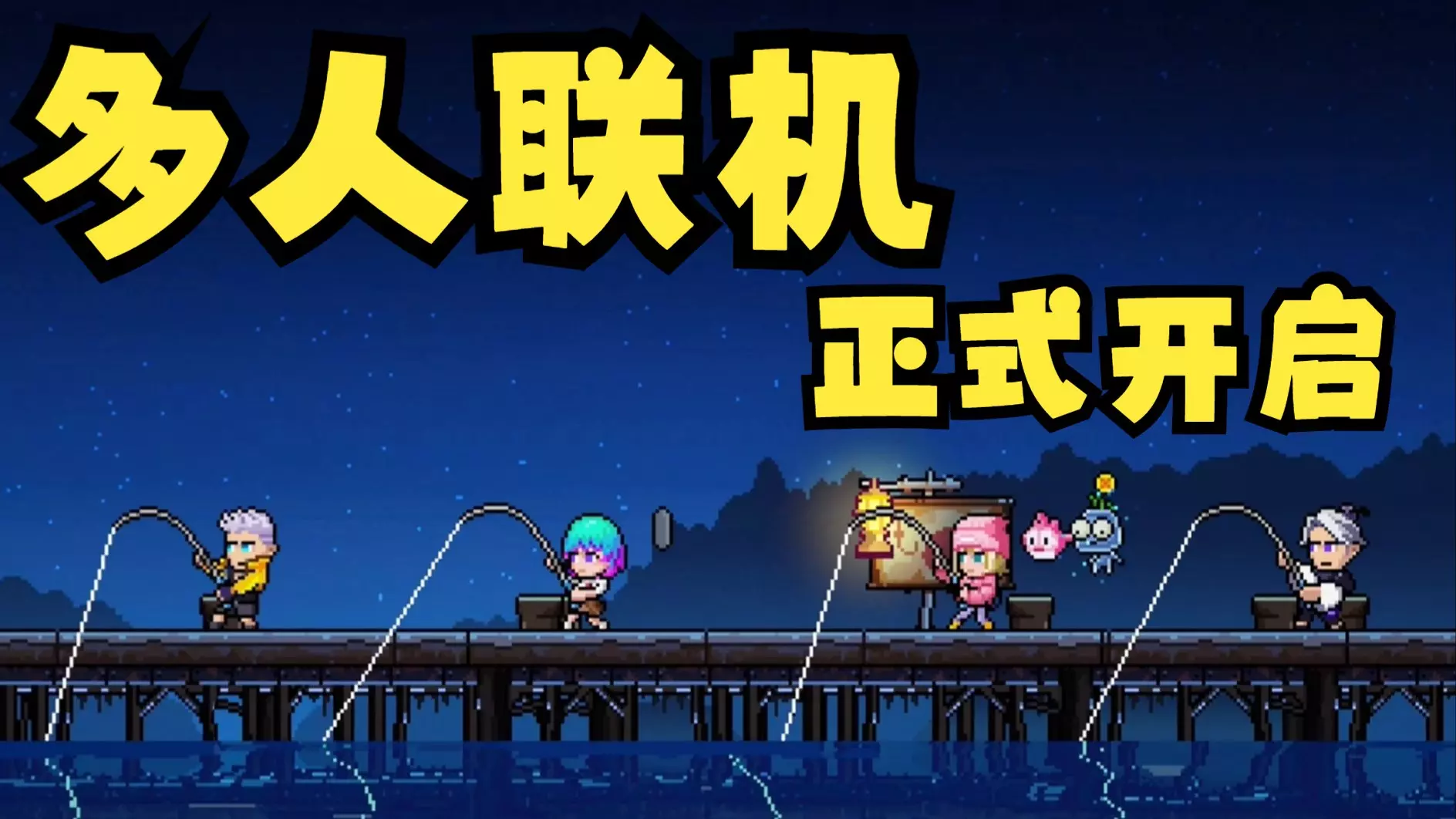
【PC】好评国产肉鸽续作《霓虹深渊2》将于7月17日开启抢先体验,现已开启多人联机测试
国内游戏工作室Veewo正式宣布其新作《霓虹深渊2》已开启限量多人联机Playtest,包含单人游戏与双人游戏。目前Playtest的招募仍在进行中,感兴趣的玩…
2025-04-30 06:4415赞 · 0评论
修复Windows版成就bug
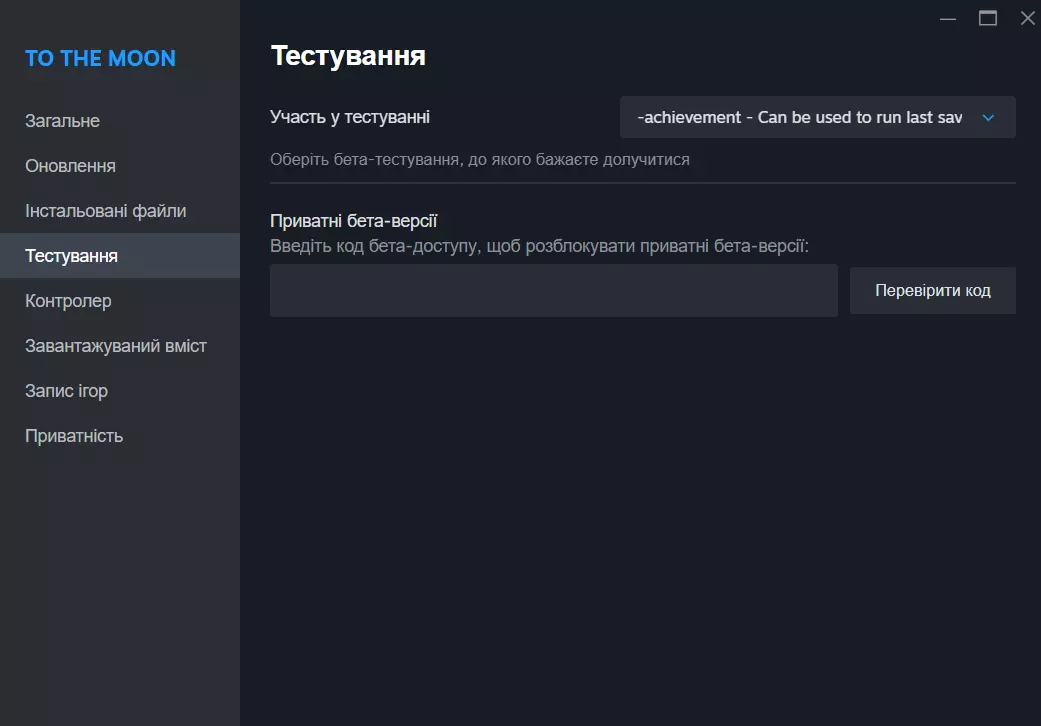
《去月球 经典版》Windows版成就获取bug修复方法 为获取游戏结束时解锁的唯一剧情成就,在《去月球 经典版》中需执行以下简单步骤: 1. 进入成就测试模式…
2026-02-19 07:000赞 · 0评论
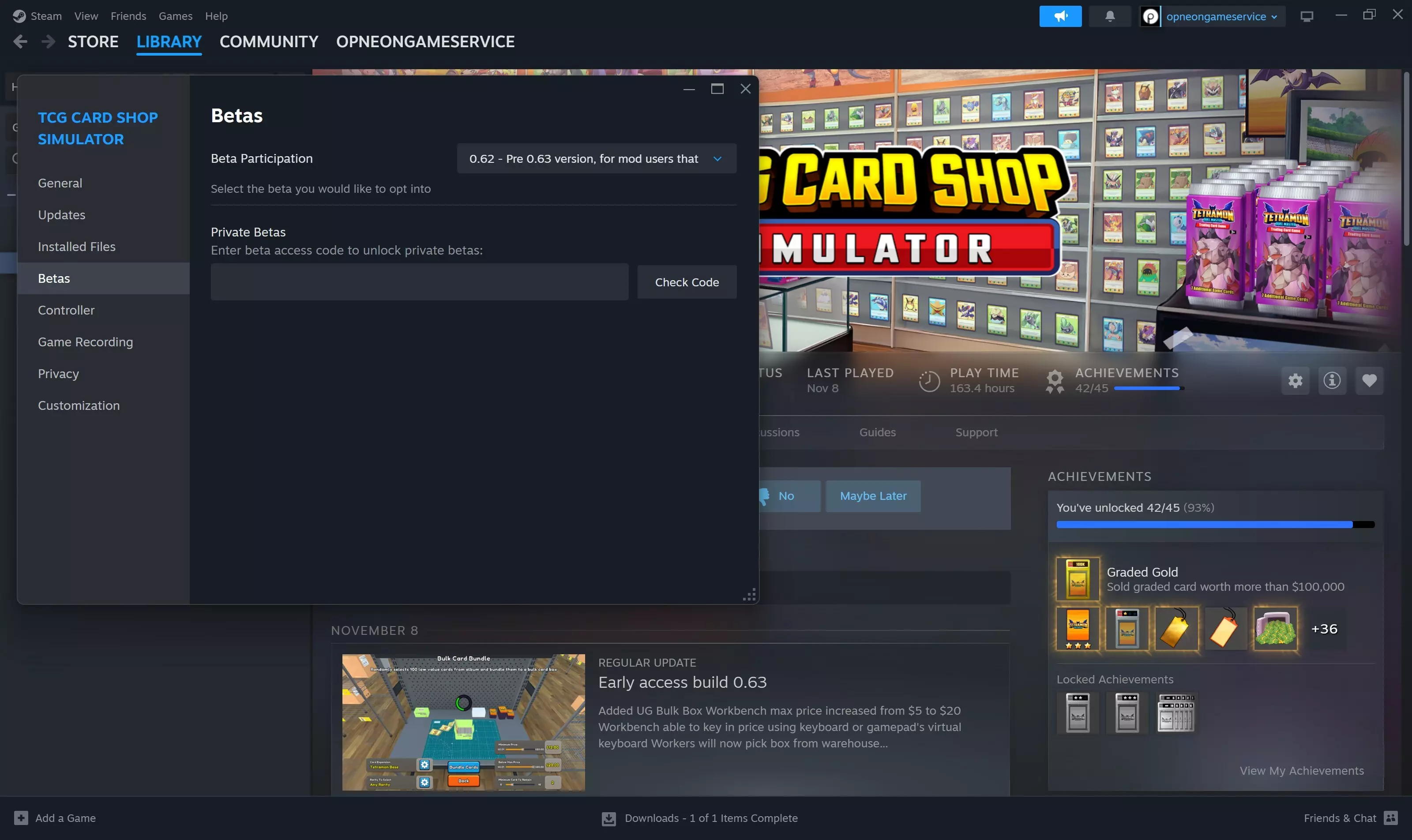
回滚至0.62版本分支
由于近期0.63版本更新,许多模组出现失效问题。对于希望回滚至模组可正常运行的0.62版本的模组用户,可通过Steam测试分支0.62进行操作。 若移除模组后仍…
2025-11-11 04:150赞 · 0评论
《占领火星》指南,说明(攻略,手册)
Сокрытая механика игры. Для профи и новичка. Не очевидное для новичка Вы зашли в…
2026-02-14 19:000赞 · 0评论
《游戏名》1.0.7版本热修复补丁已上线!
《火星求生》1.0.7版本更新内容 1. **修复了机械狗“斑点”部分部件可能掉入地板下或卡在物体内导致无法继续游戏的问题。** 2. **岩石破碎机处理的岩石…
2026-02-04 19:090赞 · 0评论
开发日志 #102:发行商特卖与合作模式 Beta 版进度更新(7月)
亲爱的玩家们!今天我们有几项公告要向大家公布。 PlayWay发行商特卖活动今日开启,将持续至2025年8月7日——我们所有主要作品均有特别折扣。《占领火星》也…
2025-07-24 19:060赞 · 0评论
《火星求生》正式版现已上线
火星居民们——这一天终于到来了! 经过多年的开发以及一段令人难忘的抢先体验旅程,《占领火星》今日正式推出1.0版本。这个始于近十年前的共同梦想,如今已成长为一款…
2026-01-30 18:120赞 · 0评论
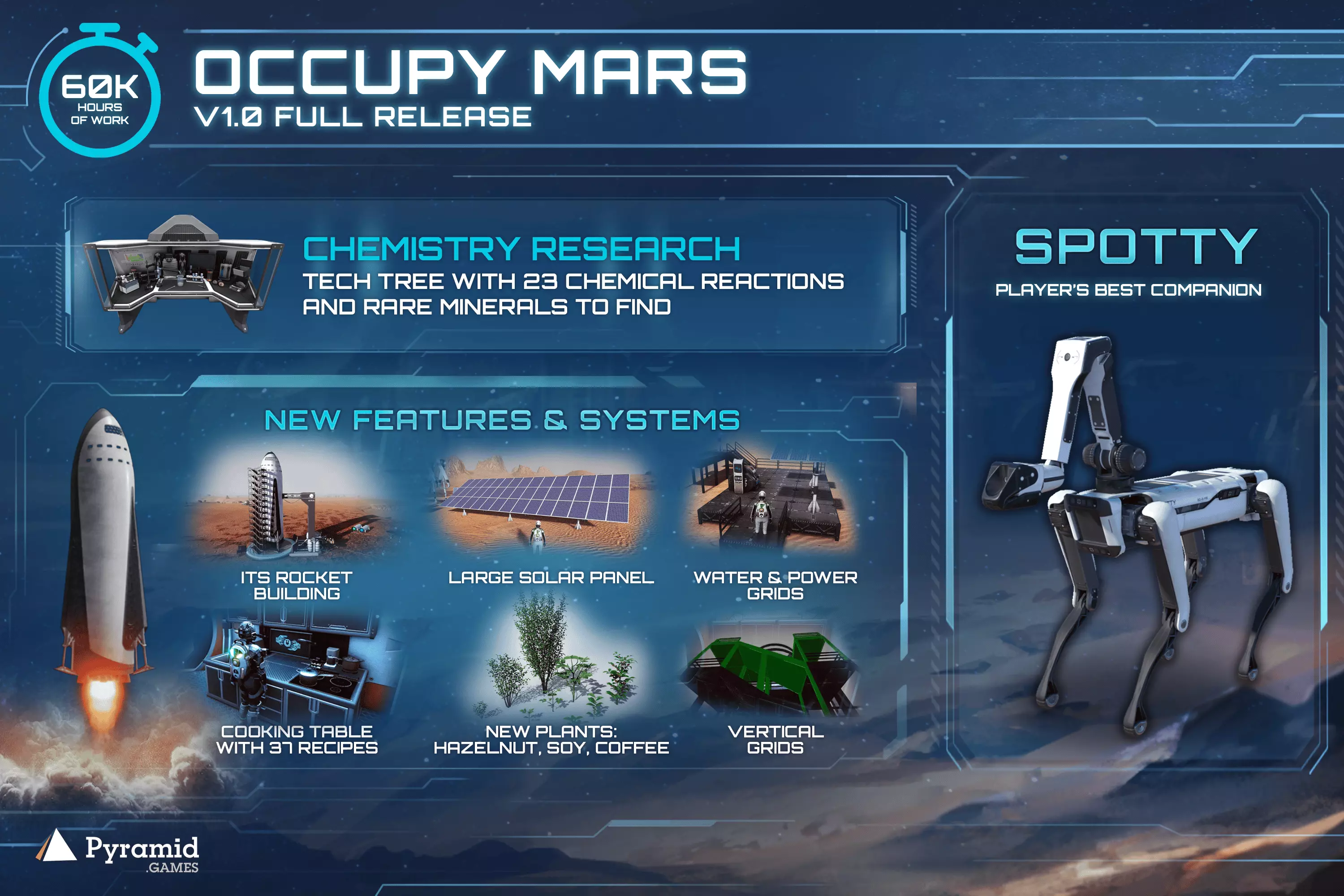
《占领火星》v1.0 发布日期
《占领火星》1.0版本发布日期公告 各位火星居民们! 今天我们有一个重大消息要宣布。经过多年的开发、数百万行代码的编写,以及社区成员们共同度过的无数次沙尘暴,我…
2025-12-10 21:230赞 · 0评论
暂无更多
最新更新
- Occupy Mars: The Game-视频介绍
- Occupy Mars: The Game-视频介绍
- 战役任务与撤离指南 — 任务目标详情及其位置说明,以及在规定时间内完成战役的简要流程。 简介 战役其实相当简单。如果想全面完成,你需要完成兰博士的任务,以及修复二氧化碳(C02)洗涤器…
- 生存特色 — 各位火星居民,大家好! 本指南部分翻译自技术支持的回复,主要涉及我自己曾经遇到过的一些问题。下面开始: 1. 科技 要解锁科技,我们需要找到带有图纸的平板电脑。…
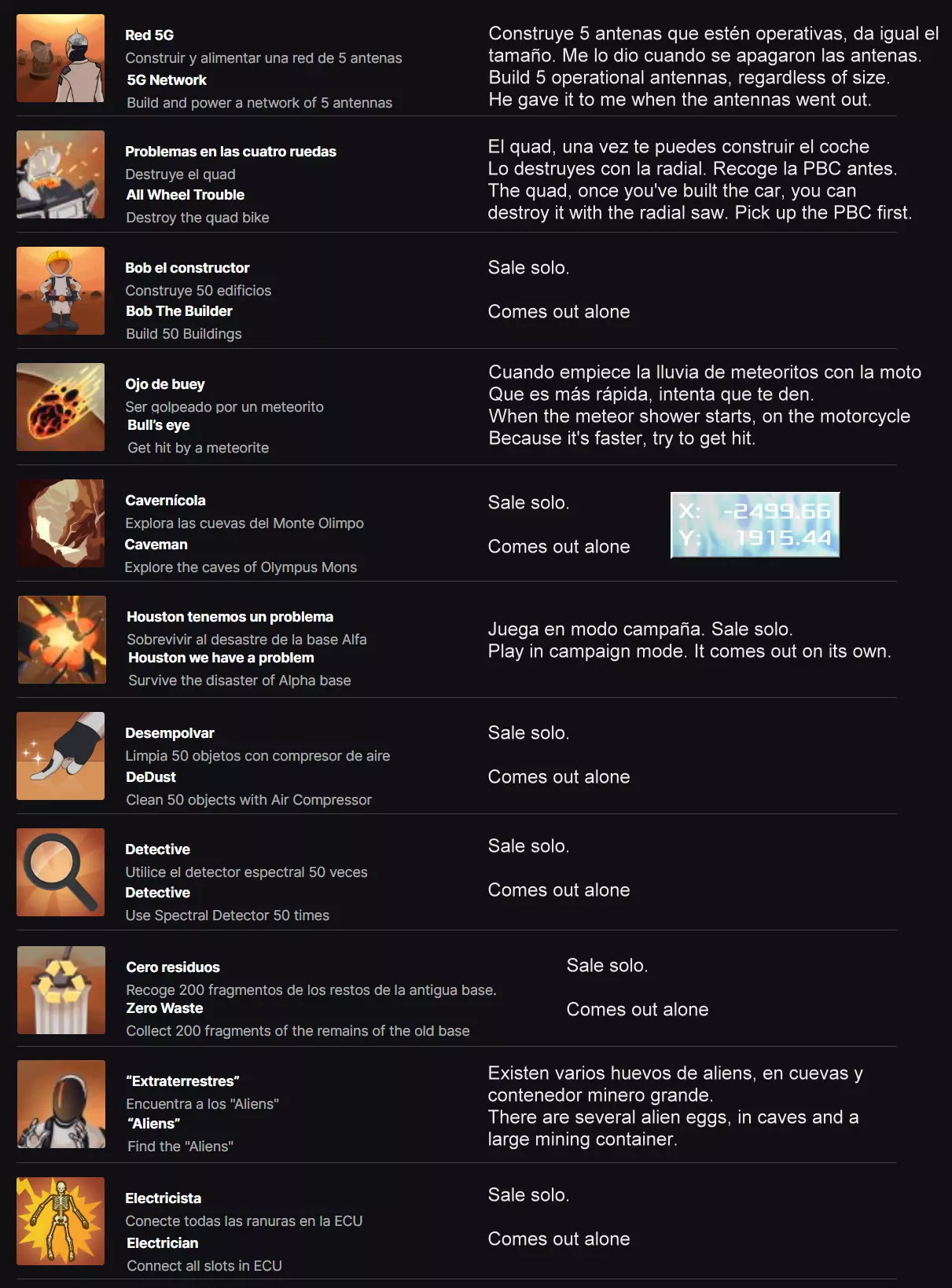
- Aliens Achievement — 以下是“Aliens”成就的位置展示视频。
- 如何设置反陨石系统和火箭 — 关于如何打印、设置和构建反陨石系统的快速分步指南视频。如何设置反陨石系统和火箭
- ATV快速提速指南及电力系统使用技巧 — 本指南将介绍如何在游戏初期使用全地形车(ATV)以及如何提高行驶速度! 1. 欢迎 欢迎来到火星!你会发现可以选择寻找全地形车或自行建造一辆。本指南将告诉你如何…
- 开局技巧 — 我在这款游戏里死了很多次。这里有一些关于早期游戏玩法的见解。 刚开始 好了,你刚乘坐逃生舱降落在火星上。我前几次玩的时候,因为不知道自己在做什么,不小心死了好几…
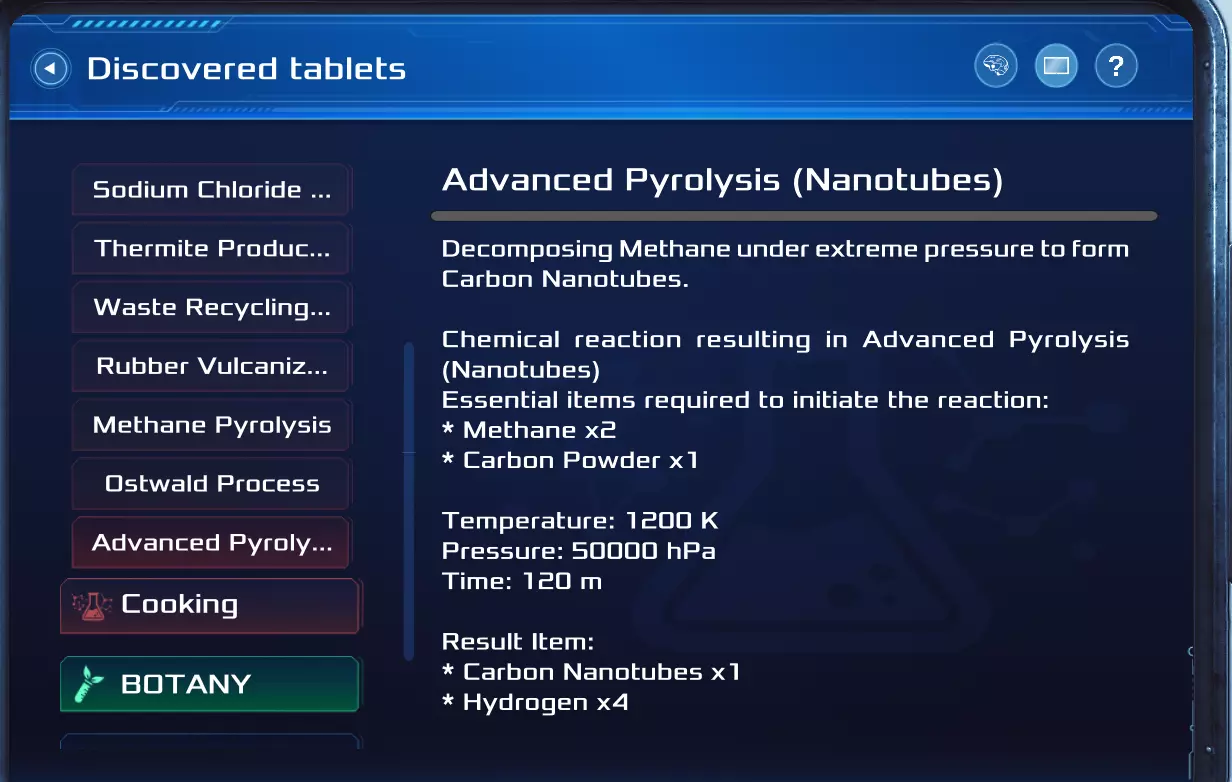
- 剧透:化学蓝图 — 大家好,随着1.0版本的发布,化学系统正式上线!我在此发布工坊的所有蓝图。 前方剧透!!! 蓝图 高级热解
- 《占领火星》攻略(更新日期:2026年2月8日) — 无法识别内容,已删除。