换一换
换一换 


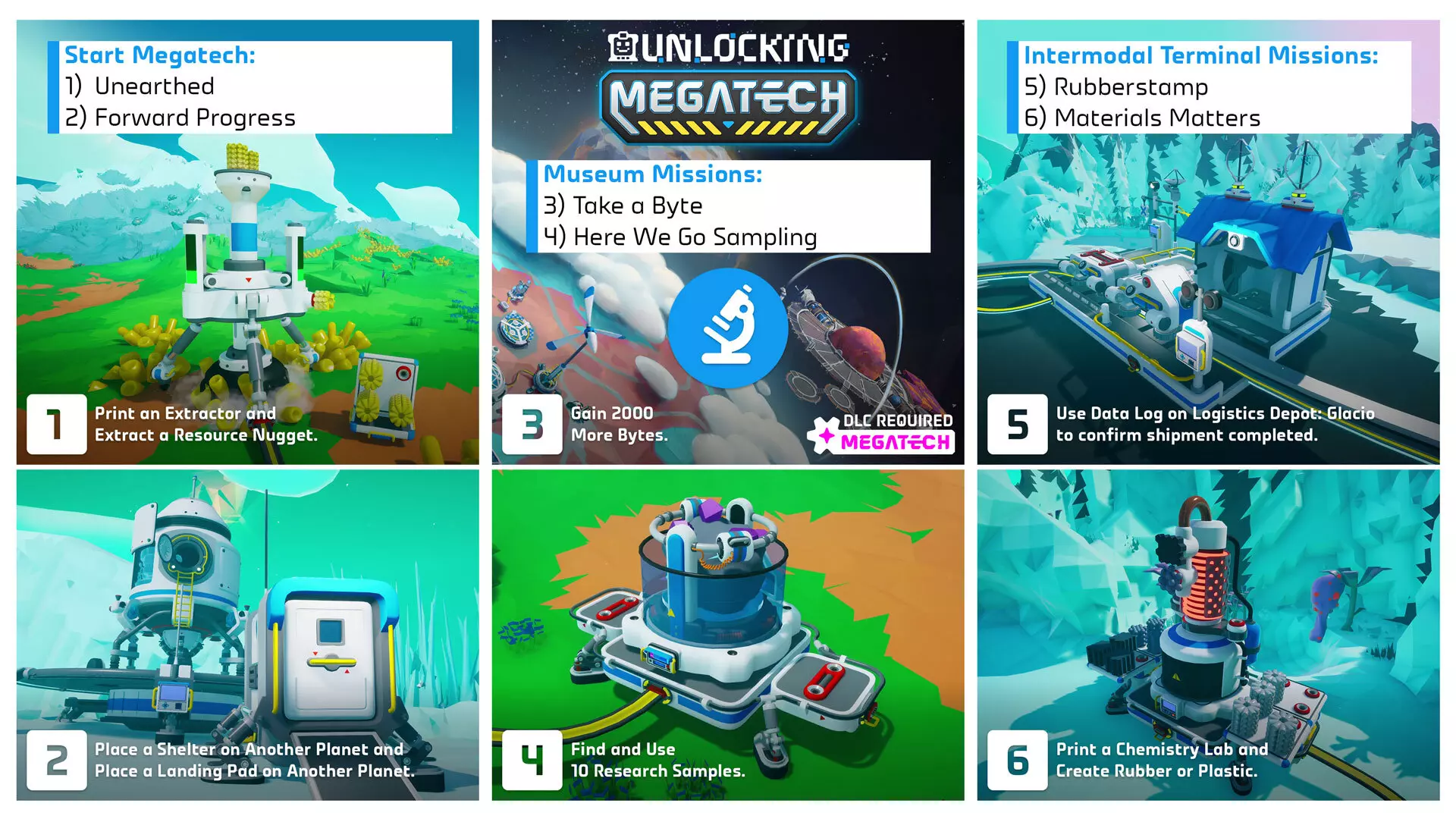
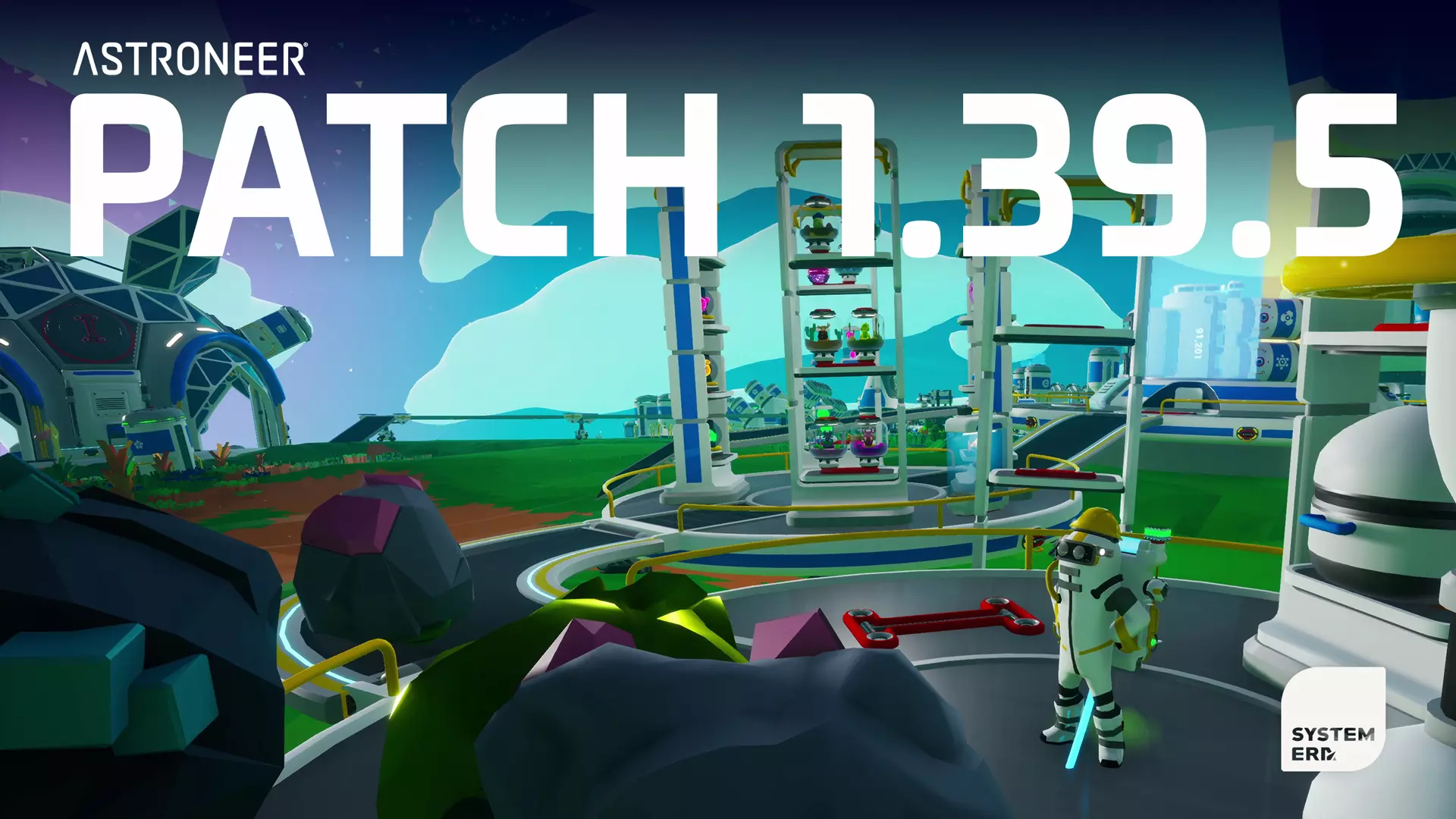
更新说明:如果您在本次更新后遇到问题,请查看故障排除报告以获取有关新出现问题和即将推出的修复程序的最新信息。 模组免责声明:我们不官方支持模组,因此如果您在任何旧存档中使用过模组,可能会导致崩溃。如果您想体验内容,建议移除所有模组并开始新存档。 今天终于迎来了期待已久的【超级科技】更新!本次更新包含大量内容,甚至超出了新DLC的所有内容。说到这里,我们就从新DLC开始介绍。 注意:本次更新的任天堂Switch版本将于2026年初发布。一旦有更多信息,我们将另行通知。以下是游戏新增内容及改动的详细列表。如果你希望在游戏中自行探索所有内容,请避免阅读。 超级科技DLC 购买了新扩展包并完成前置任务的玩家,日志中将会出现一个新任务。在该任务中,名为哔哔的全新虚拟助手将引导你解锁超级科技中令人兴奋的全新巨型建筑技术!建议查看相关指南,确保你已达到足够的进度以开始体验。 新增了任务线,引导异星探险家解锁所有全新的巨型建筑。 全新巨型建筑 以下三种巨型建筑为DLC专属内容。
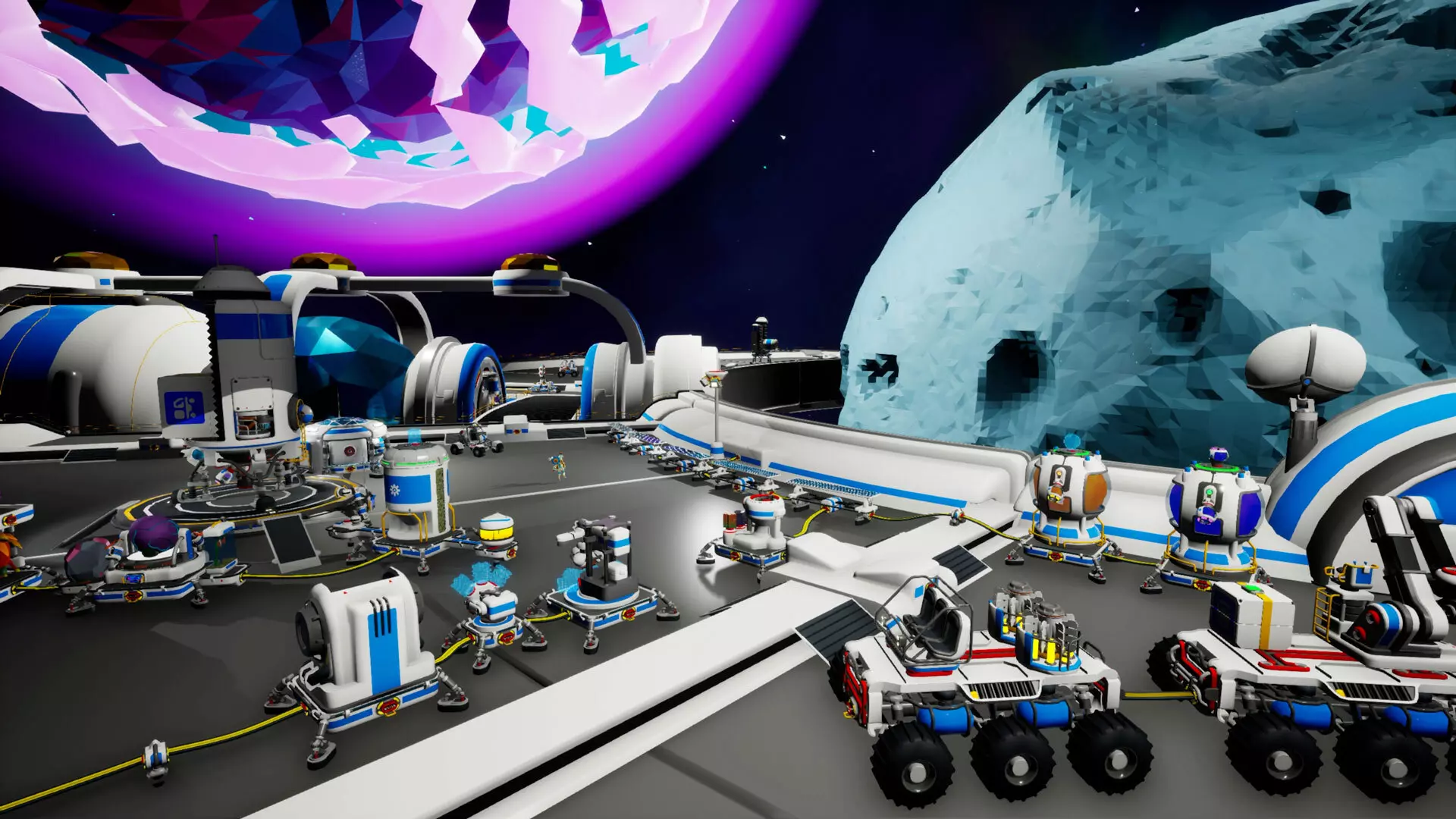
轨道平台:由Vastar基础设施研究所开发的天基观测与科学平台。这是一种可发射至任意行星轨道的巨型建筑,提供广阔的环形建造空间及特殊便利设施,其中心设有【巨型迷你小行星】。你仅有一个轨道平台,因此请谨慎选择轨道,它不易移动。 特点: 重力:平台顶部区域的重力始终保持一致,即使你跳至小行星上也是如此。若走出平台边缘会坠入太空,但你会被安全回收并送回原地。 电力与氧气:轨道平台自带氧气供应,因此无需在此处使用 tether(系绳)。关于电力,你需要自行提供,但整个平台设有便捷的电缆接口以帮助分配电力。 巨型构想:在有限制的情况下,你可以在轨道平台顶部建造其他巨型建筑,前提是要建在环体本身。请记住,部分巨型建筑仅限建造一个或每个星球一个。 轨道迁移:如果你改变主意,可以消耗星岩作为燃料,将轨道站移动到另一颗行星的轨道上。 巨型迷你小行星:一颗纯土壤构成的小行星,可以无限重塑为多种形状:两种不同变体的小行星、球体、圆环、平坦平台、树脂体和化合物体。升级阶段:将轨道平台升级至2级可添加巨型结构组件打印机。3级解锁轨道平台的自由飞行功能,即使在冒险模式下也可使用。 巨型结构组件打印机:2级轨道平台能够打印建造锚定着陆垫及其相关的巨型模块——巨型地形平台。 轨道平台巨型模块: 巨型地形平台:可放置在轨道平台边缘或另一个巨型地形平台上,利用地形制造平坦平台以扩展边缘。
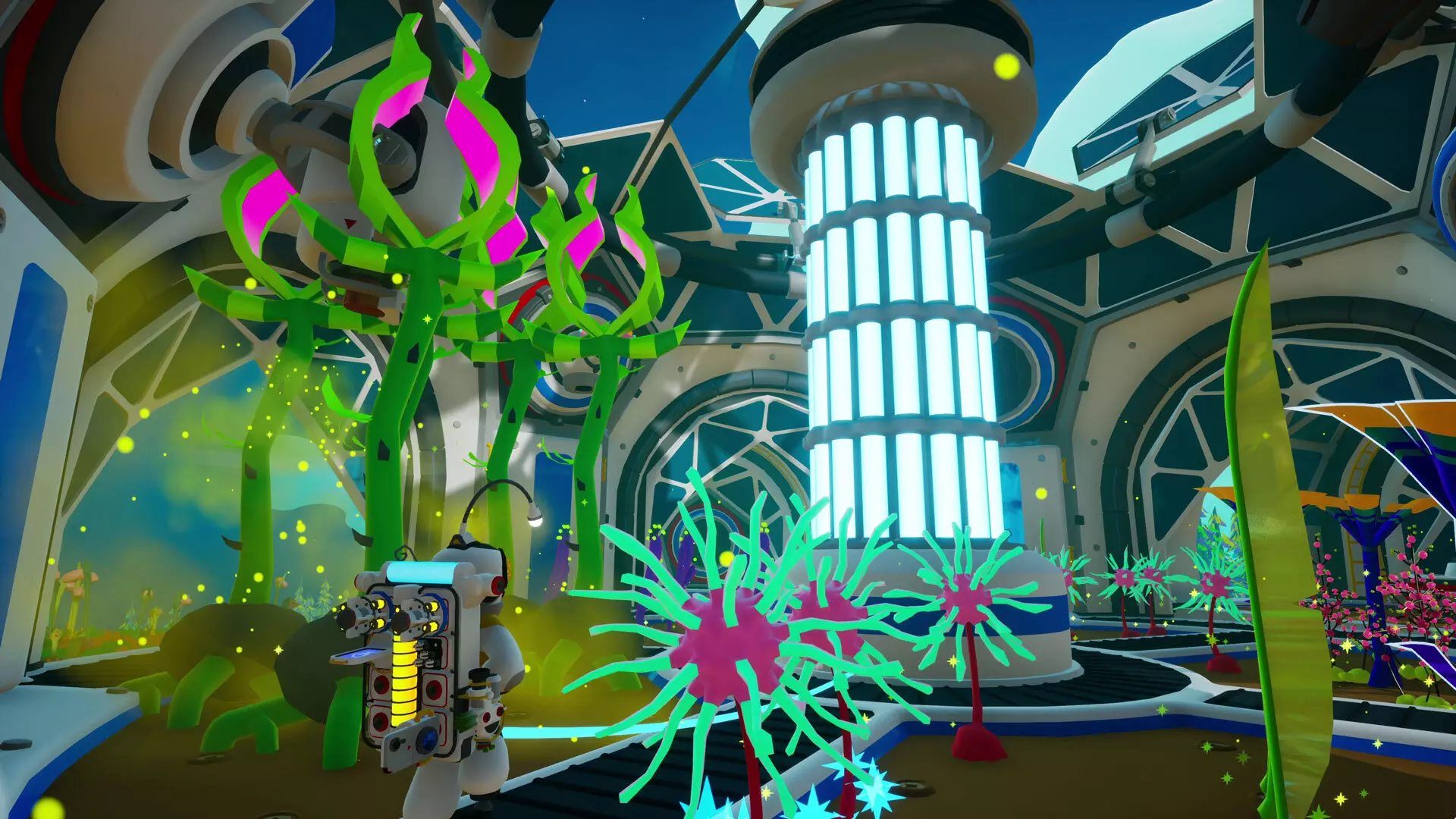
生物穹顶:一个可以种植和收获植物的宁静之地。你可以自动化种植过程并获得星球增益效果。每个星球仅限建造一个。其特点如下: 种子收获:生物穹顶内的收获方式与野外有所不同。在生物穹顶中,从大多数常规可种植植物(不包括危险植物、LTE植物和分形玫瑰)中收获的不再是有机物,而是种子。这些植物需要更多的照料和关注,但其产量会更高。种子是一种资源,可用于博物馆捐赠站的奖励兑换。 稀有掉落:生物穹顶中收获的植物有小概率掉落额外的物品供你发现。只有新添加的种子才具备此特性(更多关于新种子的信息,请查看免费内容部分的后续内容)。升级阶段:将生态穹顶升级至2级会新增巨型生长灯,可提升生态穹顶内的植物生长速度。3级会新增巨型结构组件打印机。 巨型结构组件打印机:3级生态穹顶能够打印其关联的巨型模块,具体如下。 生态穹顶巨型模块: 自动播种机:自动从连接的容器中取出种子并在生态穹顶内播种。 自动施肥机:定期为生态穹顶内的植物自动施肥。施肥后的植物能更长时间保持“完全生长”状态。消耗有机物。 自动收割机:自动收割生态穹顶内的植物,优先收割完全生长的植物。收割的物品会在有可用连接的存储容器时存入其中。生物穹顶扩展:增加生物穹顶的种植空间和一个额外的巨型模块插槽。最多可添加五个。 资源舱:允许在生物穹顶上安装容器,使其具备存储功能,以支持收获和种植等自动化操作。 巨型制氧机:提供全星球增益效果,减缓窒息速度。
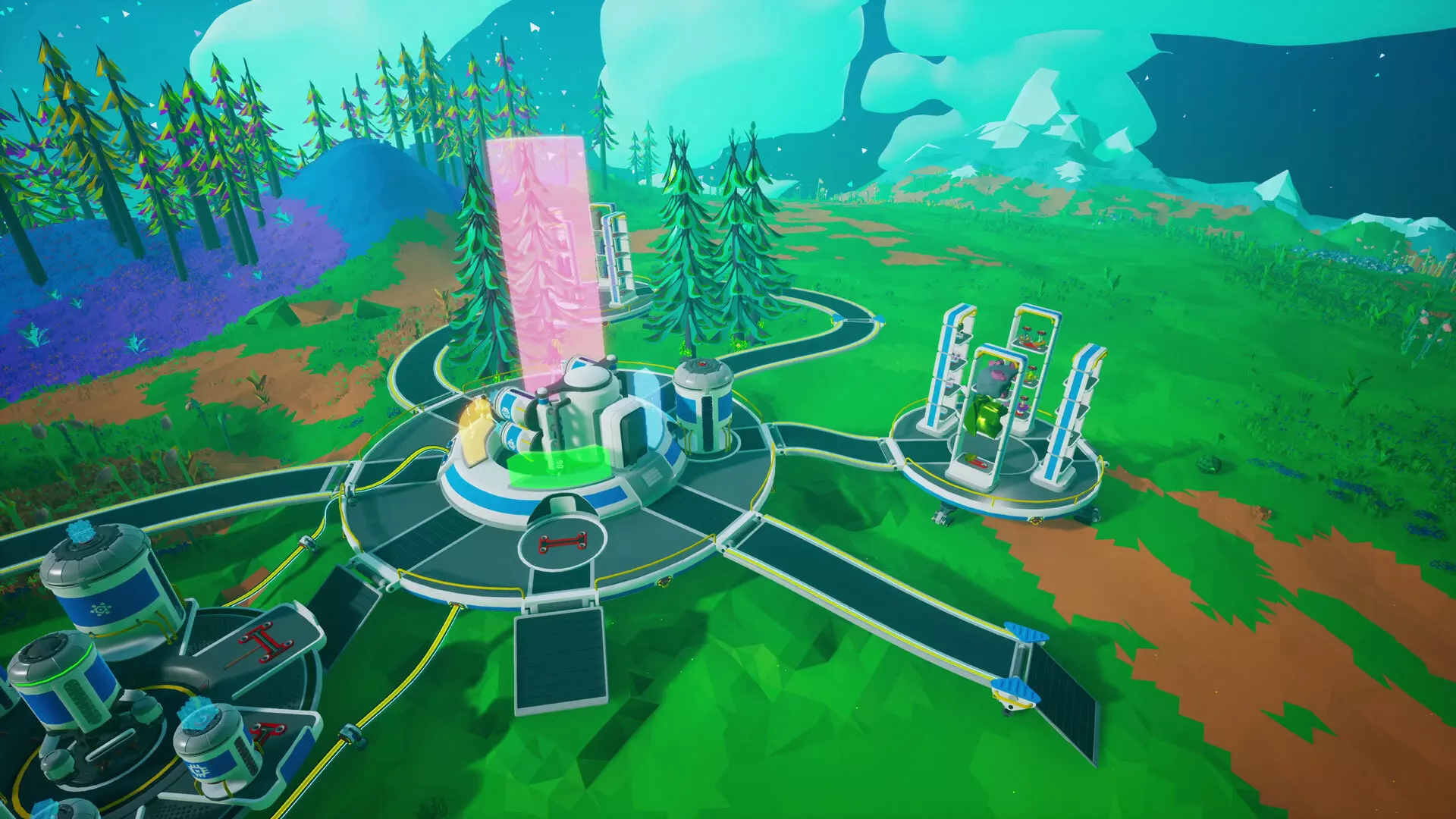
博物馆:一种巨型建筑,可通过捐赠资源块、电力、字节和种子来获取奖励。博物馆的高级模型还允许宇航员将物品收藏按主题分组展示以获取奖励。你只能拥有一个,所以放置前要三思。 功能: - 捐赠站:捐赠多余的研究字节、电力、资源和种子,当达到捐赠里程碑时可解锁珍贵且独特的奖励。中央的全息显示器会随着捐赠增加而展开显示。 - 捐赠特权:达成每个捐赠站的最终里程碑可获得有助于提升宇航员装备的实用特权。每个激活的特权每秒消耗5单位电力,电力不足时加成效果会按比例降低。研究字节可提升背包能量充能速度。 能量可提升背包能量容量。 资源可提升地形工具的钻探速度。 种子可提升背包氧气罐容量。 收集 perk:将收集物放入主题展示柜可解锁独特 perk。单个主题展示柜平台上只能放置一种完整收集物,否则物品会从展示柜中掉落。每个激活的 perk 每秒消耗 5 单位能量,若能量不足,其提供的加成效果会按比例降低。 完整的 LRD 收集可提升土壤使用效率。 完整的复合资源收集可提升对坚硬地形的破坏效果。集齐危险种子和可收获种子可提升移动速度。 集齐新引入种子的巨型种子变种可提升跳跃高度。 集齐星腹足类外壳可提升漫游车速度。 集齐中型研究物品可提升研究速度。 集齐国际象棋棋子可提升打印速度。 升级阶段:将博物馆升级至2级,可解锁按主题分组展示物品收藏以获得独特增益的功能。 巨型结构组件打印机:2级博物馆将能够打印其关联的巨型模块,具体如下。 博物馆巨型模块: 展示柜平台:可放置在博物馆周围的地形上,并通过走道与博物馆相连。填充适当的收集物品以获取展示柜的奖励。你可以通过与平台互动,为完整收集的物品开启或关闭收集增益。展示柜:提供展示你的奇珍异品收藏的地方,你可以打印小型物品展示柜或中型物品展示柜,它们可以安装在展示柜平台上。
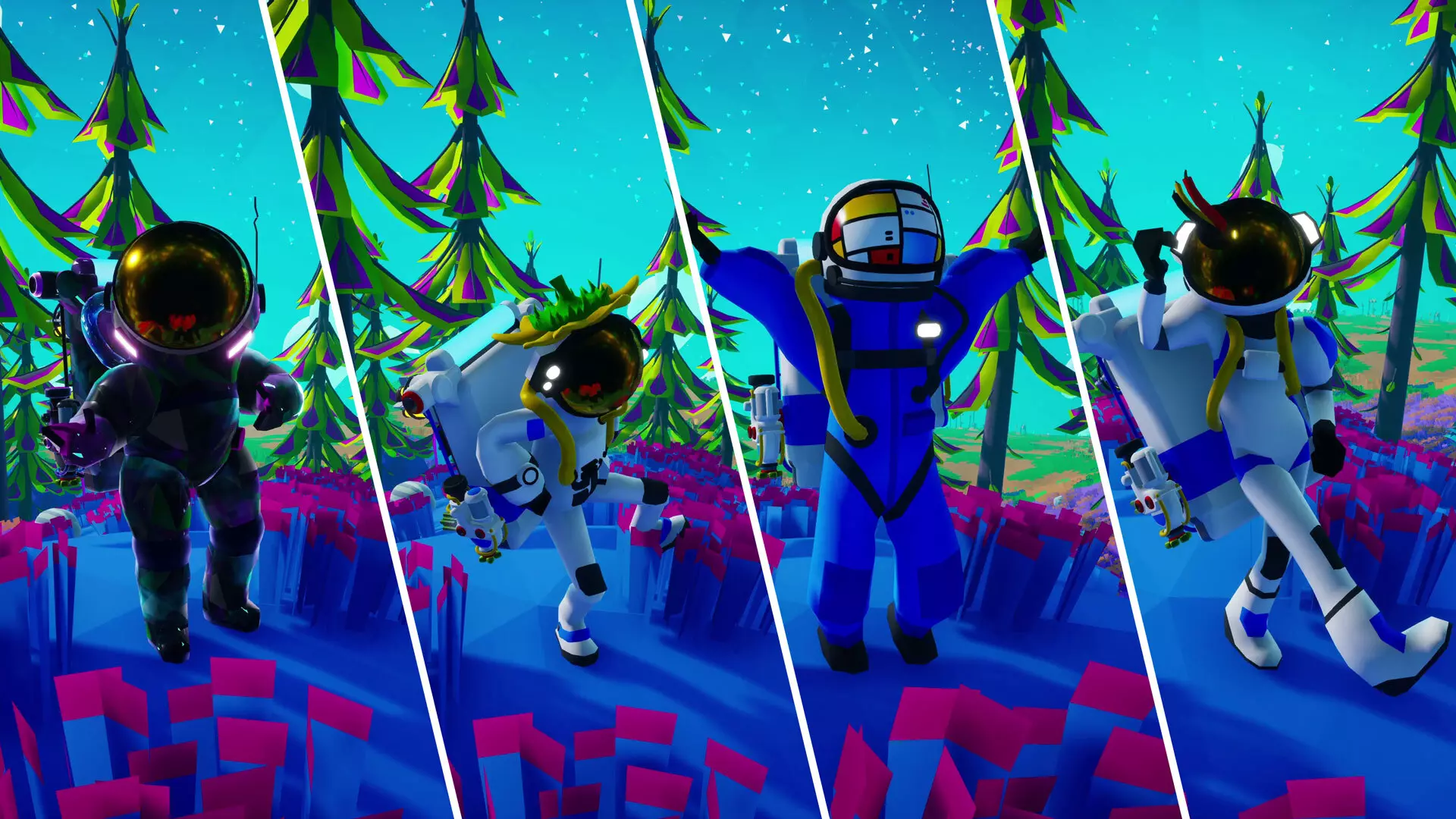
DLC奖励 每个巨型建筑都有其专属任务线及奖励: 轨道平台:为该巨型建筑启动阶段1组件包,将奖励【世界公民】配色方案(如上图所示)。 生态穹顶:在阶段2生态穹顶上种植并成功收获第一株植物,将奖励【阳光下】帽子(如上图所示)。完成任务线还将解锁奇妙的旋律蘑菇,激活或碰撞时会发出音调。 博物馆:完成博物馆四个捐赠站的最终里程碑,将奖励【画面】护目镜(如上图所示)。 所有巨型科技任务:完成所有巨型科技任务,将奖励【失控】面具(如上图所示)。
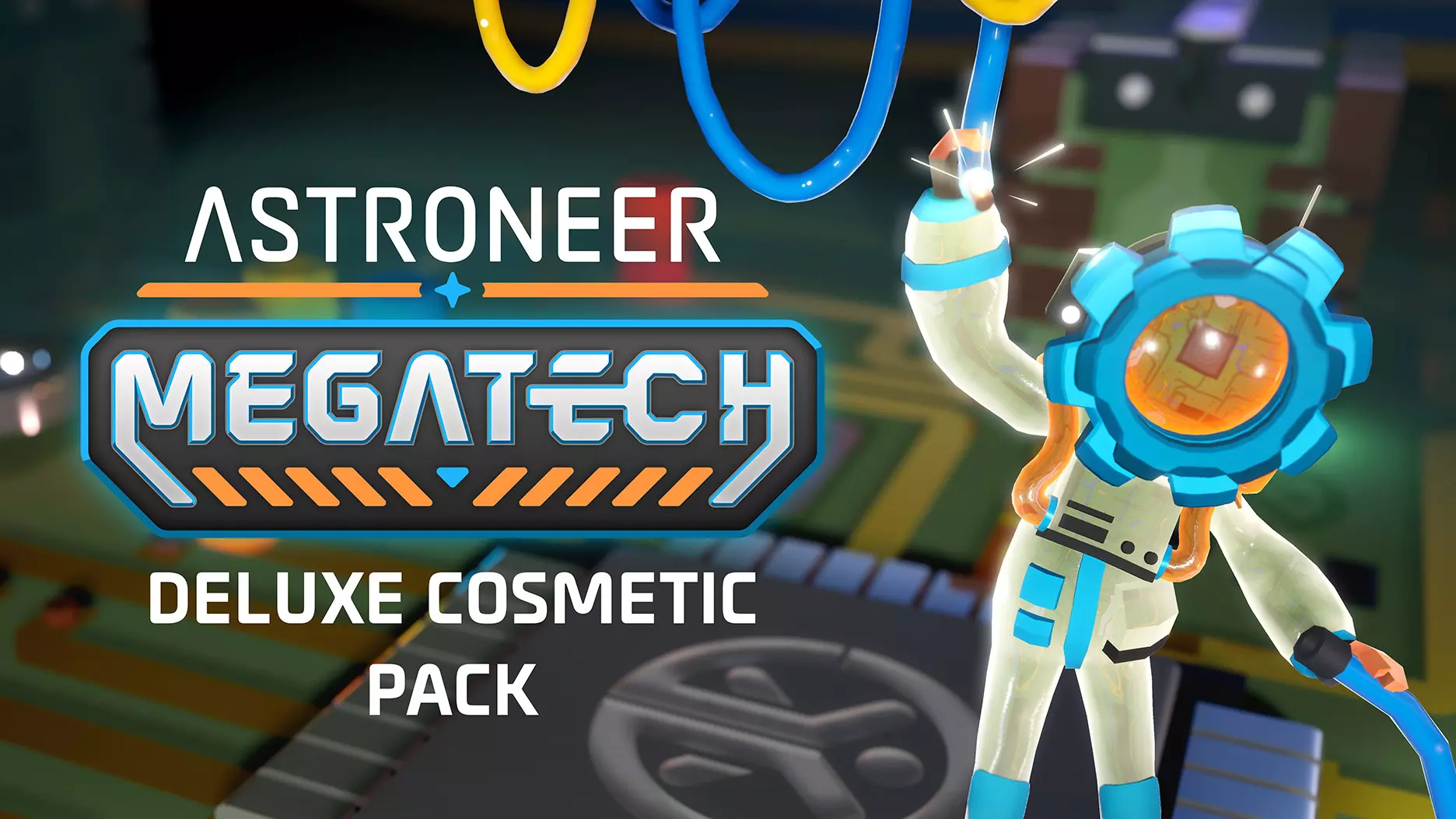
豪华版外观道具 购买《异星探险家》:超级科技豪华外观包的玩家将解锁以下外观道具: 宝石盒配色 琥珀色面甲 变速齿轮面具(带有可旋转齿轮!)

《异星探险家》Megatech免费更新内容 所有《异星探险家》玩家都将获得以下新内容: 1. 初始的Megatech任务将引导玩家建造配送发射系统 2. 后续任务将引导玩家建造联运终端站
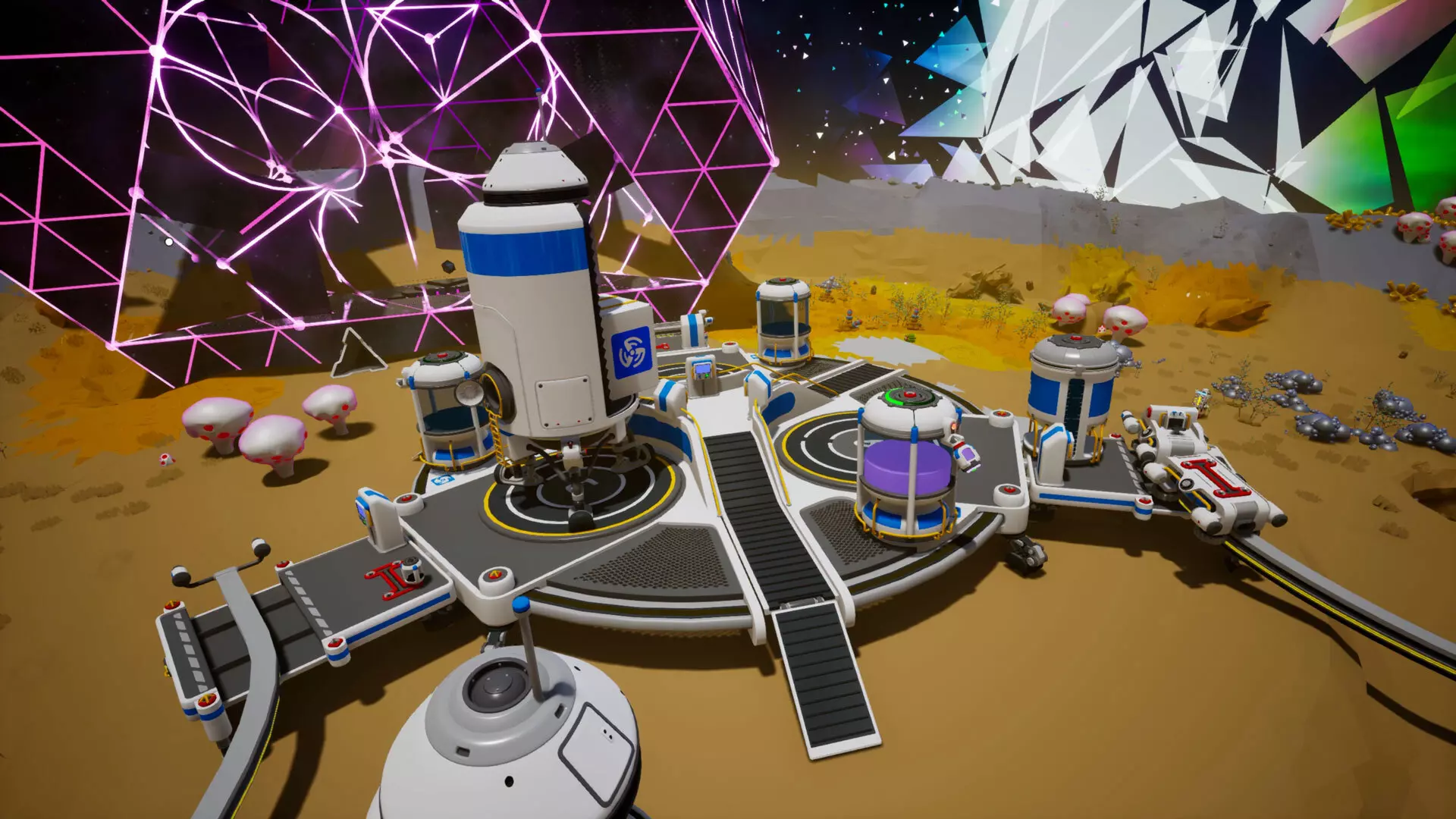
新巨型建筑 免费的“巨型科技更新”中包含以下两种巨型建筑。 星际联运枢纽:一种行星际运输设施,可将火车运来的货物转运至自动穿梭机,实现行星间资源运输的自动化。每个星球仅限建造一个,包括轨道平台。其特点如下: 停机坪:标记为A、B、C,每个停机坪都有独立的控制面板,可设置各自穿梭机的【装载模式】、【自动化模式】(如需手动操作可调整)以及【目的地】。从一个停机坪起飞的穿梭机将降落在另一个相同字母标记的停机坪。集成式轨道站:每个平台都有自己附带的轨道,带有自动化控制装置,可将资源装卸到各自的穿梭机上。无需自动机械臂;资源将一直移动,直到填满可用空间。 燃料补给:每个平台都集成了大型流体与土壤容器插槽,用于存放肼,为穿梭机的肼推进器补充燃料。 分布式发射系统(DLS):一种巨型建筑,能够通过向远近位置发射建造锚点来建造其他巨型建筑。你只有一个,所以放置前要三思。特点: 建造锚点:一种可部署的巨型建筑建造套件。这些锚点从DLS发射到你想要建造巨型建筑的系统内任何位置。部署后,它们会展开为巨型打印机平台。 巨型打印机平台:巨型打印无人机的平台。在平台插槽中提供资源罐,以便在建筑锚标记的位置开始无人机打印。只有提供所有资源后,它们才会启动。 巨型结构组件打印机:DLS已配备专用打印机,能够打印建筑锚着陆垫。 建筑锚着陆垫:建筑锚的目的地。放置在目标位置并按下按钮,即可从DLS召唤建筑锚。
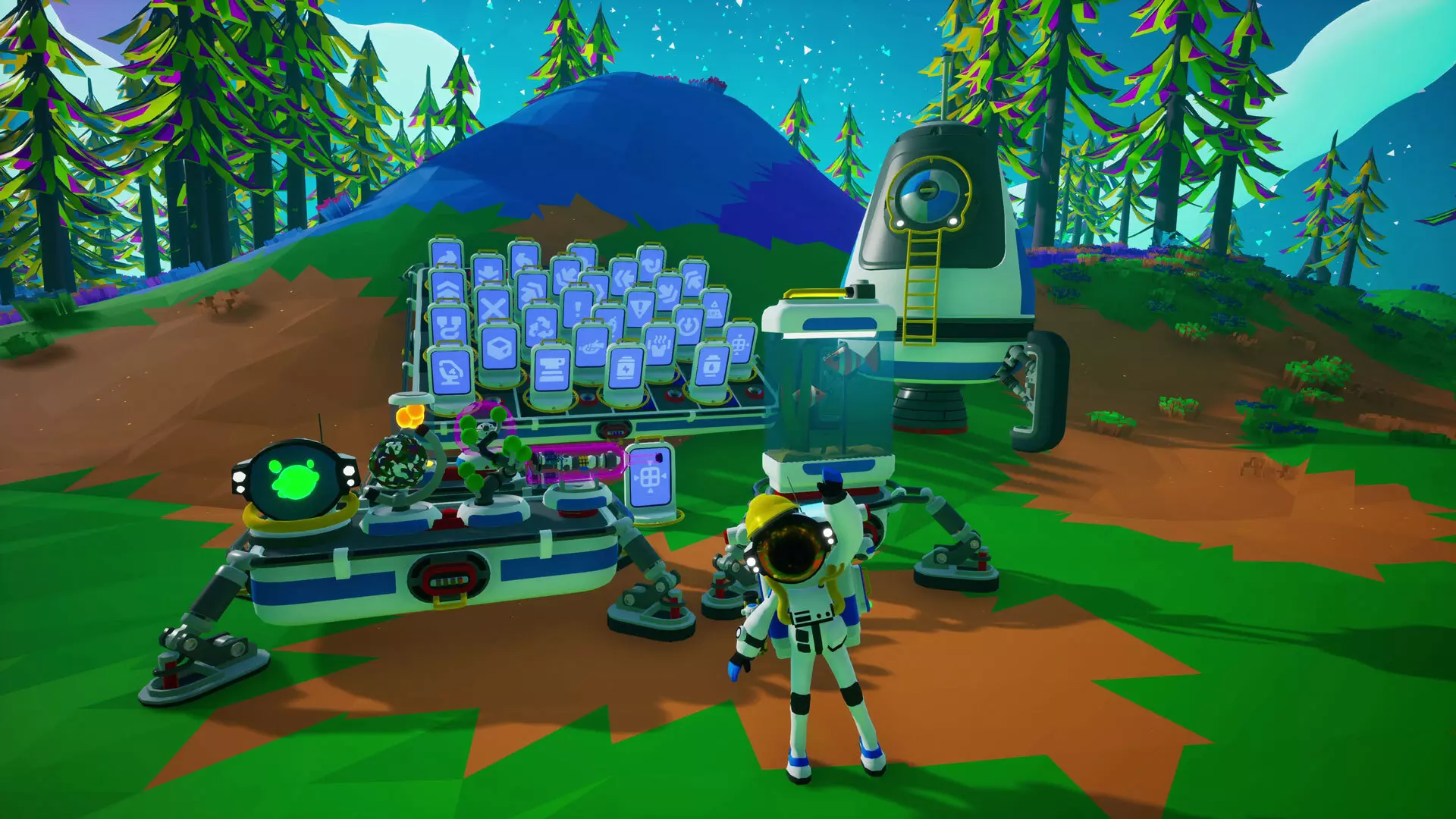
超级科技奖励 完成免费更新中包含的与DLS和多式联运码头相关的超级科技任务,将获得以下奖励。 DLS:完成这些任务将奖励你【“施工请见谅”帽子】,如上图所示。 多式联运码头:完成这些任务将奖励你【超级迷你训练穿梭机】的打印蓝图,这是一种个人穿梭机,以牺牲所有 cargo 容量为代价来减少燃料消耗。 超级解构器:打印DLS后解锁。可摧毁巨型建筑和超级打印机平台。警告:资源不退还。 新物品 以下物品已添加到基础游戏中,可通过传统研究方式解锁。绳索投放器:定期从储物槽中部署绳索。 图标标识牌:小型可钻探物品。可从物品列表的图标集中选择要显示的图标,有近30种不同图标可供选择。 大型气体罐:可容纳远超常规数量的气体。 大型流体与土壤罐:可容纳远超常规数量的流体或土壤。 走道:创建并延伸可传输电力和氧气的走道,能像轨道柱一样穿过地形。 新增装饰物品:7种可用于美化基地的全新装饰物品,包括: 雪花球:小型槽位装饰物品,一件太空纪念品。 瓶中船:小型槽位装饰物品,他们是怎么把那东西放进去的? 行星模型:小型槽位装饰物品。它就像一颗行星,但体积更小。可以通过切换来改变其外观,使其变为游戏中7种不同行星中的任意一种(不包括埃奥卢兹)。 机器人盆景:小型槽位装饰物品。一种舒缓的植物模拟,会随时间发光生长。 熔岩灯:小型槽位装饰物品。可以改变颜色和效果,营造更棒的氛围。通过切换可将颜色变为黄色、绿色或洋红色。 头盔熔岩灯:小型槽位装饰物品。当手工时间做得太过火,且有多余头盔时的产物。可以通过切换将颜色变为黄色、绿色或洋红色。 模拟水族箱:中型槽位装饰物品。现在有机器鱼了!无需加水。 新功能与改动 以下改动和新增内容已添加到基础游戏中。新增可种植植物:游戏中添加了7种可种植和收获的新植物。这些植物最适合在生物穹顶中种植,但也可以正常种植。新植物包括:努布帽(Glacio)、北极蓟(Glacio)、泡泡球(Desolo)、露珠树干(Atrox)、锥荚(Calidor)、角茎(Vesania)和鳍轮(Sylva)。 负重行走速度提升:这意味着你在携带大型物品时通常会走得更快一些。 资源罐可容纳资源新增:EXO芯片和种子已被添加到可装入资源罐的资源列表中。 火车站功能更新:现在可以根据物品尺寸等级设置火车站从火车上卸下物品。 用户界面改动:游戏主菜单的用户界面进行了一些小改动。主菜单界面的退出按钮已移至屏幕右侧的独立面板中。该右侧面板新增了两个标签页,一个用于显示新闻小部件,另一个用于列出当前会话中的玩家。
PS5 Port Now Available It’s been a long time coming, but the official PS5 Port of ASTRONEER is finally here. This version includes the following features: Added support for 4K resolution and HDR displays. Added higher framerate support with 60 FPS. Added Advanced Haptics along with Lightbar and Audio interactions for controllers. Upgrading from PS4 to PS5 If you already own the PS4 version, then you can upgrade to the PS5 version for *free! This upgrade won’t happen automatically; it’s an option you can opt into by following the steps on this guide. After upgrading to the PS5 version you’ll be able to import your PS4 save files by selecting the option “Import PS4™ Console Save”, listed under the Saved Games menu. *The only exception is for players in Japan, due to local regulations. Engine Upgrade The game has undergone an engine upgrade. This is a necessary part of maintaining parity across multiple platforms. Known Issues The following issues have been identified and will be targeted for fixes in upcoming patches. Orbital Platform: Rail Posts and Walkways are unable to connect as intended on the Orbital Platform’s ring. They work as intended on the MEGA-Mini Asteroid and the Mega-Terrain Platforms. Some items that fall off the edge of the Orbital Platform and get teleported back on can sometimes stay afloat and hidden. If a large number of items are teleported back on to the Orbital Platform they can get stuck inside each other. If a player saves their game while in flight on a Stage 3 Orbital Platform, they will not be able to fly upon reloading that save file, causing the player to fall from where they last saved. This can be reset by entering and exiting a vehicle or by player death. Museum: Neither of the Seed collections are currently registering correctly when placed in the Museum’s Display Cases, making their collection perks unavailable. Creative Mode: The DLS Construction Anchor is currently not available in the Creative Mode catalogue. The Melodic Mushroom can be found in the Creative Mode catalogue, regardless of owning the Megatech DLC. This is meant to be a Megatech DLC reward and will be amended in an upcoming update. Rewards: The “Pardon Our Dust” Hat rewarded for completing the DLS missions is unavailable at launch. It will be enabled in an upcoming patch and retroactively be awarded to anyone who completed its associated missions. Miscellaneous: The Icon Sign isn’t listed in the Small Printer recipes after unlocking it. Most Megastructures and their components are unintendedly destructible via Dynamite. This is capable of causing permanent damage to the Orbital Platform or soft locking you out of rebuilding the DLS. Compiled Hotfix Patch Notes Fixed multiplayer crash caused by the Terrain Tool. Fixed walkways not existing even though they existed. Fixed incorrect tooltip on Walkway. Fixed Reward string localization. Fixed the Mega-Mini Asteroid voxels flickering on consoles. Fixed the byte milestone on the museum having the wrong value. Fixed the Research collection on the Display Cases, and added the Seed collections. Added a missing cosmetic for the DLS, and retroactively gave it to players that didn't receive it. Fixed a crash with the Biodome. Added the DLS Anchor to the creative catalog (you can spawn anchors via the DLS for the other Megastructures). Fixed a crash when loading a save with seeds in a specific slot in the Biodome. Fixed certain cases of partial nuggets with the Museum. Prevented Megastructures, Megamodules, Mega Component Printer from being destroyed by Dynamite. Fixed an exploit caused by building the Intermodal Terminal and then the Orbital Platform not adding entitlement to the save. Fixed a memory leak associated with seeds from previous LTEs, because some of you had way too much Resipound. Fixed Multiplayer limit bug, you are now allowed to have more than 3 friends. Fixed the mission that triggers when you purchase the DLC, confirming your purchase. Pardon Our Dust hat reward should trigger with the correct mission now. Fixed a bug where canisters on the Megaprinter needed to be set to output to start the print process. (DO NOT MOVE CANISTERS WHILE THE PRINT IS HAPPENING!) Fixed an issue on Xbox and the Microsoft Store where content would not unlock correctly if you purchased the Glitchwalkers and Megatech bundle. This fix should retroactively unlock the content. Please email our Support team if the issue persists. Fixed an issue preventing PS4 save files from being imported to the PS5 version of the game in regions outside of the Americas. For anyone else finding trouble with importing save files from the PS4 to the PS5, please consult this guide. Fixed an issue where attempting to cancel a print on a Mega-Component Printer could result in the creation of unremovable partial nuggets. Fixed an issue where attempting to cancel a print on a Mega-Component Printer could result in losing all resources and canisters attached at the time of the print. Fixed a handful of DLC ownership related issues that occurred in multiplayer games. Fixed an issue where the Biodome’s Mega-Oxygenator could lead to consuming more oxygen than intended. Fixed an issue where slotting a small soil canister on to the Resource Donation Station of the Museum or removing it could cause a crash. Fixed an issue where trying to pick up a canister slotted to the Museum while donating resources could cause a crash. Fixed an instance of the game crashing shortly into loading a game save file. Fixed an issue that prevented some players from being able to build the Stage 3 for the Biodome. Fixed an issue where the Mega-Modules in a Biodome would stop working after reloading a save file unless they were removed and re-slotted into the Biodome. Fixed an issue where attempting to pick up a Display Case from a Museum’s Display Case Platform with four Display Cases and a partial collection would cause a game crash. Fixed an issue that could cause players exiting from a Shuttle on an Intermodal Terminal’s landing pad to be placed under the Intermodal Terminal. Fixed an issue where the indicator light of a DLS launch tube with a loaded Construction Anchor would revert from blue back to green after exiting the game and reloading. Fixed a frame drop that would occur when launching or obtaining specific Construction Anchors from the DLS. Fixed an issue that could cause the DLS to get stuck with a second Museum Construction Anchor in its launch tube after already receiving a first Museum anchor. This could also prevent the Orbital Platform anchor from being launched. Fixed an issue that prevented Museum collection perks from activating for Museums built on the Orbital Platform. Fixed an issue where items slotted into certain slots near the Orbital Platform’s thrusters would flip sideways. Fixed gaps in the Orbital Platform’s collision mesh that could cause players to fall through the floor. Fixed an issue where the caging around the Orbital Platform’s thrusters could be misaligned and rotated over the ring platform instead. Fixed an issue that could cause fallen items on the Orbital Platform to be teleported above it and stay stuck there or get scattered. Fixed an issue where players who exited the game while in orbit of the Orbital Platform would reload into the game without being able to interact with anything. Fixed an issue where some Target Pins in the Intermodal Terminal couldn’t be segmented or attached to anything. Fixed an issue where saving and exiting a game while being inside a shuttle on one of the Intermodal Terminal landing pads could make it so that, after reloading that game file, exiting that shuttle would place you at the bottom of the Intermodal Terminal and be stuck. Fixed an issue that could cause wireframes to be visible around Medium Storages attached to a Biodome. Improved the wording of the “Light Bloomer” Biodome Mission to be clearer. Fixed an issue where the Megastructure Component Printers would continue to make printing sounds despite being unpowered. Fixed an issue that could cause Packagers to delete the packaged item and become stuck in mid-air without being interactable. Fixed an issue where Solid Fuel Thrusters could disappear from a Shuttle after running out of fuel, rather than leaving behind scrapable debris. Fixed an issue where Stacked Platforms would not adjust their height to accommodate certain storage modules. Made improvements to the functionality of the Musical Mushroom. Now it will cycle through musical tones upon activations, with different colored lighting per tone. It also changed from “Hold to Interact” to a single tap activation and will now be activated by Target Pins from other modules. Fixed an issue where the tones of the Musical Mushroom could become out of sync between players on multiplayer. The Musical Mushroom has been removed from the Creative catalogue for accounts without the Megatech DLC. Fixed an issue where the walkable surfaces of Walkways could be left behind for clients on multiplayer after stowing them. Fixed a missing text string in the research settings for Custom Games. Added the Large Gas Canister and Large Fluid & Soil Canister to the list of printable items for legacy printers. Fixed an issue where resources in the output slot of the Extra Large Resource Canister appear very tiny and are nearly impossible to interact with. Fixed an issue where Icon Signs would be slightly offset when slotted into T1 slots. Fixed an issue where the cursor for the Drill and Paver were casting a shadow. NEW CANISTERS STORAGE INCREASE Thank you to everyone who shared their feedback on the new Large Canisters storage not being as high as they should; you did the math and you were right. The storage capacity of the Large Gas Canister has been increased to hold 400 Small Canisters worth of a single atmospheric resource. The storage capacity of the Large Fluid & Soil Canister has been increased from 72 Small Fluid & Soil Canisters to 300 Small Fluid & Soil Canisters. These changes also apply to the Intermodal Terminal's fuel canisters. UPDATE: This change has not applied retroactively to Large Canisters built prior to this Hotfix. Building new canisters should reflect these new values, and as a workaround, emptying a canister, packaging them and then unpackaging them should correct their storage values.