换一换
换一换 




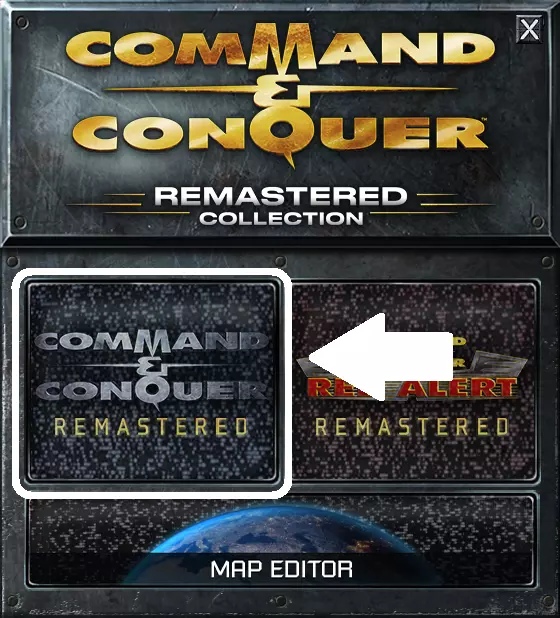
《命令与征服:泰伯利亚黎明》触发器权威指南 关于 重制版附带的编辑器存在诸多问题(内部工具公开后出现此类问题并不意外),但开发者明智地向社区公开了源代码。目前已有一个经过大幅改进的版本,名为莫比乌斯地图编辑器。对于不熟悉代码托管平台的用户,可以在发布页面找到下载链接。应用程序的下载文件名称类似“CnCTDRAMapEditor_1.#.#.#.zip” 基本事件 事件:【时间】 从任务开始(严格来说是势力激活时)起,势力计时器每6秒(即十分之一分钟)计时一次。达到指定时间后,该事件将被触发。如果重复,事件触发后会将计时器重置为初始值并重新开始。 参数 要求 描述 阵营 必须为活跃阵营 由行动决定使用哪个阵营,否则默认为玩家阵营。 循环 不适用 否=执行一次,是=重复执行 数据 正整数 时间(以6秒为单位,即1/10分钟) 事件:【玩家进入】 当活跃阵营的单位(不包括飞行器)进入附加的单元格触发器时触发。地图上放置的多个单元格触发器视为一个。单位处于隐形状态时不会触发此事件。参数 要求 描述 房屋 必须为活跃房屋 控制单位的房屋 循环 否/或 否=一次,或=可重复
事件:【平民撤离】 当平民单位(莫比乌斯、陈、德尔斐等)被装载到支奴干直升机后,支奴干将起飞并离开地图。此时,该事件将被触发。 注意:支奴干仍可能被击落。 参数 - 所属势力:必须为活跃势力,控制平民的势力。 - 循环:不适用,否=仅一次,或=可重复 附加到物体事件 这些事件需要附加到物体上。

事件:【发现】当所附加的对象(不属于玩家的单位或建筑)首次被揭露时触发,可能是因为覆盖它的战争迷雾被移除,或者该附加对象移动到无战争迷雾的区域。 参数:循环 要求:无 描述:否=附加对象首次被发现时触发一次 且=所有附加对象都被发现时触发 或=任何附加对象首次被发现时触发 事件:【受到攻击】当所附加的对象受到攻击时触发。参数 要求 描述 房屋 必须设为无 循环 不适用 否=附属对象首次受到攻击时触发一次 与=所有附属对象均受到攻击时触发 或=附属对象任何时候受到攻击时触发 事件:“被摧毁”当附属对象被摧毁或捕获时。 参数 要求 描述 循环 不适用 否=附属对象被摧毁时触发一次 与=所有附属对象均被摧毁时触发 或=附属对象任何时候被摧毁时触发 事件:“任意”当附属对象被发现、攻击、摧毁或捕获时。参数 要求 描述 循环 不适用 否=当任何附加对象被触碰时触发一次 且=当所有附加对象都被触碰时触发 或=任何时候任何附加对象被触碰时触发 非常特定的事件-动作混合动作:【Cap=胜利/Des=失败】与此触发器关联的结构在被占领时会触发胜利动作,被摧毁时会触发失败动作。
参数 要求 描述 阵营 必须为活跃阵营 执行占领的工程师所属的阵营。 事件 "任意" 此事件实际上同时包含"被摧毁"和"玩家进入",应设置为"任意"。 动作 "Cap=Win/Des=Lose" 无 阵营特定事件 事件:"资金" 当阵营收集到足够资金时,此事件将触发。 参数 要求 描述 阵营 必须为活跃阵营 拥有资金的阵营。 循环 否 无 数据 正整数 资金数量 事件:"建筑摧毁"事件:当某一方的所有建筑被摧毁 参数 要求 描述 【阵营】 必须为活跃阵营 拥有被摧毁建筑的阵营 【循环】 否 不适用 事件:【单位全灭】当某一方的所有单位被摧毁(不包括炮艇、支奴干直升机和AI控制的飞行器) 参数 要求 描述 【阵营】 必须为活跃阵营 拥有被摧毁单位的阵营 【循环】 否 不适用 事件:【全灭】当某一方的所有单位和建筑被摧毁(不包括炮艇、支奴干直升机和AI控制的飞行器) 参数 要求 描述 阵营 必须为活跃阵营 拥有被摧毁单位和建筑的阵营 循环 否 不适用 事件:【建筑摧毁数量】当该阵营被摧毁的建筑总数超过一定数量时触发。 参数 要求 描述 阵营 必须为活跃阵营 拥有被摧毁建筑的阵营 循环 否 不适用 数据 正整数 被摧毁建筑的数量 事件:【单位摧毁数量】当本势力被摧毁的单位总数超过一定数量时。 参数 要求 描述 势力 必须为活跃势力 拥有被摧毁单位的势力 循环 否 不适用 数据 正整数 被摧毁单位的数量 事件:【无工厂】当势力在地图上首次没有单位生产建筑时。 参数 要求 描述 势力 必须为活跃势力 拥有工厂的势力 循环 否 不适用 事件:【已建造】当势力建造特定建筑时。参数 要求 描述 房屋 必须为活跃房屋 该建筑所属的房屋 循环 不适用 否=一次,或=可重复 数据 来自建筑枚举的ID(源代码中的DEFINES.H) 0=武器,1=地面塔楼,2=防空塔楼,3=方尖碑,4=雷达,5=炮塔,6=常量,7=精炼厂,8=仓库,9=直升机停机坪,10=地对空导弹,11=机场跑道,12=电力,13=高级电力,14=医院,15=兵营,16=不适用,17=维修,18=生物实验室,19=手,20=寺庙,21=眼睛 基本动作 动作:"DZ at 'Z'" 在路径点Z处的投放区会创建一个信号弹物体,并在4格半径内揭开战争迷雾。除非在其上方建造建筑,否则信号弹将无限期保留。

Parameter Requirements Description N/A N/A N/A Action: "Win"Mission Accomplished Parameter Requirements Description N/A N/A N/A Action: "Lose"Mission Failed Parameter Requirements Description N/A N/A N/A Action: "All to Hunt"All computer controlled houses send their units to attack. Parameter Requirements Description N/A N/A N/A Action: "Reinforce."Reinforcements have arrived. See the reinforcements section of this guide. Parameter Requirements Description Team N/A The team that will be reinforced. Action: "Create Team"Computer player will create this team. See the teams section of this guide. Parameter Requirements Description Team N/A The team that will be created. Action: "Dstry Teams"All active teams with this name will be disbanded. Parameter Requirements Description Team N/A The team that will be disbanded. Action: "Production"Computer controlled houses are dormant by default and need to be enabled if they're to build units. This can allow the player to complete early mission objectives without being harassed. Parameter Requirements Description House Must be an active house* House to start producing * This action has a special case. If it's triggered by a "Player Enters" event (which requires a house for the unit that enters a cell), then the house will instead be the "opposite" of the player house, Goodguy => Badguy starts production, Badguy => Goodguy starts production Action: "Autocreate"Begin the first attack wave. See the section on attack waves for details. Parameter Requirements Description N/A N/A N/A Super-Weapons Action: "Airstrike"A player house is granted airstrike. If airstrike is already charging, it will become instantly ready. Parameter Requirements Description House Player House* N/A *If the trigger is object-attached, such as when SAM-sites are destroyed, this can be set to None. The number of aircraft depends on the map's build level. Sometimes the aircraft perfectly overlap each-other giving the impression of fewer aircraft than there should be, also making them more vulnerable to anti-air. The aircraft will still do the same level of damage when overlapped. Build LevelNumber of aircraft / damage multiplier 1-51 6-82 9-993 Enemy AirstrikeEnemy airstrike is called in by the Reinforce. action with a team of A10 assigned to the computer player. They will target what they consider the greatest threat level, and unlike player airstrike may fly to another target if they haven't used all their bombs. The number of aircraft is specified by the reinforcements team. NOD Airstrike (2x) to target GDI: House BadGuy a10 2 Action: "Ion Cannon"GDI must have an Adv. Comm. Center on the map for this trigger to work. If the player is GDI, Ion Cannon will recharge instantly. Warning: If this action happens before the player discovers or builds the Adv. Comm. Center (if it's hidden in the shroud), this super-weapon will break indefinitely. If the computer is GDI, the computer will fire the Ion Cannon at an opponent's structure with the highest threat rating. Usually a defensive structure. If there are no structures to target, nothing will happen. The computer can fire Ion Cannon as long as they have an Adv. Comm. Center on the map, regardless of base power or shroud coverage. Parameter Requirements Description N/A N/A N/A Action: "Nuclear Missile"NOD must have a Temple on the map for this trigger to work. If the player is NOD, the Nuclear Missile will recharge instantly. If this action happens before the player discovers or builds the Temple (if it's hidden in the shroud), the trigger will fail. As single-player maps only grant one nuke for player use, this trigger will only work for the player one time. If the computer is NOD, the computer will fire the Nuclear Missile at an opponent's structure with the highest threat rating. Usually a defensive structure. If there are no structures to target, nothing will happen. The computer can fire the Nuclear Missile as long as they have a Temple on the map, regardless of base power or shroud coverage. Parameter Requirements Description N/A N/A N/A Meta Actions Action: "Dstry Trig '....'"Cancel another trigger. This includes repeating and triggers not yet fired. Only supported for three trigger names: xxxx, yyyy or zzzz. Parameter Requirements Description Action "Dstry Trig 'XXXX'", "Dstry Trig 'YYYY'" or "Dstry Trig 'ZZZZ'" N/A Action: "Allow Win"Any trigger with this action will block the player from winning the mission until it's been fired or cancelled, used to create secondary objectives. Parameter Requirements Description N/A N/A N/A Action: "Cap=Win/Des=Lose"See object attached events section. Reinforcements: sea and sky Every house has a map edge that will influence where reinforcements come from. North / South / East / West. The house edge can be changed in the map settings dialog. Reinforcements are made of Teams. The team flags and settings only apply after the reinforcement has taken place, so they can be ignored for this section.

气垫船可以运送一辆载具或最多5名步兵。 队伍应由一艘气垫船("LST")及其乘客组成。 由于增援机制的原因,气垫船无法搭载装甲运兵车(APC)。 示例队伍:GDI的一辆中型坦克由气垫船运送: 阵营 友方 中型坦克 1 气垫船 1 气垫船只能从地图底部(南侧)通过一条起始于地图边界外、终止于可步行岸格的水域进入地图。触发后,游戏将从地图右下角(东南侧)开始搜索可用的水域。如果某个水带被阻挡或正被其他气垫船使用,气垫船会尝试下一个水带,以此类推,直到所有水带都无法使用,此时增援将被阻挡,直到有一个水带空闲。当单位离开气垫船后,该水带将保持被阻挡状态,直到玩家移动这些单位。

支奴干运输机可空投最多5名步兵。 队伍应由一架支奴干运输机(TRAN)及其乘客组成。 示例队伍:1名特种兵和3名工程师(GDI阵营),由支奴干运输机运送: 阵营 GoodGuy rmbo 1 e6 3 tran 1

支奴干直升机将从所属阵营的地图边缘某处进入战场,在“Reinf.”航点着陆,卸载乘客后离开地图。也可使用其他航点代替“Reinf.”来指定着陆位置。例如,要使用P5航点,可为小队分配以下任务:任务:卸载,参数:5。重要提示:如果航点被不可通行的地形、建筑或单位等阻挡,支奴干直升机可能会飞走而不进行卸载!作为单位的支奴干:支奴干不能像地面单位那样直接放置在地图上,需要作为增援部队召唤。不会飞走且可控制的支奴干增援部队应是仅由支奴干组成的小队。工程师可以俘获支奴干直升机。若敌方支奴干直升机需要被玩家发现,可在任务开始时利用战争迷雾隐藏这一特性进行增援部署。 直升机停机坪会在任务开始时自动为所属阵营提供攻击机,因此通常无需以这种方式呼叫奥卡直升机和阿帕奇直升机。 地面增援: 地面增援需要一条从地图边界外开始、以可行走的地面 tiles 结束的陆地地带。增援出现的地图侧取决于阵营的地图边缘设置。在图示中,假设该阵营的地图边缘设置为东侧。当增援行动被触发时,每个小队单位会寻找可用的着陆带进入。若边缘为西侧或东侧,搜索顺序为从北到南;若边缘为北侧或南侧,搜索顺序为从西到东。若没有可用着陆带,单位将被阻挡,直至有可用着陆带为止。理想情况下,应为增援小队的每个单位提供足够的空闲着陆带。 地面增援小队可由任何地面单位组成,但装甲运兵车(APC)除外,其相关内容将在后续说明。小队必须有移动至有效航点的命令,否则增援不会触发。航点应距离地图边缘一定单元格,以便小队有足够空间进行机动。

示例地面增援小队: 1 GDI的1辆MCV、2辆中型坦克和6名掷弹兵,前往集结点P1: 阵营 友军 mcv 1 中型坦克 2 掷弹兵 6 任务 指令 移动 1 APC:APC运送小队的运作方式与支奴干运输机小队类似。必须包含1辆APC和最多5名步兵。与支奴干运输机小队不同的是,APC将与步兵一起留在地图上,作为可控制单位。多次APC投放必须作为单独小队进行增援。若要让APC卸载乘客,任务中应在移动指令后指定卸载命令。将卸载点设置为与移动路径相同的航点会导致装甲运兵车(APC)随机且混乱地卸载。若要使其像玩家部署那样卸载,需创建一个与增援目的地相邻的航点,并将卸载点设置到该相邻航点。注意:装甲运兵车会沿自身朝向的方向卸载,而非相邻航点的方向。

Example team, 1 commando and 3 engineers for GDI, delivered by APC to P1, unloading at P2: House GoodGuy rmbo 1 e6 3 apc 1 Mission Argument Move 1 Unload 2 APC as a unitA team of only APC. House GoodGuy apc 3 Mission Argument Move 1 Teams Teams are combinations of units that come together to perform a mission. When a team is created, it's units are first recruited from the map, including those from other teams with a lower priority number than the recruiting team. The order in which the units on the map are recruited is based on the order they were placed in the editor and then the order in which they were built during the game (I think!). The placement order can be rearranged manually in the mission's *.ini file. Units with the following missions are excluded from being recruited: Sticky, Sleep, Area Guard, Hunt and Harvest. If there are no units available on the map, the computer will attempt to create them from their respective factories. House production needs to be started by the production trigger action before any new units will be produced. House requirements strictly apply, for example NOD are unable to build grenadiers even if they own a barracks. Prerequisites don't apply however, NOD could build a stealth tank at tech level 1 with only a war factory. If there are no units on the map, no factories and/or no production action triggered, creation of the team will stall. Teams can be created by trigger action, or automatically based on the team's settings. Teams are disbanded when they no longer have a mission. If no missions are set for a team, the team is disbanded the moment it's created. Team SettingsSome settings do nothing. Maybe they did during development of the game. SettingDescription Roundabout Try and avoid certain death while sticking to the objective. Maybe don't walk straight into an Advanced Guard Tower if there's a way around. Learning N/A Suicide All sense of self-preservation is lost in favor of sticking to the objective. See Tiberium Harvesters for an example of this behavior. Auto-create This team is a part of the scenario's attack wave. Mercenary N/A Reinforcable Nothing to do with actual reinforcements. If a member of the team is killed then it's okay to turn back and wait for a replacement. Prebuilt When house production has started, build the units for this team and have them wait outside their respective factories. Note that even without this flag set, the AI may prebuild a team anyway. Use the flag to ensure it. Priority When teams are created, they can recruit units from other teams if that team has a lower priority. Init Num N/A Max Allowed If auto-create is set then it will be the number of times the team is created during an attack-wave. If (counter-intuitively) auto-create isn't set, then the AI will always try to ensure the creation of this team type until active teams of this type reaches this number. Fear N/A MissionsMissions are run in order, one at a time, until the end of the list or a "loop" mission. Missions are more like guidelines than a script, so don't expect units to behave exactly as you want them to, if at all. Time for missions is measured the same as in triggers, in multiples of 6 seconds (1/10th of a minute). Like team settings, a number of missions are also unused. Mission Argument Description Attack Base Timeout Hunt for structures that aren't allied with this team's house until timeout. Attack Units Timeout Hunt for units that aren't allied with this team's house until timeout. Attack Civil. Timeout Hunt for civilians that aren't allied with this team's house until timeout. Rampage Timeout Hunt for anything that isn't allied with this team's house until timeout. Defend Base N/A N/A Move Waypoint # Move to waypoint. Move to Cell Cell # The number of the cell the mouse is on can be found in the statusbar of the map editor. Should only be used is if you run out of waypoints. Retreat N/A N/A Guard Timeout Stop and wait for an amount of time. Loop Mission # Of this team's missions, to the specified mission by index (starting from 0). Attack Tarcom Target Attack the specified target. Unload Waypoint # Unload an APC or Chinook at a waypoint Attack TarComBecause most AI behaviors can be accomplished with unit positioning and generic attack missions, don't expect to use "Attack TarCom" at all unless you have something very specific in mind. It's not used in any official maps. Short for "Target Command" (maybe?). It allows a team to attack anything on the map, regardless of the house. Targets have two components, a type (see "TARGET.H") and an ID. ((TYPE << 12) | ID) TypeIDHex << 0xCDecimal << 12KIND_CELL10x10004096KIND_UNIT20x20008192KIND_INFANTRY30x300012288KIND_BUILDING40x400016384KIND_TERRAIN50x500020480KIND_AIRCRAFT60x600024576 You can make a target using this table and the object's ID in the map's .ini file. For example, a GDI Barracks at Cell ID 469: [Structures] 011=GoodGuy,pyle,256,469,0,None The target for this structure is KIND_BUILDING,011 Referring to the table, KIND_BUILDING has a shifted value of 16384. 16384 + 011 = 16395 Mission Parameter Attack Tarcom 16395 Attack Waves (auto-create) Teams marked with auto-create take part in a repeating attack wave. During the wave, the team will be created the number of times their "Max Allowed" property is set. The first wave will start immediately when the auto-create trigger action is fired. Subsequent waves happen at random intervals depending on the player's chosen difficulty level. DifficultyTime between wavesEasy16 - 40 minutesNormal5 - 20 minutesHard4 - 10 minutes Teams don't actually need to attack to be part of the wave. They'll be created regardless of their mission. Although creating teams with a repeating time trigger can have the same effect, because auto-create responds to difficulty level, it's a good way to keep the player engaged without expecting too much of them. Examples Standard win / losePlaying as GDI, if all Nod forces are destroyed, mission accomplished. If all GDI forces are destroyed, mission failed. Name House Loop Event Action Team Data win BadGuy No All Destr. Win None 0 lose GoodGuy No All Destr. Lose None 0 Attack-wavesStarting at 4 minutes, enemy AI sends waves of bazooka infantry to attack the player's base. 3 teams of 5 bazookas will be sent every attack-wave. The enemy needs a Hand/Barracks and enough funds for attack-waves to be sustained. Each team will hunt for 5 minutes, then stop and guard (attack whatever's near by). Name House Loop Event Action Team Data prod BadGuy No Time Production None 0 auto BadGuy No Time Autocreate None 40 House BadGuy Auto-create yes Max Allowed 3 e3 5 Mission Argument Attack Base 50 AirstrikeWhen these SAM-Sites are destroyed, give player airstrike Name House Loop Event Action Team Data air1 None And Destroyed Airstrike None 0