换一换
换一换 



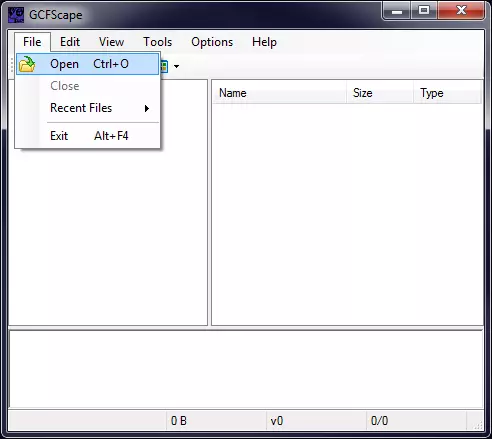
开始之前 为什么自定义HUD能在sv_pure 2服务器上运行? 因为你没有修改模型、纹理或声音。但如果你进行了修改(例如为GUI菜单设置自定义背景),当你连接到sv_pure 2服务器时,这些修改会恢复为默认设置。 如何安装自定义HUD或其他修改? 自Steampipe转换后,你应将自定义文件放置在以下路径:Steam steamapps common Half-Life 2 Deathmatch hl2mp custom 你可以在此处放置包含HUD、声音等的文件夹,或使用单个.vpk文件。 阅读readme.txt以了解如何使用自定义文件夹,或观看下一个问题中的视频。 问:我需要哪些工具? 首先,需要一个好的文本编辑器,例如NotePad++或Sublime Text。 字体编辑器:FontCreator。WinMerge - 这是一款可以帮助你比较文件的工具,例如当你研究他人的HUD时会用到。 VPK相关说明:自Steampipe转换后,部分默认模型、纹理和声音存储在*.vpk文件中。如果你需要这些文件,或者想将自定义文件转换为单个*.vpk文件,可以使用位于Steam steamapps common Half-Life 2 Deathmatch bin目录下的vpk.exe。只需将你要转换的*.vpk文件或文件夹拖放到vpk.exe上即可。 GCFScape - 这是一款用于处理*.gcf归档文件的工具,但它也能打开*.vpk文件。如果你想从gcf或vpk中提取单个文件,它会很有用。
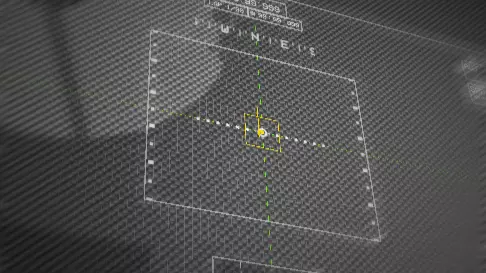
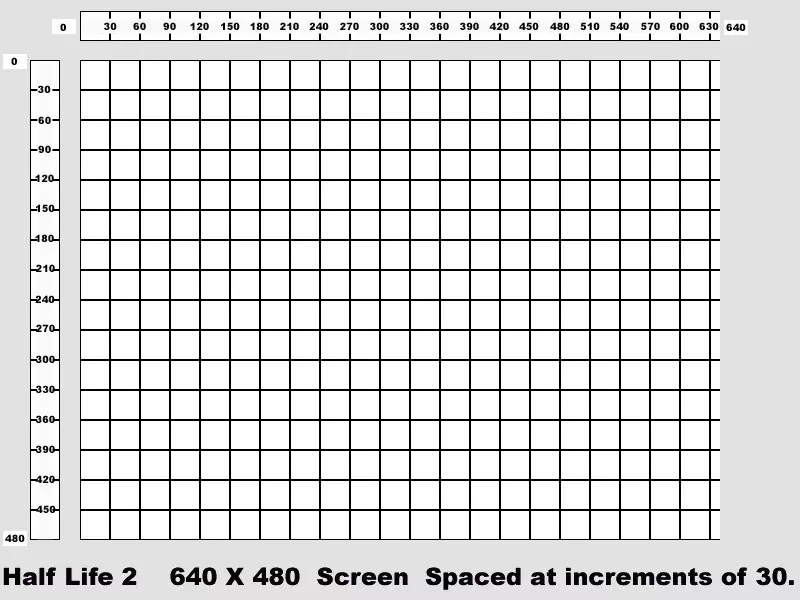
What are the general game-files i need if i want to make a new HUD from scratch? ClientScheme.res located in hl2mp resource. This file contains the information about the general fonts, colors, borders and so on. halflife2.ttf located in hl2mp resource. This is the main font-file the HUD uses. valve_english.txt, valve_[your_lang].txt located in hl2 resource HudAnimations.txt located in hl2mp scripts describes animation of HUD elements running on in-game events. HudLayout.res located in hl2mp scripts defines all the HUD elements with their properties and postion. How to make HUD development as fast as possible? Create several shortcuts of steam.exe to run the game with the following options: If you test the GUI: Steam.exe -applaunch 320 -console -window -w 1280 -h 1024 If you test your HUD: Steam.exe -applaunch 320 -console -window -w 1280 -h 1024 +map dm_lockdown You will need to restart your game if you make any changes related to the Resource-folder. If you make changes in files related to the Scripts-folder, type hud_reloadscheme in your console and the changes will be applied instantly. Bind it for your convinience. General modification questions Q: How do i change my crosshair? There are 2 ways to change crosshairs. You can use a font symbol or material as a crosshair. Custom materials won't work on sv_pure 2 servers so forget about it. By default, the Q-symbol of halflife2.ttf-font is used by the game as a crosshair. So edit this symbol or copy and paste from another HUD and save. Here is an example: Q: How to change crosshair's color to white? // HL1-style HUD colors "Yellowish" "255 160 0 255" "Normal" "255 208 64 255" // This string in ClientScheme.res "Caution" "255 48 0 255"Colors have format: "Red Green Blue Alpha", where Alpha is transparency. Q: How to disable or lower the level of red screen splashes This can be adjusted in HudAnimations.txt, starting from the string: event HudTakeDamageLeft. I personally prefer not to turn it completely off. I leave them very low http://pastebin.com/06MTfb0x. Q: How to change health, armor, ammo colors? You can do it quickly using the following keys in ClientScheme.res: FgColor BgColor Panel.FgColor Panel.BgColor BrightFgNote: As a rule every HUD element has Background color (Bg in short) and color itself (Foreground=Fg in short) But this is the easiest way. If you want to make more advanced and colored HUD go to HudAnimations.txt. Q: How to change the font of HP, Armor, ammo etc… The responsible fonts are defined in ClientScheme.res. They are: HudNumbers HudNumbersGlow (don't remember exactly where it is used) HudNumbersSmall (displays the quantity of picked up items)You can either copy and paste symbols from other fonts to halflife2.ttf replacing original symbols or you can use the key name (for example "name" "Verdana") to include any font installed in Operating System. Also you can even make your hud more independent and portable: Put the necessary fonts in your resource folder and include it in ClientScheme.res using the following code: CustomFontFiles { "1" "resource/HALFLIFE2.ttf" "1" "resource/HL2MP.ttf" "2" "resource/HL2crosshairs.ttf" "3" "resource/RUSRETURN TO CASTLE.ttf" }Some examples: Q: I renamed some font-file. I try to include it using CustomFontFiles and it does not work, but worked with an old name. What am i doing wrong? Renaming filename is not enough. Open your file in FontCreator, navigate to Format==>Naming==>Font Family Name and change it. Q: I try to make some font outlined, but it is still transparent and outline does not appear Set key "Additive" to "0" for this font. Q: I set outline for some font, but it is not steady and leave some space between symbol and outline. How to fix? Looks like antialiasing does not always work properly for font outline so set key "antialias" to "0". Q: How to change the icon of health/armor/ammo? Here is one of possible ways which will make animating easier in the future: Add new glyphs in halflife2.ttf and assign vacant symbols to it. Then go to valve_[your_lang].txt and change text of the keys "Valve_Hud_HEALTH", "Valve_Hud_AMMO", "Valve_Hud_SUIT" according to the symbols related to new glyphs with necessary icons. Q: I've set new symbols/icons, but they are cropped, do not fit some invisible borders... How to fix? It is time to investigate https://developer.valvesoftware.com/wiki/HudLayout.res. In this file you can change object's position (xpos,ypos), object's scale (wide,tall), text's position (text_xpos,text_ypos) and digit's position inside the object (digit_xpos,digit_ypos). And also Background type (PaintBackgroundType). hud_reloadscheme will help you much. By horizontal axis you can set the position from the right, left or center (in both directions). In horizontal axis the metrics are pixels. The following picture made by k3z will help you in understanding how it works:
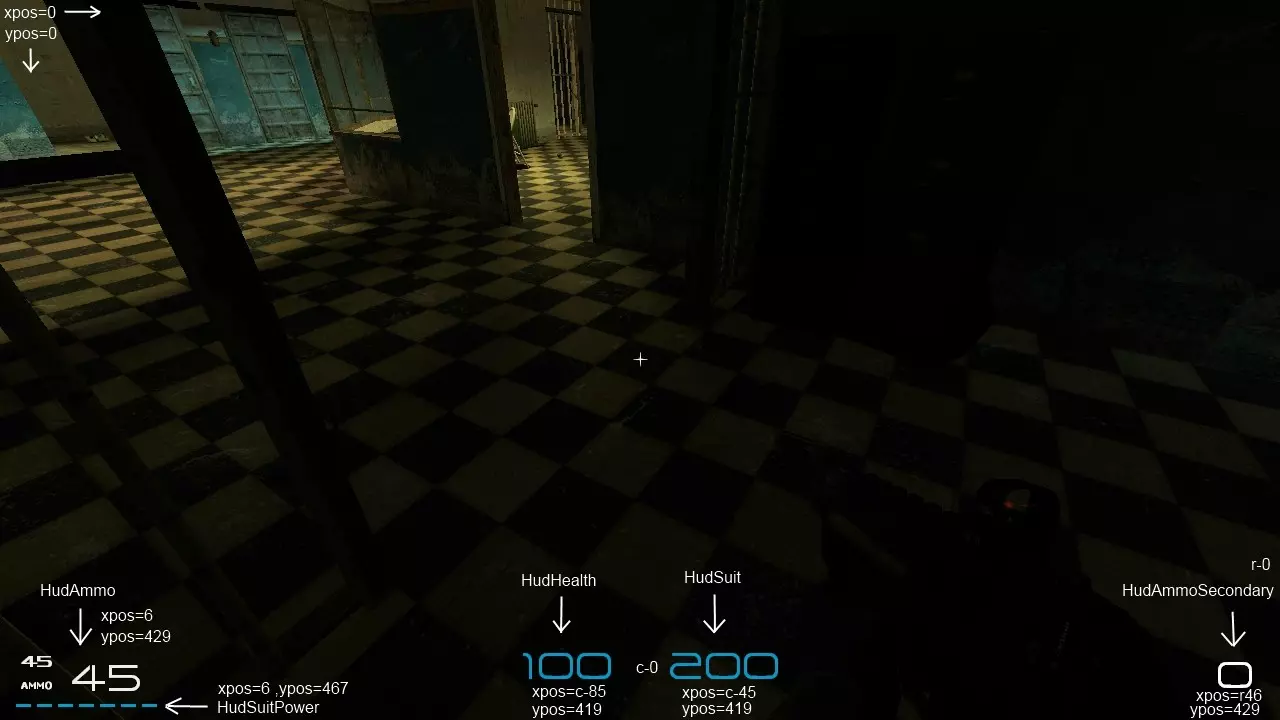
垂直轴的度量单位不是像素。对象可见的数值范围是0-480,其中480代表屏幕底部。
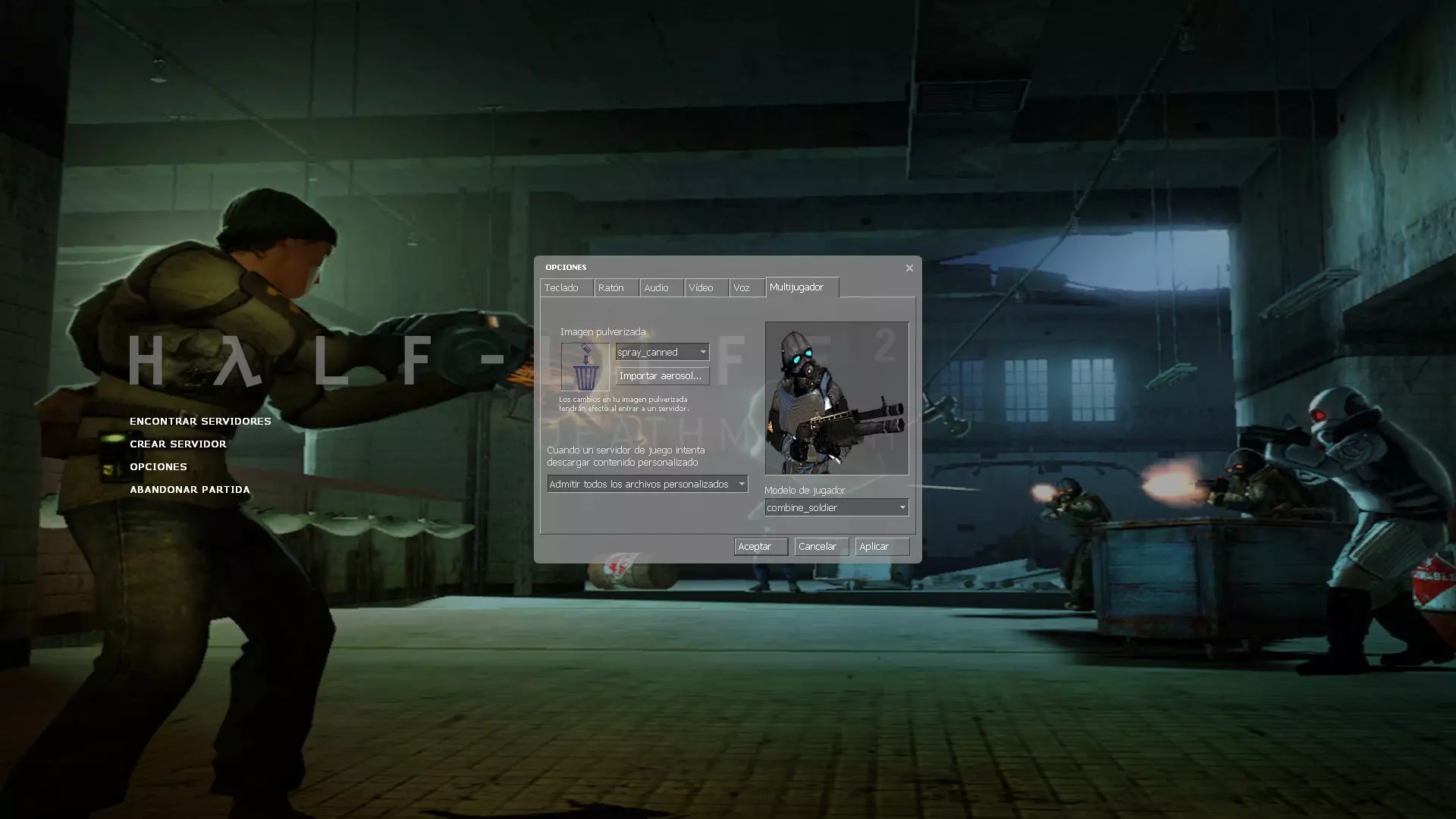
Q: Where can i change weapon icons showing in deathnotice area? mod_textures.txt Q: And suicide icon? d_skull in mod_textures.txt Q: How to make my xhair otlined? Adding "outline" to HudCrosshair does not work This was very difficult question since HL2DM had been updated in october 2010. Once k3z was invstigating HUDs in L4D and discovered that there is an ability to make new hud elements in HudLayout.res. Here is an example of block of code from HudLayout.res. OutlinedCrosshair //THX to k3z for great idea { "controlName" "Label" "fieldName" "OutlinedCrosshair" "visible" "1" "enabled" "1" "font" "OutlinedCrosshair" "LabelText" "Q" "xpos" "c-320" //100% centered, don't change "ypos" "1" //100% centered, don't change "wide" "640" //100% centered, don't change "tall" "480" //100% centered, don't change "textAlignment" "center" //100% centered, don't change "fgcolor_override" "0 255 0 255" //xHair color }It will create a new element named "OutlinedCrosshair" Note: that it can be animated in HudAnimations.txt as well. You can also create as much elements as you want. Take a look on this awesome HUD made with several custom elements: You can also create "Panel" elements and if you need to change the order the elelemnts are displayed, use "zpos" key. Eample of "panel": TestSite { "controlName" "Panel" "fieldName" "TestSite" "visible" "1" "enabled" "1" "xpos" "c-19" "ypos" "c-12" "zpos" "-100" "wide" "38" // 37 "tall" "16" "fgcolor_override" "255 255 255 255" } Q: Is there any way to make individual outlined crosshair for every weapon? No way :( Q: I changed the crosshair but why stunstick and SLAM has default crosshair composed of 5 dots? Because of the bug this game has for years: stunstick and SLAM use default sprite. To fix this you need to extract 2 files: weapon_slam.ctx and weapon_stunstick.ctx. Next download CtxConverter[gamebanana.com] and convert ctx to txt. Open converted *.txt files and replace this: "crosshair" { "file" "sprites/crosshairs" "x" "0" "y" "48" "width" "24" "height" "24" }with this: "crosshair" { "font" "Crosshairs" "character" "Q" } Q:Same problem in free view while spectating. How to fix? Open hud_textures.txt, find crosshair_default and replace it with: "crosshair_default" { "font" "Crosshairs" "character" "Q" } Advanced questions Q: What is the difference between PaintBackgroundType values? 0 - rectangle with rectangular corners 1 - gradient background 2 - rectangle with rounded corners Q: How to make AUX power stripe to look continuous? "BarChunkWidth" "1" "BarChunkGap" "0" Q: How to make my scoreboard to look compact? What file is responsible for scoreboard settings? Set key "tall" to "100″ in Resource/ui/ScoreBoard.res Q: How to adjust scoreboard's colors? In ClientScheme.res find this code: SectionedListPanel.HeaderTextColor "Orange"// color of "score", "deaths", "latency" SectionedListPanel.HeaderBgColor "Blank" SectionedListPanel.DividerColor "Black"//color of horizontal separating lines SectionedListPanel.TextColor "Orange" SectionedListPanel.BrightTextColor "Orange" SectionedListPanel.BgColor "TransparentLightBlack"//scoreboard's background SectionedListPanel.SelectedTextColor "Black" SectionedListPanel.SelectedBgColor "Red" SectionedListPanel.OutOfFocusSelectedTextColor "Black" SectionedListPanel.OutOfFocusSelectedBgColor "255 255 255 32"//Horizontal line highlighting your nicknameAlso: Label.TextBrightColor - server's name Fgcolor will change the border of your scoreboard. Q: Where can i tune the chatbox? The fonts can be found in ChatScheme.res, the chatbox is configured in ui/BaseChat.res Q: Where can i tune the game-GUI (Main Menu List)? GameMenu.res Q: And colors of GUI? SourceScheme.res Q: How to make custom GUI background? background01.vtf and background01_widescreen.vtf in materials Console. Note: It will be automatically changed to default connecting to sv_pure 2 server, deal with it. The tool which will help you to make *.vrf texture is VTFEdit[nemesis.thewavelength.net]. Q: I am making custom backround. How can i remove translucent text "HALF-LIFE 2 Deathmatch" on it? Make "Main.Title1.Color" and "Main.Title2.Color" in ClientScheme.res absolutely transparent. Q: Which files are used for spectator's bar tuning? spectatormenu.res, ui/Spectator.res, ui/BottomSpectator.res Conclusion If you are going to make a good HL2DM hud, you should know that modern HUDs contains: centered crosshair fixed redscreen fixed slam, stunstick crosshairs and fixed crosshair in free view in spectator mode very advisable to make good spectators bar if you added any custom hud elements (for example outlined crosshair), make sure they disappear when you are dead (HudAnimations.txt will help you) I want to thank people who helped me much when i tried to make my own HUD for the first time: TSMC, asf, k3z. GL&HF