换一换
换一换 


This is just a simple guide that has all the chat commands and what they do, listed from the Guild Wars 2 wiki. Basic Chat Shortcut Command Channel Seen by /s /l /say /local Say All players nearby your character. (Appears to be 2000 weapon range) /g /guild Guild Active guild /g1 to /g5 /guild1 to /guild5 G1 to G5 Guild 1 to Guild 5. /p /gr /party /groupe Party Current party or subgroup if in a squad. /d /squad Squad Active squad. /t /team Team Active team (PvP, WvW, and Daily Activities only.) /m /k /sh /y /map /karte /shout /yell Map All players in your current Zone or City. /w /f /b /whisper /tell Private Sends private message. /r [Backspace] /reply Private Sends private message to tde last person who whispered you. Shortcut Action Notes [Enter] Begins message. Sends pending message. Defaults to current channel. [Shift]+[Enter] Begins squad broadcast message. Moves focus to the squad broadcast box. [Enter] is used to send the message. [Tab] Cycles through chat tabs. When chat panel is active. [Shift] + [left-click] Creates a link to selected: item skill waypoint point of interest [Control] + [left-click] Instantly sends a link to selected: item skill waypoint point of interest Social Command What the Command does /friend [name] add a player to your contact list. /unfriend [name] remove player from your contact list. /block /ignore prevent a player from contacting you in any way. /unblock /unignore remove a player from your block list. /lfg toggle presence status between "Looking for Group" and "Online", and opens the Looking for Group panel. /ginvite Invites playername to current represented guild. Group/Party Command What the Command does /invite [name] invite a player to join your party. /join [name] request to join a player's party. /leave leave your current party. /kick [name] vote to kick party member (requires a majority vote). /resign /ff /gg /qq /surrender Kill yourself. Can only be used in raids, strikes, fractals, and Super Adventure Box. Allows squads or parties to concede defeat faster. /squadjoin [commander_name] /sqjoin [commander_name] join a commander's squad.(apparently works for anyone in the squad if the squad has a commander. does not need to be the commanders name. Thanks to belst) /squadleave /sqleave leave your current squad. /squadinvite /sqinvite invite to squad /mentor enable or disable a mentor tag. Commanders only What the Command does /squadinfo displays the supply carried by each member of your squad. /supplyinfo displays the supply carried by players near you. /subgroup /1 /2 /3 broadcast to the specific subgroups.(Thanks to belst) Queries Command What the Command does /age displays the amount of time you have played Guild Wars 2, in the following format: "You have played this character for <x> hours <y> minutes over the past <z> days." "Across all characters, you have played for <X> hours <Y> minutes over the past <Z> days." /rank drop a banner that will display your current PvP Rank, e.g. if you ranked rabbit it will show a rabbit on the banner and some hopping above. /rank <1-80> drop a banner of a specific PvP Rank, no higher than your current rank. /deaths displays the number of times your character has died, "You have died <x> time(s)." /ip displays the IP address of the server. /support /bug opens the support panel. /stuck teleports the player to a nearest walkable point (it gets canceled if the player moves, gets into combat, or does any other action within 30 seconds after using this command, and has a cool-down of 2 minutes. Once moved back to spawn, the /stuck command has a cool-down of 10 minutes). Only works while inside instances, it will tell players to use a nearest waypoint when used on maps. The location is also reported to the developers. Using /stuck also works in PvP maps; the character will be killed after 30 seconds to allow revival at the starting base. /time shows the current Tyrian Time. /emotelist displays a list of available Emotes. /wiki opens your default web browser to wiki's home page. /wiki <keyword> opens your browser to the wiki article named "keyword"; if no article exists, searches the wiki for "keyword" and displays relevant articles. /wiki [chat link] opens the browser to a search of up to 10 chat links (any links past 10 will be ignored). Chat links that have a an associated wiki page will have it linked in those search results. Chat links can be added to the chat textbox by shift+clicking the corresponding object, this allows editing the line before sending it. In contrast, ctrl+click instantly sends the in chat as a message, so that method will not work along the /wiki command. At this point it is possible to link waypoints, points of interest, items, skills, traits, effects, wardrobe entries, outfits and recipes learned. /wiki DE: <keyword> /wiki ES: <keyword> /wiki FR: <keyword> This will search the other language wikis for the matching keywords. Chat links also work. /wiki GWW: <keyword> This will search on the Guild Wars wiki for the matching keywords. Emotes Command Chat message adding * after an emote will add a you to a queue which is processed every 5 seconds. e.g. "/dance *" Persistent Sitting Target someone (@ after emote) /beckon {character} beckons. ✘ ✘ ✔ /bow {character} bows. ✘ ✘ ✔ /cheer {character} cheers. ✘ ✔ ✔ /cower {character} cowers. ✘ ✘ ✘ /crossarms {character} crosses their arms. ✔ ✔ ✘ /cry {character} is crying. ✔ ✘ ✘ /dance {character} is busting out some moves, some sweet dance moves. ✔ ✘ ✘ /facepalm /upset {character} is upset. ✔ ✘ ✘ /geargrind {character} does the Gear Grind. ✔ ✘ ✘ /kneel {character} kneels. ✔ ✘ ✘ /laugh {character} laughs. ✘ ✔ ✔ /no {character} disagrees. ✘ ✘ ✔ /paper /rock /scissors {character} shows paper. {character} shows rock. {character} shows scissors. ✘ ✘ ✘ /playdead {character} is probably dead. ✔ ✘ ✘ /point {character} points. ✘ ✘ ✔ /ponder {character} ponders. ✘ ✘ ✘ /rockout {character} is rocking out! ✔ ✘ ✘ /sad {character} is sad. ✔ ✘ ✘ /salute {character} salutes. ✘ ✘ ✔ /shiver {character} is shivering. ✔ ✘ ✘ /shiverplus {character} is shivering. ✔ ✘ ✘ /shrug {character} shrugs. ✘ ✔ ✔ /shuffle {character} does the Inventory Shuffle. ✔ ✘ ✘ /sit {character} sits. ✔ ✘ ✘ /sleep {character} goes to sleep. ✔ ✘ ✘ /step {character} does the Dodge Step. ✔ ✘ ✘ /stretch {character} is stretching. ✘ ✘ ✘ /surprised {character} is surprised. ✘ ✘ ✔ /talk {character} is talking. ✔ ✘ ✔ /thanks /thank /thx /ty {character} is grateful. ✘ ✔ ✔ /threaten {character} is threatening. ✘ ✘ ✔ /wave {character} waves. ✘ ✔ ✔ /yes {character} agrees. ✘ ✘ ✔
聊天指令

2026-02-18 04:00:08
发布在Guild Wars 2
转载

AI智能总结导读
这是一份《激战2》的聊天指令指南,整理自游戏维基,涵盖基础聊天频道指令、聊天操作快捷键,还有社交、队伍、查询、表情等多类指令,详细说明了各指令的用法、功能及适用场景,能帮助玩家熟练使用游戏内聊天系统。


评论
共0条评论

超级冒险节2026已上线!
《激战2》超级冒险节现已开启!这是《激战2》中最具像素风格的派对,摩托再次敞开了他虚拟世界的大门,邀请玩家们前来跳跃、战斗,并收集大量全新及回归奖励。摩托还开放…
2026-04-14 16:000赞 · 0评论
春季特卖,折扣绽放!
即日起至太平洋时间3月26日上午10:00(UTC-7),购买资料片可享优惠。春季特卖活动包含《激战2》过往资料片的降价优惠,以及将它们捆绑在一起的完整合集: …
2026-03-19 17:100赞 · 0评论

常见问题:Steam与ArenaNet账户
关于Steam与ArenaNet账号的常见问题 简介 以下是《激战2》的Steam与ArenaNet账号相关常见问题。 术语说明 首先说明一下术语: * Ste…
2026-02-20 16:000赞 · 0评论

13个即时爱心 - 交易站物品
以下是你可以在交易站购买的一些物品,可立即跳过13个爱心。 卡勒顿森林 所需物品 NPC 最近的传送点
2026-02-20 07:000赞 · 0评论

一起玩《激战2》:新手玩家指南
Hey everyone! So, I've finally decided to put together a newbie guide for Guild …
2026-02-20 07:000赞 · 0评论
赚取金币的主要方法
在本指南中,我将介绍《激战2》中我个人最喜欢的十种赚取金币的方法。这涵盖了游戏中多个不同领域的多种方法。 简介
2026-02-20 04:000赞 · 0评论
新玩家免费游玩指南
一份为想体验《激战2》免费版的新玩家制作的指南。本指南最初是为一位朋友制作的,但也完全适用于任何感兴趣的人。我真的很喜欢《激战2》。 欢迎来到泰瑞亚! Anda…
2026-02-20 04:000赞 · 0评论
《激战2》概述
欢迎!本指南将帮助你了解《激战2》这款游戏,带你了解游戏中可以体验的各种内容,并为你提供进一步探索感兴趣内容的方向。 简介
2026-02-20 04:000赞 · 0评论
使用您现有的激战2账号登录Steam
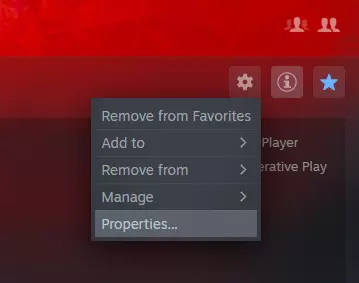
如何通过Steam登录现有的激战2账号 添加启动参数 安装完成后,点击【属性】打开配置菜单。
2026-02-20 01:000赞 · 0评论
指南、链接和帖子快速索引
《激战2》社区网站、指南及工具索引 官方网站 激战2官网 激战2论坛 激战2维基 激战2 Steam页面 激战2支持中心 社区综合网站 激战2 Reddit社区…
2026-02-19 22:000赞 · 0评论
暂无更多