换一换
换一换 


本指南适用于大多数《剑士》玩家,这些玩家的电脑配置通常远超游戏的最低系统要求,但游戏运行起来却像在用老旧电脑一样卡顿,或者即使运行流畅,风扇的噪音也比玩超高画质的3A游戏时还要大。 本指南包含大量建议、设置和模组,玩家需要花些功夫才能正确应用。 本指南仅提供英文版本,但欢迎大家进行翻译。 简介 本指南基于我之前在《剑士》模组维基上颇受欢迎的指南编写而成。 指南汇集了多种系统设置、程序和模组,玩家可以利用它们让《剑士》运行得更加流畅。
本指南旨在提升《剑士》的稳定性和帧率。这是原始指南的精简版,更直接地聚焦于对《剑士》影响最大的优化选项。你可以在每完成一个步骤后暂停或继续,稍后再回来操作,也可以跳过现在不想做的内容。 重要基础: 1. 将游戏安装在SSD上。《剑士》本身有大量加载内容,SSD有助于减少加载时间,并在大地图中移动时保持流畅。游戏可以在HDD上运行,但体验会差很多,尤其是从菜单加载现有存档的时间,而且所有内容的加载都会更长。 2. 系统稳定性框架:我们将调整你的游戏内设置和系统设置,以自然提升性能。 3. 如何正确启动《剑士》!
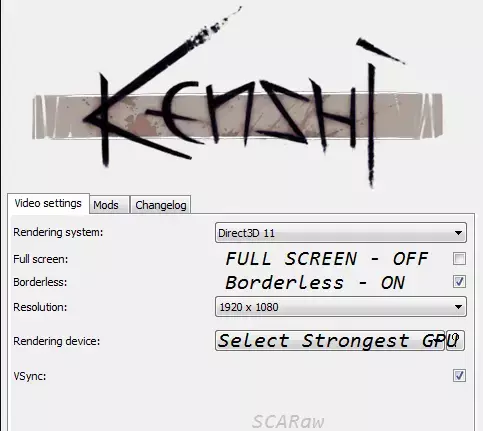
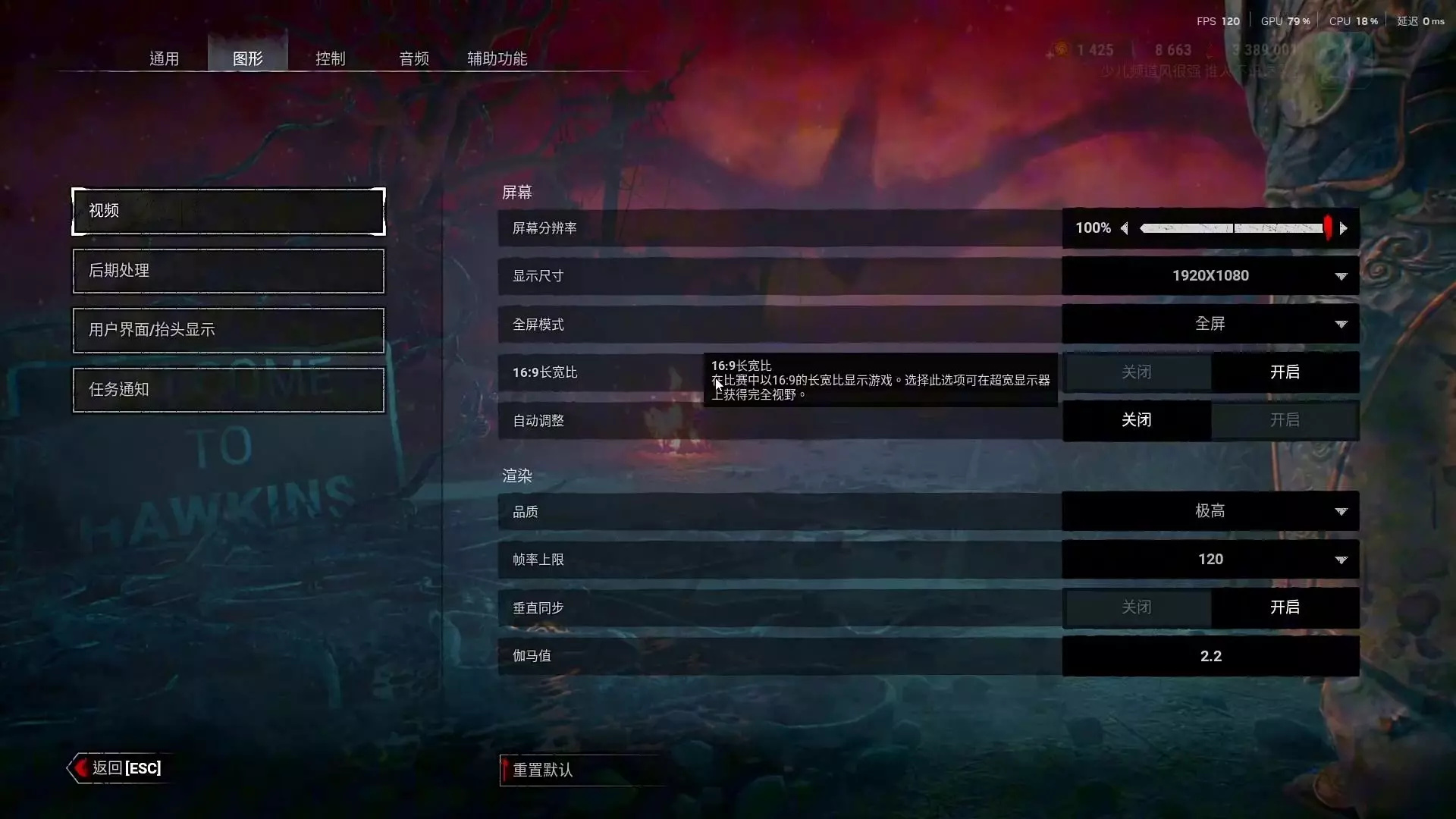
如果你的启动设置与此不同,那么你的游戏运行方式是错误的。 全屏模式:使应用程序与系统同时运行,而非在系统之下运行。通常这能带来一些性能提升,但在《剑士》中稳定性较差,性能表现也更糟。 无边框窗口模式:现代全屏模式,使应用程序作为另一个窗口在系统下运行,让你可以正常使用Alt+Tab切换窗口,且在游戏崩溃时不会导致系统或鼠标出现问题。 如果可以,你应该尝试以原生分辨率运行并优化游戏,但超过1920x1080的分辨率可能会出现问题和错误。 为了让游戏运行得更好,你应该安装运行库。
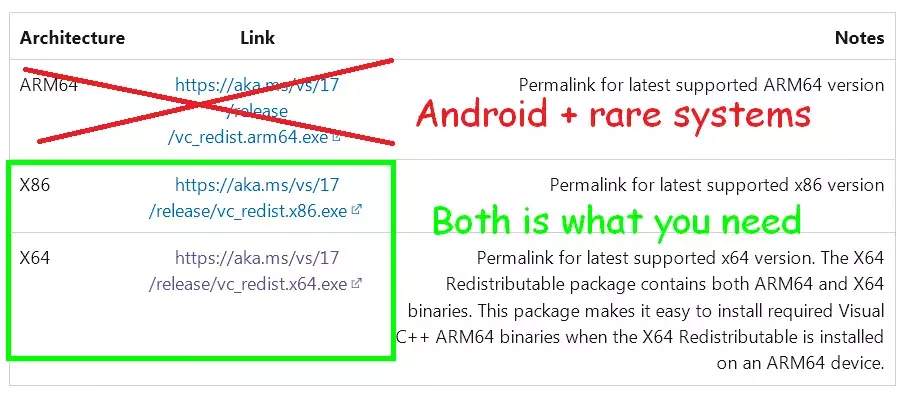
有助于运行C语言环境下的游戏和程序,建议安装。微软相关组件:Framework:【.NET Framework 4.8.1】
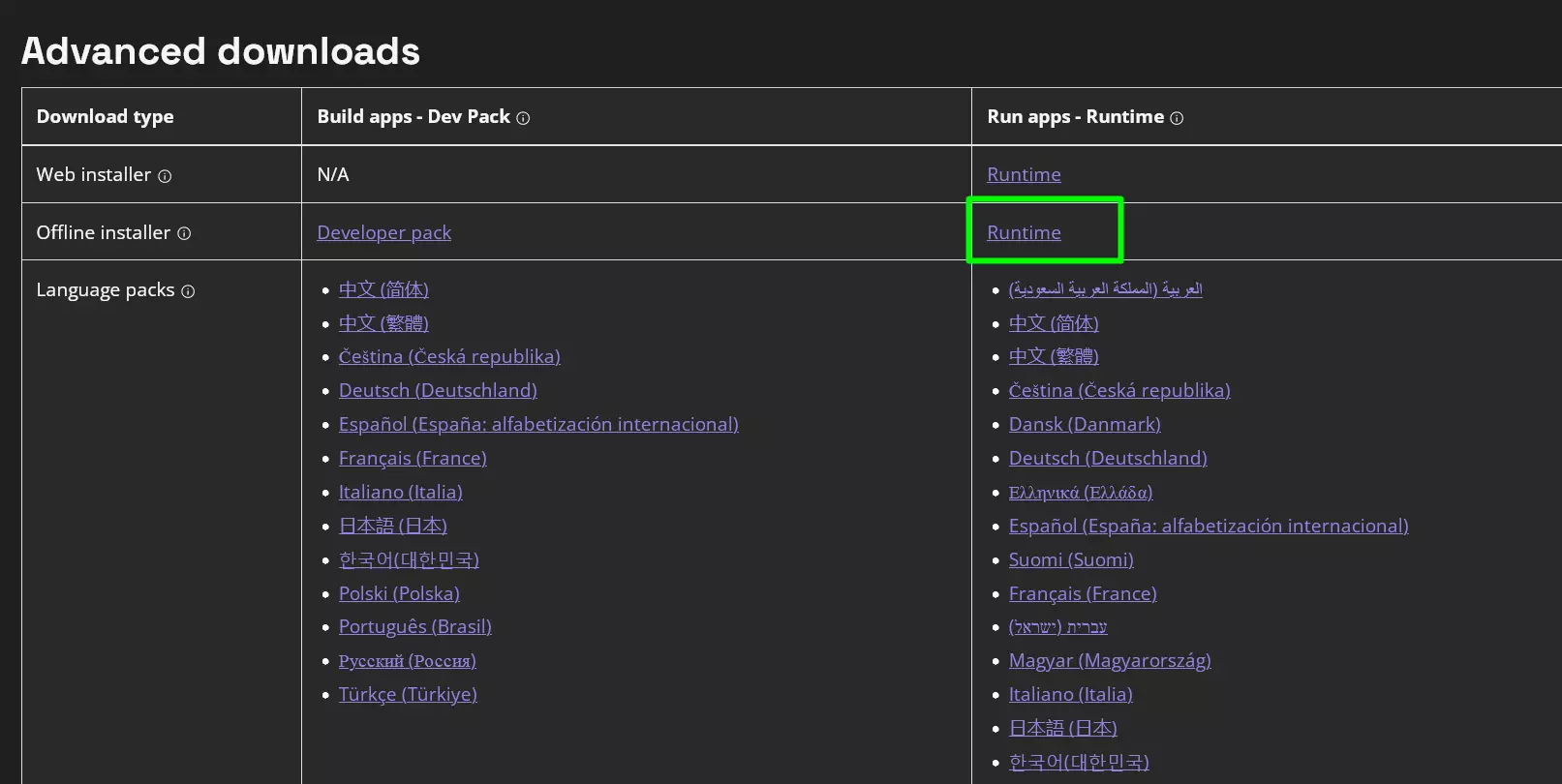
如果出现问题,它可以帮助你抛出错误提示,偶尔还能提供运行软件所需的动态链接库文件。这更多是微软相关的内容——即便按理说我应该拥有微软,实际上我并没有,哈哈。其他有用选项:禁用远处城镇。
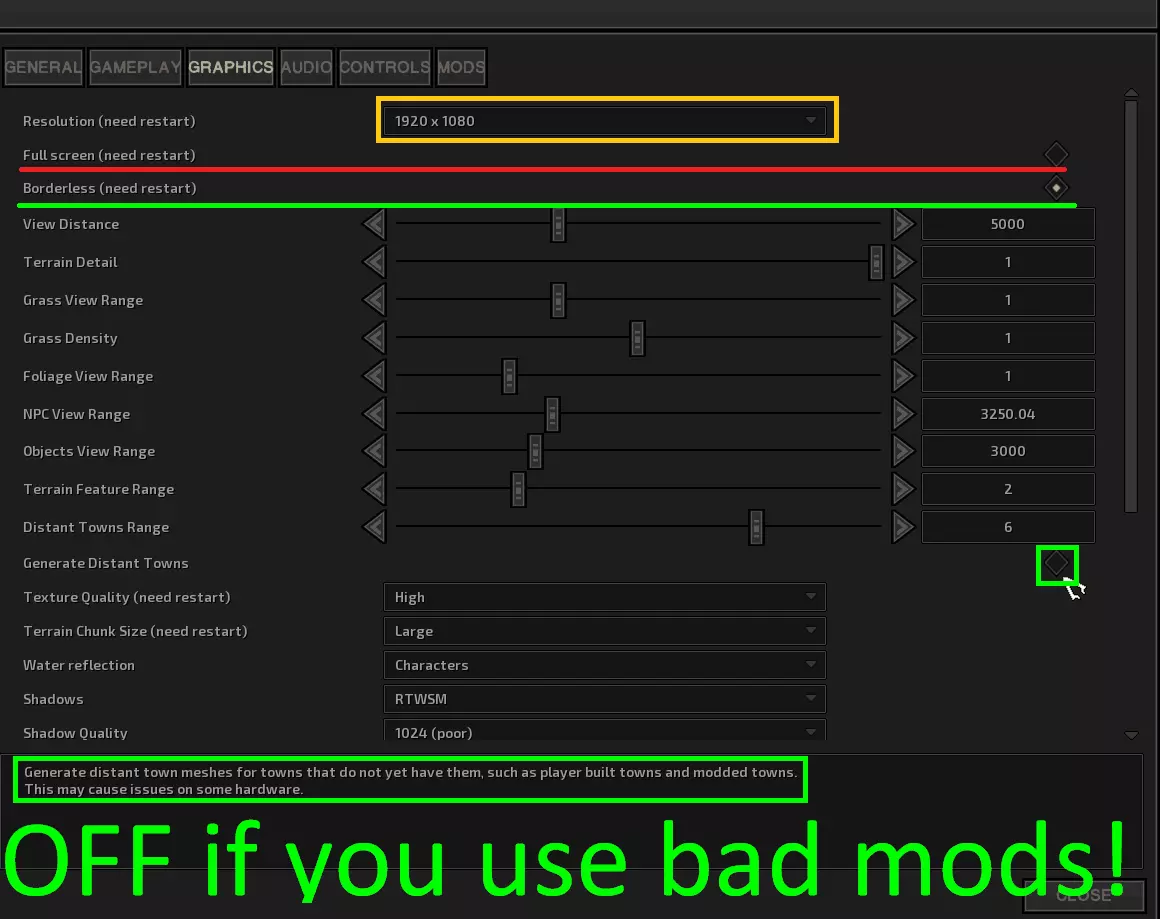
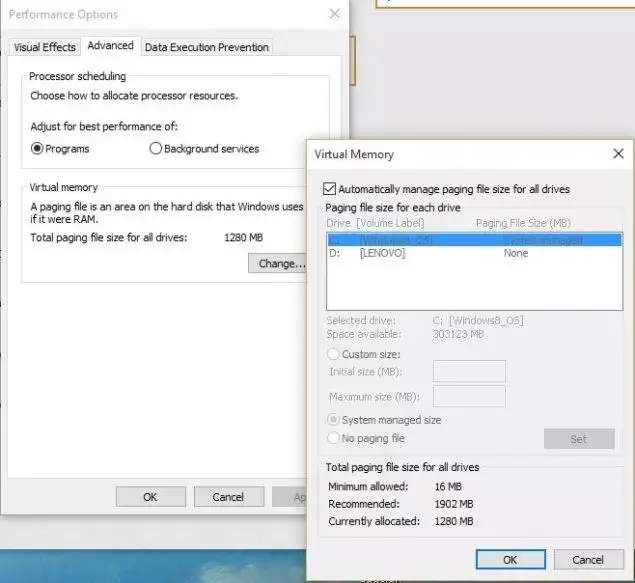
我所说的【劣质模组】是指那些由不负责的作者制作的添加或修改城市的模组。 任何人都可以为自己的城市模组生成合适的远景文件并包含在安装包中,或者至少告知玩家在使用模组时关闭远景显示。然而,由于有些人就是喜欢无视这些,导致他们的模组质量欠佳,这让我非常恼火,所以才有了这一部分内容…… 有时候游戏官方本身可能没有在更新包中包含所有远景文件,但由于所有.mod文件都位于游戏安装文件夹中,它们应该能正常生成而不会导致崩溃。 想想看,你们那些所谓的“高级城市调整大修”模组,只需要在上传前进入data/buildings/distant目录,将新生成的文件替换到模组里就行了!……继续为你们钟爱的懒人找借口吧,我等着……使用磁盘空间作为内存分配以优化游戏:依次打开开始 > 控制面板 > 系统。在任务栏下,点击高级系统设置。在系统属性窗口中,点击高级选项卡。在性能下方点击设置。点击高级选项卡,然后在虚拟内存下方点击更改。选择自定义大小并设置初始大小(MB)和最大大小(MB)。对于初始大小,建议设置为8096到12144。
你的游戏运行缓慢并非因为电脑配置差或需要降低画质设置…… 还有更多设置可以检查以改善这种情况,但我今天想先讲这些。 进阶知识与小技巧 既然说到这里,我们就从GPU优化开始吧。本文的目的是帮助你在任何GPU上实现某个模组的部分优化效果。如果你已经安装了该模组,可以跳过此步骤。 让我们开始优化吧。
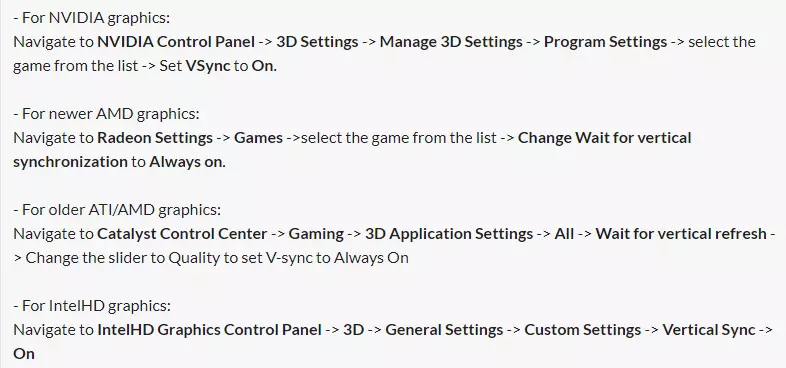
哇,神奇的魔法,开启垂直同步吧 :) 别担心,这只是个开始: 1. 找到【覆盖层】选项并将其关闭。我不知道它具体有什么作用,理论上这会启用OpenGL覆盖平面,但不清楚《剑士》中是否使用以及如何使用它们。 2. 找到【导出像素类型】并禁用它。这可能只是心理作用,但关闭后我的游戏运行得更快了,而且我没发现视觉效果或其他方面有任何差异。 3. 找到【线程优化】并将其关闭——《剑士》不支持多核CPU,所以强制关闭后,所有计算将直接发送到CPU0,不会有延迟或资源管理不当的问题。 4. 找到【电源管理】并设置为【最佳性能】,如果有【驱动程序控制】选项也可以选择它。最高性能听起来不错,但即使是配置较低的电脑也不应使用该模式,因为它会将额外的性能资源全部导向GPU,无论是否需要。 找到【多屏幕增强/不同GPU处理器】选项,设置为【单屏幕模式】。这会强制系统立即决定游戏的显示位置以及如何管理多个屏幕。 找到【内存分配】选项,选择【按需分配】。我需要对这个选项进行更多测试,目前看来激进的设置会导致游戏启动变慢。 这个功能的描述对我来说太晦涩了,但根据我的观察,【按需分配】似乎能略微提升游戏启动速度。找到【各项异性过滤】并设置为【关闭】。此选项允许《剑士》以更高分辨率渲染纹理并缩小显示,关闭后可节省资源,但可能降低游戏画面表现(高性能电脑几乎察觉不到差异,低配置电脑上我也看不出区别)。 如果在《剑士》选项中开启了垂直同步,请找到【三重缓冲】并设置为【开启】。并非所有选项关闭都能提升性能,此选项(根据英伟达和我的测试)不会提升性能。重要提示:只有在《剑士》设置中开启垂直同步时,此选项才会提升性能。高级黑魔法 - 优秀模组 本节将介绍2个模组:性能修复
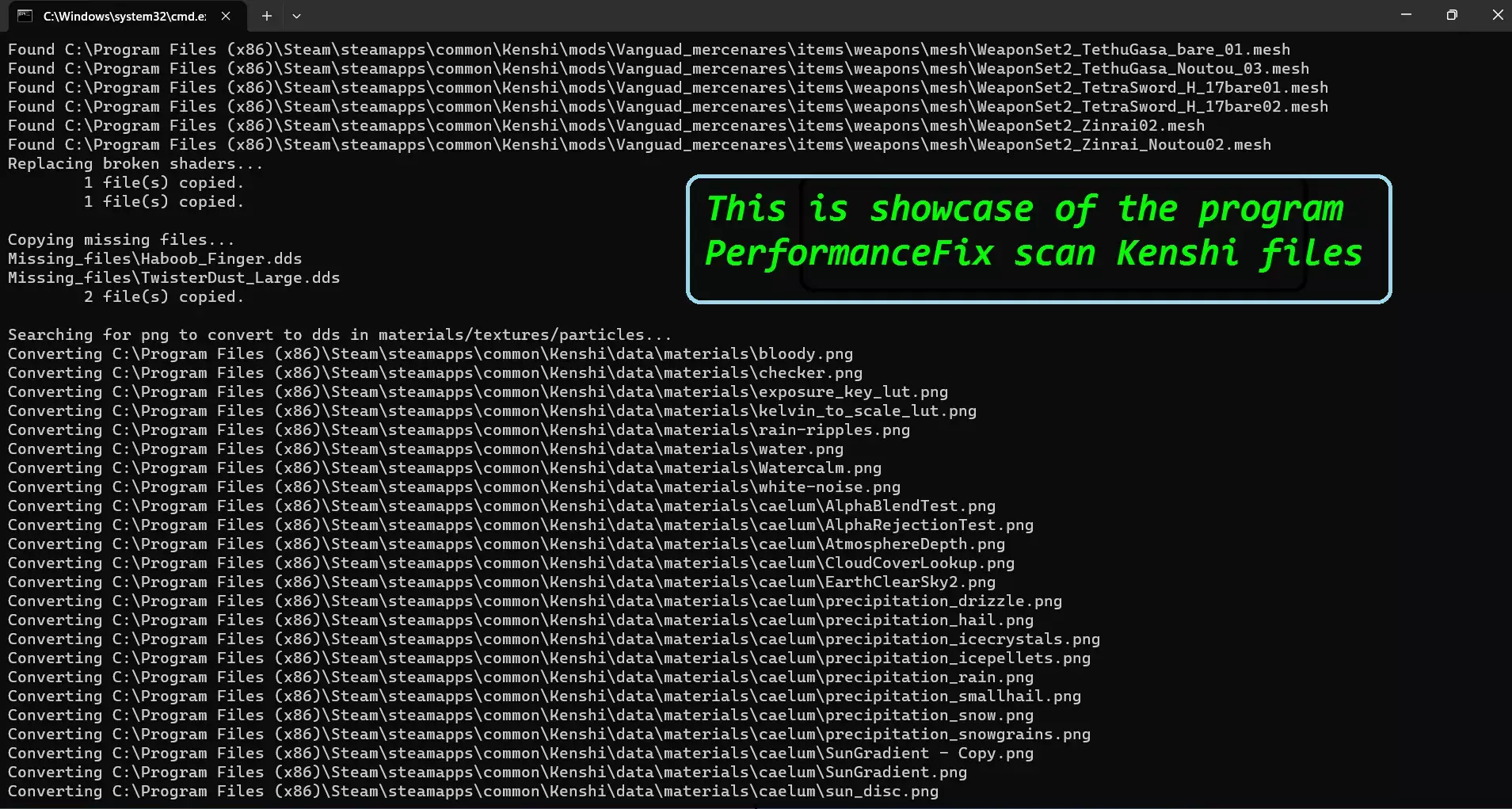
最复杂的《剑士》结构解决方案,无需修改可执行文件。此模组会扫描文件并进行优化,扫描引用并修复它们。结果相当令人满意,但安装过程较长(自动化)。粒子系统覆盖
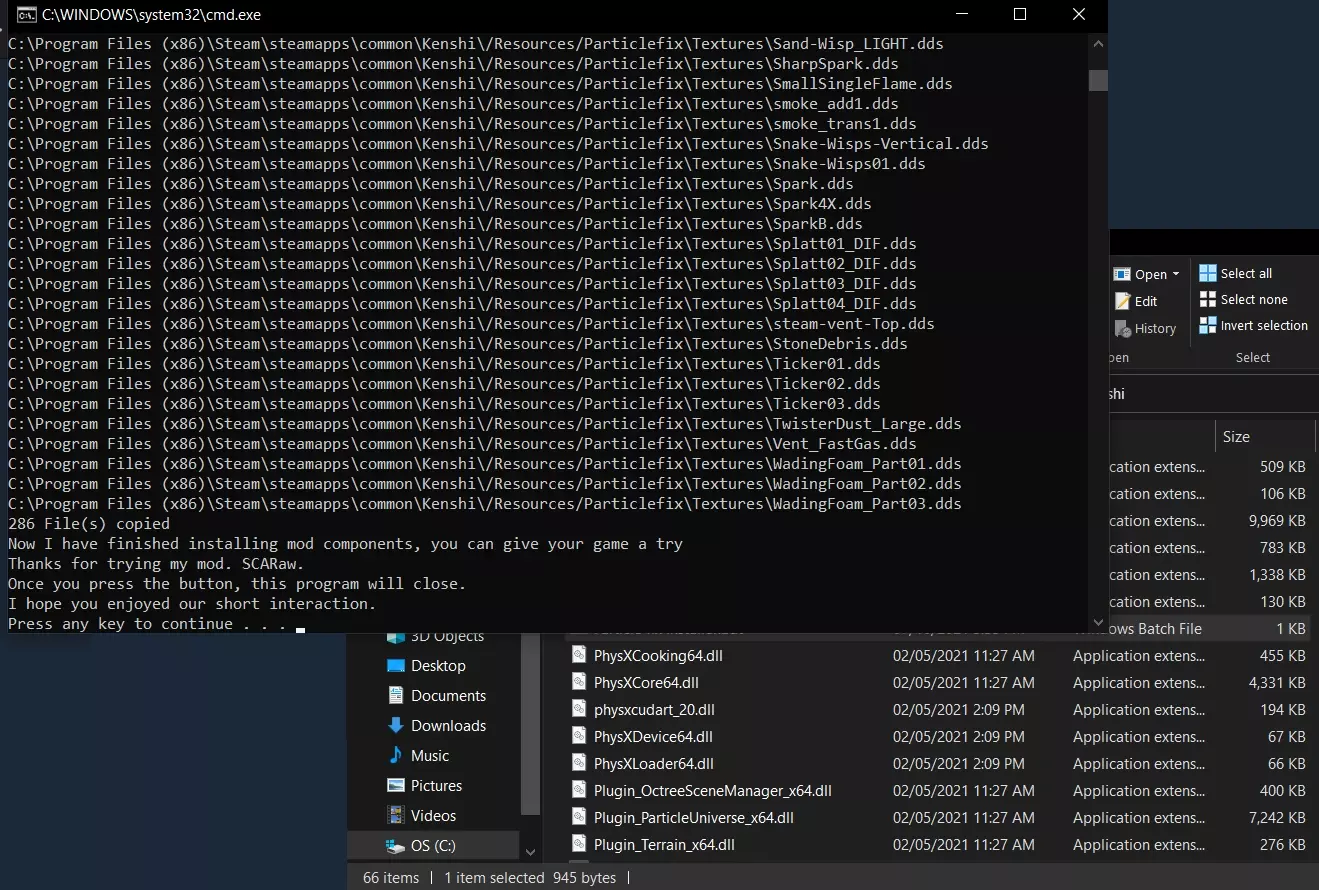
首个且最先进、更新及时的粒子替换器,包含替换脚本、修复纹理、防止崩溃以及其他若干与性能相关的优化功能,具体详情可参考模组说明。CTD修复模组如今仅能修复与动画模组相关的崩溃问题,但现在该模组已能保存导航网格数据。配合网格更新器使用,可形成提升性能的有效解决方案。更新后的网格更易正确加载并以最佳状态保存!若你使用了模组化网格和Steam模组,请使用网格更新器。由于质量控制欠佳,建议你同样检查模组化内容。
Mod started as Performance Fix older brother Currently totally outperformed on the field on game files found new purpose in scanning mods Performance fix and my code take poorly to request of scanning and Structure i use (basic windows code bash with advanced tools) does not identify DLLs to allow steam/gog check Mod is pretty solid and much faster which i prefer for mods/quick change checks DXVK/Vulkan for Kenshiyou can simply render complex graphical operation with Vulkan either by using dedicated mod (currently up to date): https://www.nexusmods.com/kenshi/mods/1294 or DXVK directly (we base new versions on DXVK and just compile new DLL with changes): https://github.com/doitsujin/dxvk/releases its not for every game or everybody, but generally its worth a shot Limb Icon FixWhile mod is not performance oriented as result of clever coding mod provide boost to inventory processing for shopkeepers, shop inventory, containers with limbs and player inventories https://steamcommunity.com/sharedfiles/filedetails/?id=2515950648 "in Vanilla game check if object icon is autogenerated or not (most limbs and all the prosthetic are) game check if icon was generated before, game load icon if it was generated or set the mesh, set the camera, set the texture and generate it" all of this is skipped by the mod Foliage and clutter problemsGenerally speaking Performance Fix + GPU optimizations should be enough to make foliage spam less painful, however its fair to say game still produce a lot of foliage and its hard to tell if all of it is essential for author vision for the game i would recommend:https://steamcommunity.com/sharedfiles/filedetails/?id=3054577051 Less Foliage Mod that doesn't block your doors its basic less foliage mod with Quality Control :) i believe we might have better solution in the future, im looking forward for mod: FASTR that might turn into essential foliage mod, but for now i chose this thingor Foliage and Stones Total Reworkhttps://steamcommunity.com/sharedfiles/filedetails/?id=3328905177 Remix of vanilla assets and files to decorate world better with better performance too i believe it can be better solution later down the line use only one Foliage Mod KPM low poly clutterhttps://steamcommunity.com/sharedfiles/filedetails/?id=3392901904 this 0 screenshots mod helps with performance i tried to make the script to do it, but no dice xD turns out you just need someone to do 400 models for you it sux to have so good mod under "do not copy or edit" cause Boulder-Star01 FixAmazing new fix of mine that does nothing https://steamcommunity.com/sharedfiles/filedetails/?id=3498912211&tscn=1749904773 Okey let me explain, mod fix the missing link in FCS data and fix crashes as result very cool small mod that improve stability of the game for no performance cost there should be small performance gain from it due to engine not having to rebound itself (when engine face missing link it need to improvise missing data or stop working) Recommended in-game settings and why This section contain only settings to avoid or bugs that happens when you have things too high/too low Character Rendering Range (view distance actors, whatever) from what i know it does not work above 5000 - default value so you can set it to whatever and it will not work, but it might take additional resources i would recommend keeping it at 5000 since its max functional range Visible Shadow Range This above 4k in most places and above 3k in some places can cause visible shadow distortions they looks kind of ugly so you might make your game look better by lowering this xD and yes you will gain performance Shadow Quality 1024 Personally i know higher quality provide better looking shadows however you just throw dark texture on shadowmaps... Performance cost is not justified by higher settings on this Fast Zone Hopping - OFF it cost too much memory and CPU to maintain if you use Performance fix and other optimizations switching zone should be much faster even with this OFF since you still would have to load everything into graphics *feel free to test this one for yourself, i never owned PC with 64GB ram so it might not be universally truth Need more TESTS, but: i think setting Chunk sizes to Large is better its definitely better for person in base and in city-house and for person who spend time in cities for longer than brief 1 store visit on Older/Weaker PC its also better for map travel i need more tests to confirm if its universally better option This is all i can confidently state for now Conclusions and closure There is a lot more you can do to improve your gameThis list is not exhausted, i just wanted to highlight highest impact points from most basic to advanced so everybody can have entry point to playing at solid framerate you can find multiple modlists and guides sharing similar tips so i don't think its revolutionary, its just nice to have all of this together imo Other things i do around kenshi:i made more guides on steam, i mostly wanna collect all the tips/guides/answers into easy to find steamguides so it will be easy to find for me and for others, idk i been answering a lot in community and its hard to have all the knowledge in head 4 years later https://steamcommunity.com/id/SCARaww/myworkshopfiles/?appid=233860&section=guides i do mods for kenshiMost of my mods are on nexus, but whenever possible i upload to steam https://next.nexusmods.com/profile/SCARaw/mods i also mod a lot of games, not just kenshi, kenshi was just in dire needs to not dip bellow 30FPSes when i played it and i decided to go to war with all the loadings and lag spikes in the game! i made giant calculator database thinghttps://docs.google.com/spreadsheets/d/1pvr2X3ua34ItW2y-t9HlJFHKAp2o1y564tkqLvIgQNY/edit?usp=sharing this doc is massive and it contain a lot of formulas and tools to calculate nearly everything player can dig out from the game info basically excel recreation to the game engine. logic and mechanics xD without junky consistency errors of kenshi gaming i do things around Fandom and help people in communityor ♥♥♥♥♥♥♥♥ dumb memes or weird responses i recently been posting more memes to steam and nexus, idk how you call it where you post 1 meme everywhere so people just find it where they feel comfortable i still don't wanna use twitter, i hate this placeHave fun Playing