换一换
换一换 


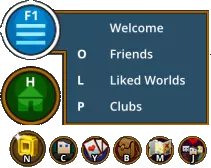
In this guide I will show you all commands in trove ! @ Gameplay Commands @ /loc - Displays your current XZY location in chat /who - Lists players who are in the same world as you /chatlist - Lists players who are in the same chat as you ~Syntax /chatlist chatname /getxp or /xp - Displays your current level and the amount of needed XP to level up /friendlist - Opens your friendlist (Pressing O also does this) /friend - Adds a player to your friend list ~Syntax /friend username /ignore - Adds a player to your ignore list ~Syntax /ignore username /store - Opens the store window (Pressing N also does this) /respawn - Forces your character to respawn /showhat - Toggles your hat model on and off; keeps stats active /showface - Toggles your mask model on and off; keeps stats active /quit - Forces the game to quit immediately /getworldid - Gets the "worldID" for the world you are currently in /joinworld - Join the world with the specified ID ~Syntax /joinworld id /joinme - Sends a request to join your world, the player will then teleport to the requester's current location ~Syntax /joinme username /tutorial - Teleports the player to the Tutorial World /kick - Used in Shadow Arenas by their unlocker to kick players ~Syntax /kick username /stats - Shows some stats from you /clearcornestone - Resets your cornerstone back to the default house. Everything on your cornerstone will be deleted after you confirm the clear ~Syntax /clearcornestone slot number /mastery - Shows some mastery rank stats and experience /welcome - Opens up the welcome screen /testarena - Allows you to start a PVP match in your club arena without waiting for 10 players /debugtext - Displays frames-per-second, latency, and coordinates of the player's location on the top left of the screen /region - Displays current region you're playing on (live-us or live-eu) @ Chat commands @ /1 - Switches to the global chat /2 - Switches to the world chat /<number> - Switches to battle arena chat (while in battle arena you join a team chat) /join - Joins or creates another chat channel. If you are already in the target channel, it sets your chat mode to send messages into the channel instead ~Syntax /join number /join - You can simply use the chat channel ID (appears at the very left of a message sent into a channel) to switch over into the respective channel ~Syntax /join number /leave - Leaves a chat channel ~Syntax /leave channel name /say - Sends a message to players that are within 40 blocks of range /c1 - Switches to club 1 chat /c2 - Switches to club 2 chat. This goes up to club 5 (/c5) /reply - Sends a reply to the last whisper you received. This does not apply to messages you've sent but have yet to receive a response to /dnd - Do Not Disturb, while in dnd mode playersa cannot whisper or invite you /hide - Hidden Mode, while in hidden mode you appear offline to other players @ Chatrooms @ /join price - Accesses the price chat for price checking /join trade - Accesses the trade chat to set up trades with other players in the chatroom /join st - Accesses the Shadow Tower (ST) chat to look for groups fighting STs /join ladybug - Accesses the farming Ladybug Invaders chat. Useful for finding groups that farm Ladybug Invaders /join sky - Accesses the Sky channel to set up groups to farm the Sky Realm for Radiant Giants, Radiant Shards, and Crystallized Clouds /join recipe - Accesses the Recipe chat to find people willing to share recipe lairs they have found with other players /join fishing - Accesses the fishing chat to find people to fish with. This is useful for getting help catching rare fish /join dragon - Accesses the dragon chat to help find and make groups for the Dracocolatl, Thallasion and Flakbeard world bosses /join adventure - Accesses the adventure chat to find players and make groups to go out on adventures in Adventure Portals /join sunlight - Accesses to sunlight bulb farming chat.Useful for finding groups that farm sunlight bulb and teleport to giant sunflower structures with bulbs growing over them /join challenge - Accesses to a big group that is doing the current challenge /join build - ccesses to a chat for builders. Useful to share your builds with other builders or to assemble a build team /join club - Accesses to the club chat which is great for club recruitment or if your looking to join a club /join music - Accesses to a chat for the musicians of Trove to share their latest songs or to help teach others how to make some music in Trove /join reddit - Accesses to a chat for people from the Trove subreddit /join friendship - Accesses to a chat for people who want to make friends /join mining - Accesses to a chat for people who want to go mining with other players. Is useful for group mining /join sailing - Accesses to a chat for people who want to go sailing with other people or are looking for merchant ships in adventure worlds /join minigames - Accesses to a chat for people who want to host minigames or play minigames /join francais - Accesses to a chat for french speaking people /join espanol - Accesses to a chat for spanish speaking people /join portugues - Accesses to a chat for portuguese speaking people /join ru - Accesses to a chat for Russianspeaking people @ Emotes @ /sit - Makes your character sit /pose - Places your character into a battle-ready stance. (Also displays your currently equipped wings) /epicpose - Places your character along with your trusty mount into a truly epic stance /zzz - Makes your character sleep (This also activates automatically if you are AFK for 2 minutes) /wave - Makes your character wave his hand /dance - Makes your character dance /laugh - Makes your character laugh /cry - Makes your character cry /shrug - Makes your character shrug /bow - Makes your character bow /prance - Makes Princess Prancy Prance prance. Exclusive only to people riding the mount /stomp - Makes Princey Mcevilface stomp. Exclusive only to people riding the mount @ Clubs @ /club - Lists all club commands /club invite - Invites a player to the club chosen /club list - Shows all current members of a club /club leave - Leaves a club /club promote - Grants a player in your club a promotion. The chain goes from Member (default), to Architect (can build in default club worlds), to Officer (club management, such as inviting, demoting, promoting, and kicking), and Leader (can demote anyone and build anywhere). Promotion/Demotion/Kick/Invite messages are shown to all club members /club demote - Demotes a player in the club /club kick - Removes a player from the club /club makeprimary - Give priority to the chosen club over the others /club log - Displays the most recent edits to the club world and its inventories /zonerestrict - Make a zone of a club world restricted to specific ranks /renameworld <name> - Make a zone of a club world restricted to specific ranks @ Battle Arena @ /getbattleboxinfo - See the current time toward your next Battle Box /testarena - Force start a PvP match with the current players in the waiting hub. Forcing a match will test the map however no Battle EXP will be gained after the match is finished @ Screenshots @ /hideplayer - Hides your character model /showplayer - Shows your character model /screenshot - Stores a screenshot in your Trove folder; this does not include the UI /large_screenshot - Stores a screenshot whose size is double the normal resolution to four files, and each individual screenshot is a fourth of the screen. Add two parameters to save more tiles (i.e.; /large_screenshot 3 3) /timelapse - Captures screenshots over a period of time; uses the camera angle from where the command is started; the minimum delay is 5 and the default delay is 20 /showui - Toggles the UI on/off; not recommended; use F7 instead /epicpose - Summons your mount, removes the UI, and allows you to select the pose of your character before taking a screenshot @ Meta Forge @ /mf - Brings you to the metaforager. NOTE: once you use this command, you must restart to exit Metaforge /weaponpreview - Lets you test what a weapon blueprint looks like in-game. (works outside of Metaforge) /hairpreview - Previews hair creations. (works outside of Metaforge) /hatpreview - Previews hat creations. (works outside of Metaforge) /facepreview - Previews face decoration creations. (works outside of Metaforge) /devopreview - Previews cornerstone decoration creations /load - Loads a blueprint /save - Saves a blueprint (You may also use /save after loading a blueprint to save over the last loaded blueprint) /wadd - Adds a prefab to your inventory. The # is optional and specifies amount to be added, the default is 1. These can be found in <GameInstall>iv Prefabs and its subfolders /dungeon - Used to preview a fully-assembled dungeon /settime - Adjusts the phase of the daylight cycle. The maximum value is 24 /timelapsedungeon - Show your dungeon being assembled for troubleshooting purposes /stoptimelapsedungeon - Cancels or stops the /timelapsedungeon progression /floodfill - Replaces all connected blocks of the type your cursor is over with the one you have equipped (like the paint bucket in MS Paint) @ Mods @ /buildmod - Creates a .tmod file out of the modded files located in override folders /workshop upload - Uploads a mod to Steam Workshop @ Graphics @ /drawdistance - Changes your render distance; ranges from 32 to 210; default is 128 /fxenable - Toggles on or off a few special effects, including clouds /msaa - Toggles on or off MSAA (Multisample Anti-Aliasing) /postfxaa - Toggles on or off FXAA (Fast Approximate Anti-Aliasing) /postbloom - Toggles on or off the bloom effect. Bloom is a minor effect, which most systems can handle fairly well - it will put a glow of luminance around visual effects, such as the Gunslinger's shots, the Shadow Hunter's arrows, or the Neon Ninja's swipes. While it is a very subtle effect, it is very easy to get used to /postdof - Toggles on or off the depth of field effect. This will blur objects that are too close or too far from the camera. Huge culprit of FPS issues /postedge - Toggles on or off the black borders around objects; may not work properly /postlensflare - Toggle on or off the lens flare effect. This is most notably visible by looking at the sun /shadercomplexity - Toggles various shader effects; lower values will make it difficult to see in low light areas. The effect on performance is determined by the quality of your graphics card /supersample - Sets overall rendering strength; default is 1 (100%); 0 sets 50%, 4 sets 200%, and 10 sets 300%. Supersampling can be seen as an alternative to anti-aliasing - it will render the screen at 1, 2, 3, or 4 times as large as the window in which you are viewing it (native resolution if fullscreen) and, if necessary, compress it down to fit your screen. This uses an ungodly amount of processing power, so it's not recommended /vsync - Toggles on or off the vsync (vertical sync) mechanic. Vsync will limit your framerate to your monitor's refresh rate (for most monitors, 60, but some have 120) to prevent different portions of your screen from displaying different frames at once, otherwise known as "screen tearing" /loddistance - Increases or decreases LOD distance. (valid values 15-96, default is 60) /retromode - Toggles on or off 16-bit graphics; sets the supersampling to 25% and appears to limit the colors on screen. Gives a small FPS boost, but not recommended, since it's difficult to see anything @ Sound @ /mastervolume - Set the game main volume between 0 and 100; default is 25 /gamevolume - Set the game main volume between 0 and 100; default is unknown @ Unusable Commands @ /teleport - Teleportation, but does not work for regular players /uiscale - Increases or decreases size of UI; may not work properly Like, add to favoruite and share !