back-top

可运行家庭共享反作弊创意工坊在线合作

--

+关注

--

热度

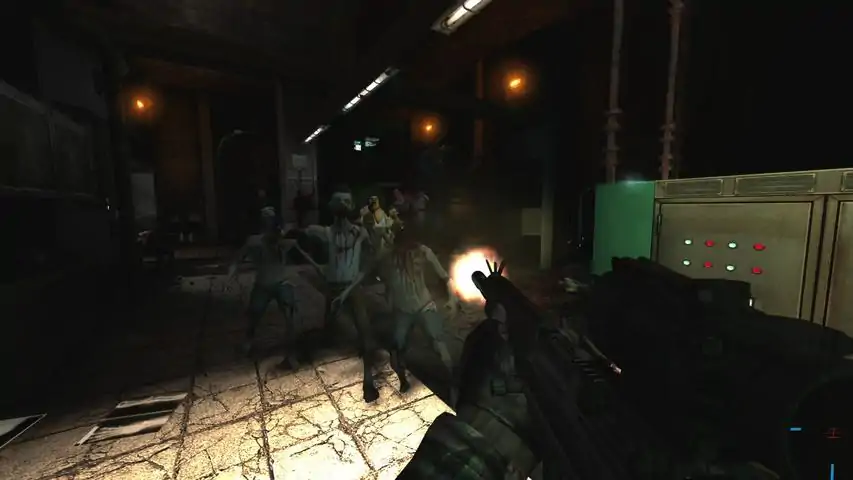
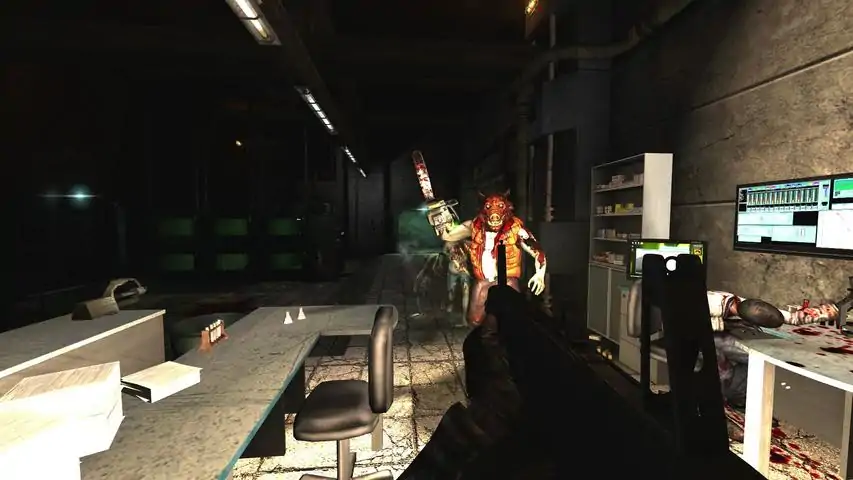
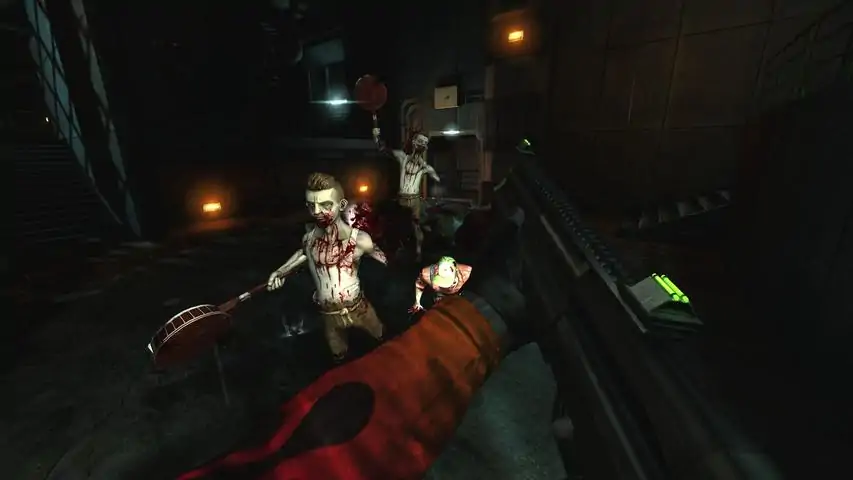
Wishlist Killing Floor 3!关于游戏杀戮空间(Killing Floor)是一款恐怖类生存合作第一人称射击游戏,背景设定在军方的克隆实验失败后被摧毁的英国城市和乡村。你和你的队友是进入这些地区的军方人员,任务只有一个:活下来清理干净实验失败的地区!多达 6 人的合作对抗一波又一波的实验体兵种系统,玩家可以用游戏中获得的战绩来提高角色的技能超过 170 项 Steam 成就,比如“Dignity for the dead”是杀死 10 个在啃食倒下队友的敌人,“Hot Cross Fun”是用十字弩了结 25 个着火的敌人慢动作模式“子弹时间”让你能够更好的观赏这些重要而暴力的实验体的倒下,在多人模式也能使用 离线单人模式10 种不同的全副武装的敌人,他们不仅有尖牙利爪,甚至有链锯、转轮机枪和火箭发射器33 种以上可以使用的武器,从小刀、消防斧到泵式霰弹枪、步枪和火焰喷射器用电焊枪、医疗工具、防弹衣来增加小队的生还几率选择不同的兵种来平衡队伍对抗敌人的能力开放、非线性的游戏区域;选择何时何地来战斗,或者逃跑;焊死对着有大量怪物的走廊尽头的门完全的自由游戏,允许玩家来选择游戏难度,敌人进攻波数,甚至选择自己喜欢的敌人来战斗支持 Steam 好友和其他 Steamworks 功能包含 Windows 专用开发工具来创造地图和 MOD
游戏圈
共27条帖子
master
2026-02-14 19:00:09 · 发布在 「Killing Floor」
如何解决技术问题、技能问题、成就问题
Short guide on how to fix 90% of the technical issues with Killng Floor and where to find the help with the other 10% How to fix 90% of your problems - SECTION 1 Try each of the fixes 1 - 6 listed below. You can also check the Guide Index on the far right side to jump to your specific problem (i.e. Linux fix for Open GL as an example) FIX #1 Most issues, like achievements not working , killing floor not starting, or perks not working can be fixed by doing these simple things - turn off killing floor - turn off steam (exit steam and make sure it is not running) - turn steam back on - verify the game cache for killing floor https://support.steampowered.com/kb_article.php?ref=2037-QEUH-3335&l=english - turn killing floor on and check now FIX #2 How to verify the game cache Right click on Killing Floor in your steam library, then select properties. Navigate to the "local files" tab and choose verify integrity of game cache. https://support.steampowered.com/kb_article.php?ref=2037-QEUH-3335&l=english FIX #3 How to delete Killing Floor System Folder If it still didnt work you might need to delete the killing floor.ini file and the user.ini . Just delete the entire Killing Floor System folder which has both of those files. Veryifying your game cache, after you have deleted the System folder will automatically rebuild your system folder with all the latest updates and synch. Windows Location of the system folder is C: Program Files Steam steamapps common killingfloor System MAC Library/Application Support/Killing Floor/System <-- where the .ini files are LINUX On Linux, it's in your home directory ~/.killingfloor/System FIX #4 How to delete the Steam Client Registry Blob Sometime the problem is Steam, not Killing Floor. If deleting and verifying the Systems folder did not work, try deleting the Steam ClientRegistry.blob and then verifying the game cache https://support.steampowered.com/kb_article.php?ref=7241-EYON-2343 WINDOWS - the client registry blob follow these direction. -Completely exit from the Steam client. -Go to C: Program Files Steam (or the Steam directory that was specified during installation). -Locate ClientRegistry.blob and rename this file to ClientRegistryOld.blob. -Restart Steam to allow the file to be recreated. https://support.steampowered.com/kb_article.php?ref=7241-EYON-2343 Mac OSX - - the client registry blob follow these direction - Completely exit from the Steam client. - Go to /Users/[Username]/Library/Application Support/Steam - Locate ClientRegistry.blob and rename this file to ClientRegistryOld.blob. - Restart Steam to allow the file to be recreated https://support.steampowered.com/kb_article.php?ref=7241-EYON-2343 . Test the issue once more. If you have deleted and reinstalled your Client Registry blob, go back and follow the steps for deleting the Killing Floor Systems folder and then verifying the game cache. The new Client Registry Blob should ensure you are now rebuilding with the latest files. FIX #5 Windows XP / Vista / Win 7 / Win 8 fixes HOW TO RUN KILLING FLOOR AS ADMINISTRATOR A. Run Killing Floor .exe as administrator. This fixes the issue for many people - find C: Program Files Steam steamapps common KillingFloor System killingfloor.exe - Right click on killingfloor.exe and select Run As - Select Run As Adminitrator B. Run Killing Floor .exe in compatibility mode. This has also fixed the issue. - C: Program Files Steam steamapps common KillingFloor System killingfloor.exe - Right click on killingfloor.exe and select Properties - Select Compatibility Tab - Select appropriate compatibility mode Always try running as administrator first. If that does not work, leave it set to run as administrator then set to compatibility mode FIX #6 Sometimes running the game in windowed mode will allow you to play the game and get past some issues with loading, black screen, etc until you find a permanent fix Right Click on Killing Floor in the My Games tab in Steam Select Properties Click Set launch options... Type -windowed into the text box Click Ok and then try to launch Killing Floor again FIX #7 Refresh Your Steam Files Do you believe that Steam's files may have been modified, corrupted, missing, or misconfigured? How can you restore Steam to its original state without having to reinstall your games? Why you may need to refresh your Steam files: Refreshing your Steam files can resolve many issues that can be encountered in the Steam application, store, or games. Performing this operation will ensure that there are no issues that could be resolved with a new installation of Steam, and is a good place to start any troubleshooting process. Note: This process will not affect your currently installed games. Windows XP/Vista/7/8 Completely exit the Steam client. Open the run dialogue by pressing windows key + r (you can also navigate here from the start menu by typing run). Type steam://flushconfig then press enter. (If asked to allow this website to open a program, please click Allow or OK). Restart your computer. Now, launch Steam directly from the installation folder, not from a pre-existing shortcut (~C: program files (x86) Steam). The Steam application will either appear as Steam or Steam.exe depending on whether your settings show file extensions. Mac OSX Completely exit the Steam client. Open Safari and type steam://flushconfig then press enter Restart your computer. Launch Steam and re-test the issue. Linux Open Terminal Type steam --reset You will see the following: Installing bootstrap /home/[username]/.steam/steam/bootstrap.tar.xz Reset complete! Restart your computer. This should remove and download new Steam files for your Steam client. Launch Steam and re-test the issue. Link to official Steam Support Page https://support.steampowered.com/kb_article.php?ref=3134-TIAL-4638&l=english FIX #8 Some times the problem is: - the server you were on is not updated. Try another server - Down load from different region If you just installed and its not working try deleting the game and downloading from a different region. Sometimes the downloads from one region might get temporarily corrupted. First uninstall Killing Floor, then change the download server in Steam by going to > settings > downloads > download region. Next, download Killing Floor from this new region and install. - it might be your computer. Check your firewall settings, check your antivirus, check your video drivers. If you read this and think its not the problem, it probably is. There are thousands of post of people with issues and they swear their computer works for other games, then they update their video driver or update their OS and magically it starts working. Sometimes the best way to find the problem is to eliminate everything else. Just update your video drivers , check you firewall setting, turn off your antivirus. Doing it will at least eliminate that as an issue. FIX #9 thru #30 check the sections below..... -. post the issue as a ticket[forums.tripwireinteractive.com] - . check the tripwire Killing floor support area [forums.tripwireinteractive.com] GOOD LUCK! . No servers or few servers for multiplayer - SECTION 2 Fix #1 Go to killingfloor/System folder and delete steam_appid.txt. Location of the file is C: Program Files Steam steamapps common killingfloor System steam_appid.txt Restart Steam, it will automatically put in a fixed file. Fix #2 Another common issue is the update list can become corrupt, this is solvable by deleting the AppUpdateStats.blob file and forcing Steam to download a new and fresh copy. •Go to C: Program Files Steam (or the Steam directory that was specified during installation). •Locate AppUpdateStats.blob and delete or rename the file to AppUpdateStatsOld.blob. •Next time you start Steam, the file will be forced to download. Fix #3 1: Turn off Steam. 2: http://media.steampowered.com/forums/MasterServer2.vdf download MasterServers2.vdf. 3: Put it into C: Program Files Steam config. 4: Rightclick MasterServers2.vdf and press properties, on the bottom of the window check the box for READ ONLY and press ok. 5: Start Steam, enjoy KF. http://forums.tripwireinteractive.com/showpost.php?p=769780&postcount=2 Fix #4 引用自 Agent Orange: 1) Refresh the server list 2) Alt-tab to desktop 3) Wait for 4 seconds, then alt-tab back into the game 4) You can now see plenty of servers Alternate Method of Starting Killing Floor- SECTION 3 First thing you should do if you can't launch Killing Floor is try all the methods in the first section of this guide. If all those methods have been tried and did not work then try launching Killing Floor WITHOUT USING STEAM. Windows - Go to My Computer - C: Program Files Steam steamapps common KillingFloor System KillingFloor.exe (application file) - double click on KillingFloor.exe - this should launch Killing Floor MAC OSX - Go to Library/Application Support/Killing Floor/System/ Killingfloor.exe - double click on Killingfloor.exe - this should launcch Killing Floor These steps allow you to bypass going through Steam to help find the issue. If it works then the issue resides in launching through Steam. You won't be able to play multiplayer using the alternate start method, just single player, but we are using it as a test. If Killng Floor does launch using the alternate start method, then there is an issue with Steam. The top fix for that would be deleting the Client Registry Blob which is listed in the first section/ Next would be to try to refresh your Steam files by doing a steam://flushconfig. Both deleting the client registry blob and flush config are detailed in the section above. If those two fixes do now work, then you will need to delete Steam and reinstall steam and Killing Floor. . Error: to run Steam, you must first connect to the internet - SECTION 4 Fix #1 - run Killing Floor in administrator mode Fix #2.The most common issues can be solved deleting the ClientRegistry.blob file and force Steam to download a new and fresh copy of it. See above / below for steps or go to https://support.steampowered.com/kb_article.php?ref=7241-EYON-2343 The clientregistry.blob is a file for the program Steam. The file holds your registration data for your games. If you delete it the file will be restored and you will have all of your default settings on all games installed (like your name, spray, binds, etc) •Go to C: Program Files Steam (or the Steam directory that was specified during installation). •Locate ClientRegistry.blob and delete or rename the file to ClientRegistryOld.blob. •Next time you start Steam, the file will be forced to download. Fix #3. Turn off Steam. Turn off your computer. Unplug your modem and your router. Plug in your modem and wait 2 minutes. Plug in your rounter and wait 2 minutes. Start your computer. Log into Steam and see if the error is resolved. Fix #4.Another common issue is the update list can become corrupt, this is solvable by deleting the AppUpdateStats.blob file and forcing Steam to download a new and fresh copy. •Go to C: Program Files Steam (or the Steam directory that was specified during installation). •Locate AppUpdateStats.blob and delete or rename the file to AppUpdateStatsOld.blob. •Next time you start Steam, the file will be forced to download. Fix #5.If none of the above work, you should try to start Steam on another computer on the same network, to check for router problems. •If Steam doesn't start on another computer on the same network, it indicates that there is a problem with the router. •Your router might need port forwarding. http://portforward.com/ is a great site for tutorials on how to forward ports on a lot of routers. •If Steam starts on another computer on the same network. It's something with your computer that's causing issue. Fix #6. If you have a firewall, try disabling it and start Steam. •If Steam starts your firewall might be blocking it. If you are using Windows Firewall, navigate to Control Panel All Control Panel Items Windows Firewall and press the "Advanced Settings" button on the left side. Then press the "Restore Default Policy" as this image shows. http://i.stack.imgur.com/6DVuz.jpg If you are using another firewall, please consult the firewalls manual to figure out how to restore the default settings. Fix #7. Another common issue is the steamappid.txt file is corrupted. To fix - Go to killingfloor/System folder and delete steam_appid.txt. Location of the file is C: Program Files Steam steamapps common killingfloor System steam_appid.txt Restart Steam, it will automatically put in a fixed file. Fix #8.Some programs may interfere with Steam and it's connectivity. •Check your latest installed programs with Steam's list programs that might interfere. https://support.steampowered.com Fix #9.Some Spyware, Adware, and Viruses also interfere with Steam. •Scan your computer for viruses, spyware and adware with an Anti-Virus program of your chose. If would recommend the free version of AVG, if you are in need of a Anti-Virus program. Error message "Video: No Video" - SECTION 5 If you are getting an error message and it contains the line "Video: No Video" the In the KillingFloor.ini configuration file, change, [Engine.Engine] NVidiaGPU=False to [Engine.Engine] NVidiaG PU=True Alternatively, you can try deleting the killingfloor.ini file, then verifying the contents. Run time error or Microsoft c++ visual error - SECTION 6 Are you getting this error? http://i.imgur.com/RWBKy31.png Fix #1 - Delete killing floor system folder (instructions at top of the guide) - verify game cache (instructions at top of the guide) - restart Killing floor Fix #2 - download and install Microsoft Visual C++ 2008 Redistributable Package (x86) from Microsoft (free) http://www.microsoft.com/en-us/download/details.aspx?displaylang=en&id=29 - open steam - verify Killing floor game cache (instructions at top of the guide) - restart killing floor Fix #3 - download and install DirectX End-User Runtime Web Installer from Microsoft (free) http://www.microsoft.com/en-us/download/details.aspx?id=35 - open steam - verify Killing floor game cache (instructions at top of the guide) - restart killing floor Laptop with HD integrated graphics won't run KF fix - SECTION 7 Go into the Intel control panel and change the 3d settings from performance to balanced http://anurag2008.hubpages.com/hub/How-to-Make-Games-Run-Faster-on-Your-Laptop# To access 3D graphics settings, right-click on your windows desktop and choose graphic properties. The Intel HD Graphics and Media Control Panel has preset options and custom settings. Click on 3D and under global settings, you will find a slider that lets you choose between Performance and Quality. Choosing performance will enhance gaming performance, but will lower 3D settings. Moving the slider toward Quality will improve 3D graphics, but may lead to slower frame rates and choppy performance. I always choose Performance over Quality to ensure a stutter-free gaming experience. http://s3.hubimg.com/u/7540918_f1024.jpg . Black screen at launch - SECTION 8 First up some people are reporting flickering and a black screen on launch. Also if your system seems to be having graphical lag you will also want to try this. To fix open up your killingfloor.ini file (located in steam/steamapps/common/killingfloor/system) find [Engine.Engine] RenderDevice=D3D9Drv.D3D9RenderDevice ;RenderDevice=D3DDrv.D3DRenderDevice and change it to [Engine.Engine] ;RenderDevice=D3D9Drv.D3D9RenderDevice RenderDevice=D3DDrv.D3DRenderDevice You will also want to change your resolution to your desired. In the same ini file look for: [WinDrv.WindowsClient] WindowedViewportX=800 WindowedViewportY=600 FullscreenViewportX=800 FullscreenViewportY=600 And change the Full Screen and windowed to your desired resolution for full screen and windowed mode. Save the file and launch KF again. . Text unreadable or text is just dots - SECTION 9 Some possible solutions to text being dots 1. set resolution to a higher setting. Sometimes at the lowest settings it can show just dots. http://youtu.be/xX2ZQ62IzaE or http://forums.tripwireinteractive.com/showthread.php?t=47793 2. Change you video card settings. In the ATI CCC, change "Force AA" to "application enabled/controlled" OR in KF use "none" for AA settings. http://forums.steampowered.com/forums/showthread.php?t=1965769 or http://forums.steampowered.com/forums/showthread.php?t=1566676 3. change Trilinear filter http://forums.steamgames.com/forums/showthread.php?t=1950742 . Fix for "Querying Master Server" - SECTION 10 This issue has cropped up again recently. At the moment it looks like there may be problems on Steam's end. You may be able to find servers by using the Steam server browser instead of the in-game one - to do this right-click on the Steam tray icon and click Servers, and in the Servers tab make sure that you filter by Killing Floor and click Refresh. This should bring back a server list. If it doesn't then you can almost be sure that Steam is having more fundamental issues. Also, Steam may have wiped the master server file for some people. Try hosting a listen server from the main menu, start playing and then disconnect, and then try finding servers again. Apparently this causes the file to be created. http://forums.tripwireinteractive.com/showthread.php?t=40533 OR Also users are reporting that unchecking Dynamic Net Speed in options has fixed a connection failed issue. . Perks Reset to zero or Perks not progressing - SECTION 11 Your perk levels are stored at Tripwire Interactive, makers of Killing Floor. Even if you delete Killing Floor, you perks will always be saved. If your perks are suddenly reset to zero or get stuck, chances are there is a very temporary break in synching your computer to your Perks at TWI. Here are three simple fixes: Fix 1 - Restart Steam and Killing Floor Most issues, like achievements not working , killing floor not starting, or perks not working can be fixed by doing these simple things - turn off killing floor - turn off steam - turn steam back on - verify the game cache for killing floor - turn killing floor on and check now Fix 2 - Verify your Killing Floor game cache How to verify the game cache Right click on Killing Floor in your steam library, then select properties. Navigate to the "local files" tab and choose verify integrity of game cache. Fix 3 - After trying Fix 1 and 2 perks still not reset. If you did 1 and 2, and are still at zero, start killing floor in solo and play for a couple of minutes. Then switch to multiplayer and play for a few minutes. Exit Killing Floor and restart, should be fixed. Fix 4 - Delete the Killing Floor Systems folder then veryify your game cache If you did steps 1, 2 and 3, then you can try this additional fix. After deleting KF systems folder and verifing, then follow step 3 again. How to delete Killing Floor System Folder If it still didnt work you might need to delete the killing floor.ini file and the user.ini . Just delete the entire Killing Floor System folder which has both of those files. Veryifying your game cache, after you have deleted the System folder will automatically rebuild your system folder with all the latest updates and synch. Location of the system folder is C: Program Files Steam steamapps common killingfloor System Fix 5 - Wait 24 to 48 hours You are just out of synch with the Tripwire server. Should fix itself in 24 to 48 hours. Fix 6 - Un-favorite non-whitelisted weapons 引用自 nightquaker:I had an issue with perks not progressing yesterday. Usual non-whitelisted mutators and stuff (weapon by IJC somehow wasn't whitelisted). Basically, even if you disable all mutators, but have the non-whitelisted weapons favorited in the shop, it'll not progress your perks. The weapons still stay in the favorites list even if you disable their corresponding mutators. The solution is to un-favorite the weapon Fix 7 - Host an online game and set a password. . Can not play multiplayer / Can not host listen server / Killing Floor ports - SECTION 12 The following is a list of ports used by Killing Floor. Make sure they are open in your router/firewall. (You will need these to host a listen server) 7707 UDP/IP (Game Port) 7708 UDP/IP (Query Port) 7717 UDP/IP (GameSpy Query Port) 28852 TCP/IP and UDP (Allows your Server to Connect to the Master Server Browser) 8075 TCP/IP (Port set via ListenPort that your WebAdmin will run on) 20560 UDP/IP (Steam Port) Another setting you might have to deal with when hosting a listen server in your killingfloor.ini is: ServerBehindNAT=False Set it to True Go to killingfloor/System folder and delete steam_appid.txt. (This file is createed if you use the UCC file at all for compiling or decompiling mutators or content. and will cause KF to hang at the black connecting screen) Location of the file is C: Program Files Steam steamapps common killingfloor System steam_appid.txt Handy internet tools[/url] to test if your ports are open Port Fowarding Tester and other tools[www.yougetsignal.com] http://www.yougetsignal.com/tools/open-ports/ or https://www.grc.com/x/ne.dll?bh0bkyd2 Useful websites for people who do not know how to open ports on their router/firewall How To Find You IP Address[techfleece.com] or http://portforward.com/ Also users are reporting that unchecking Dynamic Net Speed in options has fixed a connection failed issue. . Additional can not connect to server can not play multiplayer - SECTION 13 If you have used Killing Floor SDK or have it installed, it creates a file that will block multiplayer server acces. Simply delete the file "steamappid.txt" Go to killingfloor/System folder and delete steam_appid.txt. Location of the file is C: Program Files Steam steamapps common killingfloor System steam_appid.txt Restart Steam, it will automatically put in a fixed file. http://forums.steampowered.com/forums/showpost.php?p=23342460&postcount=2 . Killing Floor Slow loading / Game lag - SECTION 14 Option 1: Turn off "Reduce Mouse lag" The option reduce mouselag reduces the mouse lag you get when you have vsync enabled, however it eats loads of cpu cycles. So if you get stuttering or bad performance or even mouselag, its worth trying to turn this off. Option 2 turn of PreCaching 1) Find your KillingFloor.ini file located in the steam/steamapps/common/KillingFLoor/system folder (hint it looks like a notpad icon with a cog) 2) Change the values listed below: under [ALAudio.ALAudioSubsystem] Change UsePrecache=True to UsePrecache=False and under [Engine.LevelInfo] Change bNeverPrecache=false to bNeverPrecache=true and under [Engine.NullRenderDevice] Change UsePrecaching=True to UsePrecaching=False and under [D3DDrv.D3DRenderDevice] Change UsePrecaching=True to UsePrecaching=False and under [D3D9Drv.D3D9RenderDevice] Change UsePrecaching=True to UsePrecaching=False and under [OpenGLDrv.OpenGLRenderDevice] Change UsePrecaching=True to UsePrecaching=False and under [PixoDrv.PixoRenderDevice] Change UsePrecaching=True to UsePrecaching=False Option 3: for windows 7/Vista users turn off Superfetch Superfetch is generally used to load often used programs early into your memory so when you use it, that it can be started up quicker. Finally if you use windows 7 or windows vista and make use of SuperFetch for your memory and encounter "stuttering" it might be worth turning that off. To turn it off press the windows start button -> in the search field type "services" From the result list press on Services or press enter. Look in that screen for superfetch and and double click on it to open a window Set startup type to "Disabled" and below that click the "Stop" button. After that press OK or Apply and close all windows. Option 4 Right-Click "C: Program Files (x86) Steam steamapps common killingfloor System k illingfloor.exe" Select Properties / Compatibility Tab Tick "Run this program in Compatibility mode for:" Select "Windows XP (Service Pack 3)" in the Drop-Down Menu Tick "Run this program as an administrator" Click Apply Click OK This solution worked on 3 PC's... 1st Machine Windows Vista Ultimate (x64) Pentium Celeron 2.4Ghz 4GB Ram 160GB Seagate HDD 2nd Machine Windows Vista Home Premium (x86) AMD Athlon64 3200+ 2.8Ghz OC 2GB Ram 80GB Maxtor HDD 3rd Machine Windows 7 Ultimate (x64) AMD Athlon64 X2 6000+ 3.1Ghz 4GB Ram 500GB Maxtor HDD Option 5: Use the DX 9 renderer (recommended), or perhaps try the OpenGL renderer (not recommended) On most computers the DX9 rederer performs faster and loads better than the dx8 renderer, and its only advised using the DX8 renderer if the DX9 one gives issues. The OpenGL renderer is officially not supported afaik, but on some computers it can actually give the best speeds and performance so if you have issues with performance and loading just try it out on your own risk. If you had previously enabled the dx8 renderer you can do the opposite of this thread to put it back to dx9 or to the openGL one. http://forums.tripwireinteractive.co...ad.php?t=30754 Option 6: Defragment your hard disc Bad fragmentation of your harddisc can increase loading times and lower fps so keep your system drive and kf drive in good shape. I personally recommend perfectdisk (their site got a free trial http://www.perfectdisk.com/). As they are the only company offering an offline defragmentation option with metadata defragmentation. Doing both a regular defragment as an offline defragment for the KF and Windows drives will definitely improve performance and loading speed. If you dont wan't to try trial software you can of course use your favourite defragmentation software. . Comcast internet - KF won't work - SECTION 15 If you use Comcast for internet and use their Constant Guard, it is a known issue. Try this fix: 1. Open Constant Guard 2. Click on Options 3. Under additional Options, click on "Manage blocked programs" 4. Unblock KillingFloor.exe 5. Close Constant Guard 6. Launch Killing Floor 7. Have fun and stop cursing at KF and start cursing at Comcast! . Linux - KF won't start / open / graphic issues - SECTION 16 Fix #1 KF might have forced the game setting to Direct X. Linux will not work with Direct X, it works with Open GL. Try this: open "properties" and then you press "set launch setting" there you type "-opengl". Several people have reported this issue was fixed with this process. Fix #2 edit .ini file go to /home/myuser/.killingfloor/System/KillingFloor.ini file change the resolution for FullscreenViewportX and FullscreenViewportY . Achievement did not work / I did not get new weapon, skin, award - SECTION 17 If you did not get an achievement or Perk it might be because: - the server was not running a long game (map). Must be 10 waves to be long. So for instance the Bedlam map must be Hard difficulty and on 10 wave long or it doesn't count. Some achievements DO NOT require a long map (most newer achievements don't). Read the description to see if that is problem. - you may not have done the achievement correctly. READ THE ACHIEVEMENT CAREFULLY!! Try it again - You may have turned on a mutator if you are playing solo. If you did, the achievement won't count. - You can not play offline and get the achievement. Even in solo you must be connected. - If you are playing multi player the server can not be running mutator. If it is the achievement won't count. Check for mutators before joining the server. Tips on how to get Achievements can be found at http://forums.steampowered.com/forums/showthread.php?t=2386339 . Fix for Dwarfs Axe - Gimli that Axe achievement bug - SECTION 18 Dwarfs?! Axe + Achievement Bug Solved! If you buy Dwarfs?! or just play Dwarfs F2P (free to play) and get the Achievement "Not A War hammer". Same steps if you don't get the Achievement and the Axe if Killing Floor: Step 1: Go to your Steam Profile Step 2: Click on "Edit My Profile" Step 3: Click on Settings Step 4: Set your Profile Status and Inventory to Public Now start Killing Floor, go in any Match (Solo or Multiplayer it's the same) You now should have the Achievement "Gimli that Axe" and buy the Axe. If it still does not work you can try fixes for deleting your system folder and client registry blob listed in the first section. http://steamcommunity.com/app/1250/discussions/0/828935673090747972/ This fix was posted by Selurio http://steamcommunity.com/id/selurio/ Additional achievement help http://forums.steampowered.com/forums/showthread.php?t=2386339 . Due to recent changes in how Steam works and can read profiles, this is no longer possible to achieve. Delete SDK to fix Killing Floor won't launch or closes - SECTION 19 People have reported deleting Killing Floor SDK has helped them. You do not need SDK to play KF so deleting it is not a problem. To try this fix do these steps: =go to steam game libary =change the "All Games" dropdown to "Tools" (above your game list) =right click on SDK and select deleat . Map Achivement not working for Bedlam, Wyre, Foundy and a few others - SECTION 20 Originally Posted by [TW]Dan Hi all, there's an issue in the current live build that's causing the achievements to be incorrectly earned when completing earlier maps. To prevent this I've turned off the offending achievements, as we won't be able to fix the issue without doing a new build (the fix will come in the rollback). I've already posted the details on another thread, so if you've seen it you can stop here, as I'm just repeating them. The following maps have had their map-completion achievement disabled during the difficulties-Hard, Suicidal, Hell on Earth: West London, Manor, Farm, Office, Biotics Labs. Normal is still fine. The following maps have had their map-completion achievement disabled only on Hell on Earth:Bedlam , Wyre, Foundry. Other difficulties should be unaffected. My apologies if this happens to effect your achievement earning, but I'd say it's better than earning the wrong achievement. http://forums.tripwireinteractive.com/showthread.php?t=86445 http://forums.tripwireinteractive.com/showpost.php?p=1185121&postcount=123 Still broken with no date on when the fix will come. Additional achievement help http://forums.steampowered.com/forums/showthread.php?t=2386339 . Thompson Router isssue, other connection issues - SECTION 21 Thompson router fix[forums.tripwireinteractive.co...ad.php] http://forums.tripwireinteractive.co...ad.php?t=38891 1.Odds are your router/firewall is blocking Killing Floor connections. You might need to open some of or all of the ports listed here: http://forums.tripwireinteractive.co...?t=3072-(never try 2.Also users are reporting that unchecking Dynamic Net Speed in options has fixed a connection failed issue.-(No servers appear in MP also after unticking under options) 3.You've had your game update but you still don't see servers or have connection issues? Try going to your killingfloor/system folder and deleting the entire system folder and letting steam regenerate it from the new build. Some configuration settings might not have been reset which are keeping you from receiving changes in the update-(No servers appear in MP after deleteing the system folder and reverifying the game cache under properties) 4.You might want to switch the following setting in your killingfloor.ini: ServerBehindNAT=False To: =True (-(No servers appear in MP . BT Home Hub Users problem Killing Floor - SECTION 22 We've been picking up on a small number of people having issues trying to play KF while using one version or another of the BT Home Hub in the UK. With a little (alright, rather a lot of) digging, we've discovered that BT does appear to have some issues with the Home Hub and multi-player/online gaming (their forums mention everything from L4D to WoW). It seems to be very intermittent and only affects "some" users. They also tend to point people at some internals for the hub to do with port forwarding. See this link: http://bt.custhelp.com/cgi-bin/bt.cf...7&p_faqid=8790 Obviously there is no easy way for us to test this out... We aren't even sure if it is relevant, but it does seem to clear the problems for some people. For details of port forwarding for KF, see this thread on these forums: http://forums.tripwireinteractive.co...ad.php?t=30727 If someone would like to try it out and report back, that may help. Please follow the BT instructions carefully and do NOT screw up your Hub! In general, if you have had issues with a BT Home Hub, we need YOU to contact BT Support, as we can't because we aren't customers. http://forums.tripwireinteractive.com/showthread.php?p=459924#post459924 . Port Forwarding Killing Floor on the Netgear - SECTION 23 Original thread with directions and screen shots is at http://portforward.com/english/routers/port_forwarding/Netgear/WNDR3700/Killing_Floor.htm What is Port Forwarding?[portforward.com] To setup port forwarding on this router your computer needs to have a static ip address. Try our free PF Setup Static IP Address Program which will setup a static ip address for you. Or you can take alook at our Static IP Address guide to setup a static ip address. When you are finished setting up a static ip address, please come back to this page and enter the ip address you setup in the Static IP Address box below. Do not skip this step! 192.168.1. WNDR3700 Open a web browser like Internet Explorer or Firefox. Enter the internal IP address of your router in the address bar of your browser. If you do not know your routers internal IP address please read our How To Find Your Routers IP Address guide. In the picture above the address bar has http://www.google.com in it. Just replace all of that with the internal IP address of your router. By default the IP address should be set to 192.168.1.1. WNDR3700 You should see a box prompting you for your username and password. Enter your username and password now. By default the username is admin, and the password is password. Click the Ok button to log in to your router. Please visit our Default Router Passwords page if the username and password shown above did not work for you. WNDR3700 Click the Port Forwarding link near the left of the page. WNDR3700 Click the Add Custom Service button near the center of the page. WNDR3700 . How to change to Direct X 8 mode by ini file - SECTION 24 To fix open up your killingfloor.ini file (located in steam/steamapps/common/killingfloor/system) find [Engine.Engine] RenderDevice=D3D9Drv.D3D9RenderDevice ;RenderDevice=D3DDrv.D3DRenderDevice and change it to read as [Engine.Engine] ;RenderDevice=D3D9Drv.D3D9RenderDevice RenderDevice=D3DDrv.D3DRenderDevice Save the .ini and relaunch the game. . Mac or Microsoft - start in windowed mode - SECTION 25 Right Click on Killing Floor in the My Games tab in Steam Select Properties Click Set launch options... Type -windowed into the text box Click Ok and then try to launch Killing Floor again . Version mismatch errors - SECTION 26 This is either because the server has a mod you don't have, you have a mod the server doesn't, the server is outdated or you are outdated. Verify your game cache. Remember that things such as Audio Mods and Trader Mods will not trigger Perks to stop working, but some of them will cause version mismatches if they replace certain files. Most of them will require you to download the original packages from the server you're connecting to. Let it do that once, and you should be able to keep your mods and still connect to servers. At least, until the Cache is cleared after 30 days. You can change the amount of days before the cache is cleared by changing PurgeCacheDays in KillingFloor.ini. http://forums.steampowered.com/forums/showthread.php?t=2787028 , Unknown Steam Error is preventing access to the server! - SECTION 27 this is because of the way Unreal Engine works. Killing Floor will try to remember the password so you won't have to input it again next time. However, the perk system and Steam connectivity in KF is kind of a hackjob, which means that Steam can't initialize properly this way. To fix it temporarily, you can search for SavedPasswords in KillingFloor.ini and remove those lines, or the server in question can change passwords. For a permanent fix, you'll have to make your KillingFloor.ini Read-Only, which means that most of the options you change after that will not save. http://forums.steampowered.com/forums/showthread.php?t=2787028 . An Unknown Steam Error prevented access to my perks? - SECTION 28 The server is not allowed to have any mutators activated (And some mutators aren't even allowed to be installed) which are blacklisted. None of the official mutators, apart from No Trader and No Karma Decorations, is whitelisted or even greylisted. So don't even try. The Mutator Whitelist can be found here. http://forums.steampowered.com/forums/showthread.php?t=2787028 . Additional fixes from the Tripwire tech forum - SECTION 29 Read the list of fixes in this thread on Tripwire[forums.tripwireinteractive.com] TWI tech forum[forums.tripwireinteractive.co...splay.php] http://forums.tripwireinteractive.co...splay.php?f=58 . How to run in windowed mode - SECTION 30 Right Click on Killing Floor in the My Games tab in Steam Select Properties Click Set launch options... Type -windowed into the text box Click Ok and then try to launch Killing Floor again alt+enter is a hotkey for windows that makes a program switch between fullscreen and windowed. (source: Immortal Nub) . Can't join friends game in multiplayer - SECTION 31 The friends tab doens't work properly. When a friend is in a game and you get the "Server is not responding"- message, then: -Copy the IP number that you see of that server. ( you see it on the "Server is not responding"-window. -Enter multiplayer and Internet games tab. -Right click and choose open IP -paste the IP and press OK. http://youtu.be/rXp7suM9LA8 http://youtu.be/o0Xbsm4tv7A . Default character won't change / won't save change - SECTION 32 There is a known issue that this is a problem for DAR, Robot Chicken, and some others. There is no patch from Tripwire as of today. I will update as soon as there is a patch. Below are two fixes that have worked for many people, but not everyone: Fix 1 The Unreal engine will not write to the ini file while in a multiplayer game. If you start Killing Floor, go into Profile and Achievements and select the default character you want (Robot Chicken, DAR, etc), save, then close Killing floor without ever going into multiplayr, close steam, then start steam, start Killing Floor it is supposed to work. Its important not to go into multiplayer before changing the settings, and not to play Killing Floor after changing the settings. You have to turn off killing floor and steam, then restart. Fix 2 Change the default character in your Killing Floor user ini file, First turn off Killing Floor and Steam. Then go to C: Program Files Steam steamapps common killingfloor System User File will open as a text file. It will start off like this [DefaultPlayer] Name=Bigguns_93 Class=Engine.Pawn Character=DAR team=1 Sex=M Where it says Character= put the name of the skin you want to be your default skin. Close and save the file. . Nothing worked - what do I do now? - SECTION 33 Create a post asking for help in the Discussions as well as on the Tripwire Technical support area. List your specific problem, computer specs, operating system, video card and driver. Copy and paste your killing floor log fille, its the only text file in the Killing Floor System folder (C: Program Files Steam steamapps common killingfloor System). List each of the fixes you have already tried to help eliminate certain issues and so you won't have people repeating fixes several times that you already tried. Sometimes it is the little things like updating your video driver or unsubscribing from all the mods in the Workshop. Don't skip those steps, it may be the fix you need or it may just eliminate that as a possibility. , Killing Floor official manual - free - SECTION 34 You already have it, you just don't know it. This is the location C: Program Files Steam steamapps common killingfloor Help Killing Floor Game Manual[imgv2-4.scribdassets.com] There is also a quick start guide in the same folder . MAC fixes - SECTION 35 FIXES FOR MAC ONLY !! FIX #1 - turn off killing floor - turn off steam (exit steam and make sure it is not running) - turn steam back on - verify the game cache for killing floor - turn killing floor on and check now FIX #2 How to verify the game cache Right click on Killing Floor in your steam library, then select properties. Navigate to the "local files" tab and choose verify integrity of game cache. FIX #3 - Right Click Killing Floor in Steam>Properties>turn off Steam Community FIX #4 How to delete Killing Floor System Folder If it still didnt work you might need to delete the killing floor.ini file and the user.ini . Just delete the entire Killing Floor System folder which has both of those files. Veryifying your game cache, after you have deleted the System folder will automatically rebuild your system folder with all the latest updates and synch. MAC Library/Application Support/Killing Floor/System <-- where the .ini files are FIX #5 How to delete the Steam Client Registry Blob Sometime the problem is Steam, not Killing Floor. If deleting and verifying the Systems folder did not work, try deleting the Steam ClientRegistry.blob and then verifying the game cache https://support.steampowered.com/kb_article.php?ref=7241-EYON-2343 Mac OSX - - the client registry blob follow these direction - Completely exit from the Steam client. - Go to /Users/[Username]/Library/Application Support/Steam - Locate ClientRegistry.blob and rename this file to ClientRegistryOld.blob. - Restart Steam to allow the file to be recreated https://support.steampowered.com/kb_article.php?ref=7241-EYON-2343 . Test the issue once more. If you have deleted and reinstalled your Client Registry blob, go back and follow the steps for deleting the Killing Floor Systems folder and then verifying the game cache. The new Client Registry Blob should ensure you are now rebuilding with the latest files. FIX #6 Sometimes running the game in windowed mode will allow you to play the game and get past some issues with loading, black screen, etc until you find a permanent fix Right Click on Killing Floor in the My Games tab in Steam Select Properties Click Set launch options... Type -windowed into the text box Click Ok and then try to launch Killing Floor again FIX #7 Solution for Mac To fix this error use the following steps: Exit Steam Navigate to Users/[username]/Library/Application Support/Steam by default.) Delete everything in that directory Launch Steam.app from your Dock or Applications folder https://support.steampowered.com/kb_article.php?ref=3093-MKUJ-5773&l=english FIX #8 Mac Driver Updates How do I update my drivers on my Mac? Apple handles all system and driver updates for your system. To check if any updates are available please do the following: Click on the Apple in the upper left corner of the screen Select "Software Update..." Any updates available will be listed and able to be downloaded or you will be told your software is up to date NOTE: It is recommended that you always keep your system up to date https://support.steampowered.com/kb_article.php?ref=1244-WEJN-0804&l=english Something to think about while looking for a fix - SECTION 36 Something to think about while looking for a fix https://xkcd.com/979/ Perks will not progress - progress resetting / won't save - SECTION 37 You are playing and you get your perk to level 3 ( or any level / progress). You start a new game and you are back to level 2. What happened? Your perks WILL NOT PROGRESS IF - you are not online, even when playing solo you must be online - you can not be in third person, must be in first person - you use sandbox mode - you use a grey listed mod - you are on a server using a grey listed mod - you turn on cheats in solo mode - you are playing swarm mode or toy box - you downloaded a custom map or workshop mod that affected perks Fixes: 1. Don't do any of the stuff listed above 2. Follow these steps EXACTLY in order. Directions are at the top of the guide - unsubscribe from workshop mods - delete steamappid.txt file - delete appsupdate.blob file - delete killing floor system folder - delete killing floor maps folder - set killing floor to run as administrator - set steam to run as administrator - set steam to run in compatibility mode for MS XP - delete steam cliientregistry.blob file - restart steam - refresh steam (steam://flushconfig) - verify game cache for Killing Floor - start killing floor in solo mode vanilla ( no mods, no cheats, no custom maps, no sandbox) - play one full round in solo mode, can be any length any difficulty - turn off Killing floor, turn off steam, restart steam, restart killing floor - play killing floor on multiplayer vanilla server ( no mods, no cheats, no custom maps, no sandbox) SEE TOP OF GUIDE FOR DIRECTIONS FOR EACH STEP !!!! Linux perks not progressing - SECTION 38 input rm -rf ~/.killingfloor Then re-launch the game, then set all the options up again from scratch. You'll lose your key bindings, resolution, sound settings, skin settings, etc. You won't lose your character's XP progression. If this did not fix it, go to the post above this one and follow EVERY STEP IN ORDER. Windows 10 fix - SECTION 39 Fix #1: a Windows 10 fix C: > Program Files > Steam > steamapps > common > KillingFloor > System > right click KillingFloor.exe and select Properties https://i.imgur.com/ClrqkJe.jpg check "Disable display scaling on high DPI settings" ( this fix is credited to azn_ninja's guide ) Fix #2: 引用自 Rausku:Changing renderer worked. ... steamapps common KillingFloor System killingfloor.ini change [Engine.Engine] RenderDevice=D3D9Drv.D3D9RenderDevice ;RenderDevice=D3DDrv.D3DRenderDevice into [Engine.Engine] ;RenderDevice=D3D9Drv.D3D9RenderDevice RenderDevice=D3DDrv.D3DRenderDevice The second fix was a situation where a player upgraded hardware from a GTX 970 to an RTX 2080 in addition to changing from windows 7 to windows 10. ZED MKI not unlocking after getting achivement - SECTION 40 Try setting your steam profile to public, run Killing Floor, then set your profile to private again. Killing Floor Disables Windows Gamma - SECTION 41 Run the game in windowed mode. Alternatively, you can adjust your setting with the Nvidia control panel. Discord Overlay - SECTION 42 The discord overlay might prevent you from starting Killing Floor. If you use the discord overlay, just go to your discord settings, and disable the overlay. Rubberbanding Zeds in low ping servers - SECTION 43 Make sure you have exhausted all other options before doing this because I have no idea how to change this back. - Immortal Nub Go to console and type "netspeed 30000" without the quotes. Did you not find the fix you were looking for? If you have been unable to find a solution, please start a new thread in the discussion forum, and post the link in this comment section. It makes these issues much easier to manage, and more people in the community can chime in as well.
爱心小蛋糕
2026-02-14 22:00:11 · 发布在 「Killing Floor」
获取《杀戮空间》成就
Данное руководство содержит краткие гайды по получению достижений в Killing Floor. Надеюсь, оно будет полезно новичкам. Буду рад любым комментариям, направленным на повышение качества данного руководства: замечания об ошибках, неточностях, какие-либо дополнительные сведения. При создании руководства были использованы также материалы Killing Floor Wiki[www.kf-wiki.com]. Выражаю благодарность данному сайту, а также всем пользователям Steam и форума http://killingfloor.ru/, своими комментариями и советами помогавшим в написании и улучшении данного руководства. Отдельная благодарность моей Ленушке, которая с пониманием относится к моим увлечениям и не мешает работать над данным руководством и играть. Введение Актуальность и тип изменений можно уточнить в последнем разделе руководства В связи с изменениями в политике Steam, касающейся доступа к профилю, для получения некоторых достижений (связанных с другими играми Tripwire), следует хотя бы на время открыть полный доступ к вашей учетной записи. Условно все достижения в Killing Floor (далее — KF) можно разделить на 3 группы: достижения карт; достижения событий; достижения, не привязанные к картам или событиям. ☆☆☆ Достижения для карт ☆☆☆ Эти достижения дают только за прохождение определённых карт в обычном режиме или в режиме выполнения заданий. Общие требования к достижениям карт: Карта должна быть официальной, то есть созданной разработчиками игры. Игра должна быть длинной (10 волн). Победа в игре с меньшим количеством волн не засчитывается, за исключением некоторых случаев (см. ниже). Должны быть отключены "серые" мутаторы. Список "белых" мутаторов можно посмотреть в меню создания одиночной игры. ☆☆☆ Достижения событий ☆☆☆ Событиями (events) в KF называют кратковременные (около 2 недель) изменения игры, приуроченные к определённой дате. В игре существуют следующие события: Летнее обновление — обычно середина июля, скины мобов меняются на цирковые. Хеллоуинское обновление — неделя до и неделя после соответствующего праздника, скины мобов меняются на "деревенские". Во время первого Хеллоуинского обновления скины были заменены на "ужасные", например, отбивальщик выглядел как монстр из фильма о Франкенштейне. Рождество — неделя до и неделя после католического Рождества, скины мобов меняются на рождественские. До 2015 года получить достижения событий можно было только в определённое время. С моментом окончания поддержки игры разработчики выпустили патч, разрешающий активацию событий в любое время. Ссылка на новость Раньше нужно было активировать соответствующее событие в настройках игры. Сейчас любые достижения будут засчитаны даже со стандартными скинами. Если вы хотите активировать какое-то событие "just for fun", следуйте инструкции: Если игра запущена — выйдите из неё. Найдите в каталоге %STEAM%/steamapps/common/killing floor файл killing_floor.ini. Найдите в файле killing_floor.ini строку с параметром SpecialEventType. Укажите название нужного события: Значение параметра Событие ET_None Обычные монстры ET_SummerSideshow Лето ET_HillbillyHorror Хеллоуин ET_TwistedChristmas Рождество Сохраните изменения. Запустите игру. Найдите подходящий сервер или играйте соло. ☆☆☆ Игровые достижения, не привязанные к конкретным картам или событиям ☆☆☆ Эти достижения можно получить в любое время года на любой карте, достаточно проявить немного (в редких случаях, напротив, очень много) терпения и сноровки. В официальном переводе названий и описаний достижений присутствует множество ошибок. Одна из целей этого руководства — создание корректного описания достижений. Авторы выражают благодарность всем участникам, приславшим уточнения, исправления и замечания. Например, нормальный и высокий уровни сложности кое-где называются "учения" и "война" соответственно, хотя в английской версии написано "normal" и "hard". Ну что ж, пожелаем переводчикам повышения квалификации! Достижения за прохождение карт на сложности "Легко" не дают. ☆☆☆ Карты-исключения☆☆☆ На этих картах можно получить достижение за прохождение, сыграв короткую (4 волны) игру вместо длинной (10 волн): KF-Clandestine KF-Forgotten - Забытое KF-FrightYard - Порт KF-Hell - Ад KF-Hellride - Дорога в Ад KF-HillbillyHorror - Деревенский ужас KF-IceCave - Ледяная пещера KF-MoonBase - Лунная база KF-SirensBelch - Отрыжка сирены KF-Steamland - Паромир KF-Stronghold - Твердыня KF-ThrillsChills KF-Transit - Транзит Загвоздка получения достижений кроется в описании "Пройдите ... на ... уровне сложности...", в то время как у других карт "Завершите долгую игру ... на сложности ..." ☆☆☆Скрины-доказательства☆☆☆已知问题 1. 在KF-WestLondon地图中,某些情况下潜行者不会从桥上跳下;而在KF-Foundry地图中,潜行者不会跳进窗户,反而会在工厂外徘徊。这两种情况都可以使用手榴弹或其他范围伤害武器(例如榴弹发射器)来解决。 2. 在某些情况下,成就的解锁取决于服务器设置,例如【Не время для любви, Доктор Джонс】、【Кинь-ка топор!】以及其他一些成就。如果您完全按照说明操作,但成就仍未解锁,请尝试在其他服务器上游玩,或者如果可能的话,尝试在单人游戏中获取该成就。 【战壕战争】- 使用战壕霰弹枪击杀200名敌人。需要在一局游戏内完成击杀,因为经常不计数(不累积) 一击即忘:【用鱼叉枪或榴弹发射器通过一次爆炸击杀万圣节挡路者和屠夫】。如果在同一波次中用榴弹发射器分别击杀这两种怪物,有机会解锁该成就 扔出斧头! 补充于2024年5月27日 用户ОЛЕГ ASSМАНОВ对《矮人!?》的付费版和免费版进行了测试在获取该成就的过程中,发现了一种更简单的方法,无需额外脚本和繁琐操作。需要在免费版游戏《矮人?!》中获取成就Not A War hammer。如果之前在付费版中获得过该成就,只需进入免费版,成就就会自动同步到免费版中(其他成就也会同步)。在免费版本中获得成就后,进入《杀戮空间》。接着加入服务器,游玩一段时间并获得成就,之后重新进入游戏即可获得斧头,更准确地说是获得在商店购买斧头的权限。旧的不太实用的方法:一份英文指南,如果你无法通过标准途径获得,它可能会帮到你。基础地图成就 最初《杀戮空间》仅包含以下地图: KF-BioticsLab(生物实验室) KF-Farm(农场) KF-Manor(庄园) KF-Offices(办公室) KF-WestLondon(西伦敦) 完成这些地图可解锁以下成就: 图片 名称及描述漫长的战争 在【教学】难度下,完成所有5张主要地图的漫长游戏。战争的重担 在【战争】难度下完成所有5张主要地图的持久战。连续自杀 在“自杀”难度下完成5张主要地图的漫长游戏。 目前没有针对在地狱难度下通过所有指定地图的成就,因为这些地图远在该模式添加到游戏之前就已存在(2010年冬季更新前,游戏的最高难度为自杀难度)。更新后新增了在每张地图的地狱难度下通关的成就,但没有累计通关的成就。 2009年新地图成就 2009年8月20日游戏发布了新一轮更新,新增了三张地图: KF-Bedlam KF-Foundry KF-Wyre 地图描述及相关成就可在对应板块中查看。除了通过关卡获得的成就外,还新增了以下3个: 图片名称和描述漫长炎热的夏天 在“教学”难度下完成2009年夏季的3张地图上的漫长游戏。2009年夏季 在【战争】难度下完成2009年夏季的3张地图上的持久战。重返校园 在“自杀”难度下完成2009年夏季的3张地图上的持久战。 在地狱难度下通关指定地图没有成就,因为该模式是在2010年12月14日(圣诞更新)才出现的。 新地图成就(2012年) 2012年,Tripwire Interactive为游戏举办了又一场地图竞赛。获胜作者获得了现金奖励,他们的地图已被添加到游戏中: KF-Crash KF-Departed KF-FilthsCross KF-IceBreaker KF-WaterWorks KF-Biohazard KF-HospitalHorrors KF-Suburbia KF-MountainPass 每张特定地图的成就均在本指南的相应部分有描述。完成所有上述地图将解锁以下成就: 图像 名称和描述一块蛋糕 在【学习】难度下获得新地图的所有成就。【蛋糕】 在“战争”难度下获得所有新地图的成就。水果蛋糕 在【自杀】难度下获得所有新地图的成就。地狱派 在【地狱难度】下获得新地图的所有成就。 夏季更新成就(第一部分) 2011年6月30日发布了首个夏季更新,为游戏添加了地图KF-AbusementPark和多个新成就。关于通过该地图的成就,在本指南的相应部分有说明。 图片名称及描述马戏团督察 击败【马戏团督察】(马戏团的族长)与专家进行练习。用冷兵器击败狂战士。自杀助手 用冷兵器从背后一击杀死2名节日潜行者。 在多人游戏中更容易完成,让队友吸引潜行者的攻击,然后从背后将其杀死。在单人游戏中可以使用狂战士(berserk)来更快地在攻击后绕到潜行者身后尝试这样杀死他们。视线模糊 使用L22A1在一次攻击中击杀5只节日蠕虫。(L22A1是普通的公牛-爸爸,可在地上拾取)空响 在“战争”或更高难度下,在节日警报声响起时存活10秒。 队伍中有医疗兵会非常容易获得此成就。小丑狂欢 在一局游戏内击杀5个节日胖子。(在玩家服务器上更容易完成,因为会增加怪物数量,从而增加胖子数量,降低完成难度)小手枪 使用温彻斯特(指常见的十发弹仓式步枪,通常可在物资刷新点找到)一次攻击击杀3只节日僵尸。盛大狩猎 用十字弓击杀节日屠夫。(使用狙击手更容易完成)炽热狂欢:用火焰武器一次攻击消灭10只节日僵尸大象手枪 用手枪击杀节日屠夫。 关键是最后一击必须使用9毫米手枪,之前的伤害可以随意造成(推荐使用经典的狂战士战术,搭配镰刀或斧头)。杂耍艺人 在一次攻击中投掷5种不同的第二级武器单位。 最简单的方法是让玩其他职业的朋友把武器扔到地上,你捡起来后立即还给原主人。举起重物 使用【 LAW 火箭筒】击杀来自 PTRK 的节日装扮敌人。驯兽师 使用冷兵器在一次时间减缓状态下击杀3只节日怪物。(狂战士更容易完成此成就,其拥有额外的攻击速度和伤害加成,且升级后可延长时间减缓效果)【朋克风格】 获得13个马戏团成就中的10个,以及任意一个锁妖塔公园成就。 要获得此成就,需要完成至少10个上述描述的成就,并在KF-AbusementPark地图上以普通或更高难度完成10波。获得此成就后,将解锁免费皮肤“蒸汽朋克福雷斯特先生”。2012年夏季更新新增了数项成就以及KF-Hellride地图(相关章节中有说明): 图片名称及描述精英部队 使用MK23在不换弹的情况下用一个弹匣消灭12只僵尸。 此成就可在任意季节完成。提示:该手枪的子弹穿透力良好,即一发子弹可击倒两只较弱的怪物( clot、stalker;瞄准爬行者不太方便)。在狙击手手中,这把手枪造成的伤害更高。战地医生 使用M7A3步枪击杀击伤队友的怪物。 对于医护兵来说,这件武器的价格相当合理。等待弱小的怪物攻击你的队友,然后将其射杀。卑劣行径 使用HSG霰弹枪在一轮中各击杀一只每种类型的怪物。 单次通关地图时,需要使用HSG霰弹枪至少击杀一只每种类型的怪物。 Patriarch也包含在这个击杀列表中!英国优势 使用【公牛-巴布】改装的自动武器和FN FAL击杀怪物。 完成此成就的最佳职业是“突击队员”。购买FN FAL自动武器(【公牛-巴布】改装也可以免费找到),用其中一把武器击伤一个怪物,再用另一把武器击杀它。此成就可在任意时间获得。Джек-пот 用M99一枪击杀2个屠夫。 该成就可在任意季节获取。最适合的地图是KF-MountainPass。先清理掉所有杂兵,然后走到平坦的道路上,让屠夫排成一条直线。瞄准他们的头部射击。为确保击杀第二个憎恶,建议先用其他武器对其造成少量伤害(注意不要过度攻击导致其冲向你)。 夏季更新成就(第二部分) 2013年夏季的某次更新中,新增了地图【KF-Steamland】和多个新成就。此外,游戏中首次加入了官方任务地图(此前也存在由社区制作的带任务通关地图)。该地图的成就分为以下几组:普通模式通关成就、任务模式通关成就、Steam朋克风格成就、普通成就。地图通关成就详情可在KF-Steamland板块中查看。Steam成就:图片 名称和描述一次性地狱轰炸机 用兽人火箭筒或M-79/M32直接命中(非爆炸)击杀突变体 有时,使用上述榴弹发射器抵近射击时,榴弹不会爆炸,但仍能杀死怪物。请注意!单次齐射 使用长步枪或M14在不重新装弹的情况下,用四发子弹击中四种不同类型突变体的头部并将其击杀涡轮刽子手 在时间减速模式下,使用博士T的SDS或自动步枪(此处“自动步枪”指廉价的公牛-爸爸(L22A1))不换弹击杀5个突变体。为简化任务,可使用“突击队员”职业。屠夫指令 用步枪直射或MK武器的交替射击模式将屠夫击退。 猎枪的强化射击(同时使用双管)将帮助你获得此成就。 普通成就:图片名称和描述街机玩家 【2013年夏季】完成游戏《杀戮空间》中的“打爆僵尸”“大力士”和“投掷手榴弹”关卡 此成就仅能在夏季更新期间获得。在KF-Steamland地图的相关章节中,有展示如何获得该成就的视频。移动中的强化防御者 [2013年夏季] 在护送马戏团检查员期间,他受到的伤害不得超过15点。 在普通难度下,以6人团队进行游戏最容易获得此成就。建议选择“狂战士”技能,并使用游戏【Dwarfs?!】中的斧头,在洛克哈特从出生点前往码头的过程中,将肉盾和近战敌人击退。守望突击护卫者 [2013年夏季]在保护竞技场检查员的任务中,他受到的伤害不得超过15次 要获得此成就,需在洛克哈特等待飞艇期间阻止怪物靠近他。矮人战斧会非常有用,因为它甚至可以击退持盾敌人。金色皇冠3 [2013年夏季] 无伤运送所有三个金锭 金锭总是位于同一位置。如果购买所需物品后不浪费时间,立即前往金锭刷新点(如果您知道位置),完成这个成就会容易得多。有两种简单的通关方法: 1(单人)在简单难度下,消灭除 clot 以外的所有敌人(因为游戏中对最大敌人数量为36个,只要射击得当,最后就只会剩下残兵败将。然后炸开保险箱,搬运金条。残兵败将根本追不上你。 2(多人)只需2名玩家。对付敌人的方法也一样,关键在于一人搬运,另一人负责引开敌人。这种方法的好处是可以在任意难度下获得成就。如果满足条件,服务器上的所有玩家都将获得该成就(若有任何一名玩家受到伤害,则无人能获得该成就)。保持安静并呕吐 [2013年夏季] 消灭所有令人厌恶的小丑玩偶。 在描述KF-Steamland地图的部分,发布了一段视频,展示了所有60个玩偶的位置。满电 [2013年夏季] 所有断路器同时修复至100% 完成此任务需要组队进行(最好队伍成员都是靠谱的人)。在完成该地图的第一个任务后,应提前占据断路器最可能出现位置附近的点位。之后所有人必须立即开始焊接,一旦所有切割器的焊接等级在哪怕一秒钟内达到100%,所有团队成员都将获得该成就。满足某些条件后,还会自动获得另一项成就:图片名称和描述庞克小姐 获取2013年夏季6个游戏内成就中的4个,包括1个标准成就、1个任务模式成就以及1个庞克风格成就,即可解锁庞克福雷斯特。 获得此成就后,将解锁免费皮肤【福雷斯特小姐】,她是继付费角色艾什·哈丁之后游戏中出现的第二位女性角色。 获取成就【Затаись и поблюй】(收集50个小丑玩偶)获取成就【Аркадный игрок】 夏季更新成就(第三部分) 2014年夏季,游戏推出了又一次更新,带来了三张新地图——Transit(中转站)、Stronghold(要塞)和SirensBelch,以及新的武器套装和角色皮肤。关于武器套装,可以说只是为旧枪械制作了全新的3D模型。 下面来看看新增的成就。首先,这是通过不同难度模式下关卡的成就。它们在相应的部分中有描述。其次,是与在所有指定关卡中寻找物品以及完成KFO-Transit关卡任务相关的成就。整块金属 中转站 - 在完成焊接任务前消灭250个怪物。你需要做的就是在启动发电机的任务期间消灭250个或更多怪物。难度等级不影响(但我敢肯定,在地狱难度下获得这个成就比在普通难度下要困难得多!)【硝基!】 【关卡:Transit】- 在135秒或更短时间内完成硝基任务。在KFO-Transit地图的其中一个任务中,需要将硝化甘油桶运送到反应堆冷却室。途中会有各种无限刷出的怪物进行干扰。要达成此成就,只需不停地向目标前进。配合一支优秀的队伍,我第一次尝试就成功解锁了这个成就。科学之敌 在地图【Transit】中,无论是任务模式还是普通通关,都能找到DNA安瓿。它们外观为带有剧毒绿色内容物的烧瓶,需要全部摧毁。啤酒节大师 收集所有啤酒杯。啤酒杯只能在KF-SirensBeltch地图上找到。邪恶的富叔叔 收集所有宝藏袋。位于地图【KF-Stronghold】。神秘博士? 中转站 - 获取所有成就并以“困难”及以上难度完成中转站,即可遇见瑞切尔·克莱梅利博士。 万圣节更新成就(第一部分) 首个万圣节更新于2011年推出,包含7项成就: 图片 名称及描述暮色中的火花 在疯狂之屋中击败节日版吸血鬼族长。 警长族长也可以,总之,正如他们所说,任何节日皮肤的族长都可以。疯狂之屋指的是KF-Bedlam地图。恐怖十月 在万圣节期间,以“战争”难度完成疯狂宅邸的漫长游戏。 在KF-Bedlam地图上,以“战争”难度完成漫长游戏。南瓜手电筒 在疯狂的房子里击败燃烧的节日怪物。 此成就仅可在万圣节期间获得。最简单的方法是使用MAC-10,选择火焰喷射器角色进行游戏。第一枪射向身体点燃敌人,第二枪射向头部将其击杀。 如果直接射向头部,有可能在怪物被点燃前就将其杀死。恐怖电影 在疯狂的房子里杀死250个节日怪物。 该成就是累积性的,可以通过多次游戏完成。这不是普通的兔子! 在疯狂的房子里消灭25个节日屠夫。 游戏次数和角色难度不影响。技巧,而非儿戏 使用任意武器不换弹击杀5只节日怪物。 火箭筒、自动步枪,甚至普通手枪配合子弹时间模式都能完成这个成就。【吸烟者之王】 获取所有6个万圣节成就并解锁鸡小队。 该成就会在完成前6个成就后自动解锁。此外,还会解锁【Chiken Commando】皮肤(“鸡”“公鸡”)。同时,商店中有付费皮肤【Chikenator】,与上述皮肤略有不同。 2012年秋季推出了第二次万圣节更新,为游戏添加了地图【KF-HillBillyHorror】(乡村恐怖)。这张地图的常规成就以及地精寻找攻略视频已发布在相应版块。以下是本次更新新增的成就: 图片 名称及描述致命爬行者 使用汤米枪或MKB消灭15只村庄爬行者【精准一击】 使用圆盘十字弓或M99步枪,一箭/一枪击杀一名乡村食尸鬼和另一名乡村怪物。 获取此成就建议购买相应DLC。使用圆盘十字弓射击比M99步枪明显更方便。我带来死亡 在10秒内用镰刀或斧头击杀5个村庄怪物。 镰刀属于DLC内容,但即使使用斧头,这个成就也并非难以完成。抓住钉子! 在一局游戏中用钉枪消灭4名潜行者。 此处的钉枪指的是【弗拉德·穿刺者】。爱的力量 用一颗手雷治愈自己和5名其他玩家。 这些手雷在医疗兵的装备库中。 获取该成就有两个难点。 第一个是很难在同一服务器上找到5名愿意配合你的合适玩家。 第二个是游戏漏洞。作者不得不扔了三颗手雷才获得该成就。根据未经证实的信息,需要一次性治愈所有玩家,即它们应该聚集在一起,而不是依次冲进云里。每个单位都必须损失至少20点生命值(如果数值更低则无法获得成就,但此信息未经证实)。最好所有人都挤在角落里,然后向天花板扔手榴弹,因为手榴弹会从地面弹开并滚到其他地方。鲜明个性 使用火箭筒或战壕霰弹枪烧死3个村庄狂战士。 火箭筒是付费内容,但使用战壕霰弹枪完成该成就甚至更容易。灵魂救赎者 在一局游戏内,解救“乡村恐怖”地图中隐藏的25个地精灵魂。 在KF-HillBillyHorror地图的描述部分,有展示该地图所有地精位置的视频。为降低难度,开发者在地图中放置了28个地精,比所需数量多3个。【创造者】 击败1000只村庄怪物。 只需击败村庄怪物即可。时长、难度和游戏次数均不影响。战壕战争 在【KF-HillbillyHorror】地图上,使用战壕霰弹枪在一局游戏内烧死200只怪物。有这样一段故事 用一个弹匣不换弹击杀6个怪物。 要完成这个成就,需要使用Mkb自动步枪击杀6个村庄怪物(历史备注:二战期间德军曾使用该武器,是Tripwire Interactive另一款游戏《红色管弦乐队2》中的“精英突击兵”级武器)镰刀死神 获取6个特殊成就和“乡村恐怖”地图的1个成就,即可解锁镰刀死神。 完成6个特殊成就以及至少1个KF-HillbillyHorror地图的通关成就后,仅会解锁“死神”皮肤,镰刀需单独获取(包含在与更新同步推出的Community Weapon Pack 1中)。 万圣节更新成就(第二部分) 2013年秋季新增了额外成就。图片名称和描述物超所值 使用Seeker 6或M32在5秒内用爆炸击杀10个万圣节怪物。 手持M32榴弹发射器能造成毁灭性伤害,并且与Seeker 6不同,该武器是免费的。一击即中 使用鱼叉枪或榴弹发射器,通过一次爆炸击杀万圣节屠夫和厨师 建议在地图【KF-MountainPass】完成此成就。先清理掉所有杂兵,然后等待屠夫和厨师靠近,再用榴弹发射器(英文版本中为PTRK、L.A.W)向他们射击。【成就:病态】 使用胆汁或火焰喷射器,逐个击杀万圣节怪物。 要达成此成就,需要将“火焰喷射器”技能充分升级,因为教父也属于需要焚烧的怪物之一。777 首次尝试获得燃料 该成就只能在任务模式的KFO-FrightYard地图上获得。随机掉落,因此需要多次通关该地图。可在任意季节获得。蜱式起重机操作员 在125秒内将钩子连接到起重机上 开始第二个任务后,需要非常快速地找到电线和发射器,然后消灭剩余的突变体【哥哥失明】 摧毁全部30个摄像头 该成就更准确的名称应为【弄瞎大哥哥】。所有摄像头位置的视频位于KF-FrightYard地图相关板块。此成就可在任意季节获取。前科学家 收集所有胆汁,避免污染 该成就是只能在KFO-FrightYard地图的任务模式中获得。为此需要将10个胖子引诱进坑,不能让其他类型的怪物或玩家掉进去。在队友配合良好、没人攻击胖子的队伍中很容易获得。 万圣节更新成就(第三部分) 2014年10月16日推出了又一个万圣节更新。万圣节怪物回归,新增游戏模式【玩具大师】和新地图【KF-BeatClandestine】。此前万圣节更新的成就重新开放解锁。游戏中新增了5个成就。Gone clubbing 以中等难度完成关卡。堆叠它们 以高难度完成关卡Burned out 以自杀式难度完成关卡Hangover from Hell 在地狱难度下完成关卡。【碎颅者】 在地图KF-BeatClandestine上找到并摧毁所有30个颅骨。 圣诞节更新成就 2010年12月14日发布的更新中,游戏新增了“人间地狱”难度、地图KF-EvilSantasLair(本指南中有专门章节介绍该地图)以及多个新成就,这些成就仅能在“扭曲圣诞节”活动期间获取。圣诞合唱团 在圣诞节期间击杀15只僵尸、5名潜行者、5只爬行者、1只女妖和1只胖子。谁在雪仗游戏里拿了枪? 用任意手枪击杀圣诞装扮的敌人由于内容包含不适当及攻击性语言,无法按照要求进行汉化处理。重新开始行动 在一次攻击中消灭20只圣诞僵尸。鲁道夫,曾经的驯鹿。用十字弓击杀圣诞爬行者。该成就更准确的中文翻译应为【鲁道夫,血腥驯鹿】。谁会成为蛋奶酒? 在“战争”“自杀”或“人间地狱”难度下的圣诞节关卡中,在胖子的胆汁中存活10秒。 为了便于完成,可以使用“医生”或“狂战士”技能,因为它们对胆汁有抗性。我们会追上所有人 使用温彻斯特(Action Rifle)不重新装弹击杀3名圣诞潜行者。 1С的翻译人员将英文“Action Rifle”翻译为“温彻斯特”。要完成这个成就,需要拿起商店里售价200英镑的普通步枪,不重新装弹击杀3名潜行者。弹匣容量为10发子弹,所以应该没有难度。油炸圣诞老人 用火焰喷射武器击杀圣诞屠夫。谁订购了血桶? 用冷兵器在一次时间减缓状态下击杀3只圣诞怪物。 为了更轻松达成,可以使用狂战士(Berserker) perk和武士刀。武士刀的伤害和速度非常合适。高等级狂战士的延长时间减缓效果将有助于获得该成就。断裂的响指 用刀击杀圣诞屠夫。 最简单的方法是进入狂怒状态。先用斧头或更强大的武器造成一定伤害,然后切换到普通刀击杀怪物。注意保持警惕并及时躲避。【抓不到你!】 用冷兵器从背后一击杀死5个圣诞狂战士。 英文版的成就描述略有不同:Kill 2 Christmas Gorefasts with a Melee weapon from behind in one wave.(用近战武器在一波内从背后杀死2个圣诞狂战士)。 让狂战士靠近你的朋友并尝试攻击他。此时怪物会站在原地,成为非常容易的目标。如果你进行单人游戏,可以对狂战士造成非致命伤害将其击晕,然后迅速从背后靠近。击杀两名狂战士后,你就能获得该成就。新年礼物 向队友赠送3件3级武器(他们需要用这些武器击杀圣诞怪物)。在中等难度下游戏,购买最昂贵的火炮并赠送给队友。这并不困难。 补充说明:此成就是累积性的,可在不同对局中完成。核心条件是不同的玩家,向同一玩家多次赠送武器将不会累积进度!这不是圣诞老人! 使用L22A1在一次攻击中消灭3个圣诞屠夫。 实际上,该成就的俄语描述存在错误——应该消灭的是胖子。而L22A1是最普通的廉价公牛步枪,经常出现在地图的各个角落。不平静的夜晚 击败来自PTRK的圣诞警报器。 在商店购买最重的榴弹发射器【L.A.W.】,然后靠近警报器进行射击。如果操作正确,火箭弹不会爆炸,而是会穿透目标(这种情况在使用M79射击近距离目标时也很常见)。建议先将目标警报器击伤。【邪恶圣诞老人】 获取13个圣诞成就中的10个,以及任意一个圣诞地图成就。 获取上述任意10个成就,并在高于简单难度(10波)下通关地图KF-EvilSantasLair。获得此成就后,将解锁【最恶圣诞老人】皮肤。 2012年冬季推出了名为“扭曲圣诞节”的圣诞更新。游戏中已添加地图【KF-MoonBase】及以下成就: 图片名称和描述全是红色的!收集16个【У.М.】手枪零件。游戏结束了,兄弟! 首先要减速,然后用“U.M.”手枪击杀20个怪物。 要减速怪物,需使用该武器的特殊攻击。怪物会被白色网格覆盖。 第一个成就在KF-MoonBase部分有详细说明,完成第二个成就需要Z.E.D.-Gun(我不能把这玩意儿叫手枪),它在收集所有零件后解锁。你可以让你的朋友给你买一个。 成就,与地图或事件无关(第一部分) 这些成就中的任何一个都可以在任何地图、任何季节获得,与是否有任何事件无关。其中一些成就需要坚持不懈的努力,而有些成就的获取则因游戏中的错误而变得复杂。无论如何,建议至少了解一下它们。 图片名称和描述肮脏勾当 杀死怪物,将其引诱到腐蚀性酸液中。 游戏中酸液的唯一来源是胖子怪。为了简化获取成就的过程,推荐使用【狂战士】职业,因为该职业对这种攻击类型具有抗性。具体步骤如下:找到怪物,对其造成几次非致命伤害。然后远离它,让它靠近胖子怪。等待胖子怪开始攻击,并尽量让酸液喷射命中未被杀死的怪物。根据Steam统计数据,所有游戏时长超过五分钟的玩家都获得了该成就。怪物守卫 击杀100只怪物。 击杀方式不限。正常游玩即可。千杀者:消灭1000只突变体。他们的名字是军团 击杀10000个突变体。社交爆炸 用一颗手榴弹消灭8只怪物。 最容易使用【爆破手】职业达成。只需将手榴弹扔向怪物聚集处,怪物类型不限。为了更轻松达成,可以关上门等待门后聚集一群怪物,在它们破门之前扔出手榴弹。正面攻击 在 Patriarch 有机会治疗前将其击杀。 此成就最好与列表中的下一个成就一起完成。捣蛋鬼 在全队仅使用十字弩的条件下击败教长。 获取该成就最简单的方法是在简单难度下进行单人游戏。当教长出现时,选择【狙击手】专长,购买十字弩并直接向其头部射击,从而一击将其击杀。此时将自动解锁上文所述的“正面攻击”成就。慈善家 向金钱不超过你50%的队友赠送1000英镑。 只要不是玩单人模式且不是吝啬鬼,任何玩家迟早都会获得这个成就。赠送50英镑默认按B键。自己当医生 在联机游戏中治愈自己100次。 只需在联网游戏时用注射器治疗自己即可。默认使用Q键。慢动作拍摄 在慢动作状态下持续5分钟。 慢动作效果会随机出现,但击中头部和使用自动武器射击可延长其持续时间。不要吝惜子弹 用M4的一整个弹匣击杀一个怪物。 只需杀死一个怪物,弹匣中剩余的子弹可以向空中射出。友好的伐木工 用斧头一次攻击杀死15个突变体。 最简单的方法是使用“狂战士”职业来完成。奥德赛 杀死100只塞壬。 但奥德赛并没有杀死塞壬,他只是从旁边驶过,听了她们的歌声然后活了下来!顺便一提,在圣诞更新期间用榴弹发射器(游戏英文版中为L.A.W.)杀死一只塞壬可获得成就【Не самая тихая ночь】。近距离接触 用冷兵器击杀击退者。 专业狂战士会使用斧头或镰刀来击杀击退者。不应过于频繁地直接攻击头部。使用镰刀时不应使用强化攻击,因为这会造成足以使击退者暴怒的伤害量。经济实惠 用猎枪一击杀死4个怪物。 要获得此成就,最好使用“技师” perk,因为此时任何霰弹枪的射击不仅会造成额外伤害,还会获得穿透多个目标的能力。为了简化任务,可以使用双管齐射的交替攻击(默认F键,但最好绑定到鼠标中键)。四分之一磅肉末 将5个敌人转化为血腥肉末。 可以使用任何爆炸物——只需将所需数量的敌人炸成碎片即可。普通手榴弹也可以,但最好使用自制地雷。脂肪燃烧者 击杀200个胖子。燃烧吧,燃烧吧! 使用MAC-10造成1000点伤害。 该武器可在商店的火箭筒手货架上找到。只需在几波战斗中使用该武器射击,即可获得成就。尽管所有职业都能使用它,但在火箭筒手手中,子弹会变成燃烧弹。不要走在地板上! 击杀20名被爆炸杀死的潜行者。 如果你是新手玩家,请注意——在这款游戏中,潜行者看起来像隐形的女性突变体。如果你想获得这个成就,可以使用任何爆炸物来消灭她们。英国优势 使用“公牛-爸爸”自动武器和FN FAL击杀怪物。 获取此成就的最佳方式是使用“突击队员”职业。除了对昂贵的FN FAL有折扣外,该职业还能为任何自动武器提供额外伤害。在一波中,只需用一把自动武器击伤怪物,再用另一把自动武器将其击杀即可。 与地图或事件无关的成就(第二部分) 图片名称和描述有这么个说法:用一个弹匣不换弹消灭6个怪物。最容易获得这个成就的是【突击队员】职业,在减速状态下用MKb-42自动步枪射击弱小怪物的头部即可。最后一发火箭 使用反坦克火箭筒(PTRK)击杀 Patriarch。 1C 的翻译人员所指的 PTRK(反坦克火箭筒),其实就是他们在商店货架上标为“榴弹发射器”的武器。该武器在游戏英文版中名为“L.A.W.”。需要说明的是,Patriarch 必须死于直接命中而非爆炸。M79 火箭弹和炮弹即使抵近射击能造成伤害,也不符合要求。最简单的获取该成就的方法是在单人游戏中选择简单难度进行游玩。 如果有一名玩家用火箭击杀了【Patriarch】,那么队伍中的所有玩家都将获得该成就。燃烧天性 选择“纵火者”技能,在被火焰喷射器点燃的剥皮者对任何目标造成伤害前将其击杀。 一方面,火焰喷射器能造成额外火焰伤害。另一方面,剥皮者受到的火焰伤害大幅降低。总之,尽量在大型地图(如KF-Farm)上找到此类怪物,并在它攻击到你或其他目标前将其烧死。内在世界 使用炸药将500只怪物炸成血肉模糊的碎块。 最简单的获取此成就的方法是积极使用“爆破手”职业的技能。战地医生 使用M7A3步枪击杀击伤队友的怪物 扮演医疗兵可使该武器价格变得合理。等待任意怪物攻击队友后将其击杀。真正的牛仔 用左轮手枪的一个弹巢,每一发子弹消灭一个怪物。 对付弱小的怪物,只需使用【.51马格南】——爆头对它们是致命的。时间减速将助你一臂之力。在队友全部阵亡的情况下抵挡10次攻击。该成就更准确的描述为:【在其他玩家全部死亡时完成10波攻击】。这10波攻击不一定需要在同一场游戏中完成。外科医生 选择【战地医生】技能后,用刀一次攻击杀死8个怪物。 注意是【战地医生】,不是【医生】。最简单的获取方式是在普通难度下使用特殊攻击。屠夫指令 用步枪的直射或MK武器的交替射击模式将屠夫击退 不要将屠夫击退。只需用猎枪或M4步枪的下挂式榴弹发射器(爆破兵职业武器,因为突击兵职业也有类似的步枪)将其射杀即可。一次性地狱轰炸机 用ORK榴弹发射器或M-79/M32直接命中(非爆炸杀伤)击杀突变体 最简单的获取方式是在普通难度下使用“爆破手”职业,直接向怪物群射击!新手杀手 用M79在跳跃时击杀20只爬行者。 不需要自己跳,让爬行者跳就好!在任何地图上都很容易获得,只需预判爬行者跳跃后的落地位置,然后对该区域进行提前射击即可。苦涩的讽刺 用链锯在一次攻击中击杀2名屠夫。 在普通难度下很容易获得。狂战士职业手持链锯时会造成额外伤害。精准射击 使用MP7注射枪治疗200名玩家。 这把枪是所有医疗兵的标准武器。只需用治疗飞镖命中受伤队友200次即可。飞镖射击是副攻击模式(默认F键)。【SCAR猎手】 击败1000个SCAR阵营的怪物。 如果你的“突击队” perk等级太低,商店里的价格又太高,可以让有经验的伙伴帮你购买这件武器,然后直接射击即可。炽热狂欢 使用十字弓击杀25只燃烧的怪物。 让队友扮演火焰喷射器手,你射击他点燃的怪物。如果你的目标是肉盾、格挡者和剥皮者,就不会被视为新手。命运之点 使用带激光瞄准器的M14连续命中头部25次。 实际上,关于该成就的获取条件已明确:可以击伤,但不能击杀身体。(以前曾有如下描述) 这是游戏中最难的成就之一。获取该成就需满足以下条件: 1. 购买M14狙击步枪(“狙击枪”类武器) 2. 为其装备激光瞄准器(默认按F键使用的特殊攻击) 3. 完成25次爆头击杀(若出现身体击杀则需重新开始计数) 4. 在成就解锁前,不得更换武器且不得关闭激光瞄准器 推荐在KF-MountainPass地图进行。可请队友协助清除所有爬行者、潜行者和女妖。现在您可以开始射击了。瞄准要仔细,不要做剧烈动作,在公路上射击,这样地形起伏就不会影响您的精准度。击中头部但未造成击杀不会中断连击,也就是说,您可以连续5次射击守门员的头部——这5次都将被记录。如果您击杀了所有怪物,但命中次数少于25次,不必担心,新一轮开始时计数将继续,您仍有机会获得该成就。灼热的讽刺 使用火焰喷射器击杀15名来自“掠夺者”的掠夺者。 扮演火焰喷射器手,向掠夺者射击。没什么难度。按住鼠标左键可以蓄力,命中后会立即将掠夺者炸成碎片。 与地图或事件无关的成就(第三部分) 图片名称及描述治疗胜于伤害 使用MP5为其他玩家恢复3000点生命值。 在高难度下扮演医疗兵,使用指定冲锋枪治疗受伤的队友。多玩几局就能获得该成就。疯狂学者之死 在“自杀”难度下击败教长。【成就】特种部队 使用MK23在不换弹的情况下用一个弹匣消灭12只僵尸。 该成就可使用任意职业完成,但建议使用“狙击手”职业来提升这把本就不低伤害的手枪。由于该手枪子弹具有良好的穿透能力——若击中第一个怪物的头部,一发子弹可消灭两个怪物,因此能更轻松地达成成就。马其顿式射击 获取一对9毫米手枪、一对“沙漠之鹰”和一对.44“马格南”。 积累足够的金钱后进入商店,选择【狙击手】 perk。购买第二把9毫米手枪、两把“沙漠之鹰”(非金色)以及两把.44“马格南”左轮手枪。血腥漩涡 使用M79击杀500个怪物。 由于游戏内错误,该成就的进度显示仅在单人模式下更新。但实际上在多人游戏中也会累积进度,此信息已确认!选择爆破手职业并攻击蠕虫、腐肉怪和潜行者等较弱的怪物,有助于快速解锁该成就。干掉他 用M203下挂式榴弹发射器直接命中杀死屠夫。 要获得此成就,需要使用【爆破手】技能,因为带榴弹发射器的M4正是该职业的武器。【意大利肉酱面】 使用【技工】 perk购买普通(非金色)战斗霰弹枪,用每发能击中2-3个怪物的方式打空整个弹匣,击杀12个怪物。单次齐射 使用长步枪或M14在不重新装弹的情况下,用四发子弹击中四种不同类型突变体的头部并将其击杀霰弹爱好者 使用AA12击杀100名击退者。 不要被“100”这个数字和“击退者”这个词吓到。选择“技师”职业,在自杀式和地狱难度下,你必须使用AA12来对抗这些怪物。在你至少以自杀式难度通关所有地图之前,你早就会获得这个成就了。投掷斧头!在游戏《矮人要塞》中解锁劈砍敌人的工具!遗憾的是,该成就已无法通过正当方式获取。唯一的获取方式是使用第三方程序。爆破专家 选择“爆破手”技能,使用SVU击杀1000个怪物。 扮演爆破手并放置炸弹。在普通难度下最容易达成——地图上的弹药箱刷新速度足够快,可以补充炸药储备(2个弹药箱=1颗炸弹)。一个有趣的成就机制:在多人游戏中,击杀友方AI也会计入进度,所以队伍里的破坏者可能会“帮”你达成成就【大 jackpot】 用M99狙击步枪一枪击杀2个电锯男。 M99是“狙击手”职业最昂贵的武器。在KF-MountainPass地图上最容易完成这个成就。选择狙击手职业,在普通难度下进行游戏,先消灭掉所有杂兵和小Boss。当地图上只剩下两个电锯男时,与他们保持足够远的距离,然后瞄准并射出制胜一击。如果你的狙击手等级不够高,应该先对两个敌人造成少量伤害(用手枪朝头部射击4-5枪)。大师先生 将所有技能提升至5级。 首先需要将【狂战士】技能点满。之后你就可以使用这个职业搭配任何所需武器进行游戏了。这样既能快速通关地图,也能升级其他技能。不必选择爆破手职业来升级该职业技能,只需使用手榴弹和炸弹即可。治疗队友——医疗兵会自动升级。别懒得帮忙焊接门——霰弹枪造成的伤害积累“技师”技能的速度比焊接点数快得多。你可以给狂战士买一把AK-74,或者捡一把免费的公牛步枪,向潜行者射击,以此来升级“突击队”专长。总之,不要把获取这个成就当成唯一目标——只要正常玩,它迟早会自己解锁的。【戈尔茨】 用剑在一张地图上击杀屠夫、行刑者和教父。 在简单难度下,购买一把双手巨剑并击杀上述怪物——总之,没什么难度。 与地图或事件无关的成就(第4部分) 图片名称及描述土豆炮 昂贵但美味!由道格利博士和内德先生发明。 要获得此成就,需要积累70000英镑并在商店购买土豆(全队一个即可)。积累这笔钱可以采用以下策略:在由两名狂战士和4名医生组成的队伍中,在波次结束时留下4个 clot,每个狂战士分配两个。他们会攻击这些玩家,而在此期间,治疗师会不停地治疗他们,并通过治疗获得金钱。建议在简单难度下完成这个成就,这样更容易赚钱。 第二种方法是在任务模式的地图上游玩——例如,在KFO-Steamland地图的第二个任务(煮制切割器)中,怪物会源源不断地出现,直到收集到所需数量的能量为止。关于这个成就是否与特定活动绑定,我只能说它不与【特定活动】绑定,并且可以在任何活动期间获得。该成就首次解锁是在《传送门2》发售前,之后在圣诞节、万圣节和夏季更新期间也可获得。购买功能仅在游戏内置地图上正常生效,在自定义地图上可能无法使用!【尊重死亡】 击杀10只正在吞噬队友尸体的怪物。 在普通和困难难度下,如果附近没有人,腐肉怪会开始啃食玩家尸体。在更高难度下,它们只有在极少数情况下或全队阵亡时才会这样做。不过有一个简单的方法可以获得这个成就,这需要手榴弹以及与其他玩家组队,因为所有玩家死亡后,怪物会变得不死。远离队伍,躲进某个角落,当生命值降至约20-30点时,向自己脚下扔手榴弹。1-2秒后,怪物会开始啃食你的尸体,爆炸正好能杀死其中几只。最容易获得该成就的是4-5级的火焰喷射兵,因为他的手榴弹会造成持续的火焰伤害——敌人通常会在进食前稍作停顿,不会立即扑向尸体。Мерзость 使用HSG霰弹枪在一回合内各击杀一只每种类型的怪物。 实际上,要获得此成就,需要在一局游戏中使用HSG霰弹枪至少各击杀一只每种类型的怪物。请记住, Patriarch也是怪物,因此获得此成就时,也必须使用HSG霰弹枪对其造成致命一击。涡轮刽子手 在时间减速模式下,使用T博士的SDS炮台或自动武器,不重新装弹击杀5个突变体。 如果不想购买社区武器包2,可以拿起普通的公牛步枪,完成上述操作。爱的力量 用一颗手雷治疗自己和其他5名玩家。 以医疗兵身份加入6人队伍,让包括你在内的所有人都受到伤害,然后聚集到同一地点并把手雷扔到脚下。这是我的斧头 使用“矮人要塞?!”中的斧头通过反击击杀30个入侵者。 该死,是谁翻译的这个成就描述?要获得它需要执行以下操作: 在游戏【矮人要塞?!】中获得成就【Кинь-ка топор!】(如上文所述) 使用狂战士角色,在商店购买【矮人要塞?!】中的斧头用背部攻击杀死30名击退者(无论使用普通攻击还是特殊攻击均可)。为了简化任务,有两种方法: 第一种:在任务模式中游玩。此时怪物会大量刷新,例如在KFO-Steamland地图中,它们还会被洛克哈特吸引注意力。趁击退者忙于攻击NPC时,从背后接近并对其造成几次强力攻击,这个过程并不困难。 第二种:使用Z.E.D.-Gun(怪物毁灭者)。使用该武器的特殊攻击来减速怪物,然后迅速绕到其背后进行攻击。一小步,一大步 使用施奈德泽克医疗脉冲步枪在跳跃时击杀500个怪物。 由于低重力环境,在地图KF-MoonBase上最容易获得此成就。在跳跃状态下使用指定的医疗自动武器击杀怪物即可。【碎肉机】 用自制爆炸装置一次击杀10个怪物。 此处的自制爆炸装置指的是可以在商店武器分类下的爆破手标签中找到的名为“炸药包”的物品。警报声会销毁炸弹,使其无法引爆。当然,由爆破手职业玩家放置的炸弹能造成最大伤害。关上门,等待里面聚集足够多的怪物,放置地雷然后迅速离开,避免和突变体一起被炸飞——这是获得该成就的最简单方法。 KF-Abusement Park - 厄运公园 这张地图首次出现在2012年夏季更新中。狂战士职业通关此图时,只需绕圈跑动,不要被困在角落,射杀那些过于靠近的怪物即可,难度相当简单。这张地图首次出现在2012年夏季更新中。地图上的小彩蛋不多,值得一提的是这里有铁路,你可以在飞行模式(如果你被击杀的话)中看到它,还有一个在商店旁跳舞的机器人。要让机器人跳舞,你需要往旁边的箱子里投钱,投完后你可以立即把钱拿回来。跳蚤马戏团 以普通难度完成关卡狗狗与小马表演秀 在困难难度下完成关卡欢乐混乱 在自杀式难度下完成关卡在马戏团帐篷下 以地狱难度完成关卡竞技场督察 击败“竞技场督察”(马戏团主教)。 该成就仅可在夏季更新期间获取。 KF-Aperture - Aperture Science实验室 该地图在2011年《传送门2》发售前不久公布,带来了5个新成就。这张地图有两种主要战术:要么用狂战士职业绕圈跑,要么用技术员职业守在长廊里射杀僵尸。图片 名称与描述科学的致命力量 在普通难度下完成关卡依然存活 在高难度下完成关卡这是一场胜利 以自杀式难度通关地图这里的人都尊重我。这就是成功! 以地狱难度通关地图黄金核心 要获得此成就,需要熔开建筑群中心的门。如何到达那里可参考视频。完成此成就的最佳方法如下: 组队时选择4名技师、1名狂战士和1名医疗兵。击杀除2只克洛特以外的所有怪物后,技师开始熔门。此时狂战士吸引克洛特的攻击,医疗兵持续为其治疗。KF-Aperture中心的门破解 KF-Bedlam - 疯狂之家 这是最古老的地图之一。然而,在高难度级别下通关仍然非常困难。在“人间地狱”难度下通关该地图有两种主要战术: 团队在院子集合,在二楼射击。 整个团队坐在复活点左侧的走廊里。走廊正被狙击手火力压制,角落里坐着医护兵,右侧短走廊有技术兵、突击队员掩护,有时还有狙击手。除了标准成就外,在这张地图上还能获得数个万圣节更新的成就。懦夫 以中等难度完成关卡精神病患者 以高难度完成关卡无法翻译的跳过无法治愈(Неизлечимый) 在地狱难度下完成关卡恐怖电影 在疯狂的房子里击杀250只节日怪物。 仅可在万圣节更新期间获得。恐怖十月:在万圣节期间,以“战争”难度完成疯狂宅邸中的漫长游戏。这不是普通的兔子! 在疯狂的房子里消灭25个节日屠夫。 仅可在万圣节更新期间获得。《黎明杀机》【暮色中的火花】 在疯狂的房子里杀死节日吸血鬼教主。 只能在万圣节更新期间获得。不必等到节日当天,警长教主也可以(有观点认为任何节日教主都可以)。获得此成就可以轻松与【恐怖十月】成就一起完成。南瓜灯 在疯狂的房子里击败燃烧的节日怪物。 此成就仅可在万圣节更新期间获得。最简单的方法是扮演火焰喷射器角色,先用MAC-10向敌人身体射击,然后射击头部(火焰喷射器手持该武器射击会使敌人着火,且与火箭筒不同,女妖无法用尖叫摧毁飞行的弹药)。KF-Biohazard - 夜间巡逻 这是最黑暗且最困难的地图之一。在地狱难度下最简单的通关策略是躲在上层的办公室里。封死两扇门后,可以相当轻松地守住剩下的狭窄通道。也可以下到地下室,但那里的游戏难度会增加,因为门的压力更大,走廊更短,而且离商店更远。 图片 名称及描述垃圾清理 在【学徒】难度下完成一局漫长的街头巡逻游戏。地球清理 在“战争”难度下完成漫长的街头巡逻游戏。太空清理 在“自杀”难度下完成漫长的街头巡逻游戏清洁工 在【地狱难度】下完成一局漫长的街头巡逻游戏。 KF-BioticsLab - 生物实验室 这是游戏中最古老的地图之一。主要战术是守住出生点正前方的走廊,封锁走廊左右分支的门。较少使用的战术是在地下室商店附近进行防御。实验员 在【学习】难度下完成生物实验室的漫长游戏实习生 在“战争”难度下完成生物实验室的持久战。教授:在“自杀”难度下完成生物实验室的漫长游戏。来自地狱的学者 在“人间地狱”难度下完成生物实验室的漫长游戏。 KF-Clandestine 该地图在2014年万圣节更新中添加。除了通关成就外,还有一个特殊成就,要求摧毁地图上所有的头骨。 成就图片描述Gone clubbing 以中等难度完成关卡。堆叠它们 以高难度完成关卡Burned out 以自杀式难度通关地图Hangover from Hell 在地狱难度下完成关卡。【碎颅者】 在地图KF-BeatClandestine上找到并摧毁所有30个颅骨。 KF-Crash - 仓库 这是最古老且最小的地图之一。最佳通关位置是任何建筑的二楼,位于外部楼梯的左侧或右侧。最好不要站在楼梯上,因为怪物会像雪一样从屋顶涌下来。狂战士的游戏策略是:站在通道上,不停地砍杀怪物,身后站两名医疗兵。成就图标上的直升机在地图上是存在的——它就突出在主楼的屋顶上。 图像 名称及描述仓库守卫 在“学习”难度下完成仓库综合体的持久战。仓库搬运工 在“战争”难度下完成仓库综合体的漫长游戏。仓库队长 在“自杀”难度下完成仓库综合体的持久战。仓库管理员 在“人间地狱”难度下完成仓库综合体的持久战。 KF-Departed - 直升机平台 这是一张小巧但非常漂亮的地图。注意商店里展示的游戏。总的来说,这是一张充满彩蛋的地图。 最佳通关策略是守住发电机附近的房间。把通往发电机房的门封死,不要靠近那扇门。如果保持足够的距离,最多只会有两到三个怪物攻击她。 对于狂战士来说,这里的活动空间不足,而且在整个地图上很容易陷入被包围的境地。在复活点附近的地下室里防守相当方便,但这个位置的战斗需要整个团队的配合。 这里可以获得以下成就: 图片 名称和描述起飞终端 在“训练”难度下,在直升机平台完成漫长的游戏。等待大厅 在“战争”难度下,完成直升机平台上的持久战。在“自杀”难度下,在直升机平台完成一场持久战。起飞许可 在“人间地狱”难度下,在直升机平台完成一场漫长的游戏。 KF-EvilSantasLair - 邪恶圣诞老人的巢穴 这张地图出现在2010年第一个活动——新年更新期间。地图上有圣诞老人的宝座、大量礼物以及该企业鼓舞人心的员工海报(懒惰的精灵就是死精灵)。用狂战士在上面玩效果最好,但可能会卡在建筑之间的地面通道里。可以获得以下成就: 图片 名称和描述在邪恶之地漫步 在“学徒”难度下,于邪恶圣诞老人的日志中完成漫长游戏。寂静的险恶之夜 在【邪恶圣诞老人的地窖】中以“战争”难度完成漫长游戏。血腥圣诞之梦 在【自杀】难度下完成邪恶圣诞老人地穴中的漫长游戏。鹿吃了奶奶 完成“邪恶圣诞老人的地穴”中“人间地狱”难度的持久战。 获得“坏圣诞老人”服装的必要但非充分条件是获得上述成就之一。 KF农场 游戏中最广阔的地图,这意味着任何职业都能在这里尽情游玩。狙击手在这里感觉不太舒服——地形崎岖,瞄准不便。对于这张地图,最糟糕的做法就是躲在房子里。如果不这么做,无论什么难度都能轻松通关。 图片 名称及描述养鸡人 在“学徒”难度下完成农场的漫长游戏。农场主 在【战争】难度下完成农场的漫长游戏。短吻鳄饲养员:在“自杀”难度下完成农场持久战。恶魔制造者 在【地狱降临】难度下完成农场地图的漫长游戏。 KF-FilthsCross - 地下室/地铁 普通和困难难度可随意通关,自杀和地狱难度则没有选择,必须向下走,在长通道尽头关闭门,射击来自火车方向的波次。应选择技师和爆破手,允许带一名医生和一名狙击手。突击队效率低下,狂战士则完全无效。此外,要成功通关还需要及时返回指定地点。通常在每波结束时留下一两个敌人,然后冲向商店。在商店附近消灭敌人、购买物品后立即返回。没人会等迟到的人,因为这对整个团队的成功极为危险(这一点从自杀式难度和地狱难度的成就获取统计数据中可以看出)。 图片 名称及描述迟到的列车 在【学徒】难度下完成地铁中的漫长游戏。弓箭手的错误 在“战争”难度下完成地铁的漫长游戏。列车失事 在“自杀”难度下完成一次漫长的地下关卡。碎石堆 在“人间地狱”难度下完成一次漫长的地下游戏。 KF-Forgotten - 遗忘之地 该地图于2013年圣诞更新中加入。完成该地图可获得4个成就。 图片名称及描述错误:请在普通难度下完成“遗忘之地”(Забытое)【认知障碍】在高难度下完成“遗忘之地”失忆症 以自杀式难度完成“遗忘”关卡痴呆症 在地狱难度下完成“遗忘之地” KF-Foundry - 铸造厂 这张地图的主要战术是打带跑。一种常见的做法是利用上层的技术进行射击。配备一名爆破手会很有帮助,他可以不时向下射击,消灭经常从玩家重生点跑出并沿着轮子之间路线移动的爬行者和潜行者。 图片名称及描述钢铁樵夫 在“学徒”难度下完成一局完整的铸造厂游戏。铁匠:在“战争”难度下完成铸造厂的持久战。钢铁神经:在“自杀”难度下完成一场漫长的铸造厂游戏。恶魔钢铁 在“人间地狱”难度下完成铸造厂的持久战。 有时在这张地图上会处于这种位置。优点如下:所有怪物都会通过唯一通道,使用治疗针剂可以轻松治疗狂战士,并且怪物的攻击无法穿透铁栅门击中玩家。唯一的问题是女妖,但如果队伍中有两名技术足够熟练的医疗兵,坚守这个点位通关地图不会有太大困难。团队中建议配备一到两名狙击手来消灭重型目标。 地图上存在两个恼人的漏洞。 第一个漏洞是,爬行者和潜行者有时会卡在玩家出生点两侧的区域。这种情况下,你应该靠近窗户并使用手榴弹,或者跳跃射击,通过声音判断目标位置并不难。 第二个漏洞是,在这个位置有时怪物也会卡在上方。这种情况下,只有一个办法——用手榴弹炸它们。 KF-FrightYard - 港口 这张地图出现在2013年的万圣节更新中。 图片名称及描述【老大哥失明】 摧毁全部30个摄像头 所有摄像头的位置已在视频中展示。此成就仅能在普通模式下通关地图时完成,因为在任务模式中,部分设有摄像头的区域无法进入。该成就名称源自乔治·奥威尔的小说《1984》。前任学者 收集所有胆汁,避免污染 要获得此成就,需要在该地图的任务模式中,用胖子填满坑洞,不能让其他怪物掉进坑里,自己(或队伍中的任何人)也不能掉下去。最简单的方法是在普通难度的单人模式中完成,因为首先,不会有蠢货射杀胖子;其次,胖子有一个触发机制:如果站到坑边的摄像头下方,他们就无法接近你。其他怪物此时会斜向奔跑,掉进脂肪收集器的概率极低。建议使用技工或突击队员(推荐是因为他们能看到潜行者)。是的,怪物尸体不会增加污染值,只有活着的非胖子敌人会计算在内,所以总是能来得及射杀跳进坑里的野猪或潜行者。蜱式起重机操作员 该成就更准确的译法为【绞盘大师】。 在125秒内挂好起重机吊钩。 在任务模式下通关地图时,需在125秒内不仅要在平台上停留规定时间且不能离开平台,还要消灭剩余的突变体。777 首次尝试获得燃料 该成就是在任务模式的地图中随机掉落的——只需首次尝试就在老虎机中获得所需组合(3个油罐)。 一点数学知识:屏幕上可能会出现燃料、武器或怪物。假设滚筒上的标记数量为3个,即每种图案出现的概率为1/3。我们有3个这样的滚筒。三个相同图案同时出现的概率可通过组合数学公式计算:将每个图案出现的概率相乘,即(1/3)×(1/3)×(1/3)。因此,首次尝试就获得【易燃物】成就的概率为1/27。不过,概率论指出,即使经历27次失败,第28次游戏获得该成就的概率也不会提高。这个成就很可能与每台机器绑定,如果你在第一台机器上第一次尝试没有解锁,试试第二台。 附:有一次,一个玩家在一台机器上投币但没赢,然后另一个玩家在第二台机器上投币并赢了,之后所有玩家都解锁了成就(当时我在场,还有BDimon、m.gelmanov)。港口杂工 该成就更准确的翻译应为“零工”,理想情况下是“在港口打零工的人”。 在普通难度下通过贸易仓库搬运工队长 以高难度完成贸易仓库关卡【搬运工】 在自杀式难度下通过贸易仓库 “Stevedore”一词英文原意为“港口搬运工”。港湾主人 在人间地狱难度下击败恐惧庭院/在普通模式下以地狱难度通关该地图叉车操作员 在普通难度的任务模式下通过贸易仓库卡车司机 在高难度任务模式下通过贸易仓库起重机操作员 在自杀式难度的任务模式下通过贸易仓库货物运输大亨 在地狱难度的任务模式下通过贸易仓库。 所有三十个摄像头的位置 KF-Hell - 地狱 该地图出现在2013年圣诞节更新中。 完成通关可获得5个成就: 图片名称和描述死亡 在普通难度下通关地狱米诺斯王 在高难度下通关冥府刻耳柏洛斯(Cerber) 在自杀式难度下通过冥界(Ад)路西法 以地狱难度通关地狱没时间谈情说爱,琼斯博士 使用哈彻·斯佩宾顿或与他人组队在KF-Hell地图上赢得短回合。 要获得此成就,需在皮肤列表中选择哈彻·斯佩宾顿——这是Tripwire Interactive另一款游戏【The Ball】中的角色。若您没有该游戏,此皮肤将处于锁定状态。不过,即使队伍中至少有一名玩家拥有并在游戏中使用该皮肤,也会解锁该成就。需要注意的是,该成就是最容易出bug的成就之一,因为它并非总能正常解锁,也并非对所有玩家都有效。原因包括:服务器设置错误,或者玩家游玩的并非Steam版本的游戏。这个成就可能有助于完成太空商人 KF-地狱之旅 - 通往地狱之路 该地图出现在2012年的万圣节更新中。最危险的区域是铁路的起点以及弯曲的圆形隧道 - 很容易陷入包围。使用狂战士游玩时,最好在服务室移动,仅偶尔前往铁路。 图像 名称和描述通往天堂 在【普通】难度下完成【通往地狱】关卡。困在净化装置中 在【困难】难度下完成【通往地狱之路】。恶魔之路 以【自杀式】难度完成【通往地狱之路】。恶魔伙伴 在【地狱降临】难度下完成【通往地狱之路】。 KF-HillbillyHorror - 乡村恐怖 该地图于2012年夏季更新中加入。在任何高于简单难度下通关此地图是获得成就【Смерть с косой】的必要条件。四叔 在【普通】难度下完成【乡村恐怖】关卡。远房表亲 在“困难”难度下完成“乡村恐怖”关卡。远房外甥:在“自杀式”难度下完成“乡村恐怖”。堂兄弟 在【地狱难度】下完成【乡村恐怖】。 万圣节更新成就 图片名称及描述灵魂救赎者 在一局游戏中,于【村庄惊魂】地图解救25个隐藏的地精灵魂。 此成就仅可在万圣节更新期间完成。需要找到25个地精雕像并将其打破,以释放地精的灵魂。实际上地图中隐藏了28个雕像,因此获取该成就应该不会有太大困难。为了进一步简化任务,下方提供了展示地精位置的视频。战壕战争 在【村庄恐怖】地图上烧死200只怪物。 此成就仅可在万圣节更新期间获得。该成就描述应改写为:使用战壕霰弹枪击杀【村庄恐怖】地图上的200只村庄怪物。这把霰弹枪属于“火焰喷射器”职业武器,因此通常采用以下战术:第一轮使用火焰喷射器职业,回合结束后购买该武器并将技能切换为“技师”——这对包括该武器在内的所有霰弹枪的伤害都有增益效果。接下来就是简单地消灭怪物。 在地图“乡村恐怖”中寻找地精 KF-Hospitalhorrors——医院 这是一张复杂、曲折且非常阴暗的地图。图片 名称和描述我的创可贴在哪里? 在“学徒”难度下完成医院的漫长游戏。这很痛!在“战争”难度下完成医院的漫长游戏。我将死在这里!在“自杀”难度下完成医院中的漫长游戏。尚未死亡! 在“人间地狱”难度下完成医院的持久战。 视频展示了该地图在地狱难度下的单人通关流程。组队游戏时也可以在这个位置进行通关。 此外,在地图上还能找到这样的海报:进入医院后需要向右转,沿着走廊走到尽头,再向右转。沿着右侧墙壁走,会遇到一个被布帘挡住的通道。 KF-Icebreaker - 破冰船 这是一张旧地图,但通关难度相当大。最佳策略是待在某个狭窄的通道里。在单人模式下,船只会在波浪中摇晃。 图片 名称及描述小冰块 在“学徒”难度下完成破冰船的漫长游戏。破碎的冰:在“战争”难度下完成破冰船的漫长游戏。托罗斯 在“自杀”难度下完成破冰船的漫长游戏。冰山 在“人间地狱”难度下完成破冰船的持久战。 KF-冰洞 - 冰洞 该地图于2012年圣诞更新中加入。 图片 名称及描述寒冰试炼:在“学徒”难度下赢得冰窟之战轻松的霜冻:在“战争”难度下赢得冰窟之战。【冰封】在“自杀”难度下赢得冰洞关卡的胜利。宇宙之寒 在“人间地狱”难度下赢得冰窟关卡的胜利。 KF-Manor - 庄园 游戏的一张旧地图。最佳位置是洞穴内。如果不进入太深的地方,怪物从背后出现的情况会非常少。 图片 名称及描述地主:在“学徒”难度下完成一场漫长的庄园游戏。贵族 在“战争”难度下完成庄园的漫长游戏。公爵 在【自杀】难度下完成庄园中的漫长游戏。【伯爵之殇】 在【地狱难度】下完成庄园的漫长游戏。 KF-MoonBase - 月球基地 该地图于2012年圣诞更新中加入,是唯一官方低重力地图。 图片 名称及描述我们来了 完成“月球基地”关卡,难度为“训练”。二次对接 在【战争】难度下完成【月球基地】关卡。死亡很有趣 在“自杀”难度下完成“月球基地”关卡。人类的巨大飞跃(返回) 在“人间地狱”难度下完成“月球基地”关卡。全是红色的! 收集16个【У.М.】手枪零件。 只有1С的翻译人员才会把这种武器称为手枪。实际上这是一个巨大的便携式炮塔,大小堪比榴弹发射器。该成就只能在圣诞更新期间获得,其他时间无法在地图上找到零件。完成该成就后,商店中将解锁Z.E.D.以供购买。完成成就【Игра закончена, чувак!】所需的枪支。 20个Z.E.D. Gun武器零件 KF-MountainPass - 山脉 唯一没有音乐的官方地图。广阔平坦的开放空间为狙击手提供了很大的发挥空间。 图片 名称及描述远足者 在【学徒】难度下完成山地持久战。游客 在【战争】难度下完成高山持久战。登山者 在【自杀】难度下完成高山持久战。猎魔人 在“人间地狱”难度下完成山区的持久战。 KF-Offices - 办公室 这张地图和游戏本身一样古老。在地狱难度下通关时,常用的策略是守住下层。需要1-2名技师守住走廊尽头楼梯处的门,其余队员则负责射击前方涌来的突变体。若要加快移动速度,可以从二楼向下跳,但需要足够的生命值。从三楼跳下则会死亡。新手玩家常常固守上层楼层,但在高难度下这种战术极为低效。快速击败【Patriarch】时,通常会使用二楼的房间。当 Patriarch 进入房间后,身后的门会立即关闭,因此在他受到严重伤害后无法逃远,在任何难度下都很容易将其击杀。经理 在“学习”难度下完成一局漫长的办公室游戏。主厨 在“战争”难度下完成办公室中的持久战。疯狂老板 在“自杀”难度下完成办公室的漫长游戏。Адская шишка 在【地狱难度】下完成办公室地图的漫长游戏。 KF-SirensBelch - 警报器的嗝 该地图于2014年夏季更新中添加。除了通关成就外,还有一个特殊成就,要求摧毁地图上所有的啤酒杯。业余酿酒师 以普通难度通关“海妖的嗝”酿酒厂专业酿酒师 以高难度完成“海妖的嗝”酿酒厂关卡酿酒大师 以自杀式难度通关“海妖的嗝”酿酒厂伟大的酿酒师 以【地狱难度】完成“海妖的嗝”酿酒厂关卡十月啤酒节大师 收集所有啤酒杯 KF-蒸汽大陆-渡轮世界 该地图在2013年夏季更新中推出。除常规模式外,还包含任务模式。 通关成就 图片名称及描述天体缓冲器专家 在普通难度下完成帕罗米尔拥有改装型灵能加速器 在困难难度下通关帕罗米尔【分形中子激活器】 在自杀难度下通关帕罗米尔欧米茄波共振研究员 在“人间地狱”难度下通关帕罗米尔简化抓地力专家:在任务模式下以普通难度通关帕罗米尔掌握氢的振荡转化:在任务模式下以困难难度通关帕罗米尔阿尔法波骨氧化激活器 在任务模式下以自杀难度通关帕罗米尔tachyonic kite-neutralization researcher Complete Paromir on hell difficulty in mission mode Summer update achievements These achievements can only be completed during the Summer Update. Videos showing the locations of the dolls and the conditions for obtaining the "Arcade Player" achievement are posted in sections related to the Summer Update. ImageName and description潜伏与吐口水 【2013年夏季】摧毁所有令人厌恶的小丑玩偶【黄金皇冠3】 [2013年夏季] 在未受到任何伤害的情况下,运送所有三个金锭。如果满足条件,服务器上的所有玩家都将获得此成就(若有任何一名玩家受到伤害,则无人能获得该成就)。移动中的强化防御者 【2013年夏季】在护送马戏团检查员期间,他受到的伤害不得超过15次守护突击防御者 [2013年夏季]在保护竞技场检查员的任务中,他受到的伤害不得超过15次街机玩家 【2013年夏季】完成《打僵尸》《大力士》和《扔手榴弹》游戏满电 [2013年夏季] 所有断路器同时修复至100% 任务模式通关小技巧 许多玩家发现任务模式中的第二个任务很难完成。告诉你一个小秘密——不需要杀死僵尸(克洛特)。游戏中存在地图上同时出现的怪物最大数量限制——32只。杀死除克洛特之外的所有敌人,然后躲避这群移动相当缓慢的敌人,在地图两端之间来回移动。制作护盾会非常简单。 在开始需要护送洛克哈特前往飞艇的第三个任务前,建议先在地图上跑一圈收集弹药。在有人治疗他之前,敌人波次不会开始。同时,此时可以顺利完成成就【Аркадный игрок】(不过仅限夏季更新期间)。 建议组队时带上两名治疗者和狂战士。不要像石墙一样站着,不让击退者靠近洛克哈特。而在高难度下,则应让击退者接近目标,然后从背后攻击他。此时治疗者会快速治疗。一名或两名狂战士吸引一部分怪物的注意力,并跑到地图的另一端。 第四个任务是等待一段时间,直到洛克哈特等到飞艇。总的来说,战术还是一样——让重型怪物直接靠近他,迅速清除小怪。医护兵要及时投掷地面手雷,并积极使用现有的医疗枪(最好是两把)发射治疗射线。下一个提示:金条总是在同一个位置。在开始倒数第二个任务前,你需要先到达目标地点并准备好破解保险箱。完成这个任务可以两人配合,一人携带金条,另一人掩护;或者全队掩护一个人(不推荐,因为怪物会很快重生并用身体挡住通往目标点的路)。KF-Stronghold - 要塞 该地图在2014年夏季更新中添加。除了通关成就外,还包含一个收集物品的成就。 图片说明农民 在普通难度下完成堡垒关卡市民 以高难度完成堡垒关卡亲王 以自杀式难度通过要塞国王 在【地狱难度】下通过堡垒邪恶的富叔叔 收集所有的宝藏袋 KF-Suburbia - 郊区 在这张地图上游戏时,建议稍微调整一下伽马值以增加亮度,因为有很多黑暗的地方。 图片 名称和描述警惕的邻居 在“学徒”难度下完成郊区的持久战。守护者 在【战争】难度下完成城郊的持久战。战友:在“自杀”难度下完成一场漫长的郊区游戏。警察 在【地狱难度】下完成郊区的持久战。 KF-ThrillsChills 2014年12月新增了一张地图——KF-ThrillsChills。除了通关成就外,还添加了寻找雪球的成就。以下是所有相关成就的列表。 图片 描述All shook up 摧毁所有(15个)雪球洞穴奇境 - 奇迹洞穴 在普通难度下完成关卡痛苦洞穴 - 痛苦深渊:以高难度完成地图恐怖石窟 - 自杀难度通关地图恐怖之穴 在地狱难度下通关地图 所有球体的位置已在视频中展示。 KF-Transit - 中转站 该地图在2014年夏季更新中添加。在普通模式和任务模式下通关此地图可获得以下成就。 图片说明普通车厢 在普通难度下完成枢纽关卡经济舱 以高难度完成枢纽关卡商务舱 以自杀式难度完成枢纽关卡【奢华】在“人间地狱”难度下完成“中转站”关卡日间转移 在普通难度的任务模式下完成转移关卡漫长的周末 在高难度任务模式下完成运输关卡严峻假期 在自杀式难度下完成任务模式中的枢纽关卡前进巴黎!在“人间地狱”难度的任务模式下完成运输关卡硝基! 运输 - 在135秒或更短时间内完成任务获取硝基 在其中一个任务中,你需要将硝化甘油桶运送到反应堆的冷却容器。各种无限刷出的怪物会妨碍你完成任务,但我保证,只要团队配合良好,就能一路畅通无阻,轻松完成这个任务。整块金属 中转站 - 在完成焊接任务前消灭250个怪物 执行发电机充电任务时,只需消灭250个怪物即可。科学之敌 【关卡:中转站】- 摧毁所有DNA安瓿 这些安瓿外观为装有有毒绿色液体的烧瓶。在任务模式和普通流程中均会出现。谁是博士? 中转 - 获取所有成就并在“困难”及以上难度完成中转,以遇见蕾切尔·克莱梅利博士。 需要在任务模式下以高于普通的难度完成地图,之后在设置中会解锁一个新的角色皮肤。 该地图在任务模式下并非最容易。以下是一些通关建议。第一波敌人中,火箭筒手、技术员和突击队员的效果非常显著。怪物数量很多,但弹药却很少。使用榴弹发射器射击对自身有危险,狂战士(berserker)也不太好用——区域狭小且走廊狭窄。 第二波难度比第一波高不了多少。最好待在【之后需要炸毁的门】附近。 搬运硝化甘油时,怪物会源源不断出现。直接向前冲,不要停留。一旦硝酸甘油被倒入容器,所有怪物都会死亡。 启动断路器时,需要考虑到地图上同时出现的怪物数量不会超过32只。我们可以带上狂战士,消灭除了僵尸(克洛特)之外的所有怪物,然后绕着大圈从一个断路器跑到另一个断路器。僵尸对狂战士来说相对安全。 加热反应堆时也应采取类似的做法。怪物会不断出现。例外情况是当非常需要钱的时候,例如有很多死亡的玩家,或者计划购买某种昂贵的武器。 两个族长是个问题。但可以通过分成两组来稍微减轻任务难度,每组负责对抗各自的克隆体。另一种方法是持续对族长造成伤害,迫使它不攻击玩家,而是逃跑治疗。使用Z.E.D.推荐使用Gun'а。 KF-Waterworks - 水泵站 该地图更准确的译名应为【供水站】。最简单的通关方法是守在截图所示的位置。狂战士职业较少使用“打带跑”战术。 最佳防御位置。图片 名称与描述泄漏 在“教学”难度下完成水泵站的持久战。管道破裂:在“战争”难度下完成泵站的持久战。压力流失 在“自杀”难度下,在泵站完成一场持久战。【地狱之门】 在“人间地狱”难度下完成水泵站的持久战。 KF-WestLondon - 西伦敦 一张红色调的小型地图。最简单的通关方式是使用“打带跑”战术,或者在警察局附近的隧道内进行防御。不建议待在警察局或教堂内,因为怪物有很多路径可以潜入并从背后袭击。经常能看到玩家守在基地地下室入口的格子间里——这可不是什么好战术,因为上面会掉落爬行者,而且警报声很容易穿透网格。酒吧爱好者 在“学徒”难度下完成伦敦西区的持久战。酒吧常客 在“战争”难度下完成伦敦西区的持久战。致命僵局:在“自杀”难度下完成西伦敦的持久战。地狱酒鬼 在“人间地狱”难度下完成伦敦西部的持久战。 KF-Wyre - 怀尔森林 传说中的怀尔森林……一张红色调的地图,通关难度相当高。不建议在地下室或两层建筑的屋顶逗留。图片 名称和描述沉睡森林的松鼠王 在“学徒”难度下完成怀尔森林的漫长游戏。沉睡森林的浣熊之王 在怀尔森林中以“战争”难度完成漫长的游戏。沉睡森林的熊王 在怀尔森林中以“自杀”难度完成漫长的游戏。沉睡森林的叛徒之王 在“人间地狱”难度下完成怀尔森林的漫长游戏。 指南更新 由于大量变更,决定创建此部分 指南中已添加相应章节(成就名称暂未提供官方翻译),因此指南新版本为1.2.4。2018年6月17日,根据用户ProMedic的补充说明,对【Последняя ракета】成就以及获取Dwarfs?!中的斧头相关内容进行了补充。指南新版本为1.2.5。 正在将内容改写为“某些人能理解的”语言。 新增“已知错误”部分。指南版本1.2.5.1。 感谢所有就指南中的不准确之处和错误提出宝贵意见的玩家。【已知错误】板块已补充,指南新版本1.2.5.2 2022-08-24 玩家BDimon发现了部分成就的独特属性,目前仍在持续寻找此类成就。指南新版本1.2.6 2022-09-01 感谢m.gelmanov的探索精神,发现了可快速通关并获取成就的地图。指南新版本1.3.0 2022-09-03 向m.gelmanov致以最诚挚的感谢!他进行了大量测试,明确了可在短时间内通关并获得成就的地图列表。此外,还新增了该部分内容。指南新版本1.3.1 2022-09-03 关于【土豆】的说明。指南新版本1.3.1.1 2022-09-12 关于【777】的说明。指南新版本1.3.1.2 2022-10-15 关于【新年礼物】的说明。指南新版本1.3.12024-05-27 关于如何获取【OLEG ASSMANOV】的【扔斧头!】的全球说明!新版本指南1.4 2024-10-14 关于成就【Кровавый вихрь】和【Роковая точка】的说明,来自SHADOW。愿你的道路不会陷入黑暗!同时补充了指南相关章节。来自Skald的极其重要说明,将帮助独联体地区的新手更容易找到本指南

下载233乐园APP

专心推荐好游戏

关于我们 · 联系我们 · 隐私政策 · 营业执照

侵权投诉 · 开发者中心 · 用户协议 · 免责声明

不良信息举报中心

纠纷处理及不良内容举报电话:

4006600910 (工作时间: 9:00-12:30,14:00-18:00)

北京市朝阳区启阳路4号院2号楼15层1803室

本公司产品适合10周岁以上玩家使用 未成年人家长监护

首页 / Killing Floor

抵制不良游戏 拒绝盗版游戏

注意自我保护 谨防受骗上当

适度游戏益脑 沉迷游戏伤身

合理安排时间 享受健康生活

京ICP备18003564号-3

经营许可证编号:京B2-20181741

京公网安备:11010502052873

Copyright © 2025 233leyuan.com All Rights Reserved

北京龙威互动科技有限公司版权所有

热门游戏: 我的世界 | 三角洲行动 | 原神 | 王者荣耀 | 超自然行动组 | 蛋仔派对 | 和平精英 | 火影忍者 | 二重螺旋 | 英雄联盟 | 梦幻西游 | 明日方舟 | 斗罗大陆 | 光遇 | 鸣潮 | 无畏契约 | 模拟山羊3 | 樱花校园模拟器