
Steam Deck家庭共享云存档

--

+关注

--

热度

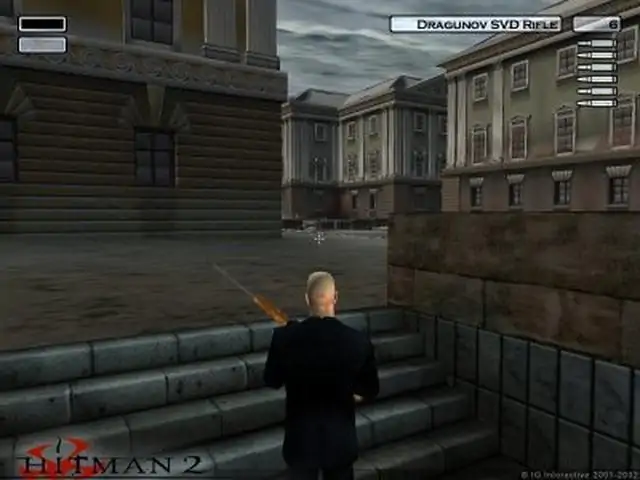
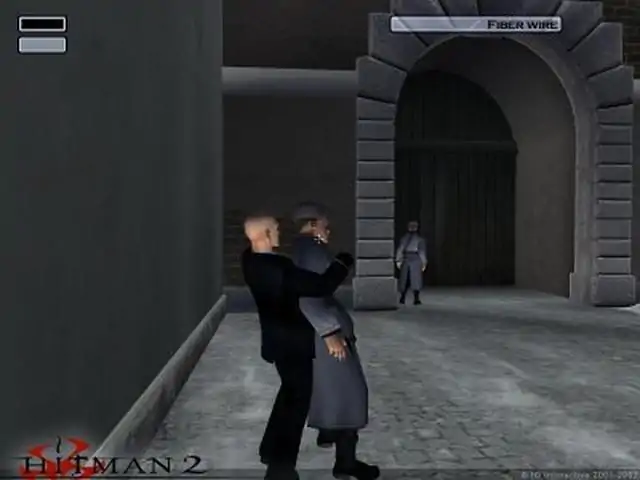
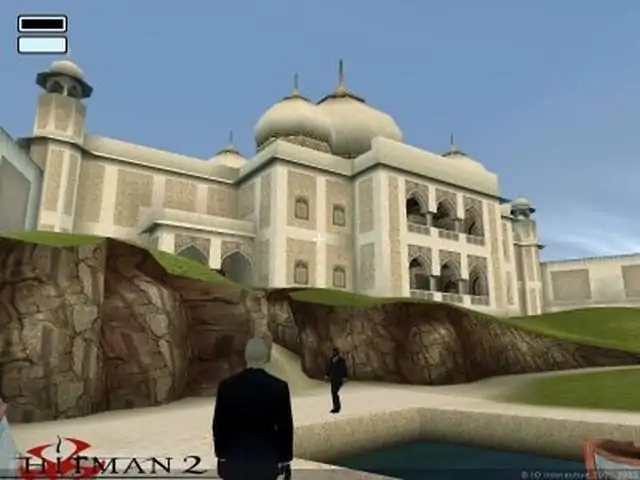
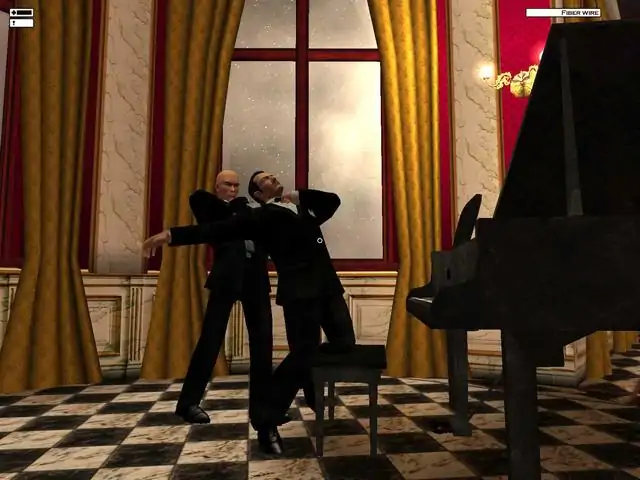
Enter the realm of a retired assassin, forced back into action by treason. You may be a hired killer but you still have a sense of loyalty and justice. Visit the dark recesses of a world corrupted by crime, greed, degradation and dishonor. And a past that catches up with you. Trust no one - if the price is right, the finger of your most trusted ally will be on the trigger. Your targets may hide in the most remote areas of the planet, but their destruction is never prevented - only postponed. Learn your trade - master your tools - overcome your obstacles - outsmart your enemies - eliminate your targets. Remember: rash decisions bleed consequences. Know when to strike instantly, know when to take your time. Chance favors the prepared. Failure is not an option. Pick up contracts in exotic locations around the globe: Sicily, St. Petersburg, Japan, Malaysia, and India. Operate in a non-linear world where the outcome of your actions and proficiency as a hitman are measured on a balance between stealth and aggression. Stalk and eliminate your targets up close and personal, in either 1st or 3rd person perspectives. Execute your assignments with a diverse arsenal of equipment, from armor-piercing sniper rifles and explosives to chloroform and poison darts. Acquire and carry weapons and tools from mission to mission through an enhanced inventory and save-game system. Original soundtrack composed by Jesper Kyd and performed by The Budapest Symphony Orchestra.
游戏圈
共30条帖子
两全
2026-03-19 13:00:17 · 发布在 「Hitman 2: Silent Assassin」
《杀手2:沉默刺客》完整俄语化补丁
优秀的《杀手2:沉默刺客》俄语本地化补丁!已完成全部内容的本地化:文本、语音乃至纹理。 安装说明 下载本地化补丁安装程序的路径必须以common文件夹结尾。示例:C:Steamsteamappscommon。否则汉化补丁可能无法正确安装。感谢Montik。进行安装(安装为可选,可选择想要汉化的内容,例如仅文本)。启动游戏,享受高质量的翻译!现在是给“特别聪明”的人的说明:1. 安装游戏。2.运行游戏,跳过所有过场动画后点击【退出】。 3. 下载汉化补丁。 4. 开始安装汉化补丁。点击【下一步】按钮如果您的游戏在C盘上,那么这里【不需要做任何更改】! 如果不在C盘,则手动设置游戏路径。 点击【下一步】按钮在此处选择俄语化补丁选项,然后点击“下一步”按钮点击【下一步】按钮 5. 启动游戏
LLK酱
2026-03-18 07:00:05 · 发布在 「Hitman 2: Silent Assassin」
正确的宽屏显示(新修复)
一种让《杀手2:沉默刺客》以正常宽屏模式运行的权威方法。 对于那些认为本指南中包含的文件可能是病毒的人: 此方法能让游戏以大多数宽屏分辨率运行,且无任何负面影响……不像许多以往的宽屏解决方案会导致:卡顿、角色显示为黑色、过场动画不可见、使用 binoculars/狙击镜/撬锁时出现 letterboxing 以及在某些特定场景崩溃(后两个问题是本指南曾包含的旧版十六进制编辑修复方法所特有的)。 * 感谢 PCGamingWiki 提供解决方案,以及 Boris Vorontsov 开发本指南中使用的工具。鲍里斯·沃龙佐夫的工具可在相关网站获取。 方法 要让游戏支持宽屏显示,请按以下步骤操作: 1. 下载enbconvertor工具(该工具可修复过场动画问题——如果不使用此工具,则需要程序来限制游戏帧率)。 2. 解压下载的文件,并将其中的文件粘贴到游戏主文件夹(C: Program Files (x86) Steam steamapps common Hitman 2 Silent Assassin)。无需覆盖任何现有文件。 3. 现在前往:C: Program Files Steam SteamApps common Hitman 2 Silent Assassin 4. 在该文件夹中,打开名为“Hitman2.”的文件。打开“ini”文件,将“Resolution ____x____”修改为之前未使用过的分辨率(例如“Resolution 1920x1080”)。确保在.ini文件底部添加“Window 1”,并在该行下方添加“StartUpperPos 0,0”。保存文件。此时你的“Hitman2.ini”文件应如下所示: DefaultScene=AllLevels/Logos.gms SoundDll SoundEngine.dll ScriptDll SDL_Engine.dll ScriptIfDll ScriptInterfaces.dll DrawDll RenderD3D.dll LocaleFile=Locale English.xml Resolution 1920x1080 AutoDumpName ScreenDump0000.jpg ColorDepth 32 ErrorLog error.log EnableConsole Anisotropy 0 AntiAlias 0 ShadowDetail 2 TextureResolution 0 UseDirectInputMouse UseDirectInputKeyboard HeroControlMode 1 MouseSpeed 0.8 SpeechVolume 100 MusicVolume 88 SoundEffectsVolume 100 ConfigFile=Keyboard.配置文件 禁用多边形限制 使用Eax 1 窗口模式 1 起始位置 0,0 注意: --> 分辨率 1920x1080 - 1920和1080可更改为你想要的任何分辨率值。 --> 窗口模式1用于开启窗口化模式,因为没有它宽屏分辨率将无法工作。不过游戏仍会像全屏模式一样打开和运行(你不会看到任何边框或系统托盘)。 --> 起始位置0,0帮助多显示器用户确保游戏不会只显示在一个屏幕上或屏幕的角落。 仍然遇到问题? 如果你在尝试了第一部分中所述的方法后仍然遇到问题,你可能需要打开“Hitman2.ini”文件,并将“DrawDll RenderD3D.dll”行更改为“DrawDll RenderOpenGL.dll”,然后保存。你可能会遇到全身呈黑色的NPC,但这可能比你之前遇到的情况更糟,也可能不会。

下载233乐园APP

专心推荐好游戏

关于我们 · 联系我们 · 隐私政策 · 营业执照

侵权投诉 · 开发者中心 · 用户协议 · 免责声明

不良信息举报中心

纠纷处理及不良内容举报电话:

4006600910 (工作时间: 9:00-12:30,14:00-18:00)

北京市朝阳区启阳路4号院2号楼15层1803室

本公司产品适合10周岁以上玩家使用 未成年人家长监护

首页 / Hitman 2: Silent Assassin

抵制不良游戏 拒绝盗版游戏

注意自我保护 谨防受骗上当

适度游戏益脑 沉迷游戏伤身

合理安排时间 享受健康生活

京ICP备18003564号-3

经营许可证编号:京B2-20181741

京公网安备:11010502052873

Copyright © 2026 233leyuan.com All Rights Reserved

北京龙威互动科技有限公司版权所有

热门游戏: 我的世界 | 三角洲行动 | 原神 | 王者荣耀 | 超自然行动组 | 蛋仔派对 | 和平精英 | 火影忍者 | 二重螺旋 | 英雄联盟 | 梦幻西游 | 明日方舟 | 斗罗大陆 | 光遇 | 鸣潮 | 无畏契约 | 模拟山羊3 | 樱花校园模拟器