换一换
换一换 


This guide will list all the commands and keys I can find. Make sure you look at the first section before trying anything else from this guide. I will try to explain the commands i know as well as possible. Updates I'm a real cool head, I'm makin' real good bread I've lost my touch with reality UpdatesCurrently adding as much info to all commands as possible. I passed out while working on this. Set up and Notes First, go into your save game (Not a save you plan on obtaining achievements in). Pause your game and press the tilde key (~). If you been wondering what this thing does, you came to the right place. Enter the code "iddqd" and exit out of the pause screen. You should get a little notification saying something about developer hotkeys. This guide will tell you about *some* of those keys. Also you can re-enter that code to disable it. Remember that using the console on a profile will mark the save as "CHEAT", and will disable achievements. I heard there is a way to remove the tag from a profile, but that requires messing with files, and I'm not going to go into that for now. Alright, for the peeps who don't get what I said, here is step-by-step how to do it. 1. Launch the Game. 2. Load your save (or start a new game). 3. Press the ESC key when in-game to open the pause menu. 4. Press the Tilde Key (~) 5. Enter the code "iddqd". (Note: The code will not be visible when you type it.) 6. Exit out of the code pop-up and pause menus by pressing ESC until you are back in the game. 7. Press Tilde Key while playing the game to open the actual console. 8. Type your commands into the console. (You can also just press the keys to type it while playing.) 9. Press Tilde Key to close the console. NOTES - To open the console, press tilde in-game (Do this while using your tablet so you can click the text box at the bottom of the screen.) Some text-based commands need this. - Click on Text (While your tablet is on screen, preferably on the Camera Tab) to look at extended text on the console. This is very useful after using the "help" command so you can see. - Commands ARE Case-Sensitive! - Most commands can just be typed in game without the console, might cause your player to do things, but it's a shortcut! You can also put these commands into the console. (NOT the "Enter the Code" input!) - After enabling cheats, you will have debug text on the lower left corner. This can be hidden by the "hideversion" cheat. - Again, MAKE A TEST PROFILE WHEN USING COMMANDS! Also, after playing on a "CHEAT" profile, I would highly suggest exiting the game completely if codes are still enabled. When switching to a legitimate profile, exit the game, re-open, then switch to the profile. This is to prevent the "CHEAT" tag from spreading. Hotkeys F1: Take you to the Confluence Website, onto a restricted page, unfortunately. F3: Unlocks all tools and the tablet. Note that this does not enable device mounting until you complete the first mission. F5: Gives you $560,994.08 per press. F8: Makes most tools work instantly, works for Cleaning, Painting, Tiling, Building Walls, Planting, Mounting and Repairing. F9: Makes so you can complete the mission 100%, it might not show the task being complete, but if you press ENTER, it will say you fully completed it and you will receive maximum payment. (Depending on your 'Higher Payment' Perk level) F11: Toggles debug info for rooms and whatever item you are looking at. Very useful if you don't know what you're supposed to sell in some missions Also works for the "find" based commands. (,): Changes Language left. (.): Changes Language right. Left Alt + Y: Enables no-clip, allowing you to reach areas high, low, and blocked off, as well as still letting you use your tools. Simply do the command / hotkey again to teleport back to where you originally used it. Note that no-clip may also makes your mouse movement a little sensitive. Left Alt + Z: Turns on something called "time scale". I need info on this. Left Alt + J: Unknown. ? (Slash): Tells you what buyers want and what they think of your house, even if you have your office there. The buyers are listed from Certain to Least Likely to buy your house. You can view the other buyers by pressing the Left or Right Arrow Keys. The only problem is that you can't see all the comments, but any negative comments will most likely be displayed first, so that may be useful. Useful Commands 1 This is mainly a small segment for non-gameplay related codes. help: List all the commands you can enter on the console. You can also put a command after "help" and it will tell you what that command does. Doesn't work for most unknown commands, so is pretty much useless to me. displayMainInfo: Putting in the command alone will give a list of help pop-ups. Typing that pop-up's name after this command should show the pop-up. (Not tested) hideui: Hides everything on screen (May or may not work for debug version text), works well for screenshots!... as long as you know where you are, you will have to type the command again (no matter what menu is open) to see again. hideversion: Hides the debug version text on the bottom left after activating the console. I recommend using this code after enabling console. Useful Commands 2 CheatsenableTabletAndTools: Same as pressing F3, Unlocks all tools and the tablet. addMoneyToBankAccount: Same as pressing F5, adds money. noclip: Same as Left Alt + Y, but may be easier if you forget the hotkey. lasthouse: Completes the game, allowing you to buy the houses as many times as you want. cut: Cuts all the grass on the property. This also covers surfaces and items with grass. Simply move the item or an item nearby to fix this. This also covers bare patches of land, but does not count as laying turf, so make sure to complete any turf missions before using this. shotgun: Replaces your sledgehammer with a shotgun, allowing you to destroy a whole wall segment at once and from a greater range. You might be able to also do this by changing your computer's date to April 1st. maps: Unlocks access to HGTV, Luxury, Pets, Farm, and Restauraunt missions instantly. worldfire: Destroys everything except for installation sites Skill CommandsNOTE: These only work on the profile you activated the console on first. skilll: Might have been the command that makes you level up a skill every time you do something related to the skill. [Not Tested] skillr: Resets skill points? [Not Tested] skillm: Gives all skill points and activates all the perks right away. For best results, use at the beginning of the game before first job for maximum payment. skillu: Gives all points for all skills, though you manually have to activate the perks. Animal Commands Spawningspawndog spawncat Other Commandsrod: Gives you that one cat toy wand. Useless Commands hello: Prints "Is it me you looking for?". echo: Prints "echo". lap: Activates your laptop wherever you are, but only at your office. lop: Teleports your laptop right in front of you, but again, only at your office. nomoney: No more money. langPrev: Changes the game's language, but you can do this in the settings, right? langNext: Same as above, but in the opposite direction I guess. lumos: Turns ON all lights. nox: Turns OFF all lights. stopsun: Same as setting Day / Night mode to "Disabled" in the settings. realsun: Same as above, but to "Real Time" mode. slowsun: Same as above, but to "Game Time" mode. quicksun: Same as above, but to a unique ultra-fast mode that is only available through this code, which I guess is cool. zawarudo: Seems to stop time completely, as well as breaking the menu unless you manage to turn this off. Would not recommend. fakecrash: Not tested, but probably self-explainatory, I'm not taking any chances with this one. Debug Commands Work in progress. Unknown Commands expect100: I assume this makes you get 100% in the garden contest? Not sure. orders: I think this was supposed to be the complete order command? flush: I thought this would get rid of all dirt. wayne: No clue, and I don't think this means anything. timescale: Does not seem to do anything. dropallitems: Fails when used. consumeitems: Most likely similar to above. fastcull: What does "cull" mean?? Credits Me: Writing this guide and listing certain command functions. Cheat Happens: Hotkey and certain command documentation. TO HECK WITH THOSE GREEDY JERKS! cookieman9797: Confirming that the Order hotkey works. nightshaydes: Having me add the Highlights command. goobzy: Documenting the buyer hint hotkey. Kitten708: Documenting the Creative command. Wild Moon: Listing how much money the Add Money hotkey gives you. Raymond Briggs: Making this really good movie / book called "When the Wind Blows", 10/10, would highly recommend giving it a watch. God: Making me just so I can make this guide. Mummy: Ruining my life by killing off my father. I am very stressed out because of you and I don't care what you think, you woke jerk. No really, I am very angry and I'm sick of people killing off the great old youth and spreading their corrupt ways. I'm sorry, but NO ONE is allowed to be corrupt. Not even me. Not even god.
控制台命令

导读
这是一份游戏控制台命令指南,介绍了开启控制台的步骤:进入存档后按~键输入iddqd,使用控制台会标记存档为作弊档并禁用成就。还罗列了各类控制台命令与热键,如F5加钱、noclip穿墙等,涵盖作弊、技能、动物生成等多种类型。


评论
共0条评论

控制台命令
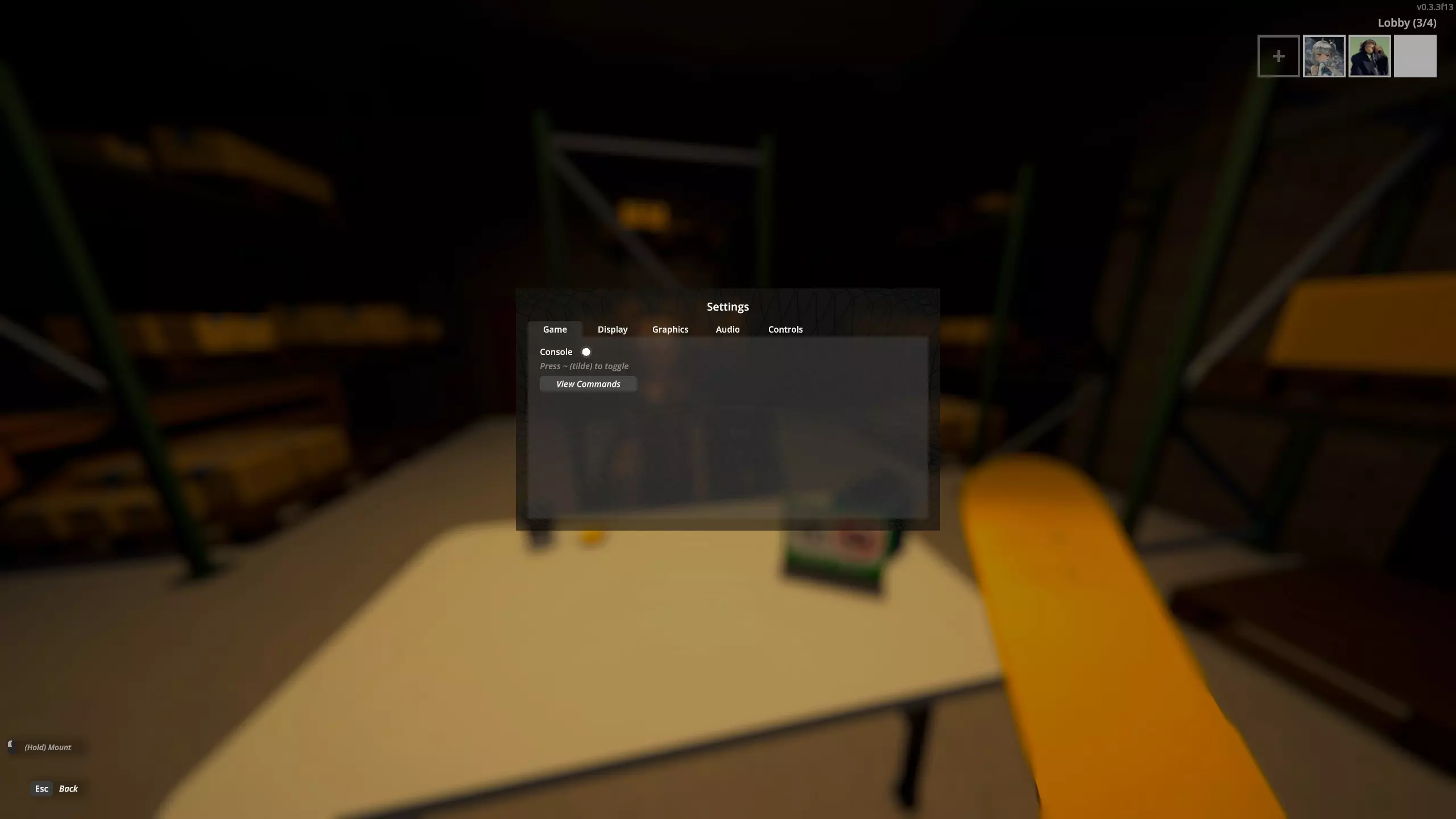
所有可用控制台命令列表 如何启用控制台 1. 进入游戏的设置菜单。 2. 在第一个标签页(游戏)中勾选方框以启用控制台。
2026-02-18 16:000赞 · 0评论
操作控制
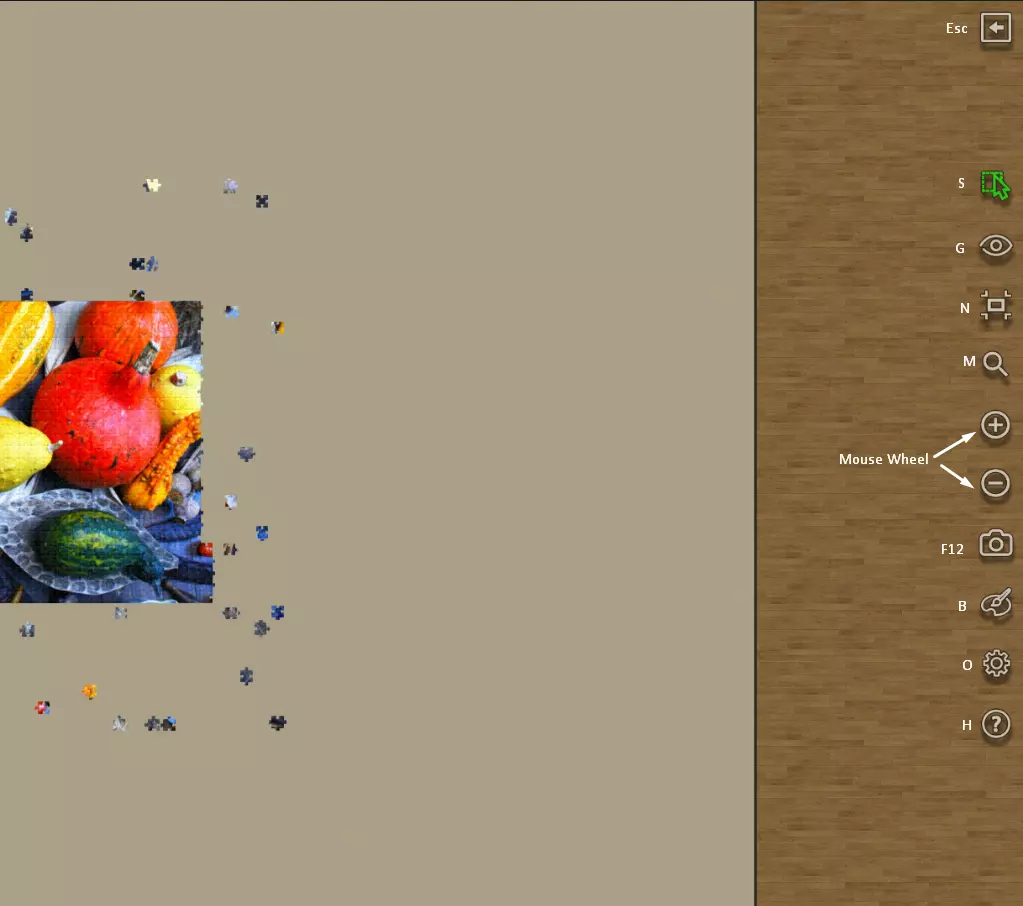
游戏界面热键 退出游戏:Esc 多重选择:S 幽灵图像:G 视图重置:N 放大镜:M 缩放:鼠标滚轮 截图:F12 背景颜色:B 选项:O 帮助:H
2026-04-02 16:000赞 · 0评论
《Clandestine》作弊码
为方便游戏进程,以下是《秘密潜入》的合法作弊码 俄语 扮演间谍时,打开聊天窗口并输入以下作弊码之一: /erwinwhistler - 禁止管理员在网络中查看黑…
2026-04-02 22:000赞 · 0评论

我的世界op指令大全 我的世界中国版OP指令代码大全 中国版OP指令分类汇总
t15_2-t15_1:11.0 标签: 指令 、 称号 在我的世界中国版总OP指令对玩家来说是非常重要的,除了服主之外或者服主不在的时候管理服务器,因此这个指…
2025-10-24 22:250赞 · 0评论

模拟人生3技能秘籍 《模拟人生3》技能全满秘籍最新介绍2024
《模拟人生3》技能全满秘籍是什么?游戏中我们总会遇到一些难题,而面对这些难题需要我们根据一定的方法来解决,这不近期很多人都在问关于《模拟人生3》技能全满秘籍的介…
2025-09-22 20:130赞 · 0评论
科技研究列表
本指南提供了《Mechanica》(版本≥v1.2.3.2)中通过研究站可进行的所有科技研究的完整列表及详细说明。 科技研究列表 各位《Mechanica》社区…
2026-03-22 04:000赞 · 0评论
作弊码列表
游戏内可用作弊码列表 ammo - 获得999发弹药 deplete - 将你的生命值降至极低 explode - 产生爆炸,对NPC造成伤害,但不对玩家造成伤…
2026-03-21 10:010赞 · 0评论
《半条命2》作弊码与指令(同样适用于其他起源引擎游戏)
以下是游戏中可执行的作弊码和指令列表。 所有这些作弊码和指令都需要通过开发者控制台使用。 警告:使用前请阅读以下内容。 当你激活作弊指令(sv_cheats 1…
2026-02-16 01:000赞 · 0评论
操作指南:热键/键盘控制
如何为游戏添加热键! 首先,我想为我的英语水平道歉,我没有在学校或大学学习过英语,所以可能会有很多错误 :) 希望大家能理解我的意思。 游戏中没有热键功能,这不…
2026-03-22 16:000赞 · 0评论
《王权与议会》基础指南
《王权与议会》实用功能指南 简介 本指南将介绍《王权与议会》的部分游戏功能。游戏本身对这些内容的说明不够详尽,但好在它提供了源代码,我通过研究源代码发现了这些信…
2026-03-19 22:000赞 · 0评论
暂无更多
最新更新
- 📢《房产达人 重制版合集》将于6月4日推出! — 《房产达人 重制版合集》即将在几周后推出! 在最近的试玩版,尤其是测试阶段之后,我们收到了许多提前体验的玩家们非常宝贵的反馈。经过仔细分析大家的建议,并认真审视…
- 👑 HF1:传奇周末 + 🌸 HF2:樱花DLC发布日期及价格公布! — 📈 超过9万名活跃的房产翻新者! 这是最近一个周末创下的传奇同时在线玩家峰值,当时我们全力为《房产达人》1代举办了免费领取活动! 在此期间,超过1亿人看到了这…
- 免费获取《房产达人》+《房产达人 重制版》定价及测试信息! — 自发布以来已近8年……经历了8个DLC的推出以及无数次更新和补丁后,原版《房产达人》终于可以在你的(或你朋友的!)Steam库中找到一个舒适的位置——4月3日至…
- 《房产达人 重制版》测试现已开启! — 各位房产达人玩家们,我们非常激动地宣布,《房产达人 重制版合集》的测试活动将在2026年Steam房屋与家居节期间开启! 开始时间:3月30日 上午10:00(…
- 房产达人-视频介绍
- 《房产达人 重制版合集》试玩版已在新品节上线! — 嗨,房产 flipper 们! 等待结束了——《房产达人 重制版合集》试玩版现已在 Steam 新品节期间推出!
- 在Steam新品节期间体验《房产达人 重制版合集》试玩版! — 各位房产翻新者们! 《房产达人 重制版合集》将参与即将到来的Steam新品节并提供试玩版!这是你在正式发售前体验全新画面和机制的最佳机会。
- 《模拟人生4》外出用餐DLC全成就指南 — 《模拟人生4》外出用餐DLC成就解锁完全指南! 简介 如果你有任何能帮助其他玩家的技巧,欢迎在评论区分享。 成就
- 《房产达人》全成就指南 — 基础游戏+末日房产DLC+花园房产DLC+HGTV DLC+奢华房产DLC+宠物DLC 在本指南中,你将了解如何获得《房产达人》游戏及其所有四个DLC的全部成就…
- 100%成就指南 — 基础游戏 + 启示录翻新DLC + 花园翻新DLC + HGTV DLC + 豪华DLC + 宠物DLC + 农场DLC! (快速)订单