换一换
换一换 



Digest of most editor shortcuts. Mode F1 [F1]Switch to: Ingame Mode [1]Switch to: Entity mode [2]Switch to: Land mode [3]Switch to: Clip mode [4]Switch to: Edifice mode 1 to 0 (Numpad) - Choose side/colors Red, Blue, Green, etc... [~] Show up console [C] Highlight ground objects [H] Message history on/off [M] Show minimap on/off [O] Objectives on/off [T] Helper processing console (search or replace variable of game) [U] Show Menu for selected Entity 1 IK Params…Show Inverse Kinematics properties panel 2 Bone colors…Show Bone Colors properties panel 5 Call function…Show Call Function properties panel 6 Tags…Show Tags of selection panel 7 Inventory…Show Inventory panel [V] Highlight corpses [ALT] + [A] Switching obstacles on/off (Object bounding boxes on the ground) [ALT] + [B] Show entity collision space [ALT] + [C] Show components [ALT] + [F] Fog of war on/off [ALT] + [H] Show heightmap mode [ALT] + [I] Show MID [ALT] + [N] Show entity volumes names (after ALT + V use) [ALT] + [R] Call function panel (for selected unit) [ALT] + [S] Show XYZ orientation of all entity [ALT] + [T] Show tags [ALT] + [V] Show entity volumes [ALT] + [W] Polygon view (Polygon view of terrain and objects) [ALT] + [X] Exit Gem Editor [CTRL] + [0] Go to center of current map [CTRL] + [F] Find entity panel and zoom in [CTRL] + [I] Edit inventory (for selected unit(s)) [CTRL] + [M] - Map settings [CTRL] + [Q] Lock camera position [CTRL] + [ALT] + [LEFT SHIFT] + [D] Hide all UI [CTRL] + [ALT] + [D] Hide UI excepted map and player [CTRL] + [RIGHT MOUSE BUTTON] Change weapon [SHIFT] + [T] Bring up textures viewer [SHIFT] + [V] Switch volumes modes (after ALT + V use) Mode F2 [F2]Switch to: Map Editor mode [+] / [-] (Numpad) Increase / Decrease size of brush circle [~] Show up console [A] Change altitude of selected entity [C] Rotate horizontal all selected entity (one center axe) [S] Change scale of selected entity [T] Helper processing console (search or replace variable of game) [U] Show Menu for selected Entity 1 IK Params…Show Inverse Kinematics properties panel 2 Bone colors…Show Bone Colors properties panel 5 Call function…Show Call Function properties panel 6 Tags…Show Tags of selection panel 7 Inventory…Show Inventory panel [X] Free rotate all selected entity (each on his center axe) [Z] Rotate horizontal all selected entity (each on his center axe) [ALT] + [A] Switching obstacles on/off (object bounding boxes on the ground) [ALT] + [B] Show entity collision space [ALT] + [C] Show components [ALT] + [F] Fog of war on and off [ALT] + [H] Show heightmap mode [ALT] + [I] Show MID [ALT] + [N] Show entity volumes names (after ALT + V use) [ALT] + [R] Call function panel (for selected unit) [ALT] + [S] Show XYZ orientation of all entity [ALT] + [T] Show tags [ALT] + [V] Show entity volumes [ALT] + [W] Polygon view (Polygon view of terrain and objects) [ALT] + [X] Exit Gem Editor [ALT] + [Z] Show operation history [CTRL] + [0] Go to center of current map [CTRL] + [C] Copy selected entity [CTRL] + [F] Find entity panel and zoom in [CTRL] + [O] Open map [CTRL] + [Q] Lock camera position [CTRL] + [S] Save map [CTRL] + [T] Edit tags panel (for selected unit(s)) [CTRL] + [V] Paste selected entities [CTRL] + [Y] Redo (with operation history) [CTRL] + [Z] Undo (with operation history) [CTRL] + [ALT] + [LEFT SHIFT] + [D] Hide all UI [CTRL] + [ALT] + [D] Hide UI excepted map and player [SHIFT] + [T] Bring up textures viewer [SHIFT] + [V] Switch volumes modes (after ALT + V use) How to create minimap In F2 Go to clip [3] Render minimap click on Go button Mode F3 [F3]Switch to: Mission Editor mode [1]Switch to: View mode [2]Switch to: Entity mode [3]Switch to: Squad mode [4]Switch to: Waypoint mode [5]Switch to: Zone mode [6]Switch to: Trigger mode [7]Switch to: Camera mode [8]Switch to: Cover mode 1 to 0 (Numpad) - Choose side/colors Red, Blue, Green, etc... [F9] Open mission properties [~] Show up console [A] Change altitude of selected entity [C] Rotate horizontal all selected entity (one center axe) [S] Change scale of selected entity [T] Helper processing console (search or replace variable of game) [U] Show Menu for selected Entity 1 IK Params…Show Inverse Kinematics properties panel 2 Bone colors…Show Bone Colors properties panel 5 Call function…Show Call Function properties panel 6 Tags…Show Tags of selection panel 7 Inventory…Show Inventory panel [X] Free rotate all selected entity (each on his center axe) [Z] Rotate horizontal all selected entity (each on his center axe) [ALT] + [A] Switching obstacles on/off (object bounding boxes on the ground) [ALT] + [B] Show entity collision space [ALT] + [C] Show components [ALT] + [H] Show heightmap mode [ALT] + [I] Show MID [ALT] + [N] Show entity volumes names (after ALT + V use) [ALT] + [R] Call function panel (for selected unit) [ALT] + [S] Show XYZ orientation of all entity [ALT] + [T] Show tags [ALT] + [V] Show entity volumes [ALT] + [W] Polygon view (Polygon view of terrain and objects) [ALT] + [X] Exit Gem Editor [ALT] + [Z] Show operation history [CTRL] + [0] Go to center of current map [CTRL] + [C] Copy selected entities [CTRL] + [F] Find entity panel and zoom in [CTRL] + [O] Open mission [CTRL] + [Q] Lock camera position [CTRL] + [S] Save mission [CTRL] + [T] Edit tags panel (for selected unit(s)) [CTRL] + [V] Paste selected entities [CTRL] + [Y] Redo (with operation history) [CTRL] + [Z] Undo (with operation history) [CTRL] + [ALT] + [LEFT SHIFT] + [D] Hide all UI [CTRL] + [ALT] + [D] Hide UI excepted map and player [SHIFT] + [T] Bring up textures viewer [SHIFT] + [V] Switch volumes modes (after ALT + V use) Mode F4 [F4] Open: FX editor Mode F6 [F6] Open: Environment Settings Start Button [Start Button]Start: simulate complete mission Difficulty:to change difficulty level go to Steam Library Game right click on Men Of Wars: Assault Squad 2 choose property click on start options add parameters for difficulty: ex. -edit -level normal [F3] + [F8] Mission state (view or change variable of simulate game) [F11] Bandicam record [F12] Screen capture (Steam) [~] Show up console [,] Previous squadron [.] Next squadron [1, 2, ..., 9] Choose squadron [BACKSPACE] Game speed [Break] Pause Game [C] Highlight ground objects [H] Message history on/off [M] Show minimap on/off [O] Objectives on/off [T] Helper processing console (search or replace variable of game) [U] Show Menu for selected Entity 1 IK Params…Show Inverse Kinematics properties panel 2 Bone colors…Show Bone Colors properties panel 5 Call function…Show Call Function properties panel 6 Tags…Show Tags of selection panel 7 Inventory…Show Inventory panel [V] Highlight corpses [ALT] + [A] Switching obstacles on/off (Object bounding boxes on the ground) [ALT] + [B] Show entity collision space [ALT] + [C] Show components [ALT] + [F] Fog of war on and off [ALT] + [H] Show heightmap mode [ALT] + [I] Show MID [ALT] + [N] Show entity volumes names (after ALT + V use) [ALT] + [R] Call function panel (for selected unit) [ALT] + [S] Show XYZ orientation of all entity [ALT] + [V] Show entity volumes [ALT] + [W] Polygon view (Polygon view of terrain and objects) [ALT] + [X] Exit Gem Editor [CENTRAL MOUSE BUTTON] Free rotation [CTRL] + [0] Go to center of current map [CTRL] + [F] Find entity panel and zoom in [CTRL] + [M] Map settings [CTRL] + [M] [LEFT MOUSE BUTTON] + [MINIMAP] Move map [CTRL] + [Q] Lock camera position [CTRL] + [ALT] + [LEFT SHIFT] + [D] Hide all UI [CTRL] + [ALT] + [D] Hide UI excepted map and player [CTRL] + [RIGHT MOUSE BUTTON] Change weapon [ESC] Game Menu [MOUSE WHEEL] Zoom [RIGHT MOUSE BUTTON] + [MINIMAP] Move camera to the position [SHIFT] + [T] Bring up textures viewer [SHIFT] + [V] Switch volumes modes (after ALT + V use)
Gem 2 编辑器快捷键

导读
本文整理了Gem 2编辑器的各类快捷键,涵盖F1游戏内模式、F2地图编辑模式、F3任务编辑模式等不同模式下的操作快捷键,还包含小地图创建方法、难度设置等内容,助力高效使用Gem 2编辑器。
评论
共2条评论

233用户560791570
2026-06-04 23:44:53 回复0
回复0
回复233用户560791570
2026-06-04 23:43:36回复0
回复《鬼灭之刃》手游哪个好玩?2026年热门鬼灭之刃格斗手游推荐TOP5盘点
《鬼灭之刃》作为全球现象级动漫IP,其热血战斗与感人剧情吸引了无数粉丝。围绕IP推出的多款格斗手游,不仅完美还原角色与呼吸法,更在玩法、画面和剧情上各有千秋。 …
2026-07-03 03:110赞 · 0评论
2026年三国手游推荐:盘点5款以女性角色为核心的三国题材手游,包含《三国红颜录》《美女三国塔防》等
2026年有哪些好玩的三国手游?近年来,三国题材手游持续升温,但多数作品聚焦于男性武将的策略对抗与成长体系。2026年,一批以女性角色为核心叙事视角的创新之作集…
2026-07-03 03:110赞 · 0评论
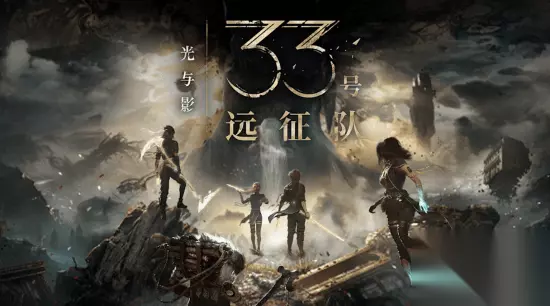
《远征 33》团队新作不追求爆款?创意总监谈创作理念,绝不迎合市场
《远征 33》创意总监纪尧姆・布罗什近日表示,团队并不强求下一款游戏能复制前作《远征 33》的现象级成功,即使商业表现不如前作也完全可以接受。
2026-07-03 03:110赞 · 0评论
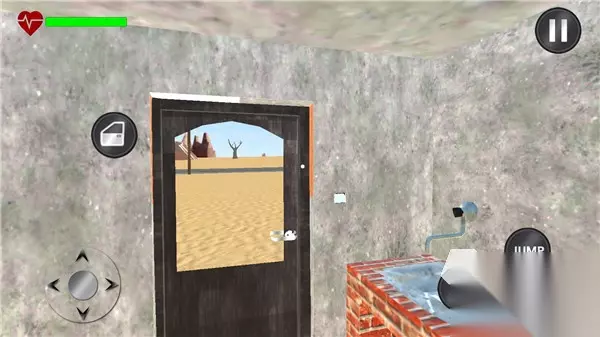
《长途旅行》游戏有哪些?2026热门长途旅行手游推荐,适合长时间玩的单机休闲游戏盘点
想体验长途旅行却苦于没时间没预算?别担心,2026年这些热门手游让你足不出户就能环游世界!本文精选五款真实感强、地图超大、玩法丰富的长途旅行主题手游,无论是驾驶…
2026-07-03 03:110赞 · 0评论
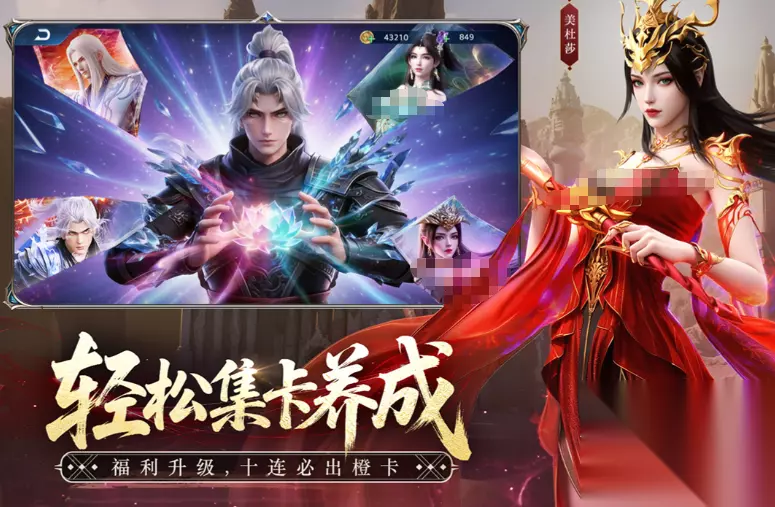
《斗破苍穹》《阴阳师:百闻牌》等2026年抽卡手游排行榜,高口碑、长线运营的优质抽卡游戏合集推荐
2026年有哪些好玩的抽卡手游?热门抽卡手游排行榜来了!当前主流产品普遍融合角色抽取与卡牌构筑两大核心玩法,不同游戏在概率机制、保底规则、资源获取路径等方面存在…
2026-07-03 03:110赞 · 0评论
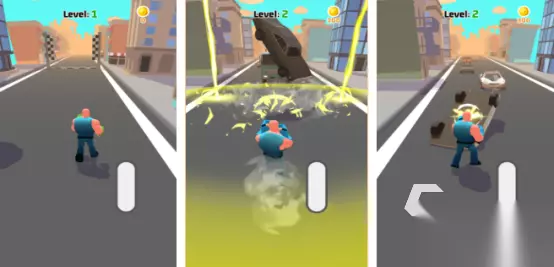
《猛男之拳》《真实拳击》等2026热门猛男手游推荐,拳击摔跤游戏排行榜
所谓“猛男游戏”,核心特征在于角色建模强调力量感与视觉冲击力——典型设定为八块清晰腹肌、宽厚肩背与高大体格,配合高强度格斗动作表现。这类作品普遍聚焦拳击、摔跤等…
2026-07-03 03:110赞 · 0评论
《少年骇客》手游哪个好玩?2026年热门黑客主题手机游戏推荐与下载攻略
2026年有哪些好玩的少年骇客手游?本期推荐多款不同风格的少年骇客主题游戏,玩家可在《少年骇客:急速冲刺》、《少年骇客跑酷》等作品中自由切换。每款游戏均以动态障…
2026-07-03 03:100赞 · 0评论

《未定事件簿》《寄居隅怪奇事件簿》等2026热门好玩的剧本杀手游推荐合集,沉浸式推理游戏盘点
剧本杀游戏凭借其强叙事性与沉浸式体验,持续吸引着大量玩家。这类作品通过精心设计的剧情分支、角色互动与解谜机制,让玩家在虚拟世界中获得电影级的故事享受。 下载这些…
2026-07-03 03:100赞 · 0评论

《斗兽战场》《烈焰领主》等2026年简单好玩的手机游戏Top5推荐,轻松上手、耐玩不腻
2026年有哪些简单好玩的手机游戏?本期推荐5款轻松上手、耐玩不腻的精品手游,每款都秉持极简设计理念,拒绝复杂操作与时间绑架,真正回归游戏本源——用最直观的交互…
2026-07-03 03:100赞 · 0评论
《驾校练车》等2026年热门模拟驾驶手游推荐,真实练车游戏合集助力科目二科目三考试
正在备考驾照的学员常感到实车训练节奏慢、机会少,转而借助驾驶模拟类手游提升操作熟练度。这类游戏普遍采用3D建模与真实物理引擎,精准还原科目二倒车入库、侧方停车、…
2026-07-03 03:100赞 · 0评论
暂无更多