换一换
换一换 


注意:本指南介绍的是注册新孢子账号的方法,针对2021年2月以来出现的“注册时发生未知错误”问题。本指南不涉及连接孢子服务器的错误。本指南适用于在Steam上购买游戏的用户,Origin/EA App用户的情况尚不明确。撰写本文时,孢子服务器仍正常运行,玩家仍可登录。 感谢Steam用户Pancakes11发现此方法,Raptorboy556找到部分系统中CD密钥的位置,Top Nep找到“%CDKey%”的可能修复方法,以及The Snazzmaster记录的已确认测试。账户注册问题 许多玩家都知道,自2021年起,注册新的《孢子》账户几乎是不可能的。因为在Steam上购买《孢子》不会提供CD密钥,而Origin平台的《孢子》副本大多时候也不允许新用户注册。即便是让EA客服提供新的《孢子》副本也无法解决问题。(截至撰写本文时,已有超过800名确认的玩家自2021年2月起无法注册账户,只能眼睁睁看着“注册过程中发生未知错误”的提示。唯一的注册方法是在GOG(Good Old Games)上购买新的副本,或者在Origin上花10美元购买《孢子:生物创造器》,这两种方法都并不合理。)我们在购买游戏时就有权访问这些在线服务,没有理由再购买另一个游戏来访问它们。截至2021年9月13日,EA为《孢子》重新添加了CD Key按钮,但该按钮不会显示你的CD密钥。它会无限加载并显示“正在请求密钥...”,获取CD密钥的唯一方法是通过注册表,本指南将详细说明这一过程。不过,现在有一个解决方案,虽然相当繁琐,但经过测试是有效的,并且已得到三位新玩家的确认(此方法于今日发现)。

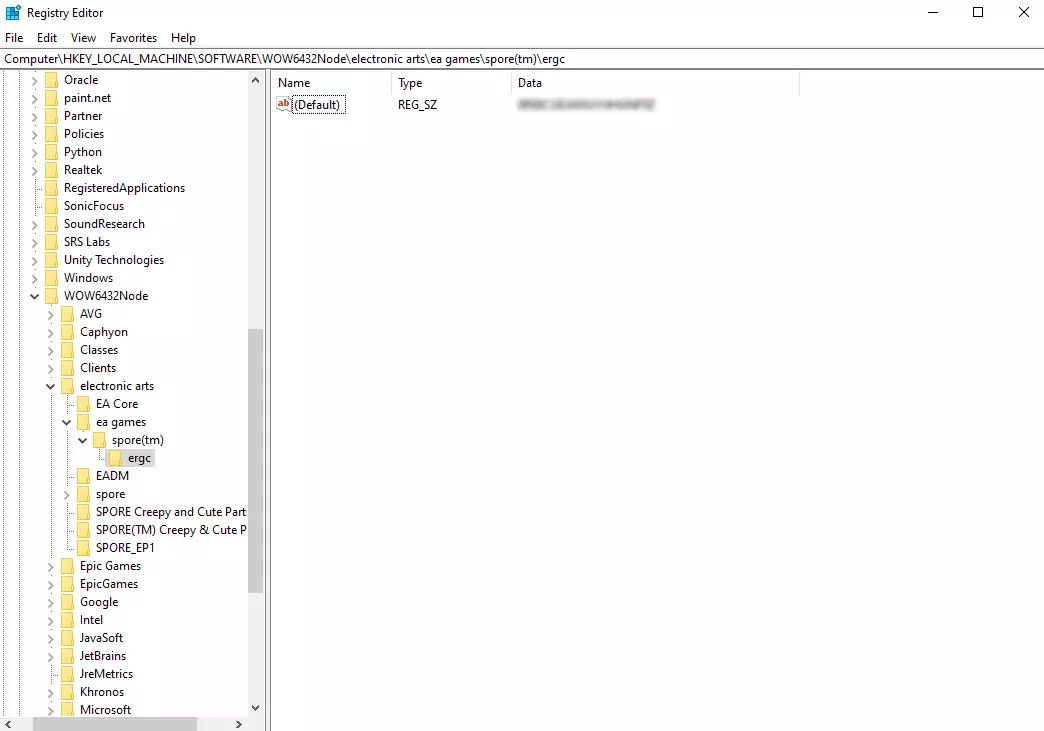
查找你的孢子CD密钥 确保你已安装孢子,建议使用Steam版本。 首先,你需要找到孢子的CD密钥。部分玩家可以在Steam上获取CD密钥,只需在库中右键点击孢子,依次选择【管理】-【CD密钥】,密钥可能就在那里。如果没有:Steam上的孢子CD密钥已被移除,但实际上你仍然拥有CD密钥,它只是隐藏在游戏文件中,你必须使用注册表编辑器(电脑上已有的程序)来查找: 1. 同时按下Windows键和R键打开运行窗口。输入“regedit”,然后按回车键或点击【确定】。 2. 会弹出一个提示,授予管理员权限。 3. 现在你应该能看到注册表编辑器,左侧有一个文件夹列表。你的孢子CD密钥可能位于以下几个位置: HKEY_CURRENT_USER Software HKEY_LOCAL_MACHINE Software HKEY_LOCAL_MACHINE Software Wow6432Node(仅64位系统) 部分用户的具体位置:HKEY_LOCAL_MACHINE SOFTWARE WOW6432Node electronic arts ea games spore(tm) ergc 4. 在你选择的任意位置查找【Electronic Arts】文件夹,它也可能是小写形式("electronic arts")。 5. 打开【Electronic Arts】文件夹,你会看到两个【SPORE】文件夹:【Spore】和【Spore_EP1】。或者,你会看到【ea games】,然后是【spore(tm)】。 6. 打开【spore(tm)】下的【ergc】(或上述列出的其他标题)。此文件夹内包含CD密钥。部分用户的CD密钥位于【Spore_EP1】中。 7. 在【Data】下找到标题为【ProductKey】的CD密钥。应该是一个20字符的代码。要复制粘贴该代码,请双击【(Default)】名称,代码将自动高亮。注意:我收到一些反馈称,没有CD代码,只有文本【%CDKEY%】。如果是这种情况,请向下滚动到【%CDKEY%】部分。
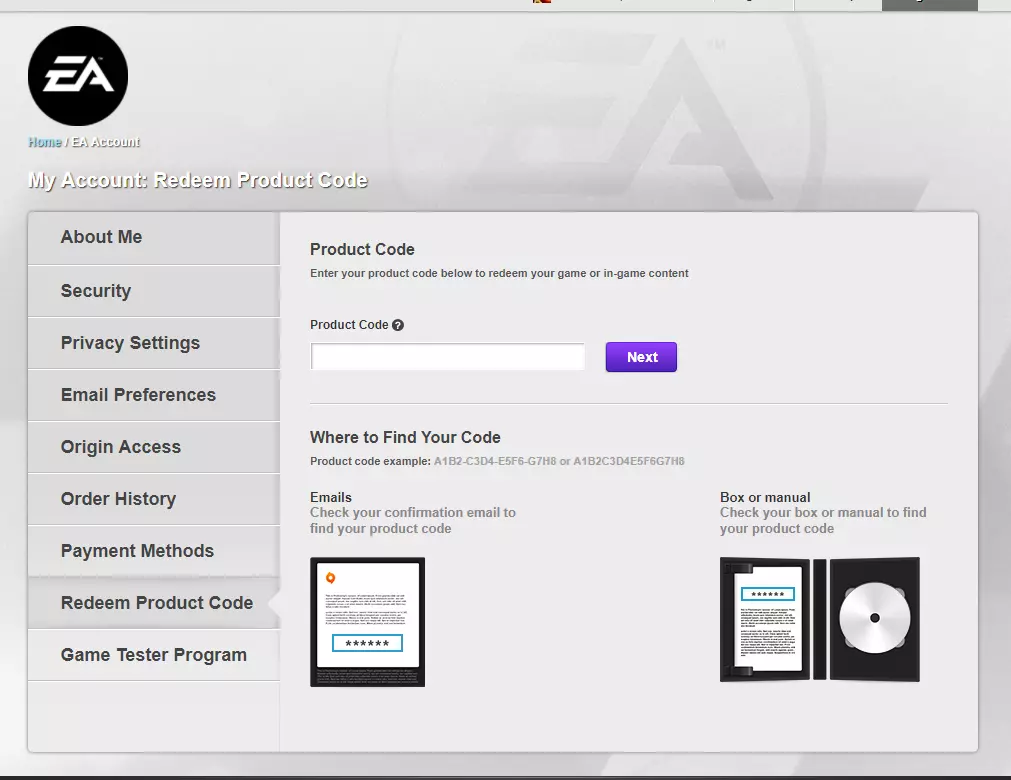
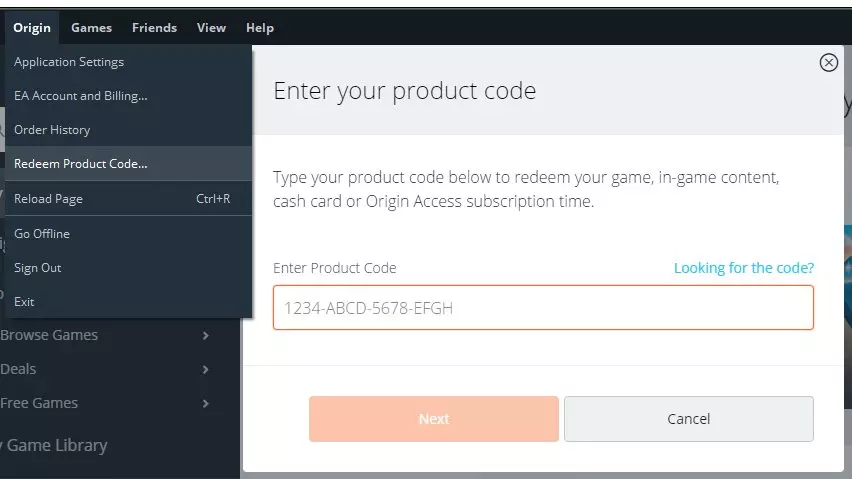
在Origin上激活密钥 现在需要在Origin上激活密钥,由于EA在2016年服务器变更后,《孢子》仍无法通过Steam进行激活。无需担心,你不必在Origin上安装游戏。 1. 打开Origin(应用程序或浏览器均可),在游戏库页面的右上角可以看到【添加游戏】选项。 2. 点击【添加游戏】并输入代码。系统会询问你想要哪个版本的《孢子》(个人建议选择包含更多语言的版本,以便使用)。 3. 现在你的Origin账户中应该已添加《孢子》,即使此前EA客服已为你账户免费添加过《孢子》,此次激活也不会有问题。 注意:你无需在Origin上安装《孢子》。如果你拥有Origin账号,你在Steam上的游戏副本可以正常使用。关联你的Origin账号和Steam账号可能也会有所帮助。
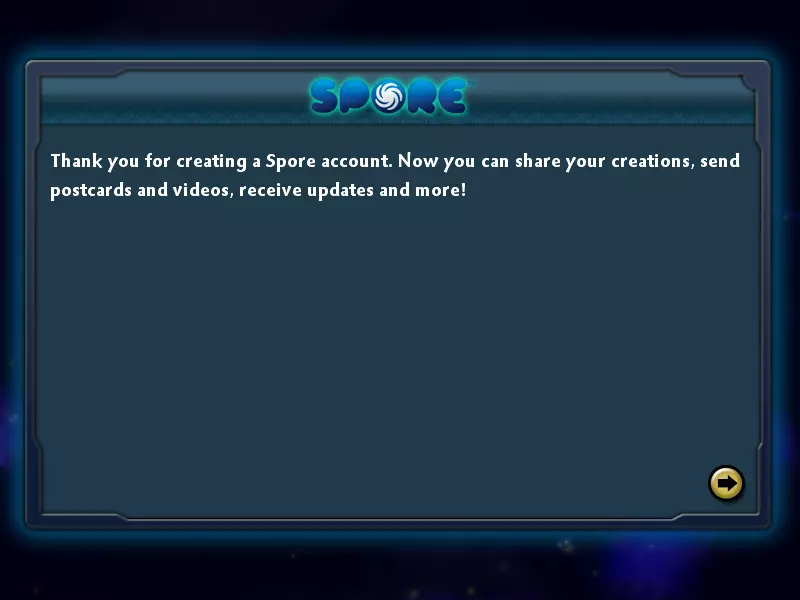
在Steam上注册新账户 现在你可以注册账户,而不会遇到“注册时出现未知错误”的问题。你无需在Origin上安装,甚至无需卸载Steam版本。 1. 运行Steam上的【孢子】 2. 当出现账户注册页面时(你现在应该已经熟悉这个页面了),输入你的Origin账户信息,然后输入一个孢子用户名并点击注册。如果所有步骤都正确操作,应该就能注册一个新的孢子账户!
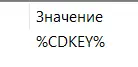
Alternative Method Special thanks to user "Shy" for finding this method, and notifying me about it. This will be listed in steps: Acquire Spore on Steam (which you should've already done if you're reading this guide), and install it in your library. Install the EA App (aka what was once "Origin") and make an account, if you don't already have it. Link your Steam account to your EA account. Here is a method for linking your Steam and EA account: https://steamcommunity.com/discussions/forum/1/4543572243347577776/ After doing this, compatible games with the EA App (which includes Spore) will appear in your EA App games library. Install Spore on the EA App after it appears. Restart the app or try re-linking accounts if it does not appear. You can also try clicking Spore in your Steam library and launching it from the EA App. After Spore is installed on the EA App, launch the game. The account registry menu should appear, register a Spore account like normal, and there should be no error message this time. This is up to you, but now that you have a registered Spore account in the system, you can choose to now play Spore online either on the EA App, or Steam. If you want to play Spore on Steam, just uninstall your copy on the EA App, and reinstall on Steam, and log into your newly registered account. Personally, I've found the game is just easier to handle in Steam, and the community features on Steam are nice. If your CD Key is "%CDKEY%" (Skip this section if you had an actual CD Key in your registry and/or you were able to register an account) If your CD Key isn't a CD Key and is instead "%CDKEY%", or in other words, looks like the image at the bottom of this section I'm sorry to say I do not know the exact cause for this, but there is a few things you can try(All of this is theoretical as I've had no way to test this and I don't know anybody personally who has this problem): %CDKEY% Troubleshooting before beginning: A.Try redeeming a free extra copy of Spore on Origin(if you haven't already) from the EA Official Help Desk, via live chat(http://help.ea.com), make sure you have proof of purchase. Doing this may make the files reset under the electronic arts folder and regenerate the key or a new key. (EA Help Officials WILL give you a free copy of Spore on Origin if you give them proof of purchase from Steam(I.e, your receipt), as per their EA Play change back in 2016. This copy however will not allow you to register an account, as previously stated in the guide, but it may help to regenerate your key.) B. Make absolutely sure that you OWN your copy of Spore. Run it a few times, make sure its not a shared game from another account, or not a streamed one. And( I know this sounds dumb ) make sure its the CORE SPORE game, and not Galactic Adventures or the Creepy & Cute Parts Pack. C. Try a reinstall, or restart your computer Again, I'm sorry, but I do not know how this is happening, all these options are just guesses I have. Other Maxis games, such as The Sims 3 share this issue for some users, and the only explanation given by other users is that its because EA took away Steam CD keys, which as much as we all know is true, then how are people registering today, even a few hours ago, using this guide? I just don't get it. %CDKEY% Error Fix Solution #1; Special Thanks to Top Nep 1. After completing the guide, try a clean restart of your PC; this could regenerate your CD key. 2. If not, load up Origin. Make sure you have a free copy of Spore from an EA Help Official in your library, make sure its not installed. (again, EA is required to give you a free copy if you own Spore on Steam). 3. Make sure your Origin account and Steam account are linked. If you don't know how to do this, refer to this link: How to Link accounts without downloading a game - Reddit 4. Keep the Origin application open as you load Spore on Steam. 5. While the Origin App and Spore on Steam are both open at the same time, take a look at regedit, and your code should now be there, once in the place of "%CDKEY%". 6. Follow the latter steps of the guide, redeem on Origin using the key, then register an account on Steam Spore. 7. If all else fails, check to see if the Spore Galactic Adventures CD Key code redeems the base game on Origin. This worked in Top Nep's case, as the GA key matched the Core Spore key. %CDKEY% Error Fix Solution #2; Special Thanks to inrig004 1. Do all the steps in Error Fix Solution #1. If this does not work, then it could have at least possibly regenerated it, but try these steps: 2. Search for the CD Key in both spore_tm and spore_EP1. The key can technically be in either location. For example, if spore_tm says "%CDKEY%", then its likely spore_EP1 has the real key, and vice versa. 3. The key might also be under something called "default". %CDKEY% Error Fix Solution #3; Special Thanks to Labonrigzeks 1. If none of the above solutions work, Steam customer support can possibly get your key for you. 2. Go to The Steam Support Page for Spore, and then "I'm having trouble with my retail CD key" 3. Contact support and simply ask for the keys, and they should answer soon with your CD keys. 4. Note: You will need proof that you own the game, which you can do by also sending Support your ticket for your Spore order. You can get this from your order history, located in your Account Details page. (top right) If this specific set of steps for contacting Steam Support doesn't work, try to just generally contact support without the setup. They should have no reason to not give the codes to you if you provide the order ticket. NOTE: For some users, the Spore: Galactic Adventures CD Key and the main Spore CD Key match. Any way to get around the %CDKEY% error would be highly appreciated!
最后的办法 不幸的是,如果所有其他方法都失败了,你最后的办法是购买《孢子:生物创造器》,据说它仍然允许注册孢子账户。该游戏可在Origin上购买,价格为10.00美元。 不建议这样做。你没有理由必须购买一个完全独立的游戏才能访问另一个游戏的在线功能,尤其是在Origin和Steam的商店页面上该游戏仍被列为具有在线功能的情况下。 记住:你可以利用Steam的退款政策。购买游戏、安装、启动、创建账户、卸载,然后尽快申请退款。之后你就可以使用该账户登录《孢子》主游戏。如果你玩《孢子:生物创造器》超过两小时,此方法将无效。如果你在购买《孢子》生物创造器后超过两周未退款,那么这一方法也将无效。 值得一提的是,有少数玩家确实成功说服了EA客服为他们提供免费的生物创造器。但我本人以及我认识的一些人都未能成功,因此可以说你成功的可能性也不大。EA客服并不了解《孢子》,所以向他们解释生物创造器只是《孢子》主游戏的一个功能,或者解释CD密钥的情况,都无法真正说服他们。此外,他们的上级明确告知他们不得免费赠送产品,除非上级明确授权。无需额外操作,游戏应允许你正常注册账户,注册后即可使用该账户登录《孢子》主游戏。再次强调,我强烈建议你不要这样做。尽管这种方法可行,但本指南的存在就是为了让你不必如此操作。我列出此方法仅针对之前不知情的玩家,当然,这也只能作为最后的手段。特别感谢 再次特别感谢所有为此做出贡献的人: Pancakes11:找到了解决方案并编写了初始说明 The Snazzmaster:记录了操作流程并确认其有效性,他已通过本指南成功注册新账户 Raptorboy556:找到了CD密钥的确切文件位置(不同系统中位置可能不同) Top Nep:找到了【%CDKEY%(无CD密钥)】错误的一个可能修复方法 inrig004:找到了【%CDKEY%(无CD密钥)】错误的另一个可能修复方法 Labonrigzeks:找到了【%CDKEY%(无CD密钥)】错误的又一个解决方法 荣誉提及: EA Answers HQ上的Kyle_Necrowolf,他首先创建了一个大型主题帖记录此问题,甚至尝试开发模组以帮助用户注册账户。自二月以来,他一直在努力修复此问题,并在论坛上为用户提供帮助。EA关于此漏洞的解答主题: