换一换
换一换 


ENGLISH: I have been writing to tech support, as there is no such solution to the problem anywhere. They advised me: "What you need to do to fix this issue is the following:*Uninstall the game completely *Delete the content in the following folder: C: Users "your username" AppData LocalLow DECA Live Operations GmbH *Delete the content in the following folder: C: Users "your username" Documents RealmOfTheMadGod Production *Download the launcher from https://www.realmofthemadgod.com/ or Install the game from your Steam launcher *Update launcher via the launcher promptAlternatively, you can also:*Uninstall the game completely *Open regedit (WIN+R, type regedit, hit enter) *Navigate to 'Computer HKEY_CURRENT_USER Software DECA Live Operations GmbH' *Remove all subfolders EXCEPT for the master folder itself - > DECA Live Operations GmbH *Delete the content in the following folder: C: Users "your username" AppData LocalLow DECA Live Operations GmbH *Delete the content in the following folder: C: Users "your username" Documents RealmOfTheMadGod Production *Re-install the graphics drivers and restart the PC *Download the launcher from https://www.realmofthemadgod.com/ or Install the game from your Steam launcher *Update launcher via the launcher prompt *Make sure you are running the game on the native resolution for the monitor (if the screen is 1920x1080, the game should be running on 1920x1080 fullscreen resolution) *If you have multiple monitors set up, try to play the game on another different monitor *Install the latest DirectX version available for your computer configuration (https://www.microsoft.com/en-us/download/details.aspx?id=35) *Make sure your OS is up-to-date (you have installed all and any OS Updates) *If you have Switchable Graphics on your computer, enter the graphics card control panel and force only the dedicated graphics card to be used for ROTMG Exalt *Try disabling your anti-virus software and any performance boosting features like 'enhanced sync' etc. *If you have overclocked any components on your computer, try to reset back to factory default." It didn't help me. And the most banal thing helped me - rebooting the router. Try it and you. Maybe you will solve this problem too. And I really hope that I helped you! PS: If it's not difficult and I really helped you, throw praise on my MAIN account! I would be grateful! https://steamcommunity.com/id/SpoGi/ RUSSIA: Короче ребятушки. Суть такая, списывался с тех поддержкой, так как не мог зайти на аккаунт 2 дня. Писало: "an existing connection was forcibly closed by the remote host". Писали мне вот это, можете попробовать сделать все по порядку (Но если не поможет, то смотрите ниже) What you need to do to fix this issue is the following:*Uninstall the game completely *Delete the content in the following folder: C: Users "your username" AppData LocalLow DECA Live Operations GmbH *Delete the content in the following folder: C: Users "your username" Documents RealmOfTheMadGod Production *Download the launcher from https://www.realmofthemadgod.com/ or Install the game from your Steam launcher *Update launcher via the launcher promptAlternatively, you can also:*Uninstall the game completely *Open regedit (WIN+R, type regedit, hit enter) *Navigate to 'Computer HKEY_CURRENT_USER Software DECA Live Operations GmbH' *Remove all subfolders EXCEPT for the master folder itself - > DECA Live Operations GmbH *Delete the content in the following folder: C: Users "your username" AppData LocalLow DECA Live Operations GmbH *Delete the content in the following folder: C: Users "your username" Documents RealmOfTheMadGod Production *Re-install the graphics drivers and restart the PC *Download the launcher from https://www.realmofthemadgod.com/ or Install the game from your Steam launcher *Update launcher via the launcher prompt *Make sure you are running the game on the native resolution for the monitor (if the screen is 1920x1080, the game should be running on 1920x1080 fullscreen resolution) *If you have multiple monitors set up, try to play the game on another different monitor *Install the latest DirectX version available for your computer configuration (https://www.microsoft.com/en-us/download/details.aspx?id=35) *Make sure your OS is up-to-date (you have installed all and any OS Updates) *If you have Switchable Graphics on your computer, enter the graphics card control panel and force only the dedicated graphics card to be used for ROTMG Exalt *Try disabling your anti-virus software and any performance boosting features like 'enhanced sync' etc. *If you have overclocked any components on your computer, try to reset back to factory default. Если вам это не помогло, то нужно сделать самое сложное - перезагрузить роутер. Это единственное, что мне помогло и надеюсь поможет и вам! P.S: Если не трудно и я вам действительно помог, киньте похвалу на мой ОСНОВНОЙ аккаунт! Буду признателен! https://steamcommunity.com/id/SpoGi/ ROTMG
如何解决“远程主机强制关闭了现有连接”问题

2026-02-19 01:00:23

导读
本文分享了《Realm of the Mad God》游戏出现“远程主机强制关闭了现有连接”问题的解决办法,先是列出了官方技术支持给出的卸载重装游戏、清理相关文件、修改注册表等方案,最后提到重启路由器才解决了该问题。


评论
共0条评论

《 Realm of the Mad God》神之领域药水 farming 指南
对于那些在神之领域艰难求生、想要寻找获取财富的好方法,或是想增进对神之领域了解的玩家。 简介 大家好,如果你正在查看本指南,你可能正努力在神之领域存活并刷取药水…
2026-02-20 01:000赞 · 0评论
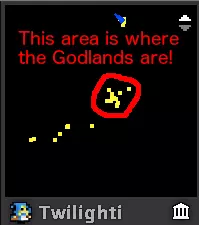
《 Realm of the Mad God》最佳设置(最新版)
本指南包含一些《疯狂之神的领域》实用技巧,能帮助你获得更好的动态体验。希望能帮到某些玩家。 ★如何打开选项?★ 只需按下键盘上的“esc”键,你就能在最顶部找到…
2026-02-20 16:000赞 · 0评论
如何在《 Realm of the Mad God》中生存[过时]
本指南将帮助你在领域中生存 步骤1 躲避子弹
2026-02-18 01:000赞 · 0评论

如何在《 Realm of the Mad God》中避免死亡!
在本指南中,你将发现避免在【 Realm of the Mad God】中死亡的终极策略! 请按步骤操作! 1. 卸载【 Realm of the Mad Go…
2026-02-18 10:000赞 · 0评论
第25赛季第2部分:奥瑞克斯节
奥瑞克斯节来啦!快回到《 Realm of the Mad God》的世界中开始庆祝吧! 查看博客文章了解所有详情: https://remaster.real…
2025-12-16 15:590赞 · 0评论
《 Realm of the Mad God》全方位实用指南
这款游戏难度较高,刚开始游玩时你可能需要一份包含建议的小型指南。 这是一份充满提示的小型指南。 译者注:大家好!本指南的作者是Zarathustra,我只是译者…
2026-02-20 13:000赞 · 0评论
新手入门(及更多信息)
大家好,我叫PiotrusWow(在《 Realm of the Mad God》中使用的名字)。我想告诉大家如何快速在《Realm of the Mad Go…
2026-02-20 07:000赞 · 0评论
如何正确游玩《 Realm of the Mad God》!
在本指南中,我会尽量解释新手如何更好地学习玩这款游戏。 成功玩家的规则。 1) 生命值低于200时,返回基地。【返回基地】是这款游戏的核心技能。如果你的屏幕闪烁…
2026-02-19 19:000赞 · 0评论
《 Realm of the Mad God》全方位指南
给刚入坑或正在寻找各种建议的玩家。 本指南的内容和适用人群 我发现《 Realm of the Mad God》(RotMG)缺乏面向新手的最新指南,因此决定为…
2026-02-18 10:000赞 · 0评论

疯狂特惠周
《 Realm of the Mad God 》疯狂特惠周正式开启。 从现在起到12月2日,每天都会有新的金币优惠和限时促销活动轮番上线。 请密切关注商店,遇到…
2025-11-25 11:080赞 · 0评论
暂无更多
最新更新
- 《疯狂之神的领域:飞升》6.9.0.0版本 第28赛季第一部分:水流涌动 — 《疯狂之神的领域:飞升》第28赛季第一部分:水流涌动现已上线! 本次更新包含以下内容: 1. 新增外观重制的T6技能 2. 新增一种雕刻 3. 更新天界任务 4…
- 职业重做与Steam成就调查 — 《疯狂之神的领域:飞升》玩家们, 我们制作了一份简短的调查问卷,旨在收集大家对我们目前正在研究的两项内容的反馈。 1. 我们已经在着手进行召唤师的重做工作,但还…
- 《疯狂之神的领域:飞升》第27赛季第二部分更新内容:复活节 — 《疯狂之神的领域:飞升》更新内容 1.新增Steam成就 2.对【第三维度】进行重做 3.一系列提升可见度和整体游戏体验的便利性调整
- 《 Realm of the Mad God》最佳设置(最新版) — 本指南包含一些《疯狂之神的领域》实用技巧,能帮助你获得更好的动态体验。希望能帮到某些玩家。 ★如何打开选项?★ 只需按下键盘上的“esc”键,你就能在最顶部找到…
- 玩《 Realm of the Mad God》的重要提示 — 一个能改变你在《疯狂之神的领域》中游戏体验的技巧…… 观察并彻底改变你的游戏风格! 请看下文: 重要且独特的技巧: 不要害怕快速推进。
- 《 Realm of the Mad God》全方位实用指南 — 这款游戏难度较高,刚开始游玩时你可能需要一份包含建议的小型指南。 这是一份充满提示的小型指南。 译者注:大家好!本指南的作者是Zarathustra,我只是译者…
- 那么《 Realm of the Mad God》(ROTMG)是什么呢? — 这首先是一款经典的大型多人在线角色扮演游戏。经典?没错,但也不尽然,因为《 Realm of the Mad God》是一款死亡永久的动作角色扮演游戏。大致来说…
- 新手入门(及更多信息) — 大家好,我叫PiotrusWow(在《 Realm of the Mad God》中使用的名字)。我想告诉大家如何快速在《Realm of the Mad Go…
- 如何在《 Realm Exalt》中生存 — 本指南是《 Realm 生存指南:如何避免死亡》的更新版本。此版本适用于正在游玩《 Realm》飞升版的玩家。 步骤1 不要被子弹击中。
- 如何变得厉害 — 好的,我们开始吧。 步骤1:选择一个角色 步骤2:升到20级 步骤3:进入对你来说难度过高的地下城 步骤4:死亡并抓狂 步骤5:重复上述步骤 不过如何避免死亡呢…