



非常实用的《收获日2》模组
实用的《收获日2》模组能够改善游戏体验、提升帧率、美化游戏画面,并为你带来更愉悦的整体感受。 简介 本指南旨在介绍模组相关内容,包含你开始使用模组所需的一切信息,以及许多能提升游戏体验的模组。 在开始本指南之前,我想先说明几件事: 1. 若遇到崩溃等问题,请向模组开发者报告。我了解如何为这款游戏安装模组,但并非模组开发者,因此除非是模组冲突这类问题,否则我无法提供实质性帮助。在Windows系统中查找崩溃日志的方法:在搜索栏输入“%localappdata%”,点击出现的文件夹,然后找到“PAYDAY 2”文件夹。此文件夹内会有一个名为“crash.txt”的文本文件,这是你最新的崩溃日志。 2. 如果某个模组确实出现问题,请在此处留言,我会亲自查看。若确认存在问题,我会更新本指南。 3. 你无需安装本指南中的所有内容。模组的选择很大程度上取决于个人偏好,尤其是像HUD(用户界面)和视觉效果类的模组(显然,安装HUD部分的所有内容会导致问题)。你可以浏览一下,看看是否有喜欢的。可能有些非常优秀的模组未在本指南中提及,如果你认为有应该添加的内容,可在评论区留下建议,我会考虑添加。 4. 这些模组都不是我制作的。所有功劳都归于模组创作者以及他们对游戏做出的惊人贡献。我只是想制作一个合集,希望能帮助刚接触模组或刚接触这款游戏的玩家。说真的,这里面的很多模组都非常实用,他们为这款游戏付出的努力令人难以置信。 话不多说,让我们开始吧。 ### 开始游戏模组制作的必备工具 在开始制作模组之前,你需要SuperBLT。这是一个DLL钩子,能让游戏加载BLT模组。它是大多数模组(包括本指南中的模组)的必备工具。你可以在这里找到它:https://superblt.znix.xyz/ 点击“Latest Release DLL”链接并下载文件。将DLL文件放入你的《收获日2》文件夹中(要访问该文件夹,请进入你的Steam库,右键点击《收获日2》,选择“本地文件”,然后点击“浏览本地文件”)。
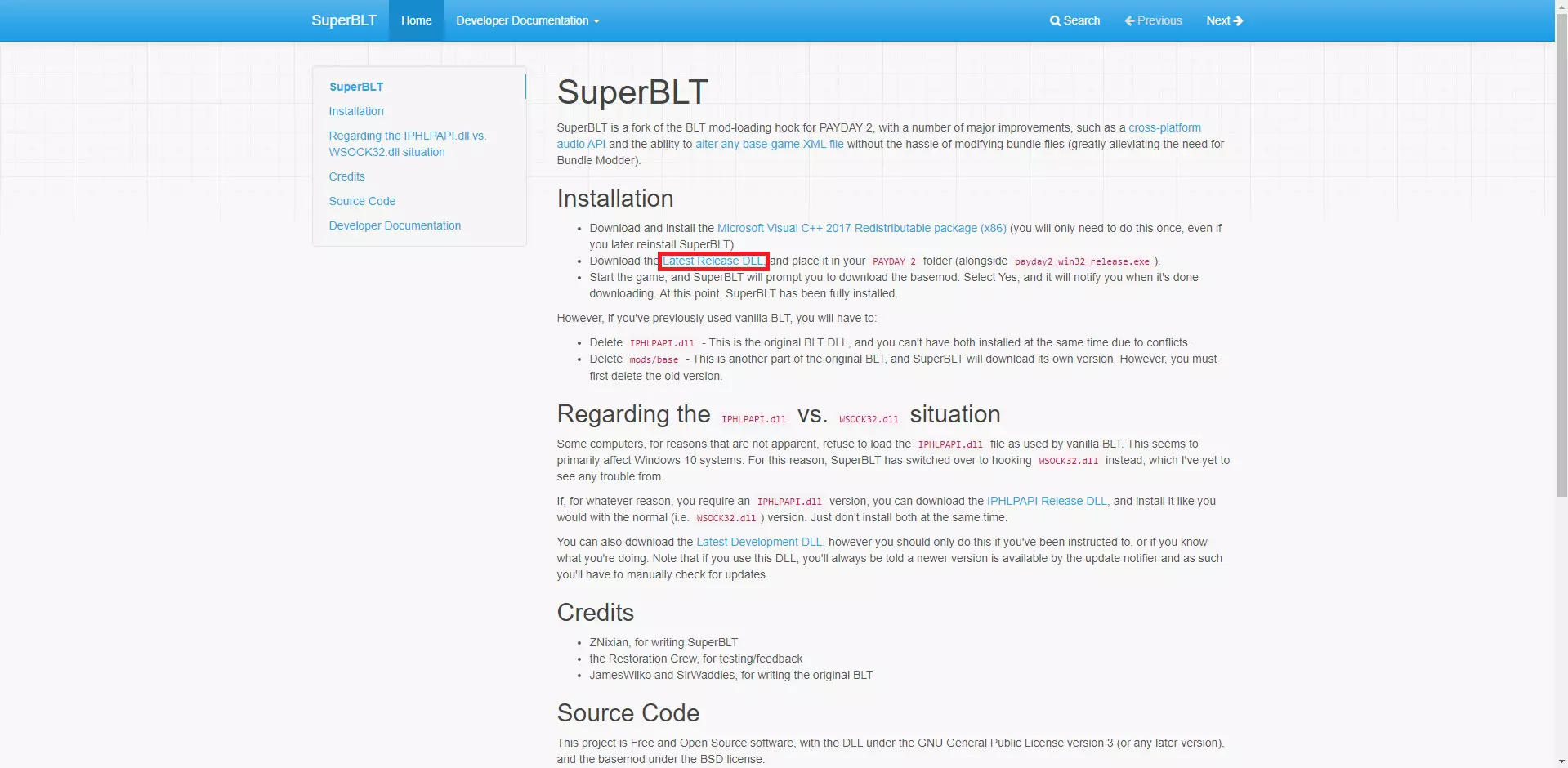
Open the game and it will start downloading the required files for SuperBLT to function and also creates the mods folder which is very important. Once this is done, SuperBLT is fully functional. Another essential mod is BeardLib. This adds a lot of new functions to the game which other mods require to work properly. This is needed for a lot of mods in here. https://modworkshop.net/mod/14924 Download the mod from here and place the folder inside the zip file into your mods folder. Some mods need to be installed in the mod_overrides folder, mainly texture replacements and custom music. This folder may not exist and it will need to be created manually. To do this, go to the Payday 2 game folder and then the assets folder. Make a folder EXACTLY named "mod_overrides" (remove the quotes). If the folder is already there, that's fine. Be aware that some mod_overrides things may need SuperBLT and also BeardLib. Another important folder is the "Maps" folder which goes into the main payday 2 folder. This is where you install custom heists. If this folder doesn't exist, make it with the exact name of "Maps" (once again without quotes). Another useful mod I recommend is Simple Mod Updater. This is used to keep TdlQ mods (pretty much any mods from here https://pd2mods.z77.fr/) up to date. https://pd2mods.z77.fr/simple_mod_updater.html Install to mods The last mod I want to mention here is HopLib. This adds some functions that are required for some mods (mainly those made by Hoppip). Required for a mod mentioned later. https://modworkshop.net/mod/21431 Install this to the mods folder. Fixes and Performance The Fixes This mod fixes a lot of things in Payday such as crashes, softlocks and other various issues. It also has an options menu where you can change some of the fixes which you might not want. https://modworkshop.net/mod/23732 The Fixes Install to mods Celer This mod uses portals (derenders models if the player isn't within a certain area) and occluders (derenders things behind an occluder plane) to boost framerates with minimal visual quality degradation. https://pd2mods.z77.fr/celer.html Celer Install to mods Anticrash This mod does exactly what the name suggests, fixes a lot of crashes including ones that can be caused by players with griefing mods. https://pd2mods.z77.fr/anticrash.html Install to the mods folder. Anti Slow Mo Prevents players from making your game slow down with griefing mods https://modworkshop.net/mod/22560 Install to mods Sensitivity Fixer Changes the games sensitivity values to use 0 to 1 instead of 0.7 to 1.7 allowing for a lower sensitivity https://modworkshop.net/mod/12823 Install to mods Auto Fire Sound Fix Simple mod that fixes a bug which can cause weapon sounds to play twice if auto firing. Also works with custom weapon sounds. https://modworkshop.net/mod/20403 Install to mods folder Clear Texture Cache Clears the texture cache every time you start a heist which can help with memory use. https://pd2mods.z77.fr/clear_texture_cache.html Install to mods Refresh Rate Checker Lets you change the refresh rate in the options https://pd2mods.z77.fr/refresh_rate_checker.html Install to mods DX11 Shaders Fix Upgrades shaders to DX11 which has improvements to performance and stability. If your GPU doesn't support DX11 the game will crash but this is unlikely unless it's incredibly old. https://modworkshop.net/mod/14938 Install to mods Load Steam Inventory Once Makes the steam inventory only load when you start the game or open the steam inventory to prevent the menus lagging https://modworkshop.net/mod/24008 Install the mods No Down This is a difficulty mod but it also has scripts which improves the performance of CRIME.NET, making it lag less when browsing for games https://modworkshop.net/mod/32586 Install to mods Clientsided Uppers Clientsided Uppers makes uppers clientsided which can prevent it not working because of lag. https://modworkshop.net/mod/29645 Install to mods Stop Lobby Lag Fixes lag when people edit their inventory in the lobby https://modworkshop.net/mod/47435 Install to mods Less Aliasing Adjusts a contrast value to make anti aliasing more efficient. https://modworkshop.net/mod/37442 Install to mods Check For Wallbangs Implements checks to stop you getting shot through walls. https://modworkshop.net/mod/47414 Install to mods Quality of Life Improvements Perfect FOV Allows to make your FOV higher than the vanilla default https://modworkshop.net/mod/50748 Install to mods No Screen Shake (Only on Shooting) Makes the screen not shake when you shoot your guns which can help with motion sickness https://modworkshop.net/mod/22471 Install to mods Alphasort Mods Simple mod which sorts mod lists alphabetically https://pd2mods.z77.fr/alphasort_mods.html Install to mods Lobby Player Info Displays the builds, ping and perk deck of other players in the lobby as well as some other features https://pd2mods.z77.fr/lobby_player_info.html Install to mods Lobby Settings Adds new settings to the edit lobby menu such as how many bots you'd like to take. https://pd2mods.z77.fr/lobby_settings.html Install to mods Improved Offline Functionality Improves playing the game offline by allowing you to use your skins, allowing you to use that chat offline, allowing community group content offline and some other cool features https://modworkshop.net/mod/25511 Install to mods Fullscreen Windowed(Borderless Windowed Updated) Adds a native borderless mode to the games video options https://modworkshop.net/mod/27683 Install to mods No Dirt Camera Removes a camera effect which is easy to see when you look at light sources https://modworkshop.net/mod/833 Install to mod_overrides Auto Discard Parachute Automatically throws the parachute when you land on Birth of Sky and Boiling Point. https://pdmods-arc.berigora.net/paydaymods.com/mods/patchnotes/279/1/index.html Install to mods Basic Movement Undeploys Bipod Allows you to undeploy your bipod by pressing your movement keys as the name suggests https://modworkshop.net/mod/19561 Install to mods Drag and Drop Inventory Lets you drag and drop items in your inventory https://pd2mods.z77.fr/drag_and_drop_inventory.html Install to mods More Weapon Stats Displays some hidden weapon stats and also shows you the breakpoints (shots to kill) of weapons https://pd2mods.z77.fr/more_weapon_stats.html Install to mods Steam Profile Redirection 2025 Update Sends you to the players steam profile instead of their FBI Files when you click on their name in the lobby https://modworkshop.net/mod/54157 Install to mods Extra Profile and Skillsets Allows you to give yourself over 15 profiles and skillsets allowing you to make more builds https://modworkshop.net/mod/26702 Install to mods Note: Uninstalling this mod will make you lose all your extra profiles and skillsets Enhanced Hitmarkers Allows you to change the shape and colours of hitmarkers and lets you have different hitmarkers for bodyshots, headshots and critical hits
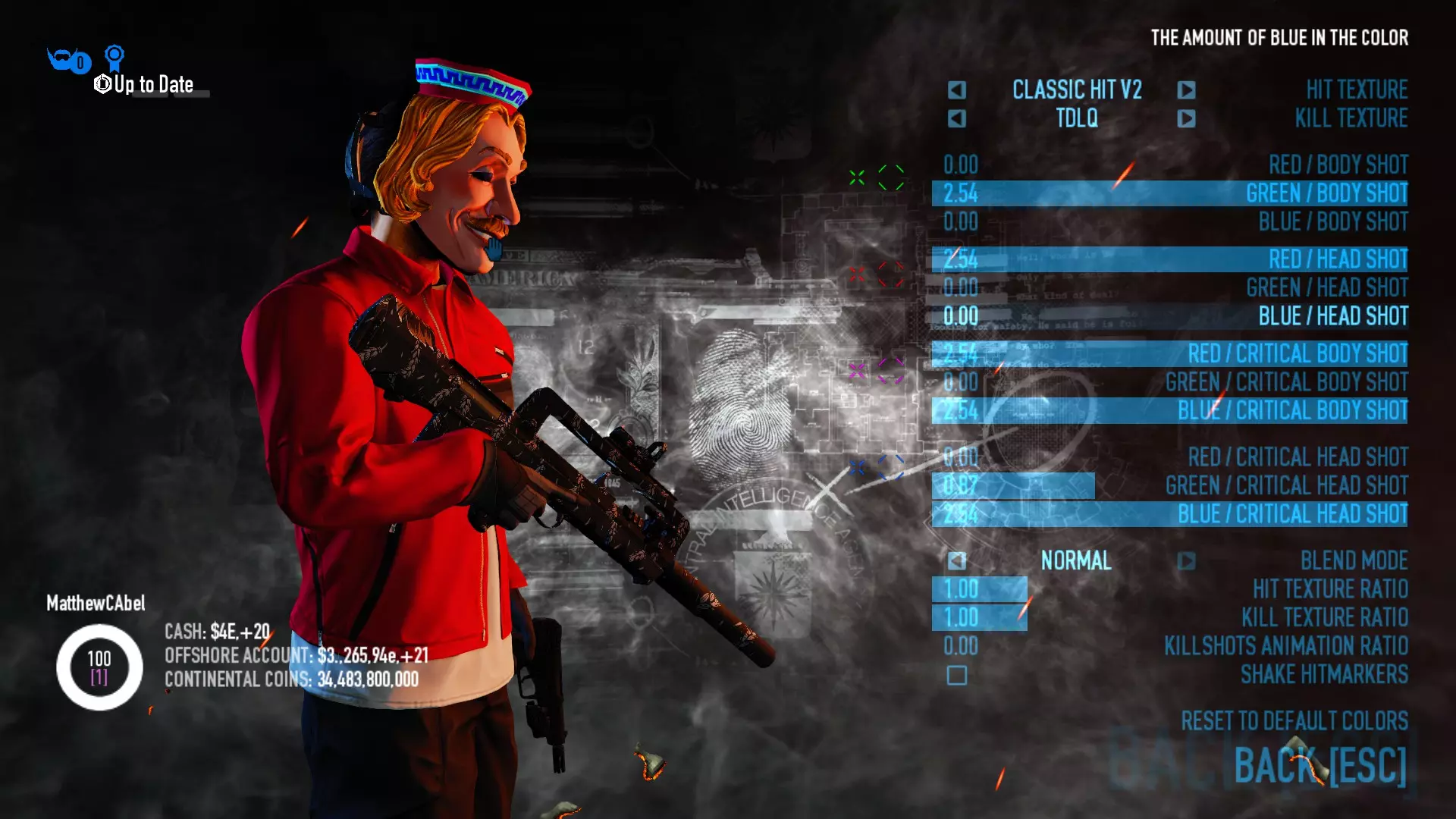
增强型命中标记 安装路径:mods文件夹 扩展大陆币商店(Goonmod独立版) 允许你使用大陆币购买更多物品,例如面具和自定义外观。 安装路径:modworkshop.net/mod/19109 → mods文件夹 降低武器激光偏差 使武器激光点更接近子弹实际落点。 安装路径:pd2mods.z77.fr/less_inaccurate_weapon_laser.html → mods文件夹 禁用ADS后坐力动画 此模组会禁用瞄准(ADS)时的后坐力动画,使射击更舒适。注意:该模组不会禁用实际后坐力。 安装路径:modworkshop.net/mod/25619 → mods文件夹 保存我的经验值! 当你从大厅断开连接时保存你的经验值。 安装路径:modworkshop.net/mod/32685 安装至模组 名称:标签淡化 当玩家未看向其他玩家时,其名称标签会逐渐淡出。可根据个人喜好进行配置。存在一个问题,即可能导致模组选项消失,但值得尝试。此外,可能与部分自定义HUD不兼容。 https://modworkshop.net/mod/35185 连发枪瞄准镜调整(已更新) 瞄准射击时略微倾斜连发枪,以减少对视野的遮挡。
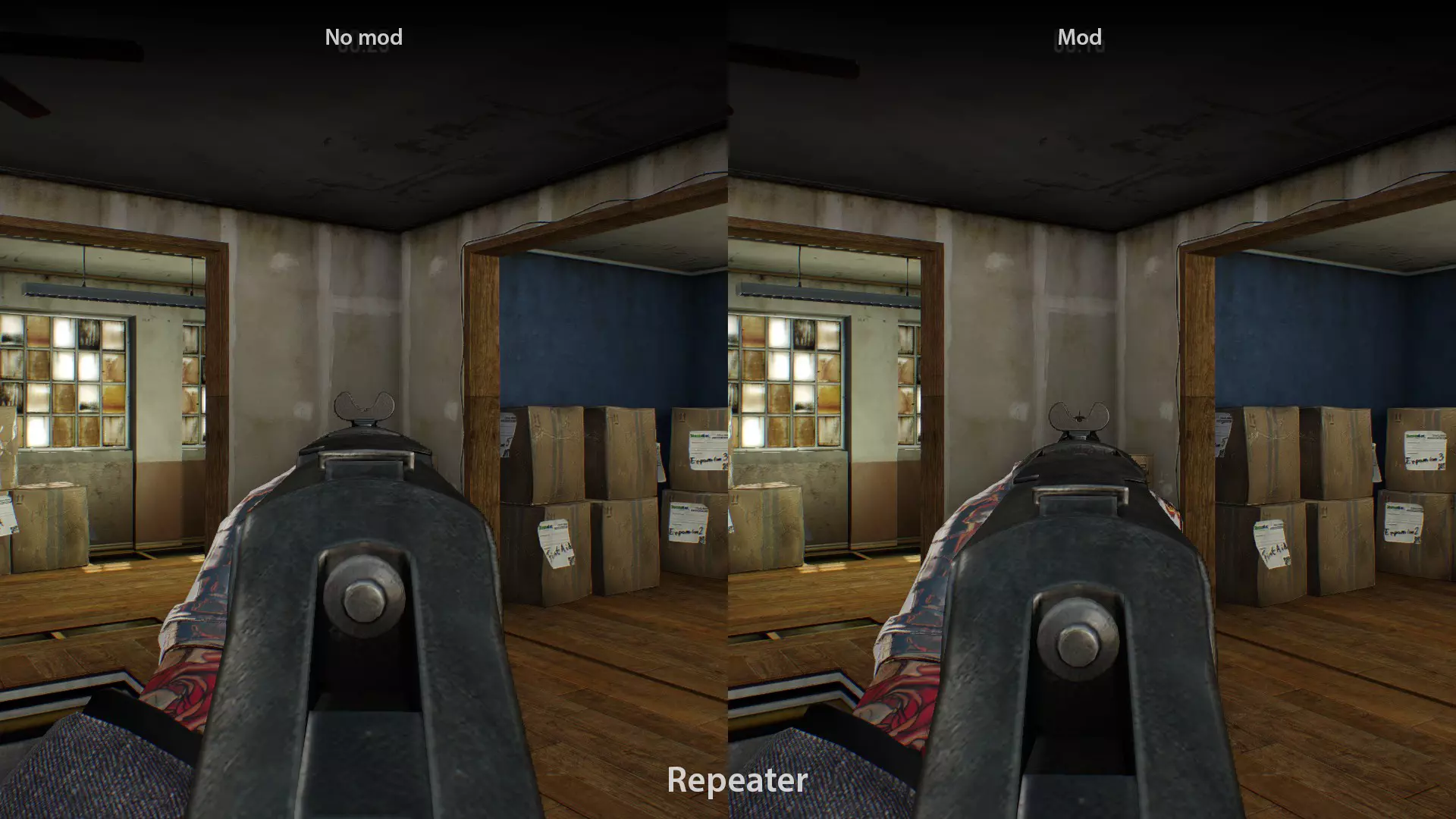
https://modworkshop.net/mod/40958 安装至mods文件夹 **音乐列表排序** 将游戏原版音乐列表按字母顺序排序,而非按新旧顺序。遗憾的是,此mod不改变自定义音乐的排序。 https://modworkshop.net/mod/22159 安装至mods文件夹 **装备界面显示面具** 如其名称所示,在装备界面显示面具。 https://modworkshop.net/mod/26002 安装至mods文件夹 **精简mod列表** 移除BLT mod列表中的图标,可使加载更加流畅。 https://pdmods-arc.berigora.net/paydaymods.com/mods/551/mll.html 安装至mods文件夹 **简易 bipods** 简化 bipods(脚架)功能,使其在各方面表现更优。 https://modworkshop.net/mod/28961 安装至mods文件夹 **自动装备ICTV护甲** 当你点选“钢铁之躯”技能的专家级后,自动装备ICTV护甲。 https://modworkshop.net/mod/35944 安装至模组 玩家状态面板增强 使装备界面中的状态面板显示更多信息,整体更具实用性。 https://modworkshop.net/mod/41942 安装至模组 HUD界面 VanillaHUD Plus 可高度自定义的HUD,在游戏内及菜单中均包含大量便利性功能。可配置为与其他HUD配合使用,页面上提供兼容性设置。基于WolfHUD开发,包含其多项功能。强烈建议安装,即使你不想将其用作HUD。
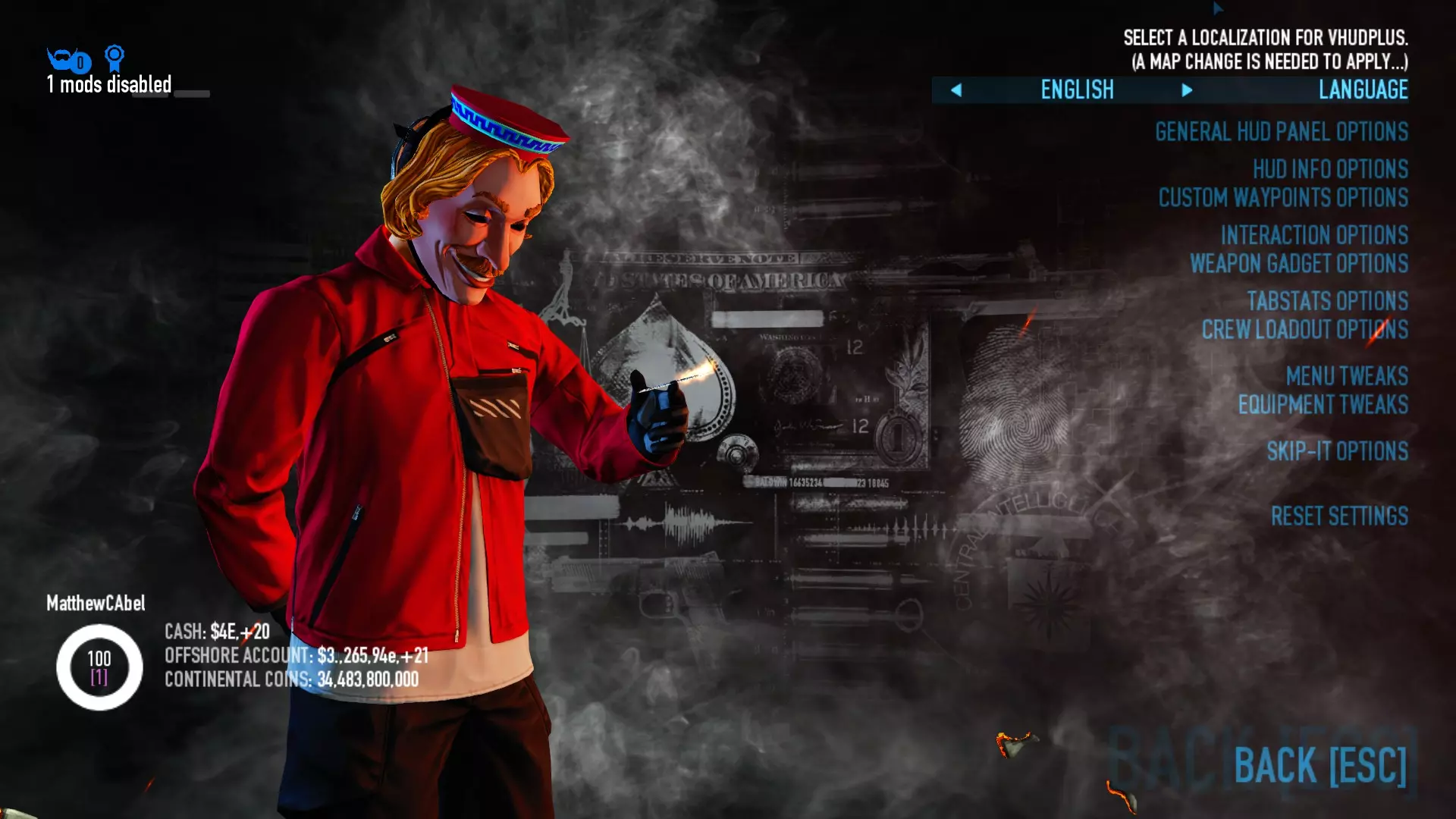
一张选项菜单的图片展示了这个HUD的实际可自定义程度。
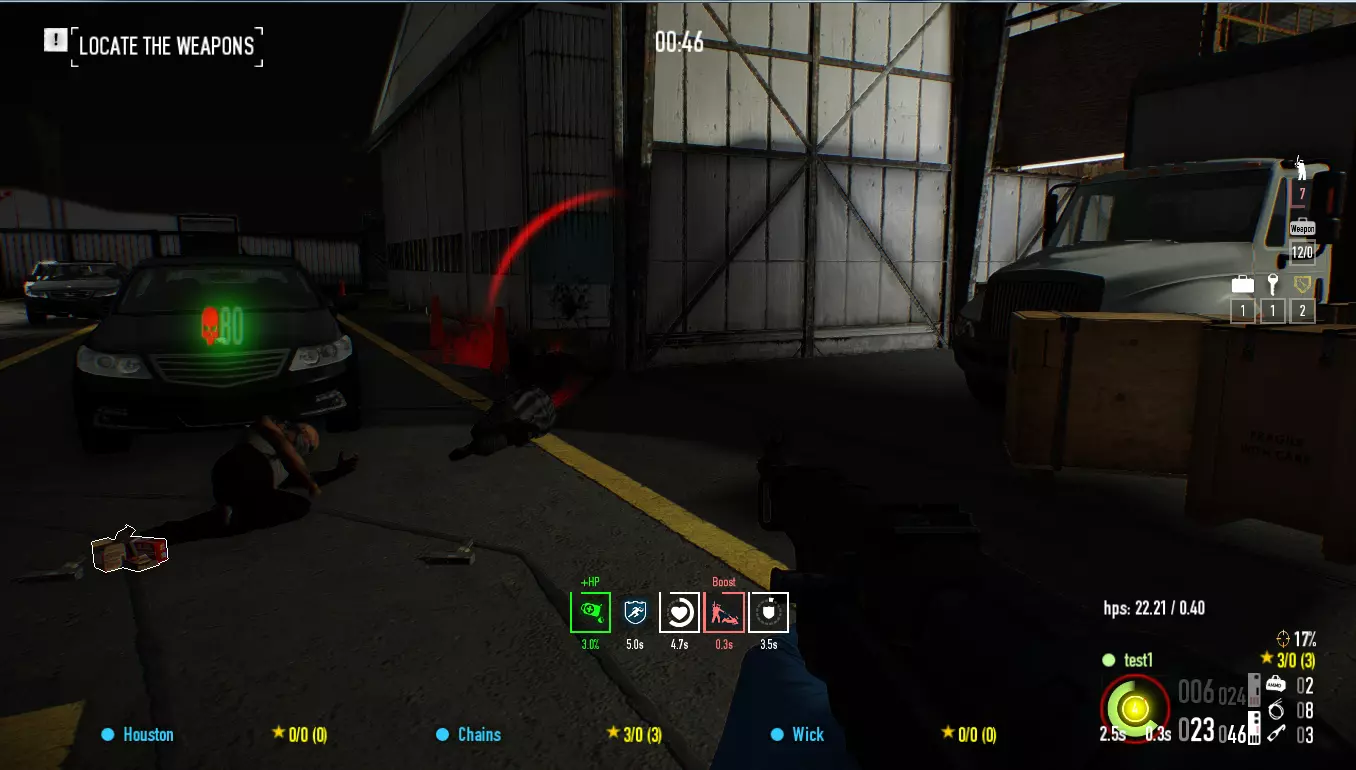
https://modworkshop.net/mod/25629 安装至mods文件夹 更好的突袭指示器 可自定义突袭指示器,并为其添加更多信息。兼容多种其他HUD。

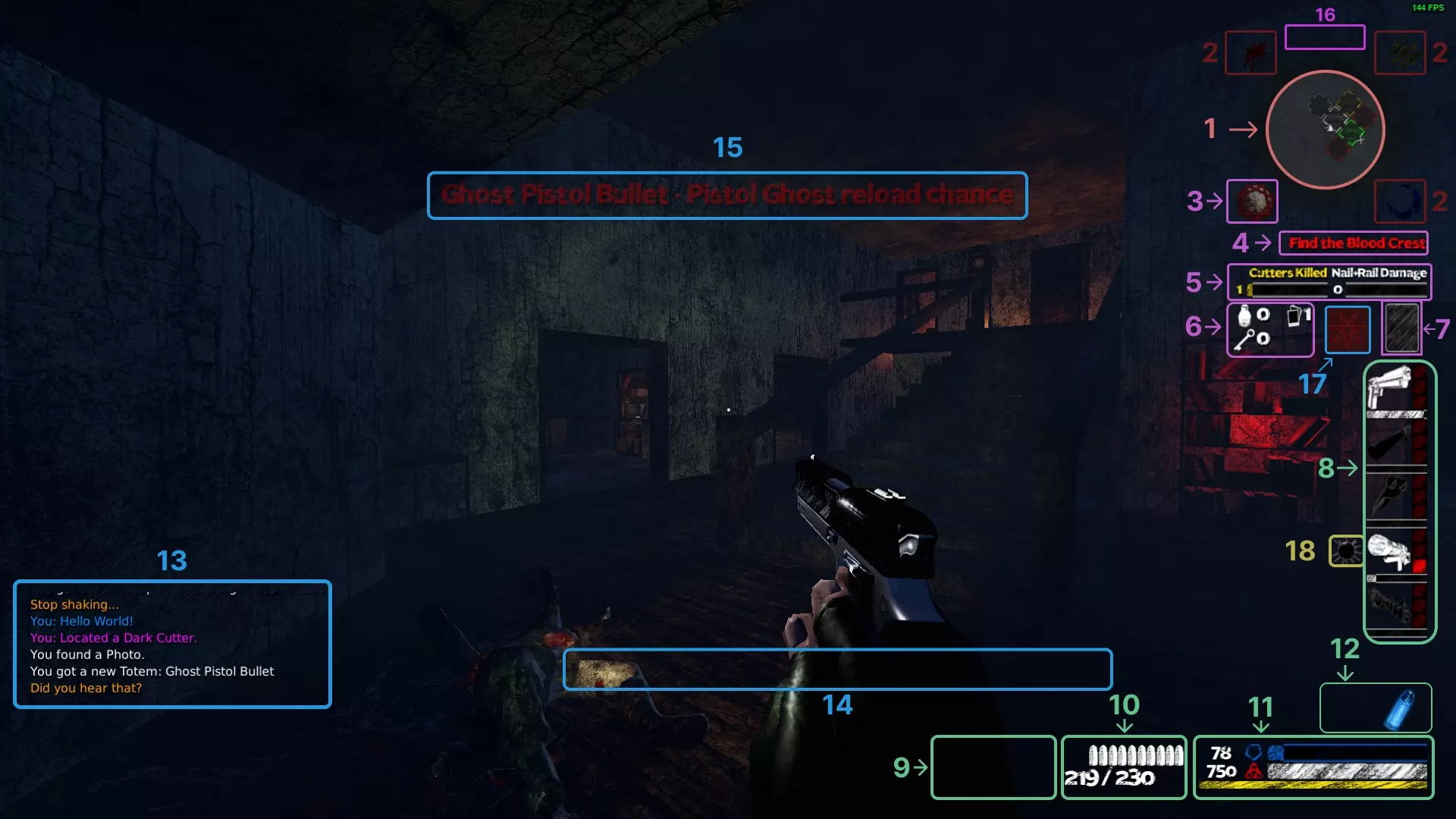
VanillaHUD Plus 的 BAI 示例 https://modworkshop.net/mod/22712 安装至 mods 文件夹 MUI 可高度自定义的简约界面,是我个人最喜欢的界面之一
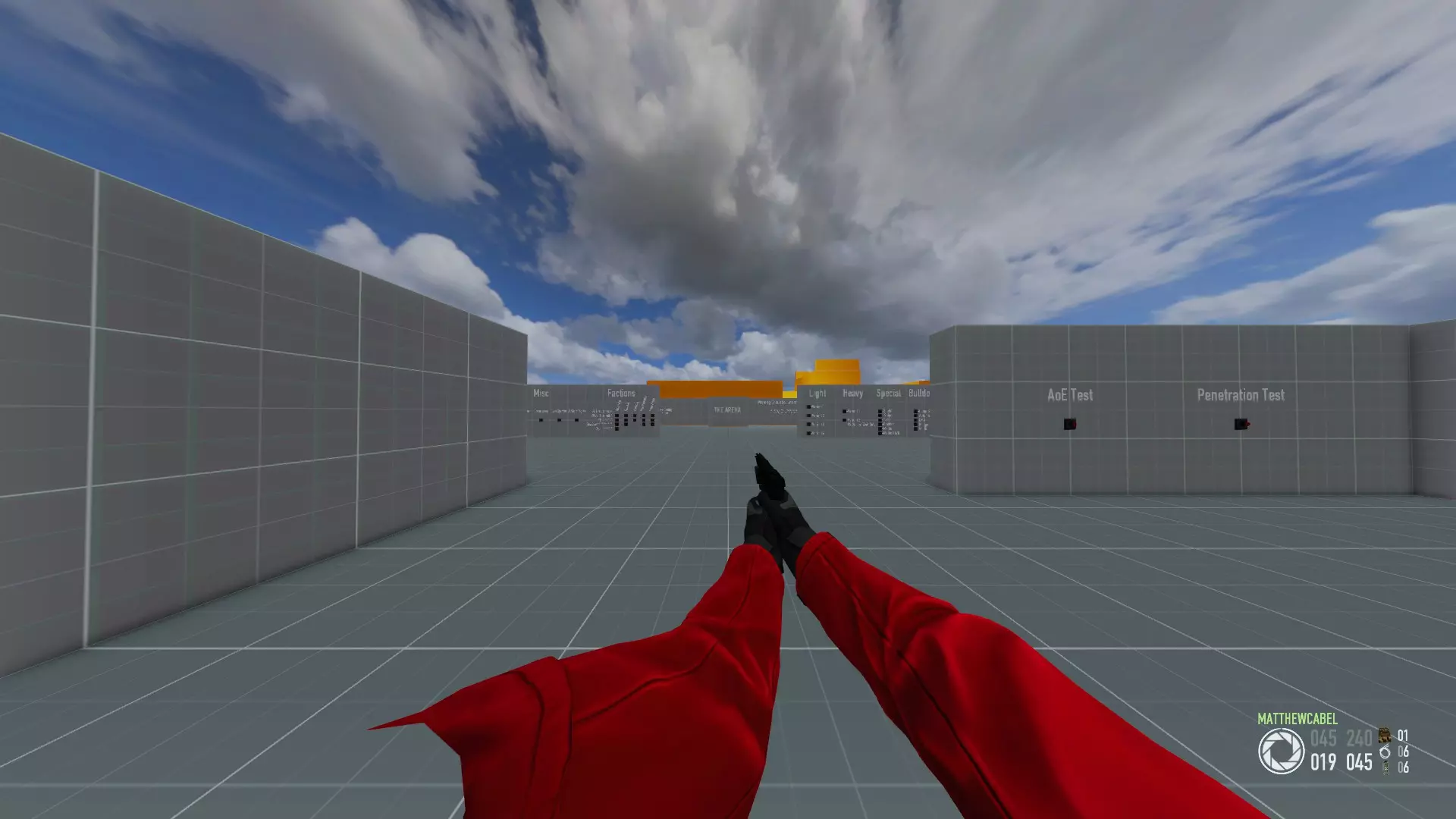
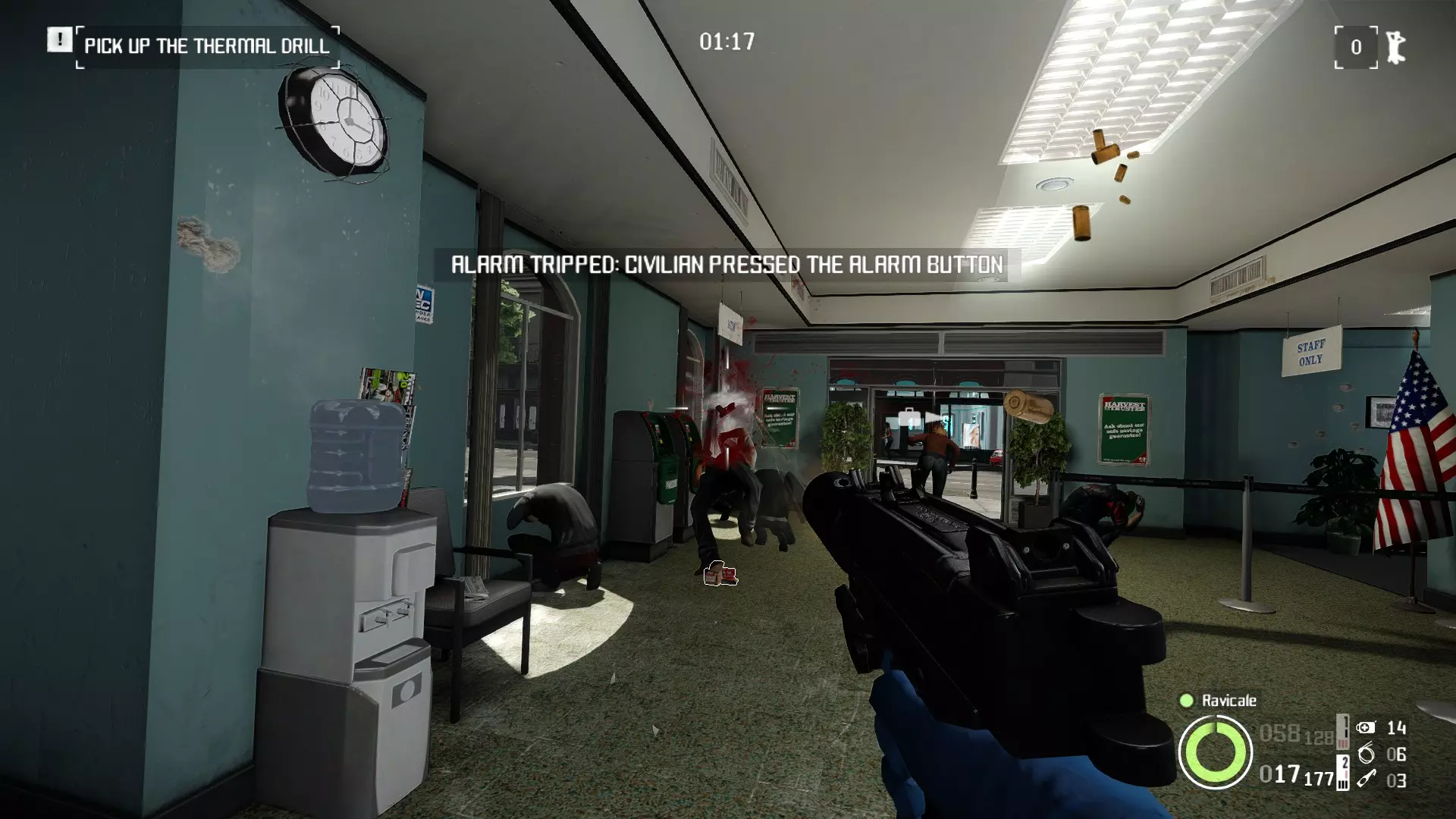
MUI(默认配置) https://modworkshop.net/mod/46681 安装至mods文件夹 同时使用截图中的这款血条(https://modworkshop.net/mod/16451 mod_overrides) 虚空界面(Void UI) 一款美观的HUD,具备许多实用功能,例如可显示你和队友击杀数的计分板。你还可以在该HUD中禁用几乎所有不需要的元素。
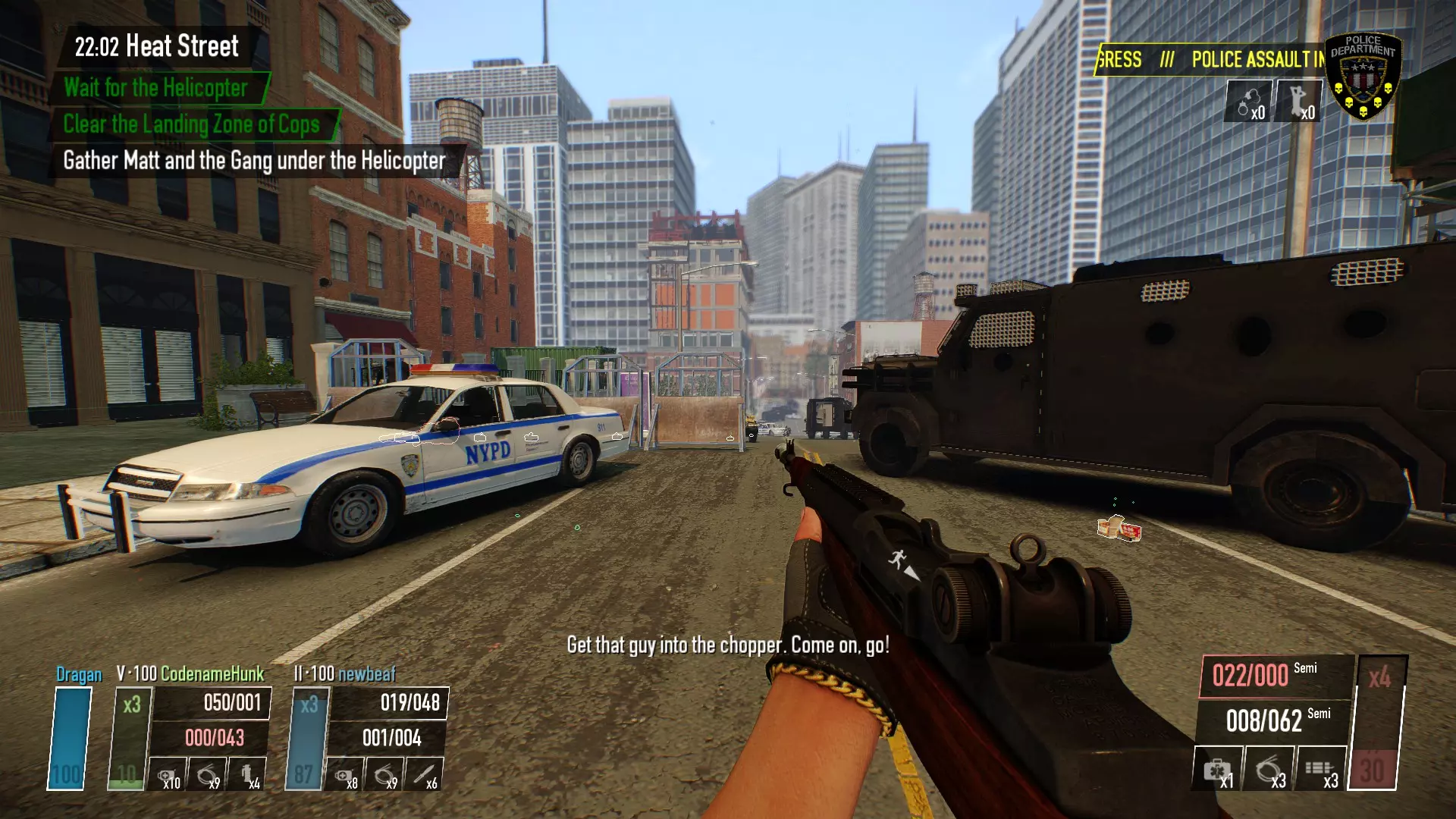
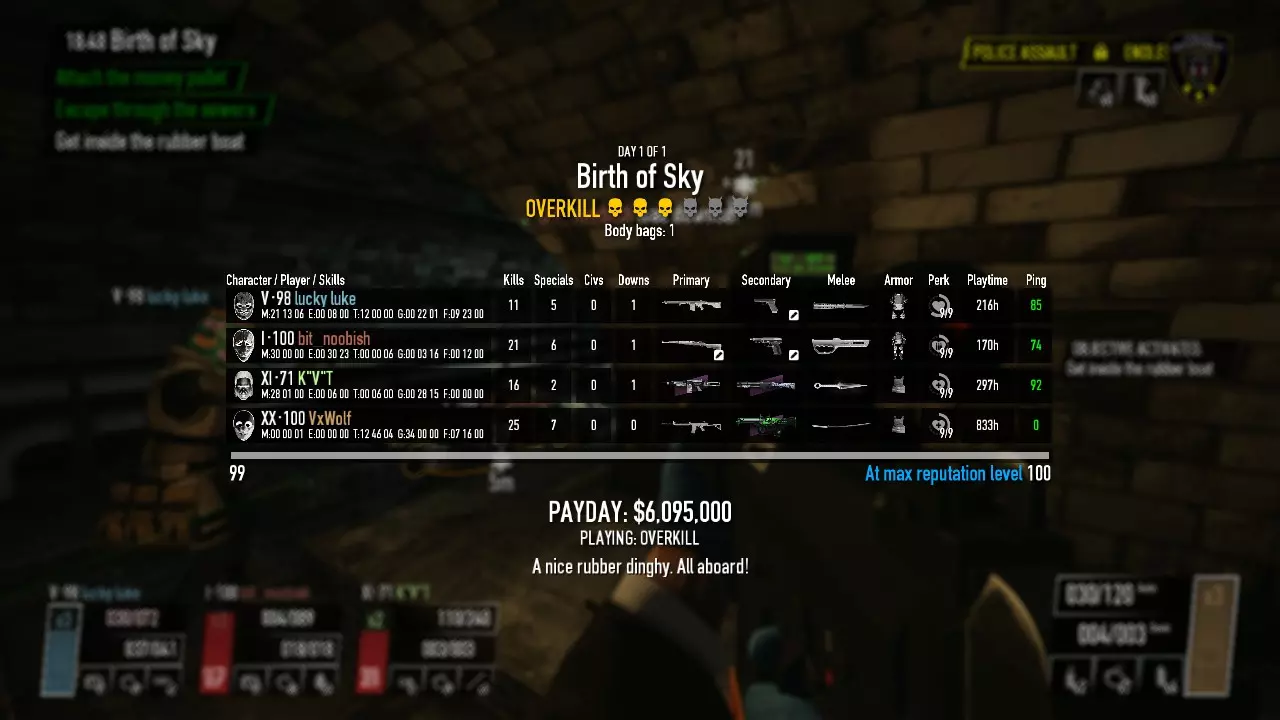
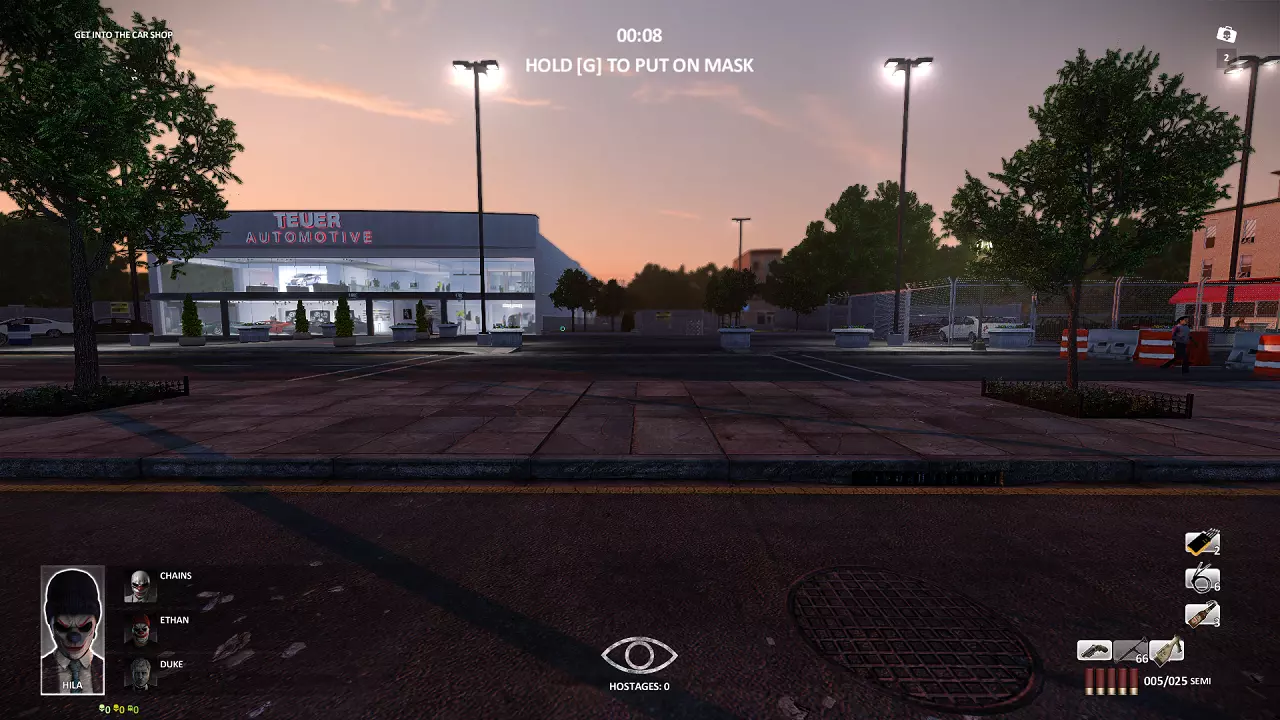
https://modworkshop.net/mod/20997 安装至mods文件夹 PDTH界面模组 使界面外观与《收获日:掠夺》(Payday: The Heist)的界面相似
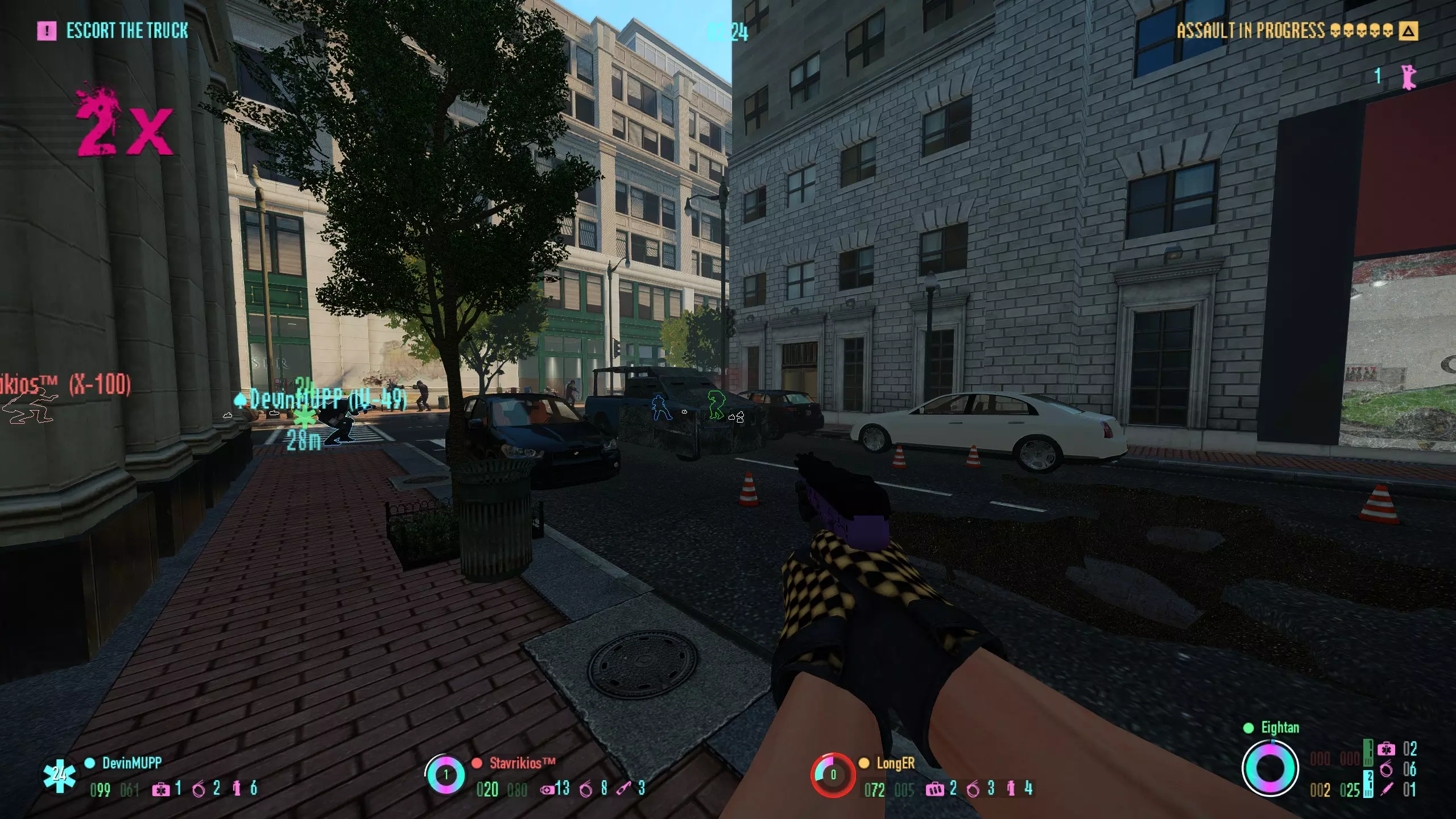
https://modworkshop.net/mod/19900 安装至mods文件夹 《迈阿密热线》风格界面 为你的界面增添更多色彩,并赋予其与《迈阿密热线》相似的外观和感觉。还内置了连击计数器,击杀警察时数值会上升。甚至包含自定义字体。
https://modworkshop.net/mod/27294 安装至mods文件夹 PocoHUD 一款信息高度可自定义的HUD。还具备一些实用功能,例如可在游戏中途更换音乐。 https://steamcommunity.com/app/218620/discussions/15/2980781849379353493/ 安装至mods文件夹 如果想将PocoHUD与MUI一起使用,建议安装此mod。它能修复Poco与MUI的一些对齐问题,尤其是在底部信息框中。 https://drive.google.com/drive/folders/1GFPFN5rB_AHIjA0BQjcyqoQWZdtHM0Jh?usp=sharing 安装至mods文件夹 HoloUI 高度可自定义的HUD,同时对菜单也进行了一些改动。
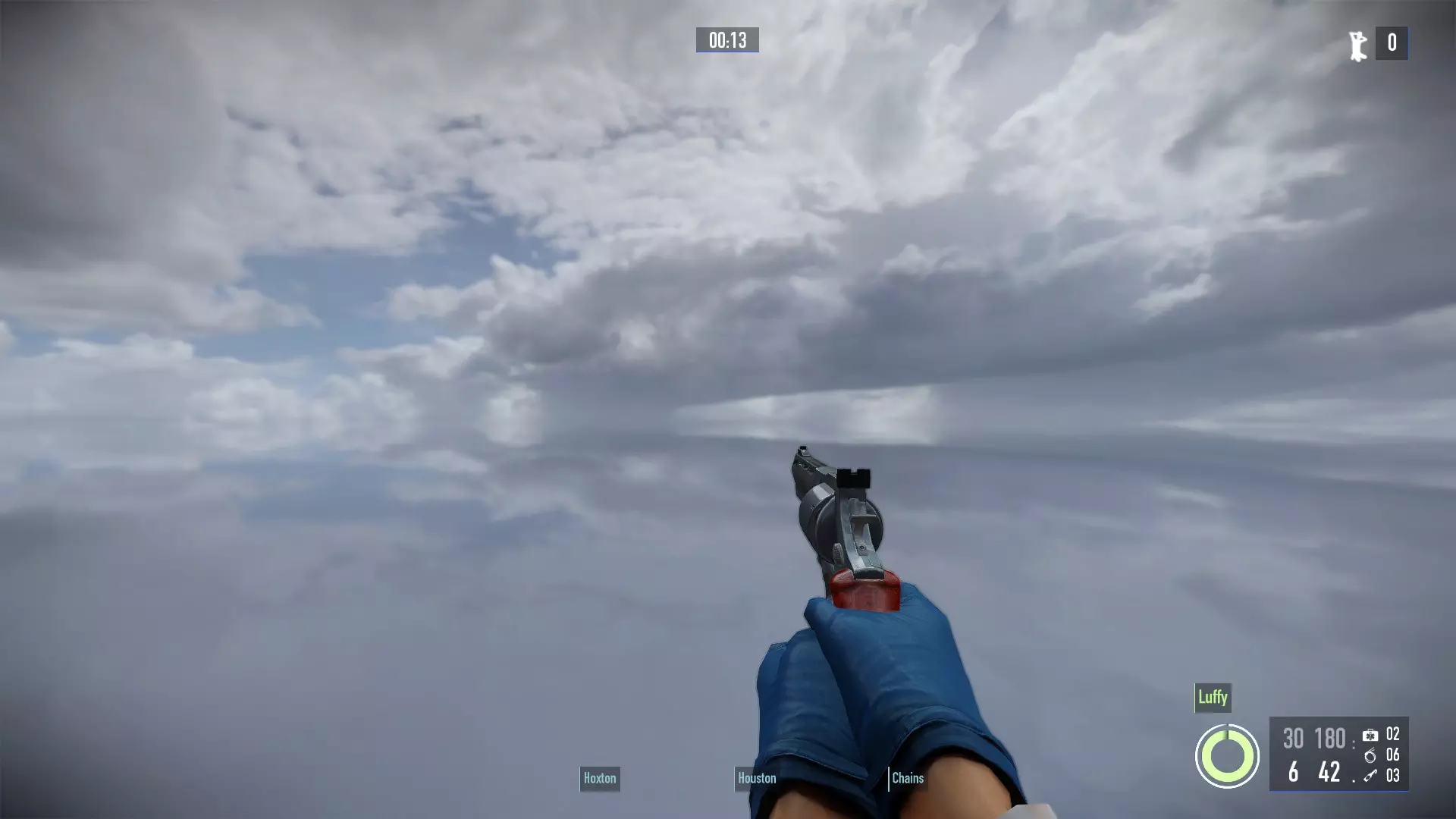
https://modworkshop.net/mod/12501 安装至mods文件夹 索拉的HUD重制版 一款具有美感的HUD,包含一些实用功能,例如耐力条。
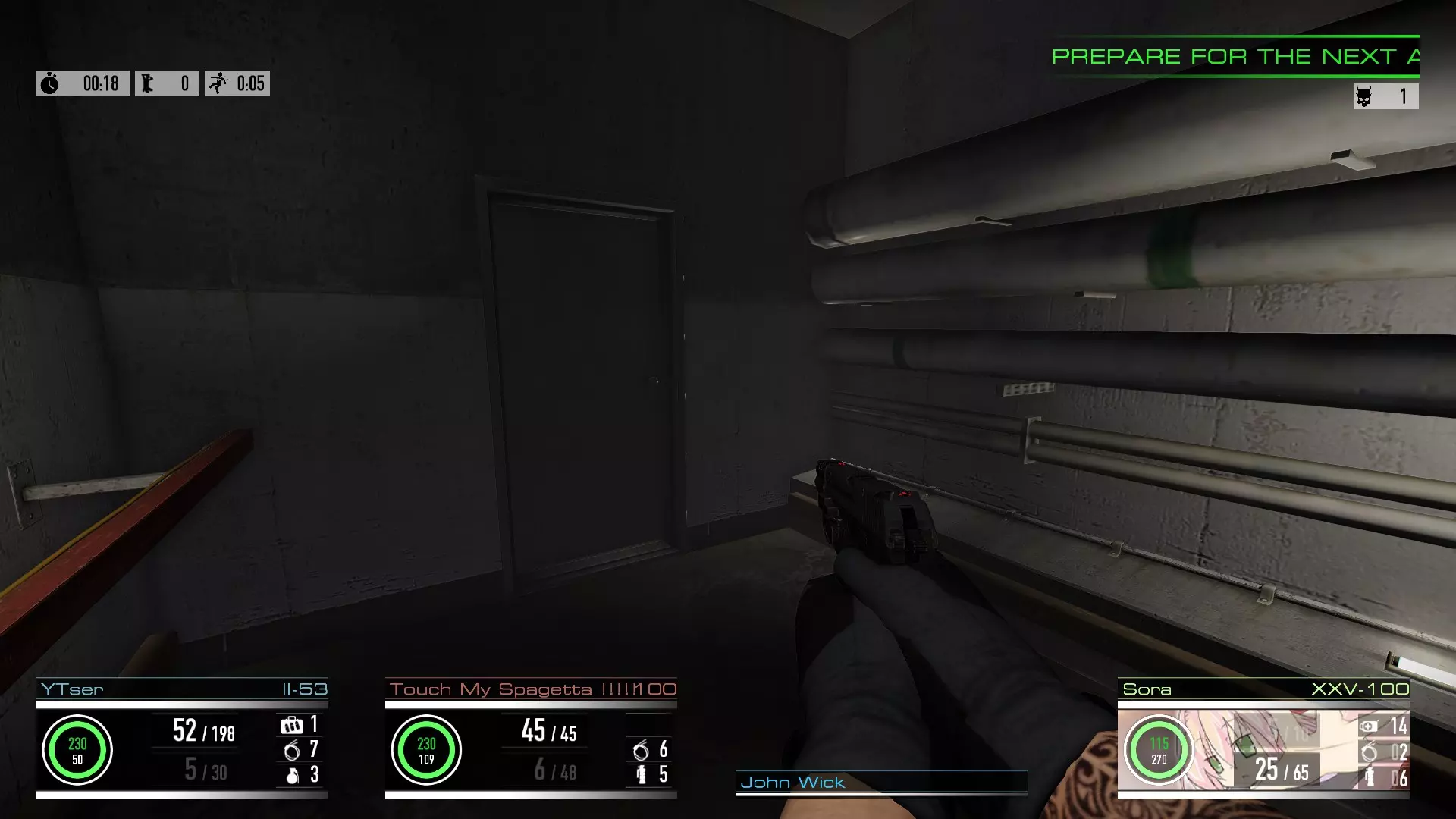
https://modworkshop.net/mod/22152 安装至mods文件夹 HopHUD 一款小型HUD模组,新增了一些功能,例如击杀计数器、无政府主义者2秒指示器、队友彩色生命环以及新的菜单面板。如果你想要基本保持原版风格的界面,这款模组会很合适。
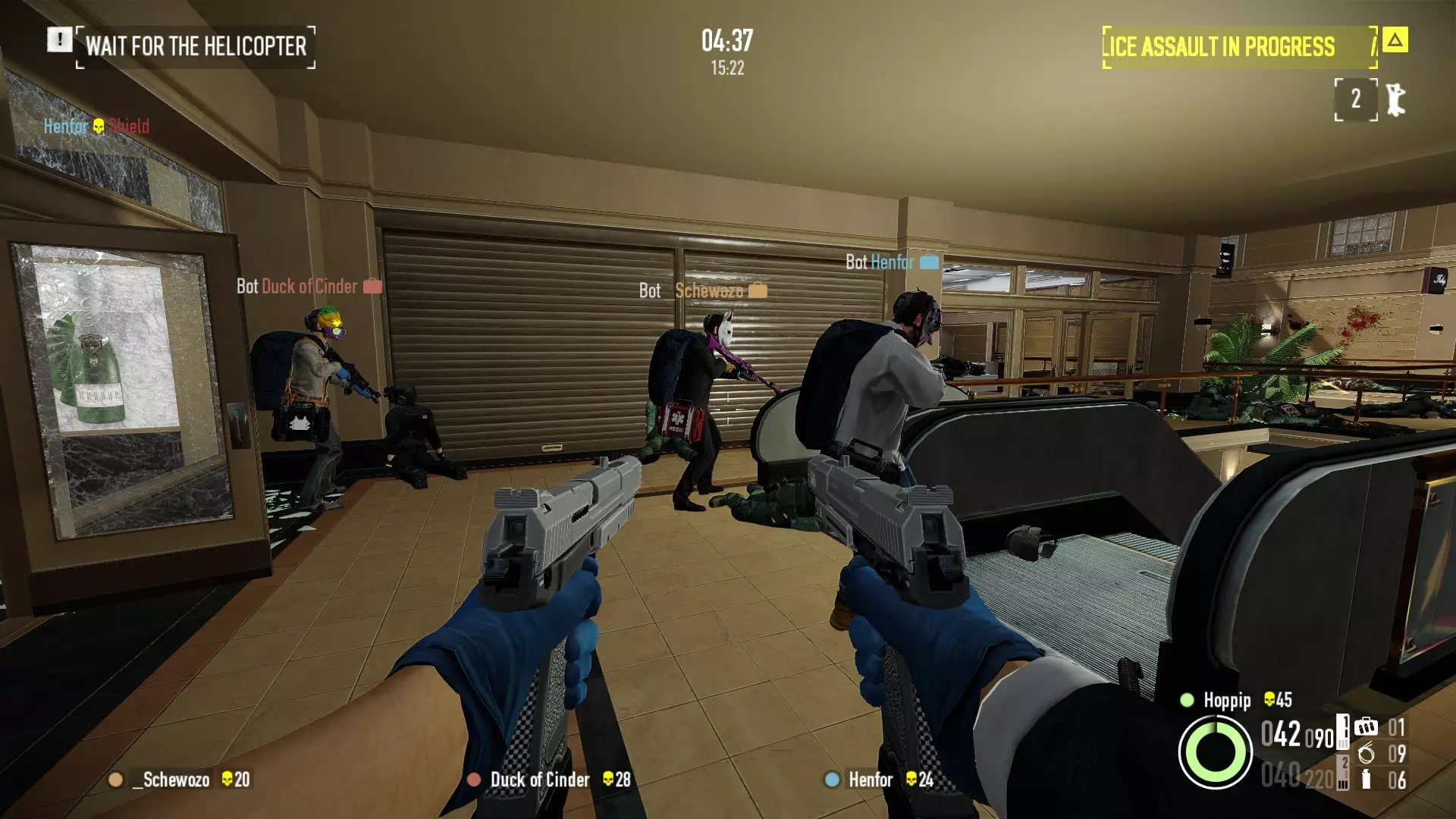
https://modworkshop.net/mod/43016 安装至mods文件夹 另有一个独立的2秒指示器版本,可与其他HUD兼容;若使用Void UI,也有对应的Void UI版本。 《收获日2》复古HUD 该HUD及菜单外观与《收获日2》早期版本相似。
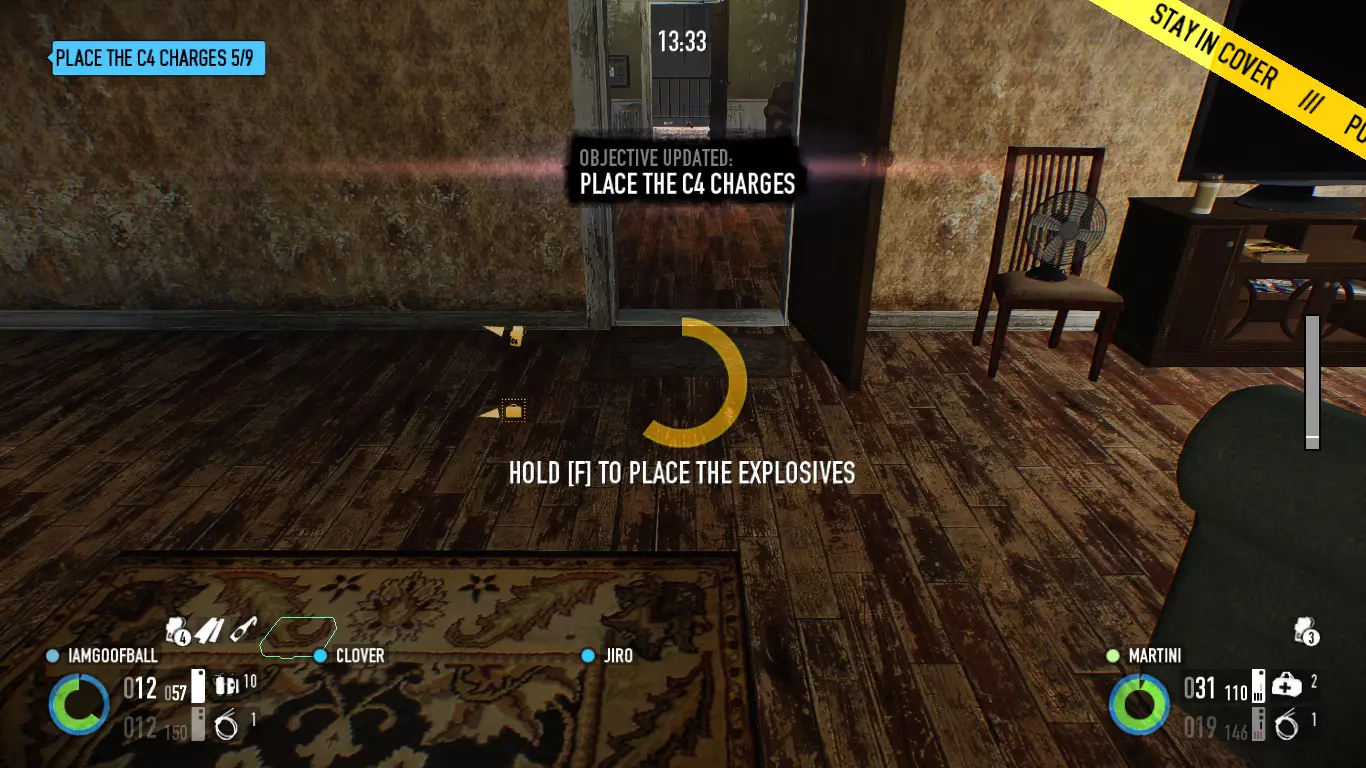
https://modworkshop.net/mod/28118 安装至mods文件夹 更好的队友面板 该mod使队友面板显示你的Steam个人资料图片或劫匪头像,而非生命值圆圈。
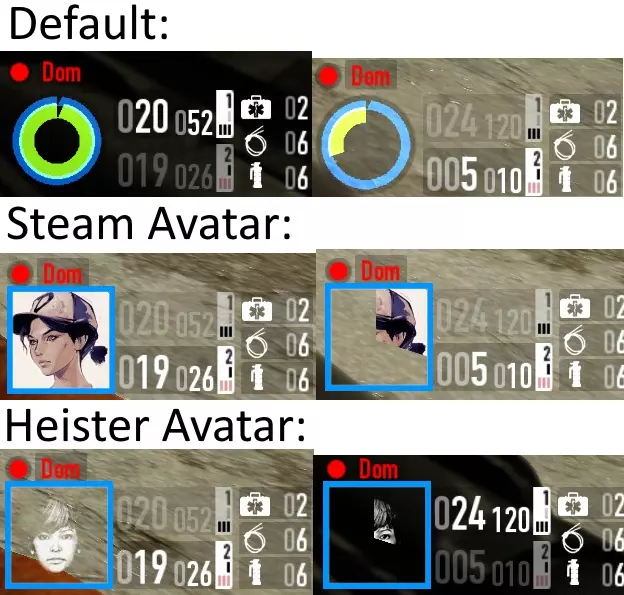
https://modworkshop.net/mod/27200 安装至mods文件夹 CringeHUD 显然,这款mod能够提升你的帧率。我本人从未测试过,但值得一试,看看它是否真的有帮助(以及是否值得为此忍受精神折磨)。
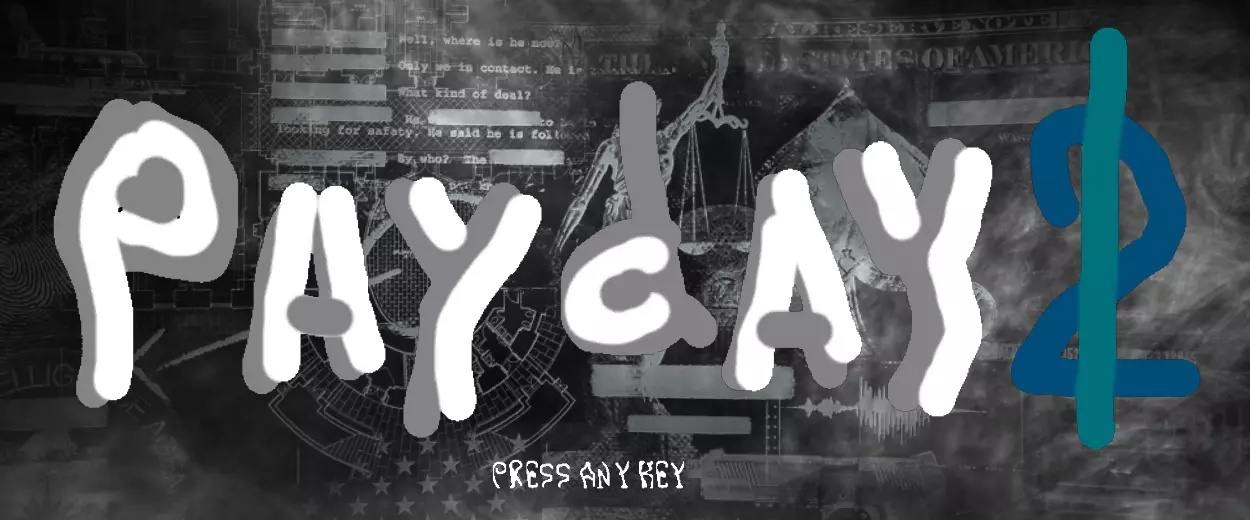
https://modworkshop.net/mod/28919 安装至 mod_overrides 文件夹(就是我提到的那个文件夹) 可以混合使用 HUD,但可能需要调整一些设置才能让所有功能正常工作。我个人最喜欢的组合之一是 PocoHUD + MUI,既能提供丰富信息,又能保持美观。 无角落模式 移除 HUD 界面的边角。

https://modworkshop.net/mod/16077 安装至 mod_overrides 准星: 目前有许多添加准星的模组,在此我会提及部分: 动态准星增强版:添加类似《收获日:掠夺》的准星,且可自定义。
https://modworkshop.net/mod/26842 安装至mods文件夹 自定义准星:添加一个小型准星,你可以根据自己的喜好进行自定义 https://modworkshop.net/mod/20820 安装至mods文件夹 高级准星、命中标记与命中音效(ACH):允许你为游戏添加自定义准星,例如来自其他游戏的准星,还能添加自定义命中标记和命中音效。 网上有许多可供使用的自定义准星,我个人最喜欢的是《侠盗猎车手5》的准星,我会在此处附上链接。 我还推荐“颜色选择器”,它能让你更改ACH中某些元素的颜色,比如准星和命中标记。 ACH:https://modworkshop.net/mod/29585 安装至mods文件夹 颜色选择器:https://modworkshop.net/mod/29641 安装至mods文件夹 《侠盗猎车手5》准星:https://modworkshop.net/mod/29865 安装说明详见页面 护甲破裂无敌信号:当你的“无政府主义者”2秒无敌效果激活时,在HUD和屏幕上添加特效 https://modworkshop.net/mod/43016 安装至mods文件夹 黑客ECM效果:当你的黑客职业便携ECM激活时,添加特效 https://modworkshop.net/mod/32646 安装至mods文件夹 音频与视觉 - **重纹理项目** 对游戏中大部分内容进行大规模纹理翻新。还包含一个可选的主菜单纹理。 注意:此mod可能导致内存不足崩溃,请自行承担使用风险 https://modworkshop.net/mod/12710 安装至mod_overrides文件夹 - **超级皮肤切换器** 允许你将任意皮肤应用到任意枪械上 https://modworkshop.net/mod/26919 安装至 mods 文件夹 **Louder Cops(警察声音放大)** 将警察的语音台词音量调大,让你听得更清楚,增强游戏沉浸感。 https://modworkshop.net/mod/43794 安装至 mod_overrides 文件夹 **Scarface The World Is Yours Voicepack(疤面煞星:世界在你手中语音包)** 该模组用《疤面煞星:世界在你手中》游戏中的台词替换了托尼的大量语音,使托尼比原版台词更具攻击性。 https://modworkshop.net/mod/33047 该模组包含多个文件,可选择任意文件安装至 mod_overrides 文件夹 **Weapon Texture Reworks(武器纹理重制)** 改进了大量武器纹理,使其外观更精美。 https://modworkshop.net/mod/36505 安装至 mod_overrides 文件夹 **Opaque Magazines Redux(不透明弹匣重制版)** 使部分枪支的弹匣变为不透明,可与武器皮肤(及武器纹理重制模组)兼容。
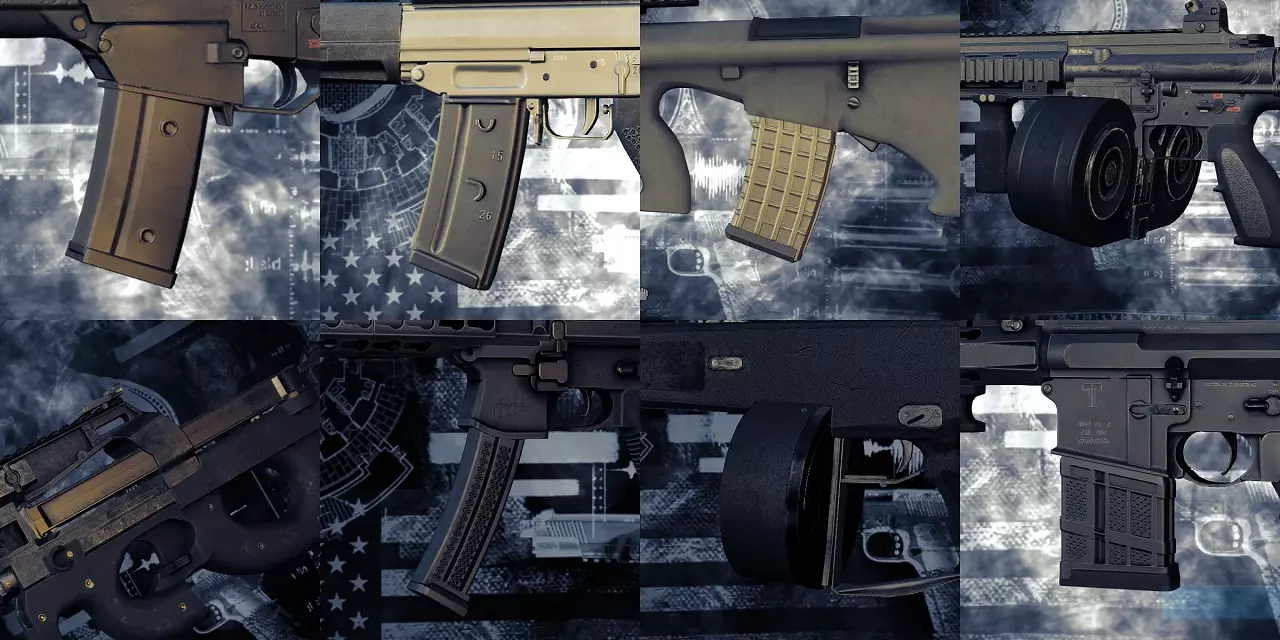
https://modworkshop.net/mod/35605 安装至mod overrides文件夹 武器配件自定义器 允许自定义武器配件,且不影响武器属性 https://modworkshop.net/mod/12992 安装至mods文件夹 劫匪语音增强 使劫匪在某些情况下能说出更多语音台词 https://modworkshop.net/mod/29114 安装至mods文件夹 KSP 58与Buzzsaw 42弹链修复 修复KSP 58和Buzzsaw的弹链永不耗尽的问题 KSP 58:https://modworkshop.net/mod/27074 Buzzsaw:https://modworkshop.net/mod/31499 两者均安装至mods文件夹 原版脚架 恢复部分轻机枪的原版脚架模型,并改进Lion脚架的动画效果 https://modworkshop.net/mod/28543 安装至 mod_overrides **滑套与枪机空仓挂机** 使武器在空弹时滑套/枪机保持后定状态(开膛待击武器则保持枪机闭合) https://modworkshop.net/mod/17361 安装至 mods **可见电源盒** 让白宫中的电源盒更易于辨认,减少其与墙壁的融合感
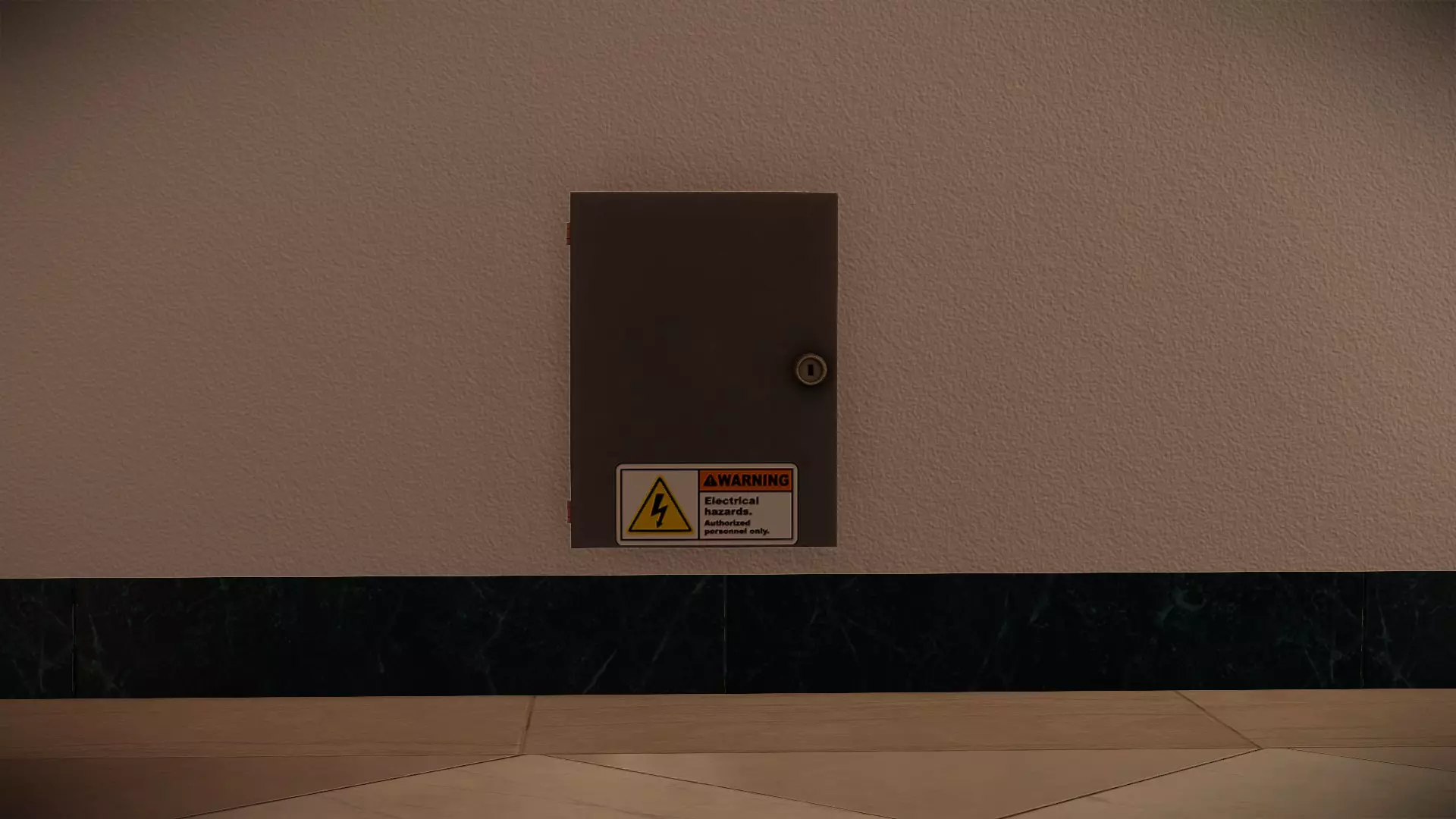
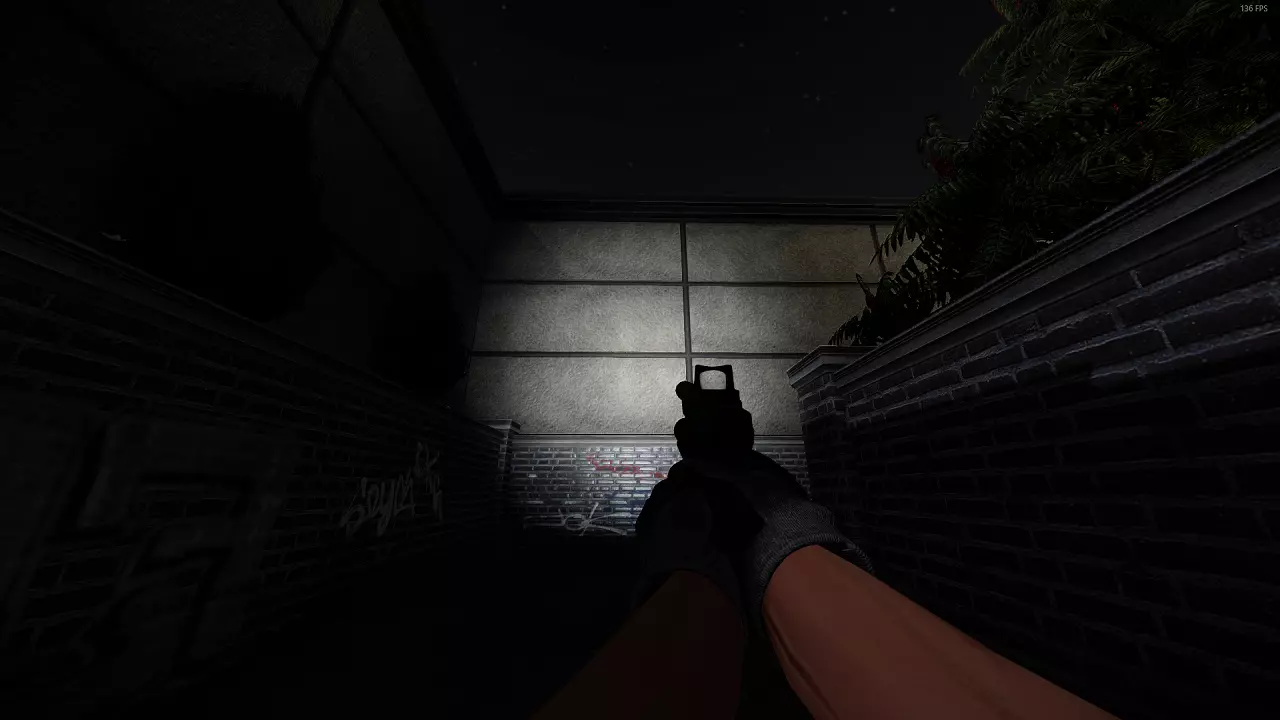
https://modworkshop.net/mod/23823 安装至 mod_overrides 文件夹 减少“ sicario”烟雾 缩小“ sicario”烟雾范围,以便更好地看清外部环境 https://modworkshop.net/mod/22674 安装至 mod_overrides 文件夹 无手电筒光晕 移除手电筒的锥形光晕效果,因其可能遮挡视线
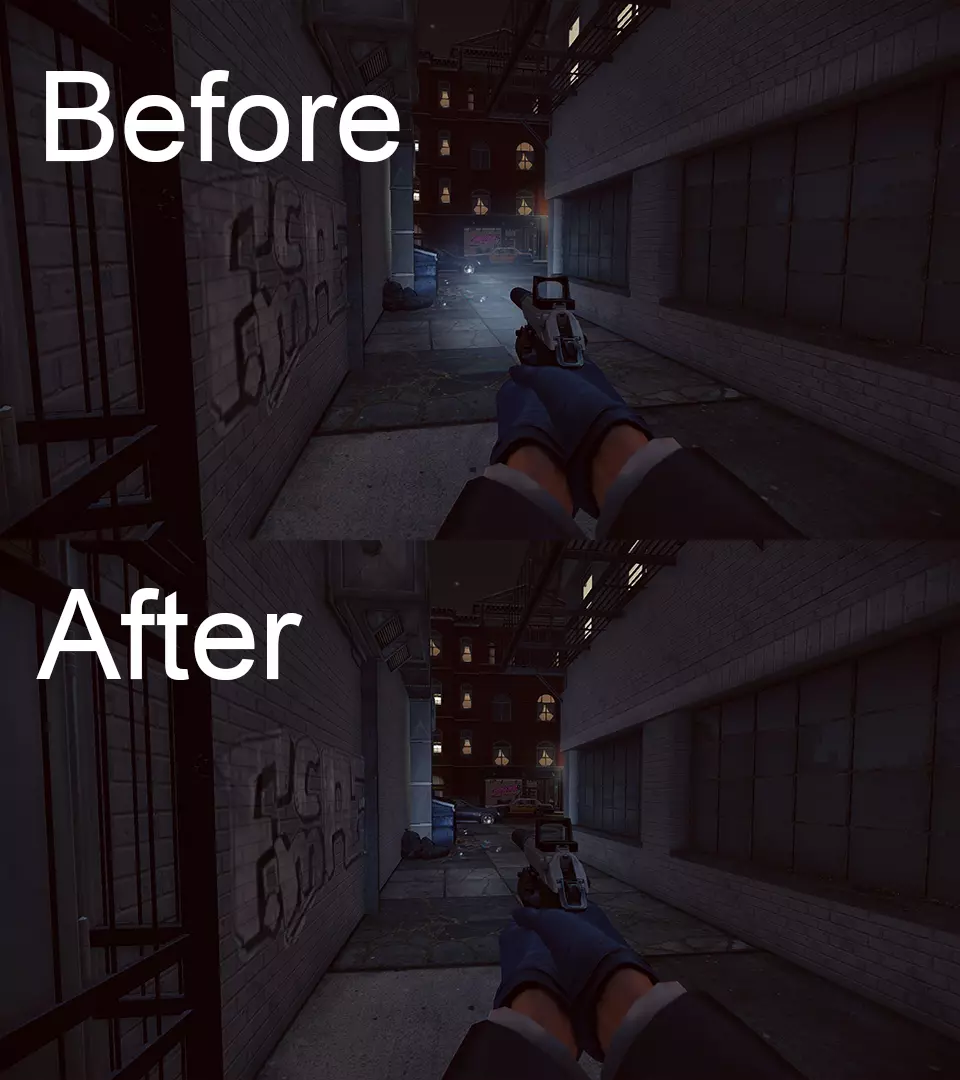
https://modworkshop.net/mod/22410 安装至mods文件夹 更好的手电筒纹理 使手电筒外观更美观 注意:此mod已包含在Re-Texture Project中
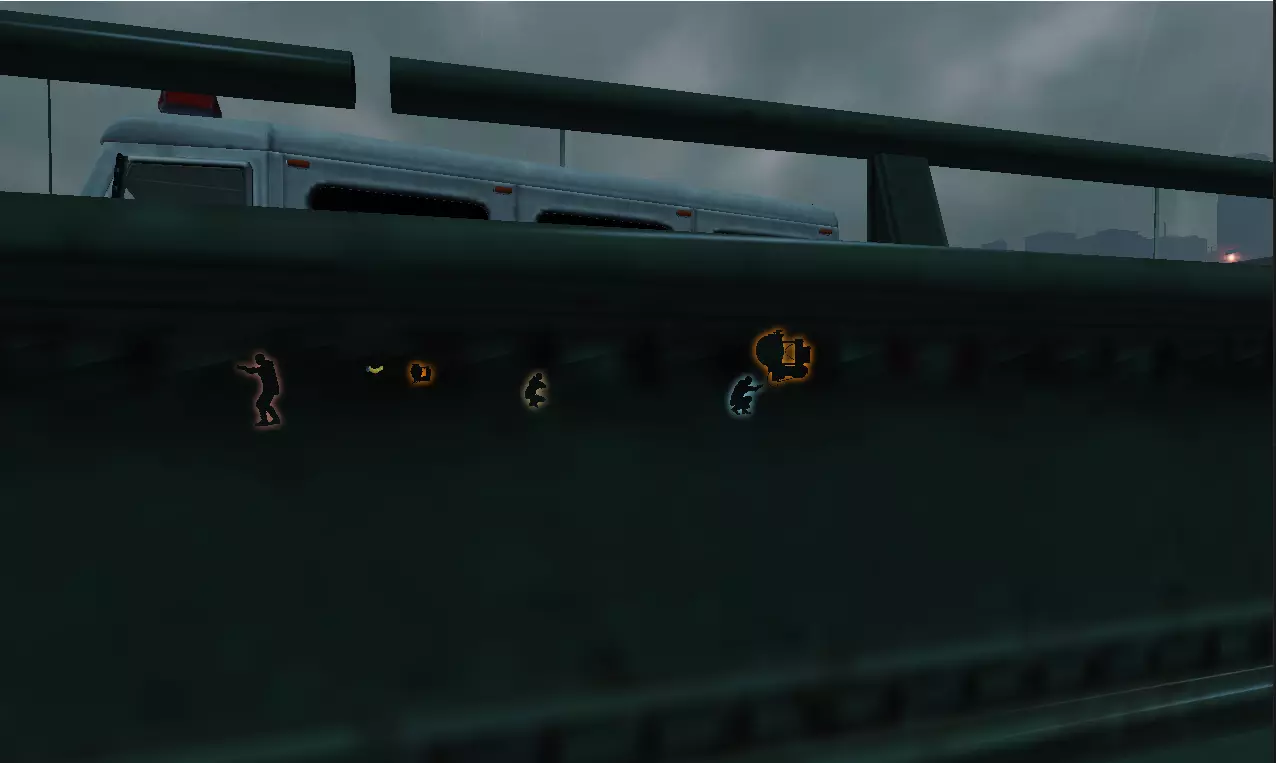
https://modworkshop.net/mod/31473 安装至 mod_overrides 文件夹 《收获日:掠夺》轮廓线 使轮廓线外观与《收获日:掠夺》一致,线条更粗
https://modworkshop.net/mod/26564 安装至 mods 文件夹 视觉修复 修复游戏中各种杂项视觉问题。mod 页面上有部分示例。 https://modworkshop.net/mod/37161 安装至 mod_overrides 文件夹 AK 正确马盖普辅助(快速拉取)弹匣 修复部分 AK 武器上快速拉取弹匣使用的错误弹匣模型
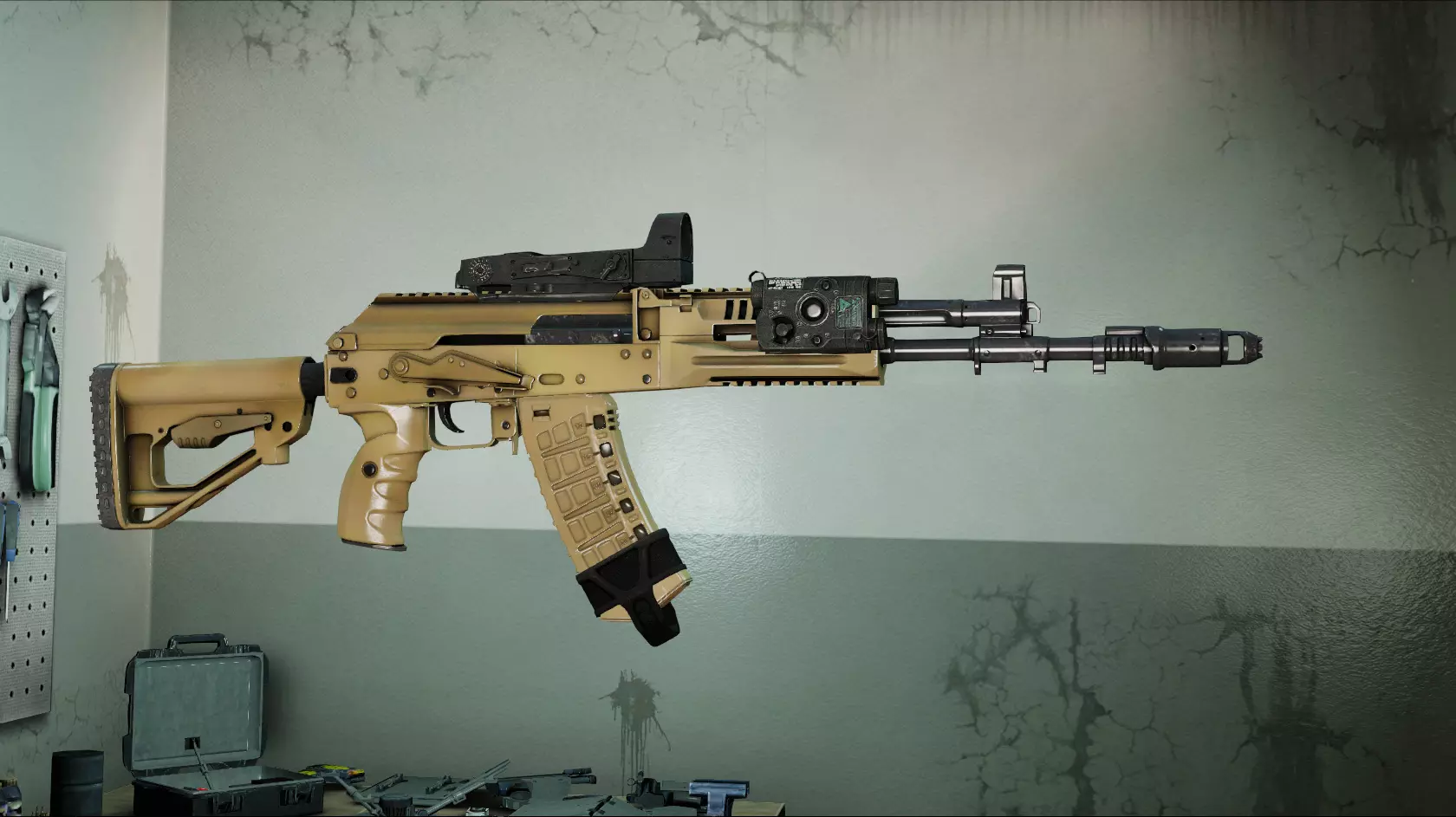
https://modworkshop.net/mod/19777 安装至 mod_overrides 文件夹 略微夸张的武器弹道 使武器弹道比原版更加酷炫
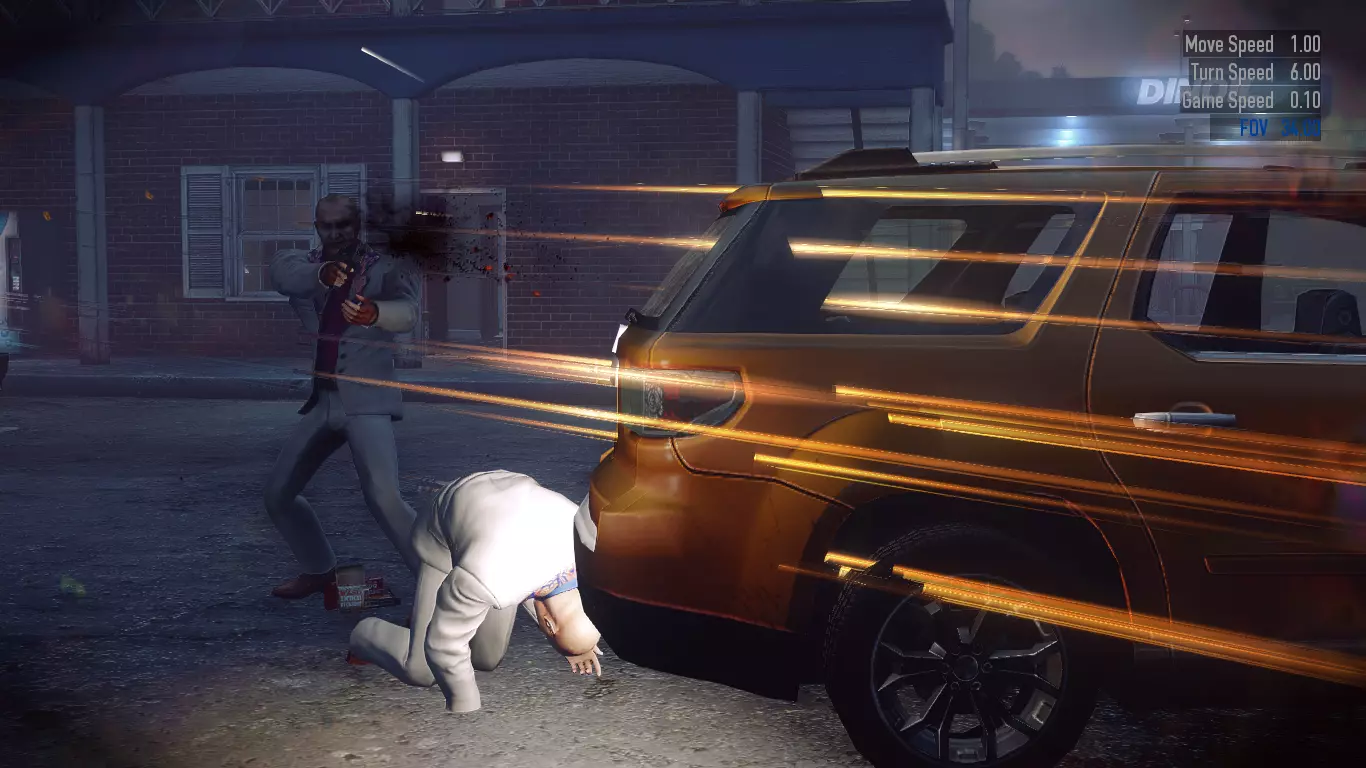
https://modworkshop.net/mod/25476 安装至 mod_overrides 高清NPC武器模型替换 提升NPC携带枪支的画质 https://modworkshop.net/mod/34740 安装至 mod_overrides 厚实装甲击打音效与强化!装甲再生音效 将默认的装甲受击和再生音效更改为 clang 声(金属撞击声),个人认为音量更大且听起来更好听 https://modworkshop.net/mod/25327 厚实装甲击打音效 https://modworkshop.net/mod/25337 强化!装甲再生音效 将两者均安装至 mod_overrides 增强型玻璃切割器 让玻璃切割器的声音不再那么难听 https://modworkshop.net/mod/33593 安装至 mod_overrides 其他 DXVK DXVK 是一个 DLL 包装器,可将 DirectX 转换为 Vulkan。这可能意味着性能将大幅提升,因为Vulkan能比DX9更好地利用现代硬件。DXVK几乎适用于所有游戏,《收获日2》也不例外。 为《收获日2》安装DXVK的步骤: 1. 从此处下载最新的DXVK版本:https://github.com/doitsujin/dxvk 2. 你需要7zip或WinRAR之类的程序来打开文件。打开文件后,导航至x32文件夹。 3. 在这里你会看到一些DLL文件。
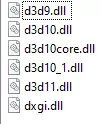
For Payday, we want d3d9.dll as it uses DX9. Take this DLL and drop it into the Payday 2 game folder. After that, you're done and can start playing. NOTE: DXVK may reduce the stability of your game. I personally had some crashes with it but some people have had a completely smooth experience throughout. NOTE 2: DVXK may cause a double cursor effect if you open your steam overlay. It seems to happen fairly at random, I'd personally recommend just using the borderless mod in this guide and tabbing out for steam related things. Reshade Reshade is a generic post-processing injector allowing you to add a lot of new effects to your game to improve the graphics quality. Installation of Reshade is incredibly simple, using an installer that does most of the work for you. 1. Download the latest release of Reshade from here https://reshade.me/ 2. Open the installer and click on the button that appears. Find payday 2 in the list that pops up. Select DirectX9 or Vulkan if you're using DXVK. Go through the installer and select the effects you want. If you want to install all the effects, you can click uncheck all and then check all. This will automatically install everything. 3. Once this is done, Reshade is fully installed. Open Payday and press the home key on your keyboard to open the Reshade overlay. This is where you can play around with the settings. I recommend just messing it around with it and seeing what you can do. If you don't want to, there are ready made presets online you can use. NOTE: Reshade can have a fairly large impact on performance depending on the amount of effects you use. Important Changes (skip this tbh) 24/01/2022 - Started actually logging changes Removed "No Weapon Verification" as the issue has been fixed by the developers Added compatibility note to "Armor Break Invulnerability Indicator" Added "Automatically Equip ICTV Armor" 01/02/2022 - Removed "4GB Patch" 05/02/2022 - Added "Weapons attachments customizer" 12/02/2022 - Added "Refresh Rate Checker" 14/02/2022 - Added "Original Bipods" 15/02/2022 - Added "Super Duper Skin Swapper" 27/02/2022 - Fixed invalid link 09/03/2022 - Replaced "Subtle Weapon Improvements" with "Weapon Texture Reworks" Added small note to "Clear Texture Cache" 01/06/2022 - Added "Stop Wasting Updates" 13/06/2022 - Removed "Anti Player State" as the mod is no longer available Added "Visual Fixes" and "Re-Texture Project" 14/06/2022 - Removed "Anti Intimidated Outlines" as it's no longer available 21/06/2022 - Removed "Graze doesn't kill civils" as it's not longer needed since overkill patched it themselves. Removed a step from the DXVK section as it's no longer needed. Edited the Reshade section as new updates have changed how it works with Vulkan. Removed a couple of images as Steam decided to be a ♥♥♥♥ and get rid of them and honestly they weren't that important anyway so whatever. 22/06/2022 - Fixed some invalid links 12/12/2022 - Removed "No More Shiny Hellscapes" as it isn't needed anymore Removed "Shotgun Reload Fix" as it's no longer available Removed "Speedpull Model Fix for AR Magazine" as it's no longer available Removed "HUD Firemod Fix" as it broke in a recent update Added "HD NPC Weapon Model Replacement" 21/12/2022 - Removed "Inverted Flashbang Glare" as it's now a vanilla feature 03/03/2023 - Added "Bandwith Saver" 07/05/2023 - Added "Player Stats Panel Enhancements" Edited the introduction cause it was really ♥♥♥♥♥♥♥ pretentious Changed some wording to make things more descriptive 18/07/2023 - Removed the note from "Clear Texture Cache" as the issue should be fixed now Added "Scarface The World Is Yours Voicepack" Removed the note about the steam overlay from DXVK as it has been fixed and the steam overlay works fine now. Added a note to Reshade Fixed an issue with a link in the HUD section. Whoops. 08/10/2023 - Removed Map Based Optimisations as it's no longer available 22/10/2023 - Removed or changed a lot of mods that have issues or no longer work Re-added the note to DXVK as the double cursor still sometimes happens with the steam overlay. 7/05/2024 - Added "Stop Lobby Lag" 6/10/2024 - Replaced "CustomFOV" as the version in the guide was deleted 28/10/2024 - Removed "Green Bridge Rain Drops Fix" as it is included in "Visual Fixes" 02/11/2024 - Added "Less Aliasing" 09/11/2024 - Added "Lobby Settings" Added "Check For Wallbangs" Replaced "Repeater Sight Tweak" with an updated version. 27/11/2024 - Removed the 2 armour break mods as they're not longer available and added replacement 08/02/2025 - Replaced "CustomFOV" with "Perfect FOV" 17/05/2025 - Removed "Main Menu Elements Manager" as it's no longer available 22/01/2026 - Replaced "Steam Over FBI" with "Steam Profile Redirection 2025 Update"
2026-02-14 04:00:17 发布在  PAYDAY 2

说点好听的...
收藏
0
0