换一换
换一换 




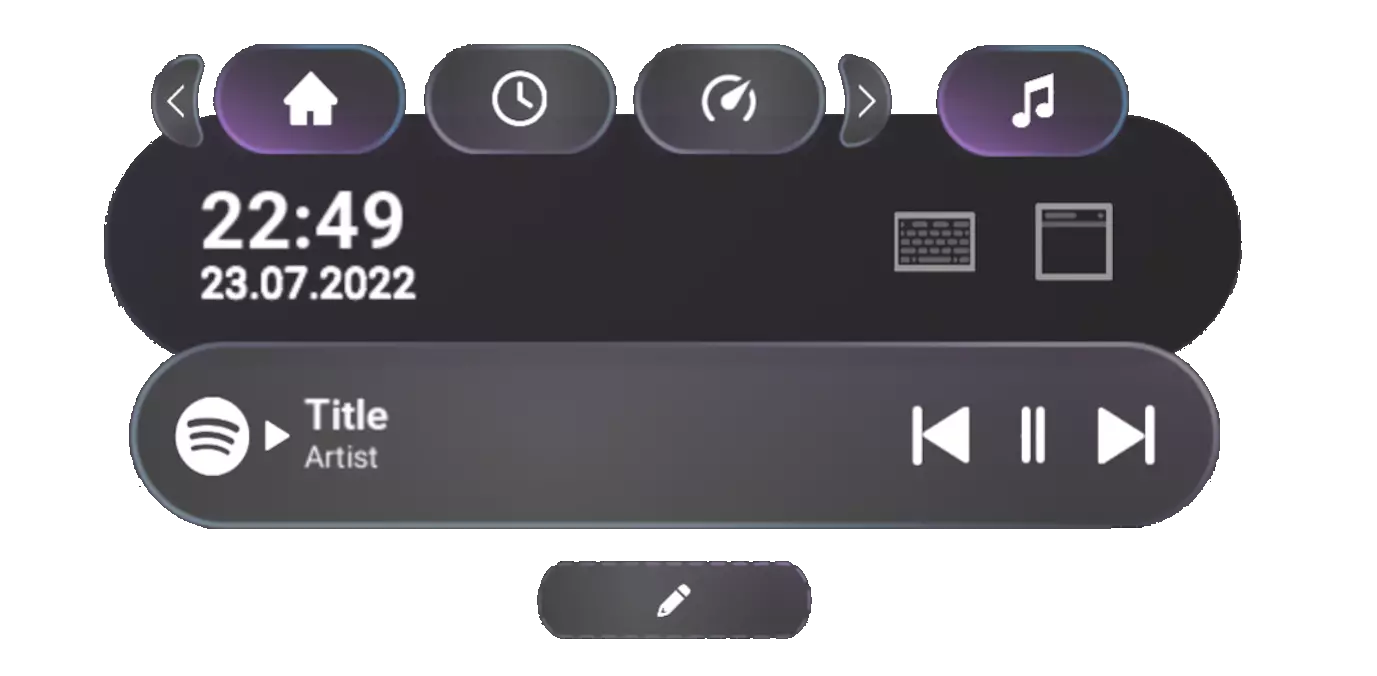
大家好! 2025年初的用户界面更新终于来了! 【手表】 手表经过重新设计,更加现代化、易读且简洁。现在你还可以在手表上固定无限个模块。 电池信息默认显示5个设备,带有展开按钮以显示所有设备。
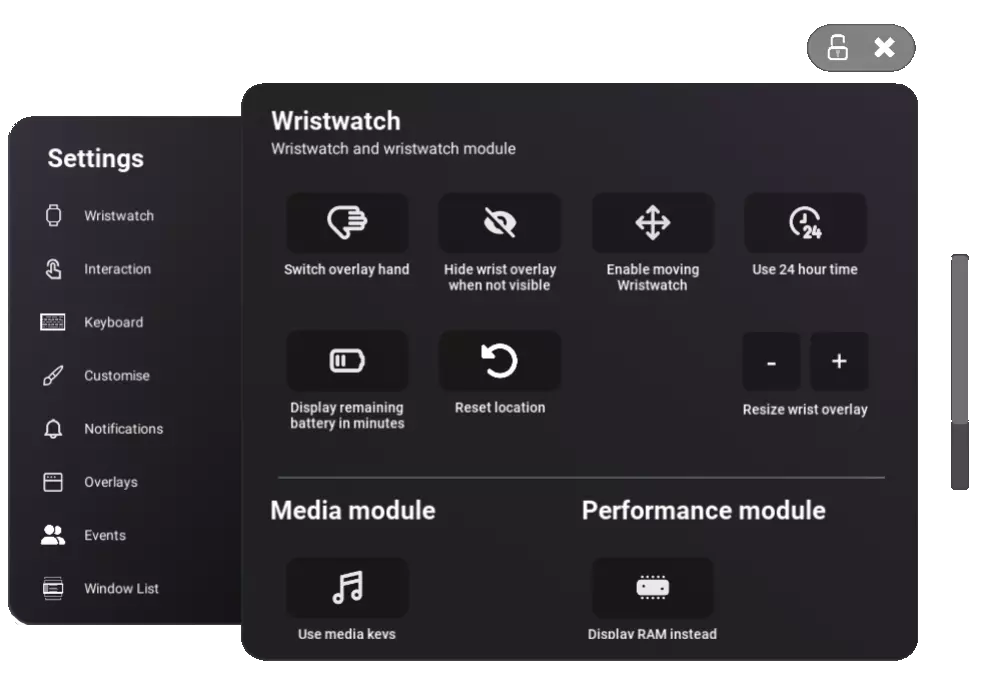
设置 “全局设置”菜单已替换为弹出式设置菜单。新菜单导航更加便捷,同时包含与之前相同的所有设置。设置菜单可像其他窗口一样,通过握持键/A键自由移动。
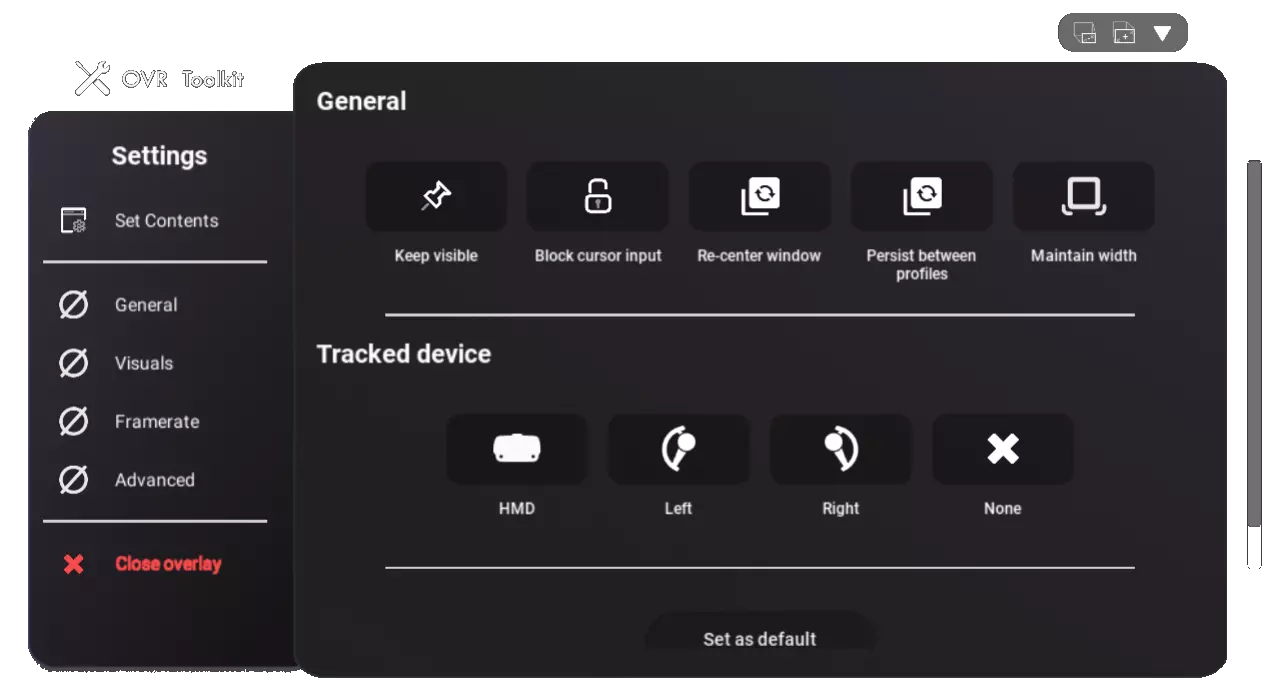
窗口设置 新的窗口设置菜单现在将显示在窗口本身,而非手腕上,这是对旧版本中窗口显示的新快速设置的扩展。 【“设置内容”面板现在使用更快捷】,它还包含用于打开已关闭应用程序的“启动”选项卡,以及用于从创意工坊启动自定义应用的“应用”选项卡。 窗口设置界面支持自定义背景。
Upcoming This is the first iteration of the new UI, some upcoming changes are: Better accent colours High contast mode Synced accent colour between UI and keyboard New built-in fully functional web browser to replace the 'Custom URL' app Final thoughts So uhhhhh… 'Early 2025', that's July isn't it? Yeahhhhhhhh… This update got a little bit delayed, between my own mental health and motivation and just the general scale of what needed to be done, this all took a very, very long time. Alas… It is here! In a 'tier 0' release at the very least. ^^ I truly hope you enjoy the new update, I'm always more than open to hear suggestions and resolve issues reported in the Steam Discussions and (ideally) in our Discord server. Feel free to provide your general thoughts and feelings about it too after some time with it, I'd love to hear! - Curtis Changelog[olist] Main Changes: Wristwatch has been re-skinned!, Added battery info expand button. (Show one line, or multiple lines, currently doesn't sort by lowest battery just hides batteries past 5 entries), Infinite wristwatch modules can now be used at once!, Wristwatch module plugins can now be pinned., Old 'Edit Mode' phone-like UI is gone! Now replaced with a pop-out Settings menu., Windows can now be individually locked in place, instead of all locked or unlocked., 'Global window lock' has been added to the wristwatch to mimic the function of old Edit Mode for those who prefer that., Bye bye Window Settings, hello, uh… Window Settings? But BAM, on-screen Window Settings! (Also supports custom backgrounds!), On-Screen Window Settings now contains all the options from the old phone-like Window Settings menu., 'Set Contents' has been updated to include the 'Launch' and 'Apps' sections that were previously on the phone-like UI., Keyboard has been re-skinned. (This doesn't account for accent colours yet though!), Moved keyboard controls have moved above the keyboard to avoid accidental clicks, integrated into the word suggestions bar., Voice Input can now be used when word suggestions are disabled., Other changes: Refactored window saving and loading, now using a different save format. (Existing windows will be converted to the new format), 'Persist between profiles' windows no longer disappear and re-appear when switching profiles., Re-worked controller finding logic to better support switching controller pairs and turning on controllers late., Mouse smoothing has been overhauled to be more consistent across all overlays., UI overlays (Settings, on-screen settings, notifications, wristwatch) are now more optimized while also being smoother., Re-worded high VRAM warning to 'High GPU memory usage. (>95%)' to better reflect what is means., 'Best effort' framerate (Headset refresh rate) no longer uses a different rendering method to normal overlay updating to help reduce issues and overall intensity., Window quick settings bar now adjusts size based on distance from the headset. (Only when moved to avoid the bar resizing as you move your head), When hardware acceleration is enabled, unsupported desktops (Off main GPU monitors) should now use Windows.Graphics.Capture (GPU) instead of PrintWindow (CPU) to greatly reduce CPU overhead and general performance issues., Bug fixes: Windows should no longer duplicate when the application crashes or is forcefully shutdown., Fixed some OSC parameters sending 0-100 instead of 0-1, oops., OSC parameters now send faster after loading OVR Toolkit or loading into VRChat., Fixed a launcher crash on systems where Task Scheduler is broken., Resolved an issue with Speech Proxy (STT) continuous input not being continuous. (Sort of, this is a browser update issue really), Fixed incorrect default browser being detected when using Speech Proxy., Fixed Windows notifications appearing from before application startup., Fixed window quick settings bar starting to overlap window as the window becomes larger., Wristwatch movement now works without toggling windows on., Fixed issues with symbols not sending to VRChat chatbox., Improved error catching in Launcher to prevent a launcher freeze on first time startup., Ensured invalid files cannot be uploaded to the Workshop., Fixed window content not saving unless another action caused the window to save such as movement., Fixed a launcher crash related to Windows Notifications service being 'missing or not installed'. (??), Failed window captures that fail to work on all possible capture APIs will now fall back to the 'Window not found' screen., Fixed cursor freezing when switching profiles., Notes to creators: Backgrounds: Custom Backgrounds now have a different resolution, check the updated files in OVRT installation/Custom Images folder., Backgrounds uploaded before this update are now considered legacy and hidden by default in the Workshop menu., Using legacy backgrounds will centre the image in the Window Settings background, thus cutting off the top and bottom., Keyboards: At this time, it's not recommended to upload new Workshop keyboards due to ongoing overhauls., Workshop keyboards will soon support the accent colour set by the user., Workshop keyboards will also soon support every language automatically rather than just the uploaded language., UI refresh performance will also be improved on newly uploaded keyboards once these overhauls are complete., Apps: Custom Apps now spawn from a newly created window, this means the 'entry app' no longer exists., Calling 'CloseEntryApp' will close the calling overlay instead to support legacy apps., We'll be upgrading our built-in browser soon to support a newer version of CEF, this should improve what the built-in browser is capable of accessing., Hopefully supporting touch scrolling with the new browser too.[/olist]