换一换
换一换 


本指南将帮助你在全新安装游戏后正确配置游戏。 【施工中】(自2021年4月18日起) 我之前几乎一直生病,所以暂时搁置了本指南。 这是经过完善的重新上传版本,但部分章节仍未完成。 简介 目录 - 简介 - 转移旧文件(适用于老玩家) - 基本设置(10个步骤) - “游戏选项” - “检查在线内容” - “设置”高级设置 - 字体设置 - 按键绑定设置 - 游戏内设置 - 显示/隐藏特定设施 - 调整音量和音乐播放列表 - 其他有用链接 - 翻译 :) OpenTTD(Open Transport Tycoon Deluxe)是一款老游戏,自2004年起已进行过多次更新。正如你所料,与现代游戏相比,该游戏的图形用户界面(GUI)有点“过时”。
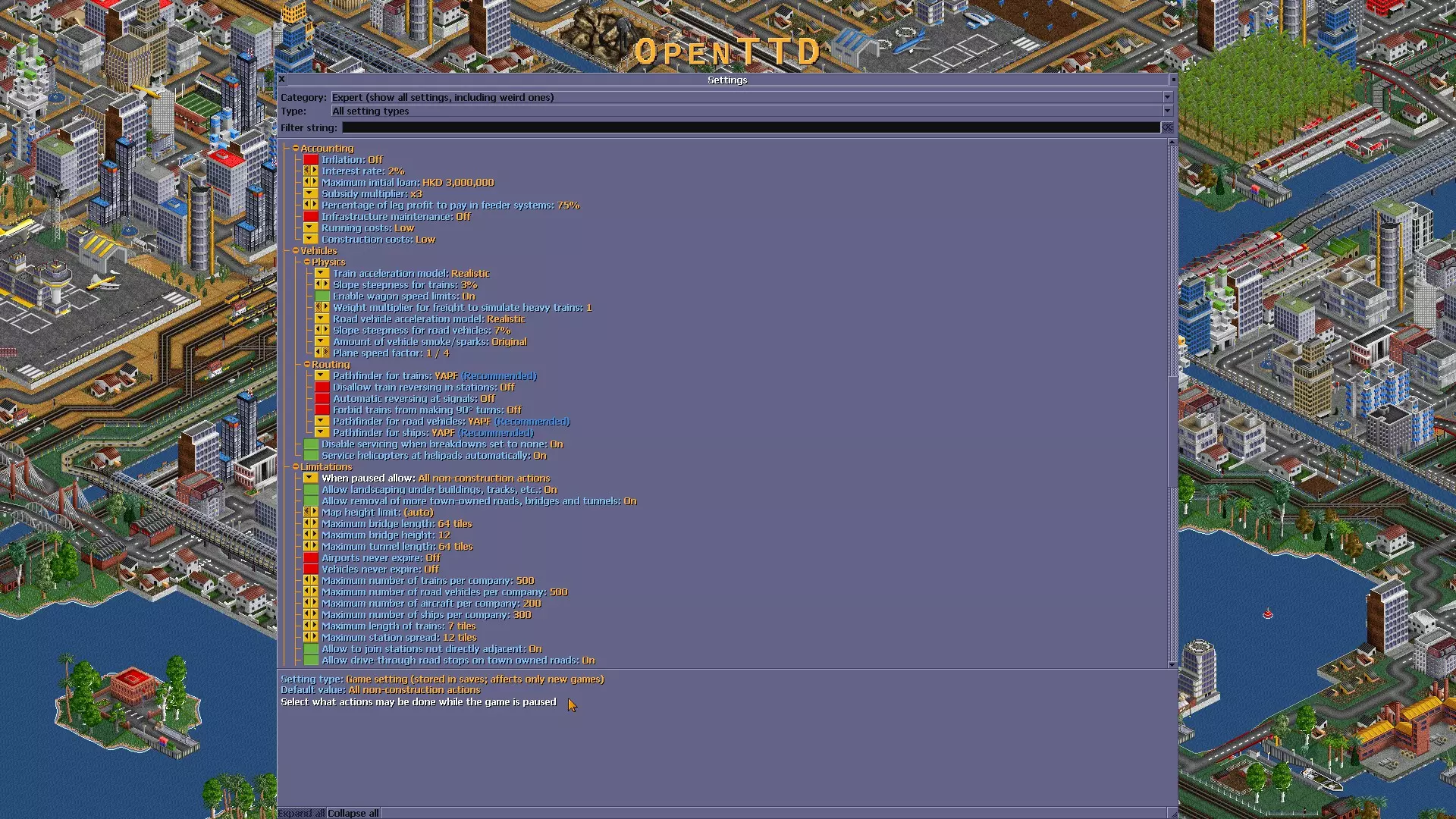
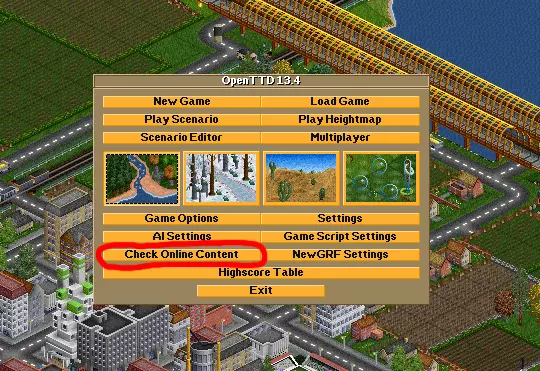
点击图片可放大 不过别担心!本指南将帮助你逐步了解所有重要设置,并为你指引其他获取实用插件的有用网站。很方便吧! 转移旧文件(可选) ### 如果你是首次安装,请跳过此部分 ### 记得备份你的存档文件和配置,除非你想要全新安装。 <未完成> 基础设置 - “游戏选项” 强烈建议在开始游戏前完成此部分。 这部分非常简单明了。 1. 在主菜单上,点击“游戏选项”按钮。
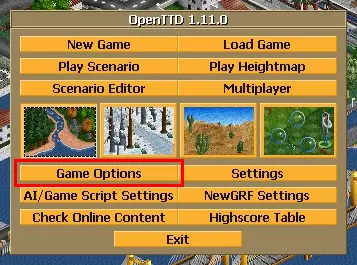
现在你应该会看到这样的菜单。
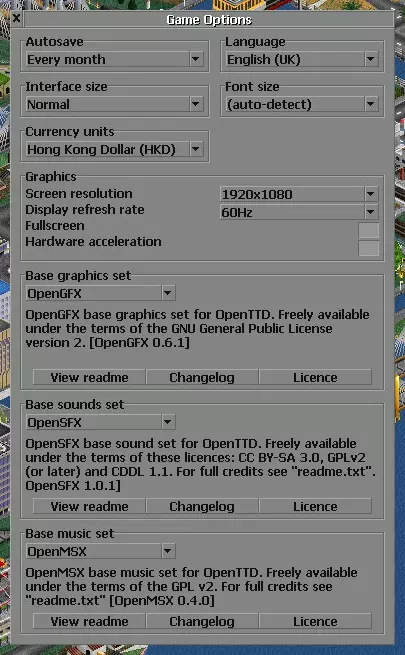
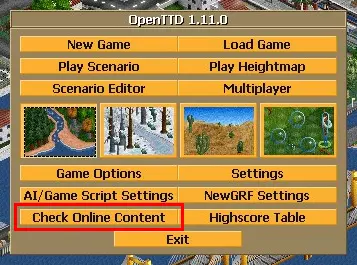
自动保存 └ 我倾向于选择【每3个月】 1刻度=0.030秒 1天=74刻度=2.220秒 1个月≈66.600秒(≈1分钟) 1年≈810.300秒(≈13.5分钟) 语言 └ 我会坚持使用【英语(英国)】,因为部分翻译可能会造成混淆(对新手而言) 界面大小 └ 使按钮/图标和下拉框更大 字体大小 └ 我不建议通过游戏选项更改它有关详细信息,请参阅高级设置 货币单位 └ 可将其更改为您想要使用的任何货币,或选择“自定义”来创建自己的货币 图形 └ 将其更改为显示器的原生设置,然后启用“全屏”和“硬件加速” 基本图形/声音/音乐设置 └ 有关详细信息,请参阅检查在线内容 基本设置 - 【检查在线内容】 您可以在此处下载所有自定义资源,例如AI、图形、音乐、场景等。 请注意,由于版权原因,原始(TTD)资源需要手动导入(完整指南)。 3. 在主菜单上,点击【检查在线内容】按钮。
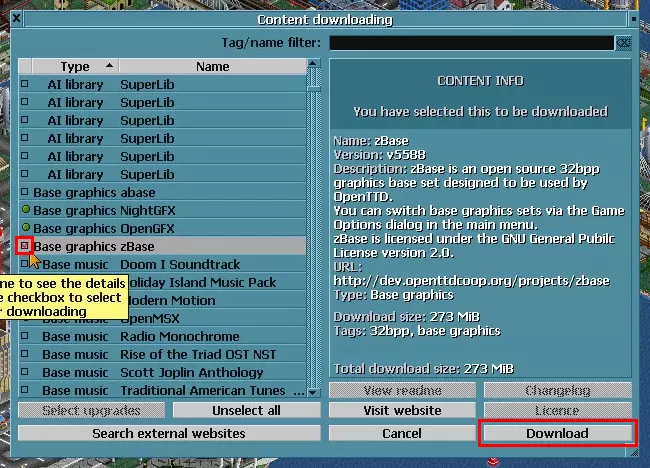
4. 现在你应该会看到这样的菜单。
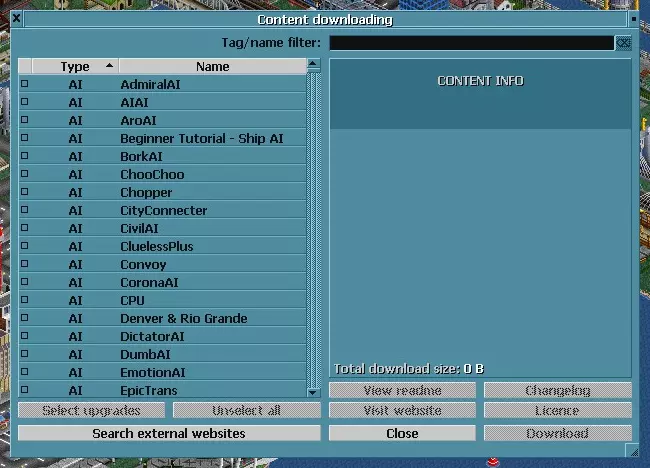
如你所见,有很多选项可供选择,但影响最大的是画面。(向下滚动菜单或在搜索栏中输入“base graphics”)
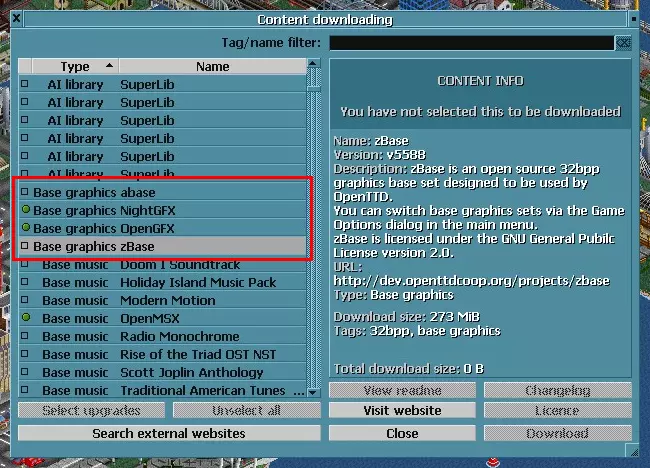
可用基础图像列表: OpenGFX(默认) └ 我个人的最爱 :)
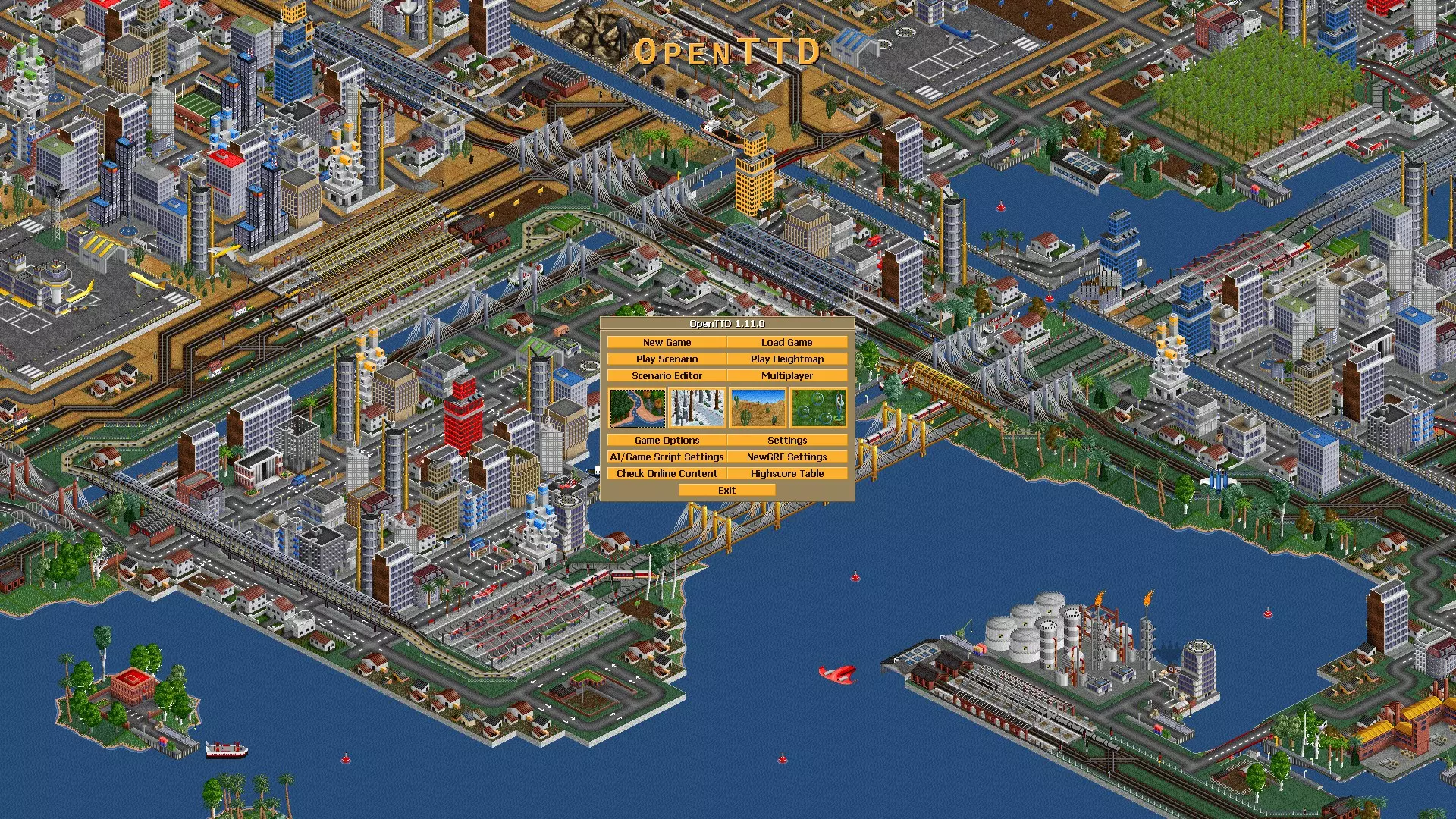
NightGFX【www.tt-forums.net】 └ OpenGFX的夜间版本
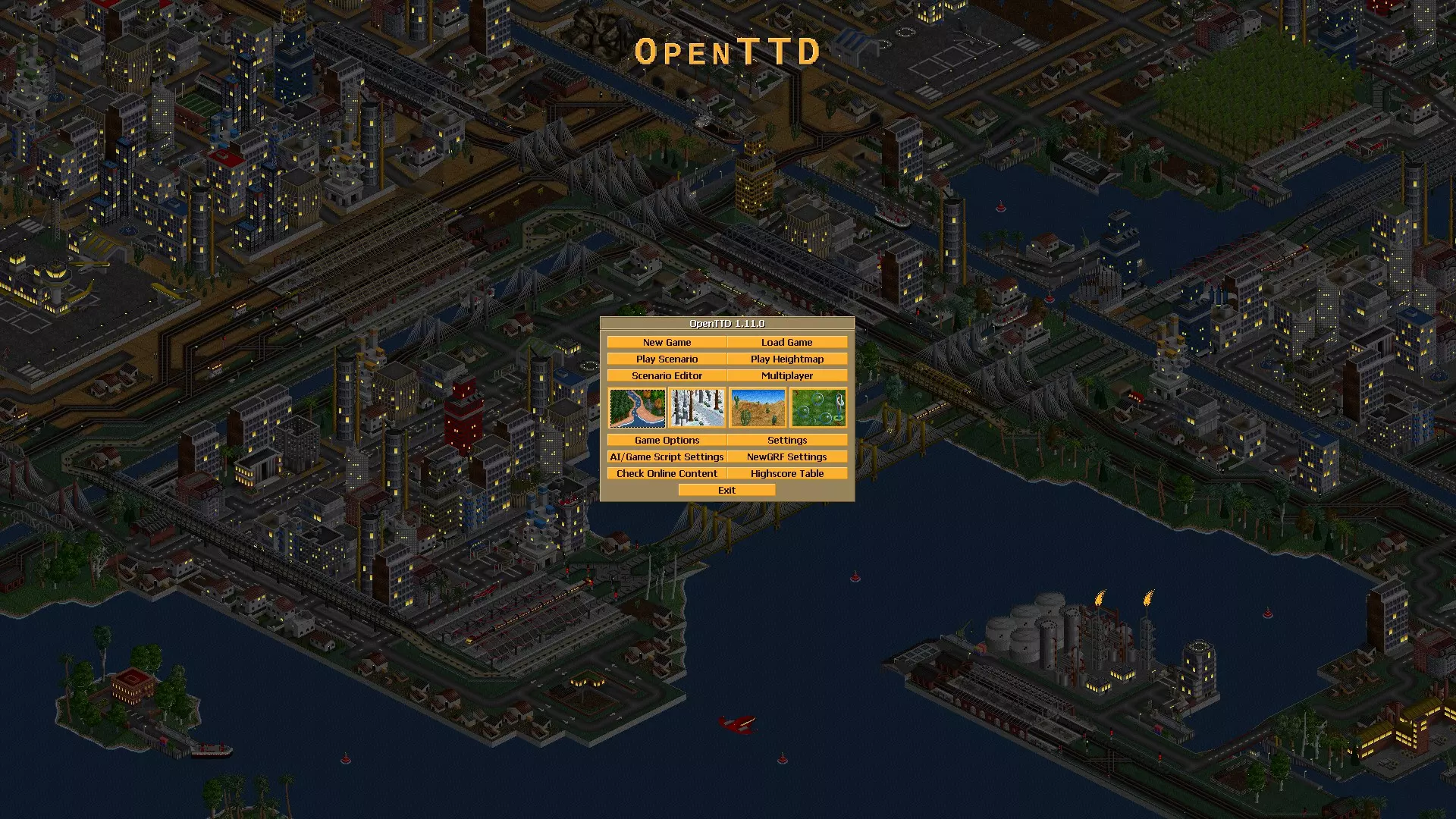
zBase └ 有些人喜欢它更简洁的外观
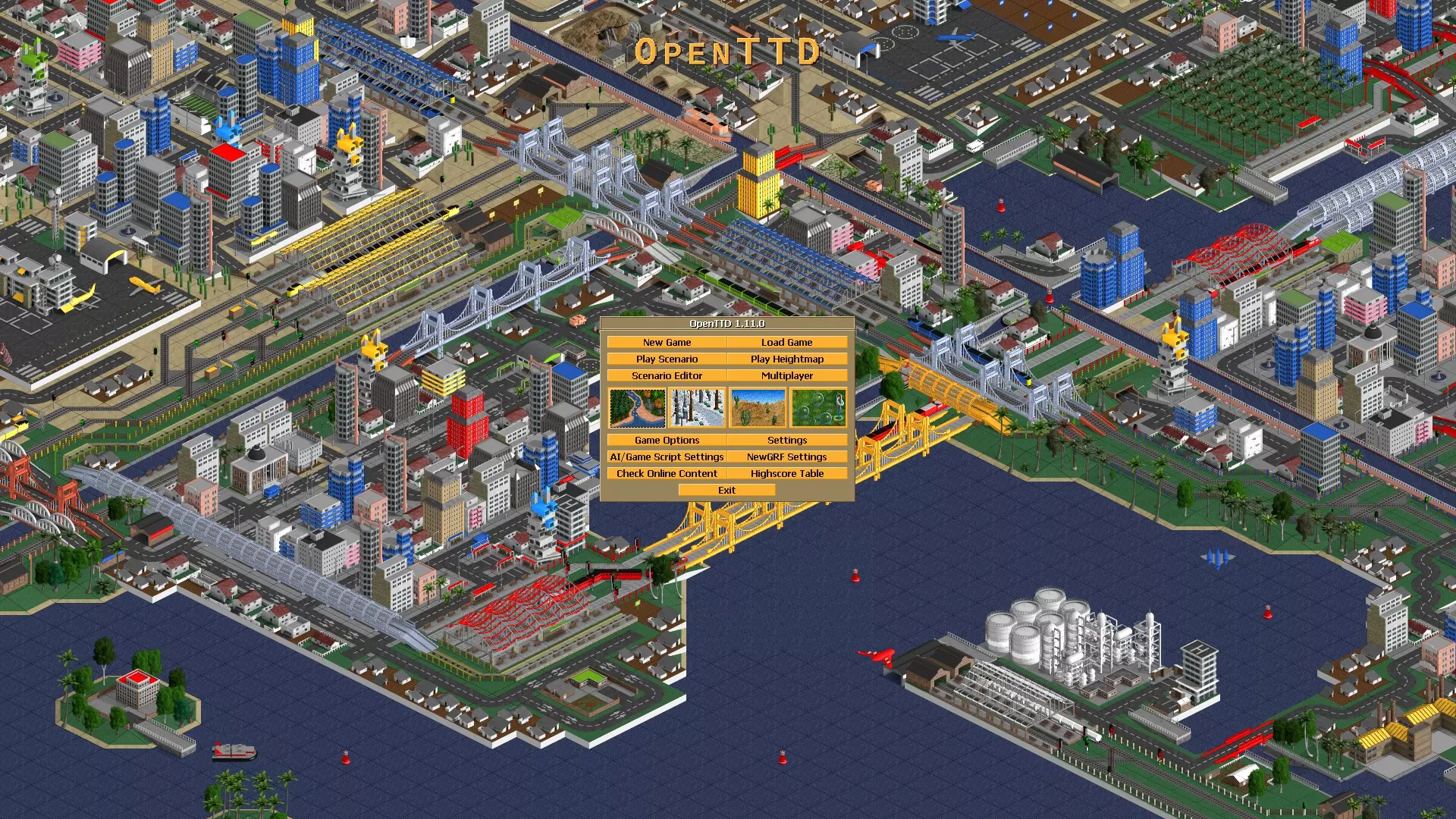
aBase └ 一个略有不同的zBase版本
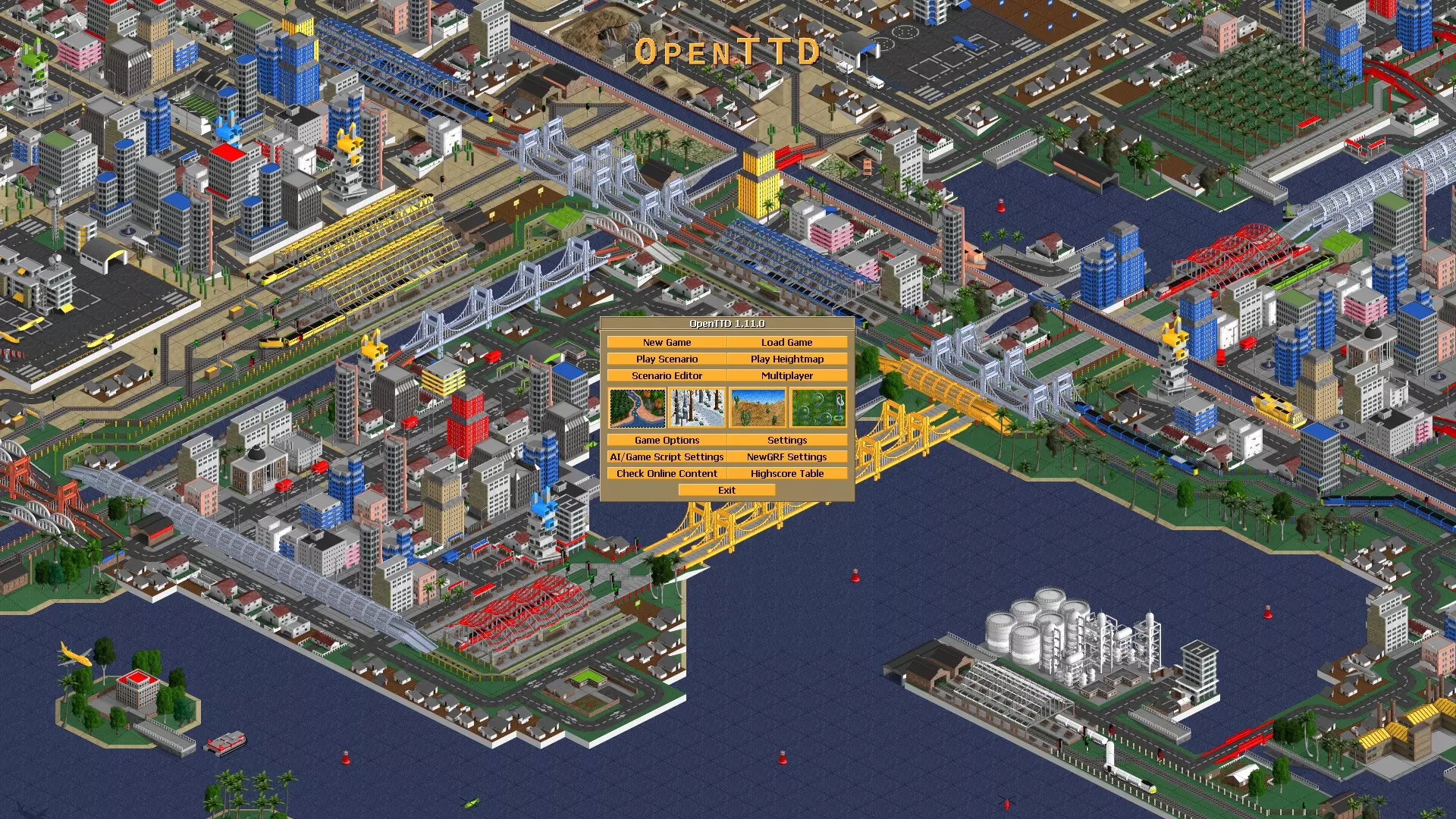
【原始(TTD)】 └ 来自《运输大亨豪华版》的原始纹理 <图片缺失> 6. 勾选左侧的方形框,然后点击“下载”。这可能需要1-2分钟。
7. 返回【游戏选项】并更换你的图形设置!
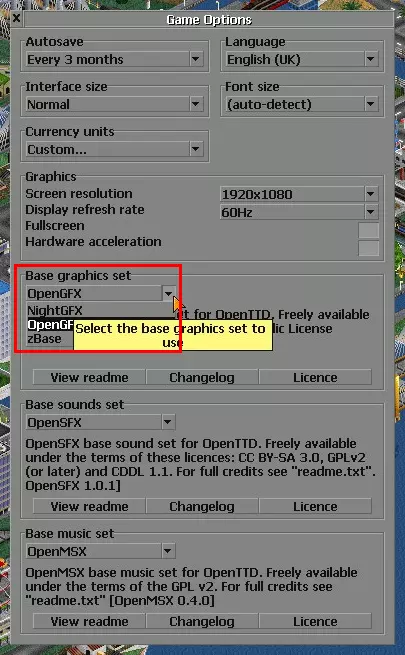
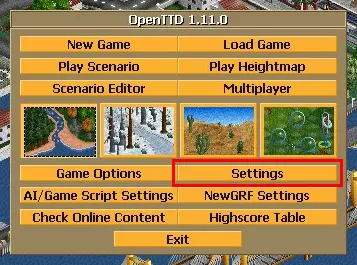
来啦!全新外观 :)\n基础设置 - 【设置】\n此菜单包含所有高级设置。默认值已经相当不错,所以你很可能只需调整几项,其余的可以忽略……不过还是建议看一眼 :/\n8. 在主菜单上,点击【设置】按钮。
现在通过拖动调整大小按钮来放大窗口。
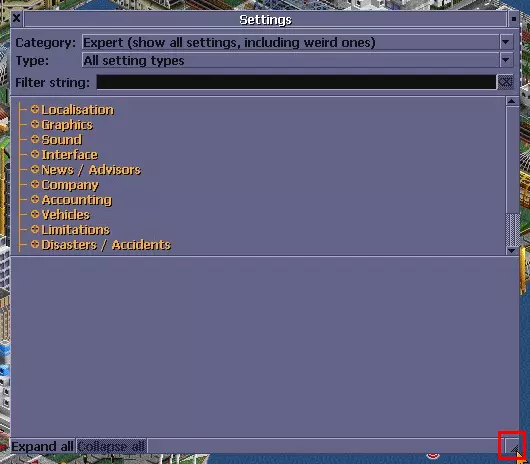
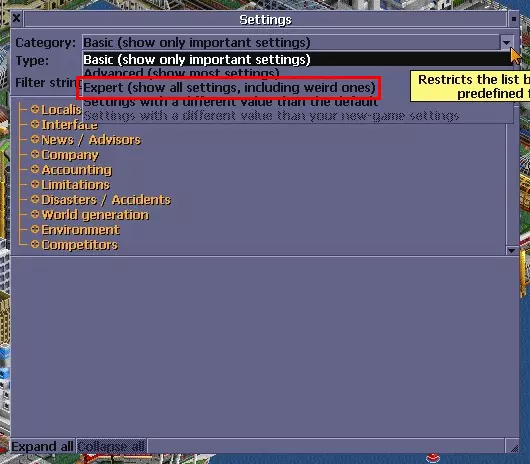
10. 在“类别”下拉框中选择“专家”。
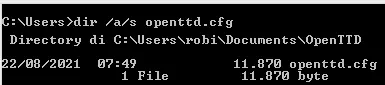
List of Recommended Settings: Localisation └ change it to whatever units you'd like to use Sound > Vehicles └ disable vehicle sounds to enjoy the music Interface > Viewports > Viewport scroll behaviour └ I prefer using "Move map with RMB" Interface > Viewports > Show path reservations for tracks └ MAKE SURE THIS IS ENABLED!!! Interface > Construction > Link landscape toolbar to rail/road/water/airport toolbars └ enabling it makes nuking construction easier Company > When dragging, keep fixed distance between signals └ enabling it makes life easier World generation > Road vehicles └ change it to whatever side you drive on World generation > Automatically pause when starting a new game └ enabling it makes the world stop for youList of "Hardmode" Settings: (for experienced players) Disasters/Accidents > Disasters └ it's fun to watch the world BURN[wiki.openttd.org] <unfinished><unfinished> Congratulations!You have almost reached the end. Consider reading the Advanced Setup and In-game settings to further enhance your gaming experience! Advanced Setup - "Font" Additional settings that cannot be accessed through menus within the game. Locate "openttd.cfg" https://wiki.openttd.org/en/Archive/Community/FAQ%20troubleshooting#my-user-interface-is-too-small-to-read-my-font-is-unreadable-or-faulty https://www.youtube.com/watch?v=wyiPWVIfyR8 <unfinished> Advanced Setup - "Key Binds" Locate "hotkeys.cfg" Probably bind "F12" to another key, because Steam already uses "F12" for taking screenshots. <unfinished> In-game Settings - "Transparency" Settings that are frequently used during gameplay. ----- Show/Hide Specific Infrastructures ----- HOLD Gear Icon ---> show/ hide specific infrastructures <unfinished> In-game Settings - "Volume & Music" ----- Adjust Volume and Music Playlist ----- HOLD Speaker Icon ---> adjust volume and change radio <unfinished> Other Useful Links List of Helpful Links (provided by the devs)https://steamcommunity.com/app/1536610/discussions/0/3110267314138503581/(My Favourite) Beginner Tutorial SeriesHow To Import Original (TTD) Assetshttps://steamcommunity.com/sharedfiles/filedetails/?id=2447267330 https://steamcommunity.com/sharedfiles/filedetails/?id=2448922054 https://steamcommunity.com/sharedfiles/filedetails/?id=2459730520 https://steamcommunity.com/sharedfiles/filedetails/?id=2443930645 https://steamcommunity.com/sharedfiles/filedetails/?id=2381756974 https://steamcommunity.com/sharedfiles/filedetails/?id=2456348018 https://steamcommunity.com/sharedfiles/filedetails/?id=2443771872 https://steamcommunity.com/sharedfiles/filedetails/?id=2442756996 Translations :) <unfinished> < Temporary Drafts > Please ignore this section for now. Some information below still needs testing to verify. === Settings ===1. Settings changed through the toolbar's gear icon (when a saved game is loaded) will only affect that particular save locally. Similarly, global settings changed through the main menu will only affect newly generated saves, but not old saves. Exceptions to this rule are transparency options and music options, which are shared between all saves. 2. Interface > Viewports > Viewport scroll behavior (Move map with RMB) └ Some OpenTTD controls are outdated and weird to use... so try this instead!3. Enable "realistic train acceleration" https://wiki.openttd.org/en/Archive/Manual/Settings/Realistic%20acceleration4. Change "steepness of slope" (see more info)[wiki.openttd.org]5. More "Hardmode" Settings - Accounting > Inflation (On) └ Are we in Vietnam? - Accounting > Infrastructure maintenance (On) └ Train signals somehow cost more than running trains... - Accounting > Running costs (High) └ Total income: -$1,000,000 credits - Accounting > Construction costs (High) └ Made of Antimatter™ - Accounting > Interest rate (4%) └ Red numbers = Certain death - Disasters/Accidents > Recessions (On) └ The Great Depression gives you great depression... - Environment > Cargo distribution > Distribution mode for passengers (asymmetric) └ Total income: -$1,000,000 credits - Vehicles > Physics > Enable wagon speed limits (On) └ "Train #1 looks too intense for me!" - Vehicles > Physics > Plane speed factor (1/4) └ Admit it, planes are just overpowered6. More "Masochist" Settings - Vehicles > Physics > Weight multiplier for freight to simulate heavy trains (>1) └ Either you hate trains or yourself - Limitations > Maximum length of trains (max: 64) └ We call these "Mammoth trains"[wiki.openttd.org] Some may also choose to set a low initial loan, low subsidy multiplier, normal vehicle breakdowns, symmetric cargo distributions; use the original train acceleration model; allow no actions when paused; etc. However, I think those settings add little value to the gameplay but annoyances. === Transfer Old Files ===Savegames, screenshots, etc are saved relative to the config file (openttd.cfg) currently being used. This means that if you use a config file in one of the shared directories, savegames will reside in the save/ directory next to the openttd.cfg file there. If you want savegames and screenshots in the directory where the OpenTTD binary resides, simply have your config file in that location. But if you remove this config file, savegames will still be in this directory (see notes in section 4.2 'OpenTTD directories') Savegames will be relative to the config file only if there is no save/ directory in paths with higher priority than the config file path, but autosaves and screenshots will always be relative to the config file. Unless the configuration file is in $XDG_CONFIG_HOME/openttd, then all other files will be saved under $XDG_DATA_HOME/openttd. https://openttd.ams3.cdn.digitaloceanspaces.com/openttd-releases/1.9.0-beta2/README.mdhttps://www.tt-forums.net/viewtopic.php?t=43542https://steamcommunity.com/app/1536610/discussions/0/2957166487935769374/ OpenTTD Manager should work on the Steam version of OpenTTD, but the game files will be updated automatically when a new update is released on Steam.