换一换
换一换 


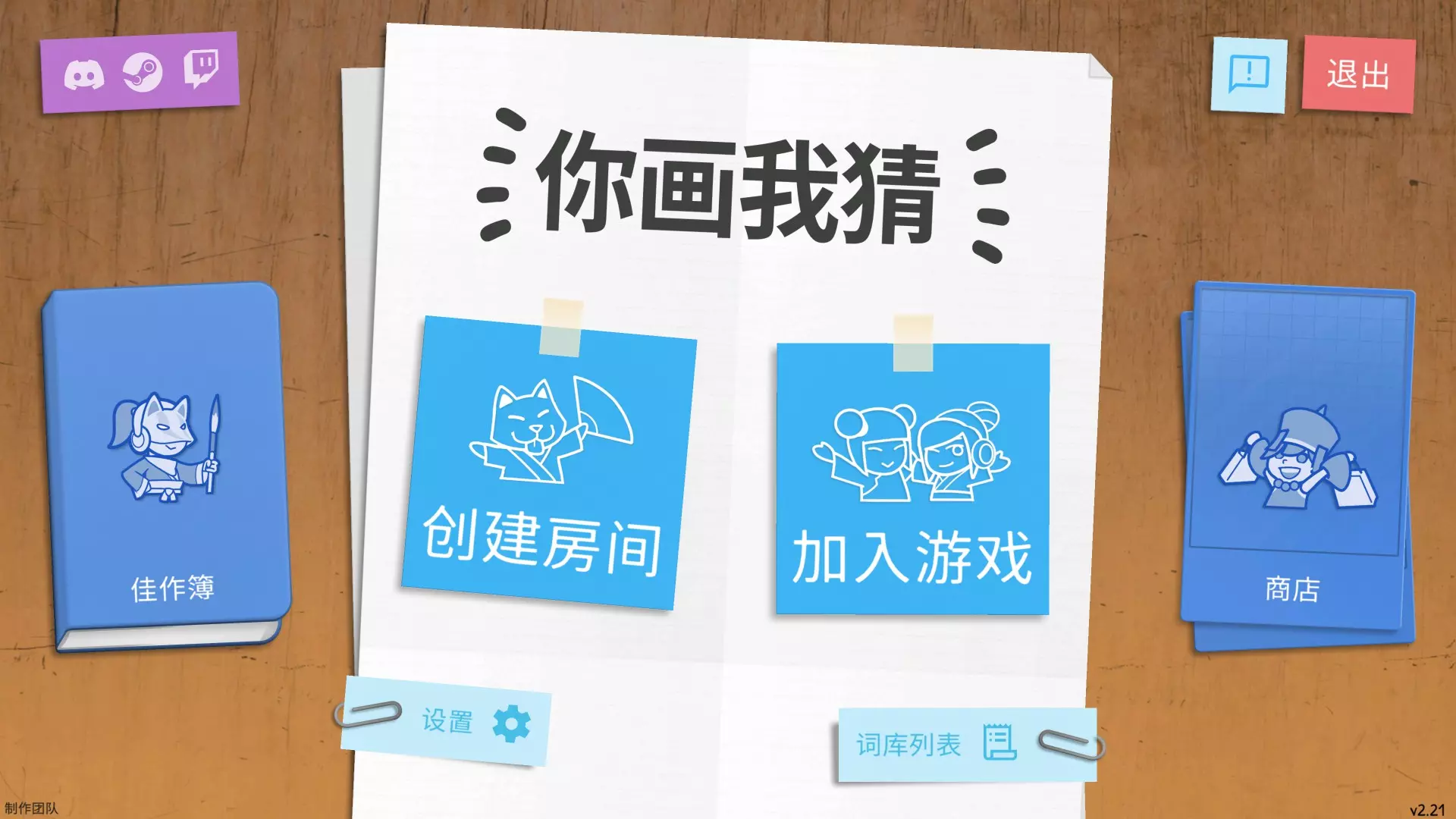
This is a basic guide on how to play Draw & Guess - with some rule suggestions from the developers. How to host a game (updated) When hosting a game, you have two options: 1. Host a private game. 2. Host a public game. For 1., simply start Draw and Guess, select the language you want to play in, then click Host and Private. This will create a private lobby that only your friends (via invitation or Steam friends List join) or any people with your lobby code can enter. No random players will be assigned to the lobby. To share your lobby code, in the lobby simply select the clipboard next to it and then paste the code where you want. You need at least three co-players, otherwise you can't really start the game. For 2., simply start Draw and Guess, select the language you want to play in, click Host and Public. This will create a lobby that other random players can join. You will no longer be teleported to an existing public lobby. Note: If you clicked on either Host or Join but want to change your choice, simply click on the given option again to close the settings bubble. As host, you can apply several game settings in the lobby. First, click the wrench icon. Here you can select the numbers of rounds you want to play by using – or + next to the rounds display. You can also adjust the chain length, which means you can limit the maximum number of players a given word/drawing combo is passed on to. Finally you can select Fast Mode which will speed up the presentation time at the end of each round. None of these options will be available to joining players. Note: In the lower right corner you will see an approximation of how long your specific game will take. The time shown adapts to the settings and players in the lobby. Second, click Game Mode in a private lobby or Vote in a public lobby. Here you can choose the time available for drawing, if colours or shades will be available, how many pens can be used, and whether or not your lines will disappear as you draw. Confirm your choices. In a public lobby, these game settings can be voted on, which means your fellow players can overrule your settings democratically. As host, you can also select a specific set of words (e. g. "animals") or just use the standard set by clicking on the two-cards icon with the question mark. Once you're ready to play, hit the ready button (green checkmark). The game automatically starts once all players are ready. How to join a game (updated) When joining a game, you have three options: 1. Join a private game with friends. 2. Join a public game. 3. Join any game via its room code. For 1., either accept your friend's invitation, or in Draw and Guess click on Join > Private. Your Steam overlay will open with your friends list, so you can right-click on your friend's name, and select Join game. Note: When playing with friends, you can change the UI language without impacting the language of the game itself. Just start Draw & Guess, select the language you want the UI to be in, then join a game as described above. For 2., simply start Draw & Guess, select the language you want to play in, and click on Join > Public. If a relevant lobby has already been created, you will automatically be teleported to it. If no strangers are currently waiting for you to join, you will become host of the lobby. Read "How to host a game" to see what settings you can apply. For 3., simply start Draw & Guess, select the language you want to play in, and click on Join > Room Code. Enter the room code shared with you by the lobby host. Depending on the lobby type chosen (Private or Public) you may be able to influence the settings of the game. Keep reading to learn how. In a public lobby, click Vote to vote the time available for drawing, if colours or shades will be available, how many pens can be used, and whether or not your lines will disappear as you draw. Confirm your choices. All players in the lobby can vote on these settings, so which settings apply will be agreed on democratically. Note 2: In the lower right corner you will see an approximation of how long your specific game will take. The time shown adapts to the settings and players in the lobby. Once you're ready to play, hit the ready button (green checkmark). The game automatically starts once all players are ready. How to actually play a round of D & G (updated) Once the game starts, you can choose one of three words shown. If you don't choose, Draw & Guess will choose for you. In the first round, draw the word you have selected. In the bottom left you can see the player you are receiving from. In the bottom right you can see the player you are passing on to. You can undo the last line by clicking on the back arrow in the top. You can delete everything by clicking a few seconds on the bin icon. You can submit your drawing by clicking on the checkmark. If you do not submit your drawing when the time is up, it will be submitted automatically. Hint: Just clicking once in the drawing area will draw a dot. Hint 2: Depending on the game settings applied in the lobby, you will have either 1 or 2 pens, and 1 colour, 3 shades of your colour or various colours. In the second round, guess the word that was drawn. Enter the word at the bottom and confirm with the checkmark. If you haven't entered a word when the time is up, a random new word will be submitted for you. Note: Hitting Return/Enter will open the chat. Repeat until the round is over. You will now see all the great artworks and misconceptions of your fellow players. Once a word/drawing combination has been fully processed, either confirm the prompt (when final word and initial word match), or vote yes (green checkmark) or no (red x). If there is a match, the originator will receive a trophy. When your own word is being presented, choose your favorite drawing to award a special trophy to a fellow player. Hint: If you need a quick break, this part of the game is a good time for it. But make sure to let fellow players know in the chat, otherwise everyone will be wondering why the game doesn't advance. Repeat until the game is over and all scores are shown. Hint: The score screen will close automatically and return any players to the lobby. How to create a word list (new) If none of the default or Workshop word lists work for you or if you just want your specific group of friends play with a very specific set of words, you can create your own word list. For that, simply start Draw & Guess and click on the two-cards icon with the question mark before entering any lobby. In the window that opens, enter at least 80 words, a topic (name), the language of the list, and a description. Click Save to save the list for your use only. Click Publish to save the list to the Steam Workshop (Workshop rules apply). You can adapt a default list to your own tastes by selecting Load and then editing the entries as desired. Make sure to rename the list to keep the default word lists unharmed. ;) Rule suggestions The developers have played different versions of this game for many years. In the course of that time, they have agreed on some rules to increase the fun (or really make the game more difficult?!). Anything is possible in Draw & Guess, and there are no set rules, but if you want to play the game as the developers do, here are the rules they use: Do not use letters, words or numbers. Special characters such as ?, !, *, and arrows are allowed. Currency symbols are allowed. If you want to refer to the context of the drawing, draw a square with a circle "[o]" in one corner of the drawing area. For example when you want to draw "wedding", you might draw a bride and groom and the context symbol. Most importantly, play the game the way it is most fun for you. ^-^
如何玩你画我猜
2026-02-15 19:00:17
转载

导读
这是一份《你画我猜》(Draw & Guess)的基础游玩指南,详细介绍了创建私人/公开房间、加入游戏的操作步骤,还讲解了游戏内的回合设置、绘画猜词玩法,以及自定义词库的方法,同时附上开发者的规则建议,帮助玩家快速上手该游戏。


评论
共1条评论

锦邬(なぎさえ
2026-02-24 18:29:51 回复0
回复0
回复uno怎么玩 一起优诺 学会这些方法 轻松玩转多人联机游戏
但要想与好友一起畅玩,首先得掌握创建房间的方法,《一起优诺》是一款令人上瘾的多人联机游戏。让你快速打通游戏世界的大门、下面将为大家介绍一些创建房间的技巧。
2025-08-24 12:470赞 · 0评论
【教程】- 入门指南
本教程将帮助你开始使用ADLENGINE。 学习基础知识,包括创建新地图、建造房间和出口、你的第一个物体以及交互方式。 创建新地图 启动ADLENGINE时,它…
2026-03-24 04:000赞 · 0评论

《创游世界》手写识别功能怎么用?AI手写输入教程与自定义词库添加方法
《创游世界》手写识别功能重磅上线!经过我的深入研究,终于为大家带来了梦寐以求的手写输入功能!!! 当前识别准确率还有待提升,属于一般般水平,我会在后续持续优化,…
2026-06-06 13:440赞 · 0评论
《铁锈战争》开房指令大全与进阶教程,联机对战房间创建攻略
-
2026-06-06 15:180赞 · 0评论
鹅鸭杀怎么创建房间?房间模板与开房参数设置教学,新手必看的人员配置、规则设置全攻略
2026-05-21 16:440赞 · 0评论

教程攻略 文明时代2联机版教程(宣传)
-
2026-05-09 08:390赞 · 0评论
《Golf Ace》玩法指南
如果你不清楚以下内容,这里提供一点帮助: - 如何开始游戏 - 如何击球 游戏开始与玩法说明: 1. 创建房间(单人或多人) 2. 按ESC键并开始游戏 -> …
2026-04-04 19:000赞 · 0评论
《房产达人》房间创建指南
创建特定房间所需的最少物品 卧室 • 床
2026-02-13 16:000赞 · 0评论
泰拉瑞亚 泰拉瑞亚正版如何用指令在泰拉瑞亚开创造模式?一个视频告诉你,绝对不坑
-
2026-01-24 01:250赞 · 0评论
《泡泡堂》怎么操作?电脑端键盘行走与房间创建设置全攻略
【2023.09.0 1、键盘操控人物行走: 电脑端使用方向键操控人物角色行走+放泡。 2、房间界面: (1)选择模式:复选框组二选一(竞技与探险;道具与无道具…
2026-06-14 08:200赞 · 0评论
暂无更多
最新更新
- 流行的画画游戏有哪几个 2026好玩的画画手游排行榜 — 画画游戏更锻炼的就是大家的创意以及动手能力,可能在闲暇之余,很多家长都会发现孩子们总是会用手中的笔在干净的白墙上乱涂乱画,很多家长也会第一时间作出反应,那么不妨…
- 进度、社交与艺术设定集 - 现已上线 — 大家好!今天我们有很多内容要和大家分享,所以请准备好,我们将深入介绍刚刚推出的所有新功能。 角色解锁/进度系统 根据社区的公开投票,79%的玩家表示不希望《你画…
- 移除墨水、可解锁角色及即将到来的价格调整 — 上个月,我们向大家提出了一个简单但重要的问题:“我们是否应该从《你画我猜》中移除墨水?” 墨水是我们在2024年《你画我猜》改版时引入的一种高级货币,仅用于购买…
- 如何玩你画我猜 — This is a basic guide on how to play Draw & Guess - with some rule suggestio…
- 如何赢得每一轮 — 画一些与答案完全无关的东西
- 如何找到创意工坊词库包含的词条 — 此篇指南能帮助你找到你在你画我猜中最近订阅的创意工坊词库都有哪些具体的词条 前言 文章写得非常简单,找到词库具体有哪些词的方法非常简单,就是在【你画我猜】的创意…
- 蟑螂也是榔,越嚼人越强 — 无法识别内容,已删除。
- 猴子都能学会的保姆级萌新游玩教程(新版本) — 针对新版的新人完全界面入门手册,包括如何查看房间规则设定、绘画操作、佳作薄使用等内容,以及如何进入游戏。
- 《你画我猜》限定皮肤与徽章一览 — 祝大家能在【你画我猜】中玩得开心q(≧▽≦q) 小萌新们可以先查看【Draw&Guess 萌新入坑指北】 游玩过程中出现问题,请查看【常见问题 FAQ】 202…
- 你喜欢这个游戏吗 — 请你告诉我,这是一个小问卷《你们可以不回答》