换一换
换一换 


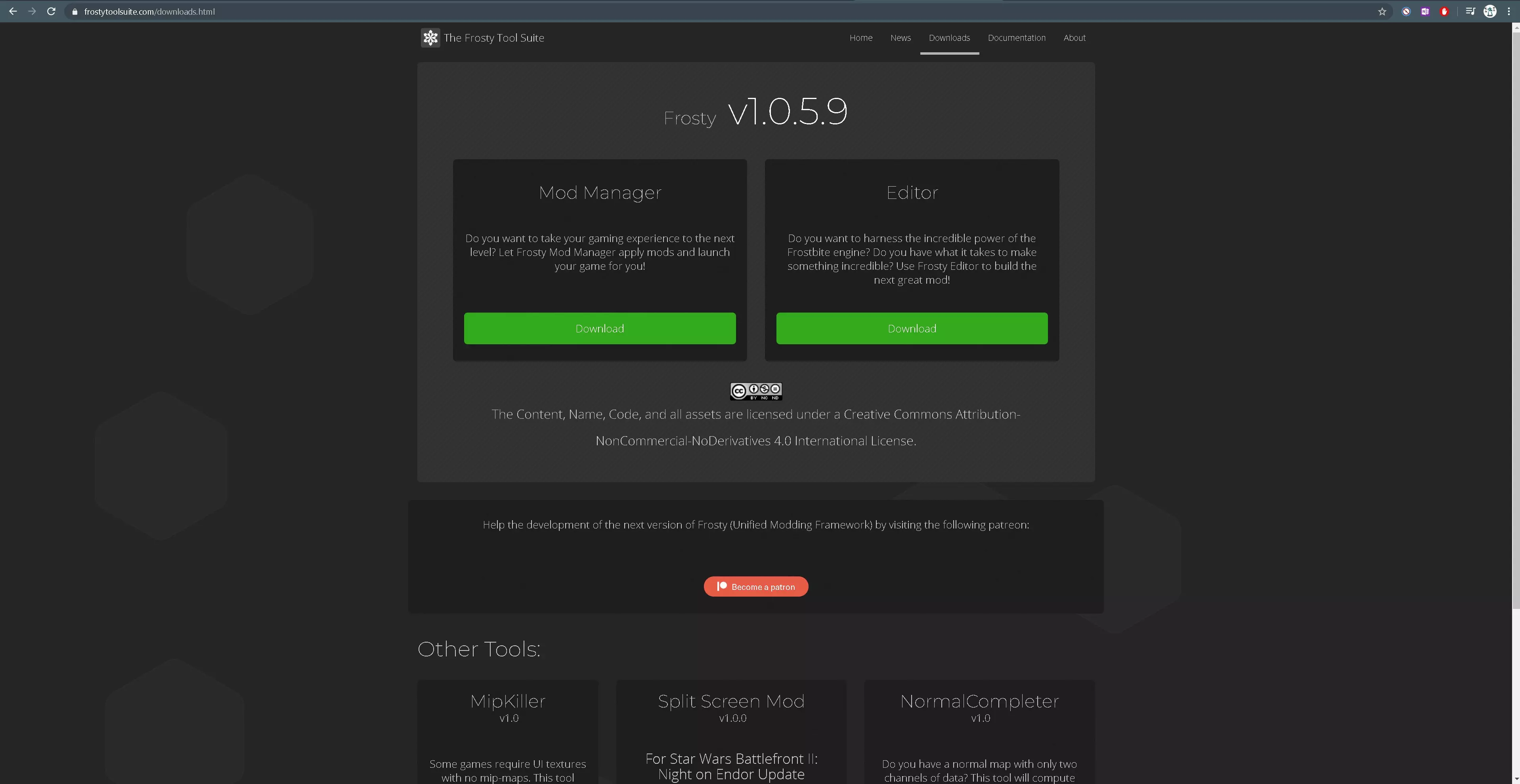
想要扮演雷克斯上尉、阿索卡·塔诺甚至普雷·维兹拉吗?看看本指南,我会解释如何操作! 请查看常见问题解答,了解重要信息! 1. 下载Frosty Tool Suite 要在《星球大战:前线2》中使用模组,你需要下载Frosty Tool Suite。Frosty是一种简单的加载和卸载模组的方式,无需将文件移入或移出模组文件夹。
2. 选择《星球大战:前线2》位置 首次打开Frost时,你会看到此屏幕:
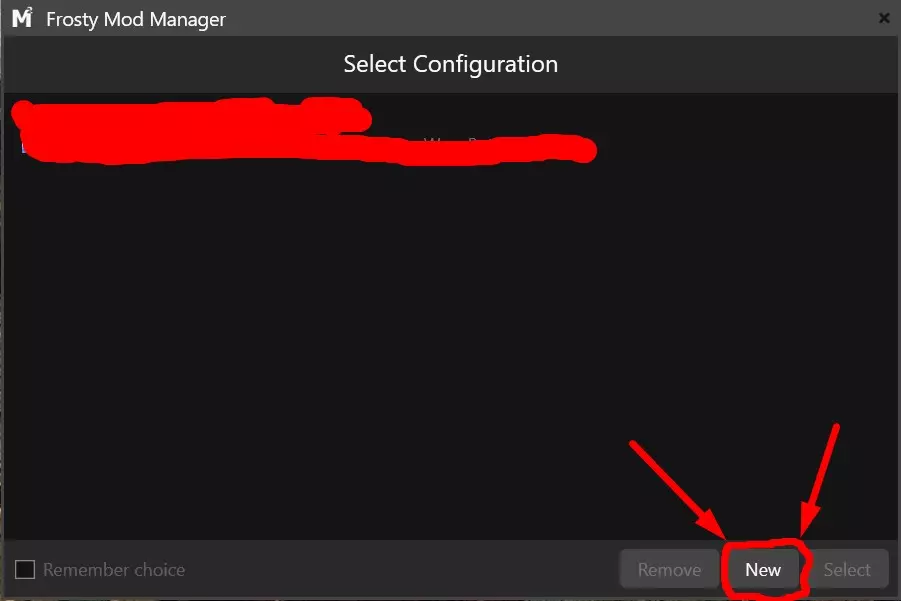
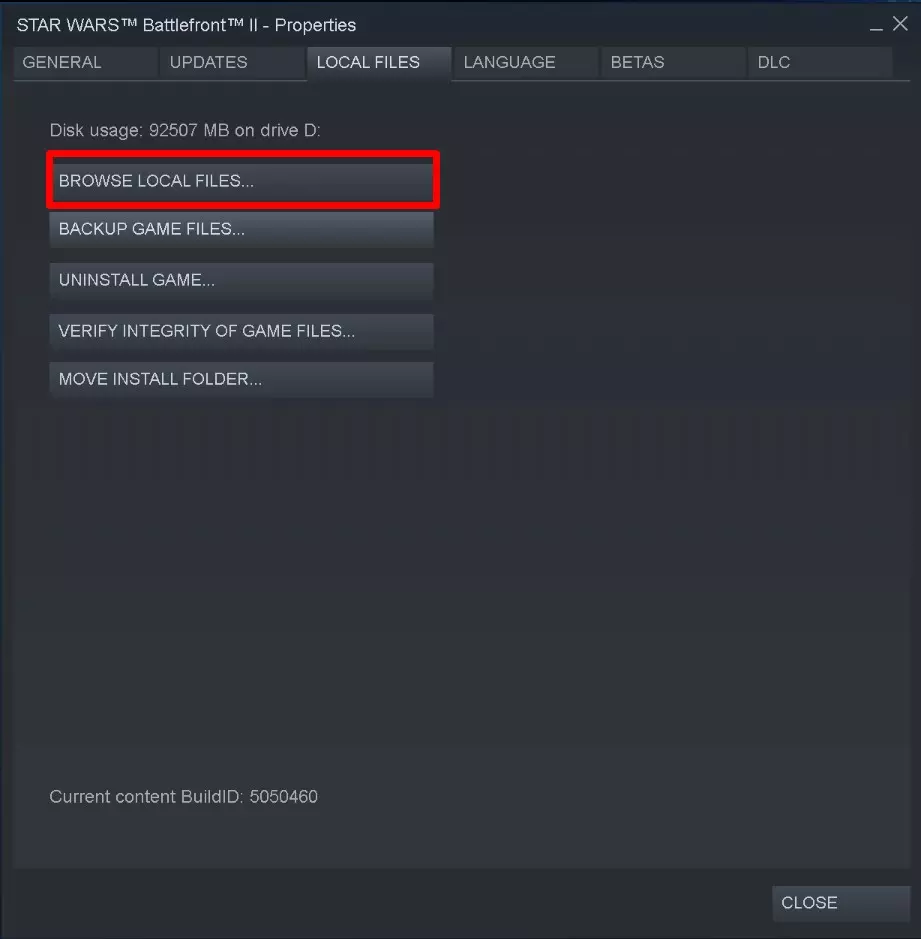
你需要告诉模组管理器你的《星球大战:前线2》启动程序所在位置。为此,请在你的文件中找到它(如果你无法手动找到,可以在《星球大战:前线2》的属性中选择浏览本地文件)。
然后点击【星球大战:前线2】
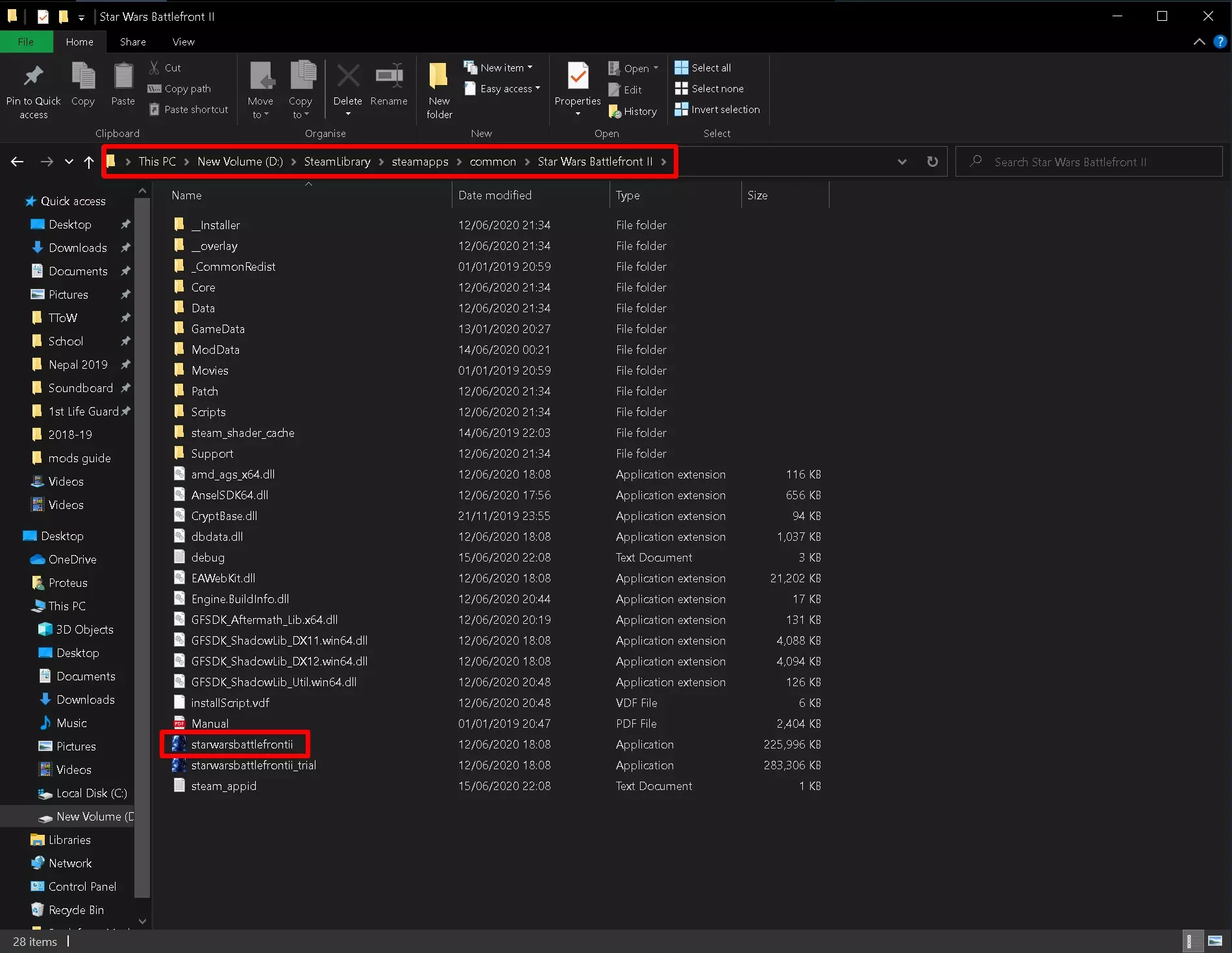
3. Frosty现已下载完成! 恭喜! 你的电脑上已安装Frosty。 它的外观应该类似这样:
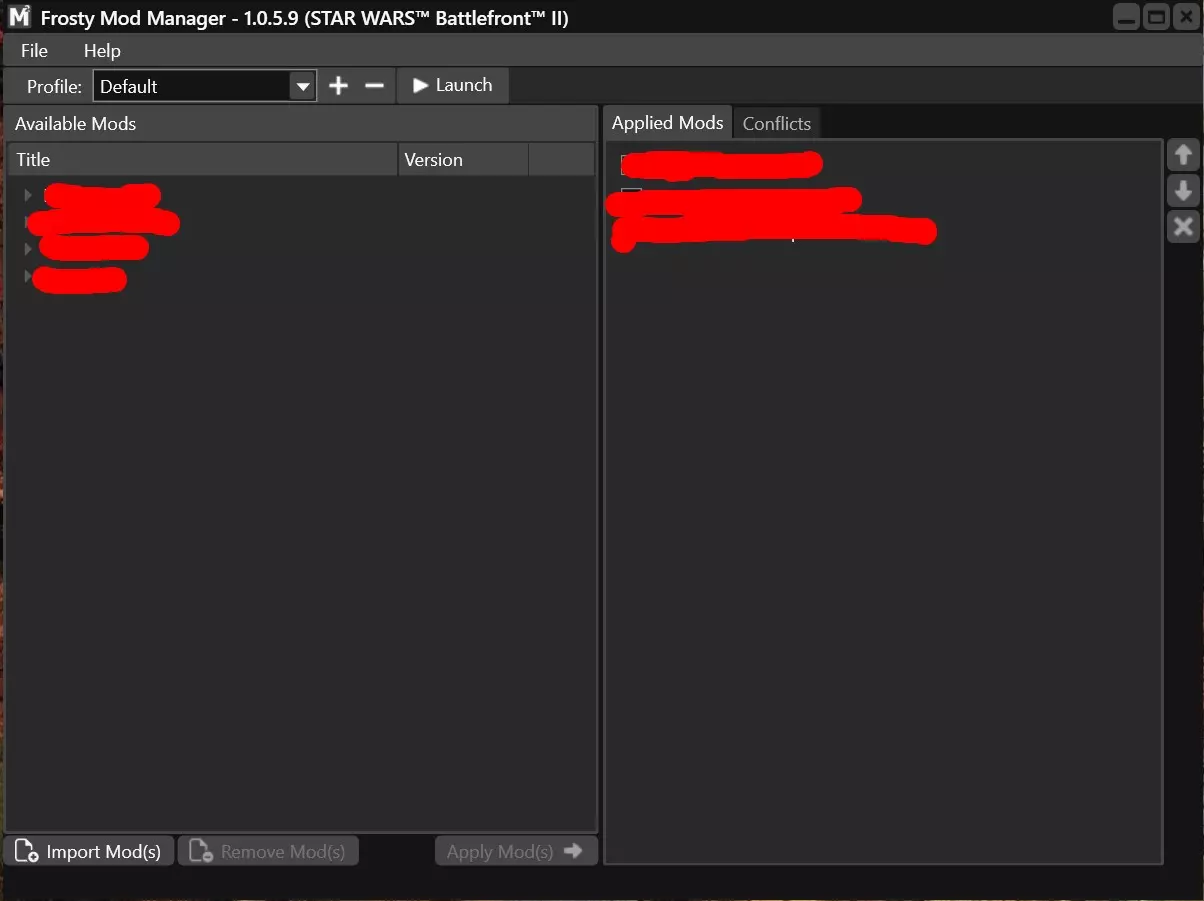
现在你可以选择你的模组了! 4. 选择模组 寻找模组的最佳地点是Nexus!
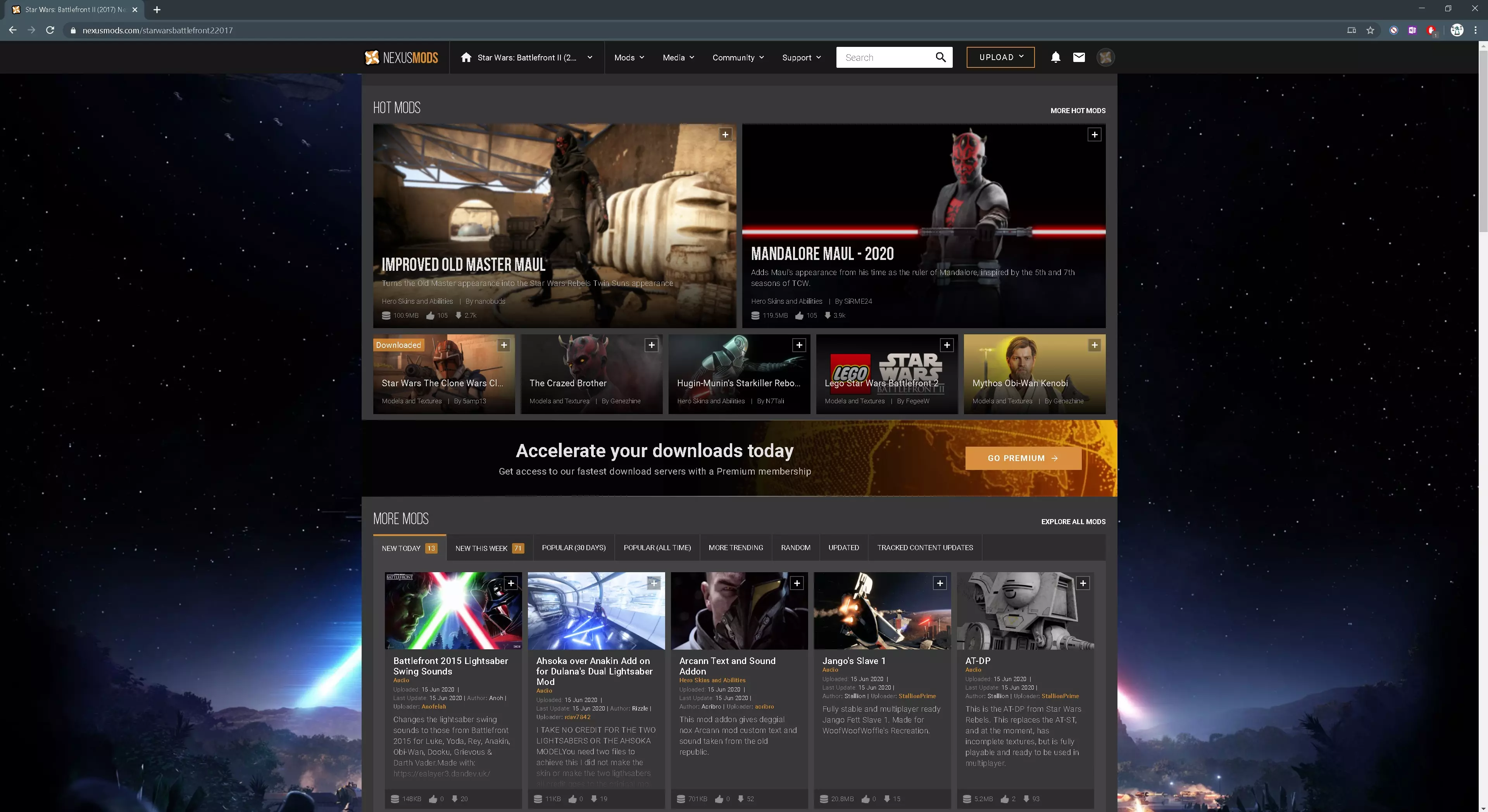
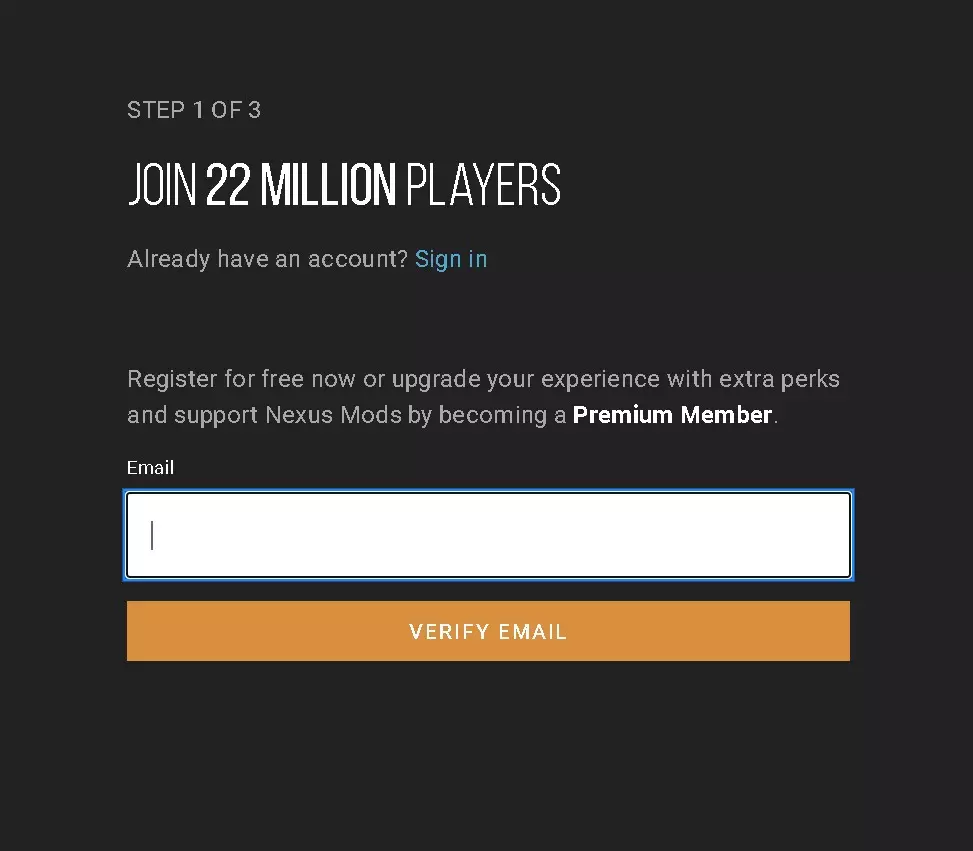
只需在搜索栏中搜索“前线”,你应该能轻松找到它。要从Nexus下载模组,你需要一个账户。这很容易操作。

(内容无法识别,已删除)
在本指南中,我将下载热门的【Pre Vizla Deathwatch】模组。(还有其他模组可供选择) 打开模组页面后,点击手动下载。
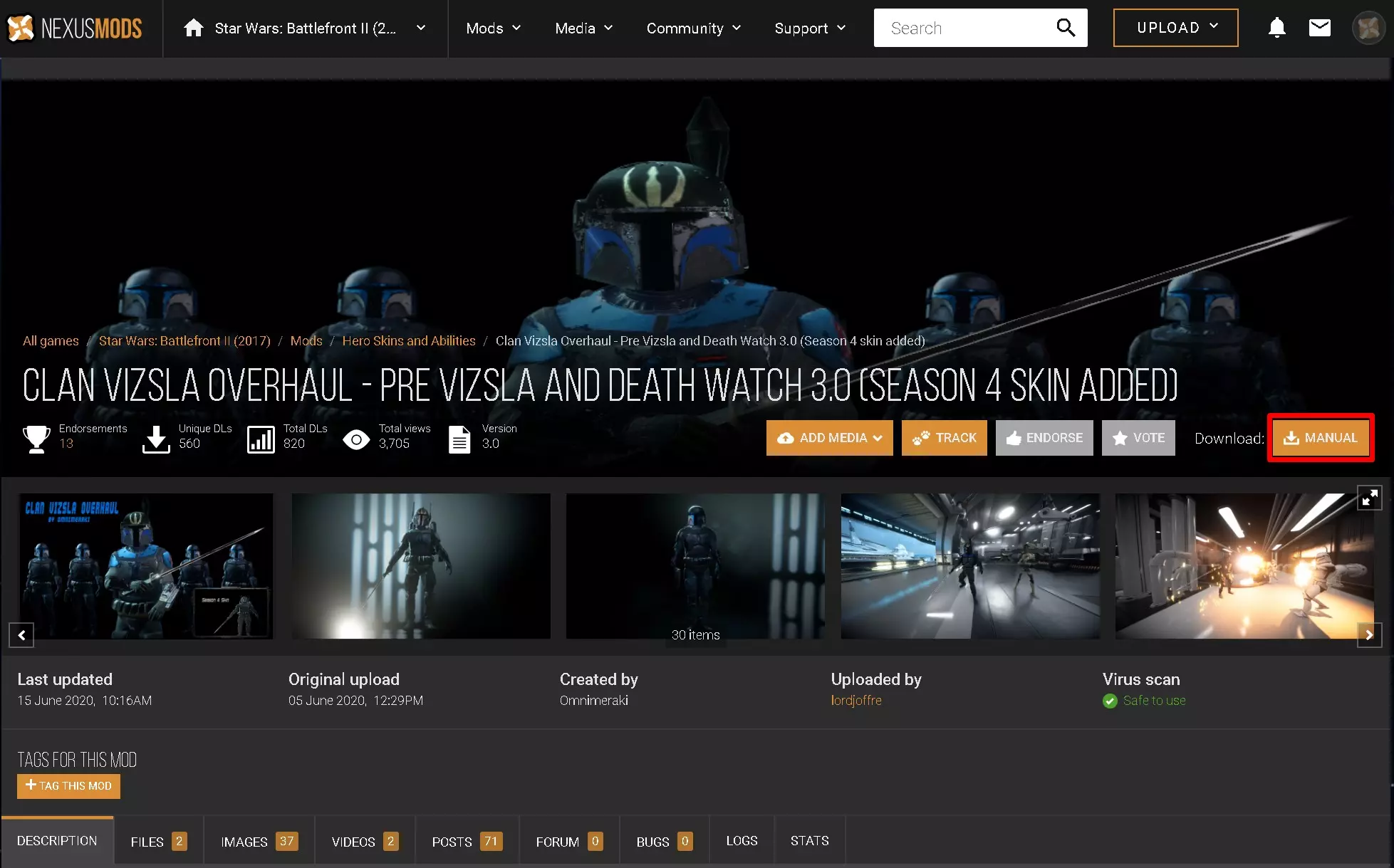
对于此模组,有两种选择:在线兼容或离线兼容(我将在最后一部分说明原因)
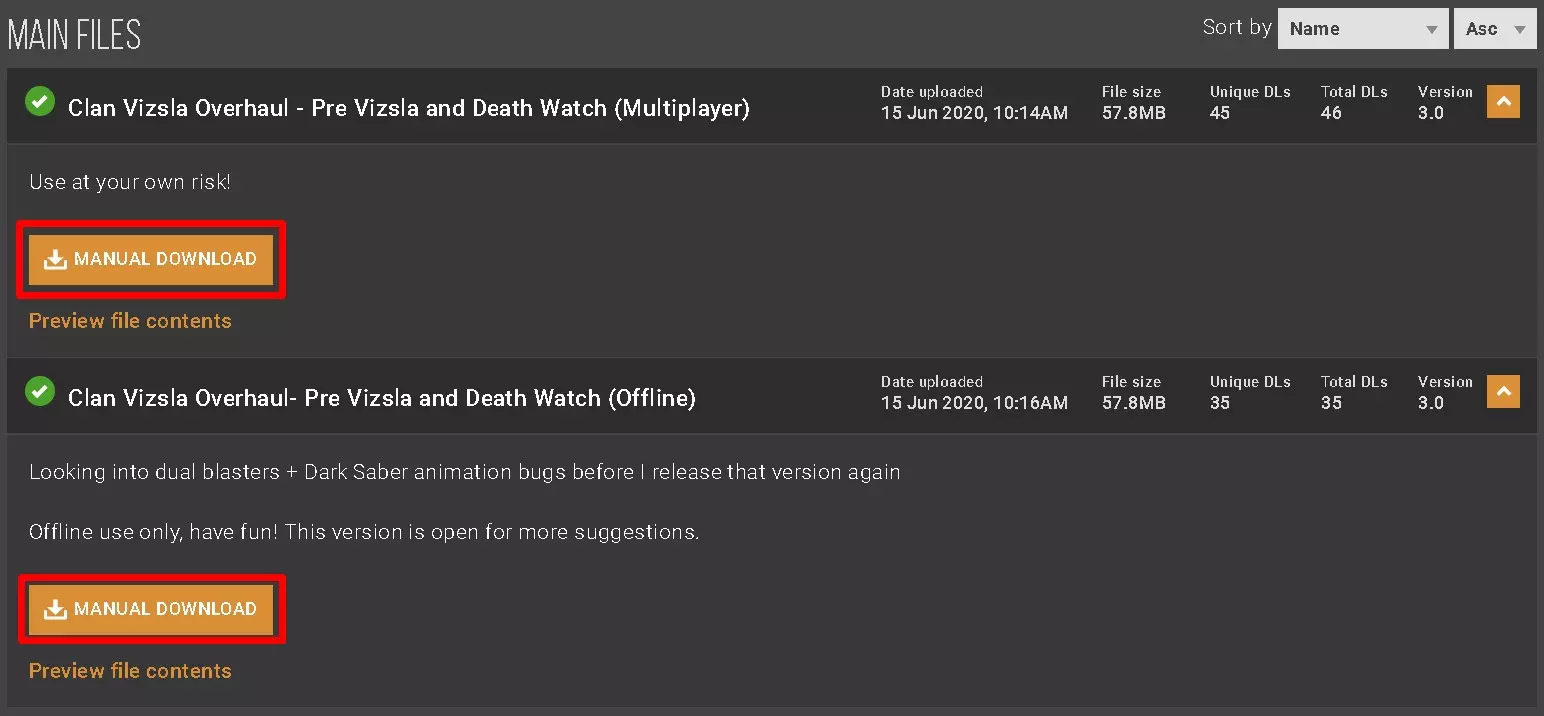
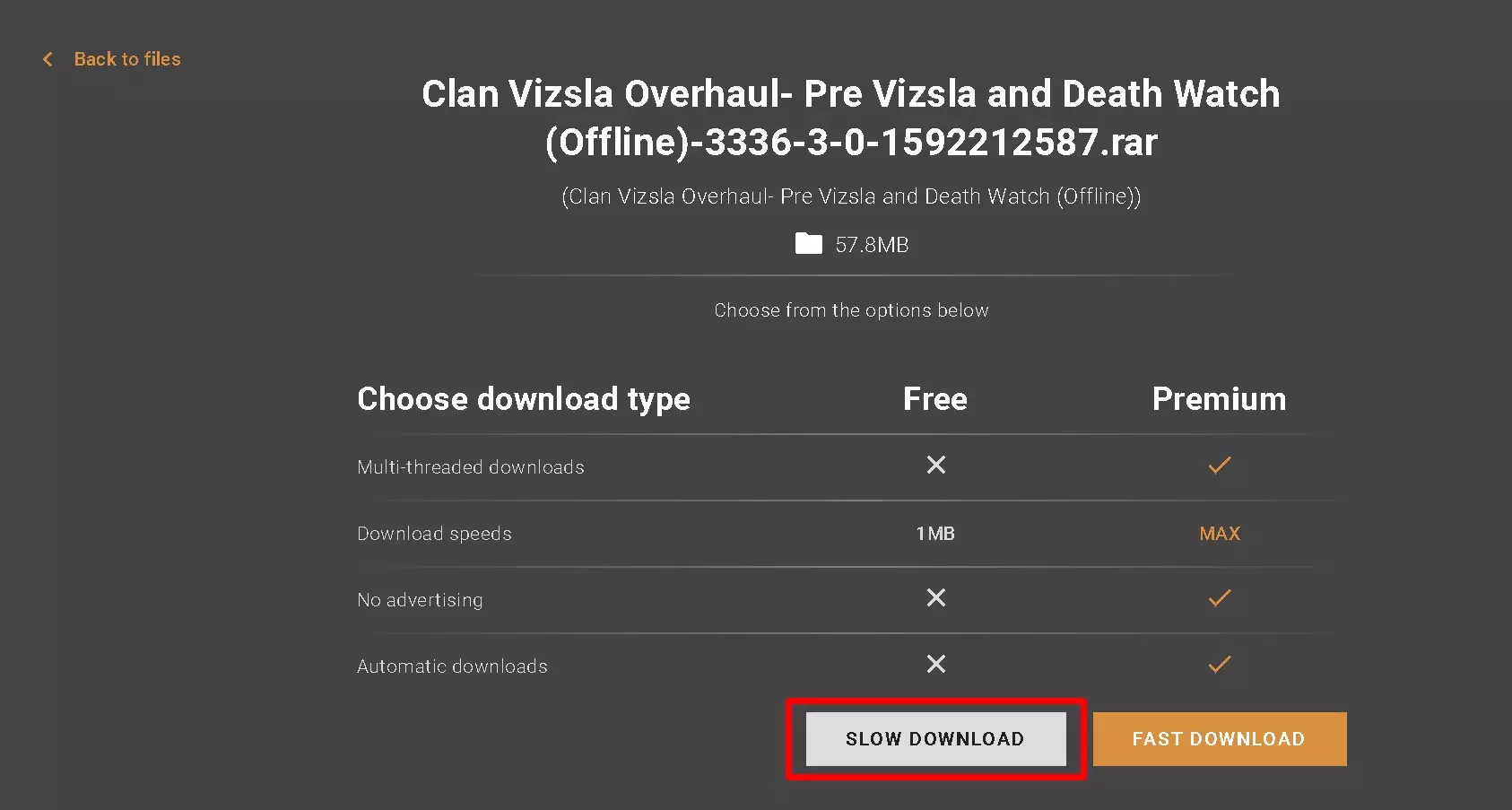
你可以两者都下载,或者只下载其中一个,也可以都不下载。这是个自由的国家,我无所谓。一旦你选择了其中一个,会打开另一个菜单。除非你已经解锁了高级版,否则请按【慢速】。不过根据我的个人经验,【慢速】并不慢。
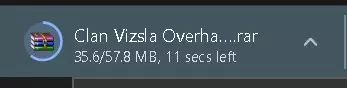
等待下载完成...
现在只需将mod从您的下载文件夹拖入Frosty即可!
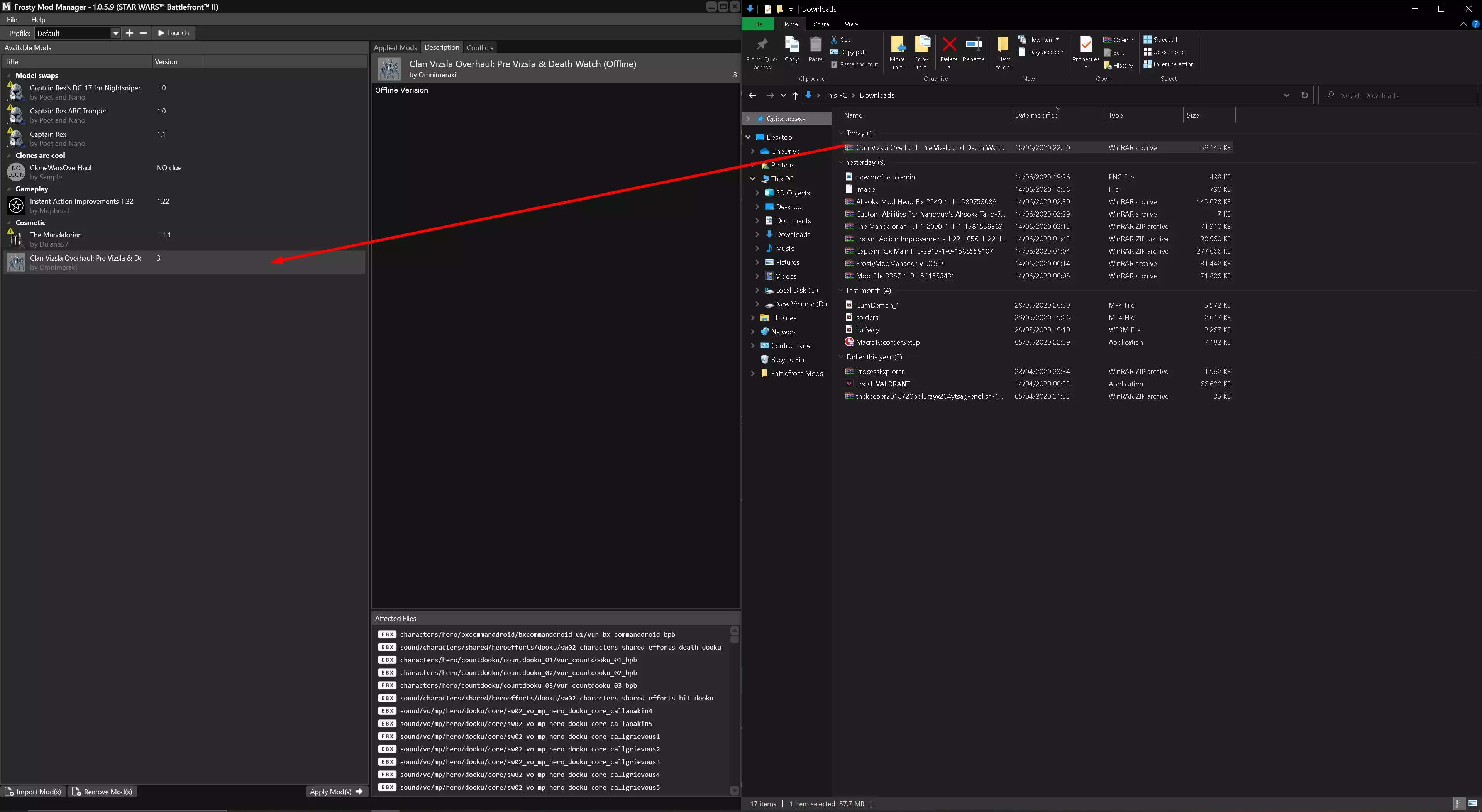
现在只需双击,它就应该会出现在已应用模组区域!
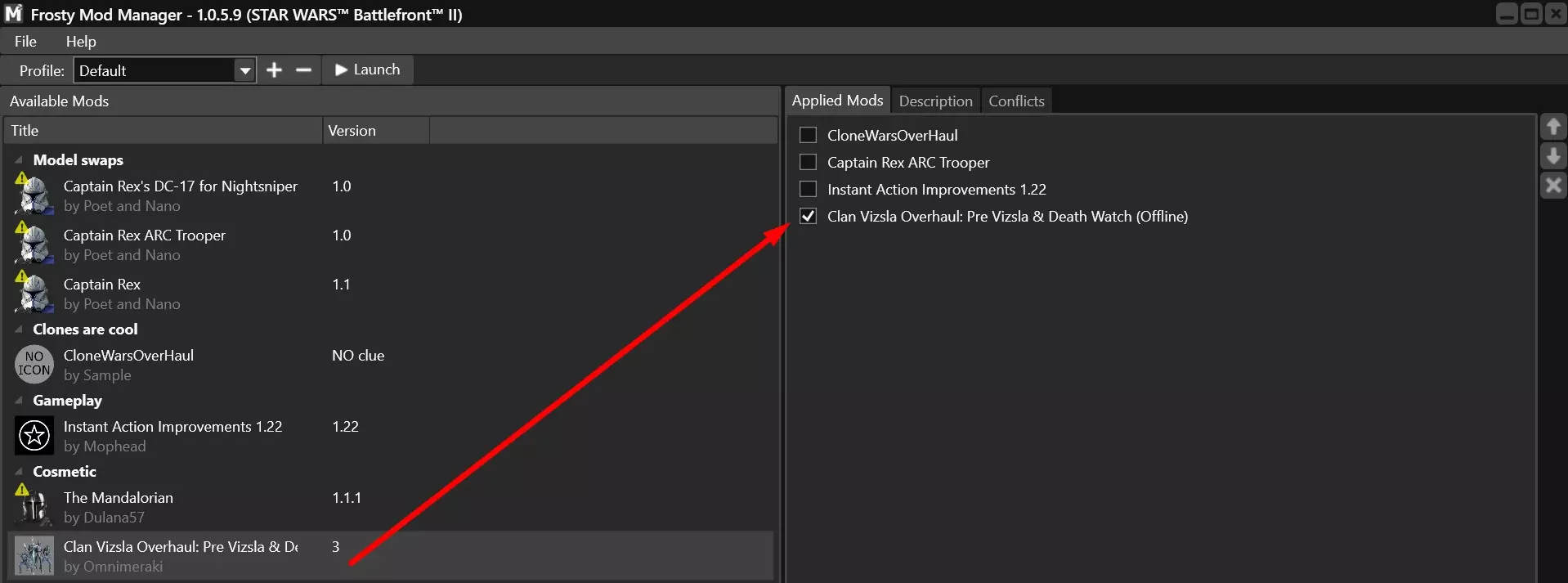
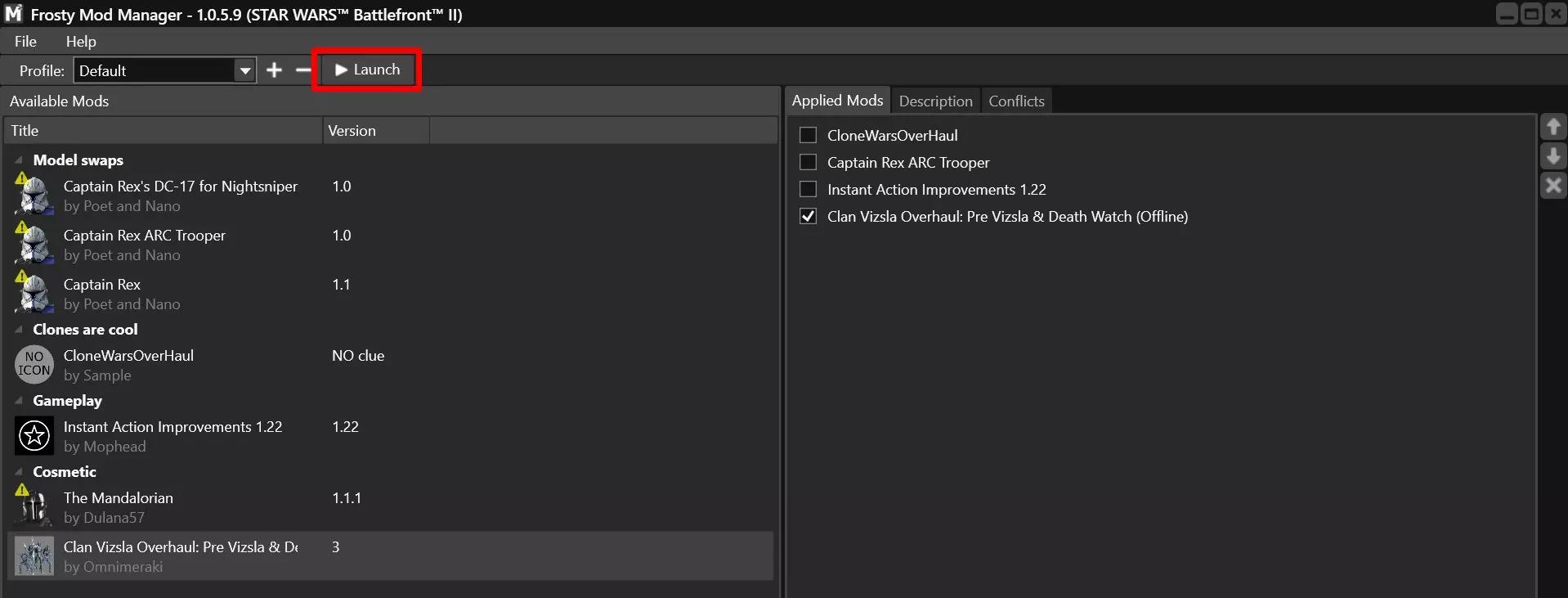
现在只需在屏幕顶部点击启动,同时确保你的模组已激活!
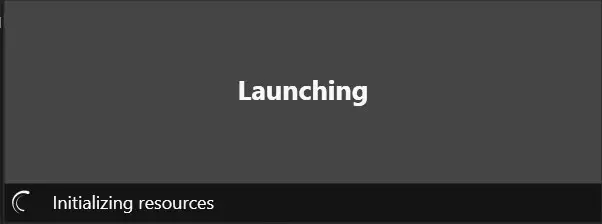
启动!
5. FAQ (I will keep adding to this section as comments appear below this guide) 1. What up with online and offline modding? At the moment, it is unclear whether or not dice will ban you while using a mod on a public server. I personally wont risk it (plus im not good against pesky humans :P) 2. Does playing with Frosty increase my steam hours? Yes it does, i have experimented with it tonight (01/07/2020) and it does increase the hours. 3. Can I access steam overlay, while playing with mods? Yes UPDATE: Copied from Modding Discord: Over the past few days several mod users have been permanently banned immediately when logging into Battlefront 2 regardless of if they have any mods enabled or not. Here is what is known and speculated so far. - 14 People are so far known to be banned, each user has used mods in the past and have likely used them online - Bans are now immediate and permanent when entering the game. Previously you would enter a game with a risky modification, fairfight (the anti cheat) would pick up on it and ban you. You would at first be suspended for a week with increased surveillance. If you were caught again then the ban would become permanent. The new bans are permanent for all uses regardless of if they have had previous suspensions or not and are applied before entering a game. - Bans cause by mods previously almost always have been as a consequence of mods that edit weapon models as the files which control what weapon model is used also has gameplay properties, if dice updates that file in a patch and modders didn’t redo the edits then the old gameplay properties would remain and fairfight would pick up on it and detect it as a damage hack. - Previously the anticheat has only been applied to online modes including COOP. Instant Action and Arcade do not have it active in the background (to our knowledge) so you could use mods in those modes with no consequence. That likely remains true for the new anticheat - Speculation: From what we know this seems to be caused by a new version of the anticheat that has been in development and collecting data for a long time. Since people are now getting banned immediately when entering the game regardless of if mods are enabled or not then it is very likely that they previously have been using a mod (such as a weapon one) which was not picked up by the old anticheat but was detected by the in development one. The users got flagged and are now getting banned - Speculation: What we don’t know is if the new ban wave is targeting every single user who got flagged or is only testing it out on a small percentage of them. If it has been applied to every flagged user and you haven’t gotten banned then you should remain safe. I have almost never use mods online so I have not gotten banned (at least yet) but there is always the possibility that a following ban wave will get other people who have been flagged by the anticheat before - Speculation: This is not an attempt by the developers to “shut down” battlefront 2 modding. While modding is against the terms of service, so far the developers have only ever really praised the efforts of modders when commenting on them while warning people not to go online with them. It is likely that the only intended targets of this anti cheat were the actual hackers ruining the game and modders are only being caught in the cross fire. This is backed up by one of the community managers responding to a ban by asking people to post their mod lists. If you are effected by the ban then I would recommend contacting EA support and giving them your mod lists. This is not a guarantee to get you unbanned at all since modding is still against the TOS but there is a chance at the very least since you were not the Intended target DO NOT USE MODS ONLINE 6. Trouble connecting to Frosty Recently I was having some issues with frosty not booting the game, I went online and found a fix. Here is a copy paste: TROUBLESHOOT FOR MODS If you have Battlefront through Steam, that is why mods don't work. Here's the fix that Dulana57 found: - Launch ORIGIN, launch STEAM, in origin select the Steam version of Star Wars Battlefront 2, right click and go to Game Properties > Advanced Launch Options. - In the command line arguments insert your path to Frosty Mod manager executable. Then launch the game through FMM as per usual and get back in the action. Example path from reddit post: F: Program Files (x86) SteamLibrary steamapps common'Mass Effect Andromeda FrostModManager If you change mods in FMM you must close Origin. Then launch through FMM. Source: https://www.reddit.com/r/MassEffectAndromeda/comments/iu7ydr/steamfrost_mod_manager_not_launching_fix/ If this works for you, please say. It worked for me! Thanks & Apreciation Thanks to: The amazing modding community of Battlefront 2 Kryo (this video gave me the knowledge that I am now imparting to you) https://www.youtube.com/watch?v=qrWfXHx6JRE Notes. If you want the best place for finding mods etc and talking to the community. Join the Modding discord. It contains links to the mods, along with help on how to install them https://discord.gg/7kSSd69 https://discord.gg/7kSSd69 https://discord.gg/7kSSd69 https://discord.gg/7kSSd69