
 换一换
换一换 


Playing Rome, BI, or any mod for these Using Alexander Instructions... Everyone on Steam who owns RTW also owns Alexander. If you do not have Alexander it is as simple as a screenshot you own Rome on Steam and opening a support ticket asking for your key for Alexander. Once you have Alexander in your games list, it is a simple matter to drop your Rome folder INTO the Alexander folder, add -mod:(mod folder name with no space between the colon and the mod folder name) -show_err -ne -nm -noalexander to your launch options. The first error will be missing the chat_filter.sans. Go into your Alexander folder inside of Alexander, go into Data, copy the chat_filter.san file and past it into your Rome folder inside of Alexander in the Data folder. From here, each time you start the game it will give you a missing file error. Go into your Rome folder to that file, copy the file, go back to the MAIN Alexander folder, open the corresponding folder and paste in the copy overwriting what it there. Yes, it takes a few minutes to work through and is about a dozen files, but once you are done you can play Rome, BI, or any Rome mod using the testapp.exe Alexander uses and not have ANY problems with FPS on any level; campaign or battle. When adding mods, example Middle Earth, create a folder named middle_earth, COPY your Rome folder contents into this folder, install your mod if installer to a blank location, right click, copy or if the mod is foldered already, copy and past the contents into the mod folder with the Rome contents overwriting whatever needs overwriting. Change your launch option to the new folder name. YES, with some mods they may want additional files. REPEAT the same as above going into the Rome subfolder, copy the file, and paste it into the corresponding place in the main Alexander folder. You do not need ANY other fixes and you will once again enjoy playing without any computer or hardware problems. The Creative Assembly did not make Rome. Atari made Rome. CA lies in saying Rome is made under directx9 because it sees the directx8 wrapper which means it was actually made under directx8 before being converted to use directx9. While the most current directx is backwards compatible, games are not. In any case, all the directx8 file does is disable some of the graphics options. Using Alexander, you do not need to disable any graphics options to get intended FPS. It also plays with ANY CPU or graphics card this way. When Windows 10 was released Rome was completely blacklisted and would not allow installation, but it would still work if you dropped in a folder where it had already been installed and ran it directly. The ONLY problem with installation was Windows 10 would not allow the creation of the preferences file. It would modify it if it was present and you changed settings, but it would not create it. I gave both Microsoft and CA ALL of this information, test information, all the bugs from Windows 10, the way they worked, how to work around. Microsoft unblacklisted Rome. The Creative Assembly IGNORED me because they did not want to give everyone at that time a free copy of Alexander if you owned Rome and not Alexander. Once Rome and Alexander were combined on Steam in a single sales package, what should have happened was exactly what I posted above so that is the way it downloaded to someone installing and everything played through Alexander using nothing more than a simple script. If someone doesnt believe me, fine, open my profile, pull up Alexander in my games, and look at the screenshots. I have not played Rome or Barbarian Invasion in YEARS using their exe files rather using Alexanders. If you open guides, al Qamar wrote up the guide for everyone on Windows 10 because I simply did not have time. Many modders even went back and redid their mods to be used in Alexander because it was so simple to do using this same information I just posted above. I have never made a list of the files needing to be copied from Rome into Alexander's main data folder. If someone wants to do this and make a guide to do this, feel free but please list me as collaborator is all I ask. Oh, and you cannot simply copy the Rome Data over the Alexander main data as there are some specific files needed in Alexander for it to run which are not included in those same files under Rome. I have never taken the time to go through them all individually to find them and make a Rome to Alexander transfer as a mod. Anyone that wishes to do this, again, list me as collaborator and have fun! I will be more than happy to help anyone who already knows the basics of modding and help you support this, but do keep in mind, between physical therapy, a working farm, and a 40,000 person group among several groups on social media I dont have a lot of time.
使用亚历山大启动器游玩罗马、蛮族入侵及模组

2026-02-19 01:00:19

导读
本文介绍了Steam上拥有《罗马:全面战争》的玩家,如何借助《亚历山大》启动器游玩《罗马》、《蛮族入侵》及各类罗马模组的方法,包括文件迁移、启动选项设置、缺失文件补全步骤,解决游戏FPS问题,还提及相关背景信息。

评论
共0条评论

万物皆可游戏 【幻兽帕鲁】幻兽帕鲁游戏帧数FPS优化120-游戏卡顿问题解决方法!
祝各位新年快乐!!!
2025-11-10 05:360赞 · 0评论

《逃离塔科夫》1.0版本的FPS优化
简明扼要 只介绍那些容易操作的内容。像关闭内核隔离、超频内存和处理器这类操作不会涉及,因为它们既耗时又不安全! 指南更新
2026-02-12 08:310赞 · 0评论

如何安装并游玩Freeinfantry
《FreeInfantry》安装与游玩指南 本视频指南将介绍游戏的安装流程、启动器设置、启动器中的区域列表说明、游戏内设置、武器与物品的按键绑定方法、聊天功能使…
2026-04-03 10:000赞 · 0评论

怀旧 怀旧赛尔号尼尔号游玩流程与教程
游玩入坑链接:https://pan.quark.cn/s/d15f4781c982 英文名:nieo
2025-09-16 10:550赞 · 0评论

决斗场 大须佐游玩教程
-
2025-09-10 17:220赞 · 0评论
现代电脑的增强帧率配置
Hi total war fans. I’m extremely happy to announce that after a lot of experimen…
2026-02-20 13:000赞 · 0评论
罗马全面战争秘籍 《罗马全面战争》游戏密技大揭秘 掌握这些密技 成为战场上的霸主
《罗马全面战争》是一款备受玩家喜爱的战争策略游戏。统治天下,征服敌人、在游戏中、你需要建立自己的帝国。还需要掌握一些游戏密技,除了需要高超的策略思维外、想要在游…
2025-12-24 04:480赞 · 0评论
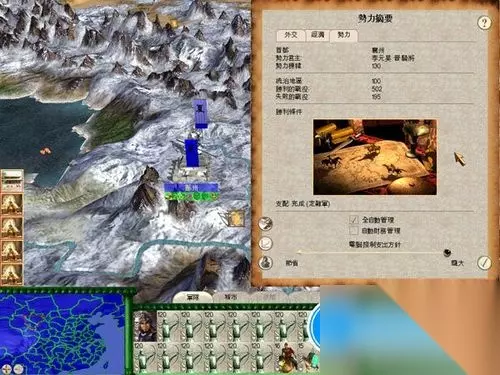
罗马全面战争城市名 罗马全面战争所有城市
罗马全面战争是一款备受玩家喜爱的战略游戏,其丰富的城市系统和战斗机制让人沉浸在古罗马的历史长河中。在游戏中不同城市的名称和特征往往受到历史和地理的影响。在这篇文…
2025-09-17 02:000赞 · 0评论
FPS [求生之路2]设置方面教程
文件https://wwbrq.lanzouv.com/b00jf67ydg 密码:c3qi 第一次做教程 很多地方只挑了重点说 欢迎指点
2026-05-05 00:040赞 · 0评论
无畏契约FPS优化教程,20秒提升你的帧数!
无畏契约FPS优化教程,20秒提升你的帧数!
2026-02-05 17:014赞 · 0评论
暂无更多
最新更新
- 全局地图低帧率问题解决方案。修复全局地图帧率问题。 — 大家好。在论坛上研究了一下,找到了问题的解决办法。解决办法。
- 25k前马略改革规则组 — 25k / Pmrvr:前马略改革罗马对阵罗马,仅罗马阵营可参赛。 银币:25000 | 规模:大型 | 禁用:禁卫军步兵和禁卫骑兵 除罗马将领、罗马骑兵及骑士…
- 现代电脑的增强帧率配置 — Hi total war fans. I’m extremely happy to announce that after a lot of experimen…
- 如何解锁《罗马:全面战争》中的所有派系 — 本指南介绍了如何在《罗马:全面战争》中解锁所有派系。 简介 解锁派系有两种方法。第一种是正当途径。第二种是通过游戏修改。 第一种方法(正当途径): 但要知道,通…
- (SPQR)等级体系 — Tags: (SPQR) Name [Rank]-[House] Ranks / Class: [Emp] Emperor: Leader (X)-Pontif…
- 《罗马:全面战争》城市名称 — Названия городов Названия всех городов. {Britannia_Inferior}Нижняя Британия {Tri…
- 我来,我见,我征服。 — Полное руководство по первому Риму на русском языке. Как воевать, как управлять,…
- 《罗马:全面战争》所有可能的低帧率修复方法 — 这是我遇到的所有可能的FPS修复方法汇总 并非所有方法对我都有效,但我会先从那些有效的方法开始,说明一下我使用的是Windows 11系统 此外还有一些通用修复…
- (几乎)所有来自加载屏幕的引用和语句 — 引用和语句是我从维基语录借鉴来的。 引用和语句按作者及字母顺序进行了整理。 可能还缺少一些引用和语句。 阿利乌斯(奥夫)·维利乌斯 - 死敌的气味总是很香
- 如何正确设置现代优化并修复的罗马:全面战争 — The Aim of this guide is to (Hopefully) and Successfully make your game as stabl…