换一换
换一换 




以下是一些能在开拓过程中为你提供巨大帮助的“高智商操作”。 本指南仍在持续完善中。 刚接触《幸福工厂》?不喜欢和朋友一起玩?因为不看主播而跟不上进度?那么这份指南正是你充分利用开拓时间所需要的! 一定要查看评论区,那里有其他开拓者分享的非常实用的技巧! ### 探索技巧 “兔子跳”是一种比 sprinting( sprint 跑)更快的移动方式。首先像平常一样 sprint 跑,然后按下(或短按)C 键蹲下。在滑行时跳跃,按住 W 键在空中继续向前移动。在角色落地前或落地的同时,按住 C 键蹲下。当角色一落地并蹲下的瞬间,再次跳跃。你会看起来像是在“跳跃”着环游世界。这对于摆脱敌人以及跨越地形中那些出人意料的巨大缺口非常有用。将其与喷气背包配合使用,可实现终极的地形穿越方式。

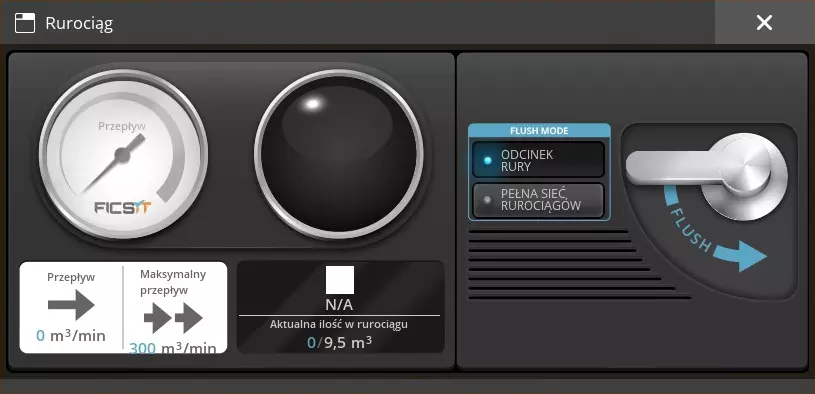
Note: You must be on a level or downhill surface to use this method. Very slight uphill surfaces also work. When building foundation bridges or ramps to traverse the terrain, use the mass dismantle option to select the foundations as you are running on them. Then when you near the end of your ramp or bridge, hold down left mouse button to delete the foundations to get your resources back and so you can keep moving. You can use the parachute to climb up hills and mountains. It only works up to a certain angle (80-90 degrees) but makes climbing easier when you don't have the materials to build. Special thanks to MCCREEEEEEEEEEEEEE for adding this tip! When you are gliding with a parachute you have significantly extended reach, allowing you to grab mercer spheres and power slugs that are inside rocks. Special thanks to normaalnewood381 for adding this tip! Skip this paragraph and read the next one below. To sprint without holding down the shift key, hold shift and either open your inventory or enter a vehicle. Let go of shift, then exit out of the menu. Now when you move forward, you will be running! It will go back to normal once you press shift again. This is a neat little trick to save your pinky finger from inevitable carpel tunnel. This also works when using the hoverpack. Note: You can still use the shift key in your inventory to move full stacks of items. To sprint without holding down the shift key, pause the game. Click on "Options", then "Controls". Make sure the Hold To Sprint option is disabled. Voilà! Thanks to Loucifer for sharing because I was completely unaware of this setting! I mean, clearly. Just look at the work-around that I found. When running on a conveyor belt, you'll find out quickly that it is only convenient when you are going in the same direction as the belt. You can run the opposite direction by using either side of the conveyor, instead of the belt itself. The part of the conveyor that does not move can be run on like any regular structure, it's just very thin. Note: Any conveyor belt over Mk. 3 is impossible to run in the opposite direction on, even with blade runners. Building Tips Build on top of foundations as soon as you get them. Everything will become more organized and much easier to manage. Early buildings built on the ground can either be removed or used to fill your inventory over time, but they shouldn't be taken seriously as your game progresses. Automate, automate, automate! Any item a tier requires or that the space elevator requires, automate. Building these resources by hand will prove to be a poor use of your time. I'm sure Ficsit will let you know that. Do not destroy buildings after you complete an objective! These parts will be used later, and you will have to rebuild these same factories. Keep producing parts you don't currently need, even if production has to be paused for a bit, that's better than destroying your hard work. Note: For spaceship parts, be sure to destroy the belt removing the finished product. This will allow the system to continue building parts, but they won't clog the space elevator. Pay attention to the building tips at the bottom of your screen when building. Quick switching and toggling build mode will be very useful. When placing conveyor mergers and conveyor splitters, they can be placed on an already existing conveyor belt. This is very convenient for tight areas or for pulling material off of an existing conveyor. Dismantling a building returns 100% of the resources. This is HUGE! Build anything, anywhere, anytime you want. You can delete it any time and get all of your resources back. The only resources that are ever permanently "deleted" are the ones that you throw away in your inventory trash, or when you manually flush a fluid system. Note: Items dropped on the ground do not de-spawn. When using the crafting bench or equipment workshop, press space bar to make the machine craft until it cant anymore. Press space bar again to stop crafting. Save your fingers. You will always need more. More copper, more screws, more aluminum. Most importantly, more room to build! Leave yourself plenty of space and get creative with your builds. Build vertically to save on space. The To-Do list is huge for helping keep you on task, and not forget about your many duties. To edit the list, enter your inventory and move your curser to the far right of your screen. Either click the"Edit to-do list" button or you can click the darkened black area on the edge of your screen if the button doesn't show. Your base can be messy, but keep this list clean so you can stay on track. Use the N key to search for any item or building, this is especially useful when searching for recipes. It's Ficsmas time! Every December, Ficsit accounces Fiscmas. You can place a tree and gather presents which drop from the sky. This leads to additional production lines which gives you new items and rewards. Totally completing Ficsmas takes a lot of work, and will likely take you several Decembers to complete.
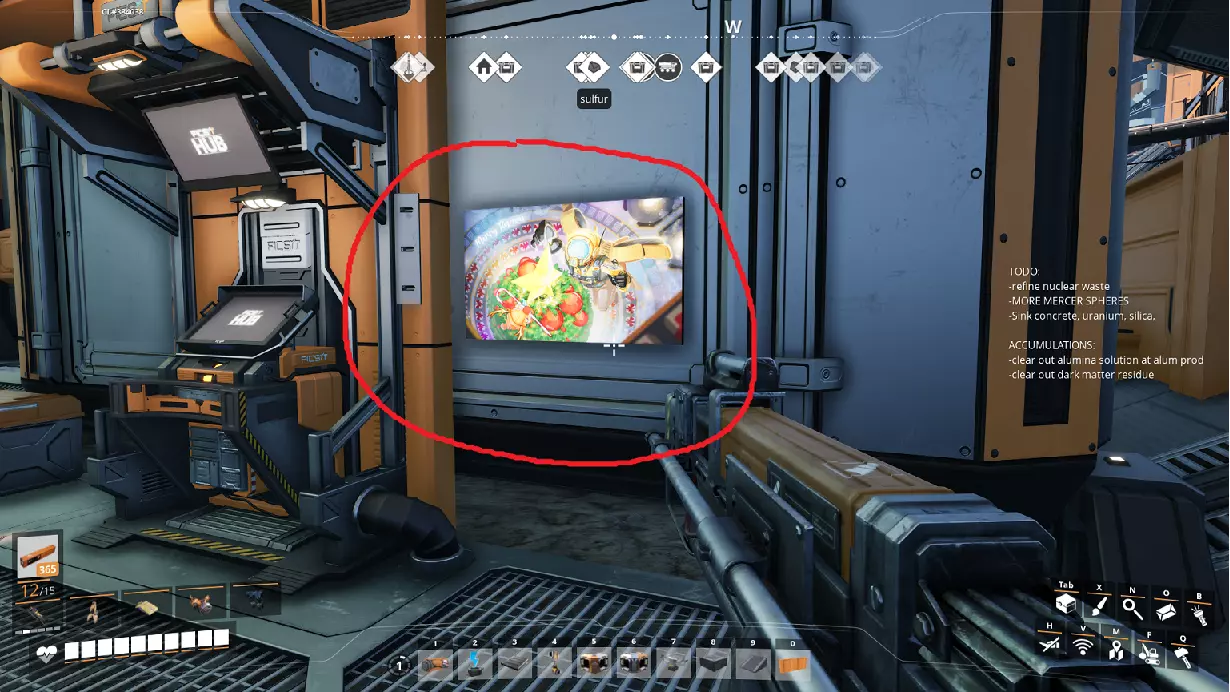
一定要查看枢纽终端旁的日历。这是一个 advent calendar(降临日历),每天都能领取一份奖励。找到当天对应的数字并点击,就能解锁奖励! 注意:你可以在 12 月最后一天加载世界,然后查找日历上从 1 到 31 日的所有日期。 最后, 基地的设计如何,甚至效率高低,其实都无关紧要。这些技巧能让你的拓荒之旅轻松不少,尤其是独自游戏时。 Ficsit 可能会给你制造麻烦、让你泄气,但请坚持下去。你做得很棒!只要玩得开心,就不必急于求成。这里有大量工作要做,无论你做得多好,老板总会紧盯着你催促完成。打造一座符合你心中完美标准的工厂吧,无论那标准是什么!