




 换一换
换一换 



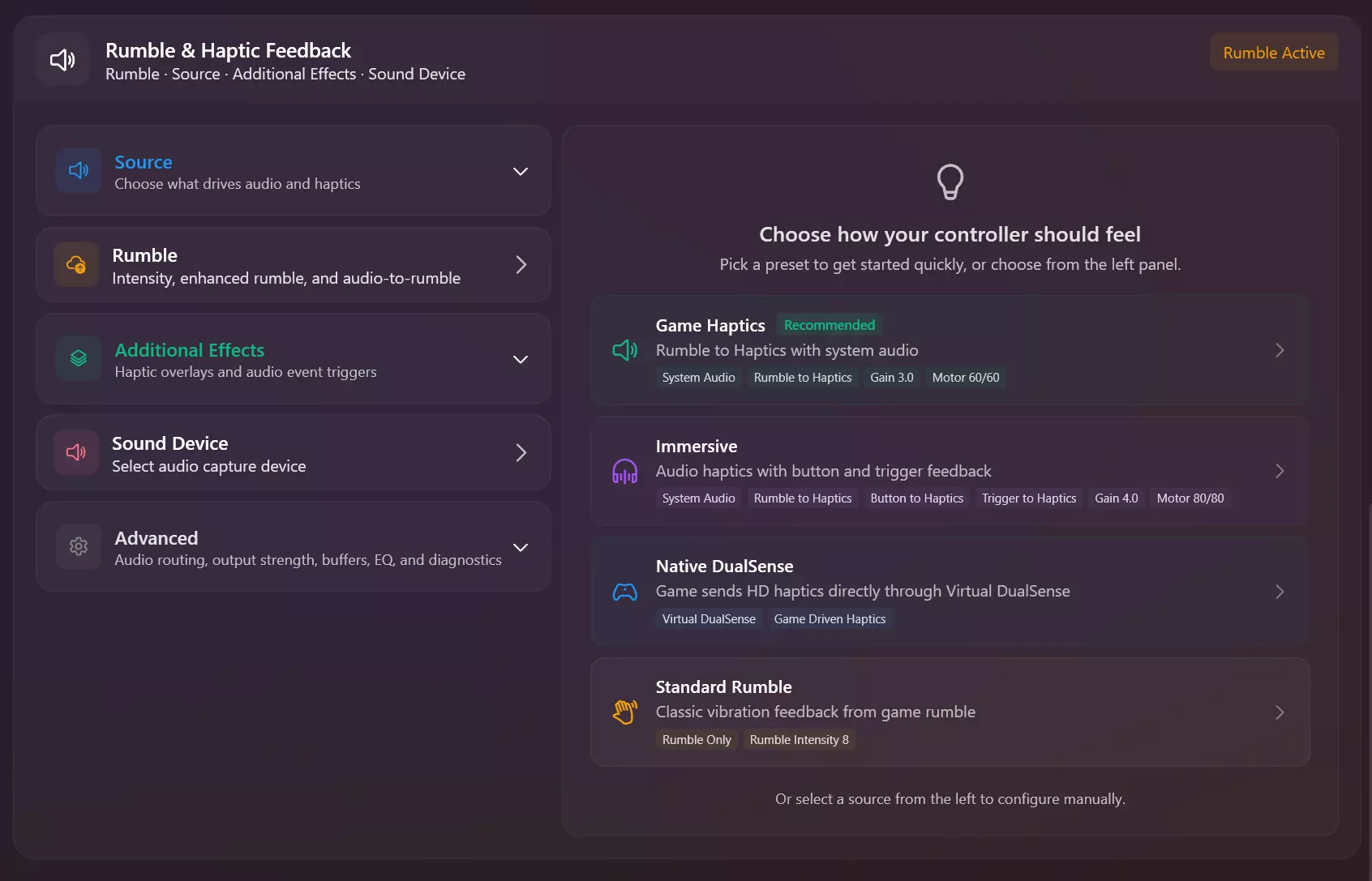
If you encounter any bugs or issues, reporting them to our Discord server will be the best way to get the support you need. Join our Discord server v3.1.5.3 Release Notes: Added Razer Raiju v3 Pro controller support in PS5 Mode (Wired/Wireless) Updated UI for Virtual Controllers Page Updated UI for LED Page Updated UI for Haptics/Rumble Page Added Individual Player Indicators for battery mode flowing from right (Full Battery) to left (Empty Battery) Added new Persistent Device Hiding toggle in HidHide Page. This will basically not let the controller be removed from the hidden list when disconnected so that the next time you launch DSX and connect your controller, it should be auto-hidden preventing the need to use Fix Double Input each time. Enable this if DSX is your primary way to game. Added Media Stop to shortcuts for the Action System Added Scroll with Two Fingers toggle for Touchpad to Mouse Fixed Multi-Color Mode -> Custom Colors -> Add/Remove UI elements not behaving correctly due to not using actual buttons. Fixed Test Sound Device alert not showing up for Haptic Feedback Mode in Haptics/Rumble Page Fixed up how Touchpad+ handles regions for Mouse and Stick modes and is more aware of both fingers being present to determine the outcome Fixed Toggle/Hold shortcuts not switching if the mode was already active for Touchpad/Sticks/Motion Fixed Action system UI not updating when input list changes from other input methods like touchpad, etc.. Fixed multiple issues with Motion and now should behave more natural Fixed presets duplicate bug using wrong preset type for Haptics/Rumble and Controller LED pages Updated Tutorial window, fixed tutorial getting stuck Home Page now displays only the latest changelog instead of the whole file Fixed potential crash when searching games in Instealled Games Page Fixed Version updated section in Home Page not hiding Fixed DualShock 4 build date having extra characters in the string which broke copy in My Controllers Page -> Device Information Improved method that restarts the controller Fixed multiple bugs causing DSX to crash. Updated translation files. [BETA CHANGES]: - WE MOVED BT Audio/Haptics section -> to Haptics/Rumble Page as it's own mode with no longer needing a controller to configure settings and work closely with the profile system like presets - Fixed memory leak with file playback not working with some audio files - Preped Mix and Match mode (coming soon) for BT Audio/Haptics which will allow you to select a source for audio (Sound Capture, File Playback, vDS Audio) and a source for haptics (Sound Waves, System Capture, File Playback, vDS Audio) - Fixed data not being sent to controller in some cases for BT Audio/Haptics - Added improved status for BT Audio/Haptics for errors/Warnings [CLOSED BETA CHANGES]: - Nothing new for now. We're still dealing with some crackling issues, a bit minor, but still there. We're thinking of also adding more users and potentially bringing this to the BETA branch above very soon. [DualSense and DualSense Edge Bluetooth Audio/Haptic Feedback]: We've been hard at work implementing BT Audio and Haptic Feedback for the DualSense and DualSense Edge controllers. We're excited to make this BETA available for users to experience this major breakthrough not found anywhere else on PC. BT Audio/Haptic Feedback is part of DSX+ What's Implemented in the BETA: - Sound Waves -> BT Haptic Feedback (With Rumble to Haptics) - System Audio Capture -> BT Audio/Haptic Feedback - Audio File Playback -> BT Audio/Haptic Feedback - Speaker and Headphone Jack fully working with Auto switching - Speaker and Headphone volumes as well as beamforming for the speaker - Haptic Feedback Gain control to make it even stronger or weaker - Settings to adjust to get that low latency for your setup What's coming later to the BETA: - Virtual DualSense with an Audio Device, with added mode to send audio and haptics via Bluetooth (currently being tested in closed beta) - DualShock 4 BT Audio - BT Audio/Haptic Feedback implementation with the Profile System. - And more.. How to Access: Open Steam -> Library -> DSX -> Gear Icon -> Properties -> Betas -> Dropdown -> Select [beta - beta] -> Update DSX -> Open DSX -> Navigate to Haptics/Rumble Page -> BT Audio/Haptics to enable. Please refer to this guide when switching branches via the Steam Client in your library settings. IMPORTANT READ Recently, we've received reports of Blue Screen of Death (BSOD) errors or PC crashes affecting some users. Please be assured that these issues are not related to DSX. If you're encountering BSOD or crashes, we recommend uninstalling the Steam Xbox Extended Feature Support Driver as a troubleshooting step. Here's how:[olist] Open Steam and navigate to Settings Select Controller from the left menu. Click Uninstall Xbox Extended Feature Support Driver Restart your PC[/olist] Happy Gaming, - Paliverse Your thoughts help us make DSX even better, if you’ve got a minute, a quick Steam review would mean a lot.
【更新公告】v3.1.5.3版本已发布!本次更新包含修复内容,以及BT音频/触觉反馈测试版功能。

导读
DSX发布v3.1.5.3版本,新增雷蛇Raiju v3 Pro手柄PS5模式支持、多项UI更新、设备隐藏等实用功能,修复多类bug;还推出BT音频/触觉反馈测试版,含音频捕获、文件播放等功能,可通过Steam测试分支获取,同时说明PC蓝屏问题与DSX无关及解决办法。


评论
共0条评论

v3.1.7版本已发布,来看看有哪些新内容!
如果您遇到任何漏洞或问题,向我们的Discord服务器报告将是获得所需支持的最佳方式。v3.1.《DSX》更新内容 1. 新功能 - Steam云备份与恢复——…
2026-03-31 12:490赞 · 0评论
2026-02-15 01:000赞 · 0评论

DSX 设置 [翻译]
DSX 程序初始设置指南 DSX 设置步骤: 1. 打开 Steam,点击左上角的【Steam】选项,依次进入【设置】-【控制器】-【PlayStation 控…
2026-02-14 16:000赞 · 0评论
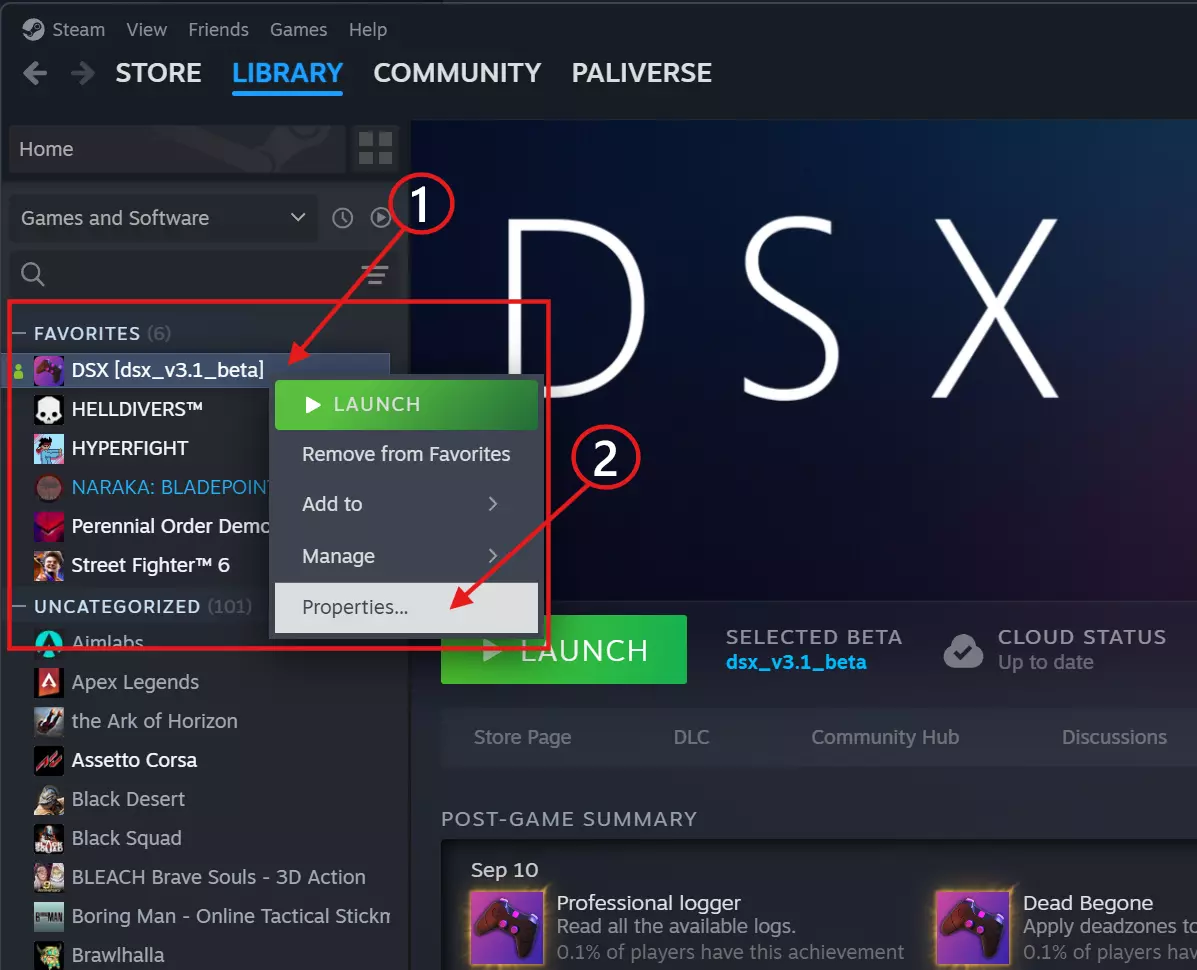
如何在Steam上切换分支
如何在Steam客户端中切换测试版分支。 无需密码进入分支 第1部分 打开你的Steam库 右键点击【DSX】 点击属性
2026-02-14 16:000赞 · 0评论
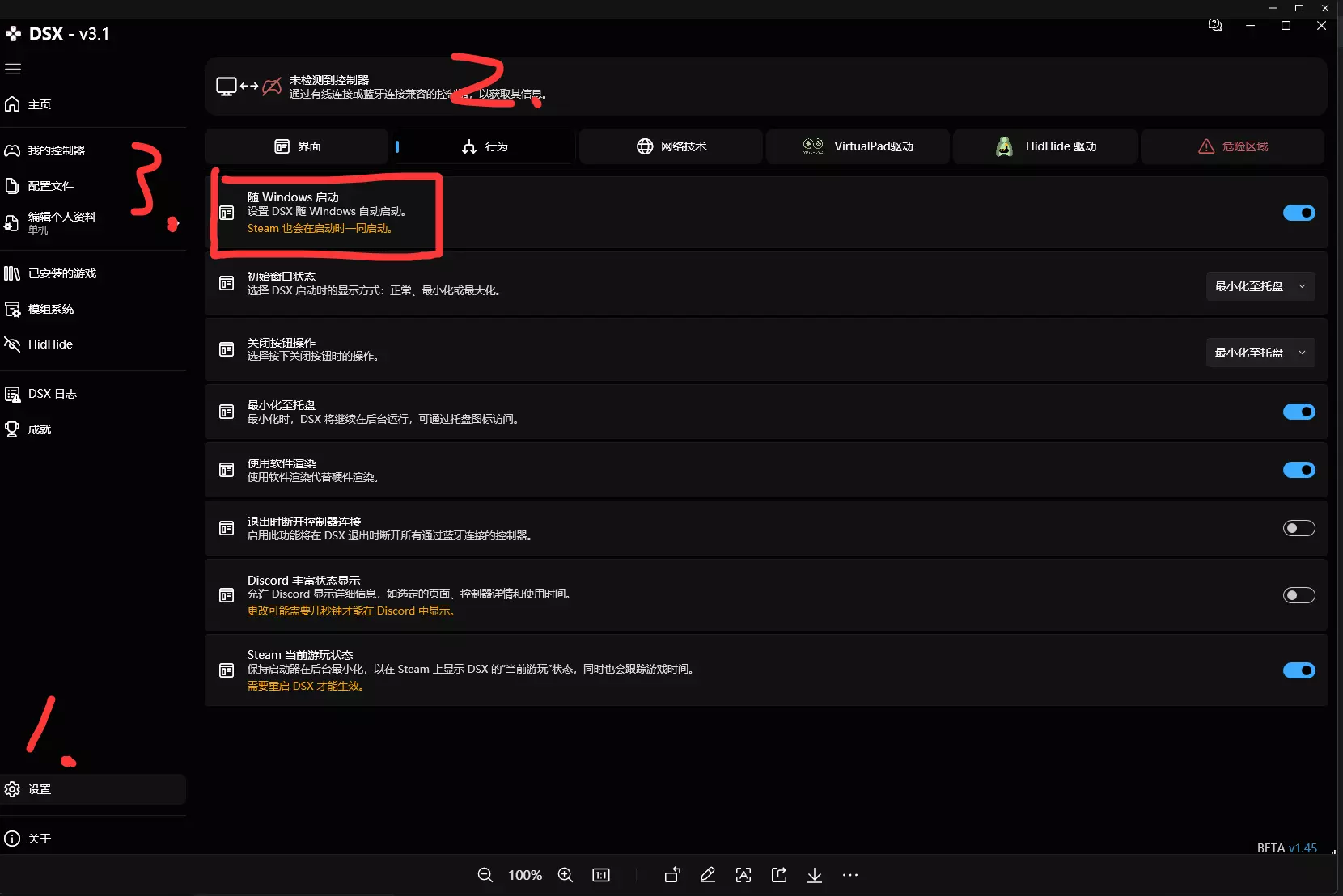
DSX/设置
DSX使用指南:Steam(左上角)>设置>控制器>PlayStation控制器支持(选择“在不支持的游戏中启用”)。 在库中创建动态集合,勾选集合设置中的“D…
2026-02-14 13:000赞 · 0评论
DSX 中文全成就指南+软件使用技巧
DSE加上这个软件真的挺爽的 软件现在版本(BETA1.45)共33个成就,还是很好获得的,除了几个计算按键数量的成就,不过慢慢玩应该也能解锁 这个软件还是很有…
2026-02-14 10:000赞 · 0评论
所有35项Steam游戏成绩
一篇指南教你如何获取全部成就 简介
2026-02-14 10:000赞 · 0评论

如何让Turbo(某种功能)正常工作(某种程度上)V3
我有一个SCUF Reflex PS5手柄。目前我只确认它在《战锤40K:暗潮》和《死亡岛2》中可以使用,其他游戏还未测试。 在“原生模式”下,如果你进入“控制…
2026-02-13 19:000赞 · 0评论
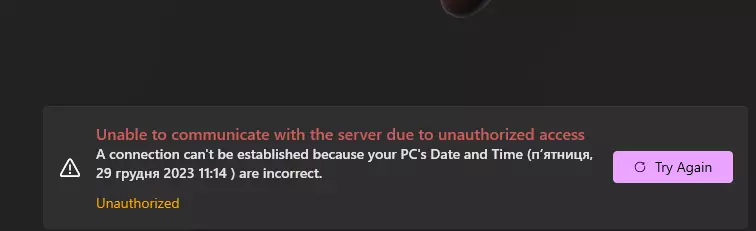
无法与服务器通信或如何解决此问题
本指南将为你说明如何解决此问题。 背景 你决定为DSX购买付费更新。购买并更新后,进入时却出现了这样的情况。
2026-02-13 13:000赞 · 0评论
v3.1.6版本已发布,查看新增内容!
v3.1.6 更新说明: 1. 全面更新了虚拟手柄驱动程序的处理方式,包括 DSX 启动时、设置过程中以及设置页面内的安装、健康状态和服务管理。在设置页面中,你…
2026-01-20 16:310赞 · 0评论
暂无更多


